Schools, nonprofits, and public institutions install interactive touchscreen displays to celebrate achievements, recognize supporters, and engage communities. Yet a fundamental question often emerges late in implementation: Can everyone in your community actually use these displays? Federal accessibility laws require public-facing digital content to serve users with disabilities, and touchscreen recognition systems are no exception.
WCAG 2.2 AA compliance establishes the technical standard ensuring touchscreen displays remain accessible to visitors with visual, auditory, motor, and cognitive disabilities. These guidelines published by the World Wide Web Consortium define testable success criteria covering everything from keyboard navigation and screen reader compatibility to color contrast and interactive element sizing. Organizations implementing non-compliant touchscreen systems face legal exposure, exclude community members with disabilities, and fail to serve their entire stakeholder population.
This comprehensive guide examines WCAG 2.2 AA compliance requirements for touchscreen displays and digital recognition systems. We explore each success criterion across Level A, Level AA, and Level AAA standards, explain why these requirements matter for inclusive access, and provide practical implementation guidance ensuring your interactive displays serve all visitors regardless of abilities.
Public institutions face clear legal obligations under the Americans with Disabilities Act requiring accessible digital content. Educational institutions receiving federal funding must comply with Section 508 and Section 504 accessibility requirements. Nonprofits serving broad communities have ethical obligations ensuring recognition systems honor all supporters equitably. These legal and moral imperatives make WCAG 2.2 AA compliance essential rather than optional for touchscreen display implementations.
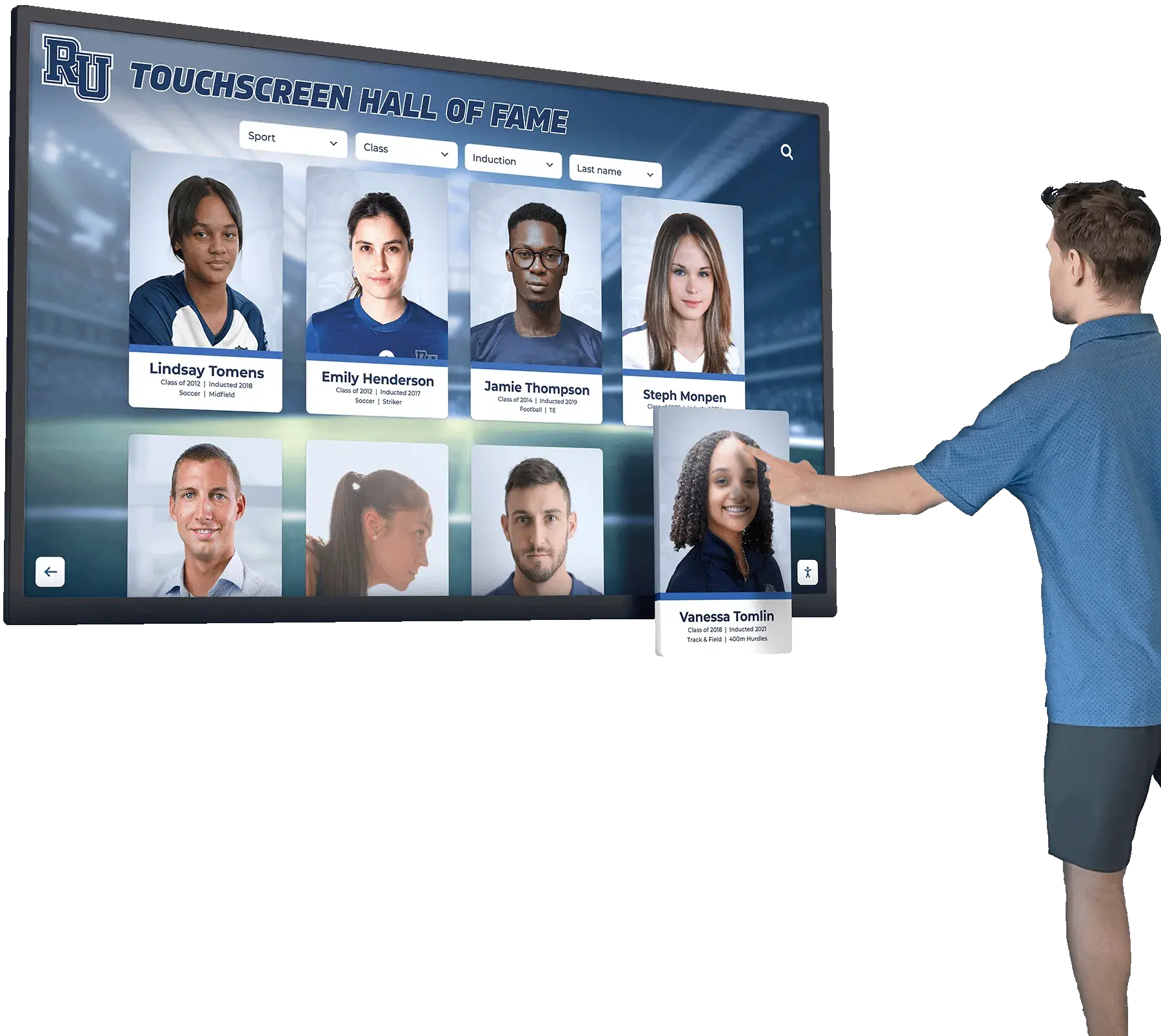
WCAG-compliant touchscreen displays ensure all community members can access recognition content regardless of abilities
Understanding WCAG 2.2 AA Standards
The Web Content Accessibility Guidelines provide comprehensive frameworks ensuring digital content remains perceivable, operable, understandable, and robust for users with disabilities.
What WCAG Standards Mean for Touchscreen Displays
WCAG guidelines apply to interactive digital content regardless of display format. Organizations often mistakenly assume accessibility requirements cover only traditional websites, overlooking that touchscreen kiosks present identical content requiring equivalent accessible design.
The Four Core Principles
WCAG organizes requirements around four foundational principles known as POUR:
- Perceivable: Information and interface components must be presentable in ways users can perceive, regardless of sensory abilities
- Operable: Interface components and navigation must be usable through various input methods including keyboard, touch, and assistive technologies
- Understandable: Information and operation must be comprehensible to users with varying cognitive abilities
- Robust: Content must remain accessible as technologies and assistive tools evolve
These principles guide specific technical requirements ensuring inclusive access across diverse abilities and assistive technology platforms.
Conformance Levels: A, AA, and AAA
WCAG defines three conformance levels with increasing stringency:
Level A (Minimum) Essential accessibility features without which users with disabilities cannot access content at all. Organizations must meet all Level A criteria for basic accessibility.
Level AA (Mid-Range) Addresses common barriers making content difficult or frustrating for users with disabilities to access. Most legal requirements and organizational policies target Level AA conformance as the practical standard.
Level AAA (Enhanced) Specialized requirements addressing nuanced accessibility needs, often requiring significant design constraints. Organizations rarely pursue full Level AAA conformance, instead implementing specific criteria where beneficial.
Legal compliance and best practices typically require Level AA conformance, making WCAG 2.2 AA the standard for most touchscreen display implementations.
Schools implementing digital recognition displays must ensure accessibility compliance from initial planning rather than retrofitting solutions later.
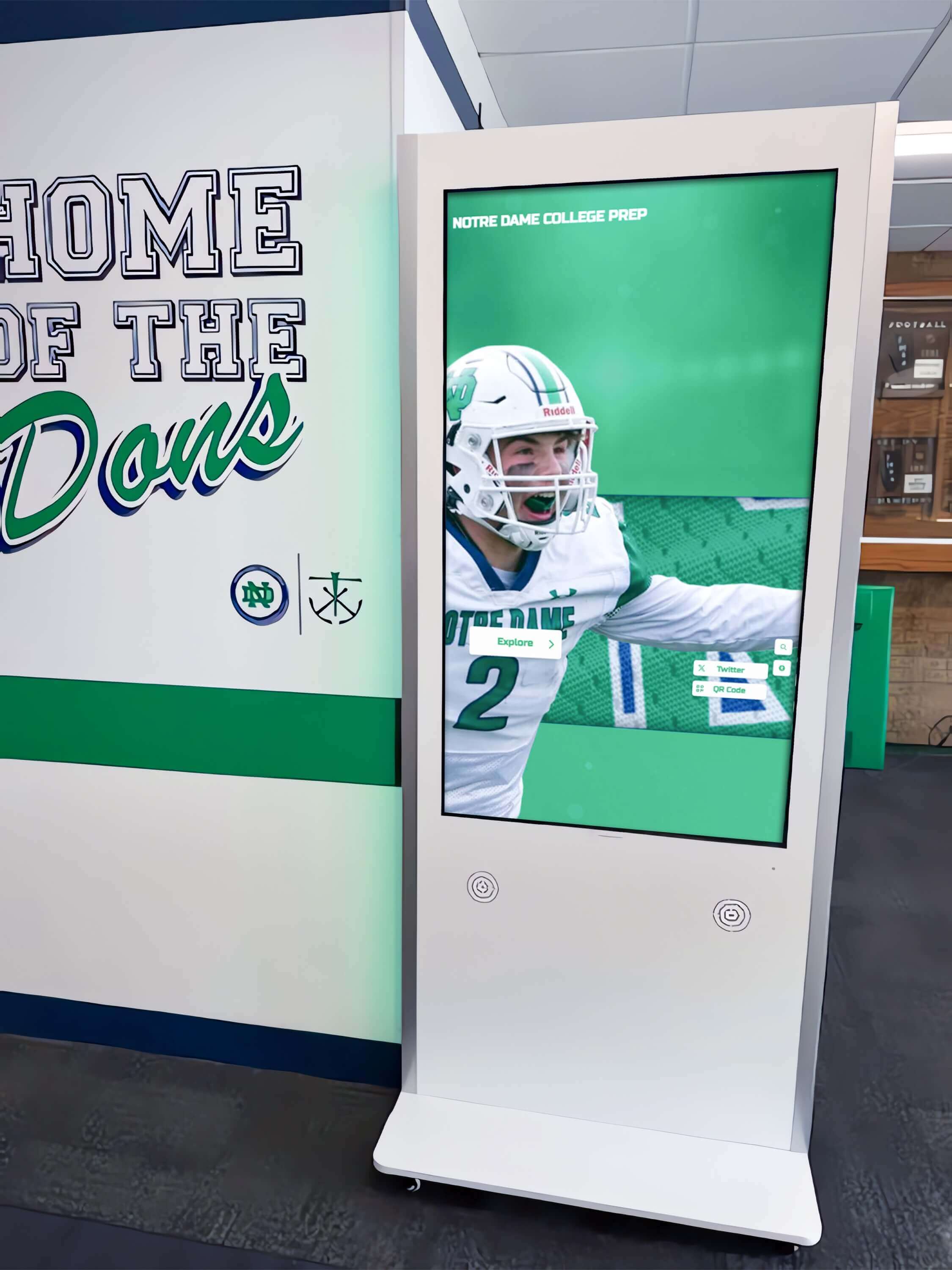
Educational institutions require accessible touchscreen systems that serve all students, staff, and visitors equitably
WCAG 2.2 Level A Success Criteria
Level A represents minimum accessibility requirements ensuring users with disabilities can access content at all. Failure to meet any Level A criterion means some users cannot use your touchscreen displays.
Perceivable Content Requirements
These criteria ensure users can perceive information regardless of sensory abilities.
1.1.1 Non-text Content (Level A)
All images, icons, and graphics must include alternative text descriptions enabling screen readers to convey visual information to blind users. For touchscreen recognition displays, this means:
- Biographical photos include descriptive alt text identifying individuals
- Achievement icons include text descriptions explaining what symbols represent
- Decorative graphics are marked appropriately to avoid confusing screen readers
- Logo images include institutional names in alternative text
- Interactive buttons include descriptive labels beyond visual icons alone
Importance: Without alternative text, blind users encounter unlabeled buttons, meaningless photo placeholders, and navigation elements they cannot identify or use.
1.2.1 Audio-only and Video-only (Prerecorded) (Level A)
Prerecorded audio content requires text transcripts. Prerecorded video without audio requires audio descriptions or text alternatives explaining visual content.
For touchscreen displays featuring multimedia recognition:
- Video testimonials from donors or honorees include synchronized captions
- Audio interviews require posted transcripts
- Silent video presentations include audio narration or text descriptions
- Historical archival content provides equivalent text information
Importance: Deaf users cannot access audio-only content without transcripts. Blind users cannot perceive video-only content without descriptions or alternative formats.
1.2.2 Captions (Prerecorded) (Level A)
Synchronized captions must accompany all prerecorded video content with audio.
Touchscreen recognition featuring video content requires:
- Synchronized captions on all biographical videos
- Event highlight videos with caption tracks
- Testimonial videos with accurate captioning
- Historical footage with descriptive captions
- Caption quality sufficient for comprehension without audio
Importance: Deaf and hard-of-hearing users rely entirely on captions for video content comprehension. Poor or missing captions completely exclude these users.
1.2.3 Audio Description or Media Alternative (Prerecorded) (Level A)
Video content must include audio descriptions of visual information not apparent from audio alone, or provide complete text transcripts.
For touchscreen video content:
- Visual elements crucial to understanding receive audio description
- On-screen text and graphics are narrated
- Non-verbal visual information is described
- Full text transcripts provide alternative access
Importance: Blind users miss visual information conveyed only through video imagery without audio description or transcript alternatives.
1.3.1 Info and Relationships (Level A)
Information, structure, and relationships conveyed through presentation must be programmatically determinable or available in text.
Touchscreen displays must:
- Use semantic HTML for headings, lists, and tables
- Properly code form fields with labels
- Identify navigation regions consistently
- Preserve content relationships in code structure
- Ensure visual presentation matches logical structure
Importance: Screen readers rely on proper coding to convey content structure. Visual formatting alone leaves blind users without organizational understanding.
1.3.2 Meaningful Sequence (Level A)
Content must be presented in a meaningful sequence that makes sense when linearized.
Implementation requirements:
- Content reading order follows logical progression
- Navigation elements appear in consistent, predictable sequences
- Biographical information flows logically through profiles
- Search results display in comprehensible order
- Tab navigation follows visual layout
Importance: Screen readers present content linearly. Illogical coding sequences create confusing, frustrating experiences for blind users.
1.3.3 Sensory Characteristics (Level A)
Instructions for understanding and operating content must not rely solely on sensory characteristics like shape, color, size, visual location, orientation, or sound.
Touchscreen interfaces must:
- Avoid instructions like “click the green button” without additional identification
- Include text labels alongside color-coded categories
- Provide explicit navigation beyond “swipe right” without alternatives
- Label interactive regions with text, not just visual placement
- Describe audio cues textually
Importance: Blind users cannot perceive visual characteristics. Deaf users cannot hear audio cues. Instructions must be multimodal.
Organizations implementing interactive digital displays should prioritize accessibility from initial design rather than addressing compliance as afterthought.
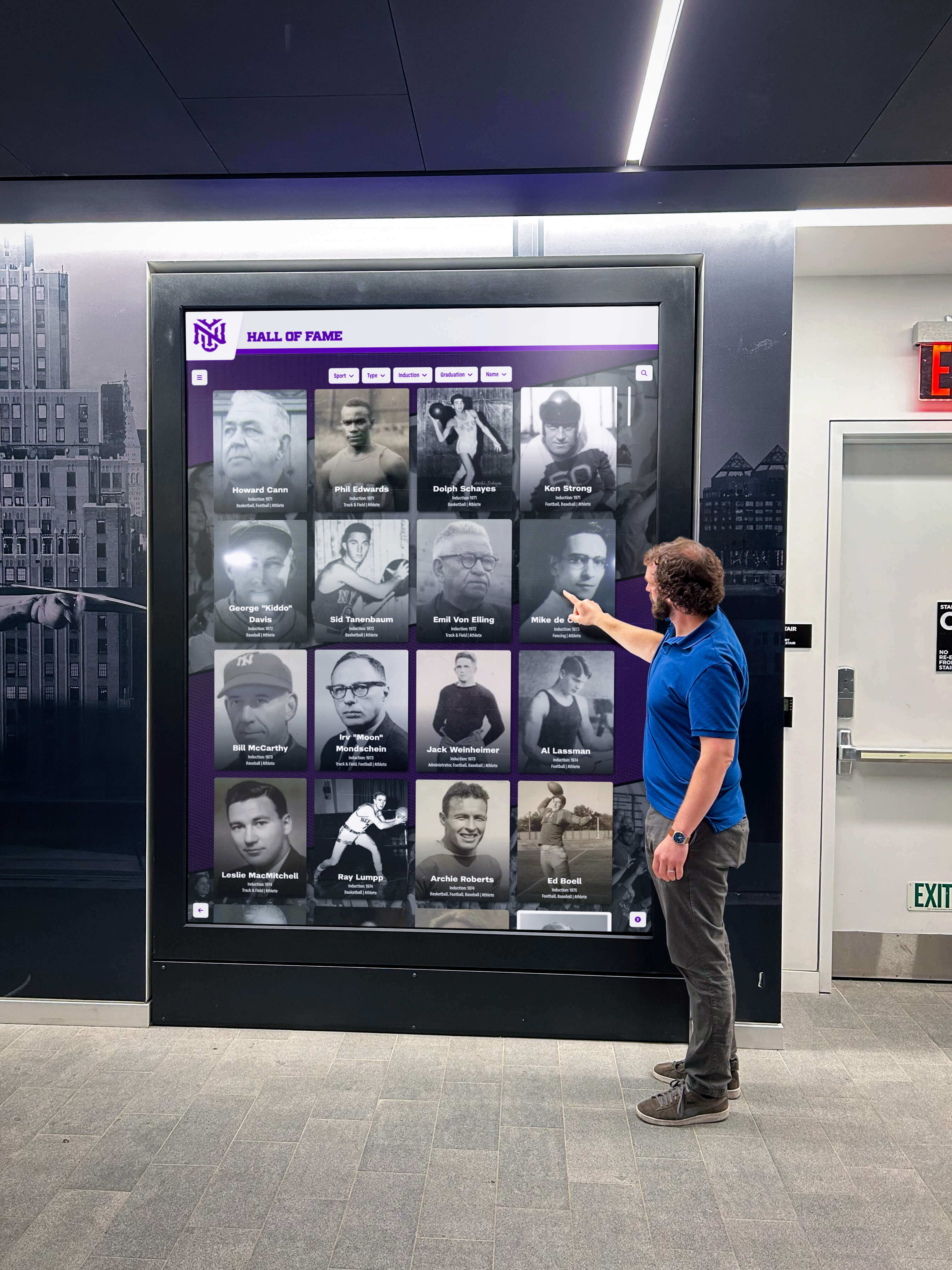
Properly coded interfaces enable screen readers to convey structure and relationships to blind users
Operable Interface Requirements
These criteria ensure users can navigate and interact with touchscreen interfaces.
2.1.1 Keyboard (Level A)
All functionality must be operable through keyboard interface without requiring specific timings for individual keystrokes.
Touchscreen displays must:
- Support keyboard navigation for all interactive elements
- Enable tab navigation through buttons, links, and form fields
- Allow keyboard activation of touch targets
- Provide visible focus indicators during keyboard navigation
- Avoid mouse-only or touch-only interaction requirements
Importance: Users with motor disabilities often cannot use touchscreens or mice, relying entirely on keyboard navigation. Touch-only interfaces completely exclude these users.
2.1.2 No Keyboard Trap (Level A)
Keyboard focus must not be trapped in any component, with standard navigation methods always available to move focus.
Implementation requirements:
- Users can always exit modal dialogs
- Video players allow keyboard navigation away
- Interactive elements never trap focus indefinitely
- Standard escape methods work consistently
- Focus moves logically through interface without dead ends
Importance: Keyboard traps force users to reload pages or abandon tasks entirely, creating impassable barriers for keyboard-dependent users.
2.1.4 Character Key Shortcuts (Level A 2.1 and 2.2)
Single-character keyboard shortcuts can be turned off, remapped, or are active only when components have focus.
For touchscreen interfaces with keyboard support:
- Single-key shortcuts include off switches
- Character shortcuts work only when relevant components have focus
- Users can remap conflicting shortcuts
- Avoid unintended activation from speech input
Importance: Speech input users unintentionally activate single-character shortcuts. Motor disability users accidentally trigger shortcuts, causing frustration and errors.
2.2.1 Timing Adjustable (Level A)
Users must be able to turn off, adjust, or extend time limits on content.
Touchscreen displays must:
- Avoid session timeouts when possible
- Provide clear warnings before timeout events
- Allow users to extend time limits easily
- Save user progress before timing out
- Offer timeout disable options where appropriate
Importance: Users with cognitive or motor disabilities require more time to read content and complete interactions. Rigid timeouts prevent successful task completion.
2.2.2 Pause, Stop, Hide (Level A)
Users must be able to pause, stop, or hide moving, blinking, scrolling, or auto-updating information.
Requirements for touchscreen content:
- Auto-advancing slideshows include pause controls
- Moving animations can be stopped
- Auto-updating content provides pause options
- Scrolling text includes stop functionality
- Essential alerts exempt from this requirement
Importance: Users with cognitive disabilities cannot read content that moves automatically. Motion-sensitive users may experience physical discomfort from animated content.
2.3.1 Three Flashes or Below Threshold (Level A)
Content must not flash more than three times per second, or flashes must remain below general flash and red flash thresholds.
Touchscreen video and animation must:
- Avoid rapid flashing visual effects
- Test videos for flash frequency compliance
- Eliminate strobing transitions
- Ensure animations remain below flash thresholds
- Remove seizure-inducing visual effects
Importance: Flashing content can trigger seizures in users with photosensitive epilepsy, creating serious health risks.
2.4.1 Bypass Blocks (Level A)
A mechanism must be available to bypass blocks of content repeated on multiple pages.
Touchscreen navigation should:
- Provide skip-to-content links
- Enable users to jump to main recognition content
- Allow navigation past repeated headers and menus
- Offer shortcut navigation to primary functions
- Include consistent bypass mechanisms
Importance: Screen reader users must otherwise tab through every repeated navigation element, making efficient browsing impossible.
2.4.2 Page Titled (Level A)
All pages or screens must have descriptive titles clearly identifying topic or purpose.
Implementation requirements:
- Each screen includes descriptive programmatic title
- Titles distinguish different content areas
- Navigation indicates current screen clearly
- Screen titles describe content purpose
- Titles remain consistent with visible headings
Importance: Screen reader users rely on page titles for orientation and understanding current location within complex interfaces.
2.4.3 Focus Order (Level A)
Navigation focus order must preserve meaning and operability.
Touchscreen interfaces must:
- Tab order follows logical visual sequence
- Focus moves through content meaningfully
- Interactive elements receive focus in predictable order
- Custom tab orders maintain comprehension
- Navigation remains consistent across screens
Importance: Illogical focus order confuses users and makes keyboard navigation inefficient or impossible.
2.4.4 Link Purpose (In Context) (Level A)
The purpose of each link must be determinable from link text alone or from link text together with programmatically determined context.
For touchscreen navigation:
- Link text describes destination clearly
- Avoid generic “click here” or “read more” links without context
- Provide sufficient surrounding context for link purpose
- Ensure screen readers can determine link destinations
- Use descriptive anchor text
Importance: Blind users cannot scan links visually. They navigate by tab-jumping between links, requiring clear individual link descriptions.
Institutions evaluating donor recognition wall ideas should prioritize vendors demonstrating WCAG compliance expertise and support.

Accessible interfaces support both touch and keyboard navigation methods for diverse user abilities
Pointer Gesture and Input Requirements
WCAG 2.1 and 2.2 introduced new criteria addressing modern interaction methods.
2.5.1 Pointer Gestures (Level A 2.1 and 2.2)
All functionality operable by pointer must be operable with single-pointer actions without path-based gestures.
Touchscreen displays must:
- Avoid requiring multi-finger gestures
- Provide alternatives to pinch-zoom or complex swipes
- Enable single-tap alternatives to dragging actions
- Support simple gestures rather than complex path dependencies
- Offer button alternatives to gesture-only navigation
Importance: Users with motor disabilities cannot execute complex multi-finger gestures or precise movements. Simple single-pointer actions ensure broad usability.
2.5.2 Pointer Cancellation (Level A 2.1 and 2.2)
Functions activated by single-pointer must meet cancellation requirements preventing accidental activation.
Implementation requires:
- Down-event does not complete action (up-event completes)
- Mechanisms to abort or undo after completion
- Up-event reverses down-event outcome
- Essential down-event actions clearly justified
Importance: Users with motor disabilities frequently trigger accidental touches. Cancellation mechanisms prevent frustrating unintended actions.
2.5.3 Label in Name (Level A 2.1 and 2.2)
Interactive components with visible text labels must include that text in their accessible name.
Touchscreen buttons and links must:
- Match visible label text in accessible name
- Begin accessible name with visible label text
- Avoid mismatches between visual and programmatic labels
- Ensure speech input users can activate controls by visible label
- Maintain consistency between display and code
Importance: Speech input users navigate by speaking visible labels. Mismatched programmatic names prevent successful interaction.
2.5.4 Motion Actuation (Level A 2.1 and 2.2)
Functionality triggered by device motion or user movement must include alternative interface controls.
Requirements for touchscreen systems:
- Shake-to-reset actions include button alternatives
- Tilt interactions provide standard navigation options
- Motion-based controls are non-essential or have UI alternatives
- Users can disable motion actuation
- Standard interface methods duplicate motion functionality
Importance: Users unable to physically move devices cannot access motion-only controls. Motion may trigger unintended actions for users with tremors.
Understandable Content Requirements
These criteria ensure content remains comprehensible to users with cognitive and learning disabilities.
3.1.1 Language of Page (Level A)
The primary language of each page or screen must be programmatically determinable.
Touchscreen displays must:
- Declare primary content language in code
- Enable screen readers to select correct pronunciation
- Support multiple languages with proper declarations
- Identify language changes within content
- Ensure assistive technologies can adapt to language
Importance: Screen readers require language declarations to pronounce content correctly. Incorrect or missing language tags produce incomprehensible output.
3.2.1 On Focus (Level A)
Receiving focus must not initiate changes of context without user awareness.
Interface requirements:
- Focus alone does not trigger navigation
- Context changes require explicit user activation
- Unexpected windows or dialogs do not appear on focus
- Users control when actions occur
- Warnings precede focus-triggered context changes
Importance: Unexpected context changes disorient users with cognitive disabilities and frustrate screen reader users who lose their place.
3.2.2 On Input (Level A)
Changing settings on user interface components does not automatically cause changes of context unless users are warned beforehand.
Touchscreen interfaces must:
- Input field changes do not trigger automatic submission
- Dropdown selections do not cause navigation without explicit action
- Setting changes require confirmation before taking effect
- Users receive advance warnings of automatic context changes
- Explicit controls initiate major interface changes
Importance: Automatic changes confuse users with cognitive disabilities and prevent successful form completion for screen reader users.
3.2.6 Consistent Help (Level A 2.2 only)
Help mechanisms must appear in consistent locations across screens when present.
For touchscreen systems with help features:
- Help button location remains consistent
- Contact information appears in same position
- Support access mechanisms maintain placement
- Assistance features use standard locations
- Consistent navigation to help resources
Importance: Consistent placement enables users with cognitive disabilities to find help when needed without searching entire interface.
3.3.1 Error Identification (Level A)
Input errors must be automatically detected and described to users in text.
Touchscreen form requirements:
- Validation errors appear in text descriptions
- Required field errors specifically identify missing fields
- Format errors explain expected format clearly
- Errors appear near relevant form fields
- Screen readers access error descriptions programmatically
Importance: Without clear text descriptions, users with visual or cognitive disabilities cannot identify or correct input errors.
3.3.2 Labels or Instructions (Level A)
Labels or instructions must be provided when content requires user input.
Implementation requirements:
- All form fields include clear labels
- Expected formats explained before input
- Required fields clearly identified
- Instructions appear before complex interactions
- Examples clarify expected input
Importance: Users with cognitive disabilities require clear instructions. Screen reader users need programmatically associated labels.
3.3.7 Redundant Entry (Level A 2.2 only)
Information previously entered or provided must not require re-entry within same session unless necessary for security or previous entry is invalid.
Touchscreen interfaces should:
- Remember search terms within sessions
- Preserve form progress during navigation
- Auto-populate previously entered information
- Avoid requiring identical information multiple times
- Save user work automatically
Importance: Users with cognitive or motor disabilities find repeated data entry exhausting and error-prone.
Organizations implementing academic recognition programs must ensure recognition displays meet accessibility requirements serving all students equitably.

Clear labels and error handling ensure successful interaction for users with cognitive disabilities
Robust Technical Requirements
These criteria ensure content remains accessible as technologies evolve.
4.1.1 Parsing (Level A)
In WCAG 2.0 and 2.1, proper HTML parsing ensures assistive technologies can interpret content. This criterion was removed in WCAG 2.2 as obsolete due to improved browser handling, but legacy content may reference it.
For WCAG 2.0 and 2.1 implementations: Ensure valid HTML without duplicate IDs, proper element nesting, and correct attribute usage.
Importance: Invalid HTML historically caused screen reader failures. Modern browsers handle parsing more robustly, leading to criterion removal in WCAG 2.2.
4.1.2 Name, Role, Value (Level A)
All user interface components must have programmatically determinable names, roles, states, and properties that assistive technologies can access.
Touchscreen implementations must:
- Identify all interactive elements with proper ARIA roles
- Provide programmatic names for buttons and controls
- Communicate states like expanded/collapsed, selected/unselected
- Update dynamic content accessibly
- Use semantic HTML or proper ARIA attributes
Importance: Screen readers rely on proper coding to identify and describe interface components. Missing or incorrect information prevents successful interaction.
WCAG 2.2 Level AA Success Criteria
Level AA addresses common barriers making content difficult for users with disabilities to access. Legal requirements typically target Level AA conformance.
Enhanced Perceivable Requirements
1.2.4 Captions (Live) (Level AA)
Live audio content in synchronized media requires captions.
For touchscreen displays with live streaming:
- Live events include real-time captions
- Webcast integration supports captioning
- Live video feeds provide synchronized text
- Real-time recognition events offer caption access
Importance: Deaf users require captions for any live audio content, not just prerecorded materials.
1.2.5 Audio Description (Prerecorded) (Level AA)
Audio description must be provided for all prerecorded video in synchronized media.
Touchscreen video content must:
- Include audio description tracks describing visual content
- Narrate on-screen text and graphics
- Describe visual information crucial to understanding
- Provide full sensory access to video content
Importance: Level A allows transcript alternatives, but Level AA requires actual audio description providing fuller access for blind users.
1.3.4 Orientation (Level AA 2.1 and 2.2)
Content must not restrict viewing to single display orientation unless specific orientation is essential.
Touchscreen displays should:
- Support both portrait and landscape viewing when possible
- Avoid locking to single orientation artificially
- Enable rotation for accessibility preferences
- Design responsive layouts accommodating multiple orientations
Importance: Users with mobility impairments may have devices mounted in specific orientations. Restriction creates unnecessary barriers.
1.3.5 Identify Input Purpose (Level AA 2.1 and 2.2)
The purpose of input fields collecting user information must be programmatically determinable when purpose relates to user.
Form fields should:
- Use autocomplete attributes identifying field purpose
- Enable browsers to assist with form completion
- Support password managers and form fillers
- Declare field types programmatically
- Help users with cognitive disabilities complete forms
Importance: Programmatic purpose declarations enable assistive features helping users with cognitive disabilities complete forms successfully.
1.4.3 Contrast (Minimum) (Level AA)
Text and images of text must have contrast ratio of at least 4.5:1 for normal text and 3:1 for large text.
Touchscreen visual design requires:
- Sufficient contrast between text and backgrounds
- Testing with contrast analysis tools
- Large text (18pt+) minimum 3:1 contrast
- Normal text (smaller than 18pt) minimum 4.5:1 contrast
- Exception for incidental text and logos
Importance: Low contrast makes text illegible for users with low vision, older users, and anyone viewing displays in bright lighting conditions.
1.4.4 Resize Text (Level AA)
Text must be resizable up to 200% without assistive technology and without loss of content or functionality.
Implementation requirements:
- Flexible layouts accommodating text scaling
- No horizontal scrolling at 200% zoom
- Content remains fully functional when enlarged
- Interface elements scale appropriately
- Responsive design supporting size changes
Importance: Users with low vision require text enlargement to read content comfortably. Fixed layouts break when text scales.
1.4.5 Images of Text (Level AA)
Text should be presented as actual text rather than images of text, except for logos or where specific presentation is essential.
Touchscreen content should:
- Use real text formatted with CSS rather than text in images
- Provide text alternatives when images are necessary
- Enable text customization and scaling
- Support screen reader access to text content
- Reserve images for essential visual text only
Importance: Images of text cannot be resized or read by screen readers. Real text provides superior accessibility and flexibility.
Schools implementing athletic hall of fame displays should verify contrast ratios and text sizing meet accessibility standards for public viewing.
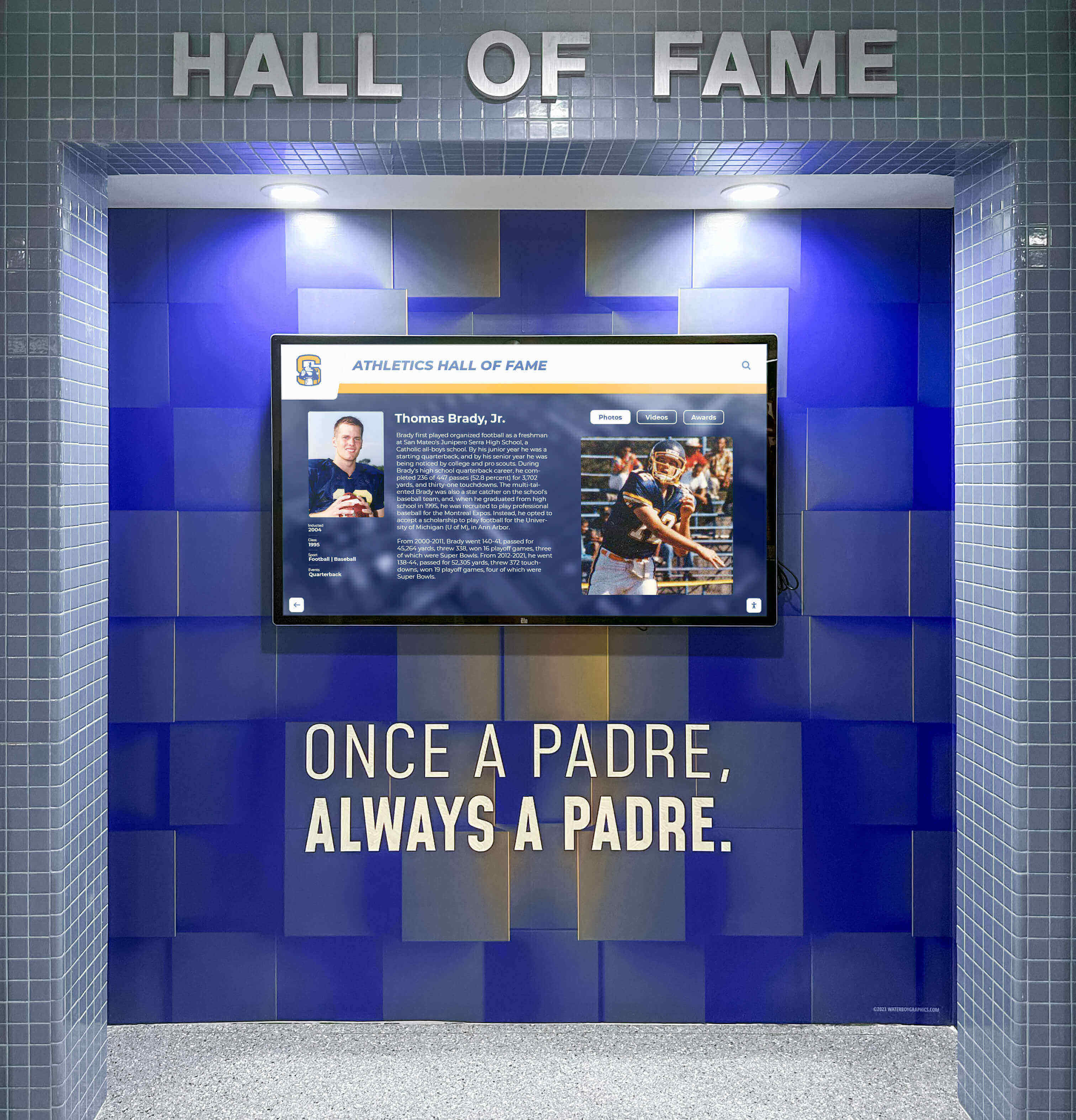
Sufficient color contrast ensures text remains legible for users with low vision and in varied lighting conditions
Enhanced Visual and Display Requirements
1.4.10 Reflow (Level AA 2.1 and 2.2)
Content must reflow to single column at 320px width without requiring scrolling in two directions.
Touchscreen responsive design must:
- Adapt layouts to narrow widths
- Avoid horizontal scrolling
- Preserve all functionality when reflowed
- Support zoom to 400% equivalent
- Maintain content accessibility at high zoom levels
Importance: Users with low vision using zoom functionality require content that reflows logically rather than forcing two-dimensional scrolling.
1.4.11 Non-text Contrast (Level AA 2.1 and 2.2)
User interface components and graphical objects must have contrast ratio of at least 3:1 against adjacent colors.
Visual design requirements:
- Interactive buttons show sufficient contrast
- Form field borders visible against backgrounds
- Icons and graphics distinguishable
- Focus indicators clearly visible
- Interactive elements identifiable by contrast alone
Importance: Low contrast UI elements become invisible to users with low vision, making interfaces impossible to use.
1.4.12 Text Spacing (Level AA 2.1 and 2.2)
Content must remain readable when text spacing properties are modified to specific values.
Interfaces must support:
- Line height (line spacing) at least 1.5 times font size
- Spacing between paragraphs at least 2 times font size
- Letter spacing at least 0.12 times font size
- Word spacing at least 0.16 times font size
- No loss of content or functionality with these spacing adjustments
Importance: Users with dyslexia and other cognitive disabilities require specific text spacing for successful reading.
1.4.13 Content on Hover or Focus (Level AA 2.1 and 2.2)
Content appearing on hover or focus must be dismissible, hoverable, and persistent.
Tooltip and popover requirements:
- Mechanism to dismiss without moving pointer
- Pointer can move over triggered content
- Content remains visible until dismissed or no longer relevant
- Exceptions for browser tooltips and non-obscuring content
Importance: Users with low vision using magnification cannot see content that appears and disappears outside their magnified viewport.
Enhanced Operable Requirements
2.4.5 Multiple Ways (Level AA)
More than one method must be available to locate pages or screens within a set, except where content is result of process.
Touchscreen navigation should provide:
- Search functionality for direct access
- Browse categories or menus
- Alphabetical listings
- Filtered views by attributes
- Multiple navigation pathways to same content
Importance: Users with cognitive disabilities benefit from multiple navigation methods matching different mental models and search strategies.
2.4.6 Headings and Labels (Level AA)
Headings and labels must describe topic or purpose clearly.
Content organization requires:
- Descriptive screen headings
- Clear section labels
- Form field labels explaining required input
- Button text describing actions
- Navigation labels indicating destinations
Importance: Descriptive labels help all users, particularly those with cognitive disabilities who rely on clear terminology.
2.4.7 Focus Visible (Level AA)
Keyboard focus indicator must be visible.
Keyboard navigation must:
- Show clear focus indicators on interactive elements
- Use sufficient contrast for focus visibility
- Avoid hiding default browser focus indicators
- Provide custom focus styles if default insufficient
- Ensure focus always visible during keyboard navigation
Importance: Keyboard users cannot navigate without visible focus indicators showing current position in interface.
2.4.11 Focus Not Obscured (Minimum) (Level AA 2.2 only)
When component receives keyboard focus, it must not be entirely hidden by author-created content.
Interface design must:
- Avoid fixed headers/footers obscuring focused elements
- Ensure focused items remain at least partially visible
- Adjust scroll position to reveal focused content
- Prevent overlays from hiding keyboard focus
- Maintain focus visibility in all layouts
Importance: Keyboard users cannot interact with focused elements they cannot see, making obscured focus unusable.
2.5.7 Dragging Movements (Level AA 2.2 only)
Functionality requiring dragging motion must have single pointer alternative without path-based gesture.
Touchscreen interactions should:
- Provide buttons for reordering instead of drag-only
- Offer alternatives to drag-and-drop actions
- Enable single-tap alternatives for drag gestures
- Support keyboard alternatives to dragging
- Implement accessible sorting mechanisms
Importance: Users with motor disabilities cannot execute precise dragging motions. Alternatives ensure universal access to functionality.
2.5.8 Target Size (Minimum) (Level AA 2.2 only)
Interactive targets must be at least 24 by 24 CSS pixels, with specific exceptions.
Touchscreen button sizing requires:
- Minimum 24x24 pixel touch targets
- Sufficient spacing between targets
- Larger targets for primary actions
- Exception for inline links within text
- Adequate target sizes for accurate touch
Importance: Users with motor impairments require larger touch targets for successful interaction. Small targets cause frustration and errors.
Nonprofits implementing donor recognition displays should prioritize accessible design ensuring all supporters can view recognition regardless of abilities.

Visible focus indicators enable keyboard users to navigate interactive touchscreen content successfully
Enhanced Understandable Requirements
3.1.2 Language of Parts (Level AA)
The language of each passage or phrase must be programmatically determinable, except for proper names, technical terms, and phrases in indeterminate language.
Multilingual content must:
- Identify language changes inline
- Enable screen readers to switch pronunciation
- Support bilingual biographical content
- Handle multiple languages within profiles
- Declare language attributes for text segments
Importance: Screen readers require language identification to pronounce multilingual content correctly.
3.2.3 Consistent Navigation (Level AA)
Navigation mechanisms repeated on multiple screens must occur in same relative order unless user initiates change.
Touchscreen interfaces should:
- Maintain consistent navigation placement
- Use standard button positions across screens
- Keep menu structures predictable
- Preserve navigation order throughout
- Enable user-initiated customization only
Importance: Consistent navigation helps users with cognitive disabilities learn interface patterns and find features reliably.
3.2.4 Consistent Identification (Level AA)
Components with same functionality must be identified consistently across interface.
Consistency requirements:
- Identical icons for same functions throughout
- Consistent button labels for similar actions
- Standard symbols used uniformly
- Same terminology for equivalent features
- Predictable visual and textual identification
Importance: Inconsistent identification confuses users with cognitive disabilities who must relearn functions repeatedly.
3.3.3 Error Suggestion (Level AA)
Input error detection must provide suggestions for correction when possible, unless suggestions would compromise security.
Error handling should:
- Suggest correct formats for input errors
- Offer example entries for unclear requirements
- Provide spelling suggestions for search
- Explain how to fix detected problems
- Guide users toward successful completion
Importance: Users with cognitive disabilities benefit from specific guidance correcting errors rather than generic error messages.
3.3.4 Error Prevention (Legal, Financial, Data) (Level AA)
For pages causing legal commitments or financial transactions, submissions must be reversible, verified, or confirmed.
High-stakes interactions require:
- Confirmation screens before final submission
- Review steps allowing changes before commitment
- Clear reversal mechanisms after submission
- Checkbox confirmation for critical actions
- Opportunity to correct errors before commitment
Importance: Users with cognitive disabilities require safeguards preventing irreversible errors in important transactions.
3.3.8 Accessible Authentication (Minimum) (Level AA 2.2 only)
Cognitive function tests must not be required for authentication steps, with specific exceptions.
Authentication should:
- Avoid memory tests (typing previous character from password)
- Support password managers and paste functionality
- Provide alternatives to CAPTCHA puzzles
- Enable authentication without cognitive testing
- Use accessible verification methods
Importance: Cognitive function tests create insurmountable barriers for users with cognitive and learning disabilities.
4.1.3 Status Messages (Level AA 2.1 and 2.2)
Status messages must be programmatically determinable through role or properties, enabling assistive technologies to present them without receiving focus.
Implementation requires:
- Screen reader announcements for status updates
- ARIA live regions for dynamic content changes
- Accessible notification of search results
- Programmatic communication of success/error states
- Non-disruptive status communication
Importance: Screen reader users miss status updates that appear visually without programmatic communication.
WCAG 2.2 Level AAA Success Criteria
Level AAA represents specialized requirements for maximum accessibility. Organizations rarely pursue full Level AAA conformance but may implement specific criteria where beneficial.
Advanced Perceivable Requirements
1.2.6 Sign Language (Prerecorded) (Level AAA)
Sign language interpretation should be provided for prerecorded audio content.
1.2.7 Extended Audio Description (Prerecorded) (Level AAA)
Extended audio description should be provided when standard audio description is insufficient.
1.2.8 Media Alternative (Prerecorded) (Level AAA)
Full text alternatives should be provided for prerecorded synchronized media.
1.2.9 Audio-only (Live) (Level AAA)
Text alternatives should be provided for live audio-only content.
Importance: These advanced multimedia requirements benefit deaf-blind users and others requiring comprehensive alternative formats.
Advanced Visual Requirements
1.4.6 Contrast (Enhanced) (Level AAA)
Enhanced contrast ratios of 7:1 for normal text and 4.5:1 for large text.
1.4.8 Visual Presentation (Level AAA)
Text presentation must allow user control over foreground/background colors, text width, alignment, line spacing, and other presentation aspects.
1.4.9 Images of Text (No Exception) (Level AAA)
Images of text should be avoided entirely, even for logos.
Importance: Enhanced visual requirements benefit users with severe low vision and specific visual processing needs.
Organizations developing touchscreen recognition systems should consult accessibility specialists during design phases to address requirements proactively.

Advanced accessibility features serve users with severe disabilities and create better experiences for all users
Advanced Operable Requirements
2.1.3 Keyboard (No Exception) (Level AAA)
All functionality must be operable through keyboard with no exceptions.
2.4.8 Location (Level AAA)
Information about user’s location within set of pages or screens should be available.
2.4.9 Link Purpose (Link Only) (Level AAA)
Link purpose must be identifiable from link text alone without context.
2.4.10 Section Headings (Level AAA)
Section headings should be used to organize content.
2.4.12 Focus Not Obscured (Enhanced) (Level AAA 2.2 only)
When component receives keyboard focus, no part of focused component should be hidden by author-created content.
2.4.13 Focus Appearance (Level AAA 2.2 only)
Focus indicator must meet specific size, contrast, and visibility requirements.
Importance: Enhanced navigation requirements provide superior usability for keyboard and screen reader users.
Advanced Input Requirements
2.2.3 No Timing (Level AAA)
Timing should not be essential part of event or activity except for non-interactive synchronized media and real-time events.
2.2.4 Interruptions (Level AAA)
Interruptions can be postponed or suppressed by user except for emergency alerts.
2.2.5 Re-authenticating (Level AAA)
When authenticated session expires, users can continue activity without data loss after re-authenticating.
2.2.6 Timeouts (Level AAA 2.1 and 2.2)
Users should be warned about duration of inactivity causing data loss unless data preserved for 20+ hours of inactivity.
2.5.5 Target Size (Level AAA 2.1 and 2.2)
Touch targets should be at least 44 by 44 CSS pixels with specific spacing exceptions.
2.5.6 Concurrent Input Mechanisms (Level AAA 2.1 and 2.2)
Content should not restrict use of input modalities except where restriction is essential.
Importance: Enhanced timing and input requirements benefit users with cognitive and motor disabilities requiring more time and flexibility.
Advanced Understandable Requirements
3.1.3 Unusual Words (Level AAA)
Mechanisms should be available for identifying specific definitions of unusual words.
3.1.4 Abbreviations (Level AAA)
Mechanisms should be available for identifying expanded forms of abbreviations.
3.1.5 Reading Level (Level AAA)
When text requires advanced reading ability, supplemental content or alternative versions should be available.
3.1.6 Pronunciation (Level AAA)
Mechanisms should be available for identifying specific pronunciation of words where meaning is ambiguous without pronunciation.
3.2.5 Change on Request (Level AAA)
Changes of context should occur only by user request, or mechanisms should be available to turn off such changes.
3.3.5 Help (Level AAA)
Context-sensitive help should be available.
3.3.6 Error Prevention (All) (Level AAA)
Submissions should be reversible, verified, or confirmed for all user actions, not just legal/financial transactions.
3.3.9 Accessible Authentication (Enhanced) (Level AAA 2.2 only)
Cognitive function tests should not be required for any authentication step.
Importance: Advanced understandable requirements support users with cognitive and learning disabilities requiring maximum clarity and assistance.
Implementation Strategies for WCAG Compliance
Meeting accessibility standards requires systematic planning and development approaches.
Design Phase Considerations
Build accessibility into initial planning rather than retrofitting:
Accessible Design Principles
- Follow universal design practices benefiting all users
- Choose accessible-first design frameworks and components
- Plan keyboard navigation paths during wireframing
- Consider screen reader user experience in interaction design
- Test early concepts with accessibility evaluation tools
- Document accessibility requirements in design specifications
Vendor Selection When procuring touchscreen display systems, evaluate accessibility capabilities thoroughly:
- Request WCAG 2.2 AA compliance documentation
- Review Voluntary Product Accessibility Templates (VPAT)
- Test demonstration systems with screen readers
- Verify keyboard navigation functionality
- Assess color contrast in template designs
- Confirm mobile QR access capabilities
- Understand vendor support for accessibility maintenance
Solutions like Rocket Alumni Solutions build WCAG 2.2 AA compliance into core platform design, ensuring accessibility through template systems, proper semantic coding, keyboard navigation support, screen reader compatibility, and flexible customization maintaining accessibility standards.
Development and Testing
Accessibility Testing Methods
- Automated scanning tools (WAVE, axe, Lighthouse) for initial evaluation
- Manual keyboard navigation testing without mouse
- Screen reader testing (NVDA, JAWS, VoiceOver) for actual user experience
- Color contrast analysis tools verifying ratios
- Mobile device testing including assistive features
- User testing with people with disabilities
Common Accessibility Issues
- Missing alternative text on images
- Insufficient color contrast
- Keyboard traps or inaccessible navigation
- Missing form labels
- Poor focus indicators
- Non-descriptive link text
- Auto-playing media without controls
- Time limits without extensions
- Confusing error messages
- Inconsistent navigation
Remediation Prioritization
- Address Level A failures immediately (accessibility blockers)
- Fix Level AA issues for legal compliance
- Consider Level AAA improvements where beneficial
- Prioritize issues affecting most users first
- Document accessibility decisions and exceptions
- Plan regular accessibility audits
Universities implementing comprehensive recognition systems should establish accessibility testing protocols ensuring ongoing compliance as content evolves.
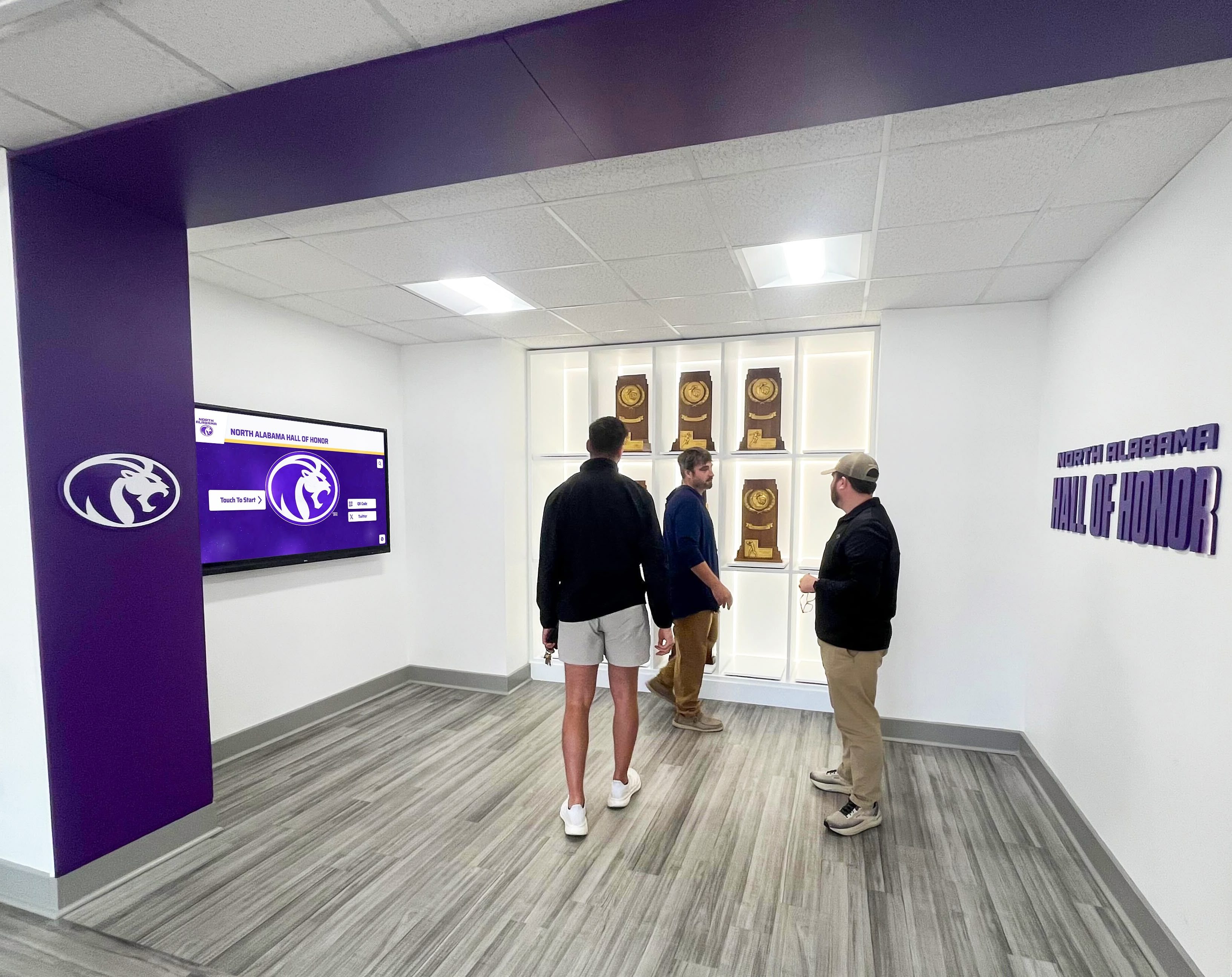
User testing with diverse abilities reveals accessibility issues automated tools miss
Ongoing Maintenance and Governance
Accessibility Program Elements
- Clear ownership and accountability for accessibility
- Regular training for content creators and developers
- Documented accessibility standards and procedures
- Scheduled accessibility audits and evaluations
- User feedback mechanisms for accessibility concerns
- Budget allocation for accessibility improvements
- Accessibility considerations in procurement processes
Content Management Practices
- Template systems ensuring accessible formatting
- Required alternative text fields for all images
- Color contrast validation during content creation
- Automated checks before content publication
- Accessibility review workflows for major changes
- Regular content audits identifying issues
- Clear remediation procedures for accessibility problems
Policy Development Organizations should establish formal accessibility policies covering:
- Commitment to WCAG 2.2 AA compliance
- Specific success criteria requiring conformance
- Testing and validation requirements
- Timelines for addressing accessibility issues
- Exception procedures for unavoidable barriers
- Grievance procedures for accessibility complaints
- Regular policy review and updates
Legal Requirements and Compliance Obligations
Understanding accessibility laws helps organizations prioritize compliance efforts.
Americans with Disabilities Act (ADA)
Public accommodations must ensure equally effective communication and services for people with disabilities. Digital content including touchscreen kiosks falls under Title III requirements.
Key Requirements
- Provide equally effective access to information and services
- Ensure communication is as effective as for people without disabilities
- Provide auxiliary aids and services when necessary
- Remove barriers in existing facilities when readily achievable
Enforcement and Liability
- Department of Justice enforcement actions
- Private lawsuits by individuals facing barriers
- Mandatory remediation for found violations
- Potential damages and attorney fees
- Ongoing monitoring requirements
Section 508 (Federal Access)
Federal agencies and recipients of federal funding must ensure electronic and information technology is accessible to people with disabilities.
Applicable Organizations
- Federal government agencies
- Schools receiving federal funding
- Organizations with federal contracts
- Federally funded nonprofits and research institutions
Technical Standards Section 508 standards align closely with WCAG 2.0 Level AA, with updates expected to reference WCAG 2.1 or 2.2.
Section 504 (Educational Access)
Educational institutions receiving federal financial assistance must provide equal access to students, staff, and visitors with disabilities.
Compliance Requirements
- Accessible instructional materials and technology
- Effective communication with stakeholders with disabilities
- Equal opportunity to participate in programs and activities
- Reasonable accommodations and auxiliary aids
- Regular accessibility evaluations and improvements
State and Local Laws
Many states have enacted accessibility laws with requirements beyond federal standards:
California
- Unruh Civil Rights Act covering public accommodations
- California Government Code Section 11135 for state-funded programs
- Broader definitions than federal ADA
New York
- New York State Human Rights Law covering public accommodations
- New York City Human Rights Law with broader coverage
Other States Organizations should research applicable state and local accessibility requirements in their jurisdictions.
Benefits Beyond Compliance
WCAG compliance delivers value beyond legal obligation.
Expanded Audience Reach
Accessible touchscreen displays serve broader populations:
- 26% of U.S. adults have disabilities (CDC data)
- Aging populations experience increasing accessibility needs
- Temporary disabilities (broken arms, eye strain) affect everyone occasionally
- Situational limitations (bright sunlight, noisy environments) impact all users
- International visitors may have language and cognitive access needs
Accessible design ensures recognition displays serve entire community rather than excluding significant percentages.
Improved Usability for All Users
Accessibility features benefit everyone:
- Clear navigation helps all users find content efficiently
- Descriptive labels reduce confusion for novice users
- High contrast improves visibility in varied lighting
- Keyboard shortcuts provide power user features
- Search functionality serves all users seeking specific content
- Consistent design reduces cognitive load universally
Universal design principles create better experiences across all abilities and contexts.
Reduced Support Burden
Accessible interfaces require less assistance:
- Clear instructions reduce information desk questions
- Effective error handling prevents frustrated users seeking help
- Multiple navigation methods enable self-service success
- Consistent design decreases learning curves
- Good help documentation answers questions proactively
Staff can focus on high-value interactions rather than basic troubleshooting.
Reputation and Values Alignment
Accessibility commitment demonstrates organizational values:
- Public demonstration of inclusion and equity
- Alignment with mission statements about serving entire community
- Positive reputation among disability advocacy groups
- Differentiation from competitors lacking accessibility
- Employee pride in inclusive workplace practices
- Board and leadership demonstration of values commitment
Accessible touchscreen displays become visible symbols of organizational commitment to inclusion.
Conclusion: Building Inclusive Digital Recognition
WCAG 2.2 AA compliance ensures touchscreen displays serve all community members regardless of abilities. The success criteria spanning Level A fundamentals through Level AA best practices address diverse disabilities including visual, auditory, motor, cognitive, and neurological conditions. Organizations implementing accessible touchscreen recognition demonstrate commitment to inclusive communities while meeting legal obligations and creating superior user experiences.
Systematic accessibility requires intentional planning, informed vendor selection, proper implementation, comprehensive testing, and ongoing maintenance. Building accessibility into initial design proves far more efficient and effective than retrofitting non-compliant systems after deployment. Organizations should prioritize accessibility as core requirement rather than optional feature when implementing touchscreen displays for recognition, donor acknowledgment, or information sharing.
The technical requirements may appear complex, but purpose-built recognition platforms like Rocket Alumni Solutions integrate WCAG 2.2 AA compliance into core functionality through accessible templates, proper semantic coding, keyboard navigation, screen reader support, color contrast standards, and flexible customization maintaining accessibility throughout content management. This integrated approach eliminates accessibility as separate technical challenge, enabling organizations to focus on recognition content and community engagement while ensuring inclusive access automatically.
Beyond legal compliance, accessible touchscreen displays serve broader audiences, improve usability for all users, reduce support burden, and demonstrate organizational values around inclusion and equity. The investment in accessibility generates returns through expanded reach, enhanced reputation, reduced liability, and genuine service to entire community populations including significant percentages living with disabilities.
Your touchscreen recognition displays represent visible statements about whose achievements matter and who belongs in your community. Accessible implementation ensures these statements include everyone regardless of abilities, creating truly inclusive recognition that honors all community members equitably.
Ready to implement WCAG 2.2 AA compliant touchscreen recognition that serves your entire community? Discover comprehensive accessible platforms designed for schools and nonprofits, with built-in accessibility features, unlimited content capacity, professional templates, cloud-based management, and dedicated support ensuring your digital displays meet both legal requirements and community values.