ViewSonic interactive displays appear frequently on school technology shortlists, offering competitively priced touchscreen hardware from an established manufacturer with decades of display production experience. Schools evaluating ViewSonic typically encounter the brand while researching classroom collaboration tools, presentation systems, or general digital signage—attracted by recognizable branding, education-focused marketing, and price points often thousands of dollars below premium alternatives.
Yet the fundamental question facing schools isn’t whether ViewSonic produces quality display hardware—their commercial panels deliver solid specifications and reliable performance across multiple market segments. The critical decision centers on matching display technology to specific school applications and determining when general-purpose interactive panels serve institutional needs effectively versus situations requiring specialized software platforms purpose-built for recognition, engagement, and content management beyond basic screen mirroring and annotation tools.
This comprehensive review examines ViewSonic interactive display capabilities, typical school use cases, pricing structures, and honest comparisons with specialized digital recognition platforms—helping schools make informed decisions about which technology solutions genuinely address their specific display and engagement objectives.
Schools invest in interactive display technology expecting years of daily use across diverse applications ranging from classroom instruction to lobby recognition displays. Understanding ViewSonic’s actual capabilities, inherent limitations, and appropriate use cases prevents expensive mismatches between purchased technology and institutional needs.
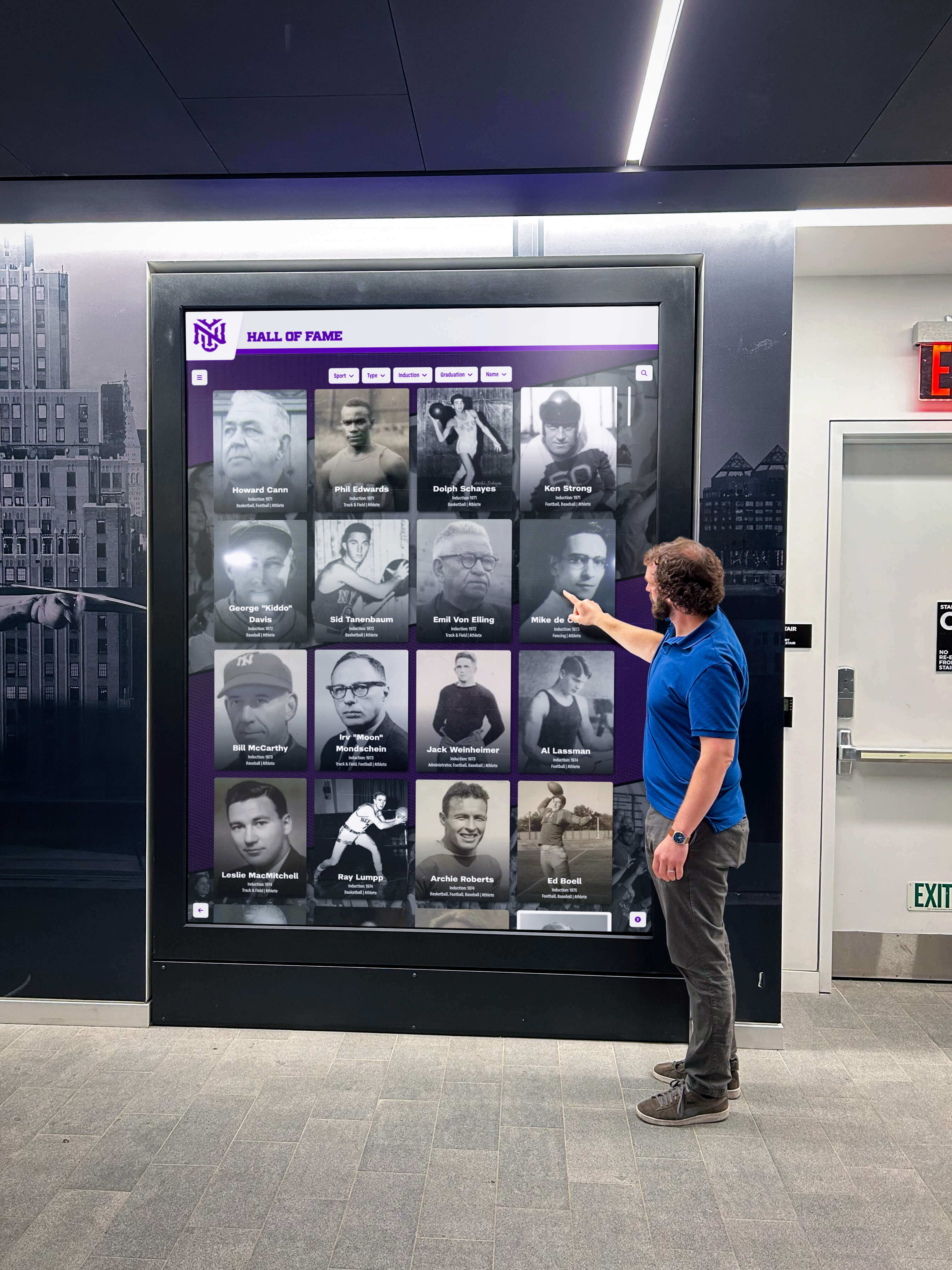
Interactive displays serve schools best when hardware capabilities align precisely with software requirements and intended use cases
ViewSonic Interactive Display Product Overview
ViewSonic manufactures interactive displays spanning multiple product families targeting different educational applications and budget ranges.
ViewBoard Interactive Flat Panel Series
ViewSonic’s primary education-focused product line centers on the ViewBoard brand combining touchscreen displays with built-in collaboration software.
Hardware Specifications Across Product Tiers
- Display sizes: 55", 65", 75", 86", and 98" diagonal
- 4K Ultra HD resolution (3840 x 2160) standard across modern lineup
- Touchscreen technology: Infrared or capacitive depending on model
- Touch points: 20-point or 40-point simultaneous touch recognition
- Brightness: 350-400 nits typical for indoor classroom environments
- Connectivity: HDMI, USB-C, DisplayPort, VGA on legacy models
- Built-in computing: Optional embedded Android or Windows modules
Bundled Software Ecosystem
- myViewBoard annotation and whiteboarding application
- Screen-sharing capabilities for student devices
- Cloud storage integration for lesson materials
- Basic video conferencing support through integrated cameras
- Content library access for education-focused templates
- Management software for IT deployment across multiple panels
ViewBoard systems target classroom instruction environments where teachers present content, annotate lessons, and facilitate collaborative student work sessions using interactive touch capabilities.
Commercial and Signage Display Options
Beyond education-specific ViewBoard products, ViewSonic manufactures commercial display panels schools sometimes repurpose for signage applications.
Commercial Display Characteristics
- No integrated touch capabilities on entry-level commercial panels
- Lower price points compared to interactive touchscreen models
- Designed for digital signage, menu boards, and static content display
- Require separate media players or content management systems
- Limited or no collaboration software included
- Focus on reliability and continuous operation versus interactivity
Schools evaluating ViewSonic need clarity about which product family actually addresses their use case—interactive classroom tools versus passive signage displays versus specialized recognition software platforms designed specifically for trophy cases, donor walls, and athletic achievement displays.
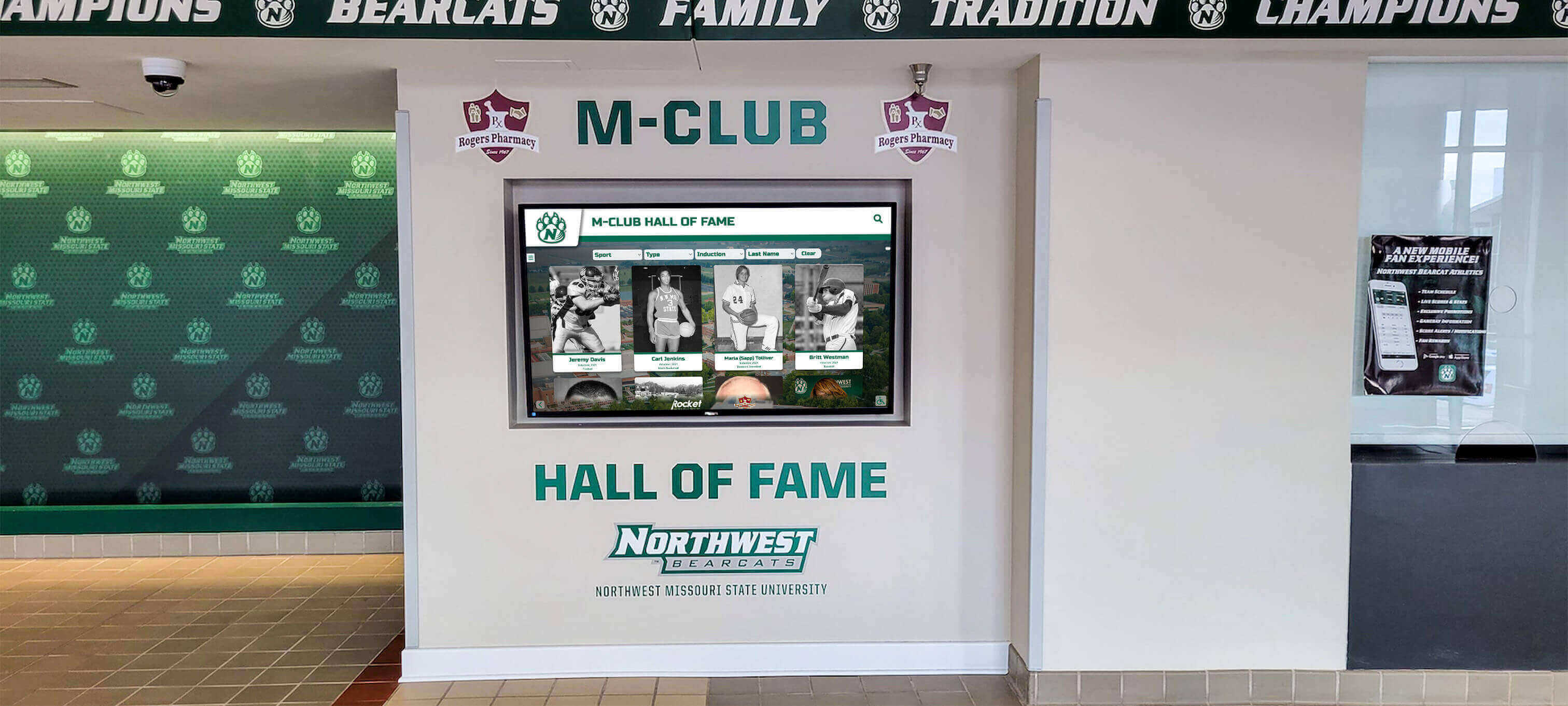
Athletic recognition displays demand specialized content management systems beyond general classroom collaboration tools
ViewSonic Interactive Display Capabilities and Limitations
Understanding what ViewBoard systems genuinely accomplish versus wishful vendor marketing helps schools set realistic expectations.
What ViewSonic Interactive Displays Do Well
ViewSonic excels in specific applications matching their designed purpose and included software capabilities.
Classroom Instruction and Collaboration
- Annotating over presentations, documents, and educational content
- Mirroring student device screens for class sharing and discussion
- Interactive whiteboarding during lessons and group work
- Displaying curriculum materials, videos, and web-based resources
- Facilitating remote learning through integrated video conferencing
- Storing and retrieving lesson materials via cloud integration
Administrative Presentation Spaces
- Conference room display for meetings and presentations
- Board room technology for leadership discussions and planning
- Professional development session facilitation tools
- Parent meeting presentation capabilities
- Staff collaboration space equipment
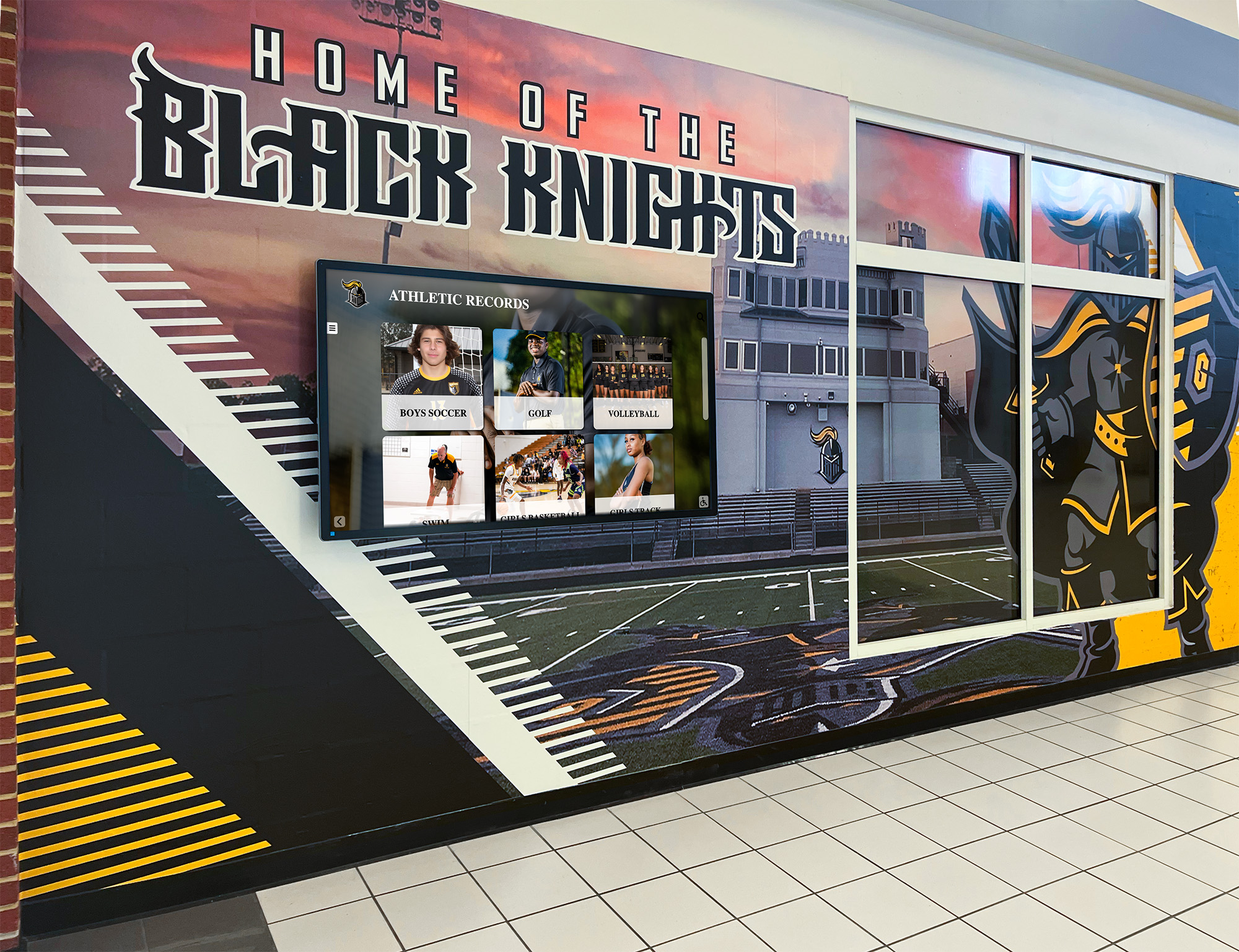
Hallway recognition displays require different software architecture than classroom collaboration panels
General Digital Signage (with limitations)
- Displaying announcements, schedules, and general school information
- Showing static or simple rotating content via media player
- Event promotion and calendar information sharing
- Wayfinding assistance in large facilities
- Emergency communication message display
These applications leverage ViewSonic’s core hardware and bundled software effectively because they match the vendor’s designed use cases and development priorities.
Critical Limitations for Recognition and Engagement Applications
ViewBoard systems encounter significant obstacles when schools attempt deploying them for specialized recognition use cases:
No Purpose-Built Recognition Content Management
- Annotation tools don’t translate to trophy case or donor wall management
- Classroom collaboration software lacks athlete database functionality
- No built-in templates for hall of fame layouts and navigation
- Missing sport-specific features like record boards and statistics tracking
- No donor recognition tiers, pledge tracking, or giving level displays
- Absence of alumni directory, biography, and achievement archiving tools
Severely Limited Content Capacity and Organization
- Designed for temporary lesson content, not permanent achievement archives
- No database architecture for thousands of athlete profiles or donor records
- File-based storage rather than structured searchable databases
- Manual content updates rather than automated record-keeping systems
- No hierarchical organization by sport, year, achievement type, or giving level
Minimal Engagement and Interactivity Features
- Basic touch navigation versus purpose-built browse and search interfaces
- No achievement filtering by sport, decade, or championship level
- Missing multimedia galleries for video highlights and photo collections
- Absent social sharing integration for recognition moments
- No QR code generation for mobile access to specific athlete or donor profiles
ADA and Accessibility Gaps
- Basic screen reader support insufficient for comprehensive WCAG 2.1 AA compliance
- Touch-only navigation without keyboard or voice alternative input methods
- Missing semantic structure for recognition content organization
- No automated alt text or accessible description generation for achievement images
- Limited color contrast optimization for visual impairments
Schools attempting to force ViewBoard classroom software into recognition display roles discover these limitations only after purchase—requiring either expensive custom software development or acknowledging the system cannot fulfill intended recognition objectives.
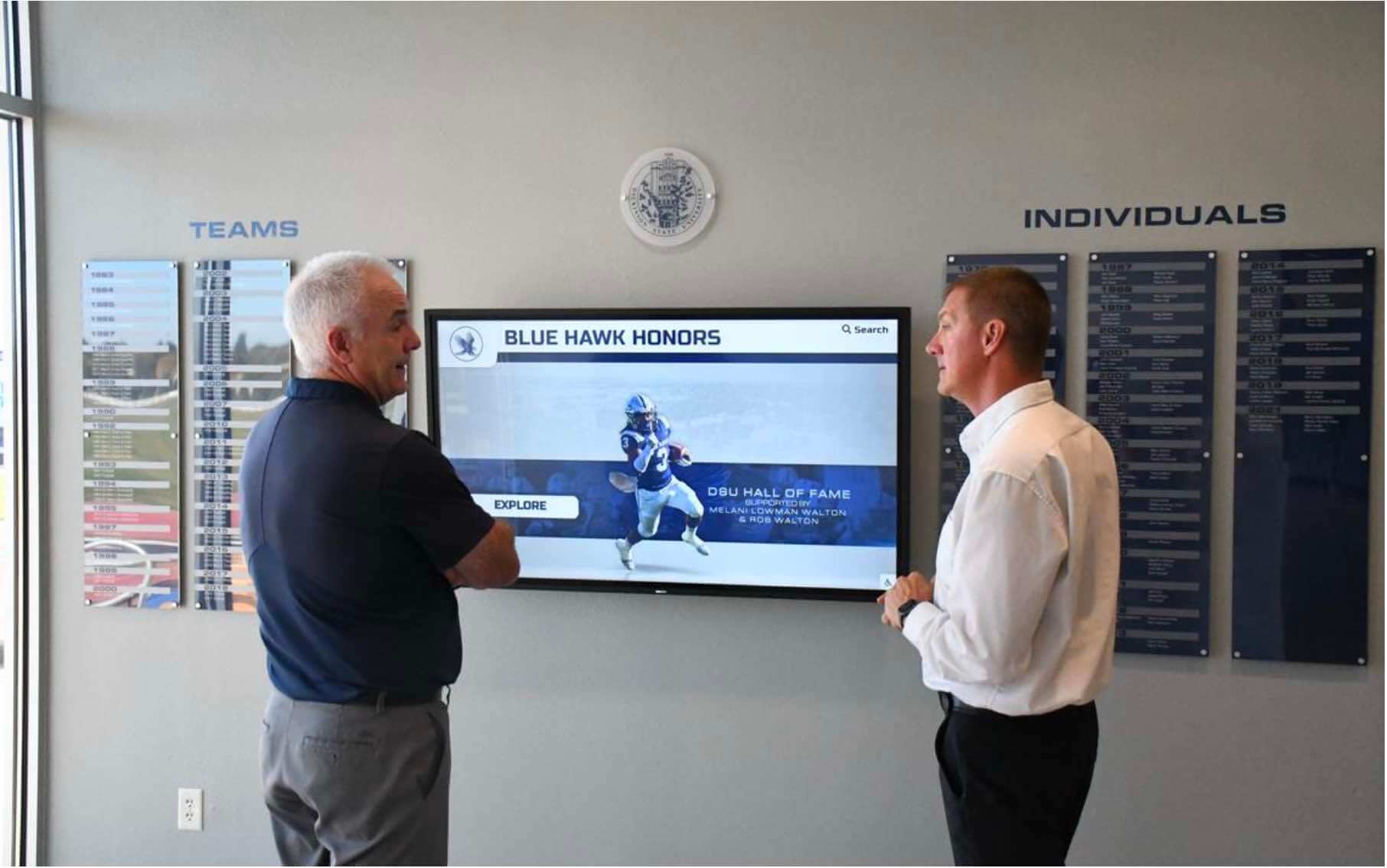
Recognition displays require purpose-built software architecture delivering search, browse, and multimedia engagement capabilities
ViewSonic vs. Specialized Recognition Platforms: Understanding the Difference
The comparison between ViewSonic interactive displays and specialized recognition platforms like Rocket Alumni Solutions reveals fundamentally different product categories addressing distinct institutional needs.
ViewSonic: General-Purpose Display Hardware
ViewSonic manufactures display panels with basic interactivity focused on classroom instruction:
Core Business Model
- Hardware manufacturer selling touchscreen displays
- Software bundled to support classroom collaboration use cases
- Revenue from hardware sales and optional accessories
- Limited ongoing software development for recognition applications
- Support focused on display functionality and classroom tools
What Schools Actually Receive
- Quality display panel with reliable touch technology
- Classroom annotation and screen-sharing applications
- Basic content display through media player or built-in Android
- Generic templates designed for lessons, not recognition
- Hardware warranty and technical support for panel issues
What Schools Must Develop Themselves
- Custom software for hall of fame, trophy case, or donor wall displays
- Database architecture for thousands of achievement records
- Content management interfaces for updating recognition information
- Design and user interface for browse, search, and filtering
- Ongoing content entry, photo uploads, and record maintenance
Research on interactive touch screen display options for educational facilities demonstrates that hardware quality matters far less than software functionality for recognition applications—a 98" premium display running inadequate software delivers worse outcomes than a 65" panel paired with purpose-built recognition content management.
Rocket Alumni Solutions: Purpose-Built Recognition Platform
Rocket Alumni Solutions approaches interactive displays from the opposite direction—recognition-first software that runs on quality commercial display hardware.
Recognition-Specific Software Architecture
- Database-driven platform managing unlimited athlete, donor, and achievement records
- Pre-built templates for hall of fame, donor walls, athletic records, and trophy cases
- Automated record boards calculating rankings across sports and eras
- Comprehensive multimedia support for photos, videos, and achievement documentation
- Mobile-responsive web access providing recognition content on any device
- Built-in social sharing enabling families to celebrate recognition moments
Content Management Designed for Schools
- Remote cloud-based CMS requiring no on-site server infrastructure
- Intuitive interfaces allowing staff to update recognition content without technical expertise
- Bulk upload tools for adding hundreds of athletes or donors efficiently
- Automated data validation preventing duplicate entries or formatting errors
- Version history and approval workflows for multi-person content teams
- Integration with student information systems and athletic department databases
Accessibility and Compliance Built In
- WCAG 2.1 AA accessibility compliance standard across all recognition interfaces
- Keyboard navigation, screen reader support, and voice control compatibility
- Automated alt text suggestions for uploaded achievement images
- High contrast themes and text sizing options for visual accessibility
- Semantic HTML structure enabling assistive technology comprehension
Hardware Flexibility and Cost Optimization
- Software runs on commercial displays from Samsung, LG, ViewSonic, or BenQ
- Schools select display hardware matching budget and size requirements
- Existing displays can be repurposed with recognition software installation
- Hardware independence prevents vendor lock-in and supports upgrade cycles
- Total cost optimized by pairing mid-range display hardware with premium software
The fundamental difference: ViewSonic sells displays that schools must make useful through custom development, while Rocket provides complete recognition solutions that happen to run on display hardware schools select independently.
Cost Comparison: ViewSonic Alone vs. Complete Recognition Solutions
Honest cost accounting reveals hidden expenses in DIY approaches:
ViewSonic Interactive Display Alone
- 65" ViewBoard: $2,500 - $3,500
- 75" ViewBoard: $4,000 - $5,500
- 86" ViewBoard: $6,500 - $8,500
- Mounting hardware: $200 - $600
- Total: $2,700 - $9,100
ViewSonic Display + Custom Software Development
- Display hardware: $2,500 - $8,500
- Custom recognition software development: $15,000 - $50,000+
- Annual maintenance and hosting: $2,000 - $5,000/year
- Content entry and data migration: $3,000 - $8,000
- Total first year: $22,500 - $71,500
- Ongoing annual costs: $2,000 - $5,000
Rocket Alumni Solutions Complete System
- Commercial display hardware (school choice): $1,800 - $6,000
- Rocket recognition software platform: $5,995 - $12,995 one-time
- Annual software subscription: $0 - $1,295 (depending on plan)
- Professional installation and training: Included
- Content migration assistance: Included
- Total first year: $7,795 - $19,295
- Ongoing annual costs: $0 - $1,295
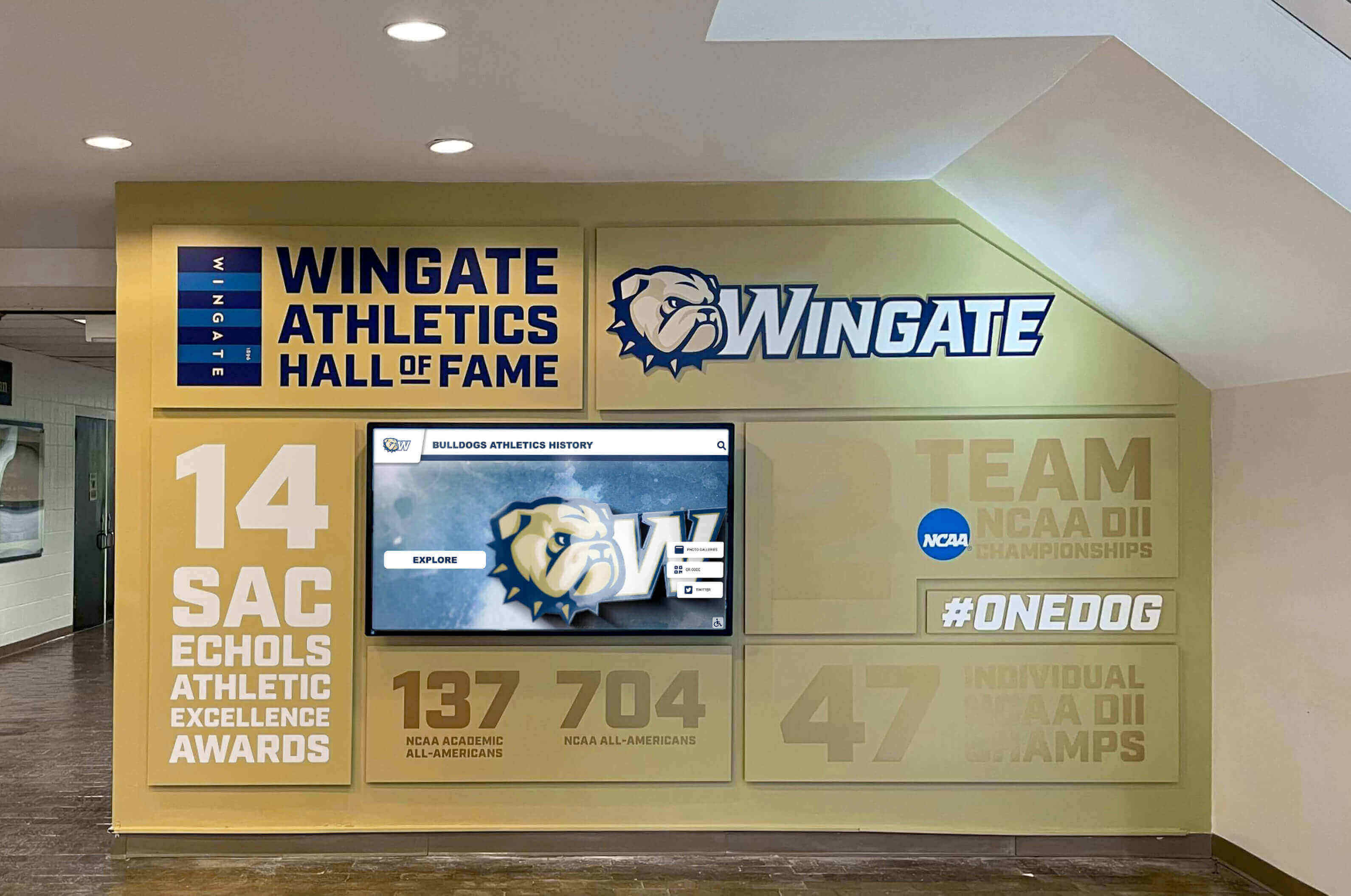
Purpose-built recognition platforms deliver significantly lower total cost than custom development on general displays
Schools discover that attempting to save money by purchasing only display hardware creates dramatically higher total costs once realistic software development and maintenance expenses appear—specialized platforms deliver professional recognition capabilities at total costs 60-80% lower than DIY custom development approaches.
Appropriate Use Cases for ViewSonic Interactive Displays in Schools
ViewSonic serves schools effectively when deployed in applications matching their designed capabilities.
Recommended ViewSonic Applications
Individual Classrooms and Instructional Spaces
- Elementary, middle, and high school classroom instruction
- Science labs requiring annotation of demonstrations and experiments
- Math classrooms using interactive problem-solving and whiteboarding
- Language arts spaces facilitating collaborative writing and editing
- Special education rooms needing visual supports and interactive lessons
- Music and arts studios displaying reference materials and examples
Administrative and Meeting Spaces
- Main office conference rooms for leadership meetings
- Staff collaboration areas and teacher workrooms
- Professional development training rooms
- Parent-teacher conference spaces
- Guidance and counseling offices for student meetings
- Small group meeting rooms throughout facilities
Limited Digital Signage Applications
- Cafeteria menu boards and daily announcements (static content)
- Main office visitor information displays
- Library new releases and event promotion
- Simple wayfinding displays in large facilities
- Emergency notification secondary displays
- General announcements and calendar information
These applications leverage ViewBoard collaboration software effectively because they match designed use cases and don’t require specialized recognition database functionality.
When Schools Should Look Beyond ViewSonic
Certain applications demand purpose-built software solutions rather than general interactive displays:
Recognition and Achievement Display Requirements
- Athletic halls of fame and trophy case displays
- Academic honor roll and achievement recognition
- Donor recognition walls and giving level displays
- Alumni directories and biographical archives
- Record boards across multiple sports and achievements
- Scholarship recipient recognition and celebration
- Staff and faculty achievement displays
- Historical timeline and institutional memory preservation
These applications require specialized digital trophy case software managing databases, automating updates, and providing engagement features far beyond classroom annotation tools.
Advanced Wayfinding and Interactive Directories
- Multi-floor building navigation systems
- Campus maps with real-time location awareness
- Department directories with staff photos and contact information
- Event calendars with room booking integration
- Touchscreen building directories with search and filtering capabilities
Fundraising and Development Applications
- Interactive donor walls celebrating contributors by giving levels
- Capital campaign progress tracking and recognition
- Donor recognition display systems with searchable databases
- Legacy gift recognition and estate planning information
- Annual fund donor acknowledgment and celebration
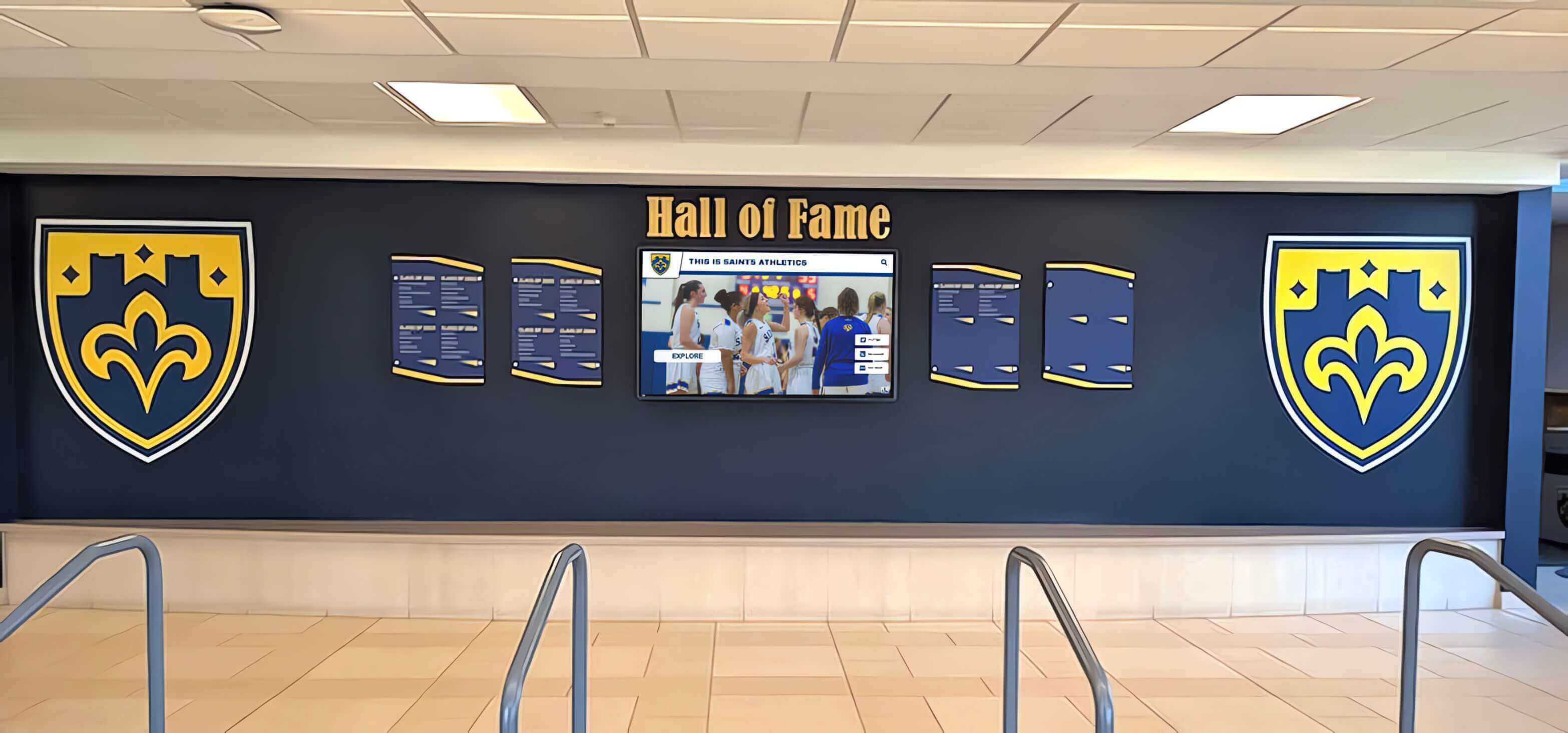
School entrance recognition displays establish institutional identity and require sophisticated content management beyond classroom software
Technical Considerations and Long-Term Ownership
Beyond initial purchase decisions, schools must evaluate ongoing management, support, and evolution of interactive display systems.
Content Management and Updates
How schools actually update and maintain display content over multiple years matters more than initial setup:
ViewSonic Content Management Reality
- Manual file creation and upload for content changes
- IT staff or tech-savvy teachers required for most updates
- No centralized database for recognition content across devices
- Content updates require physical access or remote desktop tools
- Version control and content approval workflows absent
- No automated backup or content recovery systems
Specialized Platform Content Management
- Web-based remote CMS accessible from any browser
- Non-technical staff can update content independently
- Centralized database serving content to all displays and web simultaneously
- Scheduled content publishing and approval workflows
- Automated backups and version history
- Mobile apps for quick photo uploads and achievement updates
IT Infrastructure and Support Requirements
Display deployment creates ongoing IT burden schools must resource appropriately:
ViewSonic IT Demands
- Display mounting, power, and network connectivity installation
- Configuration of built-in computing modules or connected media players
- Software updates and security patching for embedded systems
- Network management for device connectivity and remote access
- Troubleshooting touch calibration and display issues
- Content creation and graphic design for announcements and signage
Specialized Platform IT Simplification
- Display hardware installation identical to any commercial panel
- Cloud-hosted software eliminating on-site server requirements
- Automatic software updates without IT intervention
- Vendor technical support for software issues
- Content templates eliminating graphic design requirements
- Reduced IT burden allowing focus on core infrastructure
Accessibility Compliance and Legal Obligations
ADA compliance requirements demand attention before purchase, not after deployment:
ViewSonic Accessibility Gaps
- Classroom collaboration tools lack comprehensive WCAG 2.1 AA compliance
- Custom development required for accessible recognition interfaces
- Touch-only navigation creates barriers for users with motor impairments
- No built-in screen reader optimization for recognition content
- Schools assume legal liability for accessibility gaps in custom implementations
Specialized Platform Compliance
- WCAG 2.1 AA compliance built into recognition software architecture
- Regular accessibility audits and remediation by vendor
- Keyboard navigation, screen reader support, and voice control standard
- QR code mobile access providing recognition content on personal devices
- Vendor assumes responsibility for maintaining accessibility standards
Schools facing accessibility complaints discover that ViewBoard classroom software provides no path to compliant recognition displays without expensive custom development—specialized platforms deliver compliance as standard architecture.
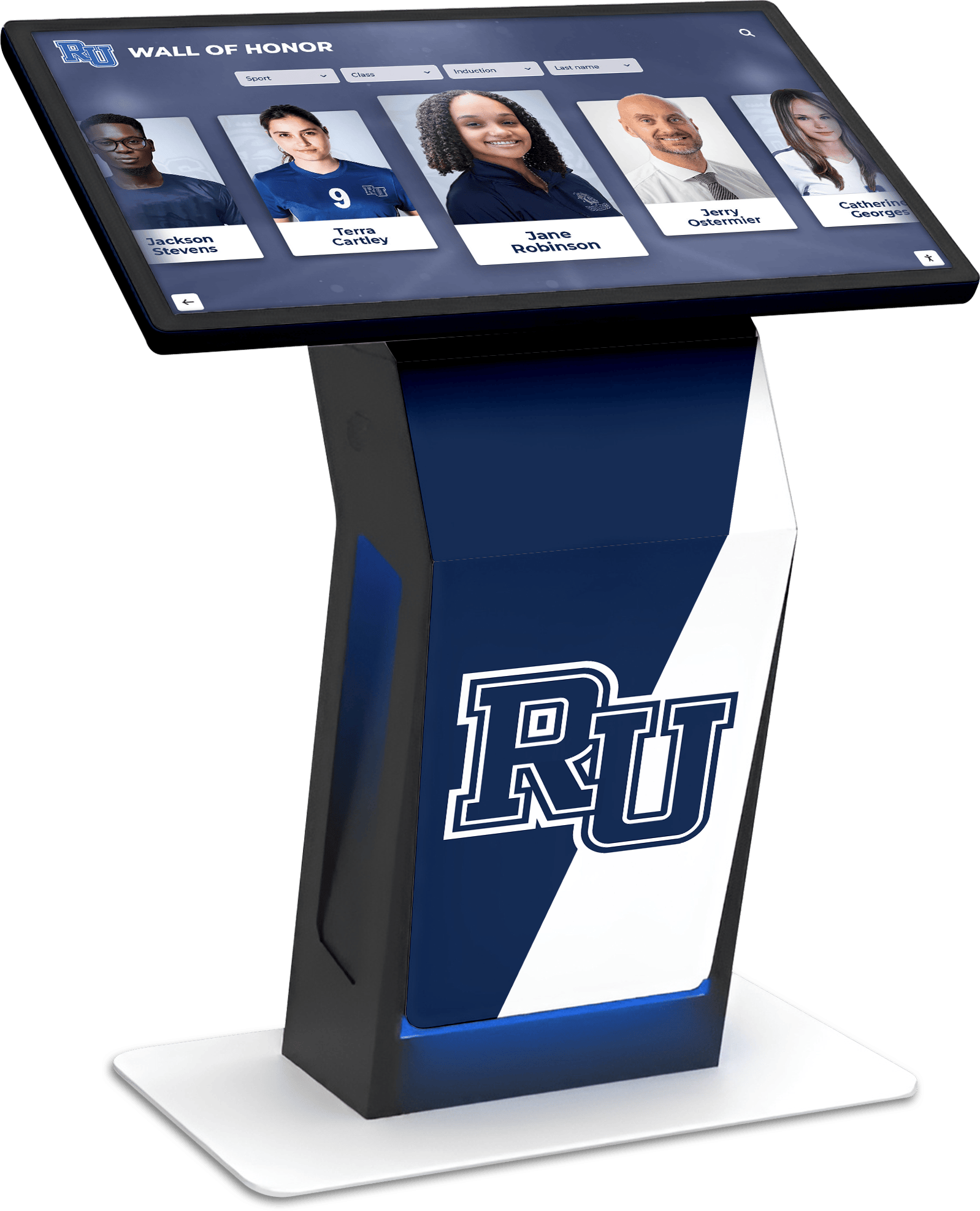
Accessible recognition displays require keyboard navigation, screen readers, and semantic content structure beyond basic touch panels
Making the Right Decision: Framework for Schools
Schools should approach interactive display decisions methodically rather than defaulting to familiar brand names.
Decision Framework: Five Critical Questions
1. What is the primary use case for this display?
- Classroom instruction → ViewSonic ViewBoard appropriate
- Recognition (athletics, donors, alumni) → Specialized platform required
- General announcements → ViewSonic commercial display adequate
- Interactive wayfinding → Specialized software needed
2. Who will manage content updates?
- IT staff only → ViewSonic manageable if IT bandwidth exists
- Non-technical administrators/coaches → Specialized platform essential
- Infrequent updates → ViewSonic possible
- Daily or weekly updates → Remote CMS required
3. How much content will the system manage?
- Classroom lessons (temporary) → ViewBoard adequate
- Hundreds of athlete or donor records → Database platform required
- Simple announcements → Basic display sufficient
- Searchable archives → Specialized recognition software needed
4. What is the realistic total budget including software?
- Display hardware only (have software) → Any quality commercial panel
- Complete recognition solution needed → Specialized platform lower total cost
- Custom development budget available → Rare, expensive approach
- Tight budget constraints → Specialized platform actually more affordable
5. What accessibility requirements must the system meet?
- Basic classroom use → ViewBoard standard compliance adequate
- Public-facing recognition → WCAG 2.1 AA compliance legally required
- No specific mandates → Still recommended for inclusive access
- ADA complaints possible → Built-in compliance essential
Honest answers to these questions reveal appropriate technology solutions more effectively than brand recognition or vendor relationships.
Common Decision Mistakes Schools Make
Learning from others’ expensive errors prevents repeating predictable mistakes:
Assuming Display Hardware Equals Complete Solution
- Purchasing ViewBoard thinking included software handles recognition needs
- Discovering classroom collaboration tools completely unsuitable for trophy cases
- Facing expensive custom development after display already mounted
- Recommendation: Define software requirements before selecting hardware
Underestimating Custom Development Costs and Complexity
- Believing basic web developer can build recognition software quickly
- Discovering professional recognition interface requires sophisticated database architecture
- Spending $30,000-$60,000 for inferior result compared to specialized platforms
- Recommendation: Get actual development quotes including all features before committing
Ignoring Long-Term Content Management Requirements
- Focusing exclusively on initial setup and launch
- Discovering content updates require technical skills unavailable in-house
- Displays showing outdated content because updating too difficult
- Recommendation: Evaluate who updates content and how frequently before purchase
Overlooking Accessibility Compliance Until Facing Complaints
- Deploying public-facing displays without WCAG 2.1 AA compliance
- Receiving accessibility complaints requiring expensive remediation
- Discovering ViewBoard software provides no path to compliance
- Recommendation: Require demonstrated accessibility compliance before purchase
Failing to Account for Total Cost of Ownership
- Comparing ViewBoard hardware cost against complete specialized solutions
- Ignoring software development, hosting, maintenance, and content entry expenses
- Discovering specialized platforms deliver lower total cost than DIY approaches
- Recommendation: Calculate complete five-year total cost including all components
Schools making informed decisions evaluate software requirements first, match hardware to software needs second, and calculate realistic total costs including long-term maintenance and content management.
ViewSonic Interactive Display Recommendations: When to Choose and When to Pass
Synthesizing this analysis into actionable guidance helps schools make appropriate technology investments.
Choose ViewSonic Interactive Displays When:
Classroom Instruction Primary Use Case
- Teachers need annotation, whiteboarding, and screen-sharing tools
- Collaborative learning activities require multi-touch capabilities
- Budget allocated specifically for classroom technology upgrades
- Existing classroom projectors being replaced with flat panels
- Professional development supporting interactive teaching methods
Conference Room and Meeting Space Applications
- Administrative teams need presentation and collaboration technology
- Video conferencing integration required for remote meeting participants
- Multiple presenters annotating and sharing content during meetings
- Budget available for dedicated meeting room technology
- IT staff comfortable managing display systems and software
IT Resources Available for Content Management
- Technical staff have bandwidth to create and update display content
- Simple announcement and information display use cases
- Content updates infrequent (monthly or quarterly)
- Budget exists for ongoing IT support of display systems
Look Beyond ViewSonic When:
Recognition Display Primary Purpose
- Athletic hall of fame or trophy case applications
- Donor recognition walls celebrating contributors
- Academic achievement recognition displays
- Alumni directory and biographical archives
- Any searchable database of achievements or records
Non-Technical Staff Must Update Content
- Coaches adding athlete achievements without IT assistance
- Development staff updating donor information independently
- Administrators publishing recognition content themselves
- Frequent content updates (weekly or more often)
- Need for remote cloud-based content management
Accessibility Compliance Critical
- Public-facing displays requiring ADA compliance
- Recognition applications serving diverse community members
- Legal mandates or institutional policies requiring WCAG 2.1 AA compliance
- School committed to inclusive access for all users
Budget-Conscious Total Cost Priorities
- Complete solution needed within fixed budget
- No custom development budget available
- Total cost over five years matters more than initial display price
- Proven recognition software preferred over experimental custom development
ViewSonic manufactures quality display hardware serving classroom instruction effectively—but schools requiring purpose-built recognition platforms discover specialized software solutions deliver dramatically superior functionality, lower total costs, and built-in compliance compared to attempting custom development on general-purpose interactive panels.
Taking the Next Step: Evaluating Your School’s Interactive Display Needs
Schools ready to move beyond research toward actual purchasing decisions benefit from structured evaluation processes.
Evaluation Action Plan
Step 1: Define Primary Use Case and Success Criteria
- Document exactly what the display system must accomplish
- Identify who will use the system and how frequently
- Establish content management requirements and update frequency
- Determine accessibility and compliance obligations
- Set realistic budget including all components (hardware, software, installation, training, ongoing support)
Step 2: Evaluate Software Requirements First
- Classroom collaboration → ViewBoard bundled software adequate
- Recognition applications → Specialized platform required
- General signage → Basic media player sufficient
- Advanced interactivity → Purpose-built software essential
Step 3: Match Hardware to Software Needs
- Specialized software chosen → Select compatible commercial display hardware
- ViewBoard software appropriate → Purchase ViewSonic interactive panel
- Basic signage → Any commercial display panel acceptable
- Recognition platform → Vendor recommends compatible hardware options
Step 4: Calculate Complete Total Cost of Ownership
- Hardware purchase or lease costs
- Software licensing or development expenses
- Installation and configuration professional services
- Training for staff who will use and manage the system
- Annual maintenance, support, and hosting fees
- Content entry, migration, and ongoing updates
Step 5: Request Demonstrations and References
- See software actually running on display hardware
- Talk with schools using systems for similar applications
- Understand realistic implementation timeline and process
- Clarify what’s included versus additional cost items
- Confirm accessibility compliance with actual testing
Schools following structured evaluation processes avoid expensive mistakes and deploy technology solutions genuinely addressing institutional needs rather than forcing inappropriate systems into mismatched applications.
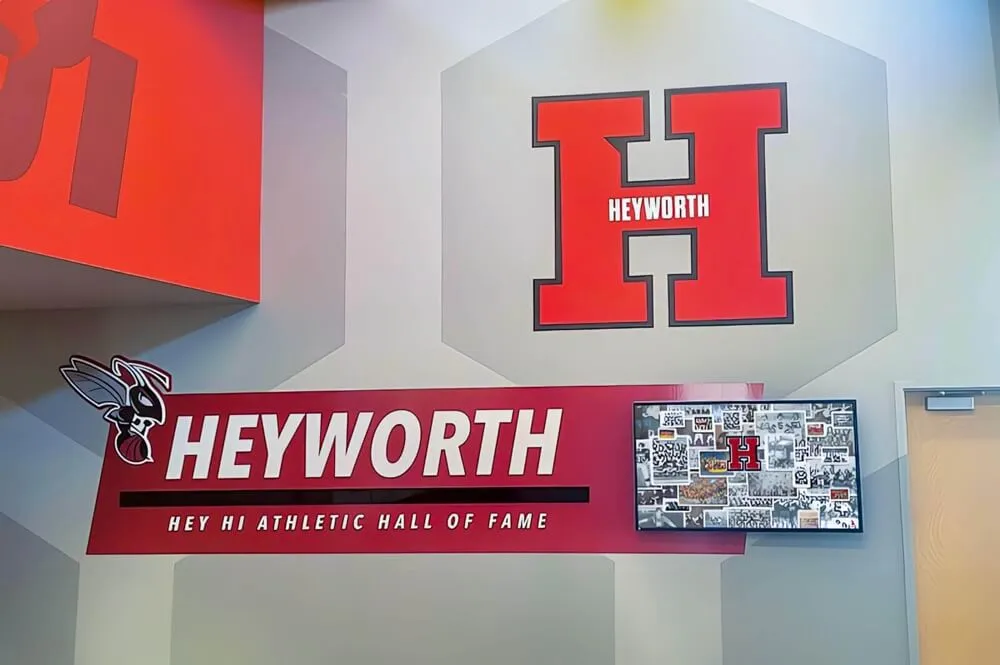
Successful recognition displays result from matching software capabilities to institutional needs before selecting display hardware
Conclusion: ViewSonic Quality Hardware Requires Matching Software Solutions
ViewSonic manufactures reliable interactive displays delivering quality touchscreen hardware at competitive price points for classroom instruction applications. Schools deploying ViewBoard systems in classrooms, conference rooms, and meeting spaces where teachers and staff use annotation, whiteboarding, and screen-sharing features find these displays serve designed purposes effectively with appropriate total cost and feature sets for educational environments.
However, schools attempting to deploy ViewSonic interactive displays for athletic recognition, donor walls, hall of fame installations, or other specialized recognition applications discover that quality display hardware provides no substitute for purpose-built recognition software managing databases, automating content, and delivering engagement features beyond basic classroom collaboration tools. The reality emerges clearly: ViewBoard classroom software cannot be forced into recognition roles without expensive custom development exceeding total costs of specialized platforms purpose-built for these applications.
The appropriate decision framework evaluates software requirements first, matches display hardware to software needs second, and calculates realistic total costs including long-term content management rather than focusing exclusively on initial hardware purchase prices. This approach reveals that specialized recognition platforms like Rocket Alumni Solutions deliver superior functionality, lower total costs, built-in accessibility compliance, and dramatically simplified content management compared to attempting custom development on general-purpose interactive displays.
Schools facing recognition display decisions should evaluate ViewSonic interactive panels honestly as classroom instruction technology while exploring purpose-built recognition platforms for trophy cases, donor walls, athletic achievement displays, and similar applications demanding specialized database architecture and engagement features. The right technology match depends entirely on primary use case, content management capabilities, accessibility requirements, and realistic total cost—not brand recognition or vendor familiarity.
Ready to explore purpose-built recognition display solutions designed specifically for schools? Rocket Alumni Solutions delivers complete touchscreen hall of fame and recognition systems combining specialized software with quality commercial display hardware—providing everything schools need for athletic recognition, donor walls, and achievement displays at total costs dramatically lower than ViewSonic displays paired with custom software development.