When a principal announces “we’re getting a touchscreen display for the lobby,” everyone pictures something different. The athletic director imagines an interactive hall of fame where visitors browse athlete profiles by sport, year, or name. The communications coordinator pictures a digital bulletin board cycling through morning announcements. Both envision a screen in the lobby—but they’re describing two fundamentally different categories of software built for completely different goals.
Touchscreen software vs. digital signage software is one of the most common points of confusion for school administrators evaluating display technology. Digital signage software manages scheduled, passive content broadcast to viewers automatically. Touchscreen recognition software powers interactive systems where visitors actively search, browse, and explore records on their own terms. Choosing the wrong category means either paying for capabilities you’ll never use or discovering your “interactive display” is actually a very expensive electronic bulletin board.
This guide explains what distinguishes these two software categories, maps each to specific school lobby use cases, and helps administrators make the right technology decision before purchasing hardware or signing contracts.
The confusion between these two software types is understandable. Both run on screens mounted in lobbies and hallways. Both replace older printed materials. Both fall under the broad label of “digital displays.” But the underlying logic of each system is completely different—and that difference determines whether your investment delivers the engagement you expect or sits largely ignored after the first month.
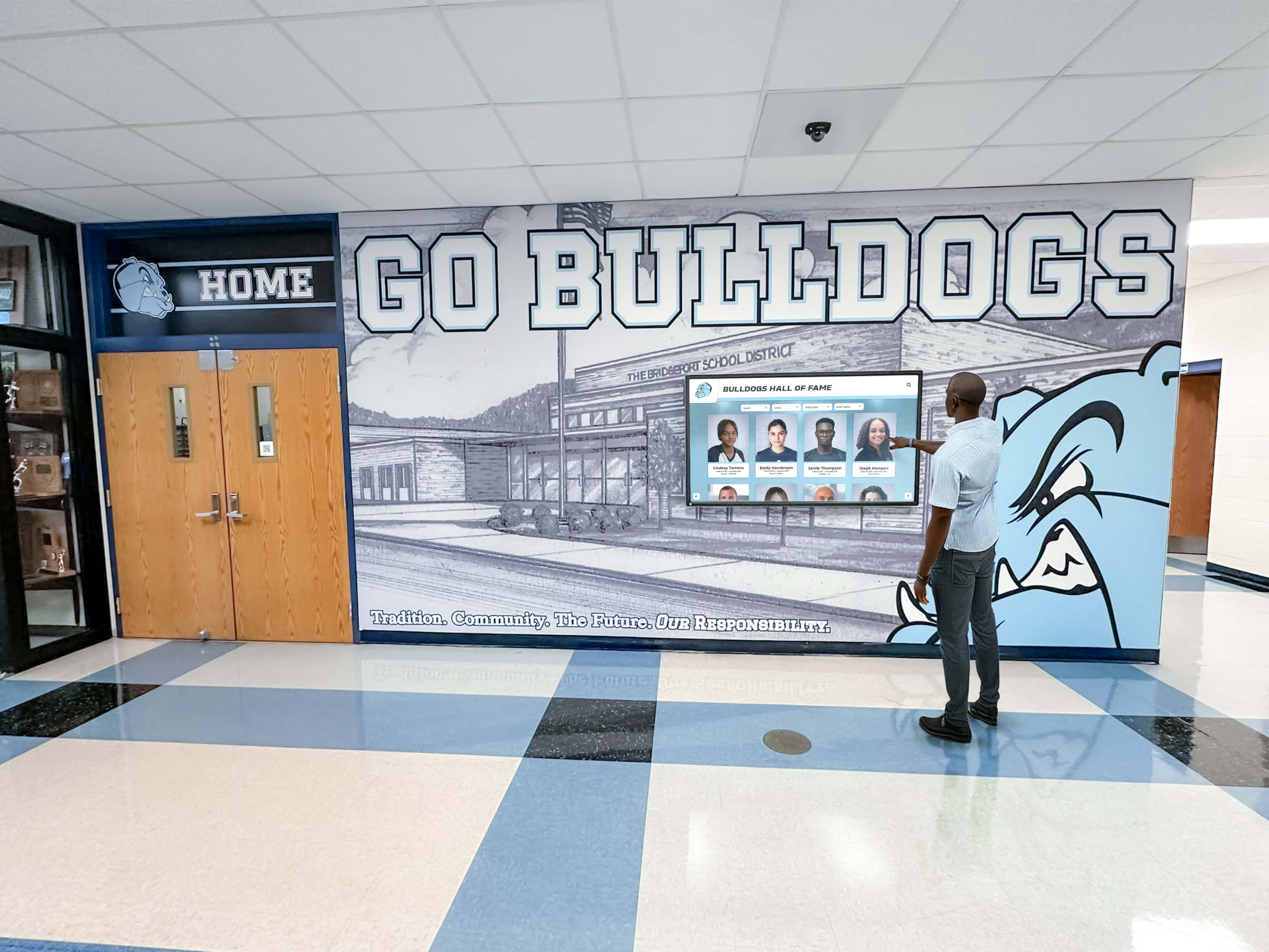
Interactive touchscreen recognition systems respond to each visitor's individual choices—a fundamentally different experience than passive digital signage
Understanding the Core Distinction
Digital signage software operates on a broadcast model: administrators create content playlists, schedule when each item appears, and displays cycle through that content automatically. The visitor is a passive recipient watching whatever the system currently shows—similar to a television channel playing in a waiting room.
Touchscreen recognition software operates on an access model: a structured database of records sits behind the screen, and visitors actively navigate, search, and filter to find what they want. A parent can search for their child’s profile. An alumnus can find their athletic records from 30 years ago. A prospective student can browse decades of championship teams. The system responds to what each individual asks of it.
This distinction shapes everything: what problems each system solves, what content workflows administrators follow, what hardware best supports each type of experience, and whether visitors actually engage with the display or walk past it.
The broadcast model works when:
- Administrators control what information visitors see and when
- Content is time-sensitive and changes frequently
- The goal is mass communication with minimal visitor interaction
- Staff will regularly update and manage content playlists
The access model works when:
- Visitors arrive with different interests and search for different things
- Content represents a permanent, growing archive of people and achievements
- The goal is self-service discovery and sustained engagement
- The system must scale as records accumulate across years or decades
Most schools that say they want a “touchscreen display for the lobby” are actually describing the access model—they want visitors to explore halls of fame, alumni records, donor walls, and athletic achievements. Many end up purchasing digital signage software, which delivers the broadcast model instead. The result: a system that showcases the same rotating slides to visitors who came to search for specific people and records they care about personally.
What Is Digital Signage Software?
Digital signage software is a content management system designed to schedule and display visual content on screens without requiring viewer interaction. Think of it as a sophisticated playlist manager with scheduling capabilities and network-based distribution.
Core functionality of digital signage software:
- Playlist management: Administrators upload images, videos, web pages, and documents, then arrange them into display sequences
- Scheduling: Content appears according to configured time windows (morning announcements from 7–8am, cafeteria menus at noon, afternoon reminders at dismissal)
- Network-based deployment: Displays receive content updates automatically through cloud connections without requiring USB transfers or in-person visits
- Template libraries: Pre-built layouts simplify content design for administrators without graphic design backgrounds
- Zone-based layouts: Single screens can be divided into areas showing different content simultaneously—weather in a corner, main announcement in the center
- Remote management: Staff update content from any computer without traveling to each display location
Digital signage excels at one-to-many communication: one administrative team pushing information to many viewers on a predictable schedule. Schools use it effectively for daily announcements, cafeteria menus, event calendars, emergency notifications, motivational content, and promotional messaging for upcoming activities.
What digital signage does well:
- Rotating through scheduled announcements automatically
- Displaying real-time data feeds (weather, scores, live social content)
- Pushing identical content across dozens of displays simultaneously
- Ensuring time-sensitive information reaches viewers at appropriate times
- Quick updates from a central dashboard by non-technical staff
Where digital signage falls short:
- No visitor interaction or self-service browsing capabilities
- Content history accumulates but isn’t searchable by visitors
- Every viewer sees identical content regardless of personal interests
- Recognition content competes with announcements for limited playlist slots
- Archives of past honorees require static slides rather than searchable records
For school lobbies, digital signage functions well as a communication layer—delivering practical information about what’s happening today. It struggles as a recognition layer—honoring the people, teams, and achievements that define a school’s identity across generations.
What Is Touchscreen Recognition Software?
Touchscreen recognition software functions as an interactive database platform, allowing visitors to explore structured records through search, filter, and browse interfaces built specifically for recognition programs.
Rather than displaying pre-scheduled content, these systems maintain databases of people, teams, achievements, and records that visitors access according to their own interests and search intent. The software architecture supports:
Database-driven content structure:
- Individual profiles with photos, biographical information, and achievement records
- Team records organized by sport, season, and statistical category
- Automated record rankings that update when new performances surpass old ones
- Donor recognition with contribution levels and named gift information
- Alumni networks with career, location, and post-graduation achievement data
- Historical archives spanning decades—accessible to any visitor, instantly
Interactive navigation features:
- Full-text search enabling visitors to find people by name, year, sport, or achievement type
- Filter panels narrowing results by category (sport, graduation year, award tier)
- Browse modes presenting curated collections for visitors without a specific search target
- Profile detail views expanding individual records with photos, statistics, and contextual history
- Media galleries displaying photos and videos associated with honorees across eras
Schools building comprehensive football records recognition programs, for example, can display every record holder across every statistical category—with visitors browsing by decade or searching for specific athletes—rather than showing rotating slides featuring only a handful of honorees at a time.
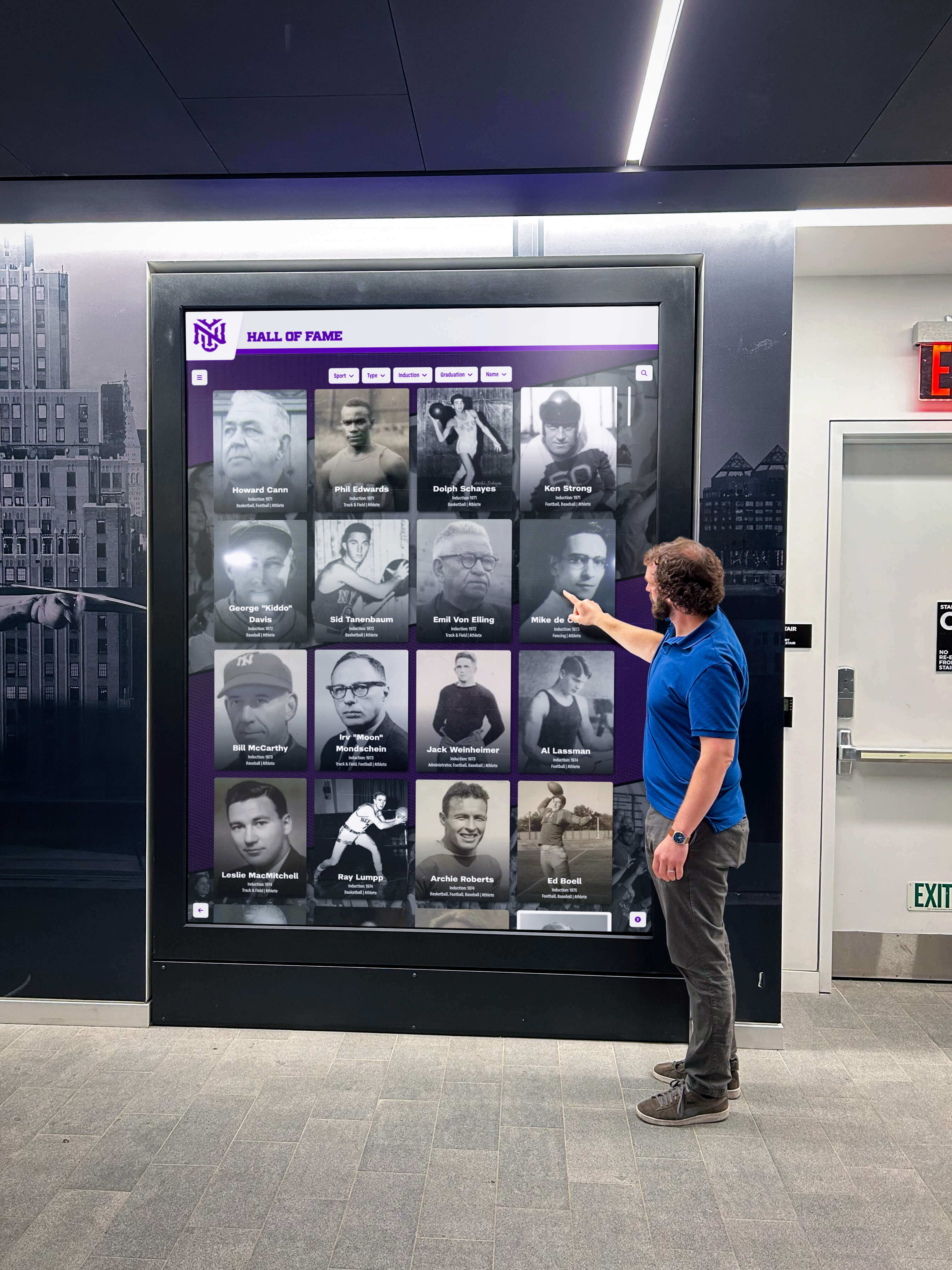
Touchscreen recognition software transforms lobby displays into searchable archives that visitors actively engage with rather than passively watch
Accessibility and reach features:
- ADA WCAG 2.1 AA compliant touch interfaces meeting federal accessibility standards
- QR code access extending the interactive experience to visitors’ mobile phones
- Web portals allowing alumni, families, and media to explore recognition content from any location
- Multi-device display ensuring content reaches audiences beyond the physical screen in the lobby
The practical difference is substantial. A school with 50 years of athletic history might have 2,000 honored athletes. Digital signage could display perhaps 40–60 of them in a 10-minute rotation—the remaining 1,940+ remain invisible to any visitor who doesn’t happen to be present when their slide appears. Touchscreen recognition software makes all 2,000 equally accessible, searchable, and honored.
Comparing Key Features Side by Side
Understanding how these platforms differ across specific capabilities helps administrators match software to their actual needs rather than marketing descriptions.
Interaction Model
Digital Signage Software Content plays automatically in pre-set sequences. Visitors watch passively. Touch interaction, when present, typically allows only basic functions like page-turning or menu navigation—not true search-and-browse capabilities against a recognition database.
Touchscreen Recognition Software Visitors initiate every interaction. They search for specific names, browse categories, filter by year or sport, and navigate to individual profiles based on personal interest. The display responds to what each visitor asks rather than broadcasting a predetermined sequence.
Content Capacity
Digital Signage Software Functionally unlimited file storage, but practical capacity is constrained by how many slides can cycle through a playlist before content becomes stale or repetitive. Displaying 500 honorees meaningfully would require a rotation so long that most visitors would never see most of it.
Touchscreen Recognition Software Designed to store thousands of records and provide immediate access to any of them. The entire history of a school’s hall of fame, athletic records, donor program, and alumni achievements is accessible within seconds through search—regardless of how large the archive grows.
Content Management Workflow
Digital Signage Software Communications or marketing staff manage content through playlist editors. Updates involve designing slides, uploading media, and scheduling display windows. Most platforms offer drag-and-drop simplicity requiring minimal training.
Touchscreen Recognition Software Athletic directors, advancement officers, or designated administrators manage records through database interfaces. Adding a hall of fame inductee means entering profile information, uploading photos, assigning categories, and configuring biographical details—then the system automatically makes that record searchable, properly ranked, and connected to related records.
Search and Discovery
Digital Signage Software No visitor-facing search. Content discovery depends entirely on whether the item a visitor wants happens to appear during the time they’re standing in front of the display—a frustrating experience for visitors with specific people or achievements in mind.
Touchscreen Recognition Software Full search and filter capabilities built for recognition intent. Visitors find specific athletes, alumni, or donors within seconds rather than waiting for desired content to appear in rotation—or giving up and walking away.
Recognition Depth
Digital Signage Software Each honoree receives the same slide treatment: photo, name, brief caption. Rich biographical information, career statistics, related records, and contextual history cannot be displayed without overwhelming a slide or creating dozens of additional slides per person.
Touchscreen Recognition Software Each profile can store unlimited biographical depth: career statistics, season-by-season breakdowns, related awards, post-graduation achievements, multiple photos across eras, and connections to team records and championship histories. Visitors explore as much detail as they want.
Long-Term Scalability
Digital Signage Software Playlist management grows unwieldy as recognition content accumulates. A school with 20 years of inductees faces the same structural problem as one with 50 years: there’s no good mechanism to make older content accessible without burying current announcements.
Touchscreen Recognition Software Every new record integrates seamlessly with historical records. An inductee added in 2026 appears alongside inductees from 1976 in search results, browse menus, and record comparisons. The system becomes more valuable—not more cluttered—as it grows.
Which Does Your School Lobby Actually Need?
The right question isn’t “which software category is better?” It’s “what is my lobby display actually trying to accomplish?” Four questions clarify the answer quickly.
1. What’s the primary purpose of the display? If the answer involves communicating current information—today’s schedule, this week’s events, announcements for visitors—digital signage is probably the right foundation. If the answer involves honoring people, celebrating achievements, and preserving institutional history, touchscreen recognition software is the appropriate category.
2. Who are your intended users? Digital signage is primarily a staff communication tool that happens to be visible to visitors. Touchscreen recognition software is specifically designed to serve visitors: alumni, families, recruits, donors, and community members who arrive with specific people or achievements they want to find.
3. How does your content change over time? If display content changes daily or weekly—event schedules, announcements, rotating news—digital signage workflows handle this naturally. If content grows continuously as you add honorees and records but each individual entry remains permanently relevant, recognition software handles this permanence and growth far better.
4. Do visitors need to interact, or do you need to broadcast? Schools that primarily need to push information to visitors → digital signage. Schools that want visitors to pull information based on personal interest → touchscreen recognition software.
When Digital Signage Software Serves School Lobbies Well
Digital signage serves school lobbies effectively in scenarios where the broadcast model aligns with actual communication goals.
Daily Operations and Scheduling
Schools needing to inform large numbers of visitors about current operational information benefit from digital signage. Displaying today’s cafeteria menu, reminding students of upcoming testing dates, promoting an evening event, or showing emergency procedure information all fit the scheduled-broadcast model well.
Event Promotion and Campaign Messaging
When a school wants to drive attendance to a specific upcoming event, digital signage creates effective promotional displays. Countdown timers, event photography, featured performers or teams, and ticket information can rotate prominently in the days and weeks before a key event.
Multi-Building Communication Networks
Schools operating multiple buildings often use digital signage to synchronize messaging across locations. Administrative communications update simultaneously across every display without requiring staff to visit each building.
Seasonal Slideshow Recognition
Some schools use digital signage for senior shoutout slideshows during graduation season—celebrating the senior class through rotating photos and messages that play during events, open houses, and award ceremonies. This time-limited, event-driven recognition use case suits the playlist model well.
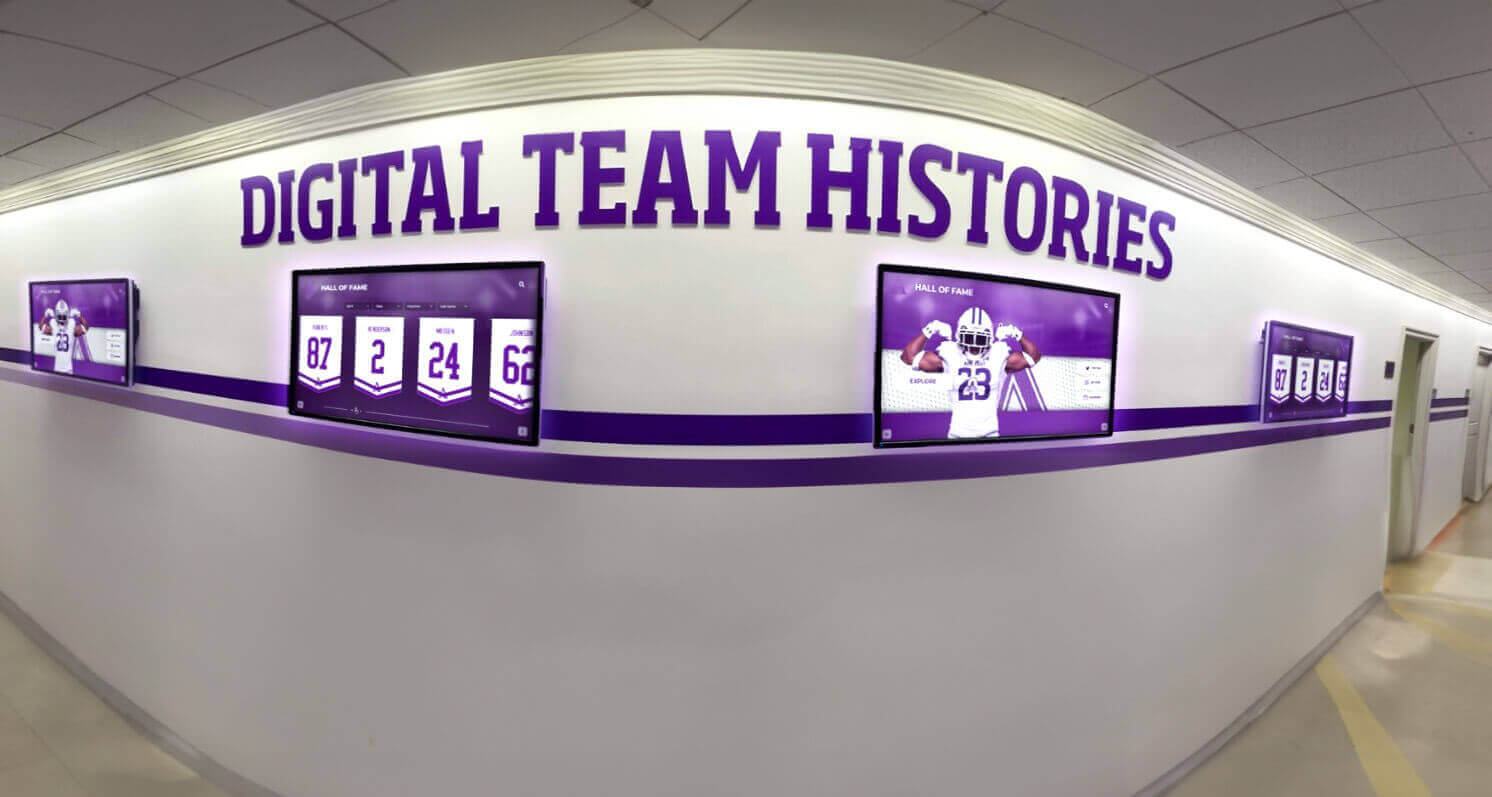
Digital signage excels at rotating scheduled content across hallway displays—but lacks the searchable database that makes recognition programs accessible to every visitor on their own terms
When Touchscreen Recognition Software Is the Right Choice
Touchscreen recognition software becomes the appropriate choice when a school’s lobby display is meant to honor its people and preserve its history rather than broadcast current communications.
Hall of Fame Programs
Schools building or modernizing athletic halls of fame need software that can store comprehensive profiles for hundreds or thousands of honorees, make every honoree equally accessible through search, and scale as new inductees join each year. Digital record boards and hall of fame touchscreens provide exactly this functionality—purpose-built recognition capabilities that digital signage platforms weren’t designed to deliver.
A rotating slide presentation featuring this year’s inductees honors eight people. A searchable touchscreen hall of fame honors everyone ever inducted, with equal access to the Class of 1975 and the Class of 2025.
Athletic Record Boards and Statistical Archives
Schools wanting to display current record holders across sports—and allow visitors to compare and explore statistics—need database-driven software that updates automatically as records fall. Schools tracking high school basketball scoring records or comprehensive sport-by-sport achievement histories need platforms that rank and re-rank records automatically when new performances surpass old ones—without requiring staff to manually redesign slides every time a record changes.
Donor Walls and Benefactor Recognition
Capital campaigns, scholarship funds, and ongoing giving initiatives create growing lists of donors deserving permanent recognition. Touchscreen donor walls display contributor information with appropriate recognition tiers while remaining infinitely expandable as new donors join. Physical donor walls require expensive modifications to add names; touchscreen systems accommodate new donors in minutes.
Alumni Engagement Displays
Schools with active alumni programs benefit from touchscreen displays that serve returning graduates with personally relevant content. An alumnus visiting campus 35 years after graduation can search for their name, find classmates, and explore how the school has grown since their time. Alumni events and gatherings become more meaningful when returning graduates can explore a comprehensive archive that celebrates their era alongside every era that followed.
Schools with Deep Institutional History
Schools with decades of traditions, championships, and distinguished graduates—including institutions formed through district consolidations and school mergers carrying multiple legacy programs—benefit from systems capable of organizing complex historical archives. When a school’s story spans 60 or 80 years across predecessor institutions, a touchscreen archive can honor all of that heritage in a searchable, organized format that physical plaques can never accommodate.
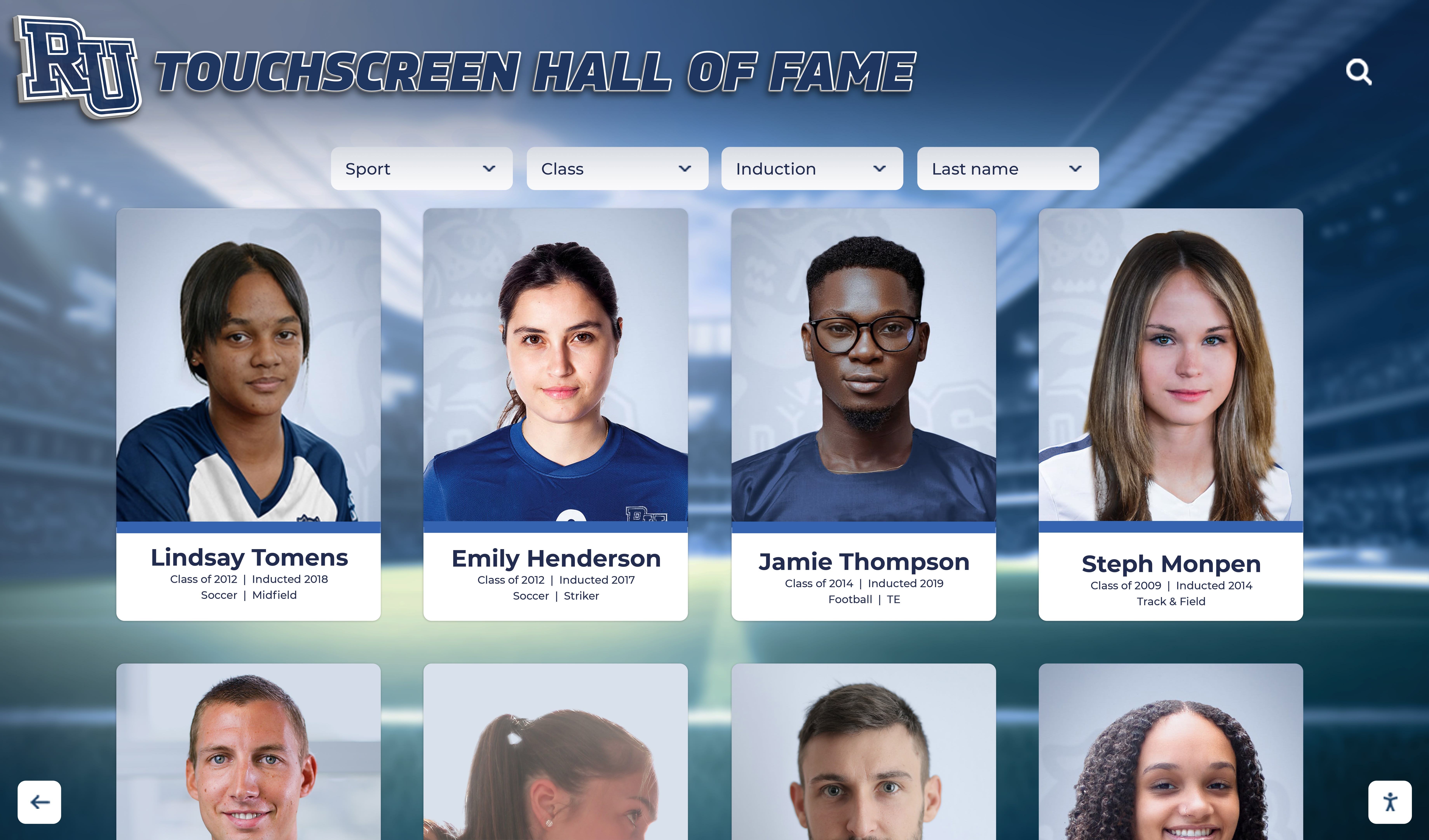
Touchscreen recognition systems store and display comprehensive profiles giving every honoree the depth their achievements deserve
Rocket Alumni Solutions: Purpose-Built for School Recognition
Rocket Alumni Solutions is a touchscreen recognition platform built specifically for schools, universities, alumni associations, and sports programs that need more than a rotating slideshow. The platform provides searchable hall of fame databases with unlimited honoree capacity, auto-ranking record boards that update automatically when performances change, QR code access for mobile visitors, web portals for remote browsing, ADA WCAG 2.1 AA compliant touch interfaces, remote content management from any location, and multi-device display ensuring recognition content reaches audiences beyond the physical screen.
For institutions specifically focused on celebrating athletic achievements, honoring alumni, recognizing donors, and preserving institutional history, this type of purpose-built recognition platform delivers what generic digital signage software cannot.
Can You Use Both Systems Together?
Many schools discover that their lobby serves two distinct purposes—and each purpose is best served by different software.
A comprehensive lobby technology strategy might include:
Digital signage layer: A display near the entrance cycling through daily announcements, upcoming events, and current news—managing the broadcast communication function that serves everyone entering the building.
Touchscreen recognition layer: An interactive kiosk or wall display in the lobby or trophy hallway housing the searchable hall of fame, athletic records, donor wall, and alumni archive—serving visitors who want to engage with the school’s history and celebrate its people.
These systems operate independently, serve complementary purposes, and shouldn’t be conflated when budgeting or planning. Schools sometimes assume they must choose between communication and recognition when both can coexist, each excelling at its intended function.
Schools exploring school memorabilia display ideas often find that lobby design benefits from both types of screens: digital signage panels in high-traffic pathways where people pass quickly, and recognition touchscreens in dedicated alcoves or trophy areas where visitors stop and linger.

Touchscreen recognition software enables individual profile selection—visitors find exactly what they came looking for rather than waiting for content to appear in rotation
Implementation Considerations by Software Type
Choosing the right software category is the first step. Understanding implementation differences helps schools plan realistic timelines and budgets.
Digital Signage Software Implementation
Timeline: 2–4 weeks from purchase to operational display in most cases. Initial content: Schools can launch with existing photos, graphics, and announcements—no database migration required. Content can be created in familiar tools like PowerPoint and uploaded directly. Ongoing management: Regular content updates are required to keep displays relevant. Displays that go weeks without updates quickly become background noise that visitors learn to ignore. Hardware requirements: Standard commercial displays with a media player, built-in smart display capability, or a connected streaming device.
Schools considering digital signage for larger facilities—including smaller college athletic venues and community stadiums—often use digital signage across concourse areas to deliver event information, concession menus, and sponsor messaging during games.
Touchscreen Recognition Software Implementation
Timeline: 6–12 weeks from purchase to launch, with most of that time spent on content migration and setup. Initial content: Schools must migrate existing recognition records into the platform database—biographical information must be formatted, photos digitized or gathered, and records structured appropriately. This is the phase most schools underestimate. Ongoing management: New inductees and records are added as they occur; the system grows continuously rather than requiring wholesale content replacement. Once the database is established, maintenance effort is lower than digital signage over the long term. Hardware requirements: Commercial-grade touchscreen displays (typically 55"–86") with appropriate mounting hardware, dedicated network connectivity, and environmental considerations for lobby conditions.
The most significant implementation variable for recognition software is content migration: converting years or decades of physical records, printed programs, team photos, and filing cabinets into structured digital profiles. Schools working with vendors experienced in athletic and alumni content migration complete this phase significantly faster than those attempting it without guidance.
Frequently Asked Questions
Can digital signage software be converted to interactive touchscreen recognition later?
Not practically. Digital signage software stores files—images, videos, presentations—in playlists. This is fundamentally different from the structured databases that power searchable recognition platforms. Switching software categories means re-entering all recognition content from scratch into the new system. Schools that start with digital signage and later want interactive recognition essentially start over with a new platform and a new content migration project.
Is touchscreen recognition software significantly more expensive than digital signage?
Generally yes, because the functionality is substantially more sophisticated. Digital signage subscriptions often range from $20–$100 per display per month for basic capabilities. Recognition platforms with full database functionality, ADA compliance, QR code access, and web portals represent larger investments reflecting the purpose-built feature set. However, the cost comparison should account for whether digital signage actually delivers the recognition outcome the school needs—a cheaper system that doesn’t solve the problem isn’t a savings.
Does touchscreen recognition software require constant internet connectivity?
Most recognition platforms are cloud-based and require network connectivity for full functionality, including content updates, remote management, and web accessibility features. Some platforms include local caching that supports basic browsing if connectivity is temporarily interrupted. Schools in facilities with unreliable network infrastructure should discuss connectivity requirements with vendors during evaluation.
Can a single screen run both digital signage and recognition software simultaneously?
Some vendors offer hybrid displays using zone-based layouts to show both types of content simultaneously—a recognition browsing area alongside a digital signage panel. Purpose-built hybrid solutions are less common than dedicated platforms. Schools considering hybrid approaches should evaluate whether the combined solution serves either function as well as dedicated systems would, or whether the compromise weakens both experiences.
What should schools ask about data portability before committing to any platform?
This is one of the most important due-diligence questions before signing any contract. Schools should require explicit data portability guarantees: the ability to export all profiles, photos, statistical records, and biographical content in standard formats that can be migrated to another system if needed. Vendors who lock recognition content into proprietary formats create significant switching costs that effectively lock schools into long-term relationships regardless of service quality.
Making the Right Choice for Your School’s Lobby
The touchscreen software vs. digital signage software question resolves quickly once schools clarify their primary lobby objective. Schools trying to improve daily communications and broadcasting operational information to visitors will find digital signage a capable, cost-effective foundation. Schools trying to honor their people, celebrate decades of achievements, and create personalized discovery experiences need purpose-built touchscreen recognition software designed for exactly that mission.
For schools building or modernizing athletic halls of fame, donor recognition walls, alumni archives, and interactive recognition programs, the software category is clear—and the investment pays dividends every time a visitor searches for a name they care about and finds it immediately, rather than watching a rotation and walking away empty.
Learn how Rocket Alumni Solutions powers interactive touchscreen recognition for school lobbies →