Intent: decide. A touchscreen recognition display log retention policy tells school IT which log categories to preserve, how long to keep each type, and when deletion is appropriate—so useful evidence survives long enough to matter without creating indefinite storage obligations or privacy exposure.
This guide provides a ready-to-adapt retention matrix, category-by-category guidance, and answers to common questions from school IT coordinators, athletic directors, and archive managers responsible for managing recognition display systems. It is practical guidance, not legal advice. Consult your district’s legal counsel or records officer when formalizing policy for your specific jurisdiction.
Touchscreen recognition displays generate more log data than most school administrators realize. Every user interaction, content change, login attempt, error condition, and software update leaves a record somewhere—in the platform’s cloud console, in network device logs, in the operating system’s event log, or in the display’s local storage. Left unmanaged, that data accumulates without purpose. A documented touchscreen recognition display log retention policy gives school IT a principled framework: keep what is useful, discard what is not, and protect records that may support future investigations or audits.
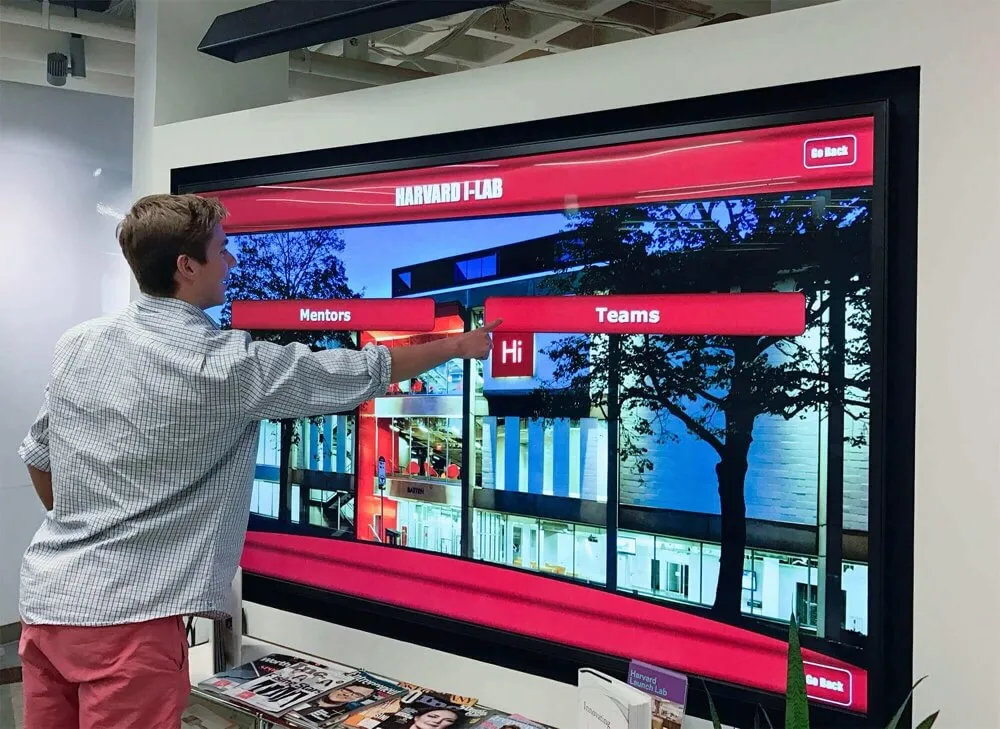
Recognition display platforms generate access, change, error, and security logs across multiple layers—each with different retention value for school IT teams
Why Recognition Display Logs Deserve Their Own Policy
General school records policies often address student data, financial records, and personnel files—but they rarely speak to the logs produced by dedicated recognition display systems. That gap creates inconsistency: some districts retain everything indefinitely (creating unnecessary storage and privacy obligations), while others delete logs as soon as the platform’s default purge cycle runs (losing evidence before it can be used).
Recognition displays occupy a specific position in a school’s technology stack. They are public-facing—visible to students, families, community members, and visitors interacting with digital athletic halls of fame and donor recognition installations. They connect to the school’s network. They are managed through cloud-based content management systems (CMS) that track editorial changes. And they carry an implicit expectation of accuracy: when a championship record, an athlete’s achievement, or a donor’s acknowledgment appears on the display, it is treated as the authoritative record by anyone who sees it.
When something goes wrong—an incorrect record appears, an unauthorized change is made, a system fault affects availability on a high-visibility day—logs are often the only way to reconstruct what happened and who was responsible. A retention policy determines whether those logs still exist when they are needed.
Log Categories Generated by Recognition Display Systems
Before setting retention periods, school IT needs to understand what log categories a typical cloud-based touchscreen recognition platform produces. Most systems generate records in four primary areas.
1. Access and Authentication Logs
These logs record who logged in to the CMS platform, when, from which IP address or device, and whether the login succeeded or failed. For a recognition display system, access logs typically capture:
- Administrator and content-editor logins to the cloud dashboard
- Failed login attempts (wrong password, account lockout triggers)
- Password reset requests and account provisioning events
- API access events if the platform integrates with other school systems
Access logs matter when an unauthorized content change occurs. If an athlete’s record is altered without authorization, or a donor’s name appears incorrectly, access logs identify which account was active at the time.
2. Content Change Logs (Audit Trail)
Content change logs—sometimes called audit trails or edit histories—record every addition, modification, or deletion made to records displayed on the recognition system. A well-designed platform captures:
- Which record was changed (athlete profile, championship entry, donor acknowledgment)
- What the change was (before-and-after field values when possible)
- Which user account made the change
- Timestamp of the change
- Whether the change was published immediately or saved as a draft
For schools managing a digital donor recognition wall alongside athletic records, the audit trail is particularly important: donor gift amounts, naming conventions, and acknowledgment terms are often governed by gift agreements, and errors carry legal or relational consequences.
3. System and Error Logs
System logs capture the operational health of the display hardware and software stack. Error logs record fault conditions, failed operations, and unexpected behaviors. Common entries include:
- Display connectivity interruptions (network disconnections, sync failures)
- Software crashes or application restarts
- Operating system events on the display device
- Firmware update logs (version installed, update timestamp)
- Storage capacity warnings
System and error logs are most useful for diagnosing recurring technical problems and establishing whether a display was functioning normally at a specific point in time.
4. Security Event Logs
Security logs are a subset of system logs focused specifically on potential threat indicators. For recognition displays, relevant security events include:
- Multiple failed login attempts against the same account
- Logins from unexpected geographic locations or IP address ranges
- Configuration changes to network ports or firewall rules affecting the display
- Unauthorized physical access alerts (if the display hardware includes tamper detection)
Schools that have invested in interactive touchscreen software with enterprise-tier platform features typically have security event logging built in to the cloud dashboard. Schools running consumer-grade display hardware may need to supplement with network device logs to achieve equivalent coverage.
Touchscreen Recognition Display Log Retention Matrix
The table below provides a starting framework. Retention periods reflect what is commonly practical and useful for school environments—not specific legal requirements, which vary by state, district policy, and applicable regulations. Work with your district’s records officer or legal counsel before finalizing periods for your institution.
| Log Category | Subcategory | Recommended Retention | Rationale |
|---|---|---|---|
| Access & Authentication | Successful logins | 12 months | Sufficient for most incident investigations |
| Access & Authentication | Failed login attempts | 24 months | Security pattern evidence; potential indicator of brute-force activity |
| Access & Authentication | Account provisioning / deprovisioning | 36 months | Supports access reviews and privilege audit |
| Content Change (Audit Trail) | Athletic records, championships | Retain while record is active + 3 years after archival | Display record and log should share a lifecycle |
| Content Change (Audit Trail) | Donor acknowledgments | Retain while active + 5 years | Donor agreements may have multi-year audit provisions |
| Content Change (Audit Trail) | General content edits | 24 months | Supports rollback and dispute resolution |
| System & Error | Routine operational logs | 6 months | Short retention acceptable; limited long-term value |
| System & Error | Incidents with formal support ticket | Retain for ticket lifetime + 12 months | Connects log evidence to documented incidents |
| Security Events | Authentication anomalies | 24 months | Needed for retrospective investigation if breach discovered late |
| Security Events | Configuration changes | 36 months | Configuration history supports compliance and change management |
| Network Device Logs | Switch/AP logs for display VLANs | 90 days | Standard network log retention; extend if incident pending |
Key principle: When a log is directly linked to a specific incident or formal support ticket, extend retention to cover the resolution timeline plus at least 12 months—regardless of the standard period in the matrix.
Category-by-Category Guidance
Access Logs: What to Keep and Why
Twelve months of successful login history is sufficient for most schools because the window between an unauthorized access event and its discovery is typically short—often days or weeks, not months. Failed login logs warrant longer retention (24 months) because brute-force or credential-stuffing patterns sometimes unfold slowly and may not be identified until a later audit.
When a staff member with CMS access leaves the school, confirm that their account is deprovisioned immediately and retain the access log for their account for at least 36 months. This supports future access reviews and confirms the account was properly closed.
Content Change Logs: The Most Important Category for Recognition Programs
For most schools, the content change log is the most critical log type to retain. Recognition displays are authoritative records of achievement. If an athlete disputes their listed statistics, if a championship year is questioned, or if a donor’s name is spelled incorrectly and a correction is made, the audit trail is the evidence that supports the resolution.
Athletic programs that are actively building out a school hall of fame or esports championship recognition system should treat the content change log as part of the historical record itself—not merely a technical artifact. Retain it for as long as the underlying recognition record has value to the institution.
The practical implication: if an athlete’s hall of fame entry is expected to remain on display for decades, the change log for that entry should be retained for decades as well—or at minimum for as long as anyone who could dispute it is likely to do so.
Schools that maintain physical award displays alongside digital systems should synchronize retention schedules so that digital logs align with the retention of any corresponding physical records.
System and Error Logs: Short Retention Is Usually Appropriate
Routine operational logs (daily sync confirmations, normal startup sequences, routine connectivity checks) have limited long-term value. Six months is typically sufficient to cover the troubleshooting window for any recurring technical issue.
The exception is logs associated with a formal support incident. If school IT or the platform vendor opened a ticket for a display outage, hardware fault, or unexplained behavior, retain all logs connected to that incident for at least 12 months after the ticket closes. Incidents sometimes recur, and historical logs help vendors identify root causes that were missed in the initial resolution.
Security Event Logs: Retain Longer Than Feels Necessary
Security incidents are often discovered long after they occur. A compromised credential may go undetected for weeks; a pattern of reconnaissance activity may only become apparent after a broader incident is investigated. For recognition display systems specifically, the primary security risk is unauthorized content modification rather than data exfiltration—but the investigation timeline is the same.
Retain authentication anomalies (multiple failed logins, unexpected access locations) for 24 months minimum. Retain configuration change logs for 36 months. If your district’s network device logs for the VLANs serving recognition displays are available, retain those for 90 days as a standard baseline and extend retention when an incident is pending.
Implementing a Retention Policy in Practice
Step 1: Inventory What Logs Your Platform Actually Generates
Before writing policy, confirm what logs your specific recognition platform creates and where they are stored. Log into the administrative dashboard and look for:
- Audit trail or activity log sections
- Security event dashboards
- Export or download options for log data
Not all cloud-based platforms expose full audit trails to school administrators. Some retain logs only on the vendor’s servers and provide access only upon request. Understanding your platform’s actual logging capabilities determines whether your policy needs to address supplemental logging from network devices or operating system event logs.
Schools considering library touchscreen interactive displays alongside athletic recognition systems should check whether each platform maintains separate log environments or consolidates into a shared administrative console.
Step 2: Assign Ownership for Each Log Type
Log retention policies fail most often because ownership is undefined. Assign a named role—not just a title—responsible for each log category:
| Log Category | Responsible Party |
|---|---|
| CMS content change log | Athletic Director / Program Admin |
| Access and authentication log | School IT Coordinator |
| System and error log | School IT Coordinator |
| Security event log | School IT / District Security Team |
| Network device logs | District Network Team |
Document this ownership in writing so it survives staff transitions.
Step 3: Configure Platform Retention Settings
Most cloud-based platforms have configurable data retention settings in the administrative console. Set these to match your policy—do not rely on the platform’s defaults, which may be set for cost optimization rather than your institution’s needs.
If the platform does not support configurable retention periods, export logs manually on a schedule and store them in a designated location (school network share or secure cloud storage) with access limited to the responsible parties.
Step 4: Define a Deletion Schedule
A retention policy without a deletion schedule creates indefinite accumulation. Define:
- When each log category expires (based on the matrix above)
- Who is responsible for deletion
- How deletion is confirmed (log of the deletion itself, if required by district policy)
For platforms where log export is manual, build the deletion review into an annual IT calendar event—ideally aligned with the school’s existing records disposal schedule.
Step 5: Connect to Incident Response
A log retention policy only delivers value if IT staff know to consult it during an incident. When a recognition display issue is escalated—content that appears unauthorized, a security anomaly, a hardware fault during a high-visibility event—the first question should be: “Do we have logs, and are they still within retention period?”
Schools building comprehensive display maintenance programs should connect this policy to their broader IT incident response procedures. For context on how different types of recognition display incidents should be handled, see the related support escalation framework for these systems.
What Schools Should NOT Retain Indefinitely
A common mistake is treating “keep everything, just in case” as the safe default. Indefinite log retention creates its own risks:
- Storage costs accumulate without clear benefit once logs exceed their useful investigation window.
- Privacy obligations may apply to logs that contain personal information (e.g., login events linked to named staff accounts), and retention beyond what is necessary may conflict with applicable data minimization principles.
- Discovery scope in legal proceedings can extend to retained data. Logs retained past their useful life may become a liability rather than an asset.
Apply the retention matrix consistently. If a log has passed its retention period and is not subject to a litigation hold or active investigation, delete it according to your schedule.
Frequently Asked Questions
Does a touchscreen recognition display log retention policy need to cover the display hardware itself, or just the cloud platform?
Both. Cloud-based platforms retain logs on their servers (typically accessible through the administrative dashboard), but the display device running the platform also generates operating system event logs locally. A complete policy covers both layers. For most schools, the cloud platform logs are more accessible and more useful; local device logs are most relevant when diagnosing hardware-specific faults.
What if our platform vendor controls the logs and we cannot access them directly?
Review your platform service agreement to understand what log access is available, what the vendor’s own retention period is, and whether you can request log exports. If log access is limited, note that constraint in your policy and consider whether supplemental logging from network devices provides adequate coverage for your needs.
How does log retention for a recognition display differ from log retention for other school systems?
The core difference is the content change log. Most school IT systems (network devices, endpoint management platforms) do not generate records with long-term historical significance. Recognition display audit trails—capturing changes to athletic records, donor acknowledgments, championship entries, and hall of fame profiles—are often tied to records that schools treat as permanent institutional history. That distinction justifies longer retention for the content change log than would be typical for operational IT logs.
Should we retain logs for displays that are decommissioned?
Yes, for a defined period. When a recognition display is replaced or removed, preserve the content change log and access log for at least 24 months after decommissioning. The most common reason for post-decommission log requests is a dispute about what the display showed during its operational period—which can arise weeks or months after the hardware is gone.
Do recognition display logs contain student data that triggers FERPA obligations?
Potentially. If the display system contains records linked to currently enrolled students (current athletes with academic performance data, for example), FERPA obligations may apply to those records and associated logs. Award and recognition records for alumni are typically not subject to FERPA once the student is no longer enrolled. Schools should review their specific data with legal counsel rather than assuming recognition data is outside FERPA scope.
How often should we review and update the retention policy?
At minimum, review the policy annually. Trigger an out-of-cycle review when: the platform software receives a major update that changes its logging behavior, the school adds a new category of recognition content (adding donor walls to an existing athletic display, for example), or a district-level records policy changes. Schools expanding from athletic recognition to broader awards display programs that include physical and digital components should review how log retention aligns with the retention of corresponding physical records.
What should we do with logs discovered during a scheduled deletion that appear to document a security incident?
Place those logs on an immediate hold and escalate to IT leadership and, if appropriate, district administration. Do not delete logs that appear to document unauthorized activity until any investigation is closed and the hold is formally released. Document the hold decision in writing.
Building a Retention Schedule Into Annual IT Operations
A log retention policy is most effective when it is part of routine operations rather than a document consulted only after an incident. Consider integrating log retention tasks into the school’s annual IT calendar:
- Start of school year: Confirm platform log settings match policy; verify access log coverage for all active CMS accounts.
- Mid-year (January): Export and archive logs approaching their retention period; apply deletion schedule for expired logs.
- End of school year: Complete deletion for expired logs; update policy if platform features or organizational roles have changed; confirm deprovisioning of accounts for staff who have left.
Schools that manage recognition displays alongside broader athletic documentation—including athletic award programs and digital yearbook archives—may find it efficient to align the recognition display log review with existing records management cycles for those programs.
Is your recognition display system ready for a policy audit? Rocket Alumni Solutions builds cloud-based touchscreen recognition platforms designed for school athletic programs, halls of fame, and donor recognition walls—with audit trail logging and administrative controls built in. Request a demo to see how the platform supports your school’s IT governance requirements.
Summary: Log Retention Policy at a Glance
A practical touchscreen recognition display log retention policy for school IT covers four categories—access and authentication, content changes, system and error events, and security events—with different retention periods matched to the value each category provides. Content change logs for active recognition records are the highest-priority category and should be retained for as long as the underlying records remain institutionally significant. Security event logs and access logs warrant retention in the 24–36 month range. Routine operational logs can be deleted after 6 months unless tied to a formal incident.
The policy is only effective when ownership is documented, platform settings are configured to match the policy, a deletion schedule is defined, and the policy is reviewed at least annually. For schools managing displays that carry the weight of institutional history—athletic halls of fame, championship records, donor acknowledgments—treating the content change log as part of the historical record itself is the most important practical step IT teams can take.
Next step: Request a demo of Rocket Alumni Solutions to explore the platform’s administrative controls, audit trail features, and IT governance tools for school recognition display programs.