Intent: decide. A touchscreen recognition display firewall rule review is a structured IT audit that confirms each network rule serving a recognition kiosk still has a documented owner, a valid business justification, and active traffic—then removes or restricts rules that fail those checks.
This guide provides a step-by-step audit workflow, a rule documentation template, and answers to common questions from school IT coordinators responsible for keeping recognition kiosks connected, secure, and limited only to the services they genuinely need. It is practical guidance for general network environments; consult your district’s network and security team when applying it to your specific infrastructure.
Touchscreen recognition displays are public-facing network devices. They connect outbound to cloud content management systems (CMS), media delivery services, and time servers. They receive remote management traffic from IT staff. They sit on school networks—sometimes on dedicated VLANs, sometimes on general infrastructure—accumulating firewall rules that were written during installation and rarely revisited.
A touchscreen recognition display firewall rule review applies the same discipline to recognition kiosk rules that a general network audit applies to the broader environment: confirm what each rule does, verify the traffic is still needed, identify the person responsible for each rule, and remove exceptions that no longer serve a purpose. For schools that have added recognition displays incrementally—one athletic hall of fame, then a donor wall, then a student honors kiosk—a firewall ruleset that was reasonable at first can become inconsistent over time.
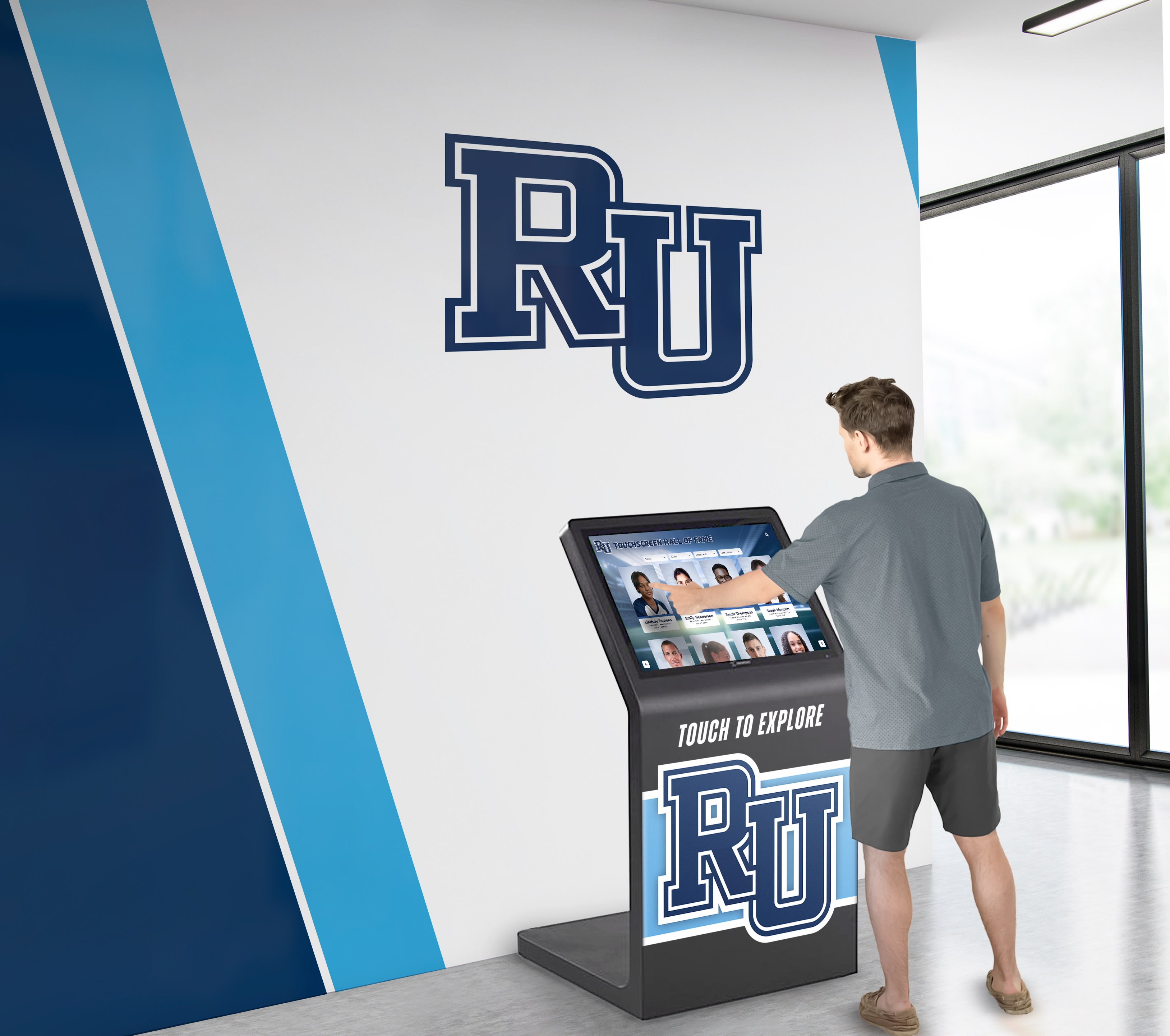
Touchscreen recognition kiosks connect outbound to cloud platforms and CDN services—each connection should appear in a documented, periodically reviewed firewall rule
Why Recognition Display Kiosks Need Dedicated Firewall Attention
Most school firewall audits focus on endpoint devices (laptops, tablets, administrative workstations) and server infrastructure. Recognition display kiosks occupy an intermediate position: they are purpose-built appliances with a narrow function, but they have persistent network connections, often run general-purpose operating systems, and are publicly accessible in lobbies and athletic hallways.
Several factors make recognition kiosks worth addressing separately in a firewall audit.
Public placement. Recognition displays sit in hallways and lobbies accessible to students, family members, visitors, and external contractors. Physical access to the device’s network port is easier to achieve than for equipment in a wiring closet. Rules that grant inbound access to the display device require more scrutiny than equivalent rules for back-office hardware.
Persistent outbound connections. Cloud-based recognition platforms—the systems that serve alumni recognition programs and interactive athletic hall of fame content—maintain persistent outbound connections for content synchronization, media streaming, and software updates. Each connection type should correspond to an explicit, documented firewall rule rather than a catch-all permissive outbound policy.
Gradual rule accumulation. Displays installed by vendors often arrive with an initial firewall exception request that is entered during setup and never reviewed again. Schools that have expanded from a single athletic display to a broader recognition wall program may have accumulated rules for vendor technical support sessions, legacy content platforms, deprecated media services, and test environments that are no longer in use.
Shared VLAN risk. When recognition displays are placed on a general network VLAN rather than a dedicated AV or kiosk segment, overly permissive rules for those displays potentially expose other devices on the same segment.
Network Services a Touchscreen Recognition Display Typically Requires
Before auditing existing rules, document what a recognition display actually needs. The table below covers common services for cloud-based recognition platforms; the specific destinations and ports depend on the platform vendor.
| Service | Direction | Protocol | Typical Port | Purpose |
|---|---|---|---|---|
| CMS platform | Outbound | HTTPS | 443 | Content management and record sync |
| Media CDN | Outbound | HTTPS | 443 | Photo and video delivery for profiles |
| DNS resolution | Outbound | UDP/TCP | 53 | Domain name resolution |
| NTP (time sync) | Outbound | UDP | 123 | Clock synchronization for timestamps |
| Software updates | Outbound | HTTPS | 443 | OS and application updates |
| Remote management | Inbound from IT VLAN | HTTPS/SSH | 443 or 22 | IT administration and troubleshooting |
| QR code redirect | Outbound | HTTPS | 443 | Mobile visitor access to digital content |
Rules not on this list—inbound connections from external IP addresses, broad outbound permissions on non-standard ports, or access to internal school systems the display does not integrate with—are candidates for review and possible removal.
Schools evaluating web-based versus native recognition platform architectures will find that web-based deployments typically require fewer firewall rules than native app deployments, because browser-based content delivery consolidates on port 443 without separate application update channels.
The Audit Workflow: Six Steps
Step 1: Identify All Rules Associated with Recognition Display Devices
Pull firewall rules associated with the recognition display’s IP address, hostname, or VLAN membership. If displays are on a dedicated VLAN, export all rules applying to that segment. If they are on a shared segment, filter by source or destination IP to isolate recognition display rules.
Create a working spreadsheet with one row per rule. Capture at minimum:
- Rule name or ID
- Direction (inbound / outbound)
- Source (IP, range, or VLAN)
- Destination (IP, domain, or VLAN)
- Port and protocol
- When the rule was created
- When the rule was last modified
Step 2: Assign an Owner and Business Justification to Every Rule
For each rule, identify who requested it and what operational purpose it serves. This step surfaces the most common problem in recognition display firewall rules: rules with no documented owner and no recorded reason.
Use this framework:
| Field | What to Capture |
|---|---|
| Rule owner | Named role responsible for this rule (IT coordinator, platform vendor contact, athletic director for CMS access) |
| Business need | What function fails if this rule is disabled? |
| Originating request | Ticket, email thread, or installation document where the rule was first requested |
| Approved by | IT lead or network administrator who authorized the rule |
| Review date | Date ownership was last confirmed |
If no owner can be identified for a rule, flag it immediately. An unowned rule is a candidate for prompt review. It may represent a legitimate rule whose original requester has left the organization, or it may represent an unauthorized exception added during a troubleshooting session.
Step 3: Verify Active Traffic
Review firewall logs for traffic matching each rule. Most firewall platforms log rule hits; check whether each recognition display rule shows recent traffic. The timeframe for “recent” depends on the display’s operational schedule—a display that only updates its content weekly may have infrequent but legitimate CMS sync traffic.
Consider these activity thresholds for a typical school recognition display:
- Active: Rule matches traffic at least once per week during the school year
- Infrequent: Rule matches traffic less than monthly; investigate before removal
- Unused: No rule matches in 90 days or more; flag for removal or expiration
For digital record boards and specialty recognition displays that update their content seasonally—following championship tournaments or at year-end—confirm with the display owner before flagging seasonal-update rules as unused.
Step 4: Assess Scope—Is Each Rule Appropriately Specific?
Rule scope determines the blast radius if the rule is exploited. Review each rule for over-broad permissions.
Common scope problems in recognition display rules:
- A rule permitting outbound TCP to “any destination” on port 443, created when the platform vendor’s CDN IP range was unknown at installation
- An inbound rule permitting SSH access from any address in a broad IT management range, created for an initial configuration session that has long since concluded
- A rule granting the display device access to internal server VLANs that the platform does not integrate with
- A vendor temporary-access rule with no expiration date, left active after the support session closed
Tighten any rule that is more permissive than the current operational need. Replace “any outbound HTTPS” rules with destination-specific rules for the platform’s documented IP ranges or domain names, if the vendor provides them.
Step 5: Remove or Disable Stale Rules
Rules that are unused, unowned, or no longer justified should be removed. If removal feels risky, disable the rule first and observe for one operational cycle before deleting.
Document every removal:
- Rule description
- Date disabled or removed
- Who made the change
- Reason for removal (unused / vendor access no longer needed / replaced by more specific rule)
Step 6: Document the Reviewed State
After the audit, produce a clean rule documentation record for recognition display rules. This record serves as the baseline for the next review cycle and as evidence that the audit was completed.
Firewall Rule Documentation Template
| Rule Name | Direction | Source | Destination | Port/Protocol | Owner | Business Need | Last Traffic | Status |
|---|---|---|---|---|---|---|---|---|
| CMS outbound sync | Out | Kiosk VLAN | Platform CDN range | 443/TCP | IT Coordinator | Content sync | Active | Keep |
| Media delivery CDN | Out | Kiosk VLAN | CDN provider range | 443/TCP | IT Coordinator | Profile photos/video | Active | Keep |
| NTP outbound | Out | Kiosk VLAN | pool.ntp.org | 123/UDP | IT Coordinator | Clock sync | Active | Keep |
| Vendor remote support | In | Vendor IP range | Kiosk IP | 443/TCP | Platform vendor | Remote support | 14 months ago | Review/Disable |
| Old CMS platform | Out | Kiosk VLAN | Legacy platform IP | 443/TCP | Unknown | Unknown | Never | Remove |
| Admin SSH | In | IT Admin VLAN | Kiosk IP | 22/TCP | IT Coordinator | Management | Active | Keep — scope review |
Stale Rule Identification: What to Look for
Stale rules accumulate through predictable patterns in recognition display deployments.
Vendor installation rules. Platform vendors often request broad temporary rules during installation or configuration sessions. If those rules were not removed or expired after setup, they remain active indefinitely. For any rule associated with a vendor IP range, confirm with the vendor whether that access is still needed for ongoing support or was intended only for the initial deployment.
Platform migration residue. Schools that have migrated from one recognition platform to another frequently retain rules for the legacy platform’s destinations. These rules serve no current function. Cross-reference outbound destinations against the current platform’s documented IP ranges and flag anything that does not appear on that list.
Test environment rules. IT teams sometimes create rules to allow a recognition display to connect to a vendor’s staging or test environment during evaluation or content migration. Those rules should be removed when the production deployment is confirmed.
Emergency troubleshooting rules. Rules added during an incident response session—to allow a support technician temporary access, or to open a port while diagnosing a connectivity issue—are commonly left active after the incident closes. Review any rule without an associated originating ticket.
Schools maintaining both athletic trophy case displays and art class gallery displays or other departmental kiosks should audit rules for each device category separately, as different platforms may share IP infrastructure, creating confusion about which rules are actually needed by which devices.
Why These Rules Carry Institutional Weight
Firewall rules for recognition displays are not just a technical hygiene matter—they connect directly to the reliability of systems that carry institutional history. An athletic hall of fame display, a digital donor recognition installation, or a student honors kiosk is expected to be available during high-visibility events: alumni weekends, athletic banquets, parent nights, and championship celebrations.
If a stale or misconfigured firewall rule blocks content synchronization, the display shows outdated records. If an overly restrictive rule disrupts the CMS connection, content managers cannot publish urgent updates. If an unreviewed inbound rule creates a security incident, the remediation process affects the visibility of the very recognition content the school relies on for community engagement.
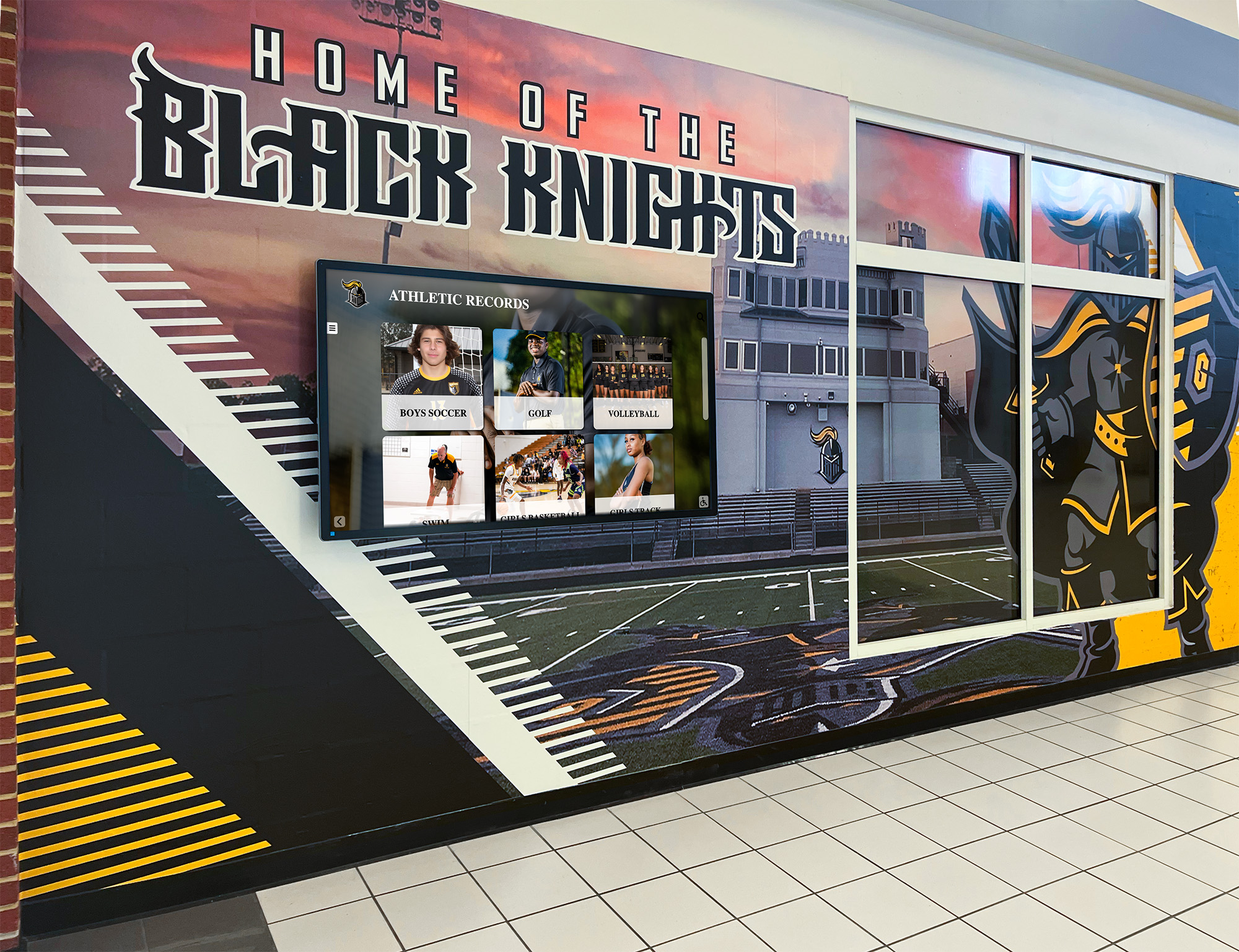
Recognition displays visible in high-traffic areas carry community expectations for availability and accuracy—firewall reliability is part of content governance, not just network operations
Schools hosting alumni recognition programs across multiple platforms should include recognition display firewall rules in their annual network review, alongside endpoint and server rules, rather than treating kiosk rules as lower priority.
Scheduling the Firewall Review Into Annual IT Operations
A recognition display firewall rule review is most effective when it is part of a recurring IT operations schedule rather than a reaction to an incident.
| Period | Task |
|---|---|
| Start of school year | Run full rule audit using the six-step workflow; confirm all rules have owners |
| After platform software updates | Verify no new firewall exceptions are needed; confirm old rules still apply |
| End of school year | Remove stale rules identified during the year; update the rule documentation record |
| After any vendor support session | Remove or expire temporary vendor access rules before closing the support ticket |
For schools using touchscreen recognition software with cloud-based CMS, the start-of-year audit is a natural checkpoint for confirming that the platform’s IP ranges or domain names have not changed—CDN providers sometimes rotate infrastructure, and rules based on specific IP addresses may become inaccurate over time. Use domain-name-based rules or the vendor’s documented IP ranges when the platform supports them.
Recognition displays that support a broader student engagement mission—including student leadership and class recognition content alongside athletic records—may involve multiple staff stakeholders who need to know whether their CMS access is affected by firewall changes. Include the CMS administrator and the athletic director or equivalent content owner in any rule change notification.
Frequently Asked Questions
What is a touchscreen recognition display firewall rule review?
A touchscreen recognition display firewall rule review is an IT audit process that examines every network firewall rule associated with a recognition kiosk or display device. The review confirms that each rule has a documented owner, a current business justification, and active traffic—and removes or restricts rules that fail any of those checks. It is typically conducted annually as part of a school’s broader network security review.
Do recognition displays need their own VLAN?
Not always, but a dedicated VLAN for recognition kiosks and AV devices simplifies both firewall management and audit scope. When all recognition displays are on a shared VLAN, rules can be written at the VLAN level rather than per-device, and the audit scope for that segment is clearly bounded. If displays are on a general network segment alongside laptops and administrative workstations, rule management becomes more complex.
How do I find out what IP addresses or domains my recognition platform requires?
Contact the platform vendor and request their current list of required firewall destinations. Reputable cloud-based platforms maintain this documentation for IT administrators. If the vendor cannot provide it, use firewall traffic logs to observe what destinations the display connects to over a typical operational period—two to four weeks—then verify each destination with the vendor before building rules around observed traffic.
What should I do if I find a firewall rule with no owner?
Flag it for immediate review. Research the rule’s creation date and context using installation records, support tickets, or email history. If no justification can be established, disable the rule and observe for one operational cycle—typically one to two weeks—to confirm the display continues to function normally. If it does, remove the rule and document the removal. Do not leave an unowned rule active on the assumption that it is probably fine.
How does firewall rule review differ for displays that also support mobile access?
Displays that provide QR code access to recognition content on mobile devices require the QR redirect service to be reachable from external networks. Confirm that any rules supporting public-facing redirect services are scoped appropriately: the destination should be the platform’s public URL, not broad internal network access. The mobile access channel does not change the display’s inbound firewall posture on the local network; it operates through the platform’s cloud infrastructure, not through the display device itself.
Should vendor temporary-access rules have expiration dates?
Yes. When a vendor requests temporary access for a support session, configure the rule with an expiration date or document a specific removal date in your change management system. If your firewall platform does not support rule expiration, add a calendar reminder to disable the rule when the support session closes. Do not rely on the vendor to notify you when temporary access is no longer needed.
How does the firewall review connect to recognition display content accuracy?
Indirectly but meaningfully. Firewall rules that block content delivery services cause display desynchronization—published content changes do not appear on screen. Rules that prevent CMS access mean content managers cannot correct errors or publish new recognition entries. Schools managing records with institutional significance—student recognition displays, championship histories, and donor acknowledgments—benefit from treating firewall reliability as part of content governance, not just network operations.
What if our district firewall is managed centrally and school IT cannot make rule changes directly?
Document your review findings using the six-step workflow and the rule documentation template, then submit the results as a formal change request to the district network team. Include the rule name, justification for the change, and the business impact of not making it. A well-documented request from the school IT coordinator—showing which rules are stale, unowned, or overly broad—is easier for the district team to act on than a general request to “review our display rules.”
Ready to see how a cloud-based recognition platform is designed for school IT environments? Rocket Alumni Solutions builds touchscreen recognition systems for athletic halls of fame, donor walls, and student honor displays—with documented network requirements and administrative controls built for school IT teams. Request a demo to review the platform’s technical specifications with your IT coordinator.
Summary: Touchscreen Recognition Display Firewall Rule Review at a Glance
A practical firewall rule review for school recognition displays follows six steps: inventory all rules tied to the display device or VLAN, assign an owner and justification to each rule, verify active traffic in firewall logs, assess whether each rule’s scope is appropriately specific, remove or disable stale rules, and document the reviewed state as a baseline for the next cycle.
The most common problems discovered in recognition display firewall audits are unowned rules from the original installation, vendor temporary-access rules left active after support sessions close, and catch-all outbound rules that were written before the platform’s specific destinations were known. Each of these is addressable through the audit workflow—and removing them reduces the attack surface of devices that are publicly accessible and carry content the school relies on for community engagement.
Scheduling the review annually, aligned with the start or end of the school year, ensures the process becomes routine rather than reactive.