Equipment manufacturers face increasing pressure to create touchscreen kiosks for events and functions that effectively communicate complex product specifications, demonstrate capabilities, and capture qualified leads—all while standing out in crowded exhibition spaces where hundreds of vendors compete for attention.
Traditional printed brochures, static product displays, and passive video loops no longer engage trade show visitors who expect interactive, smartphone-style experiences that let them explore technical information at their own pace. Modern manufacturing companies need event technology that transforms product demonstrations into memorable interactive experiences, enabling visitors to dive deep into specifications, compare equipment models, watch demonstration videos, and access detailed technical documentation without requiring staff availability at every moment.
This comprehensive guide examines how equipment manufacturers implement touchscreen kiosk technology at events, trade shows, product launches, and corporate functions, exploring hardware considerations, software capabilities, content strategies, and practical deployment approaches that maximize visitor engagement while efficiently communicating complex product information.
The most successful event kiosks for equipment manufacturers balance technical depth with intuitive navigation, providing engineers and procurement specialists the detailed specifications they need while remaining accessible to first-time visitors unfamiliar with industry terminology or equipment categories.
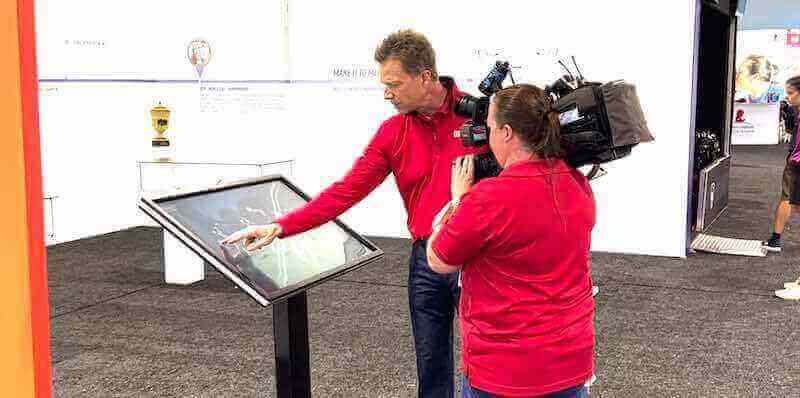
Equipment manufacturers leverage interactive touchscreen kiosks at events to demonstrate product capabilities and capture visitor engagement
Understanding Touchscreen Kiosks for Manufacturing Events
Before exploring specific implementation approaches, understanding what distinguishes effective equipment demonstration kiosks from generic event displays helps manufacturers select appropriate technology and content strategies.
What Makes Event Kiosks Effective for Equipment Manufacturers?
Successful manufacturing event kiosks serve multiple simultaneous purposes while remaining approachable to diverse visitor types:
Core Functionality Requirements
- Product exploration: Hierarchical navigation enabling visitors to browse product lines, equipment categories, and specific models
- Technical specifications: Detailed spec sheets, performance data, dimensional drawings, and capacity information
- Visual demonstrations: High-quality product photography, 360-degree views, exploded assembly diagrams, and application videos
- Comparison tools: Side-by-side feature and specification comparisons helping visitors evaluate options
- Lead capture: Contact forms, business card scanning, and badge reader integration collecting visitor information
- Documentation access: Downloadable brochures, technical manuals, case studies, and specification sheets
Visitor Journey Considerations
Equipment manufacturing events attract visitors with varying knowledge levels and research stages:
- Exploratory visitors gaining initial product awareness
- Engineering teams evaluating specific capabilities and technical requirements
- Procurement professionals comparing vendors and pricing
- Existing customers researching product line extensions
- Industry professionals monitoring competitive landscapes
Effective kiosks accommodate all visitor types through layered information architecture—providing high-level overviews immediately while enabling detailed technical exploration for specialists who need comprehensive data.
Organizations implementing interactive kiosk solutions for visitor engagement create compelling experiences that extend beyond basic product browsing into memorable demonstrations.
Why Equipment Manufacturers Choose Interactive Kiosks for Events
Several factors drive manufacturing companies toward touchscreen event technology:
Staff Efficiency and Expertise Allocation
Trade show staffing presents significant challenges and costs. Top technical experts command high compensation and have limited availability. Interactive kiosks handle initial product education and qualification, enabling expensive engineering staff to focus on serious prospects requiring expert consultation rather than answering basic questions addressed through self-service exploration.
A 65" touchscreen kiosk can simultaneously serve multiple visitors exploring different product lines, effectively multiplying booth capacity without proportionally increasing staffing requirements or costs.
Consistent Product Presentation
Human presenters vary in knowledge depth, communication effectiveness, and energy levels throughout multi-day events. Kiosks deliver identical comprehensive product information to every visitor regardless of time, day, or which staff members happen to be available. This consistency ensures no visitor receives incomplete or inaccurate information due to presenter limitations.
Competitive Differentiation
At crowded industry events where dozens of manufacturers exhibit similar equipment, interactive technology creates memorable experiences that differentiate booths from competitors relying on static displays. Visitors remember engaging with touchscreens more than viewing traditional product samples, increasing post-event recall and follow-up likelihood.
Lead Quality and Data Capture
Traditional business card collection provides minimal visitor information. Interactive kiosks track exactly which products each visitor explored, how long they engaged with specific content, which specifications they reviewed, and what documentation they downloaded. This behavioral data enables highly targeted post-event follow-up addressing demonstrated interests rather than generic mass communications.
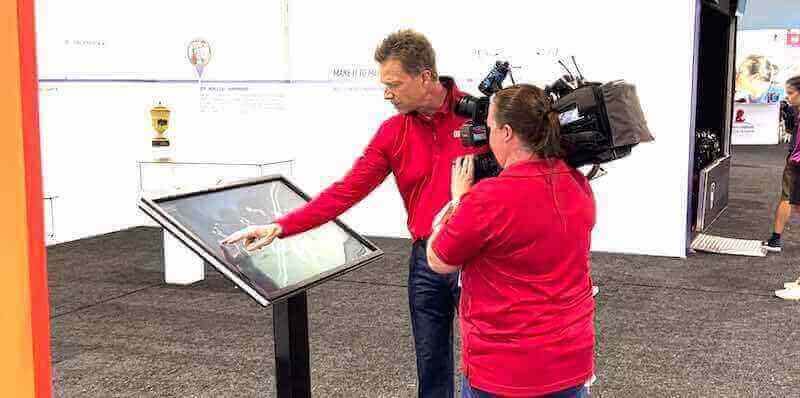
Professional event kiosks transform equipment demonstrations from passive viewing into active exploration experiences
Content Strategy for Equipment Manufacturing Event Kiosks
Quality content determines whether visitors engage deeply with kiosks or glance briefly before moving to competitors’ booths. Manufacturing kiosks require specialized content approaches balancing technical accuracy with accessibility.
Product Information Architecture
Organizing complex equipment catalogs for intuitive touchscreen navigation requires systematic planning:
Hierarchical Organization Approaches
- Product line browsing: Top-level categories organizing equipment by function or application
- Industry/application navigation: Equipment sorted by target industries or use cases
- Specification-based filtering: Search by capacity, size, power requirements, or performance criteria
- Model comparison views: Direct side-by-side specification and feature comparisons
- Solution-based pathways: Equipment packages addressing complete application requirements
Content Depth Levels
Effective information architecture provides progressive disclosure:
- Overview level: High-level product description with key differentiators and primary applications
- Feature level: Detailed capability descriptions, standard and optional features, technology explanations
- Specification level: Complete technical specifications, performance data, dimensional information
- Documentation level: Downloadable PDFs, installation guides, maintenance manuals, compliance certificates
Visitors can quickly grasp product basics or drill deep into engineering specifications depending on their knowledge level and evaluation stage.
Visual Content Requirements
Equipment manufacturing relies heavily on visual communication:
Product Photography Standards
- High-resolution images minimum 3000 x 2000 pixels enabling pinch-to-zoom examination
- Multiple viewing angles showing equipment from front, sides, rear, and overhead
- Detail shots highlighting key features, controls, and connection points
- In-application photography showing equipment in real operational environments
- Scale reference showing equipment size relative to people or known objects
- Clean professional lighting with neutral backgrounds for catalog presentations
Video Content Applications
Video demonstrates capabilities static images cannot communicate:
- Equipment operation videos showing machines in action
- Assembly and disassembly demonstrations for maintenance clarity
- Application examples showcasing equipment solving real problems
- Customer testimonial videos (when authentic and permission-granted)
- Time-lapse footage of complete production cycles
- 360-degree rotating product views for comprehensive visualization
Technical Illustrations
Diagrams and drawings communicate complex information efficiently:
- Exploded assembly diagrams showing component relationships
- Cutaway illustrations revealing internal mechanisms
- Dimensional drawings with precise measurements
- Wiring and connection schematics for integration planning
- Flow diagrams showing material or process pathways
- Comparison graphics highlighting differences between models
Organizations developing digital signage content for equipment displays benefit from systematic visual content development that serves both initial interest generation and detailed technical evaluation.
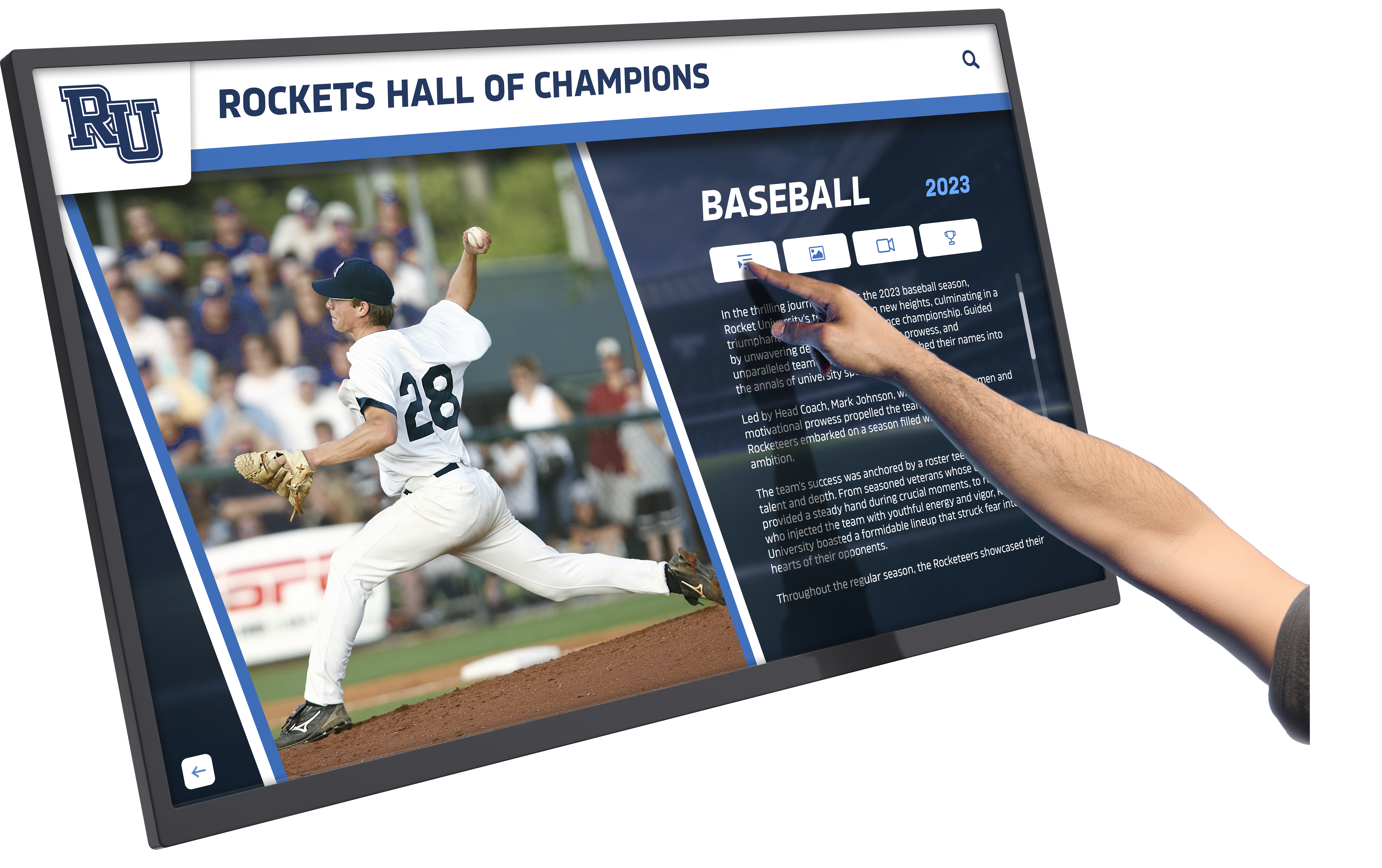
Intuitive touch interfaces enable visitors to explore detailed product specifications without staff assistance
Technical Specification Presentation
Manufacturing audiences demand comprehensive technical data:
Specification Table Design
- Organized categorical grouping (power requirements, dimensions, capacities, performance)
- Comparative columns when displaying multiple models simultaneously
- Imperial and metric unit options for international audiences
- Footnotes explaining special conditions or limitations
- Highlighting differentiating specifications between competitive models
- Downloadable specification sheets in standardized formats
Performance Data Visualization
Charts and graphs communicate performance more effectively than tables:
- Capacity curves showing output across operating ranges
- Efficiency graphs demonstrating energy consumption patterns
- Temperature performance charts for environmental specifications
- Duty cycle graphics showing operational limitations
- Comparison bars highlighting advantages versus competitors
- Interactive sliders enabling “what-if” scenario exploration
Compliance and Certification Information
Regulatory compliance often determines purchasing eligibility:
- Industry standard compliance (ISO, ANSI, CE marking, etc.)
- Safety certifications (UL, CSA, TÜV, etc.)
- Environmental certifications (Energy Star, LEED contributions, etc.)
- Emissions compliance (EPA, CARB, international equivalents)
- Accessibility compliance when applicable
- Warranty and service program details
Hardware Considerations for Event Touchscreen Kiosks
Selecting appropriate display hardware balances presentation impact, durability, portability, and budget constraints specific to event environments.
Display Size and Form Factor Selection
Exhibition spaces and visitor viewing patterns influence optimal display specifications:
Screen Size Recommendations
- 43-55" displays: Tabletop kiosks for intimate one-on-one demonstrations
- 55-65" displays: Standard freestanding kiosks accommodating 1-3 simultaneous users
- 65-75" displays: High-impact statement pieces visible across exhibition halls
- 75-86" displays: Large-scale video walls for major manufacturer pavilions
- Multiple coordinated displays: Equipment simulators or immersive experiences
Orientation Considerations
- Portrait orientation maximizes visibility in crowded aisles while minimizing booth footprint
- Landscape orientation better suits side-by-side product comparisons and widescreen video
- Dual-screen configurations showing synchronized or complementary content
- Rotating displays alternating between orientations for different content types
Mounting and Mobility Options
Event environments require flexibility:
- Freestanding kiosks with integrated bases and cable management
- Rolling carts enabling repositioning within booth spaces
- Lightweight aluminum truss mounting for temporary installations
- Modular systems packing into standard shipping cases
- Wall-mounting options when exhibiting in semi-permanent showrooms
- Outdoor-rated enclosures for exterior demonstrations or festival environments
Touch Technology and Durability
Event environments demand displays withstanding intensive use:
Touch Technology Options
- Capacitive touch: Smartphone-like responsiveness with multi-touch gesture support
- Infrared touch: Durable option working with gloves or styluses common in industrial settings
- SAW (Surface Acoustic Wave): High clarity and image quality for detailed technical drawings
- Optical touch: Suitable for very large format displays in high-traffic environments
Protective Measures
- Tempered glass overlays protecting display panels from impacts
- Anti-glare coatings reducing reflections from exhibition hall lighting
- Anti-fingerprint treatments maintaining clean appearance during multi-day events
- Vandal-resistant enclosures for unsupervised operation or public festival settings
- Screen protector films providing additional scratch protection
Operational Ratings
- Commercial display ratings supporting 16+ hour daily operation during events
- Adequate brightness (400-500 nits minimum) overcoming exhibition hall ambient lighting
- Wide viewing angles ensuring visibility for groups viewing together
- Fanless operation or quiet cooling preventing audio interference
- Temperature tolerance handling warm exhibition environments
Organizations planning museum kiosks and interactive exhibits face similar durability and engagement requirements as manufacturing event displays.
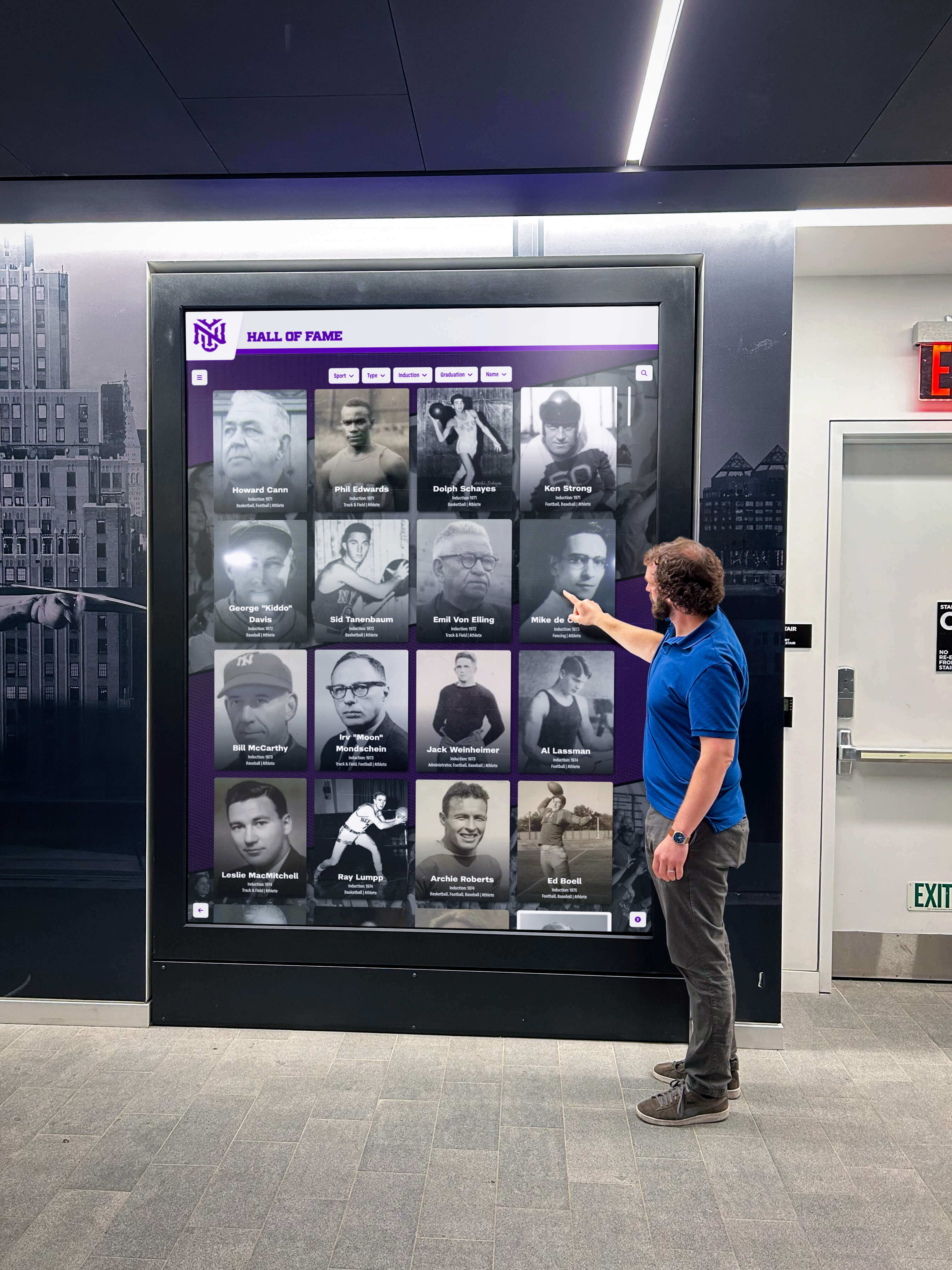
Commercial-grade touchscreen displays withstand intensive multi-day event use while maintaining responsiveness
Media Players and Computing Hardware
Powering interactive content requires appropriate computing resources:
Media Player Specifications
- Processor: Intel i5 or equivalent minimum for smooth video playback and responsive navigation
- Memory: 8GB RAM minimum, 16GB recommended for complex applications
- Storage: 256GB SSD minimum for fast application loading and ample content capacity
- Graphics: Dedicated GPU for 4K video and 3D product visualization
- Connectivity: Gigabit Ethernet, WiFi, Bluetooth for peripherals, multiple video outputs
Operating System Considerations
- Windows 10/11 Pro for maximum software compatibility and IT management
- Android for simpler applications with lower hardware costs
- Chrome OS for cloud-based content management with minimal local storage
- Linux for custom applications with specific security or licensing requirements
- Locked-down kiosk mode preventing unauthorized access or configuration changes
Peripheral Integration
- Badge readers capturing attendee information from conference credentials
- Business card scanners digitizing contact information
- QR code generators creating personalized follow-up links
- Receipt printers providing specification sheets or quotes
- USB ports enabling firmware updates and content loading
- HDMI outputs mirroring kiosk content to larger displays
Network Connectivity and Content Updates
Event venues present connectivity challenges:
Network Options
- Exhibition hall WiFi (often unreliable or expensive)
- Cellular hotspots providing independent connectivity
- Wired Ethernet when available from premium booth locations
- Offline operation with pre-loaded content avoiding connectivity dependence
- Hybrid approaches caching content locally with optional online updates
Content Management Approaches
- Cloud-based CMS enabling remote updates during multi-day events
- Local content management allowing on-site modifications without internet
- Scheduled content updates activating new material at predetermined times
- A/B testing rotating alternative content to optimize engagement
- Real-time analytics tracking visitor interactions and popular content
Software Platforms for Manufacturing Event Kiosks
Choosing appropriate kiosk software balances feature requirements, technical complexity, and budget considerations:
Purpose-Built Kiosk Software Solutions
Specialized event kiosk platforms provide turnkey functionality:
Key Platform Features
- Template-based design tools eliminating custom development requirements
- Product catalog management with hierarchical organization
- Specification database integration pulling technical data automatically
- Lead capture forms with customizable fields and validation
- Analytics dashboards tracking visitor engagement and content performance
- Multi-event support reusing content across different shows
- Offline capability maintaining full functionality without internet
Content Management Workflows
- Browser-based administration requiring no installed software
- Bulk import tools loading product catalogs from spreadsheets
- Media asset libraries organizing photos, videos, and documents
- Content approval workflows when multiple stakeholders review materials
- Version control tracking changes and enabling rollback
- Multi-user support with role-based permissions
- Scheduled publishing preparing content in advance
Lead Management Integration
- CRM system integration exporting captured leads automatically
- Email notification alerting sales teams to qualified prospects
- Lead scoring based on engagement depth and content viewed
- Automated follow-up email templates personalized by interest
- Business card scanning with OCR accuracy verification
- Badge reader integration capturing conference registration data
Organizations evaluating kiosk software solutions for 2025 should prioritize platforms designed specifically for product demonstration and lead capture rather than general-purpose digital signage tools.
Custom Development Versus Platform Solutions
Manufacturers must decide between building custom applications or using existing platforms:
Custom Development Benefits
- Complete control over functionality and user experience
- Proprietary features competitors cannot easily replicate
- Deep integration with internal product databases and systems
- Unique branding and differentiated visual design
- No ongoing software subscription costs after development
Custom Development Challenges
- Significant upfront investment ($25,000-$100,000+ depending on complexity)
- Extended development timelines (3-6 months typical)
- Ongoing maintenance costs updating content and fixing issues
- Limited flexibility for last-minute event-specific modifications
- Technical expertise required for content management and troubleshooting
Platform Solution Advantages
- Rapid deployment with content-ready systems in days versus months
- Proven reliability from extensive testing across many deployments
- Regular software updates adding features without redevelopment costs
- Intuitive content management accessible to marketing staff
- Lower total cost of ownership for most organizations
- Vendor support handling technical issues and optimization
Platform Solution Limitations
- Less flexibility for highly specialized functionality
- Subscription costs continuing indefinitely
- Shared features visible across multiple manufacturer implementations
- Dependency on vendor longevity and continued development
- Customization constraints within template frameworks
For most equipment manufacturers, platform solutions provide better value than custom development unless extremely specialized functionality requirements justify investment or internal development resources already exist.
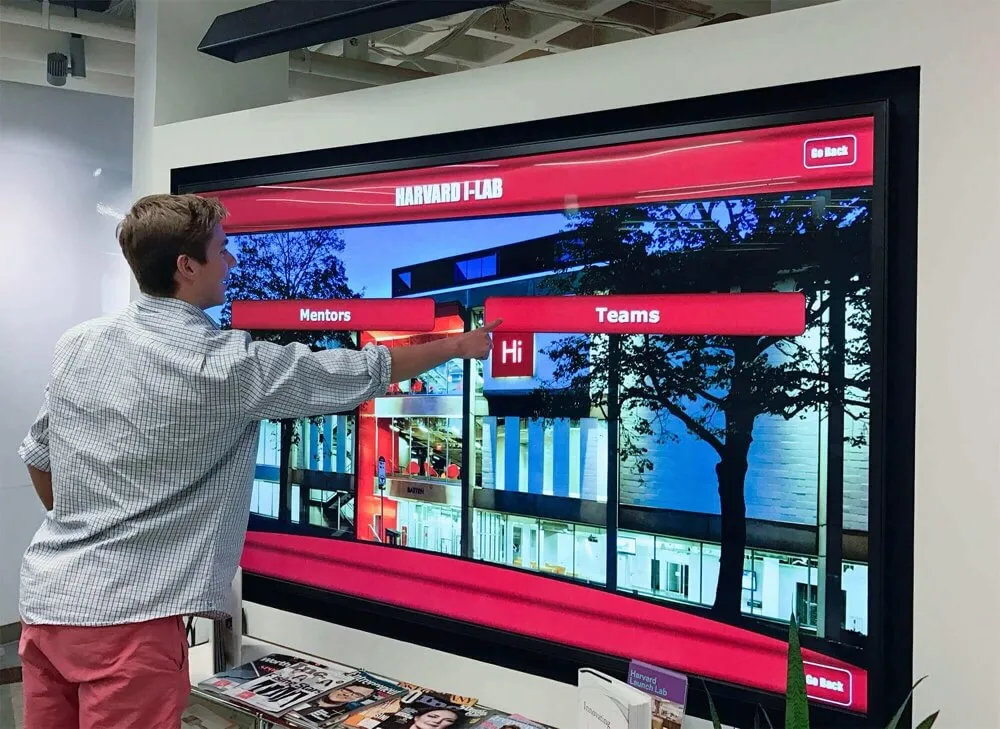
Modern kiosk software platforms provide manufacturing-specific functionality without requiring custom development
Designing Effective User Experiences for Manufacturing Kiosks
Interface design determines whether visitors engage deeply or abandon kiosks within seconds:
Navigation Patterns and Information Architecture
Intuitive navigation enables visitors to find relevant information quickly:
Primary Navigation Structures
- Tile-based menus: Large touch targets showing product categories with representative imagery
- List-based browsers: Text-heavy approaches for engineering audiences prioritizing information density
- Search-first interfaces: Prominent search enabling direct specification or model number lookup
- Guided wizards: Question-based pathways helping visitors identify appropriate equipment
- Comparison matrices: Grid layouts facilitating side-by-side product evaluation
Essential Navigation Elements
- Home button returning to start from any screen
- Breadcrumb trails showing current location within content hierarchy
- Back button enabling easy correction of navigation mistakes
- Related content suggestions keeping visitors engaged
- Timeout resets returning to attract loop after inactivity
- Help overlays explaining interaction methods for first-time users
Attract Loop Design
Idle kiosks must invite interaction:
- Motion graphics demonstrating equipment capabilities
- Rotating product highlights with compelling imagery
- Clear “Touch to Explore” instructions in multiple languages
- Prominent branding establishing manufacturer identity
- QR codes enabling smartphone access to digital catalogs
- 30-60 second timeout returning to attract loop during inactivity
Touch Interface Design Principles
Manufacturing audiences include users unfamiliar with touchscreen conventions:
Touch Target Requirements
- Minimum 0.75" button size accommodating fingers of all sizes
- Adequate spacing between interactive elements preventing accidental activation
- Visual feedback showing successful touch registration
- Consistent button styling across all screens
- Disabled state styling for unavailable options
- Touch-and-hold gestures avoided except for advanced functions
Typography and Readability
- Minimum 18pt font size for body text readable at arm’s length
- 36-48pt headings providing clear section identification
- High contrast between text and backgrounds (4.5:1 minimum)
- Sans-serif typefaces providing clean readability
- Adequate line spacing preventing text crowding
- Bold weights emphasizing critical specifications
Layout and Visual Hierarchy
- Primary content occupying 70-80% of screen real estate
- Secondary navigation and tools in consistent sidebar or bottom bar
- Generous whitespace preventing overwhelming density
- Color coding distinguishing different product lines or categories
- Iconography supplementing text for international audiences
- Consistent layout patterns across all content sections
Manufacturing companies implementing event technology solutions benefit from user testing with representative audiences before finalizing interfaces.
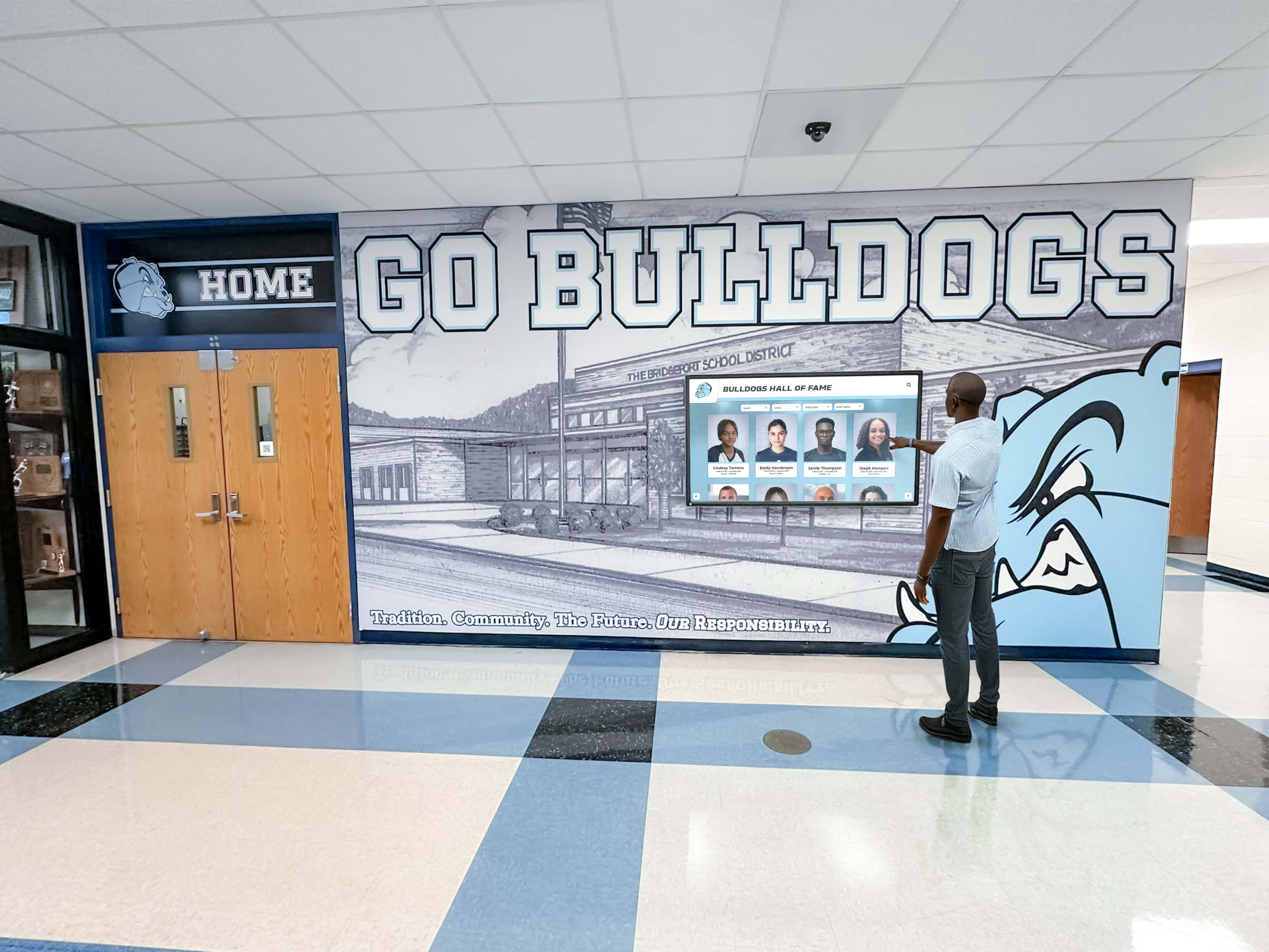
Clear visual hierarchy and intuitive navigation enable visitors to find relevant equipment information without frustration
Accessibility Considerations
Public-facing event kiosks must serve diverse audiences:
ADA WCAG 2.1 AA Compliance
- Keyboard navigation supporting complete functionality without touch
- Screen reader compatibility for critical product information
- Sufficient color contrast meeting accessibility standards
- Alternative text descriptions for all product imagery
- Adjustable text size options for visual impairments
- No time limits forcing rushed interaction
Physical Accessibility
- Display mounting height accommodating wheelchair users (15"-48" from floor)
- Angled displays reducing neck strain for all users
- Clear floor space enabling wheelchair approach
- Audio descriptions for video content when feasible
- QR code access enabling personal device alternatives
- Multilingual support for international trade shows
International Audience Considerations
- Language selection prominently displayed on home screen
- Specification units toggling between imperial and metric
- Currency conversion for pricing information
- Cultural considerations in imagery and color usage
- Icon-based navigation reducing language dependency
- Local regulatory compliance information by region
Event-Specific Implementation Strategies
Deploying kiosks at trade shows and functions requires systematic planning addressing logistical realities:
Pre-Event Planning and Preparation
Successful deployments begin weeks before events:
Content Finalization
- Complete product catalog review ensuring accuracy and completeness
- New product announcements timed for event debut
- Competitor research identifying differentiation opportunities
- Content testing on actual hardware verifying performance
- Backup content versions for rapid troubleshooting
- Printed materials complementing digital content
Logistics Coordination
- Hardware shipping to exhibition venues with adequate lead time
- Insurance coverage for equipment during transport and exhibition
- Installation crew coordination and venue access scheduling
- Electrical and network service orders from exhibition contractors
- Booth layout planning ensuring sightlines and traffic flow
- Storage arrangements for shipping cases during events
Staff Training
- Demonstration sessions teaching booth staff kiosk capabilities
- Content familiarization ensuring staff can guide visitor exploration
- Technical troubleshooting covering common issues and solutions
- Lead capture procedures explaining follow-up workflows
- Competitive positioning messages aligned with kiosk content
- Schedule coordination ensuring adequate booth coverage
On-Site Setup and Configuration
Installation efficiency minimizes costly setup labor:
Physical Installation
- Arrive early securing premium setup time slots
- Bring comprehensive tool kits addressing unforeseen needs
- Cable management maintaining professional appearance and preventing tripping hazards
- Display calibration optimizing brightness and color for venue lighting
- Touch calibration ensuring accurate response
- Audio testing confirming appropriate volume levels
Technical Configuration
- Network connectivity verification and troubleshooting
- Content loading and final updates incorporating last-minute changes
- Analytics initialization for event-specific tracking
- Lead capture testing confirming data flows correctly
- Backup systems testing ensuring redundancy readiness
- Performance testing under realistic loads
Quality Assurance Testing
Before exhibition opening, systematically verify:
- Complete navigation path testing from every possible starting point
- All videos play correctly with appropriate audio levels
- Product specifications display accurately without errors
- Lead capture forms submit successfully and route properly
- QR codes scan correctly and link to intended destinations
- Attract loop activates after appropriate timeout periods
- All touchpoints respond accurately without dead zones
Organizations hosting planning galas and fundraising events face similar event preparation requirements for interactive technology.
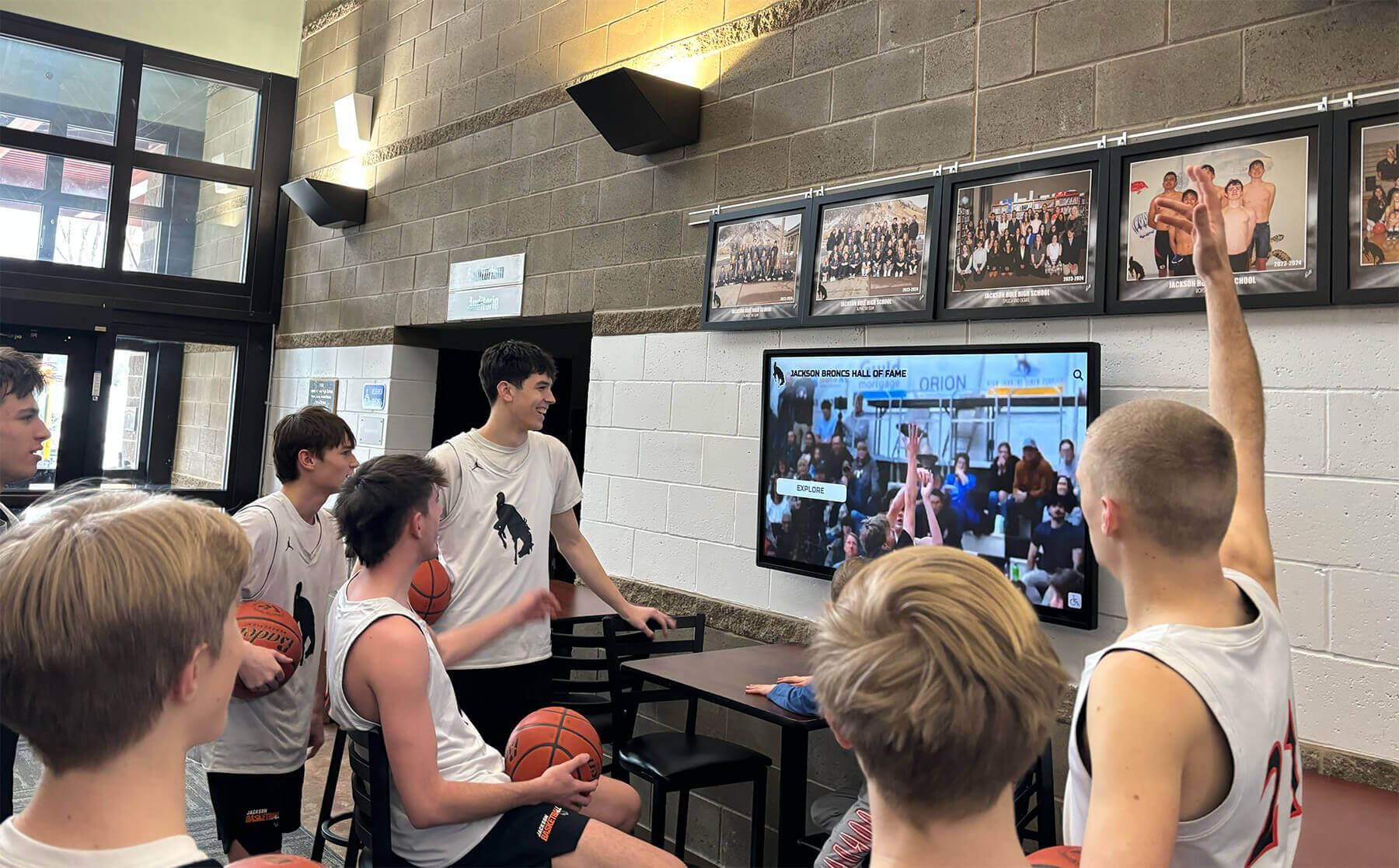
Professional installation and thorough testing ensure kiosks perform reliably throughout multi-day exhibitions
During-Event Management and Optimization
Active management maximizes kiosk effectiveness:
Daily Maintenance
- Morning cleaning removing fingerprints and dust
- System checks verifying continued operation
- Network connectivity monitoring
- Content accuracy spot-checking
- Analytics review identifying popular content and navigation issues
- Competitor monitoring noting booth traffic and engagement
Real-Time Optimization
- Content adjustments responding to visitor feedback
- Featured product rotation highlighting inventory availability
- Special promotion activation for limited-time offers
- A/B testing comparing alternative presentations
- Staff coaching based on observed visitor behaviors
- Technical troubleshooting addressing emerging issues
Lead Management
- Daily lead export to CRM systems
- High-priority prospect notification to sales teams
- Follow-up email deployment to qualified leads
- Lead quality assessment refining capture criteria
- Competitive intelligence documentation from qualified prospects
- Post-event appointment scheduling for serious opportunities
Post-Event Analysis and Follow-Up
Events conclude but value realization continues:
Analytics Review
- Total interaction counts and visitor engagement metrics
- Content performance identifying most-viewed products and features
- Navigation pattern analysis revealing information architecture strengths and weaknesses
- Lead quality assessment measuring conversion and value
- Technical performance review documenting uptime and issues
- Return on investment calculation comparing costs to qualified leads generated
Content Improvement Planning
- Visitor feedback integration addressing confusion or requests
- High-performing content expansion building on success
- Low-performing content revision or removal
- Competitive intelligence incorporation adjusting positioning
- New product integration planning for next events
- Multilingual expansion based on international visitor engagement
Lead Nurturing Programs
- Personalized follow-up sequences based on demonstrated interests
- Specification sheet delivery addressing reviewed products
- Case study sharing relevant to visitor industries
- Event-specific promotions continuing show momentum
- Demo scheduling for serious opportunities
- Long-term newsletter enrollment maintaining engagement
Measuring Success: Kiosk Performance Metrics
Quantifying kiosk value justifies investment and guides improvement:
Quantitative Engagement Metrics
Objective measurement reveals usage patterns:
Interaction Data
- Total unique visitors interacting with kiosks
- Average session duration indicating engagement depth
- Page views and navigation paths showing information-seeking behaviors
- Video play rates and completion percentages
- Document downloads indicating serious evaluation
- Comparison tool usage revealing competitive evaluation
- Search queries exposing visitor terminology and interests
Lead Generation Metrics
- Total leads captured versus booth visitors
- Lead quality scores based on engagement depth
- Contact information completeness rates
- Opt-in rates for ongoing communications
- Follow-up appointment conversion rates
- Pipeline value attributed to event leads
- Customer acquisition cost per event-sourced opportunity
Technical Performance Indicators
- System uptime percentage throughout event
- Touch response time and interface lag
- Content loading speed and buffering incidents
- Network connectivity stability
- Software crash frequency and recovery time
- Battery backup effectiveness during power interruptions
Qualitative Visitor Feedback
User perspectives complement quantitative data:
Observation Studies
- Visitor approach behaviors and hesitation factors
- Interaction duration and navigation confidence
- Group dynamics when multiple visitors use kiosks together
- Staff intervention frequency and reasons
- Abandonment points revealing friction
- Competitive comparison with nearby exhibitors
Direct Feedback Collection
- Exit surveys capturing visitor satisfaction and suggestions
- Staff debriefs documenting repeated questions and issues
- Lead follow-up conversations revealing impressions
- Social media monitoring for event mentions
- Post-event surveys measuring brand recall
- Unsolicited testimonials and recommendations
Competitive Benchmarking
- Booth traffic comparison versus competitors
- Technology sophistication relative to industry standards
- Engagement duration compared to alternative displays
- Lead capture rates versus traditional methods
- Innovation perception among industry publications
- Award recognition at event competitions
Return on Investment Analysis
Financial justification requires comprehensive accounting:
Investment Components
- Hardware purchase or rental costs
- Software subscription or development fees
- Content creation expenses
- Shipping and logistics costs
- Installation labor and venue services
- Staff training time
- Booth space allocation
Benefit Quantification
- Staff efficiency gains from automated product education
- Lead quality improvements versus traditional methods
- Sales pipeline value attributed to event
- Brand differentiation value and awareness lift
- Reusable content value across multiple events
- Competitive intelligence gathered
- Customer relationship strengthening with existing accounts
Organizations implementing digital recognition and engagement displays utilize similar metrics frameworks measuring impact and justifying continued investment.
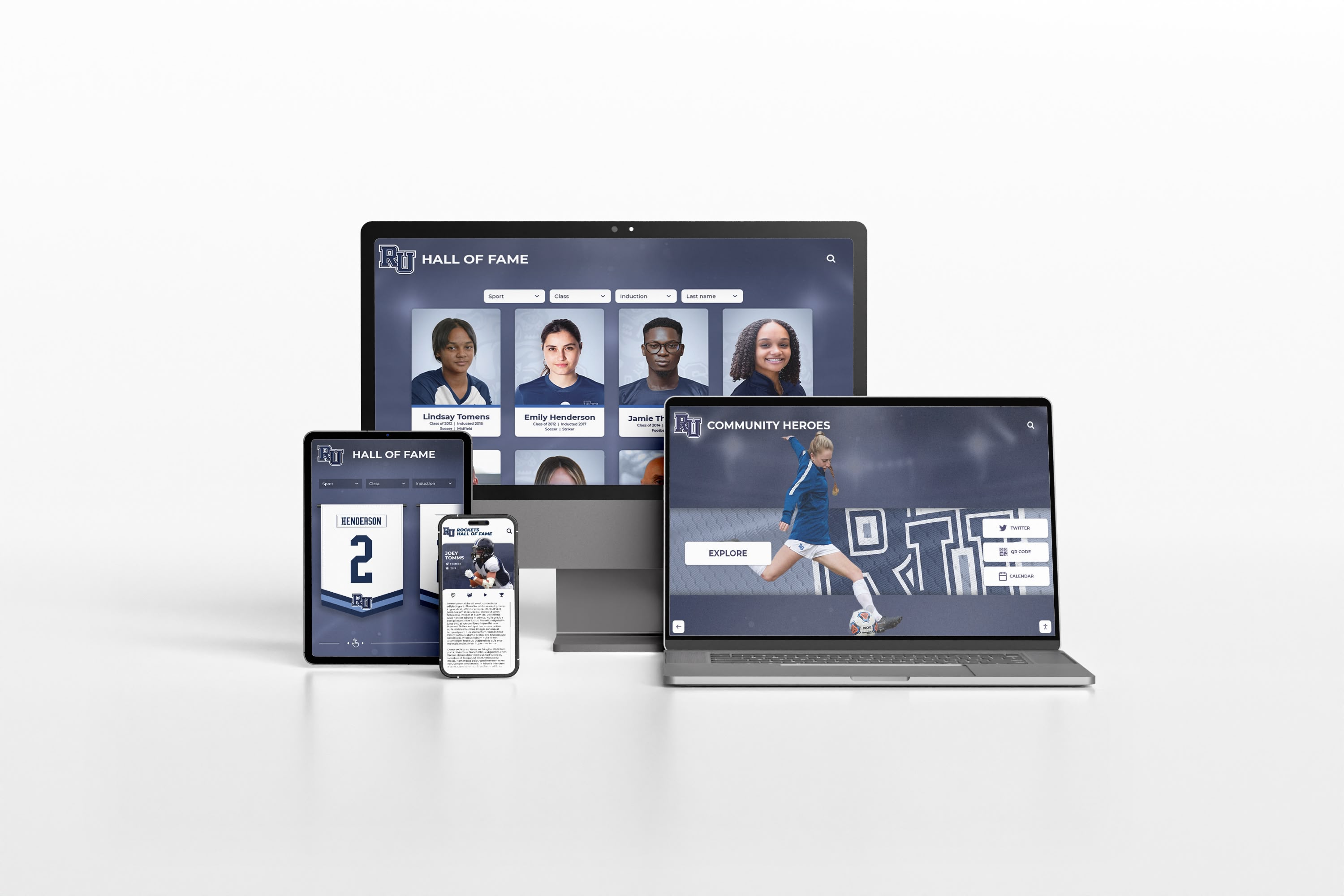
Comprehensive analytics reveal visitor engagement patterns and content effectiveness across event deployments
Future Trends in Manufacturing Event Kiosk Technology
Understanding emerging capabilities helps manufacturers plan long-term technology investments:
Artificial Intelligence Integration
AI capabilities will enhance content delivery and lead qualification:
Intelligent Content Recommendations
- Machine learning algorithms suggesting relevant products based on browsing patterns
- Natural language search enabling conversational product discovery
- Voice interaction for hands-free specification lookup
- Automated lead scoring predicting opportunity quality
- Personalized product suggestions based on industry and application
- Real-time translation enabling multilingual interaction
Computer Vision Applications
- Facial recognition identifying returning visitors and personalizing experiences
- Attention tracking measuring visual engagement with content elements
- Demographic inference adjusting content presentation
- Gesture control enabling touchless interaction
- Object recognition identifying visitor equipment for competitive comparisons
Augmented and Virtual Reality Enhancements
Extended reality will transform equipment visualization:
Augmented Reality Applications
- Mobile device overlays showing equipment in visitor facilities
- Scale visualization helping visitors understand equipment size
- Maintenance animations demonstrating service procedures
- Installation simulations showing facility integration
- Performance overlays highlighting operational components
- Virtual equipment customization previewing configurations
Virtual Reality Experiences
- Immersive factory tours showing manufacturing processes
- Virtual equipment operation training
- Scale visualization placing full-size equipment in virtual spaces
- Application simulations demonstrating equipment solving specific problems
- Collaborative VR enabling remote expert participation during events
Advanced Analytics and Personalization
Data capabilities will provide deeper insights:
Behavioral Analytics
- Heatmaps showing attention patterns across screen layouts
- Path analysis revealing optimal and problematic navigation flows
- Abandonment point identification for user experience optimization
- Engagement prediction forecasting lead quality
- Conversion attribution tracking event influence on sales cycles
- Competitive analysis comparing engagement versus benchmarks
Predictive Capabilities
- Lead scoring models predicting closure probability
- Content performance forecasting guiding development priorities
- Optimal booth layout recommendations based on traffic patterns
- Personalization engines adapting interfaces to visitor behaviors
- Inventory coordination suggesting featured products based on availability
Manufacturing companies embracing these emerging technologies while maintaining focus on core functionality—clear product presentation, comprehensive specifications, and efficient lead capture—will maximize event kiosk value across evolving technology landscapes.
Conclusion: Transforming Equipment Demonstrations Through Interactive Technology
Touchscreen kiosks have become essential tools for equipment manufacturers competing at crowded trade shows, product launches, and industry functions where hundreds of vendors compete for limited buyer attention and evaluation time. When thoughtfully designed with quality product content, intuitive navigation, and appropriate hardware, interactive displays transform passive product viewing into engaging exploration experiences that educate visitors, qualify prospects, and generate measurable sales pipeline value.
The most successful manufacturing event kiosks share common characteristics: comprehensive product information addressing both overview and detailed specification needs, high-quality visual content showcasing equipment in action, intuitive interfaces accommodating diverse user technical proficiency, effective lead capture integrating with sales processes, and reliable hardware withstanding intensive multi-day use in challenging exhibition environments.
Modern touchscreen technology makes professional equipment demonstration kiosks achievable for manufacturers of all sizes. Cloud-based content management platforms eliminate custom development requirements while providing sophisticated functionality. Commercial display hardware delivers the durability and image quality necessary for demanding event environments. Analytics capabilities quantify visitor engagement and lead quality, justifying continued investment and guiding optimization.
Whether your company manufactures construction equipment, industrial machinery, processing systems, material handling solutions, or specialized technical products, interactive event kiosks create competitive differentiation while efficiently communicating complex product information to diverse audiences ranging from engineers requiring detailed specifications to procurement professionals comparing vendor capabilities.
Start by clearly defining your event goals—lead generation, product education, brand awareness, or competitive differentiation—then systematically develop content, select appropriate hardware, choose software platforms matching your technical resources, and implement measurement frameworks quantifying results. Every visitor who engages with your interactive kiosk represents an opportunity to communicate value, demonstrate capabilities, and advance sales conversations in ways traditional brochures and static displays simply cannot achieve.
Your exhibition booth represents significant investment in event fees, travel, staffing, and materials. Interactive touchscreen kiosks ensure you maximize return on that investment by multiplying staff effectiveness, delivering consistent product presentations, capturing qualified lead data, and creating memorable experiences that differentiate your company from competitors relying on outdated demonstration methods.
Ready to explore how modern touchscreen kiosk platforms can transform your equipment demonstrations at trade shows and industry events? Discover comprehensive interactive display solutions designed for product showcasing, lead capture, and visitor engagement, with professional templates, cloud-based management, and analytics capabilities that make effective event technology accessible to manufacturers focused on engineering excellence rather than software development.