When an athletic director starts budgeting for a new interactive display or a principal wants to modernize the school lobby, the first question is rarely “which software?"—it’s “should we rent or buy?” The touch screen kiosk rental market has grown considerably in recent years, giving K-12 administrators a genuine alternative to full ownership. But for many school use cases, particularly permanent recognition programs, the rental path introduces hidden costs and constraints that ownership avoids entirely.
This guide examines both options honestly. Touch screen kiosk rental makes strategic sense in specific contexts: one-day events, technology pilots, or temporary fundraising campaigns where a school needs a kiosk for a week and nothing more. Owned interactive display systems, especially purpose-built educational platforms, deliver better long-term economics and far deeper functionality when schools need recognition walls, athletic halls of fame, or alumni displays that need to be updated year after year.
Understanding which model fits your specific K-12 situation requires examining timelines, budgets, IT capacity, and the nature of the content you plan to display. This guide breaks down both paths across every dimension that matters to school administrators, AV coordinators, and IT decision makers evaluating interactive display investments.
K-12 technology decisions rarely happen in isolation. Rental provides immediate deployment without capital expenditure. Ownership provides long-term control and eliminates recurring vendor dependency. The right answer depends heavily on what the kiosk needs to accomplish—and for how long.
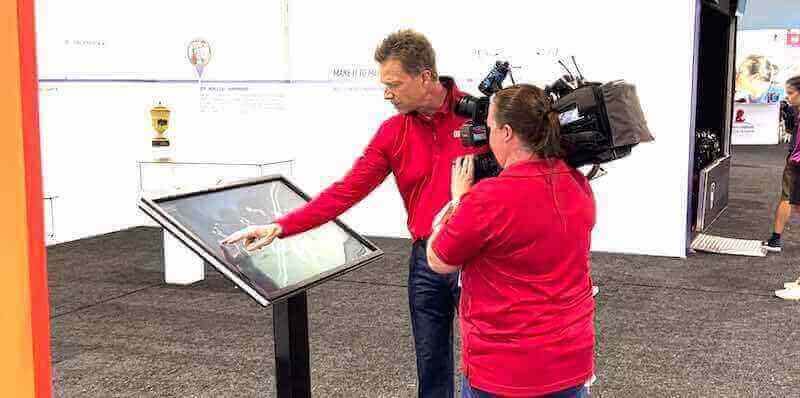
Schools evaluating interactive display investments increasingly weigh touch screen kiosk rental against full ownership before committing budgets
What Touch Screen Kiosk Rental Actually Includes
Touch screen kiosk rental covers a range of offerings. At the basic end, an AV rental vendor ships a commercial-grade touchscreen on a floor stand with a generic content management interface. At the premium end, some vendors include custom content loading, setup services, and branded wrapping panels. Understanding what you actually receive shapes whether the rental cost represents fair value.
Standard Rental Package Components
A typical touch screen kiosk rental from an AV company includes:
Hardware provided on loan
- Commercial display (typically 32” to 65") with capacitive multi-touch
- Floor-standing enclosure or pedestal mount
- Media player pre-loaded with content creation software
- Power cable and any required adapters
- Optional: protective case for transport
Software access during rental period
- Generic kiosk software (often a locked-down browser or simple slideshow application)
- Basic content management interface
- Limited customization to match school branding
- Playback of pre-loaded media (images, video, PDFs)
Services (varies by vendor)
- Delivery and setup (sometimes at additional cost)
- Technical support during event hours
- Content loading assistance (often billed separately)
- Pickup at rental end
What rental typically does NOT include
- Persistent profile databases for individuals (athletes, alumni, donors)
- Searchable interactive content structures
- QR code access for mobile users
- Auto-updating record boards or leaderboards
- ADA WCAG 2.1 AA compliant interfaces
- Long-term content history that carries forward after the rental ends
That last point is critical for K-12 schools. Schools exploring school hallway display ideas that create lasting engagement quickly recognize that rental-grade content tools aren’t designed to build and maintain the kind of rich, institution-specific databases that make recognition displays genuinely meaningful.
Rental Cost Structures
Touch screen kiosk rental pricing typically follows one of three models:
Daily rental: $150–$400 per kiosk per day for a standard 55"–65" commercial touchscreen with basic software. Event-focused vendors may charge more for weekend or holiday delivery windows.
Weekly rental: $500–$1,200 per week. At this price point, many schools discover that a four-week rental covers the cost of entry-level owned hardware—a key indicator of where the break-even analysis starts to shift.
Monthly rental: $1,000–$2,500 per month for a single kiosk. At this level, schools paying for three or more months have likely already covered the hardware cost difference and are simply paying recurring fees for software access they don’t fully own or control.
Shipping, setup fees, damage waivers, and content loading charges can add 20–40% above quoted base rates. Schools that have rented kiosks for multiple consecutive events often find that total annual rental spend would have funded owned hardware within 12–18 months.
What Owned Interactive Display Systems Deliver
Ownership means the school controls the hardware, the software, and the data—permanently. For schools building recognition programs intended to grow over years or decades, this is the more practical foundation. Rocket kiosks and interactive recognition displays represent the owned model taken to its fullest expression for K-12 purposes.
Characteristics of Purpose-Built Owned Systems
Unlike generic rental units, purpose-built owned interactive displays for schools include:
Permanent content infrastructure
- Structured profile databases for athletes, alumni, academic honorees, and donors
- Searchable archives accessible to visitors and searchable by sport, year, or achievement type
- Unlimited profile capacity—no storage cap forcing annual pruning of older honorees
- Photo and video hosting with content that accumulates over years, not just event windows
Purpose-designed interactive experiences
- Touch-optimized navigation designed for all ages, including elderly visitors and young students
- QR code generation enabling visitors to access profiles on their own phones
- Auto-ranking record boards that update automatically as new records are submitted
- Attract-loop video content keeping displays engaging when not actively used
Administrative and management depth
- Cloud-based content management accessible from any browser, anywhere
- Staff-level permissions allowing coaches, teachers, and administrators to update their sections
- Bulk import from spreadsheets for efficient historical data migration
- ADA WCAG 2.1 AA compliance built into the interface architecture
Hardware designed for school environments
- Commercial-grade touchscreens rated for 16–24 hours of daily operation
- Anti-vandal glass coatings appropriate for high-traffic hallways
- Screen sizes from 55" through 86" and custom configurations for unique wall spaces
- Wall-mount, pedestal, and kiosk enclosure options based on installation context
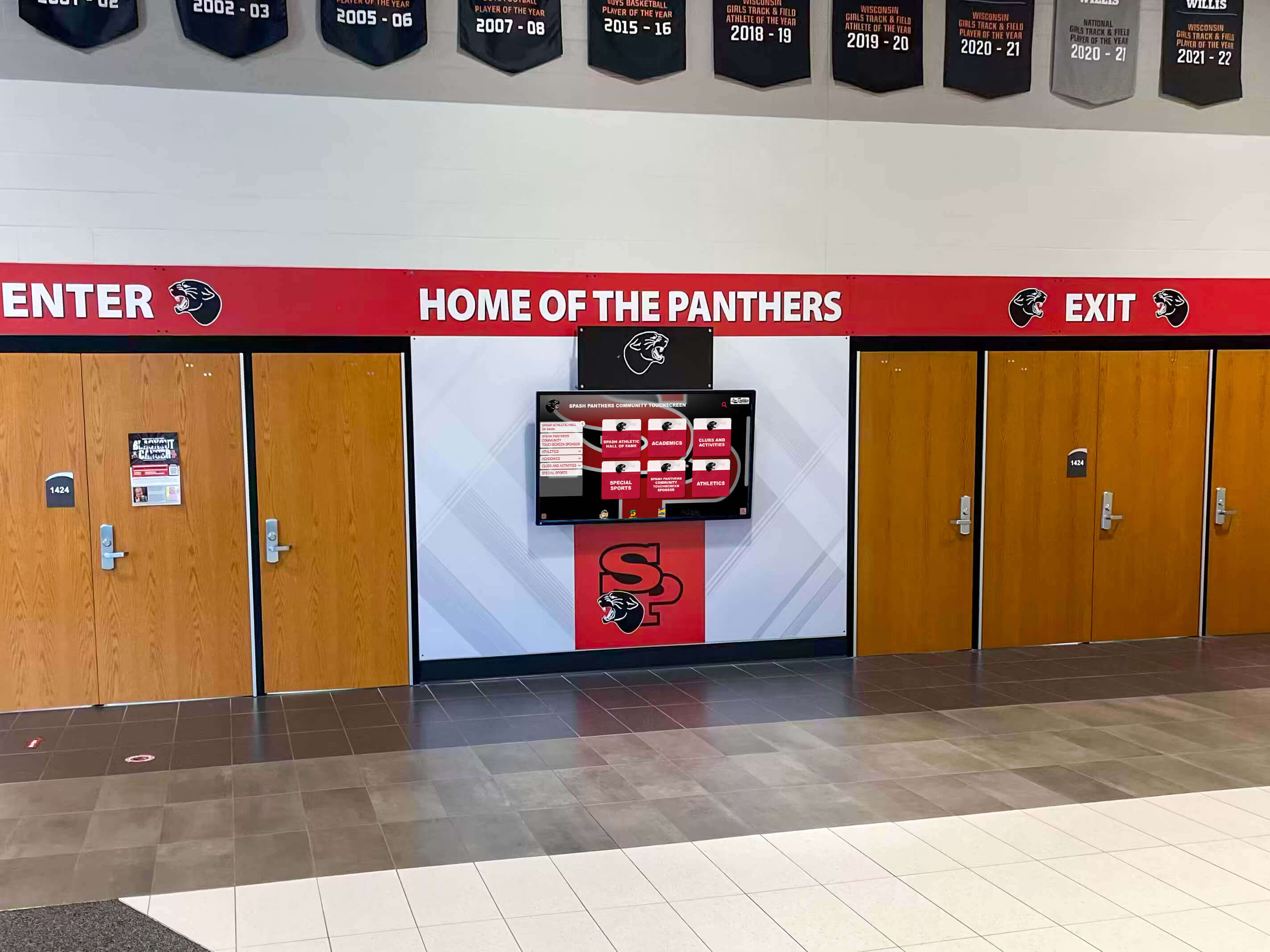
Permanently owned interactive displays build institutional history year over year—a capability touch screen kiosk rental cannot replicate
When Touch Screen Kiosk Rental Makes Sense for K-12
Rental isn’t categorically wrong. There are specific K-12 scenarios where renting is the rational choice—either because the use case is genuinely temporary, or because the school needs to test before committing.
Single-Event Deployments
If a school needs an interactive display for one day—a college fair, a fundraising gala, a district-wide open house—rental is often the right call. There’s no ongoing management burden, no capital expenditure, and no storage requirement. A rental unit serves the event, leaves, and the school pays only for that window.
Schools planning digital showcases for graduating classes sometimes use rental kiosks at graduation ceremonies or reunion events to display content that would later migrate to a permanent owned system. That hybrid approach—rent for the event, own for the ongoing program—is a legitimate strategy.
Technology Pilots Before Purchase
Some school districts require proof-of-concept before approving capital expenditures. A short-term rental allows administrators to demonstrate interactive display engagement to principals, board members, or technology committees. If the pilot succeeds, the school has the data needed to justify ownership. If it fails, no long-term commitment was made.
This approach works best when the school is genuinely undecided. Schools that already know they need a permanent recognition display typically find that a rental pilot delays the ownership economics without materially reducing risk.
Short-Term Curriculum or Exhibition Projects
Library exhibits, STEM fairs, and history projects sometimes benefit from temporary interactive displays that wouldn’t justify permanent installation. A three-week rental for a student-produced museum exhibit makes sense in a way that a 10-year owned system would not.
Scenarios Where Rental Becomes Expensive and Limiting
Rental stops being cost-effective when:
- The school needs the display for more than 4–6 consecutive weeks
- The content needs to be searchable, profile-based, or interactive at depth
- Staff need to update content remotely and frequently
- The school wants to preserve and build on content year after year
- ADA compliance or mobile access (QR codes) is required
- The display is meant to honor athletes, donors, alumni, or academic achievers permanently
For these use cases—which describe most K-12 recognition programs—rental tools simply aren’t built to deliver what the school actually needs.
Owned Interactive Displays for K-12: The Permanent Recognition Case
The majority of K-12 schools investing in touch screen kiosks do so for recognition purposes: athletic halls of fame, academic honor walls, donor acknowledgment, alumni tributes, and championship records. These programs share a defining characteristic—they grow over time. Every graduating class adds new honorees. Every season produces new record holders. Every capital campaign generates new donors.
A rental kiosk can display a single year’s content for a one-day event. An owned platform like Rocket Alumni Solutions builds a searchable, growing institutional archive that becomes more valuable with each passing year.
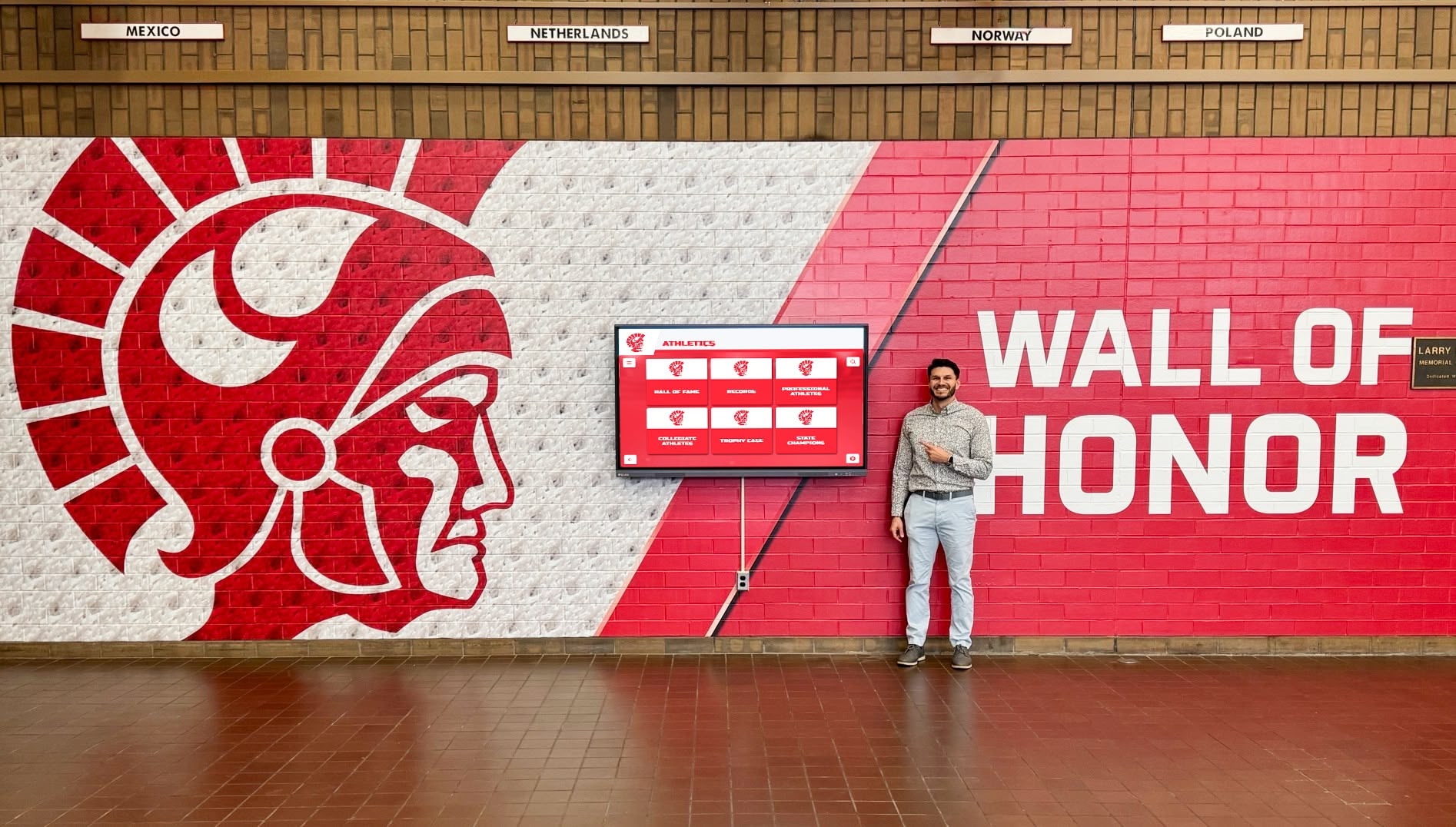
Owned interactive recognition displays let visitors explore complete institutional histories—a depth impossible to achieve through standard touch screen kiosk rental packages
Rocket Alumni Solutions: Purpose-Built K-12 Ownership Platform
Rocket Alumni Solutions specifically addresses K-12 recognition use cases with a platform designed around the workflows, budget cycles, and content needs of school administrators. Understanding where Rocket fits relative to generic rental options clarifies the ownership value proposition.
What Rocket Alumni Solutions delivers for K-12 schools
Hall of fame infrastructure: Pre-built templates for athletic halls of fame, academic honor rolls, arts recognition walls, and alumni displays. Schools don’t need to design from scratch—templates are ready to populate with existing data.
Auto-ranking record boards: Athletic records update automatically as new performances are submitted. Coaches enter new times or scores, and the leaderboard re-ranks itself without manual redesign. Schools tracking sports game results benefit from this automation year after year.
Unlimited content capacity: No caps on number of profiles, photos, or videos. A school can induct five alumni one year and fifty the next without hitting storage limits or paying additional per-profile fees.
QR code access: Every profile generates a unique QR code. Visitors tap their phones to keep reading after leaving the kiosk, coaches share athlete profiles on social media, and families access content from home. Rental units rarely offer this capability.
Remote cloud CMS: The content management system runs in a standard browser with no software installation required. An athletic director can add a new inductee from a laptop at home the night before homecoming. A development officer can update donor recognition from the office without IT assistance.
Multi-location support: Schools with campuses across multiple buildings can manage all kiosk content from one administrative account, with different content sections appearing on different physical screens.
ADA WCAG 2.1 AA compliance: Touch navigation, text sizing, and interface contrast levels meet accessibility standards. This matters for schools serving community members with visual or motor limitations and for districts with legal compliance requirements.
Interactive touchscreen storytelling for school recognition programs shows how the storytelling depth achievable through owned platforms transforms static recognition into genuine community engagement.
Hardware options with Rocket Alumni Solutions
Hardware is sold alongside the Rocket software platform, with commercial-grade touchscreens available in 55", 65", 75", and 86" configurations. All are commercial-grade panels rated for continuous operation, with anti-glare coatings appropriate for naturally lit hallways. Freestanding pedestal mounts and wall-mount configurations address different installation contexts. Schools that already have compatible commercial displays can sometimes integrate existing hardware—worth discussing directly with the Rocket team during the sales process.
Ready to explore a purpose-built K-12 recognition platform? Rocket Alumni Solutions offers demonstrations for schools evaluating owned interactive display options. See how the platform handles athletic halls of fame, academic honor walls, and donor recognition before making a budget commitment.
Cost Comparison: Rental vs. Ownership Over Time
Cost comparisons between touch screen kiosk rental and ownership require honest accounting of total spend over realistic time horizons—not just the first invoice.
Single-Year Comparison
Touch screen kiosk rental scenario (event-focused school):
- 3 events per year × $800/event rental (1-day rate + setup): $2,400
- Content design services for event loading: $600
- Total year 1 rental spend: ~$3,000
Owned system scenario (recognition-focused school):
- Software platform license: $4,000–$8,000 (one-time)
- 65" commercial touchscreen + media player: $3,500–$5,000
- Installation: $500–$1,500
- Total year 1 owned spend: ~$8,000–$14,500
The rental appears cheaper in year one if the use case is genuinely event-only. The owned system’s year-one cost is higher precisely because you’re acquiring an asset that pays forward.
Five-Year Total Cost Comparison
Rental (event-focused, 3 events/year):
- Year 1: $3,000
- Years 2–5: $2,400/year
- Five-year total: ~$12,600
- Content capability: static displays per event, no accumulated database
Owned recognition platform (recognition-focused):
- Year 1: $10,000 (mid-range)
- Years 2–5: $0–$500/year (optional annual support)
- Five-year total: $10,000–$12,000
- Content capability: full searchable recognition database growing to hundreds of inductee profiles, auto-updating record boards, QR code access, alumni engagement
At the five-year mark, total spend is comparable—but the owned school has built a permanent interactive archive while the rental school has paid for temporary displays that produced no lasting institutional asset.
For schools with genuine ongoing recognition needs, turnkey digital hall of fame pricing and setup guides provide detailed cost modeling that helps administrators build accurate budget projections for board presentations.
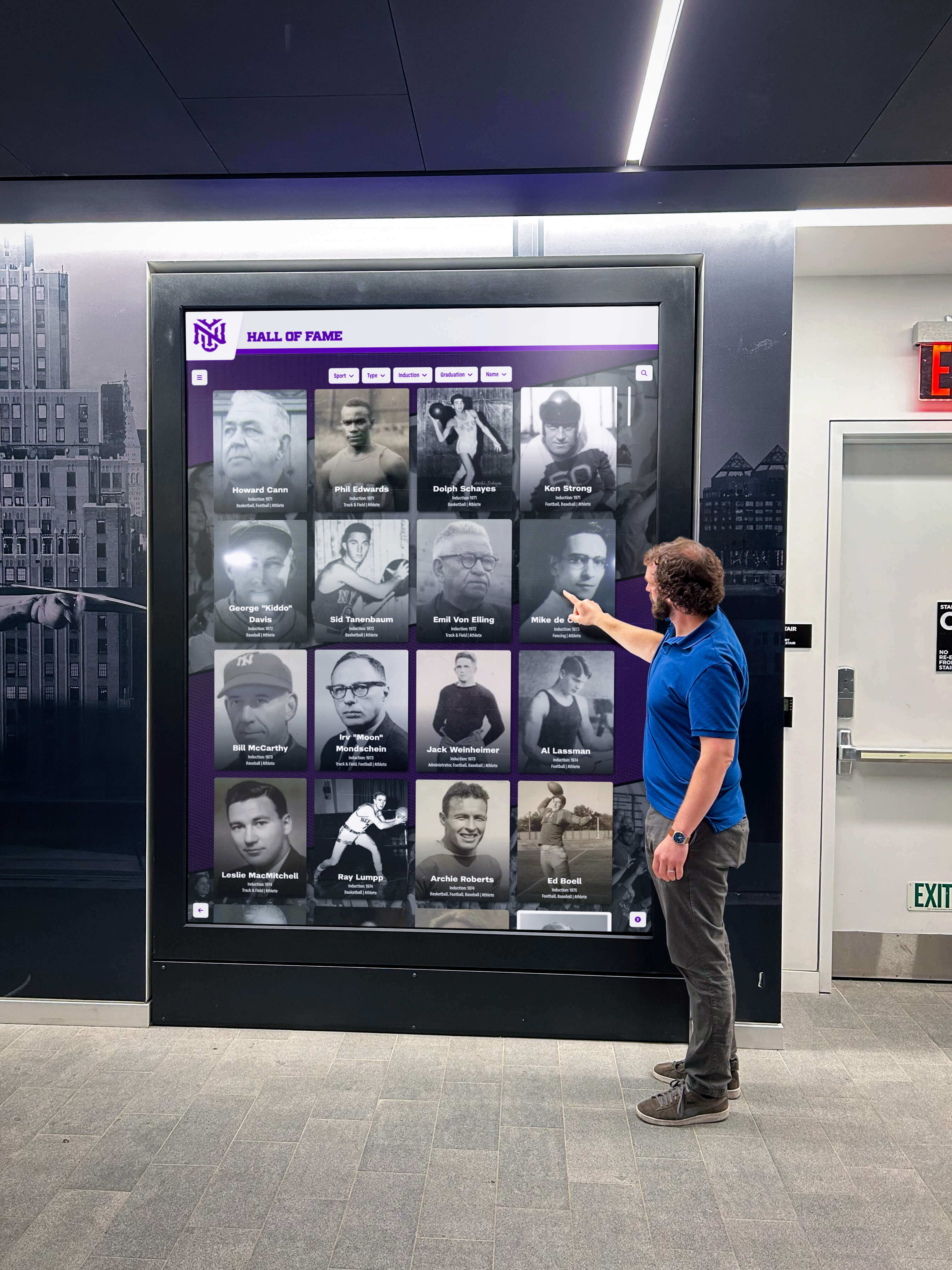
Owned recognition platforms accumulate institutional value year after year—the cost per visitor interaction drops continuously as content and engagement grow
K-12-Specific Considerations for This Decision
K-12 schools face constraints and opportunities that differ from corporate or event venues. These factors shape how the rental-vs-owned comparison applies specifically to educational institutions.
Budget Cycle Compatibility
Most K-12 schools operate on annual budget cycles with spending approvals required for capital expenditures above specific thresholds. Rental can sometimes be processed as an operational expense, bypassing the capital approval process. Ownership typically requires capital budget approval, which means longer lead times and more stakeholder alignment.
However, capital budget approval also provides durability. A school that successfully funds owned interactive displays through capital appropriation doesn’t face annual renewal decisions. Rental commitments require re-approval each year and are vulnerable to budget freezes that eliminate operational line items.
Schools exploring digital signage displays for K-12 educational environments often find that formal budget proposals with 5–10 year ROI analyses succeed in capital funding cycles where informal requests get deferred.
IT Department Capacity
K-12 IT teams are stretched thin. Any interactive display technology must minimize ongoing IT burden. This consideration cuts both ways:
Rental advantage: The vendor handles hardware setup and teardown. The school’s IT team isn’t responsible for a device that breaks or needs updates during a rental period.
Ownership advantage (with cloud-based platforms): Purpose-built cloud platforms like Rocket Alumni Solutions require minimal IT involvement after initial installation. Content updates happen through a web browser. The IT department isn’t managing servers, software licenses, or complex local infrastructure.
A rental that requires the school’s IT team to configure network access, load content, and troubleshoot kiosk software at every event may actually create more IT burden than a well-chosen owned platform with cloud management.
Staff Training and Continuity
Athletic directors, development officers, and administrative staff turn over. Any system—rented or owned—must be learnable without the original implementer present. This consideration strongly favors owned platforms with intuitive content management over rental systems that require vendor configuration at each event.
Touch wall solutions built for high schools designed for educational contexts prioritize staff-level administration precisely because schools can’t assume a dedicated technical specialist will always be available to manage content.
Community Expectations and Stakeholder Visibility
Parents, alumni, and donors visiting school campuses form impressions based on what they see. A permanently installed, professionally branded recognition wall communicates institutional pride and organizational stability. A rented general-purpose kiosk in the lobby for homecoming weekend communicates a very different message.
Schools where donor cultivation and alumni engagement are priorities—particularly those with active athletics programs or capital campaigns in progress—benefit from the consistent community visibility that only owned permanent displays provide.
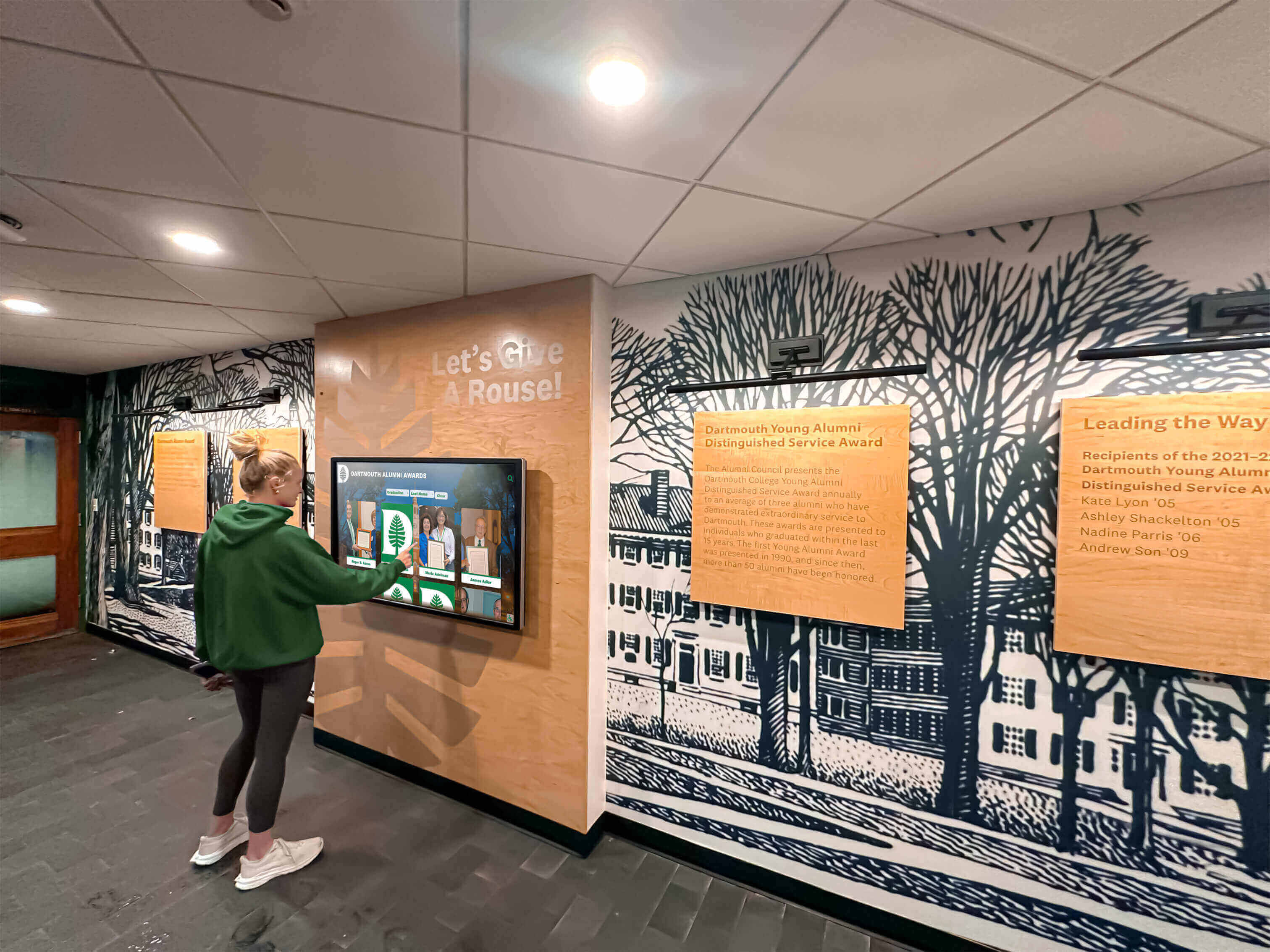
Students who grow up with interactive recognition displays develop deeper connections to institutional history—an outcome only permanent owned systems can build over time
Decision Framework: Rental or Ownership for Your K-12 School?
Use this framework to evaluate which path fits your specific situation. Answer each question honestly before reaching a conclusion.
Choose Touch Screen Kiosk Rental If:
- The need is for one to three specific events per year with no permanent display requirement
- The school is piloting interactive display technology before seeking capital budget approval
- Content doesn’t need to persist between deployments—each event starts fresh
- The budget is strictly operational with no capital appropriation path available this cycle
- IT resources to support permanent installation are genuinely unavailable
- The school is a small district with very limited facilities where permanent kiosk placement isn’t practical
Choose an Owned Interactive Display If:
- The school needs ongoing recognition displays for athletics, academics, alumni, or donors
- Content needs to accumulate and grow over multiple years
- Visitor engagement depth matters—searchable profiles, QR codes, video content
- Multiple staff members need independent ability to update content
- ADA compliance is required
- The budget timeline is five or more years
- The school wants to eliminate vendor dependency for day-to-day operations
- The display needs to represent institutional permanence to donors and alumni
Most K-12 schools with any recognition program orientation fall into the ownership column. The rental market serves genuine needs—but those needs represent a minority of K-12 interactive display use cases.
Comprehensive touchscreen kiosk software guides for 2026 provide additional frameworks for evaluating software platforms once the rental-vs-owned decision is made.
Frequently Asked Questions
Can we rent a touch screen kiosk for a one-time homecoming event and then buy later?
Yes, and this is a common path. Schools rent for an event, measure visitor engagement and staff experience, then use that data to justify ownership to school boards. The content built during a rental typically can’t migrate to an owned platform automatically—plan for fresh data entry when transitioning to ownership.
What’s the minimum commitment period for most touch screen kiosk rental vendors?
Most event-focused AV rental companies require a minimum of one day with daily or weekly pricing. Education-focused technology vendors sometimes offer monthly minimum rental terms. Commitments of three to six months often approach or exceed the cost of owned hardware.
Do school districts typically lease or buy interactive display hardware?
Both approaches exist. Hardware leasing through technology finance programs (common in school districts) can convert owned hardware costs into operational payments, blending the capital-vs-operational budget trade-off. Some technology finance programs allow lease-to-own structures over 3–5 years.
How long does a commercial touchscreen kiosk typically last in a school environment?
Commercial-grade touchscreens used in schools typically operate reliably for 5–8 years with normal maintenance. Consumer-grade panels used in some rental units have shorter operational lifespans. Anti-vandal glass is recommended for any display in high-traffic K-12 hallways.
Can owned kiosk software be updated when curriculum or recognition categories change?
Yes. Cloud-based platforms like Rocket Alumni Solutions update software continuously with new features and categories. Administrators can restructure recognition categories, add new content sections, and adjust navigation without requiring a hardware replacement.
What ADA requirements apply to school touchscreen kiosks?
The ADA and Section 508 apply to interactive public technology in school environments. Relevant standards include WCAG 2.1 AA compliance for digital interfaces, physical mounting heights between 15 and 48 inches from the floor for wheelchair accessibility, and clear floor space of at least 30 × 48 inches around the kiosk. Purpose-built educational platforms typically build these standards into the interface architecture; generic rental kiosks vary widely in compliance.
Is there a meaningful difference between renting a generic kiosk and buying a recognition-specific platform?
Significant differences exist. Generic kiosk rental provides hardware and basic display software. Purpose-built recognition platforms like Rocket Alumni Solutions provide structured profile databases, search functionality, auto-ranking record boards, QR code access, accessibility compliance, and dedicated school-specific templates. The two products address different needs—generic rental serves event display, owned recognition platforms serve institutional memory and community engagement.
Summary: Matching the Tool to the Task
Touch screen kiosk rental serves its purpose well for the right use case: single events, technology pilots, and short-term deployments where no permanent content infrastructure is needed. For these scenarios, rental avoids capital expenditure and IT overhead appropriately.
For the majority of K-12 schools pursuing recognition programs—athletic halls of fame, academic honor walls, alumni tributes, donor displays—rental economics and capability limitations make ownership the more practical long-term choice. Purpose-built platforms like Rocket Alumni Solutions are specifically designed to address the recognition, engagement, and administrative needs that K-12 schools face, with cloud-based management, unlimited content capacity, ADA compliance, and multi-year scalability built into the core product.
High school walls of fame built for lasting community impact illustrate what schools achieve when they invest in permanent owned recognition infrastructure rather than repeated short-term rental solutions.
The question “should we rent or buy?” resolves cleanly when mapped to the actual question behind it: “Do we need this display for a day, or do we need it to honor the generations of students, athletes, donors, and educators who make this institution what it is?” For most K-12 schools asking that second question, the answer is ownership.
Evaluate a Purpose-Built K-12 Recognition Platform
If your school is moving past rental solutions toward permanent interactive recognition displays, Rocket Alumni Solutions offers demonstrations tailored to K-12 use cases. Explore athletic halls of fame, academic honor walls, and donor recognition displays built specifically for educational institutions—with cloud management, ADA compliance, unlimited content capacity, and multi-year support included. Contact the team to schedule a walkthrough of the platform before finalizing your interactive display budget.