School administrators face an increasingly complex challenge: maintaining campus security while creating welcoming environments that engage families, celebrate achievements, and foster community connections. Modern school visitor management systems address this dual imperative by combining robust security protocols with positive visitor experiences that reflect institutional values and priorities.
The evolution of visitor management in educational settings extends far beyond basic sign-in sheets and paper badges. Today’s comprehensive systems integrate digital check-in kiosks, background screening capabilities, emergency notification tools, access control integration, and visitor analytics—all while creating entrance experiences that welcome legitimate visitors and strengthen school culture. Schools successfully implementing these systems report significant improvements in security compliance, administrative efficiency, and community perception.
This comprehensive guide examines school visitor management system components, implementation strategies, integration opportunities, selection criteria, and best practices that help administrators balance security imperatives with welcoming campus environments serving diverse stakeholder needs.
The landscape of school safety has fundamentally transformed over the past decade. What once consisted of a sign-in clipboard at the front desk has evolved into sophisticated digital ecosystems addressing regulatory compliance, threat prevention, emergency response coordination, and liability management. Understanding this evolution helps administrators appreciate why comprehensive visitor management systems have become essential infrastructure rather than optional enhancements.

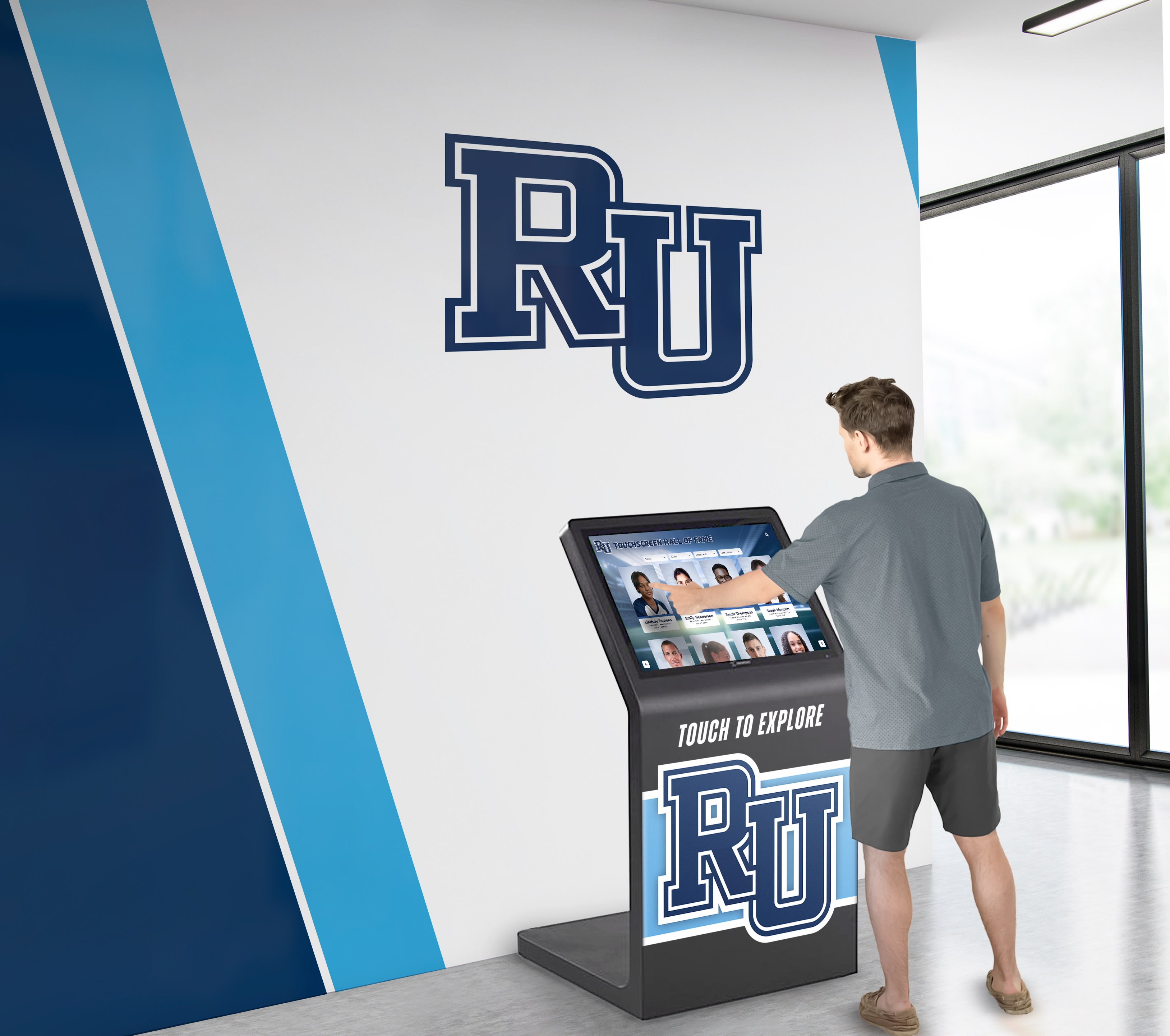
Contemporary school entrances blend security infrastructure with welcoming design elements and digital technology
Why Modern School Visitor Management Systems Matter
Traditional visitor management approaches create significant vulnerabilities and operational inefficiencies that comprehensive digital systems effectively address.
Security Gaps in Traditional Approaches
Paper-based visitor tracking presents multiple security challenges:
Limited Screening Capabilities
- No ability to check visitors against registered sex offender databases
- Inability to flag individuals with active restraining orders
- No coordination with custody documentation for student safety
- Missing verification of visitor identity through government ID scanning
- Lack of real-time alerts for unauthorized access attempts
Documentation Weaknesses
- Illegible handwriting making visitor identification impossible
- Lost or damaged sign-in sheets eliminating accountability
- No photographic record of visitor appearance for security incidents
- Inability to quickly account for visitors during emergency evacuations
- Missing audit trail for compliance reporting and liability protection
Research from school safety organizations indicates that schools using comprehensive digital visitor management systems reduce unauthorized access incidents significantly compared to institutions relying on traditional paper-based approaches.
Operational Efficiency Improvements
Beyond security benefits, modern systems dramatically improve administrative workflow:
Reception Desk Productivity
- Automated check-in processes reducing front office workload
- Self-service kiosks freeing staff for higher-value interactions
- Reduced wait times during high-traffic periods like dismissal
- Automatic visitor badge printing eliminating manual tasks
- Digital record-keeping reducing filing and storage requirements
Communication Enhancement
- Automated notifications alerting staff of visitor arrivals
- Text message alerts when students have office visitors
- Capacity tracking for event management and fire code compliance
- Integration with school information systems for seamless data flow
- Reporting capabilities supporting compliance and analysis
Creating Welcoming First Impressions
Modern visitor management systems should enhance rather than detract from welcoming school environments:
Positive Visitor Experiences
- Intuitive touchscreen interfaces requiring minimal instruction
- Quick check-in processes respecting visitor time
- Professional badge printing reinforcing institutional credibility
- Multilingual support accommodating diverse communities
- Clear wayfinding assistance reducing visitor confusion and stress
Cultural Integration Opportunities
- Lobby displays showcasing student achievements during check-in
- Welcome screens featuring school news and upcoming events
- Recognition displays celebrating diverse accomplishments
- Digital directories helping visitors navigate campus facilities
- Information access complementing security procedures
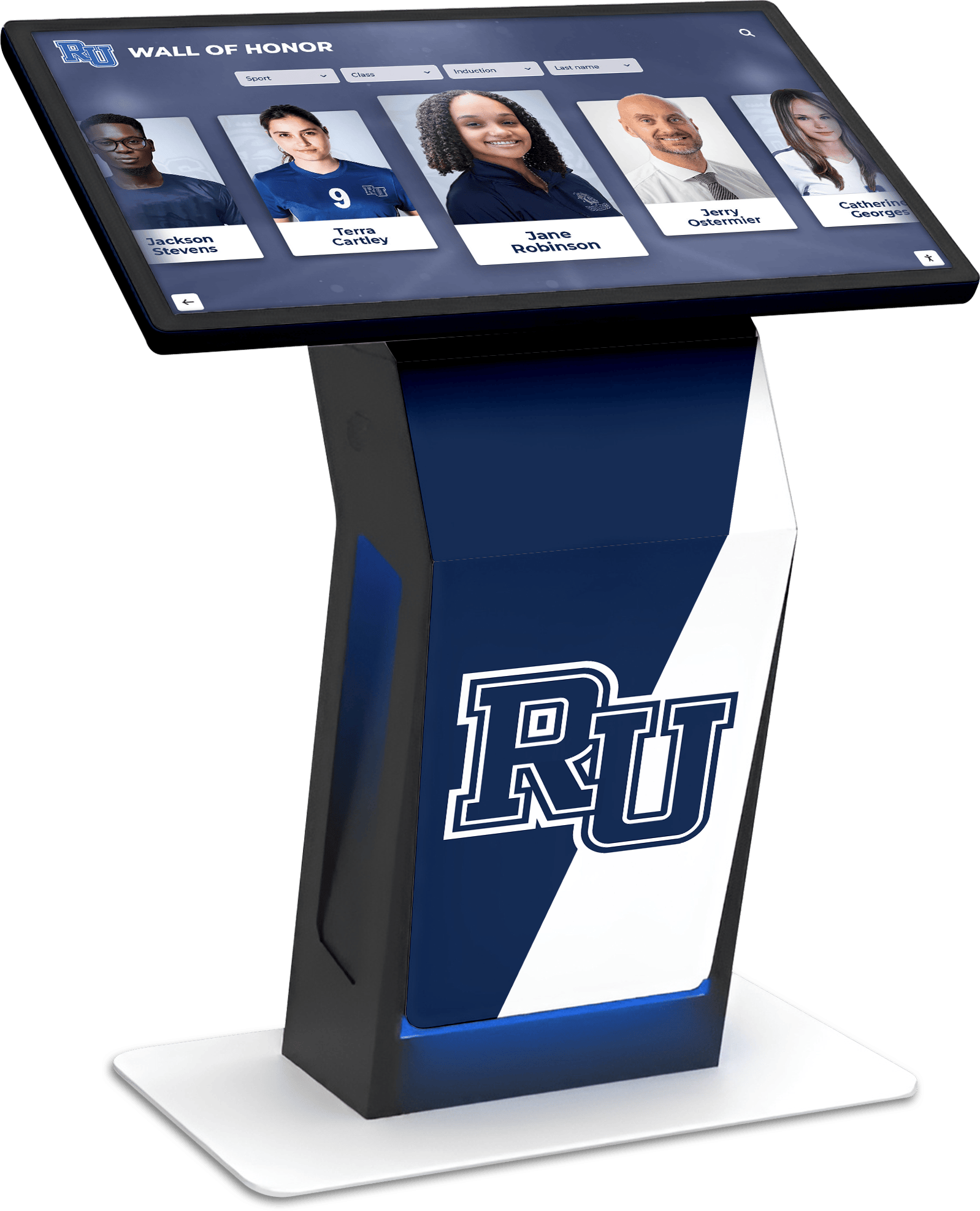
Visitor management kiosks can integrate security functions with engagement features that showcase school culture
Schools implementing interactive kiosk solutions discover opportunities to transform entrance areas into multi-functional spaces serving both security and community engagement objectives.
Core Components of School Visitor Management Systems
Comprehensive visitor management solutions include multiple integrated elements working together to create secure, efficient entrance procedures.
Digital Check-In Hardware
Physical infrastructure forms the foundation of effective visitor management:
Self-Service Kiosk Options
- Freestanding touchscreen stations (typically 21-27 inches) for high-traffic entrances
- Wall-mounted displays (32-55 inches) conserving floor space in compact lobbies
- Tablet-based solutions providing portable check-in for events
- Desktop configurations integrated into reception counters
- Outdoor-rated enclosures for exterior entry point security
Hardware selection should consider visitor volume, available space, aesthetic integration with lobby design, and durability requirements for educational environments with constant use.
Peripheral Equipment Integration
- ID scanning devices capturing driver’s license and government ID information
- Thermal receipt printers producing durable visitor badges
- External cameras photographing visitors for security records
- Badge printer supplies including adhesive labels and lanyards
- Network connectivity infrastructure supporting reliable system operation
Investment in quality hardware reduces maintenance costs, minimizes downtime, and ensures reliable operation during high-traffic periods when system performance matters most.
Visitor Check-In Software Capabilities
Software functionality determines system effectiveness and user experience:
Core Check-In Features
- Intuitive touchscreen interface guiding visitors through check-in steps
- ID scanning and data capture automating information entry
- Purpose-of-visit categorization for analytics and accountability
- Student notification systems alerting intended recipients
- Automatic badge generation with photos, names, and visit purpose
- Check-out procedures tracking visitor departure times
Security Screening Functions
- Sex offender registry screening against national and state databases
- Custom watchlist management for individuals with access restrictions
- Custody alert systems flagging non-custodial parent concerns
- Restraining order documentation preventing unauthorized contact
- ID verification comparing scanned documents against visitor appearance
- Real-time security alerts notifying administrators of screening results
Effective screening happens transparently during check-in without creating uncomfortable confrontations or delays for legitimate visitors while flagging concerning situations for administrative intervention.
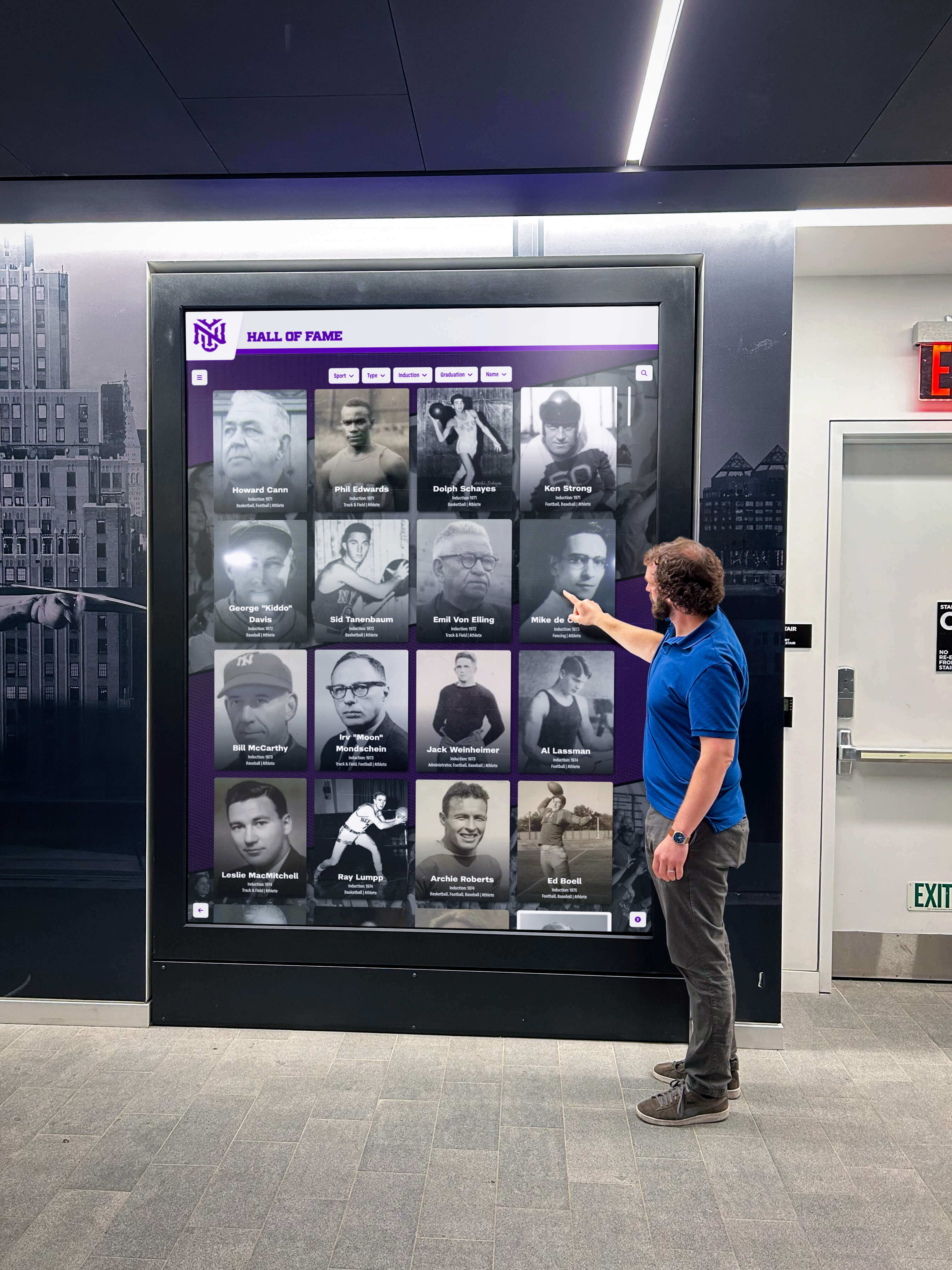
Visitor management systems can incorporate engagement features that occupy waiting time productively
Emergency Management Integration
Visitor tracking becomes critical during emergency situations:
Crisis Response Features
- Real-time visitor location tracking for lockdown procedures
- One-click emergency lockdown preventing new check-ins
- Evacuation roster generation accounting for all campus visitors
- Emergency notification systems alerting visitors of situations
- Integration with PA systems and digital signage for instructions
- Post-incident reporting documenting all individuals on campus
Schools conducting emergency drills should include visitor management systems in scenarios to ensure staff understand how to use tracking features under pressure.
Compliance Documentation
- Automated visitor logs eliminating manual record-keeping
- Long-term data retention meeting legal requirements
- Custom reporting for insurance, audits, and board requests
- Privacy controls protecting visitor information appropriately
- Export capabilities integrating with student information systems
- Analytics dashboards identifying trends and potential concerns
Integration With School Infrastructure and Culture
The most effective visitor management implementations extend beyond standalone security systems to become integrated components of overall campus operations and culture.
Access Control System Coordination
Visitor management systems gain significant capability through integration with physical access control:
Seamless Entry Management
- Automated door release for approved visitors after check-in
- Temporary access credentials for contractors and service providers
- Zone-based permissions limiting visitor movement to appropriate areas
- Time-based access automatically expiring at end of visit
- Integration with video surveillance for comprehensive security
This integration eliminates scenarios where visitors check in at kiosks but then encounter locked doors requiring staff intervention, creating frustration and defeating security purposes.
Digital Signage and Recognition Display Integration
Forward-thinking schools recognize opportunities to use visitor check-in time productively by integrating engagement content:
Welcome and Information Displays
- Digital welcome screens featuring school mission and values
- Event calendars highlighting upcoming activities and opportunities
- Athletic schedules promoting community attendance at competitions
- Achievement recognition showcasing diverse student accomplishments
- Alumni spotlights connecting historical excellence to current programs
- Wayfinding assistance with interactive building directories
Solutions like Rocket Alumni Solutions enable schools to combine visitor management functionality with interactive touchscreen displays that celebrate achievements, share institutional stories, and create positive first impressions during the check-in process.
Recognition Content During Check-In
- Hall of fame displays showcasing distinguished alumni and athletes
- Academic achievement walls celebrating intellectual excellence
- Arts program showcases highlighting creative accomplishments
- Service recognition honoring community contribution
- Historical timelines connecting visitors to institutional heritage
This integration transforms waiting time during check-in from dead space into engagement opportunity that strengthens community connections and communicates institutional priorities.
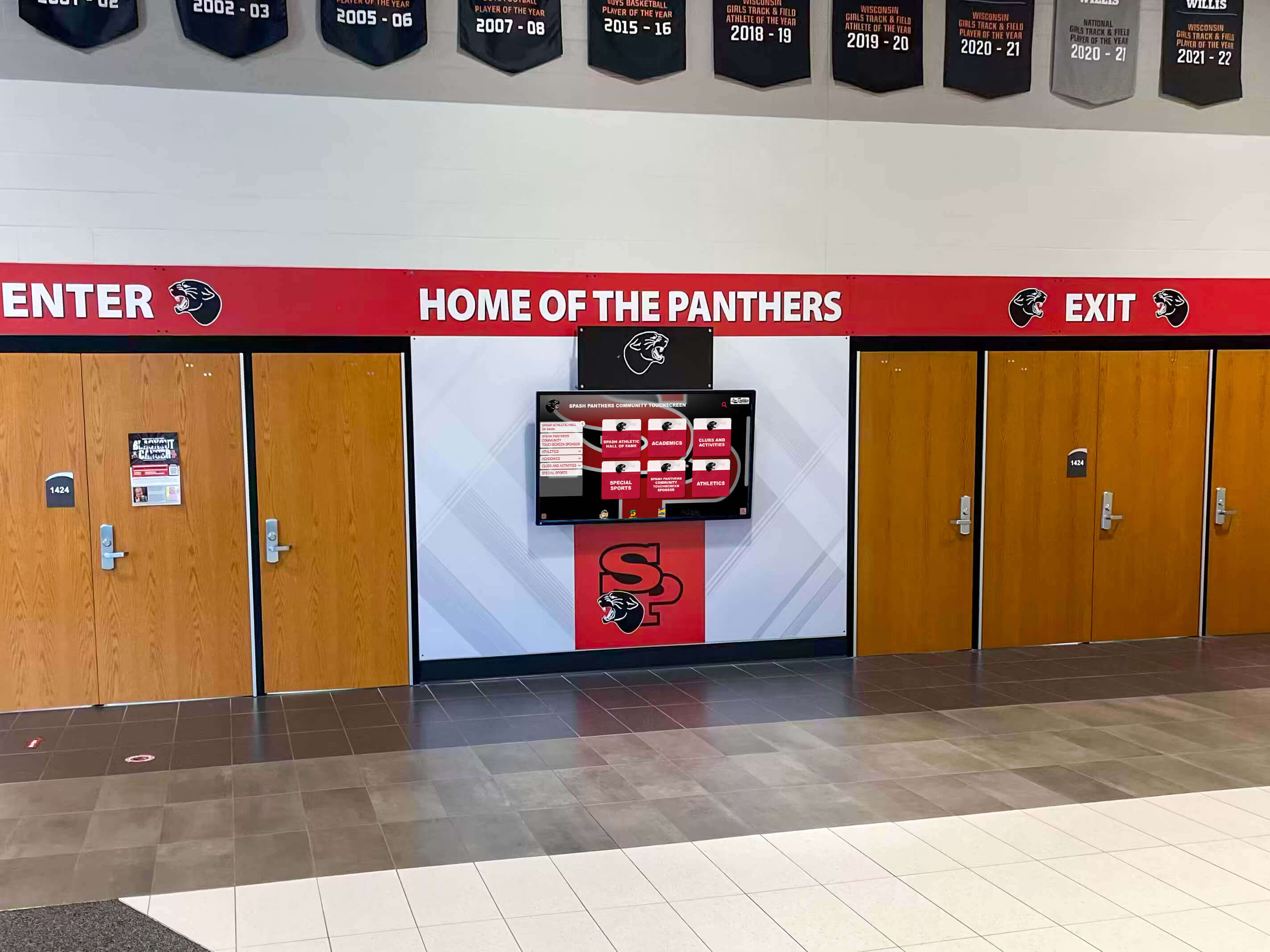
Strategic placement of digital displays near check-in areas creates engagement opportunities during visitor arrival
Schools implementing digital signage services often discover synergies between visitor management infrastructure and broader communication and recognition objectives, maximizing return on technology investments.
Student Information System Data Flow
Integration with student information systems creates powerful operational efficiencies:
Automated Information Exchange
- Custody information automatically populating visitor screening rules
- Student schedules informing visitor routing to appropriate locations
- Contact information enabling automated parent/guardian recognition
- Emergency contact verification during non-custodial visitor attempts
- Attendance data coordinating with student sign-out procedures
This integration eliminates manual data entry and reduces errors that create security vulnerabilities or operational inefficiencies.
Selecting the Right School Visitor Management System
With numerous vendors offering visitor management solutions, administrators need clear evaluation criteria to identify systems meeting specific institutional needs.
Essential Features to Require
Not all visitor management systems offer equivalent functionality. Priority features include:
Security Screening Capabilities
- Integration with national sex offender registries (not just state databases)
- Custom watchlist management for school-specific restrictions
- Photograph capture creating visual records of visitor appearance
- ID scanning validating visitor identification authenticity
- Real-time alerts notifying administrators of screening matches
Operational Functionality
- Intuitive interface requiring minimal training for occasional users
- Reliable badge printing with professional appearance
- Quick check-in processes (under 60 seconds for returning visitors)
- Offline capability maintaining basic functions during network outages
- Mobile responsiveness enabling check-in from tablets or smartphones
Administrative Tools
- Comprehensive reporting for compliance and analysis needs
- Easy configuration of visit purposes, screening rules, and badge templates
- Bulk visitor pre-registration for events reducing check-in congestion
- Data retention policies meeting legal requirements
- Role-based access controls protecting sensitive information
Implementation Considerations
Successful deployment requires attention to practical implementation factors:
Physical Installation Requirements
- Network connectivity reliability supporting real-time screening
- Electrical infrastructure powering kiosks and peripheral equipment
- Counter or floor space accommodating hardware without crowding
- Sight lines ensuring staff can monitor check-in activity
- Acoustic considerations for privacy during ID scanning
- ADA compliance for touchscreen height and interface accessibility
Schools should involve facilities teams early in planning to address infrastructure requirements before purchasing equipment. Implementing WCAG 2.2 AA compliance standards ensures visitor management systems remain accessible to all community members.
Training and Communication
- Staff training on system operation, security protocols, and emergency procedures
- Visitor communication explaining new check-in procedures and expectations
- Multilingual signage guiding check-in process for diverse communities
- Problem escalation procedures when screening results require intervention
- Regular drills incorporating visitor tracking into emergency response
Change management often determines implementation success more than technical capabilities. Schools should allocate significant time to stakeholder communication and training.
Cost Considerations and ROI
Understanding total cost of ownership helps administrators budget appropriately:
Upfront Investment Components
- Software licensing fees (often subscription-based)
- Hardware costs for kiosks, printers, and peripherals
- Installation and configuration services
- Network infrastructure upgrades if required
- Training and change management resources
Ongoing Operational Costs
- Annual software subscription or maintenance fees
- Badge printer supplies (labels, lanyards, ribbons)
- Hardware replacement and repair over time
- Database screening fees (typically per check-in)
- Technical support and software updates
Quantifiable Benefits
- Front office staff time savings (typically 5-10 hours weekly)
- Reduced liability risk from improved security documentation
- Emergency response efficiency improvements
- Compliance assurance avoiding regulatory penalties
- Visitor satisfaction improvements supporting enrollment and community relations
Many schools discover that staff time savings alone justify visitor management system costs within 12-18 months of implementation.
Best Practices for Visitor Management Implementation
Successful implementations follow common patterns that maximize system effectiveness while minimizing disruption.
Staged Rollout Strategies
Rather than attempting overnight transformation, effective implementations follow phased approaches:
Phase 1: Pilot Testing (2-4 weeks)
- Install system at primary entrance only
- Limit initial use to scheduled appointments and non-peak times
- Gather user feedback from staff and visitors
- Refine procedures and communication materials
- Test emergency procedures and reporting capabilities
Phase 2: Full Entrance Coverage (4-8 weeks)
- Expand to all public entrances after pilot refinement
- Implement comprehensive training for all front office staff
- Launch visitor communication campaign explaining new procedures
- Monitor check-in times and address bottlenecks
- Establish administrator monitoring routines for screening alerts
Phase 3: Integration and Optimization (Ongoing)
- Connect visitor system with access control and student information systems
- Add recognition content and engagement features to lobby displays
- Analyze visitor patterns identifying opportunities for procedure improvements
- Conduct emergency drills incorporating visitor tracking
- Review screening rules and watchlist protocols quarterly
This staged approach allows schools to address unexpected challenges when stakes are lower and learn from early experiences before full-scale implementation.
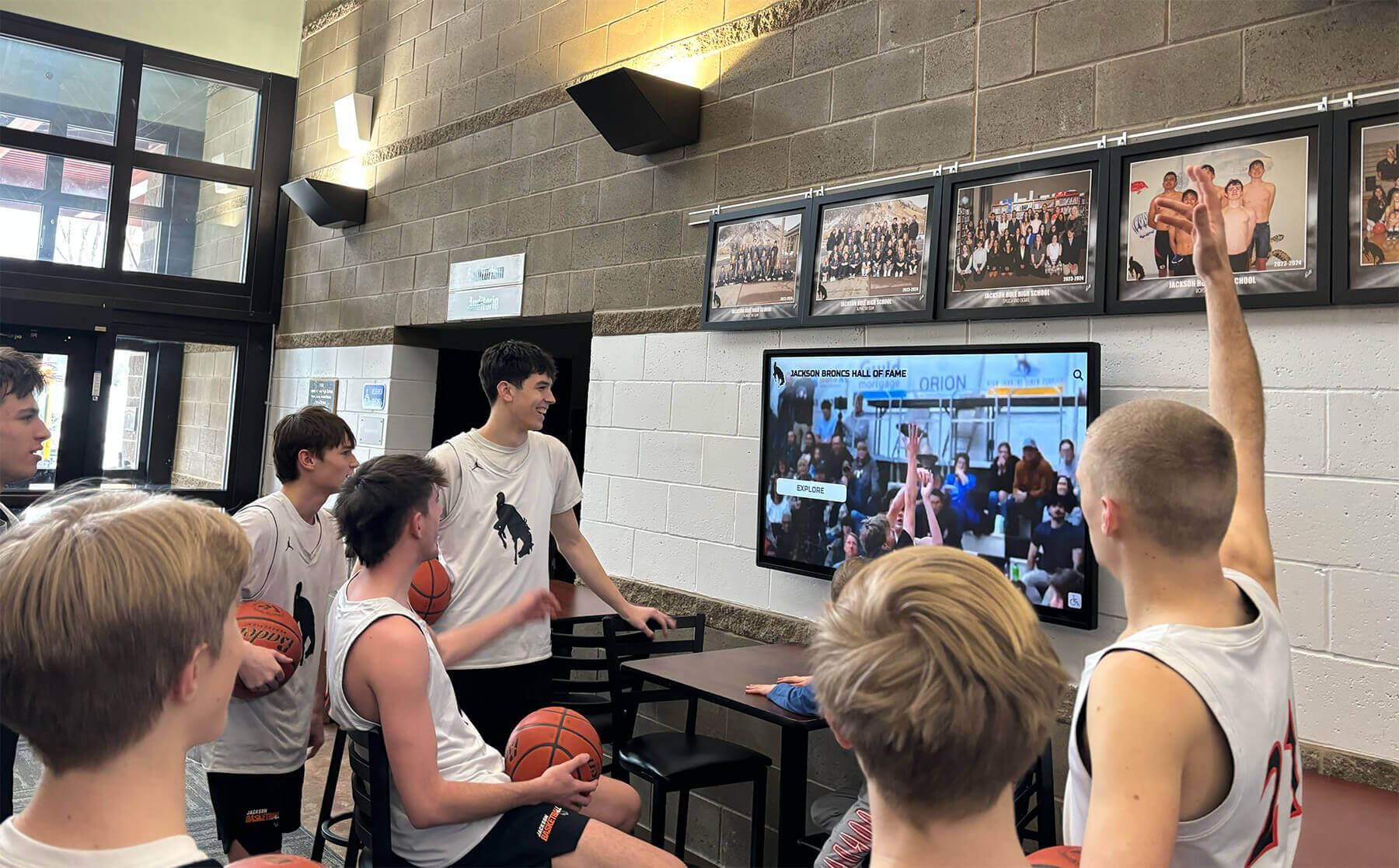
Digital displays near visitor check-in areas serve dual purposes of security and community engagement
Policy Development Requirements
Technology systems must be supported by clear policies guiding use:
Visitor Management Policies to Establish
- Which visitors require check-in (all adults, or exceptions for student parents?)
- How long visitor badges remain valid before requiring re-check-in
- Which areas of campus require escort versus independent access
- Procedures when screening results flag potential concerns
- Privacy policies governing visitor data collection and retention
- Emergency procedures for lockdowns affecting visitors
School boards should formally approve visitor management policies ensuring legal review and community input before implementation.
Stakeholder Communication
- Parent notification explaining new procedures and security benefits
- Staff guidelines clarifying roles and responsibilities
- Student education about directing visitors to check-in locations
- Contractor and vendor notification setting expectations
- Event guest pre-registration procedures reducing check-in delays
Clear communication prevents confusion and resistance that undermine system effectiveness.
Privacy and Legal Compliance
Visitor data collection triggers legal obligations administrators must address:
Privacy Considerations
- Data retention policies meeting legal requirements without excessive storage
- Access controls limiting who can view visitor information
- Visitor notification of data collection and screening practices
- Opt-out procedures for photography when permitted by security needs
- Secure data storage preventing unauthorized access or breaches
Regulatory Compliance
- State visitor management laws and regulations
- Student privacy laws (FERPA) when visitors access student information
- ADA accessibility requirements for check-in kiosks and procedures
- Background check regulations governing screening database use
- Records retention requirements for security documentation
Schools should consult legal counsel when developing visitor management policies to ensure compliance with applicable regulations.
Emerging Trends in School Visitor Management
The visitor management landscape continues evolving as new technologies and approaches emerge:
Contactless and Mobile Check-In
Recent health concerns accelerated adoption of touchless technologies:
Mobile-First Approaches
- QR code scanning enabling smartphone-based check-in
- Mobile apps allowing pre-registration before arrival
- Text message check-in for returning visitors with approved access
- Digital badges displayed on smartphones eliminating printing
- Bluetooth proximity detection automating check-in upon arrival
While touchless options appeal to some visitors, schools should maintain traditional kiosk options ensuring accessibility for all community members.
Artificial Intelligence and Facial Recognition
Emerging technologies promise enhanced security and convenience:
AI-Powered Capabilities
- Facial recognition enabling automatic identification of returning visitors
- Behavioral analysis identifying potentially concerning patterns
- Predictive analytics anticipating high-traffic periods
- Natural language processing for multilingual interface interactions
- Computer vision enhancing ID verification accuracy
These capabilities raise significant privacy concerns requiring careful consideration before implementation in educational settings.
Integration With Comprehensive School Safety Platforms
Visitor management increasingly connects to broader safety ecosystems:
Holistic Safety Integration
- Panic button systems alerting law enforcement during emergencies
- Weapon detection technologies screening visitors and packages
- Threat assessment tools coordinating visitor data with behavior concerns
- Mental health support systems identifying at-risk individuals
- Anonymous tip line integration providing context for visitor screening
This integration creates comprehensive situational awareness that enhances overall campus safety beyond visitor management alone.
Case Study Scenarios: Visitor Management in Action
Understanding how visitor management systems function in real-world situations helps administrators appreciate practical benefits:
Scenario 1: Emergency Evacuation
A fire alarm triggers during morning peak hours when multiple parent volunteers, contractors, and scheduled visitors occupy the building. The visitor management system immediately generates evacuation reports listing all checked-in visitors with photos, enabling accountability checks at assembly points. Staff quickly identify one visitor unaccounted for, directing firefighters to the last known location. The visitor is located safely, and post-incident documentation proves all individuals exited the building, protecting the district from liability claims.
Scenario 2: Custody Dispute Prevention
A non-custodial parent attempts to check in to visit a student. The visitor management system automatically flags the custody restriction documented in the student information system and alerts the principal via text message. The parent is politely informed that the visit cannot occur without advance approval from the custodial parent. The situation is de-escalated professionally, preventing a potentially traumatic confrontation and protecting the district from liability for releasing a student to an unauthorized individual.
Scenario 3: Event Management
The school hosts an evening academic awards ceremony expecting 400 attendees. Pre-registration capabilities allow families to create visitor profiles before arrival. During check-in, returning visitors complete the process in under 15 seconds by selecting their names from displayed lists. The system tracks building capacity in real-time, alerting administrators when approaching fire code limits. After the event, analytics reveal peak check-in times informing staffing decisions for future events.
These scenarios illustrate how comprehensive visitor management systems provide value extending far beyond basic security screening.
Maintaining System Effectiveness Over Time
Initial implementation represents the beginning rather than the end of effective visitor management. Ongoing attention ensures systems continue delivering value:
Regular System Audits
Periodic evaluation identifies areas requiring improvement:
Quarterly Review Activities
- Check-in time analysis identifying procedural bottlenecks
- Screening rule verification ensuring currency with legal requirements
- Watchlist review confirming active restrictions remain appropriate
- Hardware inspection preventing equipment failures
- Staff feedback sessions addressing operational challenges
- Visitor survey data gathering perception and experience insights
Annual Comprehensive Assessment
- Software update planning incorporating new features and security patches
- Hardware replacement budgeting for end-of-life equipment
- Policy review ensuring alignment with current legal requirements
- Integration evaluation identifying additional connection opportunities
- Training refresh addressing staff turnover and procedure changes
- Competitive analysis assessing whether alternative solutions better meet needs
These audits prevent visitor management systems from becoming stale implementations that lose effectiveness over time.
Continuous Improvement Culture
The best implementations treat visitor management as evolving capabilities:
User Feedback Integration
- Regular staff input sessions identifying pain points and improvement opportunities
- Visitor feedback collection through exit surveys and comment cards
- Student perspective gathering on check-in procedures affecting their families
- Community forum discussions addressing concerns and questions
- Best practice research learning from other schools’ experiences
Technology Evolution
- New feature adoption as vendors release enhanced capabilities
- Integration expansion connecting additional systems for greater efficiency
- Recognition content updates keeping lobby displays fresh and engaging
- Mobile app evaluation as contactless options mature
- Emerging technology pilots testing innovations before full deployment
Schools establishing interactive recognition displays near visitor check-in areas often discover opportunities to refresh content regularly, maintaining engagement that strengthens community connections over time.
Beyond Security: Visitor Management as Community Engagement
The most sophisticated implementations recognize visitor management systems as opportunities to strengthen school culture rather than merely security infrastructure:
Creating Welcoming Technology Experiences
Visitor check-in represents a touchpoint for shaping institutional perception:
Design Considerations
- Intuitive interfaces requiring minimal instruction or assistance
- Friendly language and graphics conveying warmth alongside professionalism
- School branding integration reinforcing identity throughout the process
- Accessibility features ensuring all visitors can check in independently
- Cultural sensitivity in language options and visual representations
These design elements ensure security procedures enhance rather than detract from welcoming school environments.
Leveraging Check-In Time Productively
The 30-90 seconds visitors spend checking in creates opportunities for engagement:
Content During Check-In Process
- Achievement celebrations showcasing diverse student accomplishments
- Upcoming event promotion encouraging community participation
- Historical timelines connecting current programs to institutional heritage
- Principal welcome messages establishing personal connection
- Alumni success stories demonstrating program effectiveness
- Community impact data quantifying school contributions
This content transforms administrative procedures into marketing opportunities that strengthen enrollment, fundraising, and community support.
Recognition Program Integration
Visitor management kiosks positioned near recognition displays create natural synergies:
Combined Functionality Opportunities
- Hall of fame browsing while waiting for badge printing
- Achievement search enabling visitors to explore accomplishments
- Teacher appreciation displays celebrating educator excellence
- Student awards showcases highlighting diverse achievements
- Athletic record boards documenting competitive excellence
- Donor recognition walls acknowledging community generosity
Recognition displays integrated with visitor management infrastructure maximize technology investment while creating compelling lobby environments that engage stakeholders. Modern digital hall of fame displays can be positioned strategically to complement security infrastructure while celebrating school culture.
Frequently Asked Questions
How much do school visitor management systems typically cost?
Entry-level systems start around $1,500-3,000 for software subscriptions plus $500-1,500 for basic hardware per entrance. Comprehensive enterprise solutions with advanced screening, multiple integrations, and robust hardware range from $5,000-15,000 per location with annual subscription fees of $1,000-3,000. Total cost of ownership including supplies, maintenance, and screening fees typically runs $2,000-5,000 annually per entrance depending on visitor volume.
Do all schools legally require visitor management systems?
Legal requirements vary by state and jurisdiction. Some states mandate specific visitor screening procedures while others leave implementation to local district discretion. However, most school insurance providers strongly encourage comprehensive visitor management as risk mitigation measures, often offering premium discounts for schools implementing approved systems. Administrators should consult legal counsel and insurance providers about specific requirements.
How long does typical visitor check-in take?
First-time visitors typically complete check-in in 45-90 seconds including ID scanning, photo capture, and badge printing. Returning visitors with stored profiles check in within 15-30 seconds by simply selecting their names and receiving badges. Schools can reduce times further through pre-registration systems allowing visitors to complete information before arrival. During high-traffic periods, multiple kiosks or reception staff assistance prevent bottlenecks.
Can visitor management systems accommodate school events with hundreds of attendees?
Yes, through several strategies. Pre-registration allows event attendees to create profiles before arrival, reducing check-in to seconds. Some systems offer express check-in modes that collect basic information without full screening for large supervised events. Schools can also deploy temporary tablet-based check-in stations increasing capacity during events. Many districts create different protocols for public events versus regular school day visitors, balancing security with practical throughput needs.
What happens if the visitor management system flags someone during screening?
Systems typically provide discrete administrator alerts via text message or email rather than displaying warnings at kiosks. Trained administrators review alerts and determine appropriate responses based on screening match specificity and circumstances. Protocols should include private conversations with flagged individuals, temporary access decisions for borderline cases, and law enforcement notification when appropriate. Schools should establish clear escalation procedures before implementation.
How do visitor management systems handle privacy concerns?
Reputable systems include privacy controls limiting data access to authorized staff, retention policies automatically deleting old records per legal requirements, and secure cloud storage protecting information from breaches. Schools should implement clear privacy policies notifying visitors of data collection and use. Most jurisdictions exempt schools from certain privacy requirements when collecting information for security purposes, but administrators should consult legal counsel to ensure compliance with applicable laws.
Can visitor management integrate with existing access control and door locks?
Yes, most enterprise visitor management systems offer integrations with major access control platforms. After completing check-in, visitors can receive temporary access credentials unlocking appropriate doors without requiring manual buzzer entry by staff. This integration prevents scenarios where visitors check in but then cannot physically access buildings. Schools should verify integration compatibility when evaluating systems if this capability is desired.
What accessibility features do visitor management kiosks need?
ADA compliance requires touchscreen positioning at wheelchair-accessible heights (typically 15-48 inches from floor to operable controls), interface designs accommodating visual impairments through high contrast and text-to-speech options, and simple procedures manageable by individuals with cognitive disabilities. Some schools deploy both standing kiosks and lower reception counter installations accommodating different accessibility needs. Systems should also offer multilingual interfaces serving diverse communities.
Conclusion: Balancing Security With Welcome
School visitor management systems represent far more than compliance checkboxes or security obstacles. When thoughtfully selected, carefully implemented, and strategically positioned, these systems strengthen campus safety while simultaneously creating opportunities to engage visitors, celebrate achievements, and communicate institutional values during critical first impression moments.
The most successful implementations recognize visitor management as integrated components of comprehensive school experience strategies rather than isolated security measures. By combining robust screening capabilities with welcoming interfaces, efficient procedures, and engagement content, administrators create entrance environments that protect students while building community connections essential to thriving educational institutions.
As visitor management technology continues evolving, schools should regularly reassess whether current systems effectively serve both security and engagement objectives. The investment in comprehensive visitor management infrastructure delivers returns extending far beyond compliance—protecting students and staff, improving operational efficiency, strengthening community relationships, and creating welcoming environments that reflect institutional excellence.
Ready to transform your school’s entrance area into a secure, welcoming space that engages visitors and celebrates your community? Explore how Rocket Alumni Solutions can help you integrate visitor management with interactive recognition displays that showcase your school’s achievements and strengthen community connections.