A school recognition display subresource integrity audit confirms that every third-party script loaded by your hall-of-fame kiosk, donor wall, or athletic honors display matches the exact file the CMS vendor published — and that no modified version of that script can run on a school display without the browser first detecting the mismatch. Subresource Integrity (SRI) is a browser security mechanism that uses cryptographic hashes to verify the contents of resources loaded from external origins. If the file the browser downloads does not produce the same hash value declared in the HTML, the browser refuses to execute the script. For school athletic recognition programs, where kiosk displays run unattended in public hallways and gymnasia, this verification layer matters because recognition platforms commonly load analytics libraries, media players, font loaders, or CMS-provided JavaScript from CDN domains outside the school’s control.
This audit procedure covers three interconnected tasks: computing and verifying SHA hash values for each third-party script, confirming that cross-origin scripts are served with the CORS response headers that SRI requires, and establishing a controlled update workflow so that when the CMS vendor publishes a new script version, the integrity hash is updated before the display’s next restart — rather than discovered as a blocking error during an awards event.
The direct answer: open the recognition display’s page source or CMS template, locate every <script src="..."> tag pointing to an external domain, and check whether an integrity attribute containing a sha256-, sha384-, or sha512--prefixed hash is present alongside a crossorigin="anonymous" attribute. If either is missing, the script loads without integrity verification. To add protection, fetch the current script file from its CDN URL, compute its SHA-384 hash using OpenSSL or a browser developer console, and declare that hash in the integrity attribute. Confirm the CDN serves the script with an Access-Control-Allow-Origin response header — without this CORS header the browser cannot complete integrity verification and will block the script. Document each hash and the corresponding script version so that future vendor updates can be incorporated in a planned way rather than discovered as an unexpected display failure.
This procedure applies to any recognition display serving content from a browser — Chromium-based kiosk browsers on Windows or Linux media PCs, embedded browser applications built into cloud CMS platforms, and standard browsers running recognition CMS interfaces in full-screen mode.
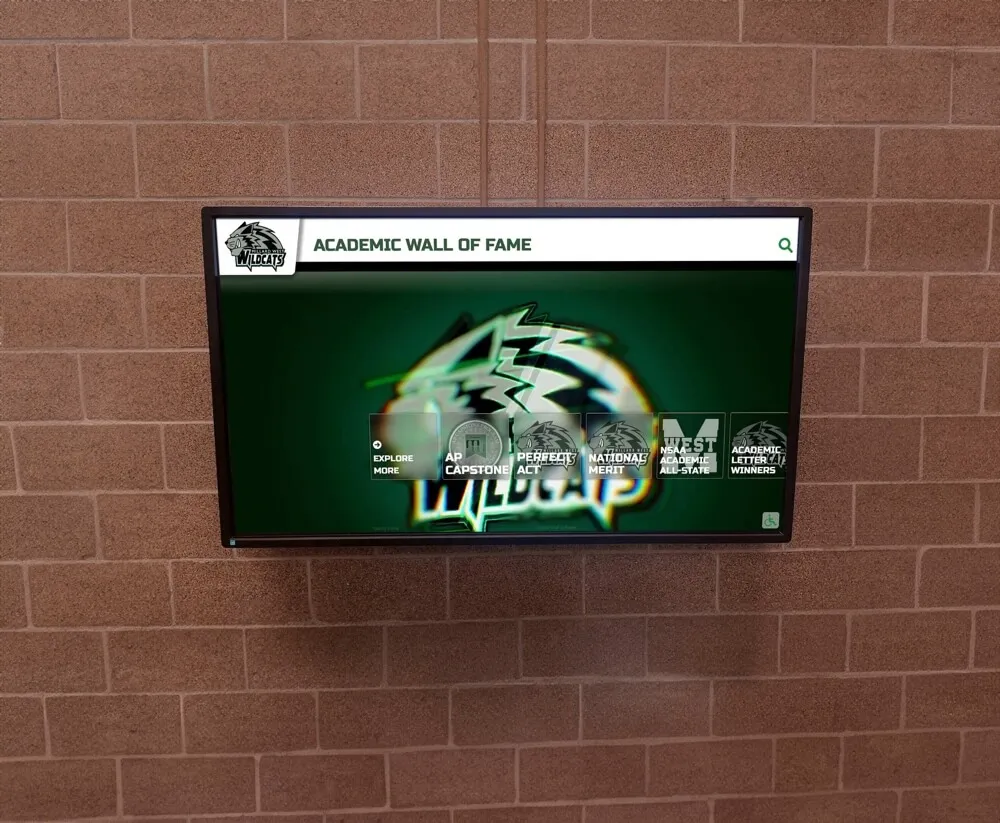
Recognition displays that run unattended in public school hallways and lobbies load third-party scripts from CDN domains — a subresource integrity audit confirms those scripts match the vendor's published versions and cannot be silently substituted
What Subresource Integrity Is
Subresource Integrity (SRI) is a W3C browser security mechanism that allows developers to instruct the browser to verify the cryptographic hash of a fetched resource before executing or applying it. When a browser encounters a <script> or <link> element with an integrity attribute, it downloads the referenced file, computes the specified hash over the file’s raw bytes, and compares the result to the hash value declared in the HTML. If the values match, the browser proceeds normally. If they do not match — because the file was modified at the CDN, a different version was served, or the file path was compromised — the browser refuses to execute the resource and generates a network error.
The integrity attribute takes one or more whitespace-separated values, each in the form algorithm-base64encodedHash:
<script
  src="https://cdn.vendor.com/recognition-player.js"
  integrity="sha384-oqVuAfXRKap7fdgcCY5uykM6+R9GqQ8K/uxy9rx7HNQlGYl1kPzQho1wx4JwY8wC"
  crossorigin="anonymous">
</script>
The three supported hash algorithms are SHA-256, SHA-384, and SHA-512. SHA-384 is the most commonly used choice for third-party script integrity: it is stronger than SHA-256 and produces a shorter encoded value than SHA-512. When an integrity attribute lists hashes from multiple algorithms, the browser selects all values from the strongest algorithm present and validates the resource against any one of them — a match against any listed value of the strongest algorithm present constitutes a pass.
SRI applies to <script> elements, <link rel="stylesheet"> elements, <link rel="preload"> elements, and <link rel="modulepreload"> elements. It does not apply to fetch() calls or XMLHttpRequest without additional configuration.
Why Third-Party Scripts Are a Concern for School Recognition Kiosks
A school recognition display’s browser may load JavaScript from several origins the school does not directly control. Cloud-based recognition platforms commonly serve their core application from the vendor’s own CDN to enable fast content delivery and rolling updates. Ancillary scripts — analytics libraries, video players, font loading scripts, or CMS widget code — may originate from additional CDN domains operated by third parties.
The security concern is a supply chain scenario: if a CDN serving one of these scripts is compromised, or if a configuration error routes the browser to a different version of the file, the display’s browser executes whatever JavaScript is at that URL without verification. For an unattended recognition kiosk in a school lobby, this matters because the display may remain online and unmonitored for hours or days between staff visits. An integrity hash ties the browser to a specific, verified version of each script and ensures that any deviation — whether from a CDN compromise, a misconfiguration, or an unannounced vendor-side change — causes the browser to block execution rather than run an unverified file.
This concern is distinct from the network-level protections addressed in switch-port BPDU filter safety checks for school recognition networks and from the physical installation considerations in cable strain relief inspections for school display installations. SRI operates at the application layer within the browser and verifies the content of the file itself, not the network path it traveled.

Third-party scripts loaded by a school recognition display browser may come from CDN domains operated by the CMS vendor, analytics providers, or font delivery networks — SRI hash verification confirms each file is exactly the version the vendor published
How Hash Verification Works
Computing the Hash
To add or verify an integrity attribute, you need the actual SHA hash of the specific script file version currently in use. A SHA hash is a fixed-length digest of the raw file bytes, encoded in base64 for inclusion in HTML. Because the hash covers the exact bytes of the file, any change — a version update, a whitespace difference, a single character edit — produces a different hash value.
The standard command-line approach using OpenSSL:
curl -s https://cdn.vendor.com/recognition-player.js | openssl dgst -sha384 -binary | openssl base64 -A
This command downloads the script, computes its SHA-384 digest as binary output, and base64-encodes the result. The output is the string that follows sha384- in the integrity attribute value.
In a browser developer console, the SubtleCrypto API can compute hashes for resources already loaded in the page session, which is useful when auditing a running kiosk display rather than generating hashes from a separate workstation. The SRI Hash Generator at srihash.org provides a browser-based tool: paste the CDN URL for each third-party script and it returns a complete, formatted integrity attribute value including the crossorigin attribute reminder.
How the Browser Validates
When the browser fetches a script with an integrity attribute, it performs the following steps:
- The browser downloads the complete file from the
srcURL. - It computes the hash of the downloaded file using the algorithm or algorithms specified in the
integrityattribute. - It compares the computed hash against each value listed in the
integrityattribute that uses the strongest algorithm present. - If any listed value from the strongest algorithm matches the computed hash, the resource is accepted and the script executes.
- If no listed value matches, the browser generates a network error and the script does not execute.
Step 4 is important for the controlled update workflow: listing multiple hash values for the same resource in the integrity attribute allows the browser to accept either value during a planned transition. The display continues to function whether the CDN is still serving the old version or has already switched to the new version — and the old hash can be removed from the attribute after the update is confirmed complete.

SHA-384 hash verification confirms that the JavaScript powering a recognition display's interactive interface is the exact file published by the vendor — not a modified or substituted version delivered from the same CDN URL
CORS Requirements for Cross-Origin Scripts
SRI requires CORS (Cross-Origin Resource Sharing) for any resource loaded from an origin different from the page’s own origin. The requirement exists because without CORS, the browser operates in no-cors mode and cannot read the contents of a cross-origin resource to compute its hash. Allowing hash computation in no-cors mode would create an information leakage risk, so the browser requires CORS mode to be explicitly engaged before SRI validation can proceed.
For a recognition display where the HTML page is served from schoolname.vendor.com and a script is loaded from cdn.vendor.com (a different origin), CORS is required. Two conditions must both hold:
1. The <script> tag must include crossorigin="anonymous".
<script
  src="https://cdn.vendor.com/recognition-player.js"
  integrity="sha384-..."
  crossorigin="anonymous">
</script>
The crossorigin="anonymous" attribute instructs the browser to make the request in CORS mode without sending credentials (cookies or HTTP authentication). This is the correct value for public CDN assets that do not require authentication.
2. The CDN must respond with an Access-Control-Allow-Origin header.
The CDN serving the script must include Access-Control-Allow-Origin: * or Access-Control-Allow-Origin: <specific-origin> in its HTTP response. If this header is absent, the browser’s CORS check fails and the resource is blocked — even if the hash itself would have matched the downloaded file.
To verify both conditions, open the browser developer tools on the recognition display, switch to the Network tab, reload the page, and select each third-party script request. In the Response Headers panel, confirm that Access-Control-Allow-Origin is present. A request that does not show an Origin request header in its outgoing headers indicates the crossorigin attribute is missing from the <script> tag — the browser is making a no-cors request and SRI will not function for that resource.
Schools managing comprehensive recognition programs covering both athletic and academic honors — including the categories described in guides for academic awards for high school students — benefit from confirming CORS headers on every content-delivery script because an unverified script that loads analytics or rendering code for academic recognition content receives the same public-hallway threat context as scripts serving athletic records.
School Recognition Display Subresource Integrity Audit: Step-by-Step Checklist
Use this checklist to conduct a complete school recognition display subresource integrity audit on any hall-of-fame kiosk, donor wall display, or athletics record board running a browser-based CMS interface.
Identify the display’s HTML source. Navigate to the recognition display URL in a browser with developer tools enabled. Open the page source (Ctrl+U or View > Page Source) and list every
<script src="...">and<link rel="stylesheet" href="...">element that points to an external domain — any domain other than the page’s own origin.Check for existing
integrityattributes. For each external script or stylesheet identified, note whether anintegrityattribute is present. Record the full value (sha384-...) if present; flag the resource for hash generation if absent.Check for
crossoriginattributes. For each external resource that has anintegrityattribute, confirm thatcrossorigin="anonymous"is also present on the same element. Anintegrityattribute withoutcrossoriginon a cross-origin resource will cause the browser to block the script — not because the hash fails, but because CORS mode is not engaged and the browser cannot perform the verification.Verify CORS response headers. Open the browser Network tab, reload the recognition display page, and select each external script request. In the Response Headers panel, confirm
Access-Control-Allow-Originis present. If it is absent, the CDN is not serving the script with CORS support and thecrossoriginattribute alone cannot enable SRI — the CDN configuration must be corrected at the vendor level.Generate hashes for unprotected scripts. For each external script or stylesheet that lacks an
integrityattribute, compute its SHA-384 hash:curl -s <script_url> | openssl dgst -sha384 -binary | openssl base64 -APrepend
sha384-to the output to form the completeintegrityattribute value.Update the HTML template. In the CMS template or HTML source controlling the recognition display page, add
integrity="sha384-..."andcrossorigin="anonymous"to each external<script>and<link>element that targets a CDN resource. If the CMS does not expose the HTML template for direct editing, contact the CMS vendor to ask whether SRI attributes are configurable through platform settings or whether the vendor implements SRI internally.Test after adding attributes. After updating the template, reload the recognition display page and open the browser console (F12 > Console). A working SRI configuration produces no integrity-related errors. A misconfigured hash or missing CORS header produces a console message identifying the blocked resource, the integrity mismatch, or the CORS failure — which narrows the diagnosis to the specific element requiring correction.
Document each hash and script version. Record the script URL, the version or release identifier (if the vendor publishes release notes), the computed hash value, and the date verified. This record is the baseline for the controlled update workflow.
Set a review cadence. Schedule a periodic hash review — tied to the CMS vendor’s release schedule or to the start of each school semester — to confirm the CDN still serves the same script version for each audited URL. A mismatch between the stored hash and the current CDN file indicates the vendor has updated the script without a corresponding notification, which triggers the controlled update procedure.
Confirm the display operates through a complete session. After completing steps 1–9, let the recognition display run through at least one complete content cycle. Confirm that no scripts are blocked and all recognition content — athlete profiles, inductee records, donor acknowledgments — displays correctly before the next public event.

A completed SRI audit run before a display's first public interaction — orientation events, athletic banquet season, or back-to-school night — confirms that every script powering the recognition interface has been hash-verified against its CDN version
Controlled Script Version Updates
The most common operational challenge after establishing SRI on a recognition display is managing planned script updates from the CMS vendor. When the vendor publishes a new version of a recognition library or player script at the same CDN URL, the hash of that file changes — and the browser blocks the new version until the integrity attribute is updated to match the new file.
A controlled update procedure prevents this from causing an unplanned display outage:
Before the vendor update:
Obtain the new script version’s hash from the vendor’s release documentation, or compute it yourself from the new file URL once published to the vendor’s staging CDN path. Add the new hash to the integrity attribute alongside the existing hash, separated by a space:
integrity="sha384-[current-hash] sha384-[new-hash]"
The browser accepts the resource if either hash matches, so the display continues to function whether the CDN is still serving the old version or has already been updated.
During the CDN update:
The vendor replaces the file at the CDN URL. The display browser matches the new hash value in the integrity attribute and continues to function without interruption.
After confirming the update:
Verify the CDN now serves the new version (the old hash no longer matches the current file). Remove the old hash from the integrity attribute, leaving only the new hash. Update the documentation record with the new hash value and date.
This two-hash transition approach, described in the MDN Subresource Integrity reference, eliminates the window during which the display is either blocked (if the attribute is updated before the CDN delivers the new file) or unverified (if the old hash is removed before the CDN update completes).
For schools with recognition programs spanning athletic hall-of-fame inductees, academic honor roll, and alumni legacy displays — the kind of recognition legacy that programs build over decades and that families revisit at every reunion and awards night, as illustrated in school recognition hall-of-fame award contexts — an unplanned kiosk outage during an awards event carries real community cost. A controlled hash update prevents that class of disruption.
Failure Diagnosis: When the Browser Blocks a Script
When SRI validation fails, the browser blocks the resource and logs a specific error to the browser console. Understanding which step in the validation chain failed requires reading the error message carefully, since SRI failures and CORS failures produce different messages.
Common Error Messages and Their Causes
| Error message pattern | Likely cause | Resolution |
|---|---|---|
Failed to find a valid digest in the 'integrity' attribute | integrity value is malformed — missing algorithm prefix, truncated hash, or wrong character encoding | Regenerate the hash and reformat the attribute with the correct sha384- prefix |
Integrity check failed or has an integrity attribute, but ... didn't match the expected | The file at the CDN URL no longer matches the declared hash | Fetch the current file, recompute the hash, update the integrity attribute |
Cross-Origin Request Blocked or CORS request did not succeed | The CDN is not sending Access-Control-Allow-Origin, or the crossorigin attribute is absent from the element | Verify crossorigin="anonymous" on the element and Access-Control-Allow-Origin in the CDN response headers |
| Script loads but recognition content does not render | The script executed successfully but a JavaScript runtime error occurred — unrelated to SRI | Check the console for JavaScript errors that appear after the successful resource load |
Diagnostic Steps for an Unexpected Hash Mismatch
If the hash you computed for the file at the CDN URL matches the declared integrity value but the browser still reports a mismatch:
- Confirm the file is fetched without a cached version: use
Ctrl+Shift+Rfor a hard reload, or download withcurl --no-cache, before recomputing the hash. - Confirm the CDN is not applying on-the-fly content transformation. SRI hashes the raw bytes as received by the browser after content-encoding is decoded (the browser decompresses gzip or Brotli before hashing). A CDN that applies minification, character set modification, or query-string injection to the file content itself will produce a different hash value from the unmodified source file.
- If the script URL contains a version token (
?v=1.2.3), confirm the token in the HTML matches the version whose hash was computed — different version tokens commonly return different files from the same CDN path.

A recognition display blocked by an SRI failure may show no content to visitors — diagnosing the specific error type (hash mismatch, CORS failure, or malformed attribute) requires reading the browser console immediately after page load
Decision Table: SRI Configuration by Script Source Type
Different categories of scripts loaded by a recognition display require different SRI approaches. This table illustrates the relevant distinctions; specific CMS platforms vary in how they serve resources, and IT staff should confirm the applicable categories with their vendor.
| Script type | Typical origin | Apply SRI? | CDN CORS header required? | Notes |
|---|---|---|---|---|
| Same-origin CMS application script | Same domain as the recognition page | SRI can be applied but provides less supply chain protection than for cross-origin resources | Not applicable | Same-origin requests do not need CORS |
| CDN-hosted third-party library (analytics, media player) | Different domain from the page | Yes | Yes — CDN must send Access-Control-Allow-Origin | Both integrity and crossorigin required |
| CMS vendor-managed script at vendor CDN | Vendor-controlled CDN domain | Yes | Yes | Coordinate hash updates with vendor release cycle |
| Font or icon libraries loaded via stylesheet | Font CDN domain | Yes, using <link rel="stylesheet"> | Yes | integrity and crossorigin on <link> elements |
Inline scripts (<script> with no src) | Not applicable — inline code | Not applicable | Not applicable | Inline script execution is governed by Content Security Policy, not SRI |
Frequently Asked Questions
What if the recognition display CMS does not allow editing the HTML template?
Many cloud-based recognition platforms serve their display interface from a fully managed, vendor-controlled template that school IT administrators cannot modify directly. In this case, the SRI configuration is the vendor’s responsibility for scripts they serve from their own CDN. The appropriate action is to ask the CMS vendor directly whether their platform implements SRI for the scripts it loads, and to include that question in your annual platform or security review conversation. Some recognition vendors implement SRI internally without advertising it; others do not. Knowing the answer determines whether this item requires follow-up or is already handled at the platform level.
Does SRI protect against a compromised CMS account?
No. SRI verifies that the file delivered from a CDN URL matches the declared hash. If an attacker gains access to the CMS administrative account and modifies the recognition display’s HTML template to reference a different script URL — or changes the declared hash to match a malicious file — SRI provides no protection, because the attacker modified the reference itself. SRI is a protection against CDN-level supply chain attacks, not against CMS account compromise. Account security measures — multi-factor authentication, role-based access controls, and audit logs — address that separate concern. Comprehensive awards and honors recognition programs for high school students that use cloud CMS platforms for hall-of-fame and academic honor displays should treat CMS account security as a parallel, non-overlapping protection layer rather than a substitute for hash-based script verification.
How often should integrity hashes be recomputed?
The practical trigger for recomputing a hash is any indication that the script file at the CDN URL has changed: a vendor release notification, an unexpected console error on the recognition display, or a scheduled review during which the stored hash no longer matches the current file. For recognition CMS platforms with structured release cycles, aligning the hash review with each vendor release — rather than a fixed calendar interval — ties the review to the actual event that changes the file.
Can multiple hashes be listed in one integrity attribute?
Yes. The integrity attribute accepts multiple hash values separated by whitespace. When multiple values from the same algorithm are listed, the browser accepts the resource if any one of them matches the downloaded file. This is the mechanism used in the controlled update workflow: listing both the current and the incoming version’s hash allows the display to function correctly throughout the CDN rollover period, with neither a blocking error nor an unverified gap.
Does SRI work for scripts injected dynamically after page load?
SRI as described here applies to <script> elements present in the HTML source at page load time and to <link> elements for stylesheets and preloads. Scripts injected into the DOM dynamically via document.createElement('script') after the page has loaded do not automatically inherit SRI checking. For the most common recognition CMS deployment — a server-rendered HTML page with static <script> tags pointing to CDN resources — standard integrity attributes on those tags are the applicable protection layer.
What is the Integrity-Policy HTTP header?
Integrity-Policy and Integrity-Policy-Report-Only are newer HTTP response headers that instruct the browser to block or report any script request that does not include an integrity attribute. Integrity-Policy-Report-Only is particularly useful during an initial audit: when the server sends this header with a reporting endpoint, the browser logs any non-integrity-protected script requests without blocking them, revealing which scripts still need integrity attributes added. Browser support for these headers is still developing; check current compatibility documentation before relying on them for enforcement in a production recognition display deployment.

A completed SRI audit protects the scripts that surface decades of athletic achievement and school legacy — from the initial hash verification through each controlled vendor update, every third-party script on the recognition display remains tied to an approved, verified version
Explore a Recognition Display Platform Built for School Programs
School recognition programs represent decades of athletic achievement, academic distinction, and community legacy — the records families return to at every reunion and awards night. Protecting the scripts that power those displays is one part of maintaining that legacy reliably and without interruption.
If your program is evaluating a cloud-based recognition platform for a hall-of-fame kiosk, donor wall, or athletics record board, Rocket Alumni Solutions offers a demo that covers how the platform manages recognition content, display configuration, and ongoing updates for school athletic programs.
Request a Rocket Alumni Solutions demo to see how the platform handles recognition content management for school programs.