Intent: research. A school recognition display optical bonding inspection tells administrators, facilities teams, and athletic directors whether an interactive touchscreen has the construction quality needed to maintain image clarity and structural integrity through years of daily use in lobbies, corridors, and athletic facilities.
The short answer: optical bonding fills the air gap between a display’s LCD panel and its outer protective glass or touchscreen overlay with optically clear adhesive, eliminating the internal reflections that wash out recognition content under bright hallway lighting. An inspection confirms that bonding was performed correctly at the factory, that delamination has not occurred since delivery, and that the display will hold up under the ambient light conditions and touch volumes common in school recognition environments.
This guide explains what optical bonding is, why it matters for recognition displays, and provides a structured checklist for evaluating bonding quality before purchase, at delivery, and as part of ongoing maintenance reviews.
School recognition displays carry decades of institutional history. Athlete profiles, academic honor rolls, donor acknowledgments, and award archives represent real achievements that deserve clear, durable presentation. When the display panel has a poorly constructed optical stack—or when bonding starts to fail—that content degrades in ways that undermine the recognition program itself. Visitors encounter washed-out images, distracting reflections, or visible delamination bubbles where crisp athlete photographs should be.
Understanding the optical bonding construction detail before committing to a display purchase gives school buyers the ability to specify a meaningful quality requirement and verify it at delivery—rather than discovering problems after installation is complete.
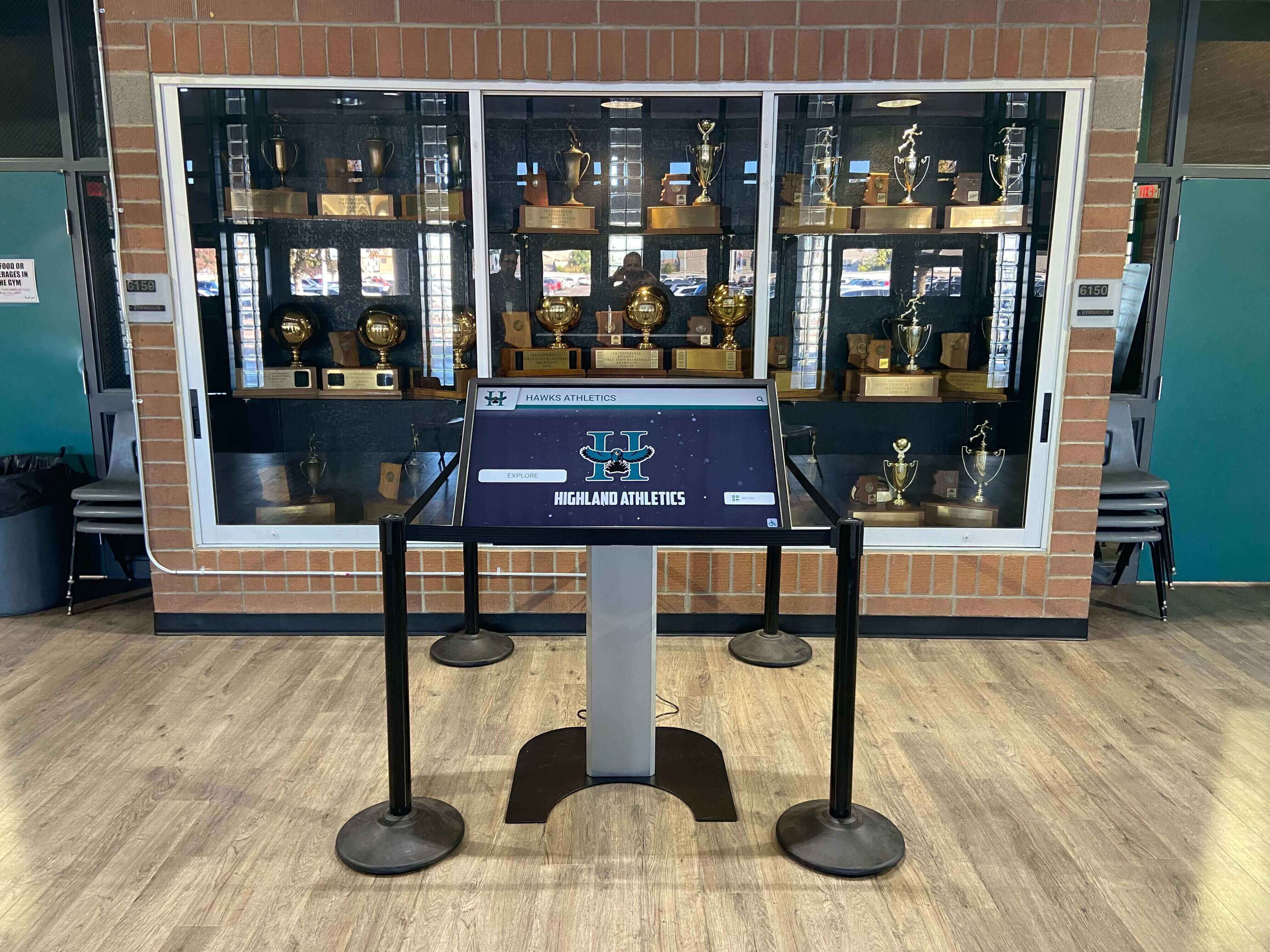
School hallway and trophy area installations subject recognition displays to variable ambient lighting conditions—the environment where optical bonding quality has the most visible impact on recognition content
What Is Optical Bonding?
Optical bonding is a manufacturing process that bonds a display’s protective outer glass (or touchscreen overlay) directly to the underlying LCD panel using an optically clear adhesive (OCA) or optically clear resin (OCR). The adhesive is applied so that no air gap remains between the bonded layers.
Without optical bonding, the air gap between layers acts as a mirror at each glass-to-air interface. Light entering the display from the room reflects off these interfaces before it ever reaches your eyes, creating a bright reflected image of the viewer, the hallway lighting, or the windows behind them. On a recognition display showing a student-athlete’s profile or a donor acknowledgment wall, this reflection competes directly with the intended content.
With optical bonding, the adhesive—which has an optical refractive index closely matched to glass—eliminates those air-to-glass interfaces. Ambient light passes through the stack with far less internal reflection, and the display’s own backlight travels outward more efficiently. The result is higher contrast, more saturated colors, and content that remains readable under the overhead fluorescent or natural lighting typical of school lobbies and athletic facilities.
Optical bonding also adds structural rigidity to the display stack, and the sealed construction resists moisture and dust ingress at the interface between layers. Both properties matter for displays installed in school environments where cleaning, touch interaction, and building HVAC cycling are daily realities.
Air-Gap vs. Optically Bonded: What the Difference Looks Like
An air-gap display and an optically bonded display of otherwise identical specifications will look noticeably different when both are showing the same recognition content under typical school hallway lighting:
- The air-gap display shows a bright reflection of ceiling lights or windows overlaid on the image. Dark sections of the content (backgrounds, shadowed athlete photographs) appear faded and low-contrast.
- The optically bonded display shows the same content with the reflection substantially reduced. Black backgrounds appear genuinely dark. Award text and athlete photographs read cleanly at angles where the air-gap panel would wash out.
For academic recognition programs that serve both athletic and scholar audiences, this clarity difference directly affects how well the display communicates the recognition it is meant to carry. A washed-out display does not do justice to an academic all-state selection or a decades-long donor relationship.
Why Optical Bonding Matters for School Recognition Displays
Recognition displays occupy specific institutional environments that amplify the importance of bonding quality in ways that a general commercial display specification may not fully capture.
Ambient Light Challenges in School Installations
School lobbies, athletic corridors, and gymnasium entries routinely combine multiple light sources: overhead fluorescent fixtures, exterior windows with seasonal sun angle variation, and interior accent lighting from trophy case illumination or wall sconces. This mixed lighting environment is significantly more challenging for unprotected display panels than the controlled conditions of a vendor showroom.
Displays without optical bonding often look excellent during daytime demonstrations in a conference room or on a vendor’s floor, then disappoint when installed in a lobby with east-facing windows that deliver direct morning sun across the display face. The optical bonding inspection checklist below includes an ambient-light assessment for exactly this reason—specifications alone cannot reveal how a panel handles the specific lighting of your installation site.
Touch Durability Over Extended Deployment
Recognition displays in school settings receive daily touch interaction from students, visitors, and staff exploring athlete profiles, donor histories, and award archives. Capacitive touchscreen overlays bonded to the underlying panel with high-quality OCA maintain alignment and sensitivity consistently across this interaction volume. Air-gap overlays, or bonded overlays where the adhesive quality is marginal, can develop inconsistent touch response, visible flex gaps at the edges during firm touch, or visible Newton’s rings (concentric circular interference patterns) under certain lighting conditions.
Schools that use recognition displays as daily-access information points—showing content like what active digital displays look like across a typical school day—accumulate significant touch counts over a five-to-seven-year display lifetime. Bonding quality at initial purchase compounds across every one of those interactions.
The Delamination Risk
Delamination is the failure mode that ends an optically bonded display’s useful life before the underlying panel hardware has failed. It occurs when the adhesive bond between layers weakens and the layers begin to separate. Early delamination typically appears at display edges—small bubbles or a faint cloudy zone near the bezel—and can progress toward the center of the display face over weeks to months depending on environmental conditions.
School environments contribute to delamination risk through thermal cycling (building heating and cooling systems cause the display stack to expand and contract repeatedly), humidity variation (seasonal humidity shifts in many climates), and cleaning practices (some cleaning agents degrade adhesive bonding over time when applied to display surfaces without proper protection).
A display with marginal bonding—applied at insufficient pressure, with adhesive contamination, or at incorrect temperature—will delaminate sooner than one with proper factory bonding. The inspection checklist below tests for early delamination indicators that may be visible at delivery, before installation, while remediation options remain open.
Pre-Purchase Optical Bonding Inspection Checklist
Use this checklist when evaluating display samples, visiting vendor demonstrations, or reviewing demonstration units before a purchase commitment.
Specification Verification
Before any physical inspection, confirm that the display specification explicitly states optical bonding. Some manufacturers describe their displays as having “anti-glare coatings” or “AR-coated glass,” which are surface treatments applied to the outer glass layer and do not provide the same benefits as full optical bonding between layers. Request written confirmation of the bonding method and adhesive type if the specification is ambiguous.
Specification questions to ask:
- Is the display optically bonded between the LCD panel and the touchscreen overlay, or is anti-glare coating applied to the outer surface only?
- What adhesive type is used (OCA film or OCR liquid resin)?
- What is the specified temperature range for the adhesive bond?
- What cleaning products are compatible with the bonded construction, and which should be avoided?
- What is the warranty coverage for delamination, and what constitutes a warrantable delamination event?
Clarity Assessment Under Ambient Light
At the vendor demonstration site or when reviewing a sample unit, evaluate the display under multiple lighting conditions:
Room lights on, display active: Walk toward the display from across the room. Note whether the display face shows a clear reflected image of the ceiling lights. A properly bonded display will show significantly reduced ceiling reflection compared to an air-gap panel. Some reflection is normal; the critical observation is whether the reflected image competes with the displayed recognition content.
View at 45-degree angle: Position yourself at a 45-degree angle to the display face. This angle maximizes the reflection visibility difference between bonded and unbonded panels. If recognition text and profile photographs remain clearly readable at this angle, the bonding is performing as expected.
Content legibility on dark background: Many recognition display themes use dark or navy backgrounds to create contrast with white text and vivid photography. Ask the vendor to show a sample recognition profile with a dark background. Check whether the dark areas of the image appear genuinely dark, or whether ambient light reflection raises the black level to a visible gray or white haze.
Physical Edge Inspection
Examine the display edges and the transition zone between the active display area and the bezel:
- The bonded layer should be flush with the surrounding frame with no visible air gap along any edge
- No bubbles, cloudy zones, or discoloration should be visible within 1–2 centimeters of any edge
- The display surface should feel continuous when a fingertip is dragged across the edge transition, with no flex or give suggesting an unbonded overlay

Touchscreen recognition displays accumulate substantial interaction volume across their installation lifetime—optical bonding quality at the overlay-to-panel interface directly affects long-term touch sensitivity and visual clarity
Post-Delivery Optical Bonding Inspection
When display hardware arrives for installation, conduct a bonding inspection before the units are mounted. Damage during shipping can cause bonding failure that is far easier to identify and address before the displays are installed than after.
Delivery Inspection Steps
Step 1: Document packaging condition Photograph the shipping cartons before opening. Note any evidence of impact, compression, or moisture exposure. Shipping damage that affects bonding may not be externally visible on the panel but can be documented through packaging condition at this stage.
Step 2: Power on before mounting Power each display on and run it at normal operating brightness for 15 minutes before conducting the inspection. Thermal behavior during warmup can reveal early bonding issues that are not visible on a cold, unpowered panel.
Step 3: Inspect under oblique flashlight illumination With the display powered off, use a flashlight held at a shallow (10–15 degree) angle to the display face. Sweep the light slowly across the display surface from all four sides. This oblique illumination technique reveals bonding voids, micro-bubbles, and contamination inclusions as bright spots against the dark panel surface. Any cluster of visible voids warrants documentation and vendor notification.
Step 4: Check for Newton’s rings With the display powered and showing a solid white or light-gray image, look for concentric circular banding patterns (Newton’s rings) anywhere on the panel surface. Newton’s rings in an optically bonded display indicate that the bond has failed in that area, creating a localized air gap. They appear more clearly when the display is showing a uniform bright background than during normal content display.
Step 5: Document panel uniformity With the display showing a uniform white image at 50% brightness, observe the display face from directly in front at the intended viewing distance. Visible cloudy patches, color variations, or dark zones not present on the display specification may indicate bonding contamination or delamination that occurred during shipping.
Step 6: Confirm touchscreen function across the full surface For interactive recognition displays, test touch response at all four corners and edges in addition to the center. Delamination or bonding voids near the display edges can affect touch calibration and sensitivity in those areas even when the central display region is performing correctly.
Delamination: Signs, Causes, and Field Assessment
Delamination can occur at any point in a display’s service life, including immediately after delivery. Understanding the signs allows facilities teams and IT coordinators to identify the condition early, when vendor warranty coverage is most likely to apply.
Visual Signs of Delamination
Edge bubbling: The most common early indicator. Small bubbles appear near one or more display edges, typically starting at a corner. The bubbles may be barely visible at first and expand over weeks. Under oblique flashlight illumination, edge bubbles are visible as clusters of bright spots in the edge zone.
Cloudy or hazy zones: Delamination that began from moisture intrusion or adhesive degradation sometimes manifests as a cloudy, opaque zone rather than discrete bubbles. The haze is most visible when the display is showing a dark background or when the panel is powered off and viewed under strong ambient light.
Visible layer separation: In advanced delamination, the bonded layers visibly separate when the display is viewed at an oblique angle. The display face appears to have depth variation—a slight three-dimensional relief where the flat bonded surface should be.
Newton’s rings in new locations: If Newton’s ring patterns appear in locations where none were observed at delivery, delamination is progressing. Document with photographs dated to show progression.
Touch sensitivity changes: If touch accuracy or sensitivity degrades in a localized area that does not correspond to known software or calibration issues, delamination affecting the touchscreen overlay bond may be the cause.
Common Causes in School Environments
Cleaning agent incompatibility: Some common glass cleaning products contain ammonia, alcohol concentrations above those specified by the manufacturer, or abrasive compounds. These agents can degrade OCA bonding over time if applied directly to the display face. Facilities teams should receive written guidance on approved cleaning products at installation and ensure that cleaning staff working near recognition displays have access to this guidance.
Thermal stress at installation site: Displays installed near HVAC vents, in direct sunlight zones, or adjacent to exterior doors subject to seasonal temperature swings experience more thermal cycling than displays in climate-controlled interior corridors. Thermal cycling stresses the adhesive bond with each expansion and contraction cycle. Facilities teams planning installations in thermally variable locations should confirm that the display’s adhesive bond is rated for the expected temperature range.
Impact damage: Recognition displays in athletic corridors or near gymnasium entries can receive incidental impacts from equipment, balls, or student foot traffic. A significant impact may cause localized delamination near the impact zone without causing visible damage to the bezel or outer glass.
Humidity excursions: Extended exposure to high humidity—during summer building closures when HVAC systems operate at reduced capacity, or during construction projects that disrupt climate control—can introduce moisture at display edges that degrades adhesive bonding over time.
Schools building comprehensive recognition programs that honor academic decathlon teams and scholar-athletes alongside athletic inductees invest significant effort in curating recognition content. That content deserves display hardware maintained to a standard that protects the presentation quality long-term.
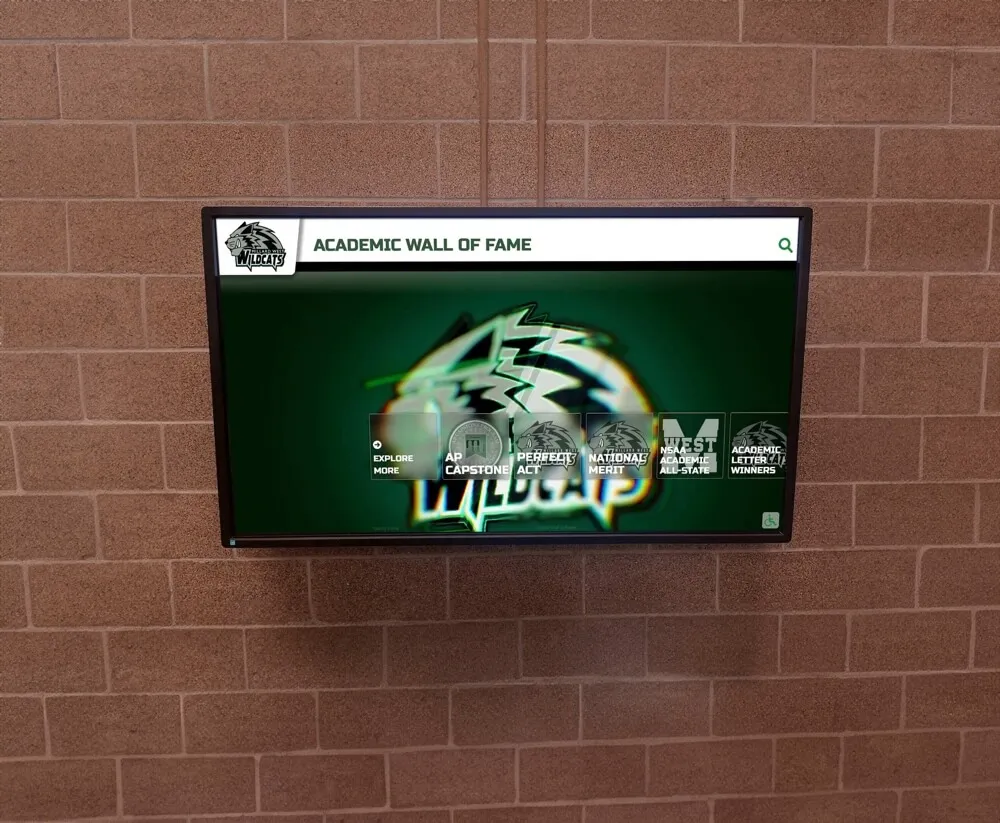
Academic recognition displays installed in hallway and corridor environments require optical bonding quality that performs under variable ambient light and through years of thermal cycling in school buildings
Pass/Fail Table: Optical Bonding Quality Assessment
Use this table to score an optically bonded recognition display during pre-purchase evaluation, delivery inspection, or periodic maintenance review. Score each item as Pass, Marginal, or Fail. A single Fail or three Marginal scores in any single inspection should trigger a vendor notification and documentation for warranty or remediation discussions.
| Inspection Item | Assessment Method | Pass Criteria | Score |
|---|---|---|---|
| Specification confirms optical bonding | Review written spec and vendor documentation | Written confirmation of OCA or OCR bonding between LCD and overlay | |
| Ambient light reflection — front-facing | Power on, room lights on, view from 1–2 meters | Display content clearly readable; no reflected light image competes with recognition content | |
| Ambient light reflection — oblique angle | View at 45 degrees to display face | Recognition text and photographs remain legible; reflected image does not dominate view | |
| Dark-background contrast | Show dark-background recognition template | Dark areas appear genuinely dark; no visible gray haze from ambient reflection | |
| Edge inspection — all four sides | Visual and fingertip inspection of edge transition | No visible air gap, bubbles, or cloudy zones within 2 cm of any edge | |
| Oblique flashlight — bonding voids | Flashlight at 10–15 degrees, panel powered off | No clusters of bright spots indicating voids or contamination inclusions | |
| Newton’s rings | Solid white image on powered panel | No concentric circular banding patterns anywhere on display face | |
| Panel uniformity | Solid white image at 50% brightness | No visible cloudy patches, color variation, or dark zones | |
| Touchscreen response — edges and corners | Touch test at all four corners and edges | Touch sensitivity consistent across full panel surface, including edge zones | |
| Surface continuity | Fingertip drag across active area and bezel transition | Display face feels continuous; no flex or give suggesting unbonded overlay | |
| Delamination indicators — post-delivery | Re-inspect after 15-minute warmup | No new bubbles, haze, or Newton’s rings visible compared to cold-panel inspection | |
| Cleaning product compatibility | Confirm in writing with vendor | Approved cleaning product list provided; incompatible products identified |
Long-Term Monitoring Schedule
Optical bonding quality is not a one-time assessment. Schools that build structured monitoring into their facilities maintenance calendars identify delamination and bonding degradation while remediation options remain open—rather than at the point of complete display failure.
Monthly: During routine facilities walkthroughs, note any visible changes to display surfaces in recognition areas. Early-stage delamination visible as edge bubbles or new cloudy zones should be photographed and timestamped.
Twice annually (beginning and end of school year): Conduct the full oblique flashlight inspection and Newton’s ring assessment described in the delivery inspection section above. Compare results to baseline photographs taken at installation. Seasonal humidity changes and summer HVAC reduction cycles are the periods most likely to introduce new delamination.
After any reported impact: If maintenance staff or administrators report an impact event near a recognition display, conduct an immediate bonding inspection. Localized delamination from impact may not be visible without the oblique flashlight technique, and prompt documentation supports warranty claims.
Before warranty expiration: Conduct a comprehensive bonding inspection and document results several weeks before the display warranty expires. Delamination identified before warranty expiration has clear remediation paths through the vendor. The same delamination identified after warranty expiration may require out-of-budget repair or replacement.
Recognition displays installed as part of scholar-athlete recognition programs that honor academic all-state selections often become centerpieces of institutional recognition environments that are expected to operate reliably for years. Incorporating display maintenance milestones into the facilities calendar from the start of installation is far less disruptive than reactive troubleshooting.
Frequently Asked Questions
Q: Does every school recognition touchscreen need optical bonding?
Not every installation has equal need, but the majority of school recognition display environments benefit from it. Displays in interior corridors with controlled artificial lighting and minimal windows can sometimes perform acceptably with anti-glare coatings on air-gap panels. Displays in lobbies, near exterior windows, in gymnasiums with skylights, or in any location where visitors view the display at oblique angles almost always perform significantly better with optical bonding. The ambient light assessment in this checklist is the most reliable method for evaluating whether bonding is needed for your specific site.
Q: What is the difference between OCA and OCR bonding?
OCA (optically clear adhesive) is a film-based adhesive applied in a controlled manufacturing process. OCR (optically clear resin) is a liquid adhesive that cures after application, conforming more flexibly to surface variations. Both methods can produce high-quality bonds. OCA film bonding tends to be more consistent in thickness and is commonly used in commercial display manufacturing. OCR bonding can be applied as an on-site or aftermarket process and is sometimes used for retrofitting existing displays. For school recognition display procurement, specifying the bonding type and asking for warranty coverage confirmation is more important than specifying one method over the other.
Q: Can delamination be repaired, or does the display need replacement?
Early-stage delamination limited to small edge areas can sometimes be stabilized by a qualified display service technician through adhesive injection and re-bonding. Mid-stage delamination with bubbles across a significant portion of the display face generally cannot be repaired economically and requires panel replacement under warranty or out-of-pocket replacement. Schools that identify delamination early—through the monitoring schedule in this guide—have the best chance of remediation at low cost.
Q: How does optical bonding affect display brightness requirements?
Optically bonded displays typically require less backlight brightness to achieve the same perceived image brightness compared to air-gap displays, because less light is lost to internal reflections within the display stack. In practical terms, this means a bonded display can often operate at lower brightness settings to achieve acceptable visibility, which can extend backlight component life. The pre-purchase ambient light assessment in this guide is the most reliable way to confirm that any specific display meets your installation’s brightness needs.
Q: Are there cleaning products I should specifically avoid on optically bonded displays?
Ammonia-based glass cleaners, isopropyl alcohol concentrations above approximately 70%, and any abrasive cleaning product should be avoided on optically bonded display surfaces. These agents can degrade the adhesive bond over repeated application. Manufacturers typically provide a list of approved cleaning products in display documentation. If that list is not included in delivery documentation, request it in writing from the vendor before the display goes into regular service. This is especially important for school installations where cleaning staff may use standard glass cleaners unless specifically instructed otherwise.
Q: How long should an optically bonded recognition display maintain its clarity?
A properly manufactured and maintained optically bonded display should maintain its bonding integrity for the full service life of the display hardware—commonly five to seven years in commercial school installations, and longer in some cases. Early bonding failure (within one to two years) typically indicates manufacturing quality issues, shipping damage, incompatible cleaning products, or installation in an environment outside the display’s specified operating conditions. Proactive monitoring using the schedule in this guide allows schools to distinguish between expected long-term performance and early failure that warrants warranty action.
Schools exploring long-term recognition infrastructure alongside events programming—including alumni recognition programs that serve reunion audiences and community recognition over extended periods—often find that display hardware longevity is as important a planning consideration as the recognition software platform itself.
Recognition programs built around academic achievement award criteria that span multiple student generations depend on display hardware that holds up for the duration those programs run. Optical bonding quality is one of the few structural display characteristics that can be meaningfully evaluated before purchase and monitored systematically through the display’s service life.
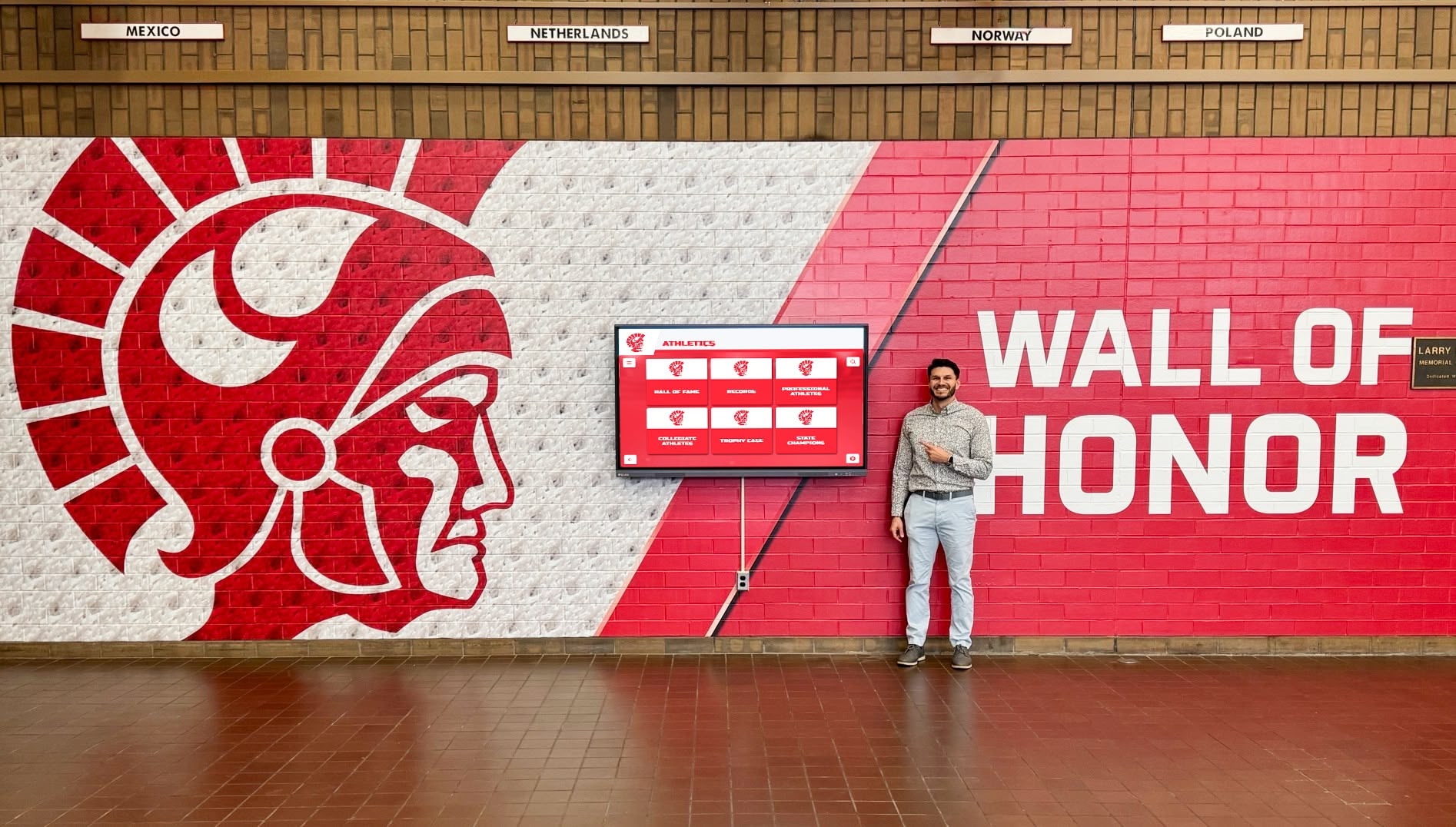
Hallway recognition walls are viewed at varying angles throughout each school day—optical bonding quality that performs at oblique viewing angles matters as much as center-on clarity
Connecting Optical Bonding to Recognition Program Planning
A recognition display optical bonding inspection is most valuable when it happens before the purchase decision rather than after installation. Schools that include bonding specification, ambient light assessment, and delamination inspection criteria in their display procurement process treat this construction detail with the same seriousness as mounting hardware, software platform, or content capacity.
For athletic directors and recognition program owners building or upgrading displays, the technical inspection process in this guide is a complement to the broader program evaluation process—not a replacement for it. Display hardware that passes this inspection carries recognition content effectively; it does not determine the content or program structure itself. Those decisions involve how schools structure and celebrate recognition programs for their specific student, alumni, and community audiences.
The pass/fail table and monitoring schedule in this guide are designed for use by facilities managers and IT coordinators who may not have deep display technology backgrounds. The criteria are based on observable visual characteristics rather than measurement equipment. Any team member responsible for recognition display maintenance can conduct the oblique flashlight inspection and Newton’s ring assessment with a standard flashlight and this guide.
What this inspection cannot do is substitute for correct specification, qualified installation, and an ongoing relationship with a display vendor that supports warranty claims when bonding fails prematurely. Schools that document inspections at delivery and at regular intervals have significantly stronger positions in those warranty conversations than schools relying on subjective quality complaints.
Summary: Optical Bonding Inspection Essentials
Optical bonding eliminates the internal reflections that make recognition display content unreadable under ambient light by filling the air gap between the LCD panel and the outer glass or touchscreen overlay with optically clear adhesive. For school recognition environments—lobbies, athletic corridors, gymnasium entries, and trophy areas—bonding quality directly affects whether the display presents achievement content as intended or compromises it with glare, low contrast, and fading.
The inspection framework in this guide applies at three stages: pre-purchase (ambient light assessment, specification verification, edge and surface inspection), post-delivery (oblique flashlight, Newton’s rings, touch response), and ongoing monitoring (monthly observation, twice-yearly detailed inspection, post-impact review). A single Fail or three Marginals in any inspection session warrants vendor communication and documentation while warranty options remain available.
Run the inspection. Document the results. Accept delivery only when the display earns it.
Ready to see how a purpose-built recognition platform handles display quality in real school environments? Rocket Alumni Solutions deploys interactive hall-of-fame and recognition touchscreen systems in school athletic and academic facilities nationwide. Request a demo to see how their platform looks and performs in installations similar to yours.