Recognition stories are among the most read content in any school newspaper — students look for their names, parents clip and save the pages, and administrators cite them in board presentations. Yet many journalism advisors build each recognition layout from scratch, issue after issue, without a repeatable school newspaper template designed specifically for this content type. The result is inconsistent design, missed photo opportunities, and recognition stories that fail to travel beyond the printed page into the digital spaces where modern schools increasingly display student achievement.
This guide walks through the layout principles, template elements, and design decisions that make recognition stories work in print — and explains how the same content and photography assets translate naturally to touchscreen display installations that keep recognition visible in school lobbies year-round.
Recognition stories occupy a unique position in school journalism. Unlike news reports, features, or opinion columns, recognition content carries an institutional obligation: the students being celebrated, their families, and the programs supporting them expect to see achievement documented accurately, prominently, and in a format worthy of the accomplishment. A poorly laid-out recognition story — cramped photos, inconsistent typography, no visual hierarchy — signals that the achievement itself is an afterthought.
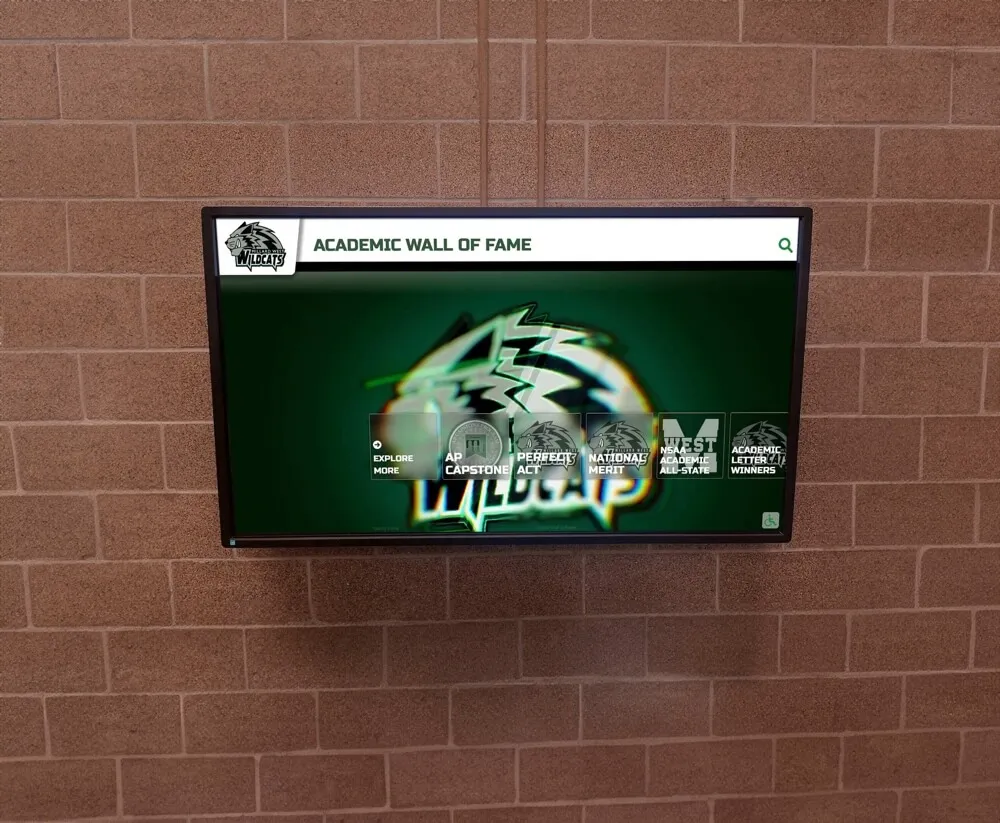
Schools increasingly extend recognition from print pages to permanent digital displays — the same photography assets and content structure serve both formats when planned from the start
Why Recognition Stories Need Their Own Template
Most school newspaper page templates are built for news and feature content: horizontal photo placement above a multi-column article, standard body copy, predictable headline sizing. Recognition stories follow different structural logic. They typically involve:
- Multiple subjects (an entire honor roll class, a championship team, a group of scholarship recipients) rather than a single subject or event
- Photographs that need to feel celebratory rather than documentary
- Name lists that require typographic treatment distinguishing them from body copy
- Supporting context that explains the achievement without overwhelming the names and photos
- Captions doing significant editorial work — identifying each person, noting the achievement, providing the context that headline space cannot hold
A template built for news stories will force recognition content into structural compromises that diminish the coverage. The honor roll list gets buried in body copy. The team photo gets cropped too tight because the template’s image zone was sized for a single-subject feature. The headline cannot accommodate both the achievement category and the celebratory register recognition stories require.
Building a dedicated school newspaper template for recognition stories solves these problems before the first issue goes to layout.
Core Design Principles for Recognition Story Layouts
Before specifying individual template elements, three design principles determine whether a recognition layout succeeds:
1. Names Must Be Findable
Readers of recognition stories are primarily searching for specific names — their own, their child’s, their student’s. Typography and layout choices must support scanning behavior, not just linear reading. Long lists of names benefit from alphabetical organization, clear visual breaks between categories, and typographic contrast between name text and surrounding copy.
The professional yearbook digitization guide for schools addresses similar searchability challenges in large-format recognition documents — the core insight applies equally to print layouts: structure serves the reader’s goal, which is locating specific names efficiently.
2. Photos Must Carry Emotional Weight
Recognition photography serves a different purpose than news photography. Where news photos document events, recognition photos celebrate people. The visual difference matters: recognition photos work best when subjects appear engaged, confident, and proud — not candid mid-action shots borrowed from event coverage. A template that builds in appropriate photo dimensions for headshots versus group images prevents the visual compromise of stretching a small candid shot into a feature photo position.
3. The Layout Must Scale
A well-designed recognition template works at full broadsheet width, tabloid format, and a single column in a newsletter. It also needs to function when the same content and photography assets move to digital formats — social media graphics, website features, and the lobby touchscreen displays that schools increasingly use to keep recognition visible beyond a single print run.
Building a Print Recognition Story Template: Section by Section
The Headline Block
Recognition headlines carry two jobs: identifying the achievement category and establishing the celebratory register. News-style headlines (“Students Named to Honor Roll”) work but miss an opportunity. Recognition-specific headline structures invite a warmer, more institutional voice:
Structure options that work:
- Achievement + Community identifier: “Eagles Honor Roll | Fall 2025”
- Congratulatory register: “Recognizing Excellence: Fall 2025 Academic Honorees”
- Program-specific: “State Qualifiers: Track & Field Championship Roster”
Subheadlines below the primary headline give the journalism advisor space to add context — the number of students recognized, the awarding body, or what distinguishes this recognition class from previous years.
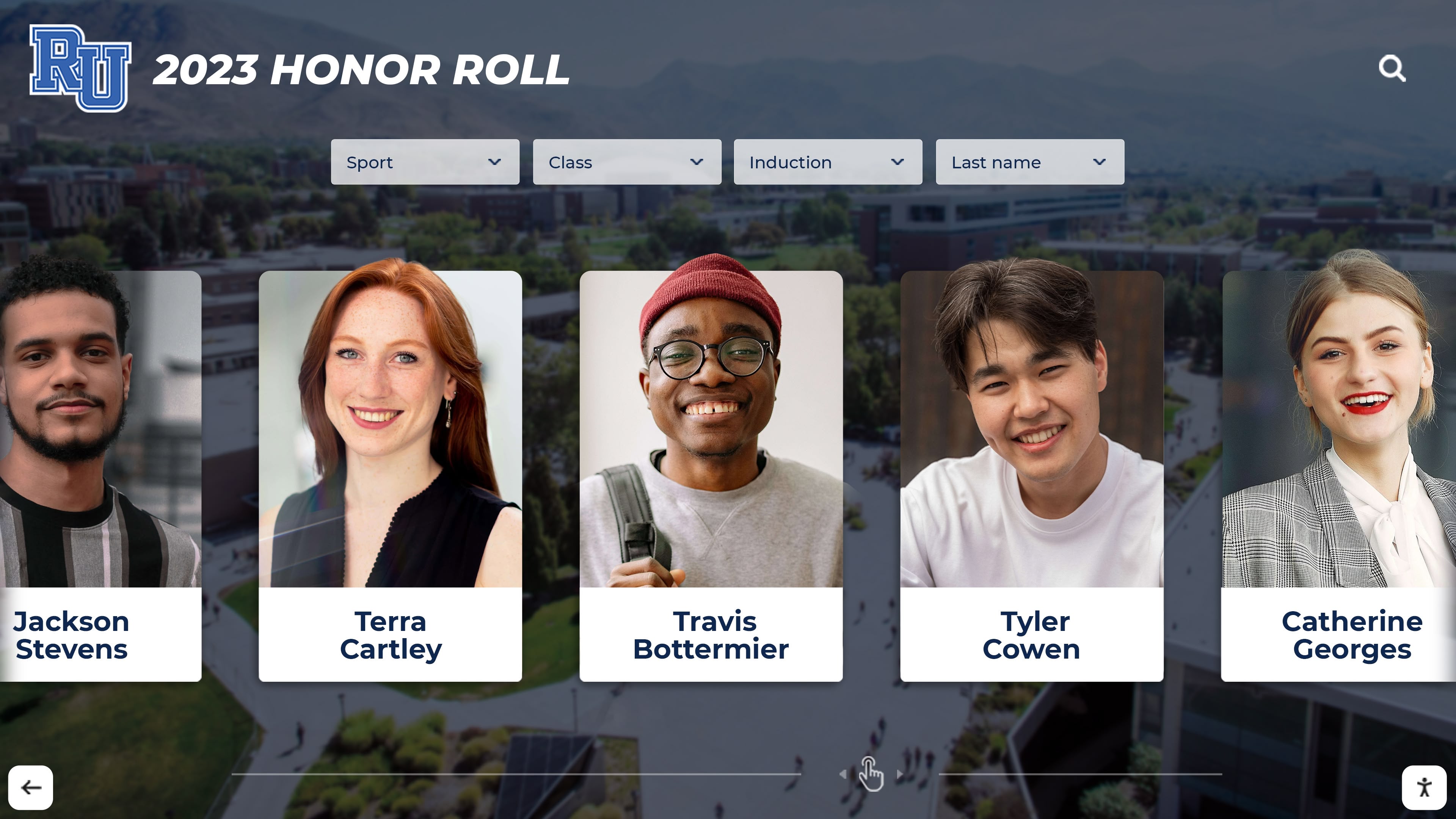
Portrait-format photography taken for recognition stories creates assets reusable across print, digital, and lobby touchscreen display formats
The Photo Zone
Recognition template photo zones should accommodate two scenarios:
Group photo zone: A horizontal band spanning the full column width at the top of the layout, sized to hold a team or group photo at 6–8 inches wide by 3–4 inches tall. This proportions correctly for most team photography without requiring significant cropping.
Individual portrait grid: For honor roll and academic recognition stories covering large numbers of students, a grid layout of individual 1.5" × 2" headshots organized in rows allows every recognized student to appear with their name captioned directly below — a format that families specifically seek out and save.
The portrait grid format becomes important when the same assets move to digital display formats, which handle individual portrait cards particularly well in touchscreen interfaces.
The Context Block
Every recognition story needs a brief block of editorial context — 60 to 120 words — explaining:
- What the recognition is and who grants it
- What the qualifying criteria were (GPA threshold, competition result, selection process)
- How many students are recognized and whether this figure represents a change from previous periods
This context block sits below the headline and above the name list or portrait grid, providing orientation for readers who may not be familiar with the specific recognition program.
The Name List
Name lists are the structural core of most recognition templates. Design decisions that serve readers:
Categorized columns: Organize names by category (Honor Roll vs. High Honor Roll, by grade level, by sport) with clear typographic headers differentiating each category.
Semi-bold name weight: Name text at medium-bold weight (not full bold) separates names from surrounding body copy without creating an aggressive visual rhythm across a long list.
Modest leading: Slightly tighter line spacing than body copy allows name lists to fit more entries in the available space without becoming illegible.
Alphabetical within category: Readers scanning for specific names find them faster in alphabetical lists than in lists organized by room number, teacher, or any other non-alphabetical system.
Captions as Editorial Content
Recognition captions do more work than news captions. A well-written recognition caption for a group photo:
- Identifies every person visible in the photo (front row left to right, back row left to right)
- Names the achievement and the awarding body
- Adds one sentence of context that the headline and body copy did not include
Cramped recognition captions that identify only two or three figures in a twelve-person photo are a common failure — and a source of frustration for families whose students appear uncaptioned in a recognition photo.
Adapting Recognition Story Layouts for Digital Publication
Print recognition layouts require adaptation before working effectively in digital publication contexts. The good news is that planning for digital from the start requires minimal additional work — a few decisions made during template design prevent painful reformatting later.
Typography adaptation: Print body copy at 10pt reads poorly on screens. Digital versions of recognition stories benefit from 14–16pt body type with slightly increased line spacing. Recognition templates designed at the print stage with generous leading translate to screen more easily than those optimized for maximum print density.
Image resolution: Photos sized appropriately for print (300 dpi at print dimensions) will appear undersized on displays unless captured at higher resolution. Recognition photography should be shot at the highest available camera resolution, with print-specific optimization applied as an export step rather than during capture.
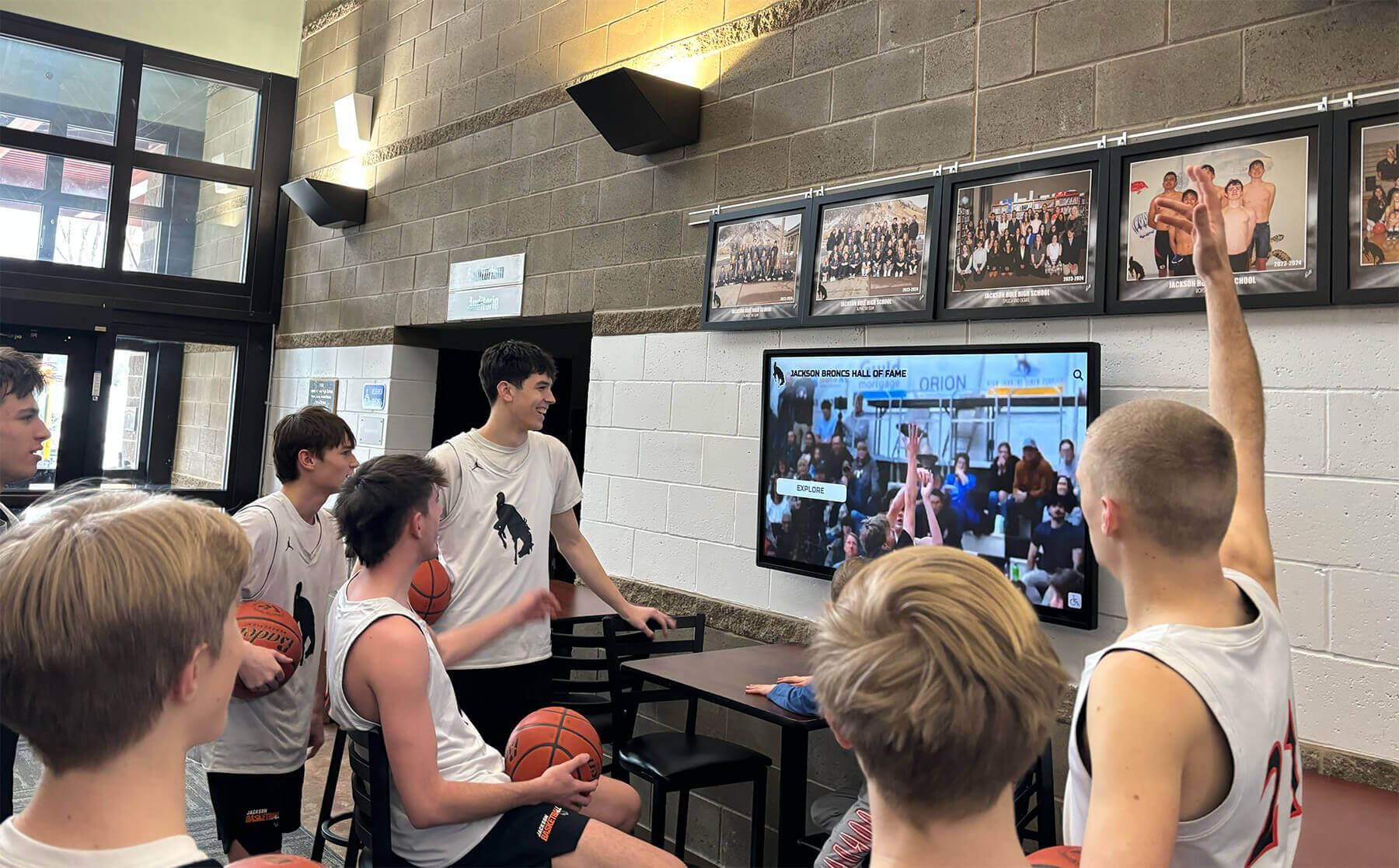
Digital lobby displays extend recognition stories beyond a single print run — content prepared for the newspaper can populate touchscreen archives with minimal additional work
Color adaptation: Print layouts designed with CMYK color profiles may shift when displayed on RGB screens. Templates using the school’s official RGB color values as primary design choices rather than print-approximated CMYK equivalents will translate more consistently across both formats.
Name list formatting: Long name lists formatted as print columns need reformatting for vertical screen scrolling or touchscreen card interfaces. Templates that store name list content in structured data (a spreadsheet or CMS entry) rather than as manual typeset text can export to both column layout for print and card grid format for digital without duplicate data entry.
Touchscreen Display Considerations for Recognition Content
The school lobby touchscreen display represents a different medium with different design constraints than either print or general web publishing. Understanding these differences helps journalism advisors and school administrators prepare recognition content assets that function well in both contexts.
Typography at Display Scale
Commercial touchscreen displays typically viewed from four to eight feet require minimum body text at 24–32pt equivalent, with primary recognition names at 36–48pt or larger. Print body copy at 10–12pt is unreadable at these distances. Recognition templates designed for print cannot simply be enlarged — the typography must be reconsidered for viewing distance.
The touchscreen banner display guide for schools provides detailed viewing distance and font size guidance that applies directly when adapting recognition story content for lobby display installations.
Portrait Photography for Touchscreen Cards
Purpose-built touchscreen recognition platforms commonly display student profiles as individual portrait cards — a format that demands consistent, head-and-shoulders portrait photography against neutral or consistent backgrounds. Candid event photography repurposed as recognition portraits typically produces inconsistent results: varying backgrounds, inconsistent framing, mixed lighting quality.
Schools achieving the strongest results in both print recognition stories and touchscreen display programs establish a dedicated recognition photography standard: consistent background, consistent lighting setup, consistent framing producing portrait-oriented headshots usable in print portrait grids, website profiles, social media graphics, and lobby touchscreen cards.
The investment in one well-organized recognition photography day produces assets serving every format from the newspaper page to the lobby display to the printed program — a far more efficient approach than repurposing event photography across formats it was never designed for.
Interactive Navigation Structure
Touchscreen recognition displays differ fundamentally from printed pages in how users navigate content. Printed pages present all content simultaneously — readers scan the full page and locate what interests them. Touchscreen interfaces require hierarchical navigation: users select a category, then a sub-category, then an individual profile.
This means recognition content organized for touchscreen display needs a clear categorical hierarchy:
- Top level: Achievement category (Academic Recognition, Athletic Awards, Arts Honors)
- Second level: Specific recognition within category (Honor Roll, High Honor Roll; individual sports)
- Third level: Individual student profiles with photo, name, achievement detail, and biographical context
A well-designed print recognition template organizes content with a similar hierarchy in mind — the same categorical structure that creates clear section headers in a print layout translates directly into navigation structure for a touchscreen interface.
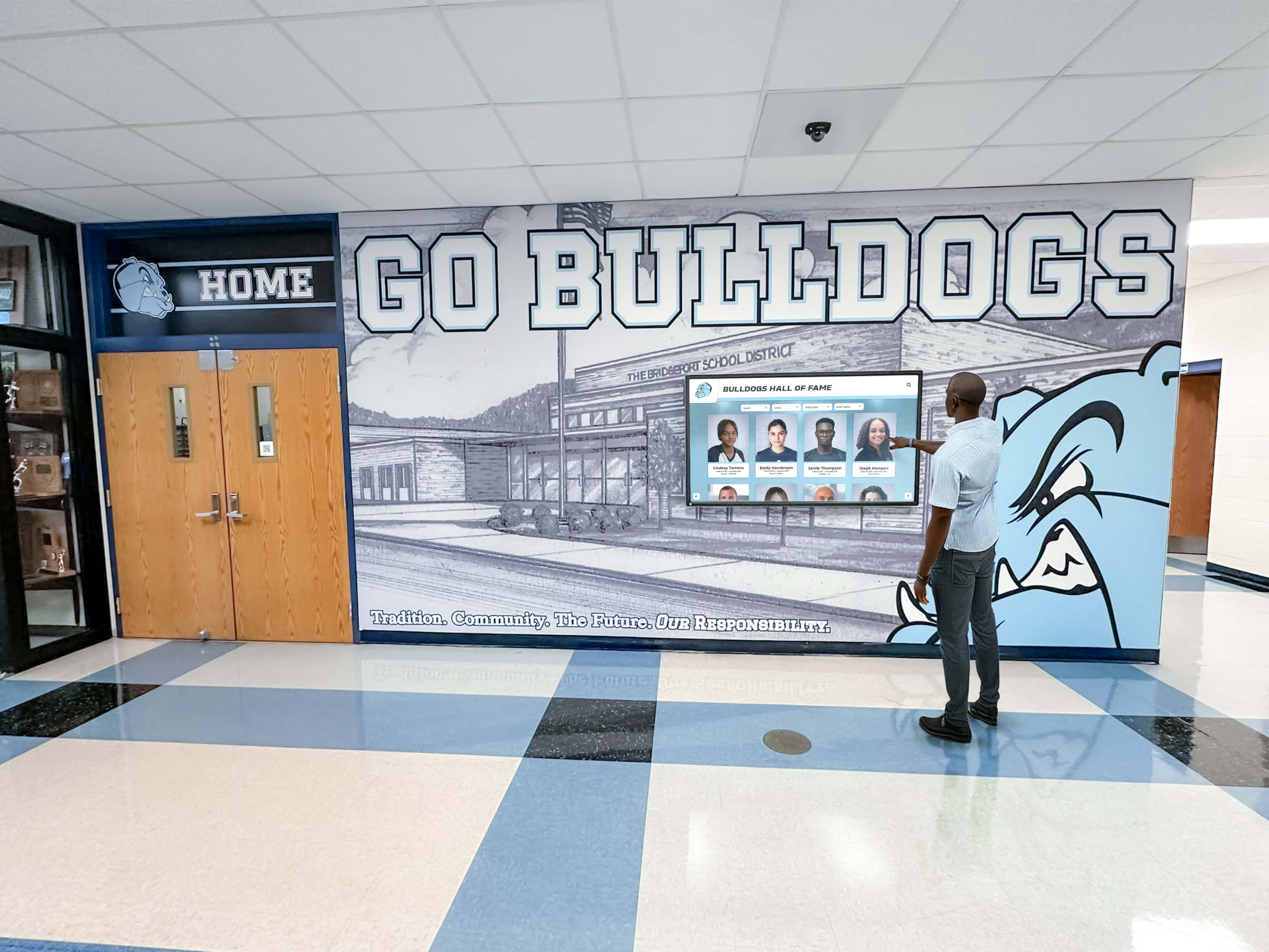
Interactive touchscreen recognition displays allow users to navigate by category, year, or individual — a structure that mirrors the section-based organization of strong print recognition layouts
From Newspaper Page to Lobby Wall: Extending Recognition Beyond Print
The most significant opportunity for journalism advisors with strong recognition story templates is connecting print publication to the touchscreen recognition programs increasingly deployed in school lobbies, athletics facilities, and visitor areas.
Schools operating digital touchscreen recognition walls maintain archives of student achievement that persist long after printed newspapers are stored in archive boxes. Recognition content published in the school newspaper — honor roll lists, championship team rosters, scholarship announcements, arts award recipients — represents exactly the content that touchscreen recognition platforms are designed to display and preserve.
Content Sharing Workflow
A structured content sharing workflow between the journalism program and the school’s recognition display program eliminates duplicate work:
What journalism provides: High-resolution portrait photography, structured name lists by category, achievement context copy suitable for a 100–150 word profile description.
What the recognition display program provides: A persistent, searchable archive where every student recognized in the newspaper appears in a format visible to every school visitor throughout the year — not just during the issue’s publication week.
This workflow benefits both programs: journalism students see their work reach larger, more persistent audiences. The recognition program receives professionally photographed and written content that staff may not otherwise produce independently.
Schools implementing academic achievement wall displays and hall of fame walls frequently identify the school newspaper as an underutilized source of recognition content assets — a connection that a deliberate template and workflow strategy makes systematic.
The Recognition Story as a Content Seed
Think of each published recognition story as a content seed producing assets usable across multiple institutional channels:
- Print newspaper: The primary publication, reaching students and families during the publication week
- School website: Republished recognition stories extend reach to alumni, community members, and prospective families searching for evidence of program quality
- Social media: Adapted portrait cards and achievement graphics derived from the newspaper layout reach audiences on platforms where the full print page would not perform
- Lobby touchscreen display: The most persistent format — recognition content archived in an interactive touchscreen system remains visible and discoverable for years, not weeks
- Digital yearbook: Recognition story content integrated into annual digital archives creates a searchable record of achievement year over year
Building the Cross-Format Asset Kit
Journalism advisors establishing a recognition story template can build a standardized cross-format asset kit that makes content delivery to each channel straightforward:
The kit includes:
- Portrait photography files at minimum 2400 × 3000px (print-ready, suitable for touchscreen card display at any size)
- Name and achievement data in a structured spreadsheet (sortable, importable to recognition software)
- Context copy at 100–150 words per category (appropriate for touchscreen profile descriptions)
- Category-organized file structure by recognition type and issue date
This kit, assembled once per recognition issue, gives every downstream channel what it needs without requiring the journalism staff to reformat content separately for each audience.
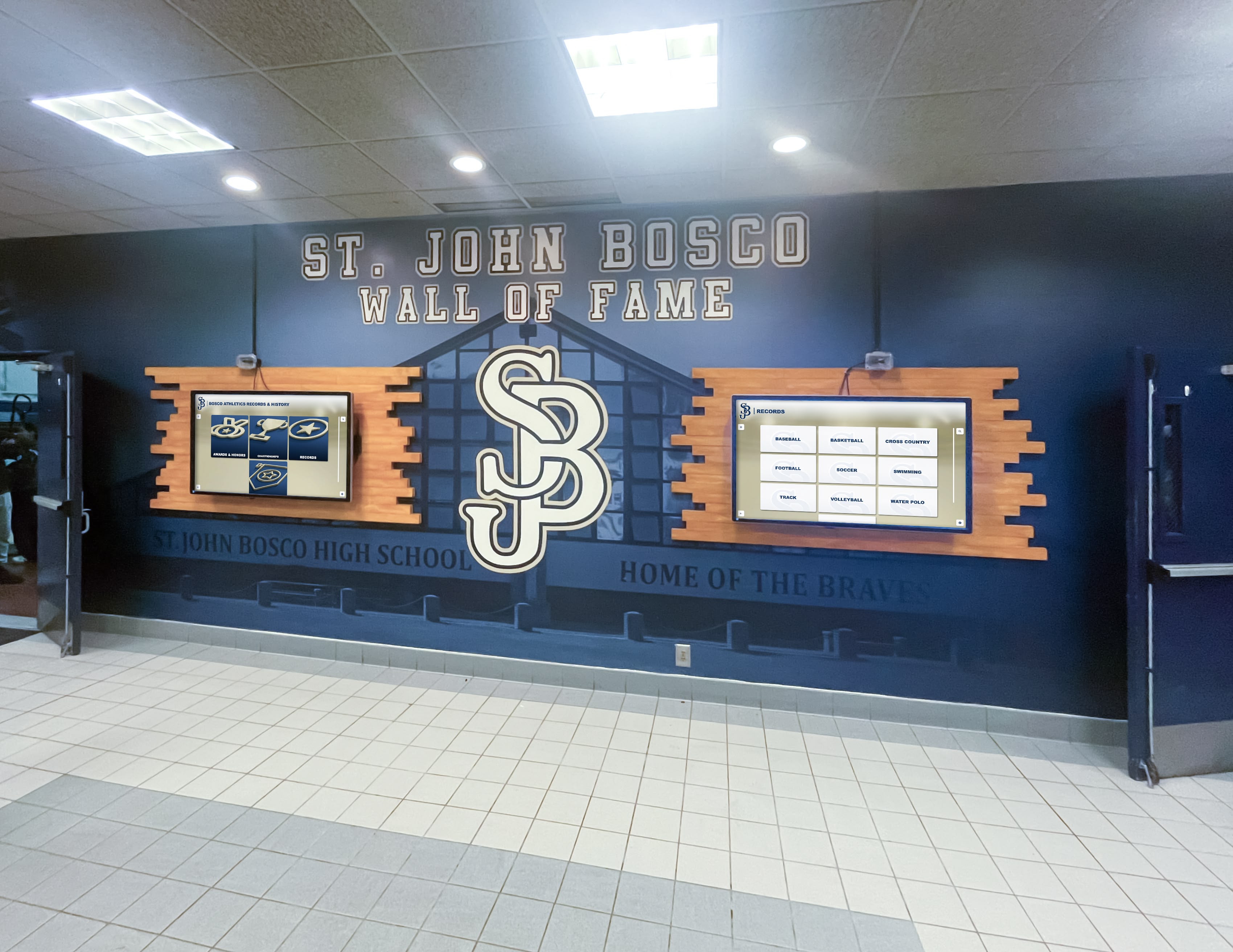
Dual-screen lobby installations extend the reach of recognition content documented in the school newspaper to every visitor throughout the school year
Template Elements Checklist for Journalism Advisors
Use this checklist when evaluating or building a recognition story template for your school newspaper:
Headline block:
- Primary headline with achievement category identification
- Subheadline with context (number recognized, qualifying criteria, awarding body)
- Consistent headline type family matching newspaper brand
Photo zones:
- Group photo zone dimensioned for team/group photography (6–8" wide × 3–4" tall minimum)
- Portrait grid zone for individual headshot recognition layouts
- Caption space below each photo zone (minimum 3 lines)
Context block:
- 60–120 word context block position above name list
- Style defined for context body copy (distinct from name list typography)
Name list:
- Category header styles (distinguishing honor roll tiers, award categories, sports)
- Name text style (medium-bold, consistent leading, alphabetical within category)
- Multi-column layout for large recognition lists
Digital/touchscreen asset notes:
- Photo resolution requirement specified (minimum 2400 × 3000px for portrait)
- Data export format defined (spreadsheet for name/achievement data)
- Context copy length standard for touchscreen profile use (100–150 words)
Selecting Touchscreen Recognition Software That Works With Newspaper Content
Schools ready to connect journalism program recognition content to a lobby touchscreen display face a software selection question. The key capabilities to evaluate for recognition content compatibility:
Portrait card display: Can the platform display individual recognition profiles as portrait cards with photo, name, achievement category, and detail text? This format matches how portrait grid recognition stories are structured in print.
Category navigation: Does the platform organize content by category with navigable hierarchy, or does all content appear in a single flat list? Category navigation allows recognizing athletics, academics, and performing arts in separate sections — mirroring the section structure of a print recognition story.
Bulk import capability: Can structured name and achievement data be imported from a spreadsheet rather than entered manually for each inductee? Bulk import makes the journalism-to-touchscreen workflow practical rather than requiring hours of manual data entry per recognition issue.
Content update workflow: Is the content management system accessible to journalism staff, athletics staff, and administration without technical expertise? The easiest path to a connected journalism-and-display program is a CMS both programs can update without developer involvement.
The digital hall of fame buying guide for high schools covers these evaluation criteria in detail, including hardware compatibility, ADA WCAG 2.1 AA accessibility requirements, and content capacity considerations that affect whether a recognition archive can grow without hitting artificial limits.
Schools considering a more comprehensive approach to recognition display — integrating athletic records, academic honors, performing arts, donor recognition, and alumni profiles into a single interactive archive — benefit from reviewing how touchscreen digital signage software for schools compares across platforms before committing to a specific solution.
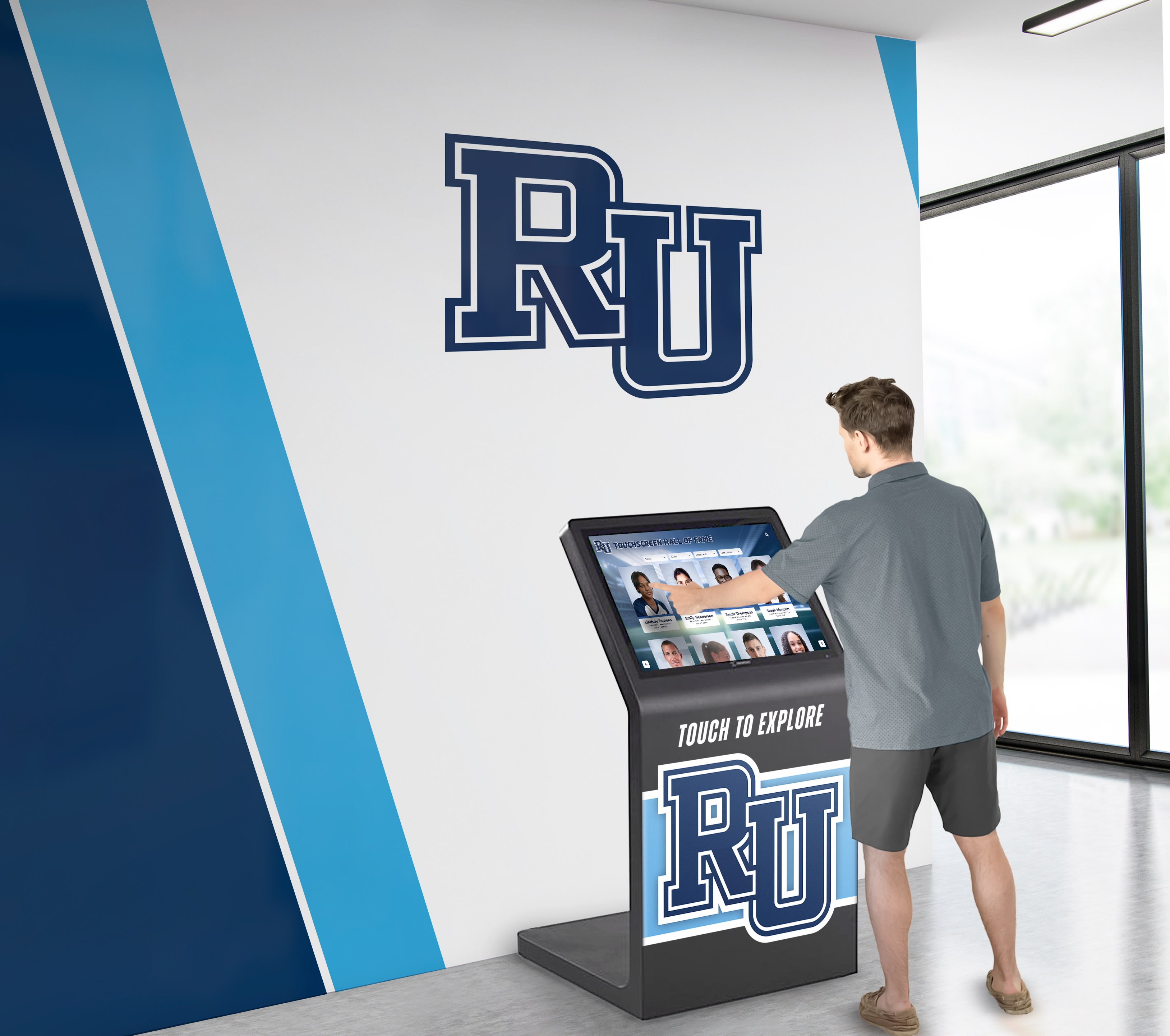
Purpose-built recognition touchscreen platforms organize content with the same categorical logic that makes print recognition layouts navigable — students, families, and visitors find recognition content intuitively in both formats
Recognition Photography Planning: The Bridge Between Print and Display
Because photography is the common input feeding both the school newspaper template and the touchscreen recognition display, recognition photography planning deserves explicit attention in any journalism advisor’s annual workflow.
Annual Portrait Day Planning
Schools achieving consistent quality across both print and digital recognition channels typically schedule one or two dedicated recognition portrait sessions per year rather than relying on event photography repurposed for recognition use. A structured portrait session produces:
- Consistent background (school color, neutral gray, or branded backdrop)
- Consistent lighting (even, flattering, appropriate for formal recognition use)
- Consistent framing (head-and-shoulders, portrait orientation, sufficient resolution for both print and large-format digital display)
- Complete coverage (every student on the recognition list photographed, no absent students creating gaps in print portrait grids or missing cards in touchscreen displays)
Schools implementing school awards ceremony planning as an annual institutional event find that connecting portrait photography to the ceremony creates a natural workflow: students are photographed on the day their achievement is formally recognized, producing both event documentation and high-quality recognition portraits in the same session.
Organizing Photography Assets for Multi-Channel Use
Recognition portrait assets organized systematically at capture serve every downstream use case:
File naming convention: LastName_FirstName_AchievementCategory_Year.jpg — sortable, searchable, unambiguous about content.
Folder organization by recognition type: Athletics / Academics / Arts / Leadership — matching the categorical structure used in both the newspaper layout template and the touchscreen display hierarchy.
Resolution preservation: Original high-resolution files archived separately from print-optimized exports. Print-optimized JPEGs at 300dpi are appropriate for the newspaper; 72dpi web exports are appropriate for social media. The original high-resolution source files remain in archive for future touchscreen display imports or print reprints.
Frequently Asked Questions About School Newspaper Recognition Templates
What makes a recognition story template different from a standard news layout?
Recognition stories involve multiple subjects, portrait-format photography, name lists requiring typographic treatment distinct from body copy, and captions doing significant identification work. Standard news templates are built for single-subject event coverage with horizontal photography. A dedicated recognition template accommodates portrait grids, categorized name lists, and the celebratory visual register recognition content requires.
How many students can a print recognition story realistically include?
A broadsheet full-page layout can accommodate 60–80 individual portrait headshots at 1.5" × 2" with name captions, or a single group photo with a name list of 150–200 students in three-column format. Tabloid format at full page supports approximately two-thirds of these figures. Recognition stories covering larger groups may require supplemental digital publication to include all names, with the print version noting where the complete list appears online.
Can the same photography assets really work for both print and touchscreen display?
Yes, with appropriate resolution at capture. Portrait photography shot at camera maximum resolution (typically 24–50 megapixels on modern cameras) produces files workable at any print size and any touchscreen display size. The bottleneck is almost always insufficient resolution at capture — undersized original files cannot be enlarged for display without quality loss. Specifying minimum capture resolution in the photography standard prevents this problem.
What content management systems work well for connecting newspaper content to touchscreen displays?
Purpose-built school recognition platforms with non-technical CMS interfaces and bulk import capability are the most practical choice. These systems allow journalism staff or athletics administrators to import structured recognition data from a spreadsheet, attach portrait photography files, and publish to the touchscreen display without developer involvement. The STEM stars recognition wall design guide illustrates how recognition content organized categorically in display software mirrors the categorical structure of print recognition layouts.
How long does recognition content stay relevant on a touchscreen display?
Unlike printed newspapers with a one- to four-week relevance window, recognition content in a touchscreen archive remains relevant indefinitely. Athletic hall of fame inductees from thirty years ago are as relevant today as current honor roll students — both appear together in a searchable archive where each visitor finds what matters to them. This permanence is one of the primary reasons schools invest in interactive recognition displays rather than limiting recognition to the print newspaper’s publication cycle.
What should journalism advisors prioritize when building a recognition template for the first time?
Start with photography standards and name list structure. Photography standards are the hardest element to correct retroactively — a recognition archive built on inconsistent photography quality is difficult to remediate. Name list structure (organized by category, alphabetical within category, typographically distinguishable from body copy) satisfies the reader’s primary goal of locating specific names efficiently. Everything else in the template serves these two foundational decisions.
Connecting the School Newspaper to the Larger Recognition Ecosystem
The strongest recognition programs at high schools and universities treat the student newspaper as one node in a broader institutional recognition ecosystem — not the primary or only channel, but an important one contributing content, photography, and written storytelling to a network that also includes the school website, social media, and the lobby touchscreen display.
Building recognition stories for the newspaper with cross-format asset planning from the start is a small workflow investment that pays dividends across every channel where student achievement needs to appear. The template is the foundation; the asset kit is the delivery mechanism; and the touchscreen display is where that recognition lives permanently — visible every day, not just on publication day.
Schools building free social media graphics from school AI platforms are already thinking in multi-format terms — applying the same multi-format thinking to recognition story planning closes the loop between journalism program output and the full range of institutional recognition channels.
The school spirit resources that unite campus communities consistently identify recognition visibility as a foundational community-building mechanism — and recognition that appears in the newspaper, on the website, on the lobby touchscreen, and on the social feed reaches every audience that makes up that community.
Ready to explore how a permanent touchscreen recognition display can extend your school newspaper’s recognition coverage into an always-visible, searchable archive? Discover how Rocket Alumni Solutions builds interactive recognition displays for schools that preserve student achievement in formats designed to last far beyond a single print run.