School front office design is the deliberate planning of a school’s reception counter, waiting area, entry vestibule, and adjacent display spaces so that visitors feel welcomed immediately, staff can work efficiently, and the physical environment communicates the school’s identity at a glance. At the center of modern front office planning are touchscreen displays — desk-mounted units at the reception counter, large wall panels in the waiting area, and freestanding kiosks at lobby decision points — that streamline visitor check-in, guide guests through the building, surface school achievements, and broadcast real-time announcements without adding to staff workload.
A well-designed school lobby does more than direct traffic. It sets the tone for every parent meeting, new student tour, prospective donor walk-through, and daily staff interaction. When the space is divided into clear functional zones and equipped with appropriately placed touchscreen hardware loaded with meaningful content — athletic championship records, academic award archives, community donor acknowledgment — the front office becomes one of the most powerful storytelling environments in the building.
This guide covers every dimension of school front office design: zone planning, touchscreen placement options with a side-by-side comparison, visitor flow improvements, recognition display strategy, announcement content, ADA compliance, and a phased budget framework to make upgrades manageable across fiscal years.
School front office design decisions flow from one practical question: what should every visitor experience in the first sixty seconds inside this building? Answering that question systematically — through zone layout, hardware selection, and content strategy — turns an underused reception area into a working asset for the school community.
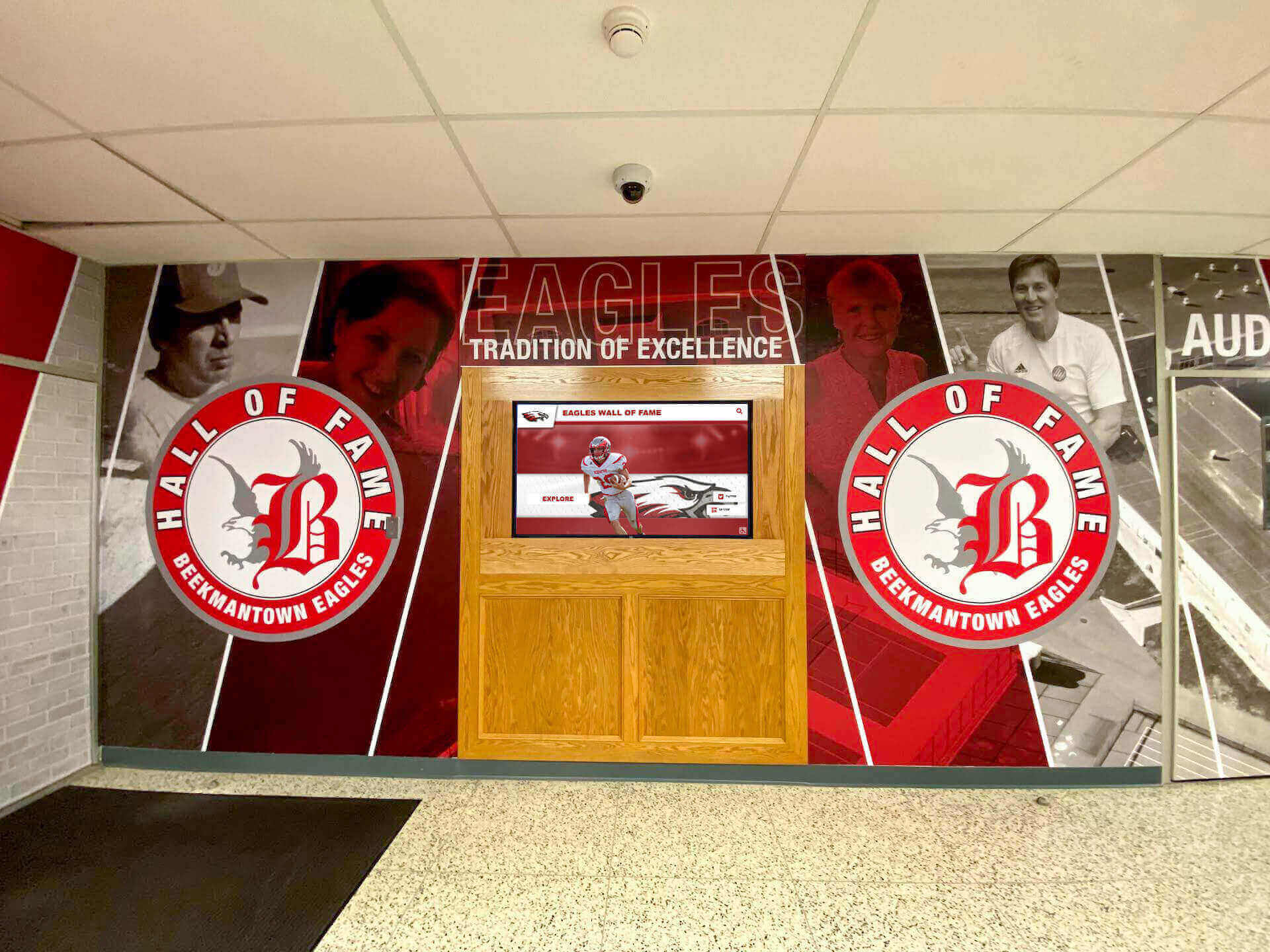
A visitor-friendly school lobby combines clear wayfinding, efficient check-in technology, and recognition displays that communicate school identity from the moment guests enter
What a Visitor-Friendly School Office Actually Requires
The phrase “visitor-friendly school office” points to three measurable outcomes: visitors complete their purpose quickly, they feel respected and informed during any wait, and they leave with a positive impression of the school. Meeting those outcomes depends on physical layout, visual communication, and staffing support working together — not any single element in isolation.
A beautiful lobby with a confusing check-in process still frustrates. A smooth digital sign-in workflow surrounded by bare walls still feels cold. A recognition display loaded with achievements that nobody can find is wasted real estate.
The foundations of a visitor-friendly school front office:
- A reception counter visible and reachable within seconds of entering the building
- Clear signage or digital directories that answer “where do I go?” before visitors reach staff
- A comfortable waiting area with engaging content during any processing time
- Visible school identity — achievements, values, institutional history — that builds context during the visit
- An efficient check-in process that minimizes repetitive staff interruptions for routine sign-in tasks
Each element has a physical dimension (where things are placed) and a content dimension (what they show). Touchscreen displays are the most versatile tool for addressing both at once.
Mapping the Core Zones of a School Front Office
Effective school front office design starts with zones, not hardware. Defining functional areas before specifying any screens prevents the most common planning mistake: buying technology before understanding the workflow it needs to support.
The labeled zone plan below applies to most K-12 front offices; actual dimensions vary by building footprint, but the functional sequence should remain consistent.
School Lobby Zone Plan
| Zone | Location | Primary Function | Touchscreen Role |
|---|---|---|---|
| Entry Vestibule | Immediately inside exterior door | Access control, weather buffer | Door-release touchpad or video intercom |
| Reception Counter | 10–20 ft from main entry | Staff greeting, visitor credential check | Desk-mounted visitor check-in screen |
| Waiting Area | Adjacent to counter, off main traffic path | Guest seating during processing | Wall-mounted or freestanding announcement and recognition panel |
| Administrative Corridor | Behind or beside reception counter | Staff movement, office access | Wayfinding directory (wall-mounted) |
| Display Zone | Side lobby walls, hallway leading from lobby | Recognition, school history, donor acknowledgment | Large-format wall panel or multi-screen gallery |
| Exit Path | Route back to exterior or toward main building | Visit completion, onward wayfinding | Optional departure-direction signage panel |
This zone framework drives every subsequent decision about touchscreen type, mounting height, cable routing, and content programming. Schools that skip the zone mapping step often end up with displays placed where cables run easily rather than where visitors actually need information.
Choosing Touchscreen Placement: Desk, Wall, or Freestanding
The most consequential hardware decision in any school lobby is where each display goes — placement determines who interacts with it, how easily, and for how long. Each mounting style has a distinct functional role, and most effective front offices use all three.
Touchscreen Placement Comparison
| Placement | Best Zone | Interaction Type | Sightline Visibility | ADA Considerations | Primary Use Cases |
|---|---|---|---|---|---|
| Desk-Mounted | Reception counter | Short, task-focused (sign-in, badge print) | Low — seen only at counter | Counter height must meet ADA forward-reach limits | Visitor check-in, staff-facing sign-out, ID verification |
| Wall-Mounted | Waiting area, display zone, corridor | Browse and explore, self-directed | High — visible from across the room | Screen center at 48–52 in. for seated reach compliance | Digital directory, recognition gallery, announcement loop |
| Freestanding Kiosk | Entry vestibule, waiting area, hallway junction | Walk-up, self-service | High — visible from multiple angles, creates a landmark | Built-in ADA-height options; stable base required | Wayfinding, campus maps, donor recognition walls, visitor self-check-in |
Desk-mounted units belong at the reception counter, where the workflow is transactional and staff are present to assist. They should supplement — not replace — staff interaction during the sign-in process.
Wall-mounted panels excel in the waiting area and display zone, where visitors have time to browse and the screen can carry the full weight of school storytelling: championship archives, alumni milestones, donor acknowledgment, and daily announcements.
Freestanding kiosks work best at natural decision points — just past the vestibule, at a hallway junction, or beside a trophy case — where a standalone unit creates a clear visual anchor without requiring permanent wall modification. Schools planning to reconfigure the lobby as enrollment grows often prefer freestanding units for their flexibility.
Factors That Influence Placement Choice
Structural and logistical factors:
- Proximity to existing power outlets and data drops
- Wall stud locations and load capacity for heavy panels
- Cable management options (in-wall conduit vs. surface raceway)
- Floor traffic patterns and emergency egress clearance requirements
- Natural light direction — south-facing glass creates glare on touch surfaces
Programmatic factors:
- Peak visitor volume and how many simultaneous walk-ins the office handles
- Whether the school uses visitor management software requiring hardware integration
- Content update frequency (frequent changes favor cloud-connected, remotely managed displays)
- Staff capacity for check-in support versus full self-service workflows
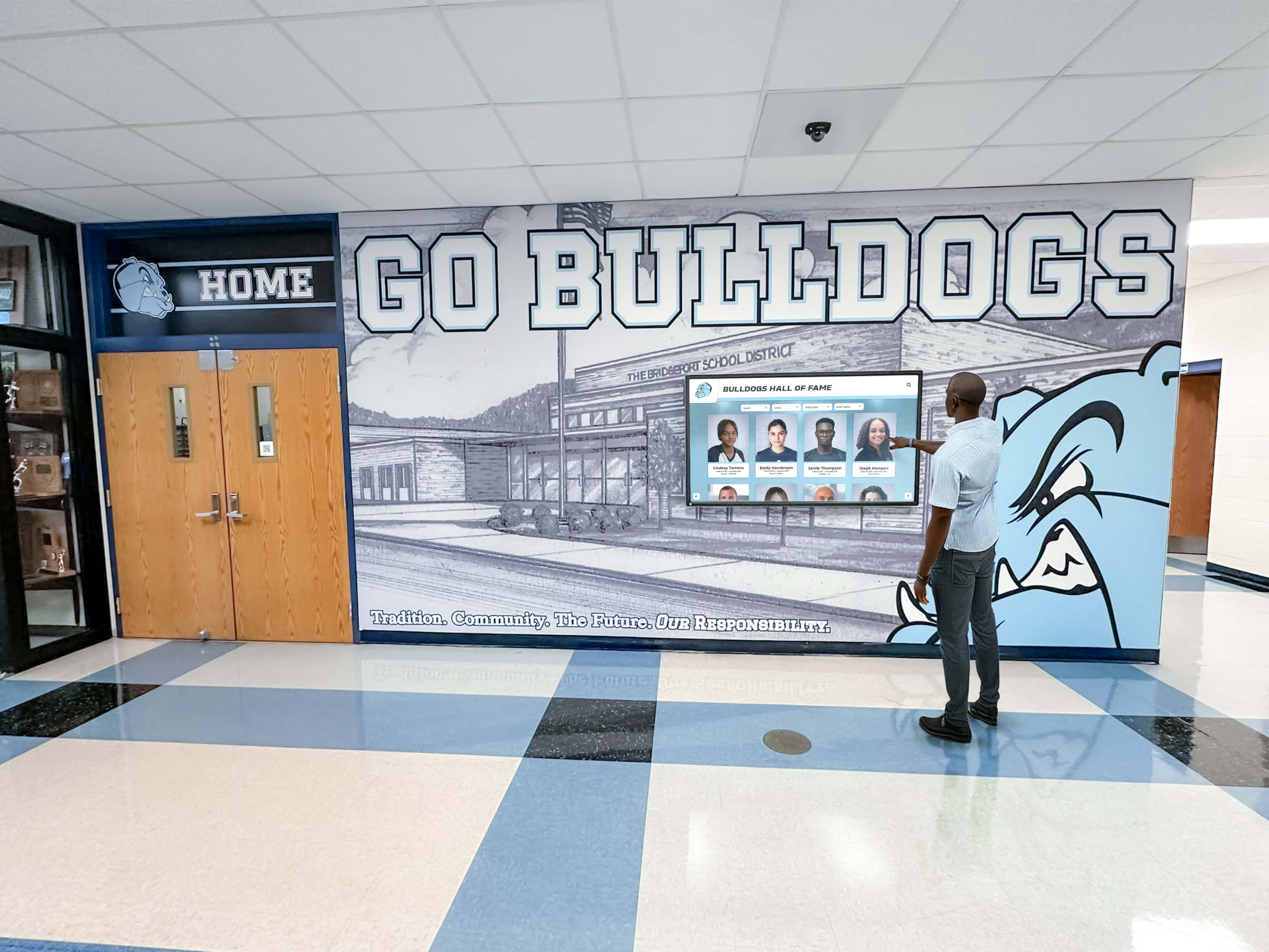
Freestanding kiosks create intuitive self-service wayfinding anchors at lobby decision points without requiring permanent wall installation
Improving Visitor Flow With a School Lobby Touchscreen
Flow problems in school front offices are almost always caused by information gaps. Visitors who don’t know where to go cluster at the reception counter and slow down everyone behind them. A well-placed school lobby touchscreen shifts that information load off staff and onto a self-service interface before visitors reach the counter.
Reducing Counter Congestion
A wall-mounted or freestanding display positioned before the reception counter can answer the most common visitor questions independently:
- “Which office handles athletics versus academics?”
- “Where is Room 214 from this entrance?”
- “Who is the assistant principal for my student’s grade level?”
- “Is there visitor parking behind the building?”
When visitors arrive oriented, counter interactions are faster and more focused. Staff can handle exceptions — the visitor who needs special access, the parent with an urgent time-sensitive concern — rather than routine directions that a display could answer at any hour.
Supporting Staff During Peak Traffic Windows
School front offices experience predictable congestion: morning drop-off, early dismissal, after-school activity rush, and open-house evenings. A lobby touchscreen absorbs routine queries during those high-traffic windows even when staff are occupied with other tasks.
Schools that have invested in digital recognition and advancement solutions find that lobby displays serve a dual purpose: they reduce operational friction while simultaneously strengthening the school’s institutional narrative for visitors evaluating the program — prospective families, donors, and community partners who form lasting impressions from what they see in the first room they enter.
Digital Directories and Campus Wayfinding
For multi-building campuses or schools with complicated floor plans, a digital staff directory is not a luxury — it is a functional necessity. Printed directories become outdated within weeks of any staff change and require physical reprinting to correct. Digital directories update in minutes from any internet-connected device.
What a Lobby Directory Should Display
Minimum directory content:
- Staff names and current roles with accurate room numbers
- Department listings (main office, counseling, athletics, nurse, cafeteria)
- Campus map with building labels and accessible entrance markers
- Emergency contact numbers for after-hours situations
- Visitor badge station location within the lobby
Enhanced directory content for larger campuses:
- Staff photo with name and title (reduces the “I can’t remember who I’m meeting” friction)
- Filtered search by department or name for fast lookup
- Event schedule for the current week with room assignments
- Parking guidance for visitor lots, including accessible spaces
- Parent portal link and school calendar integration (web-connected displays)
Schools managing extensive faculty records and institutional archives often connect their directory displays to broader systems designed for academic history archiving, keeping staff information current alongside the school’s deeper institutional record.
Recognition Displays: Turning the Lobby Into a Pride Showcase
The waiting area walls and display zone in a school lobby are among the most visited — and most underutilized — surfaces in any school building. Every parent waiting five minutes for a meeting, every prospective student on a tour, every donor considering a capital gift walks past those walls. Recognition displays in the front office serve a mission-critical function: they demonstrate what the school has built and what it stands for.
Categories of Recognition Content for the School Lobby
Academic achievement:
- Honor roll and award-winner listings by year
- Academic competition results (Science Olympiad, debate, math league, quiz bowl)
- College acceptance announcements and major scholarship recipients
- National Merit recognition and advanced course achievement
Athletic achievement:
- Team championship banners and seasonal records
- All-state and all-conference athlete profiles by sport and year
- Standout seasonal honors — schools with strong music programs often feature all-state musician recognition alongside athletic highlights, giving performing arts students equal lobby visibility
- Retired jersey numbers and letter-winner acknowledgment across decades
Community and donor recognition:
- Named spaces, endowments, and scholarship funds
- School foundation contributors and capital campaign donors — schools that have run successful capital campaigns consistently find that prominent, permanent lobby recognition of donors directly supports future giving and campaign momentum
- Volunteer appreciation and booster club acknowledgment by season
History and tradition:
- Founding-year milestones and anniversary retrospectives
- Year-by-year team and graduating class photo archives
- Former principal and faculty tributes
- Facility naming history and building timelines
Static Displays vs. Digital Recognition in the Lobby
Traditional trophy cases and framed display boards have real charm, but they impose hard constraints on how much a school can celebrate and how quickly recognition can be updated. A state championship from this fall cannot displace a conference title from 1987 without a physical removal project. At some point, the wall runs out of space and the school must choose what to stop celebrating.
Digital recognition systems — interactive wall panels and kiosks — eliminate that zero-sum constraint. Schools can show every championship, every award, every graduating class photo without making editorial decisions about what gets taken down. For programs with deep athletic histories, platforms like Rocket Alumni Solutions provide purpose-built interfaces designed for school and athletic recognition, with remote content management that front office staff can operate without technical expertise.
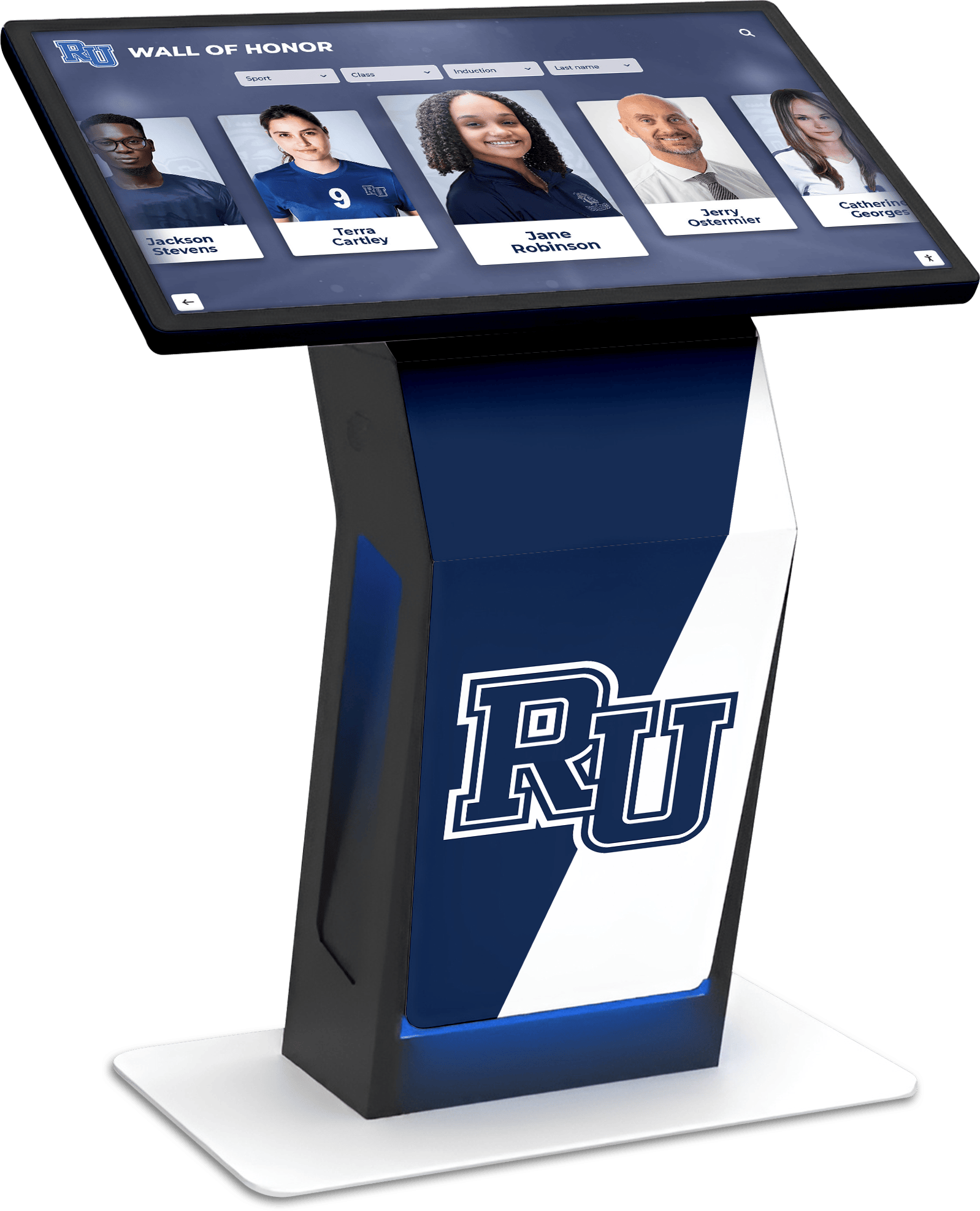
Interactive touchscreen recognition systems in the lobby let visitors explore full program histories — every athlete, every award, every year — without physical space constraints
Schools building out recognition displays often start with their highest-impact content — championship records and individual athletic award histories — and then expand to academic and donor recognition as staff become confident with the content management system.
For schools with significant sports programs, displaying team records and recognizing student-athletes prominently in the lobby reinforces the value of athletic achievement to the whole community. Schools tracking high school football records and rankings by season, for example, find that lobby recognition displays give that data a permanent home that brings families back to engage with school history long after graduation.
Announcements and Dynamic Content
Beyond recognition, a school lobby touchscreen functions as a live communications channel — delivering information that changes daily or weekly without requiring staff to manually update a physical bulletin board.
Content Types for the Lobby Announcement Loop
Time-sensitive announcements:
- Event cancellations and last-minute schedule changes
- Early dismissal notices and pickup procedure reminders
- Visitor safety protocols (sign-in requirements, photo ID policy)
- Weather-related delays or closures
Community engagement content:
- Upcoming games, performances, and academic competitions with dates and times
- Booster club and parent organization meeting schedules
- Volunteer opportunities and school foundation updates
- Fundraising campaign progress and milestones
Evergreen school identity content:
- School mission, vision, and core values statements
- Staff spotlights rotated on a monthly cycle
- Student artwork or project showcases from current coursework
- Seasonal messages and recognition from school leadership
Scheduling best practice: Rotate announcement content on a 3–5 minute loop in the waiting area and a longer 8–10 minute cycle on recognition-zone panels. Visitors in the waiting area see varied content each time they look up, reducing the disengagement that accompanies static displays. Recognition content benefits from longer dwell time — visitors exploring an athlete’s profile or reading a donor acknowledgment need more than a 30-second window before the display moves on.
Integrating With Existing School Systems
Modern lobby displays connect to school information systems so that updates made in one place propagate to the display automatically, eliminating manual re-entry:
- School information systems (SIS): Staff directory and event calendar sync keeps lobby content current without a separate update workflow
- Digital signage platforms: Content scheduling across multiple lobby displays from a single dashboard
- Visitor management software: Badge printing and pre-registration confirmation tied to the desk-mounted check-in terminal
- Emergency notification systems: Immediate full-screen override of lobby content during lockdown or evacuation alerts, reverting automatically when the event clears
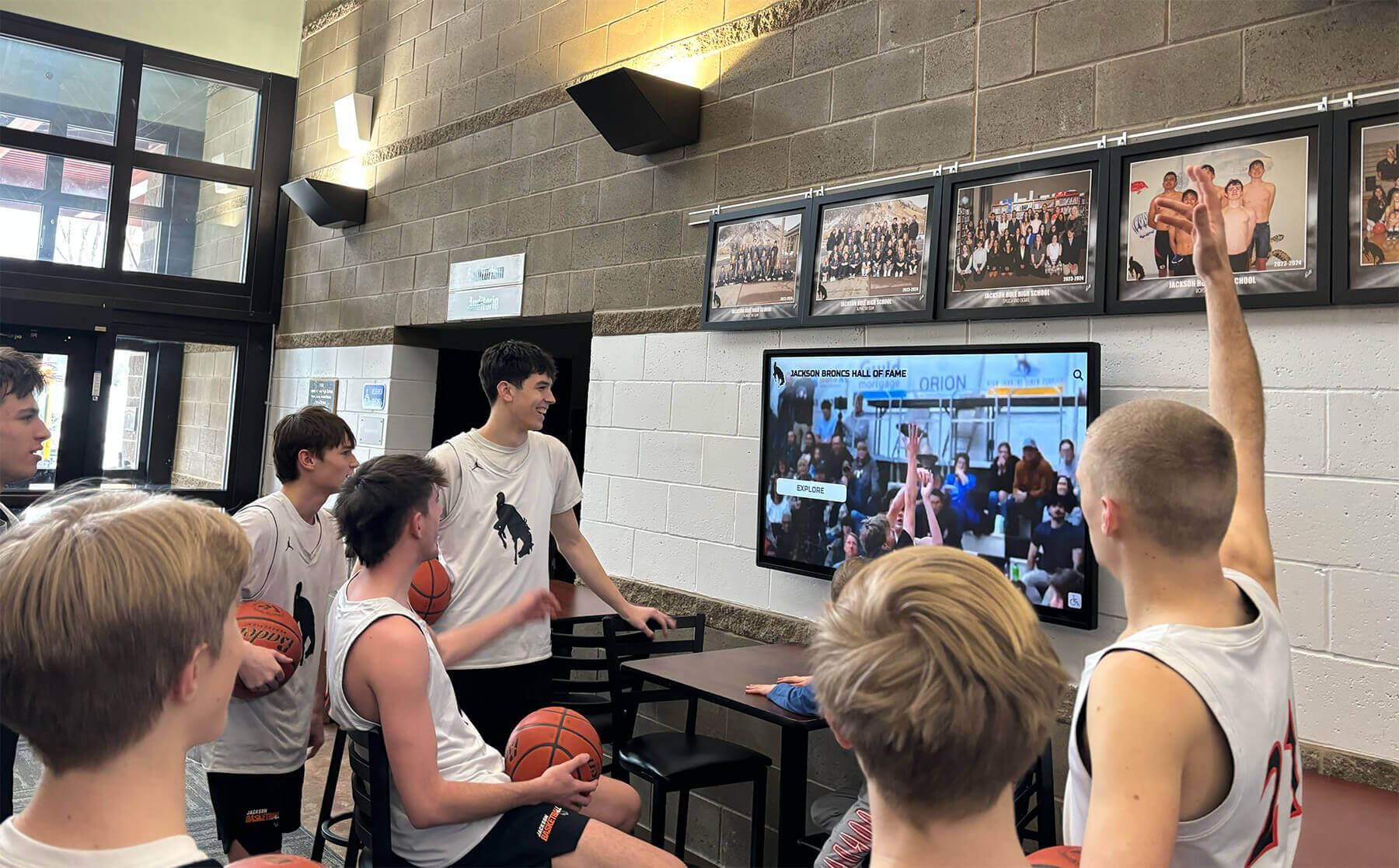
Dynamic content loops keep visitors engaged during wait times while supporting the school's broader community communication goals
ADA and Safety Requirements for Lobby Touchscreens
Every school lobby touchscreen installation must meet Americans with Disabilities Act requirements. Non-compliance creates legal liability and — more importantly — excludes community members from accessing information and recognition displays.
ADA Touchscreen Standards for School Lobbies
Height and reach requirements:
- Interactive touch elements: 15–48 inches above finished floor
- Forward reach maximum: 48 inches above floor
- Side reach maximum: 54 inches above floor
- Operable controls must not require tight grasping, pinching, or twisting of the wrist
Kiosk and freestanding installation requirements:
- Maximum protrusion into accessible route: 4 inches (for wall-mounted units above 27 inches)
- Clear floor space: 30" × 48" minimum in front of interactive displays
- Knee and toe clearance where counter-style seated use is intended
- Dedicated ADA-height panel or adjustable angle mount for multi-height installations
Visual and auditory accessibility:
- Text minimum contrast ratio: 4.5:1 (WCAG AA compliance)
- Primary content font size: 18pt minimum for comfortable reading distance
- Audio output or headphone jack for visually impaired visitors where directory functions are provided
- Tactile indicators on key interaction areas where applicable
Glare and placement safety:
- Position screens perpendicular to windows where possible to minimize glare
- Anti-glare screen coatings recommended for south- and west-facing lobby installations
- Secure all freestanding kiosks with anti-tip hardware per manufacturer guidance
- Route all cables inside conduit or covered raceway — no exposed floor cables in visitor traffic paths
Budgeting and Phased Implementation
Most school front office redesigns happen in phases. Rarely does a building receive a complete lobby overhaul in a single fiscal year, and a phased approach lets administrators learn which content and workflows get used before committing to the full system.
Phased School Lobby Touchscreen Rollout
Phase 1: Reception counter (Year 1)
- Desk-mounted visitor check-in terminal with optional badge printing
- Estimated cost: $2,000–$6,000 hardware plus software subscription
- Impact: Immediate reduction in staff interruptions for routine sign-in; faster average visitor processing time
Phase 2: Waiting area display (Year 1–2)
- 55–75 inch wall-mounted panel with announcement loop and basic recognition content
- Estimated cost: $3,000–$8,000 hardware plus content management license
- Impact: Visitor engagement during wait time; school identity visible to every guest from day one
Phase 3: Interactive recognition system (Year 2–3)
- Wall-mounted or freestanding touchscreen with full recognition library (athletes, academics, donors, institutional history)
- Estimated cost: $8,000–$20,000 depending on content depth and hardware specification
- Impact: Permanent, scalable recognition that grows with the school without physical space constraints
Phase 4: Integrated directory and wayfinding (Year 2–4)
- Staff directory with photos and room numbers synced to the school information system; may be combined with Phase 3 hardware or added as a separate unit at a lobby corridor junction
- Estimated cost: $500–$2,000 software addition if appropriate hardware is already in place
Funding Sources for Front Office Technology
School lobby improvements can draw on several funding streams that are frequently underutilized:
- Capital improvement or facilities renewal budgets for permanent hardware installations
- Title IV-A Student Support and Academic Enrichment grants — the technology component covers instructional and informational display systems
- School foundation or alumni association contributions tied to recognition system installations
- Naming rights for prominently placed recognition panels — a donor acknowledgment wall that displays the donor’s name as part of the permanent installation can be positioned as a naming opportunity rather than a technology expense
- Booster organizations advocating for athletic and academic recognition displays as part of their program visibility mission
Schools with active alumni giving programs can position the lobby recognition display itself as a donor cultivation tool, making the initial technology investment self-reinforcing over time as the display demonstrates institutional care for legacy and achievement.
Frequently Asked Questions
What is the most important element of school front office design?
Visibility and clarity at the entry point. Visitors should see the reception counter immediately upon entering, with clear visual cues directing them where to go and what to do. Every other design element — displays, directories, seating — supports that primary orientation. If the counter is hidden, signage competes with itself, or the check-in process is unclear, no amount of display technology compensates.
How many touchscreen displays does a typical school lobby need?
Most front offices benefit from two to three units: one at the reception counter for check-in, one in the waiting area for engagement and announcements, and one dedicated recognition or directory display in the display zone. Larger campuses or multi-building schools may add units at secondary entry points or corridor junctions, but the core three-display configuration covers the functional needs of most K-12 front offices.
What screen size works best for a school lobby?
For waiting area and recognition panels, 55–75 inch displays are the standard range. Smaller lobbies or corridor installations often use 43–49 inch panels. Desk-mounted check-in terminals typically use 10–21 inch touch screens. A practical rule of thumb: one inch of screen diagonal per foot of expected viewing distance. A visitor standing six feet from a directory display needs at least a 55-inch panel to read content comfortably.
Can lobby touchscreens be used for emergency notifications?
Yes, and this capability should be configured before any display goes into regular service. Most commercial digital signage platforms support emergency content override — a triggered alert that instantly replaces all programmed content with a full-screen message and reverts automatically when the event clears. This override function should be integrated with the school’s existing emergency communication protocol and tested at least twice per year during safety drills.
How long does a lobby touchscreen installation take?
A single wall-mount installation for a commercial display typically takes two to four hours, assuming power and data connections are accessible nearby. Full lobby projects with multiple displays, in-wall cable management, and content system configuration and training generally run two to five days across installation and commissioning. Freestanding kiosks are faster — most arrive pre-assembled and require only power connection and software setup.
What recognition content gets the most attention from lobby visitors?
Achievement recognition — athletic championship records, academic award histories, and hall of fame profiles — consistently produces the longest visitor dwell time. Athletic records and program milestones are particularly effective because they are historically interesting and personally relevant to a large portion of the school’s visitor population: parents of current athletes, alumni returning for events, and community members who followed the program for years. Donor recognition runs a close second when the acknowledgment is specific and prominent rather than buried in a long credit list.
Should a school manage its lobby displays in-house or hire a vendor?
Both approaches work. In-house management works well for announcement content and basic event calendars, which change frequently and benefit from the immediacy of staff-managed updates. Recognition content — athletic archives, alumni profiles, donor walls — is better maintained through a purpose-built platform with structured data management, since that content accumulates over years and requires consistent formatting across hundreds of records. Many schools use in-house control for day-to-day announcements and a vendor platform for the institutional recognition library.
Conclusion: A Lobby That Works as Hard as Your Staff
School front office design is ultimately about making every square foot of the lobby contribute to the school’s mission — welcoming visitors efficiently, communicating the school’s identity clearly, and recognizing the achievements and contributions that define the institution’s character.
The zone-first planning approach in this guide — mapping the entry vestibule, reception counter, waiting area, administrative corridor, and display zone before specifying any hardware — prevents the most common mistake in lobby redesign projects: purchasing technology before the workflow is understood.
Touchscreen displays belong in school front offices not because they are novel but because they solve real problems: counter congestion from routine direction-giving, outdated printed directories, bare walls that miss the opportunity to celebrate achievement, and bulletin boards requiring constant manual maintenance. When placed thoughtfully — desk-mounted for transactional check-in, wall-mounted for ambient recognition and announcements, freestanding for self-directed wayfinding — they improve every dimension of the visitor experience without requiring a complete facilities overhaul.
The recognition dimension deserves particular emphasis. A school lobby that showcases what the community has built — championship seasons, all-state performers, capital campaign contributors, decades of academic achievement — tells a story that no brochure can match. Digital recognition systems make that story infinitely expandable, updated in real time, and interactive enough for visitors to explore at their own pace. The lobby becomes not just a waiting room but the first and most vivid chapter of the school’s institutional narrative.
Start with the zone that addresses your most pressing problem — usually the reception counter bottleneck or the bare waiting room wall — and build outward from there. Each phase adds capability and content, and each display added makes the lobby more coherent as a whole. A visitor-friendly school office is not a single product or a single renovation; it is an environment designed and refined over time, with every decision returning to the question of what this space should communicate to every person who walks through the door.