School digital signage has evolved from simple announcement displays into sophisticated communication and recognition systems that transform how educational institutions engage students, celebrate achievements, inform visitors, and build community culture. In 2026, forward-thinking schools are discovering that strategic digital signage implementation creates far-reaching impacts extending well beyond replacing bulletin boards and paper posters.
The digital signage landscape in education now encompasses touchscreen recognition displays, wayfinding kiosks, real-time communication platforms, interactive directories, and multimedia showcase systems. These technologies address longstanding challenges facing school administrators: limited physical space for recognition, difficulty keeping information current, ineffective communication with busy families, and inadequate celebration of diverse student achievements beyond athletics.
This comprehensive implementation guide explores everything administrators need to know about school digital signage—from understanding the technology landscape and defining strategic objectives to selecting hardware, developing content, training staff, and measuring impact. Whether you’re planning your first digital display or expanding an existing network, this guide provides practical frameworks for successful implementation.
Modern school digital signage serves multiple critical functions simultaneously: celebrating student achievement across academics, athletics, arts, and activities; communicating daily announcements and event information; wayfinding for visitors and campus navigation; showcasing institutional history and tradition; and creating welcoming environments that strengthen school culture. The most successful implementations integrate these functions into cohesive systems that feel intuitive rather than overwhelming.
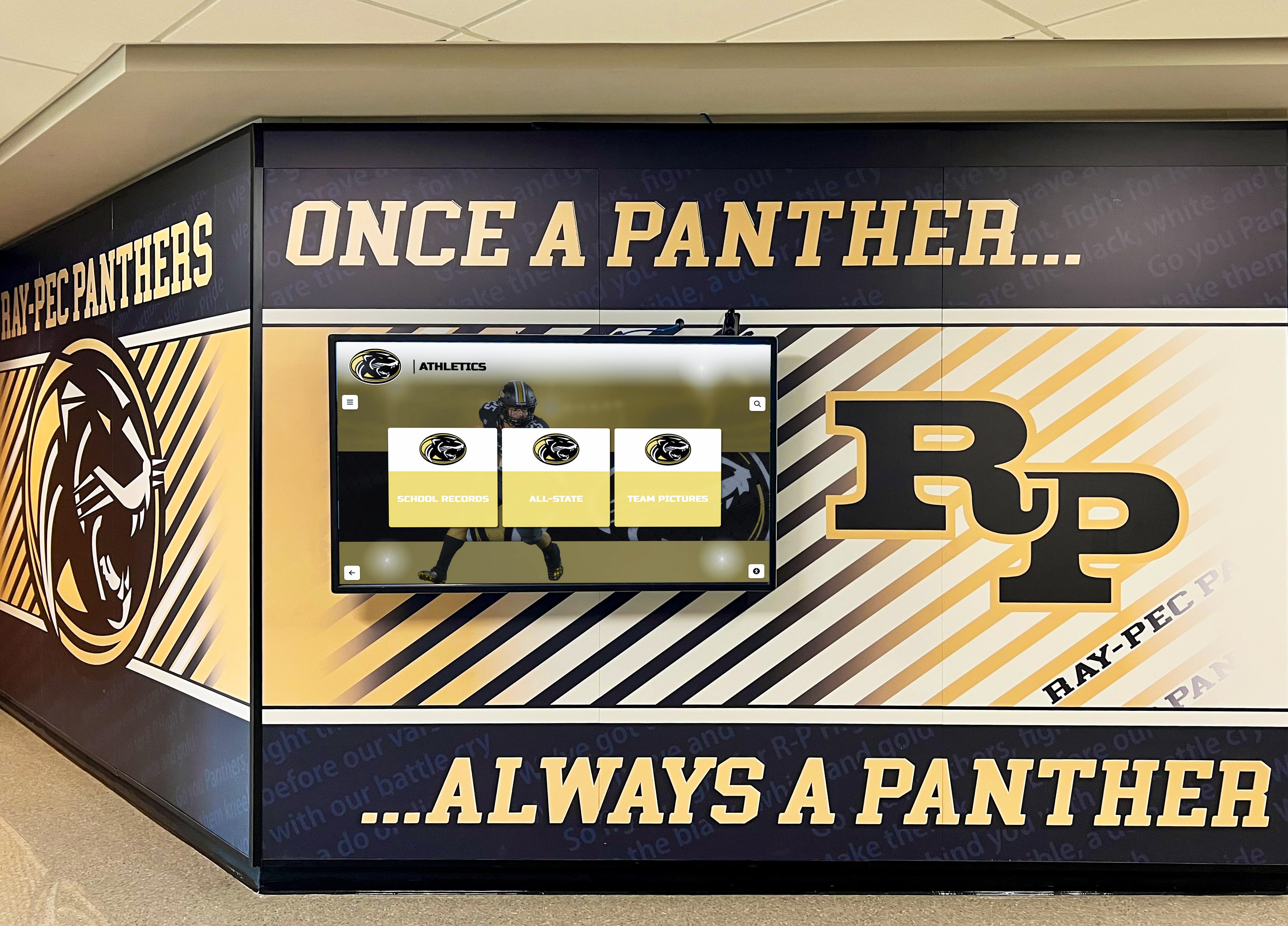
Modern school digital signage transforms hallways into dynamic communication and recognition spaces
Understanding School Digital Signage: What It Is and What It Isn’t
Before exploring implementation strategies, understanding what distinguishes effective school digital signage from simple displays helps administrators make informed technology decisions.
Defining School Digital Signage
School digital signage encompasses electronic displays used for communication, recognition, wayfinding, and engagement purposes throughout educational facilities:
Core Digital Signage Categories
- One-way displays: Non-interactive screens showing scheduled content, announcements, or slideshows
- Interactive touchscreens: User-controlled exploration of recognition databases, directories, or information
- Networked systems: Multiple displays managed centrally with coordinated content
- Standalone units: Individual displays operating independently
- Indoor displays: Standard brightness screens for interior common spaces
- Outdoor displays: High-brightness, weatherized units for exterior locations
What Digital Signage Replaces Traditional school communication and recognition methods face inherent limitations that digital solutions address:
- Physical plaque walls that fill completely within years, forcing difficult choices about removing recognition
- Bulletin boards requiring physical access for updates and suffering weather damage
- Trophy cases with limited capacity and static presentation
- Paper announcements becoming outdated immediately after printing
- Printed directories requiring reprinting after every staff change
- Static building maps confusing visitors during campus navigation
Digital signage eliminates these constraints through unlimited content capacity, instant remote updates, multimedia presentation capabilities, and searchable databases that make information genuinely accessible.
The Digital Signage Technology Spectrum
Understanding the range of available technologies helps schools match solutions to specific needs:
Simple Digital Signage Basic systems display rotating slides, announcements, or video content on non-interactive screens:
- Entry-level investment ($500-$2,000 per display)
- Content created in presentation software or basic digital signage platforms
- Effective for daily announcements, cafeteria menus, and event promotion
- Limited engagement beyond passive viewing
- Manual content updates through file upload or cloud scheduling
Advanced Digital Signage Sophisticated platforms offer robust content management and scheduling:
- Professional content management systems with template libraries
- Multi-display networks with location-specific content
- Data integration pulling content from calendars, social media, and databases
- Zoned displays showing different content in various screen regions
- Analytics tracking which content appears when and for how long
Interactive Touchscreen Displays User-controlled exploration creates two-way engagement:
- Full touchscreen capability enabling swipe, pinch, and tap interactions
- Searchable databases with thousands of entries accessible instantly
- Multimedia content including photos, videos, and documents
- Self-guided exploration respecting individual interests and pace
- Analytics tracking user engagement patterns and popular content
Schools implementing digital signage content strategies benefit from understanding which technology level best serves each specific communication objective.
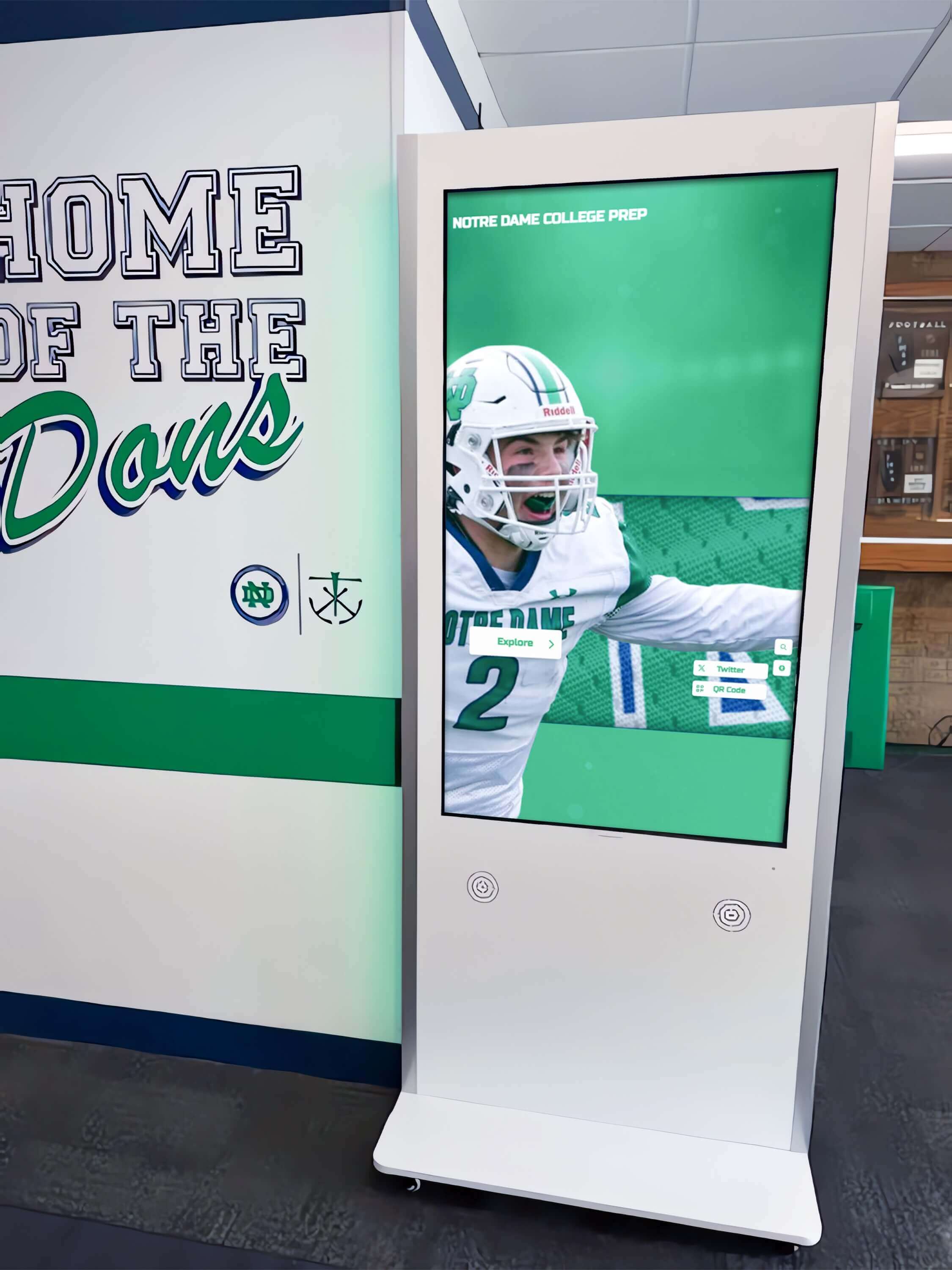
Interactive touchscreen displays enable self-guided exploration beyond what passive digital signage achieves
What Digital Signage Cannot Do
Realistic expectations prevent disappointment and ensure appropriate technology selection:
Digital Signage Limitations
- Cannot force attention from distracted students rushing between classes
- Will not engage audiences without quality content worth viewing
- Does not eliminate the need for other communication channels
- Cannot compensate for poor information architecture or confusing navigation
- Will not automatically improve school culture without intentional content strategy
- Does not maintain itself without assigned staff responsibility
Success Requirements Beyond Technology Effective digital signage requires organizational commitment:
- Quality content development and regular updates
- Clear staff responsibility for content management
- Strategic placement in locations where audiences naturally dwell
- Integration with broader communication strategy
- Ongoing assessment and continuous improvement
- Realistic timelines accounting for content development complexity
Understanding these realities helps schools approach digital signage as communication strategy rather than technology project, dramatically increasing likelihood of meaningful impact.
Strategic Benefits of School Digital Signage
Schools invest in digital signage to achieve specific strategic objectives that address institutional challenges while creating new opportunities for engagement and recognition.
Comprehensive Student Recognition
Recognition represents one of the highest-value applications for school digital signage:
Athletic Recognition Expansion Traditional athletic recognition faces severe space constraints. Physical trophy cases fill completely within years, forcing difficult decisions about removing older recognition to accommodate current achievements. Digital signage eliminates these limitations entirely:
- Unlimited capacity: Single 55" touchscreen displays hundreds of athletes across decades
- Complete team recognition: Full rosters with individual athlete profiles and statistics
- Championship celebration: Comprehensive team histories with game highlights and season summaries
- Record boards: Automatic ranking updates as new performances surpass previous bests
- Hall of fame programs: Biographical profiles, career statistics, photo galleries, and video tributes
Schools successfully implementing digital hall of fame displays report dramatic increases in visitor engagement—guests spend 5-10 minutes exploring interactive content versus 30 seconds glancing at traditional plaques.
Academic Excellence Visibility Academic achievement deserves equal prominence to athletic accomplishments. Digital signage creates parity through comprehensive recognition:
- Honor roll students with biographical profiles beyond name lists
- National Merit Scholars and academic competition achievements
- Valedictorian and salutatorian historical archives
- Subject-specific excellence recognition and academic awards
- Scholarship recipients with college matriculation information
- Academic recognition programs celebrating intellectual accomplishment
Arts, Activities, and Service Recognition Inclusive recognition celebrates diverse contributions:
- Theatre productions with cast and crew recognition
- Music program performances and competition achievements
- Visual arts student work galleries and showcases
- Club and organization leadership boards
- Community service hours and volunteer recognition
- Special achievement awards across all student activities
This comprehensive approach ensures every student sees themselves celebrated for contributions to school community, regardless of whether those contributions occur on athletic fields, in classrooms, on stages, or through service.

Digital recognition systems enable celebration of all students across diverse achievement categories
Enhanced Communication Effectiveness
Digital signage dramatically improves how schools share information with students, families, and visitors:
Real-Time Information Currency Static bulletin boards become outdated the moment they’re posted. Changes require physical campus access, printing costs, and labor time. Digital signage eliminates these barriers:
- Instant updates: Schedule changes communicated immediately from any internet-connected device
- Event promotion: Automated countdown timers and registration links driving participation
- Emergency communications: Critical safety information distributed instantly across all displays
- Weather alerts: School closure and schedule modification announcements
- Daily information: Lunch menus, activity schedules, and routine announcements
Audience-Specific Content Sophisticated digital signage systems deliver targeted content to specific locations:
- Athletic facility displays emphasizing sports programs and competition schedules
- Main lobby content focusing on visitor information and campus navigation
- Cafeteria screens highlighting lunch menus, nutrition information, and student activities
- Library displays promoting reading programs and research resources
- Academic wings showcasing subject-specific achievements and department information
Reduced Staff Communication Burden Digital signage reduces repetitive information requests that consume staff time:
- Self-service directory information eliminating “where is…” questions
- Event calendars with locations reducing scheduling confusion
- Building maps helping visitors navigate independently
- Program information answering common prospective family questions
- Staff directories with photos and contact information
Schools implementing hallway displays with digital signage report 60-80% reduction in basic information requests to front desk staff.
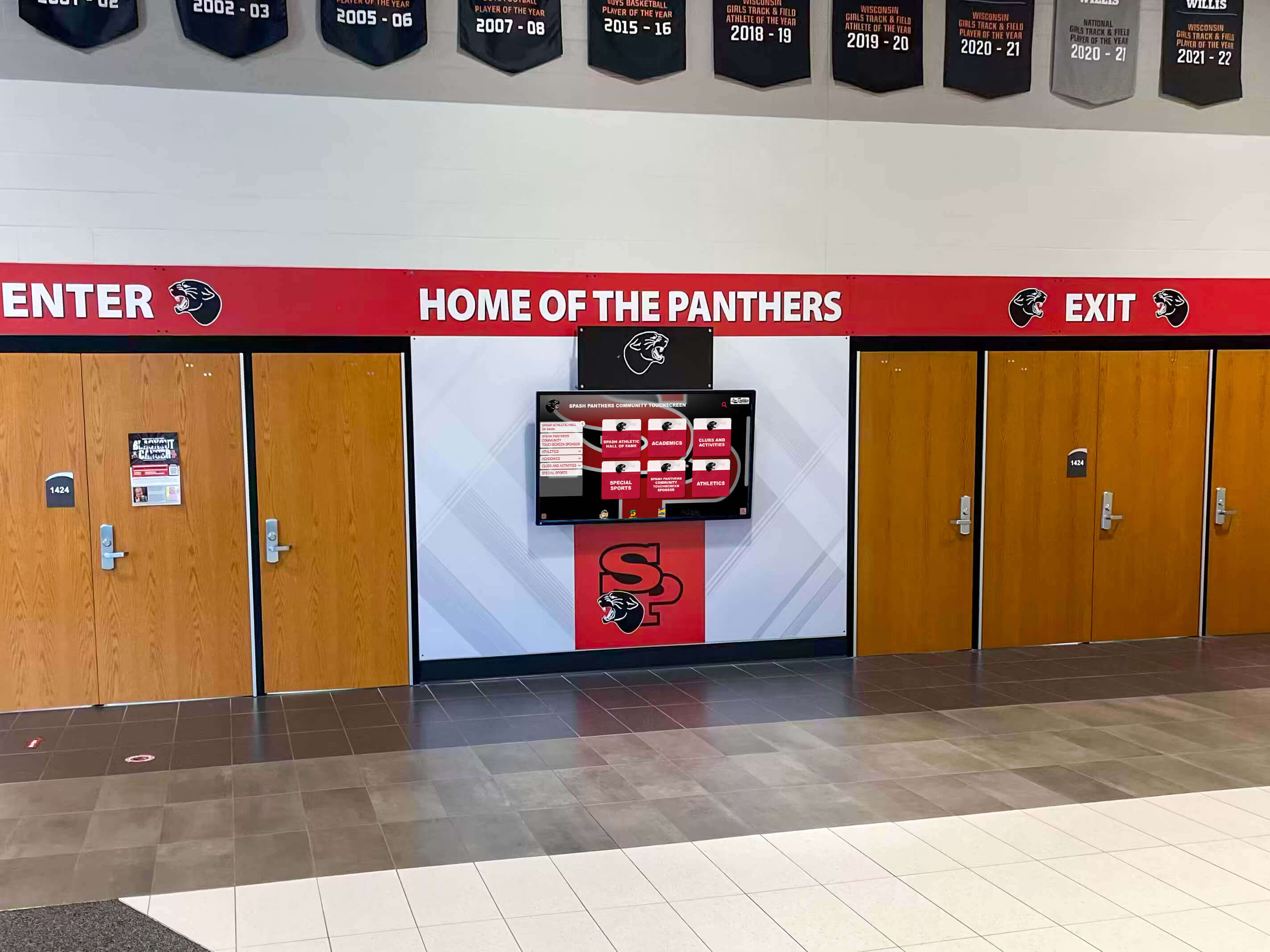
Lobby digital signage creates welcoming environments while providing practical visitor information
Strengthened School Culture and Pride
Strategic digital signage implementation creates cultural impacts extending beyond functional benefits:
Visible Values Communication Digital signage demonstrates institutional priorities through recognition choices:
- Celebrating academic excellence signals intellectual achievement matters
- Honoring service recognizes community contribution as core value
- Showcasing arts achievements validates creative expression
- Recognizing diverse accomplishments demonstrates inclusive culture
- Preserving history connects current students to tradition
Alumni Engagement and Connection Historical content creates powerful connections between alumni and current students:
- Notable alumni achievement showcases inspiring current students
- Historical athletic achievement archives preserving program tradition
- Decades of class composites demonstrating institutional longevity
- Evolution timelines showing campus and community development
- “Where are they now” alumni spotlights demonstrating school impact
Schools implementing building school pride initiatives leverage digital signage as visible demonstration of institutional investment in recognition and culture.
Competitive Differentiation Modern digital signage creates favorable impressions with prospective families:
- Professional presentation communicating institutional quality
- Comprehensive information respecting family time and questions
- Technology proficiency demonstrating educational innovation
- Student-centered focus highlighting achievement celebration
- Welcoming environment creating positive emotional connections
Recruitment and enrollment decisions increasingly occur during brief campus visits. Digital signage maximizes impact of every prospective family interaction.
Planning Your School Digital Signage Implementation
Successful digital signage projects require systematic planning addressing strategic, technical, financial, and operational considerations before purchasing hardware or software.
Defining Strategic Objectives and Success Criteria
Clear goals guide appropriate technology selection and content development:
Primary Objective Identification
Which institutional challenge represents your highest priority?
- Recognition: Celebrating student achievement across athletics, academics, arts, and activities
- Communication: Sharing daily announcements, event information, and time-sensitive updates
- Wayfinding: Helping visitors navigate campus and find offices, rooms, and facilities
- Culture: Strengthening school identity, tradition, and community connections
- Recruitment: Creating compelling visitor experiences during prospective family tours
Most schools pursue multiple objectives simultaneously, but prioritizing the single most important goal ensures technology selection and content development align with critical needs.
Success Metrics Definition
How will you measure whether digital signage delivers value?
Quantitative Metrics
- Interaction counts and session duration for touchscreen displays
- Content view analytics showing most-accessed information
- Information desk question volume reduction
- Campus tour visitor feedback scores
- Event attendance influenced by digital signage promotion
- Social media mentions and content sharing
Qualitative Indicators
- Student awareness and pride in achievements
- Staff satisfaction with communication workflows
- Visitor feedback on information accessibility
- Alumni engagement with historical content
- Community perception of institutional innovation
- Recruitment inquiry quality and conversion
Document 3-5 specific measurable goals before proceeding with vendor selection or budget development. Clear objectives prevent scope creep and provide accountability for return on investment.
Location Assessment and Display Placement
Physical environment analysis determines optimal display locations and configurations:
High-Value Location Identification
Where do target audiences naturally gather or dwell?
- Main entrance lobbies: All visitors pass through creating maximum exposure
- Cafeteria and common areas: Extended dwell time enables longer content exploration
- Athletic facilities: Athletes, families, and spectators gather before and after events
- Performing arts centers: Audiences arrive early providing pre-event engagement opportunities
- Administrative offices: Families visiting for meetings access information while waiting
- Guidance and counseling areas: Students and families spend time during planning and advising
Viewing Condition Evaluation
Environmental factors dramatically impact display effectiveness:
- Natural lighting: Windows and skylights create glare requiring high-brightness displays or alternative placement
- Viewing distance: Typical distance from which audiences view determines minimum display size
- Viewing angle: Traffic flow patterns influence whether portrait or landscape orientation works best
- Ambient noise: Loud spaces reduce effectiveness of audio content
- Network connectivity: WiFi or ethernet availability determines placement feasibility
- Electrical power: Convenient outlets prevent expensive electrical work
Space Planning Considerations
Physical installation requirements influence placement decisions:
- Adequate clearance for groups to gather around interactive touchscreens
- ADA accessibility for wheelchair approach and reach range compliance
- Integration with existing architectural elements and school branding
- Security in unsupervised areas preventing vandalism and theft
- Maintenance access for cleaning, service, and technical support
- Aesthetic consistency with institutional design standards
Schools should conduct site surveys photographing candidate locations at different times of day, documenting lighting conditions, measuring viewing distances, and assessing technical infrastructure before finalizing display specifications.
Successful athletic facility displays strategically place digital signage where athletes, families, and spectators naturally congregate.

Athletic facilities benefit from displays that celebrate program history while communicating current information
Hardware Selection Framework
Choosing appropriate display hardware balances budget, functionality, durability, and future needs:
Display Size Determination
Viewing distance determines minimum effective display size:
- 43-50" displays: Narrow hallways with 3-5 foot viewing distances
- 55" screens: Small to medium lobbies with 5-8 foot viewing distances
- 65" displays: Medium lobbies and common areas with 8-12 foot viewing distances
- 75" screens: Large lobbies and gathering spaces with 12-15 foot viewing distances
- 86" displays: Grand entrances and statement installations with 15+ foot viewing distances
Displays too small for viewing distance create frustration as visitors cannot read content. Oversized displays in small spaces feel overwhelming and waste budget.
Display Technology Specifications
Technical specifications determine image quality and functionality:
- Resolution: 4K (3840 x 2160) provides crisp text and images; 1080p acceptable for larger displays showing primarily video
- Brightness: 350-500 nits for typical indoor applications; 2,500+ nits for high-ambient-light environments
- Touch technology: Infrared or capacitive for multi-touch interactive applications
- Commercial rating: 16-24 hour daily operation capability versus consumer displays rated for residential use
- Connectivity: HDMI, DisplayPort, USB, ethernet, and WiFi options for flexible media player integration
- Audio: Built-in speakers for announcement and multimedia content or line-out for external speakers
Durability and Protection Features
Educational environments require displays built for demanding conditions:
- Tempered glass protective overlays preventing screen damage
- Anti-glare treatments reducing reflection from windows and overhead lighting
- Anti-fingerprint coatings minimizing visible smudges on touchscreens
- Vandal-resistant enclosures protecting components in unsupervised areas
- Commercial-grade components rated for longevity
- Manufacturer warranties covering panel replacement and technical support
Mounting and Installation Options
Display presentation affects both functionality and aesthetics:
- Wall-mounted displays: Permanent installations integrated into architectural design
- Freestanding kiosks: Flexible placement without wall mounting requirements
- Recessed installations: Displays flush-mounted into walls for finished appearance
- Ceiling-mounted displays: Overhead placement in cafeterias or auditoriums
- Desk or counter-mounted: Smaller displays for reception and office areas
- Outdoor enclosures: Weatherized and temperature-controlled for exterior applications
Budget $2,500-$8,000 per display depending on size and features. Freestanding kiosk enclosures add $1,000-$3,000 to hardware investment but provide professional appearance and vandal resistance worth considering for high-traffic unsupervised locations.
Software Platform Evaluation
Software capabilities determine what you can accomplish with digital signage and how easily staff manages content:
Essential Platform Capabilities
Core features distinguish professional platforms from basic solutions:
- Cloud-based management: Remote content updates from any internet-connected device without physical display access
- Intuitive administration: Content management requiring no coding or technical expertise enabling any staff member to contribute
- Unlimited capacity: No artificial restrictions on entries, photos, videos, or documents
- Professional templates: Pre-designed layouts ensuring consistent quality appearance
- Scheduling flexibility: Timed content display, playlists, and automated rotation
- Multi-user support: Multiple administrators with role-based permissions
- Mobile responsiveness: Smartphone and tablet access for on-the-go management
Content Type Support
Comprehensive platforms accommodate diverse content needs:
- Static images and graphics for announcements and promotion
- Video content with playback controls and volume adjustment
- Photo galleries with swipe navigation and pinch-to-zoom
- PDF documents for menus, calendars, and publications
- Social media feeds pulling live content from official accounts
- Website embedding displaying external content
- Calendar integrations showing event information automatically
Accessibility Compliance
Public-facing displays must serve all visitors regardless of abilities:
- ADA WCAG 2.1 AA standards: Legal compliance for public institutions
- Keyboard navigation enabling complete functionality without touch
- Screen reader compatibility for biographical and informational content
- Sufficient color contrast between text and backgrounds
- Alternative text descriptions for images and graphics
- Adjustable text size for visitors with visual impairments
- QR codes enabling personal device access as alternative interface
Analytics and Reporting
Data capabilities enable continuous improvement:
- Interaction tracking showing usage patterns and engagement depth
- Content performance metrics identifying popular information
- Search query logging revealing visitor interests
- Time-of-day usage patterns informing content scheduling
- Location comparison across multiple displays
- Exportable reports for stakeholder communication
Schools should prioritize platforms built specifically for educational recognition and communication rather than general digital signage tools requiring extensive customization. Purpose-built solutions include education-specific templates, workflows, and features that accelerate implementation while ensuring professional results.
Organizations comparing digital signage software options benefit from systematic evaluation frameworks assessing features against specific institutional needs.
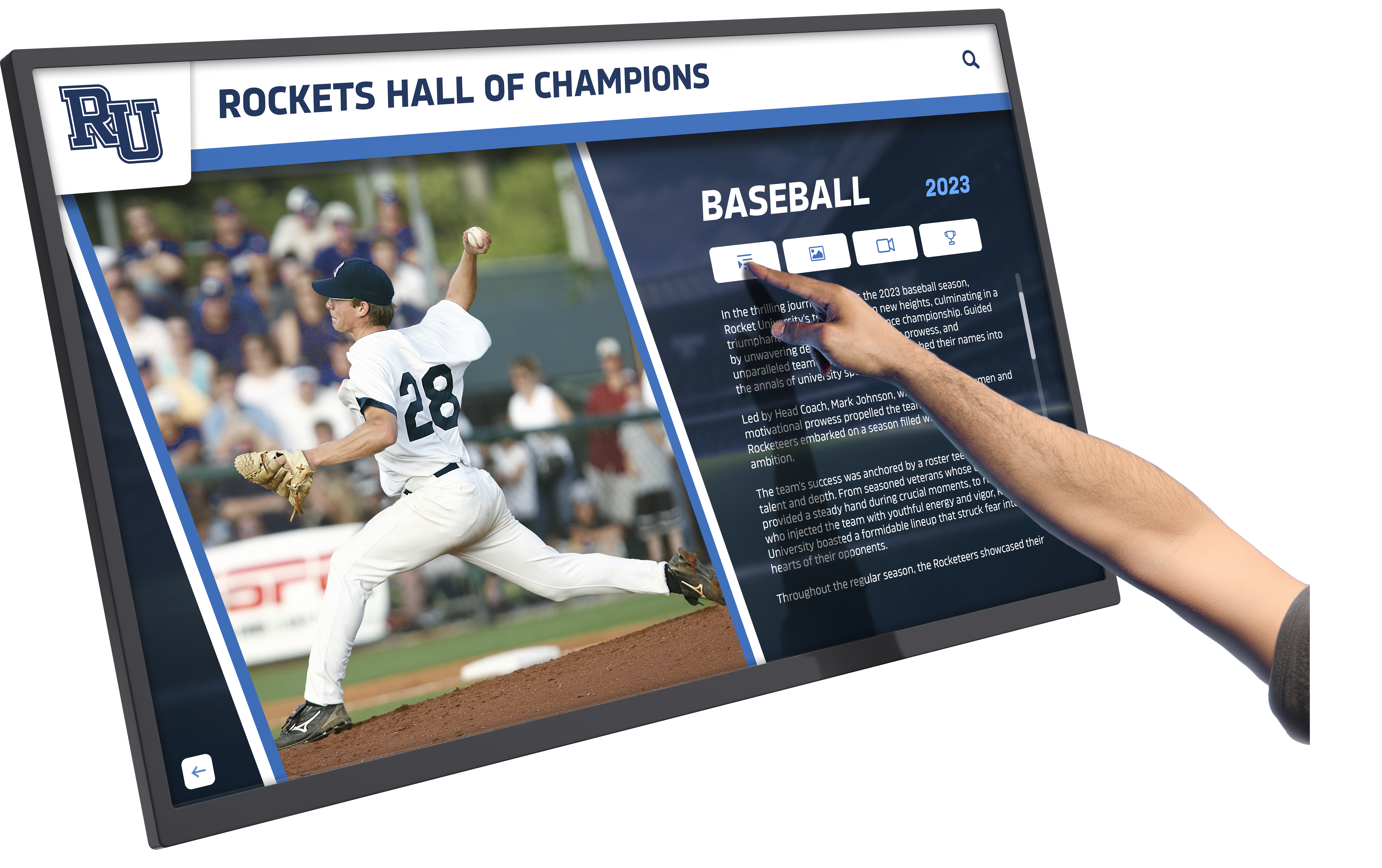
Intuitive software platforms enable staff to manage content without technical expertise or coding knowledge
Budget Development and Funding Strategies
Comprehensive budget planning accounts for both initial investment and ongoing operational costs:
Initial Implementation Investment
One-time costs for launching digital signage program:
- Hardware: $2,500-$8,000 per display depending on size and features
- Installation and mounting: $500-$2,000 per display for professional installation
- Media players: $200-$500 per display if not built into screen
- Software licenses: $500-$3,000 annually (often billed as initial year prepayment)
- Network infrastructure: $200-$1,000 per display for connectivity if needed
- Content development: $1,000-$5,000 for professional services accelerating launch
- Training and support: Often included in software subscription
Total per-display cost typically ranges $4,000-$15,000 depending on display size, mounting complexity, software sophistication, and content development services.
Ongoing Operational Expenses
Annual costs sustaining digital signage program:
- Software subscription: $500-$3,000 annually for cloud-based platforms
- Electricity: Approximately $100-$200 per display annually
- Internet connectivity: Minimal if existing infrastructure supports displays
- Maintenance and cleaning: $100-$300 annually per display
- Content management: Internal staff time or contracted services
- Hardware replacement: Budget for 7-10 year lifecycle
Funding Source Strategies
Multiple funding approaches help schools afford digital signage investment:
- Capital improvement budgets: Building technology infrastructure investments
- Booster clubs: Athletic organization support for sports recognition displays
- Alumni associations: Historical preservation and recognition project funding
- Parent organizations: Lobby improvement and communication enhancement grants
- Corporate sponsorships: Local business partnerships supporting school technology
- Memorial gifts: Naming opportunities for displays honoring deceased community members
- Technology budgets: Annual operating plan allocations for educational technology
- Grant funding: Education foundation and community organization grants
Phased implementation spreading costs across multiple fiscal years makes programs achievable for schools unable to fund complete networks in single budget cycles.
Content Strategy and Development
Quality content determines whether digital signage creates meaningful engagement or becomes ignored screens. Strategic content planning ensures displays deliver value justifying investment.
Content Architecture and Organization
Thoughtful information architecture makes content discoverable and engaging:
Recognition Content Structure
How should achievement information be organized?
- By achievement type: Athletics, academics, arts, activities, service categories
- By time period: Decades, years, or seasons creating historical context
- By individual or team: Search by name or browse by group accomplishments
- By achievement level: School records, state championships, national recognition
- By department or program: Sport-specific, subject-specific, or activity-specific organization
Successful architectures enable multiple exploration pathways rather than forcing single predetermined navigation flow. Visitors should find content whether they know specific names, remember approximate years, or simply want to explore specific categories.
Communication Content Categories
What information types require regular display?
- Time-sensitive announcements: Schedule changes, weather alerts, emergency communications requiring immediate visibility
- Event promotion: Upcoming activities with registration links and ticket information
- Daily operational information: Lunch menus, activity schedules, routine announcements
- Recognition highlights: Recent achievements and award recipient spotlights
- Institutional information: Mission, values, programs, and contact information
- Wayfinding and directories: Maps, room locations, staff directories, and visitor guidance
Establish clear ownership for each content category with named staff responsible for updates. Ambiguous responsibility results in outdated content that undermines display credibility.
Comprehensive digital signage content planning frameworks help schools develop sustainable management approaches.
Content Quality Standards
Professional presentation determines perceived value and engagement:
Photography Guidelines
Visual quality dramatically impacts impression:
- Resolution: Minimum 1920 x 1080 pixels for full-screen display; 4K preferred for large displays
- Composition: Consistent framing and cropping across recognition content
- Lighting: Professional or natural lighting avoiding harsh shadows and backlighting
- Background: Clean, uncluttered backgrounds emphasizing subjects
- Action shots: Dynamic photography showcasing activities and achievements
- Headshots: Professional portraits for individual recognition
- Historical photos: Restoration and enhancement improving aged image quality
Writing Standards
Content quality reflects institutional professionalism:
- Consistent format: Biographical profiles following identical structure creates professional appearance
- Appropriate length: 150-300 words optimal for touchscreen reading without scrolling fatigue
- Active voice: Emphasizing achievements and impact rather than passive description
- Fact verification: All claims and statistics confirmed accurate before publication
- Inclusive language: Avoiding assumptions about gender, background, or circumstances
- Grade-appropriate vocabulary: Accessible to student audiences while remaining professional
- Error-free copy: Careful proofreading eliminating grammatical and spelling mistakes
Design Consistency
Visual standards ensure cohesive presentation:
- School branding colors and logo placement on all content
- Typography hierarchy creating readable text at typical viewing distances
- Layout templates ensuring visual consistency across content types
- Navigation patterns that users quickly understand and predict
- Loading animations and transitions that feel professional rather than gimmicky
- Accessibility considerations in all design decisions
Organizations maintaining high content quality standards report significantly higher engagement as displays earn reputation for interesting, professionally presented information rather than amateur content visitors ignore.
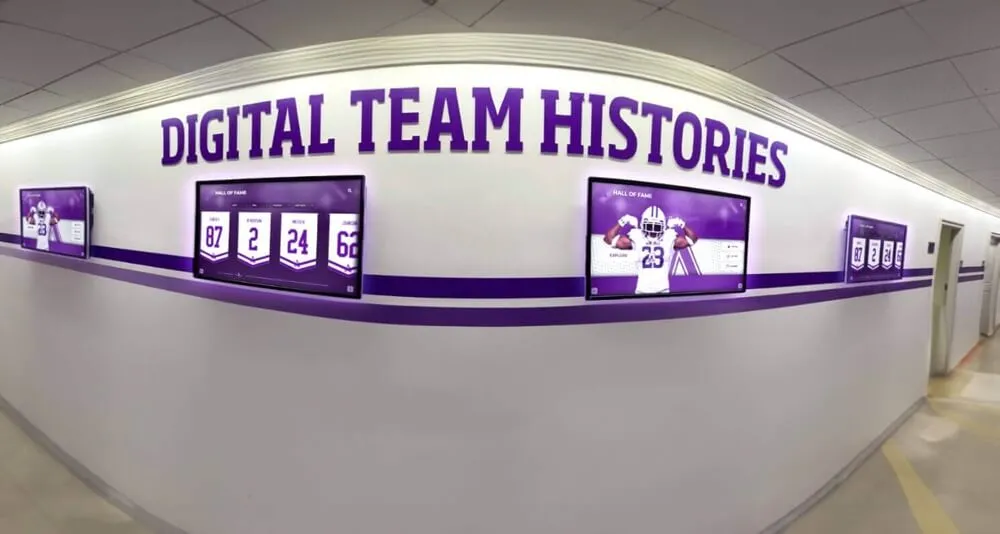
Consistent content quality across multiple displays creates cohesive visual identity and professional presentation
Content Development Workflows
Systematic processes ensure sustainable content creation and management:
Historical Content Digitization
Existing recognition requires conversion to digital format:
- Plaque and trophy inventory: Photographing and transcribing all current physical recognition
- Yearbook research: Mining historical yearbooks for achievement information and photographs
- Archive exploration: Reviewing stored records, trophies, and memorabilia for content
- Alumni outreach: Requesting biographical information and photographs from honorees
- Historical society partnerships: Accessing community archives for institutional history
Dedicate summer months or winter breaks for intensive digitization projects when staff workload allows focused effort. Accept phased implementation starting with recent decades and expanding backward as resources permit.
Current Achievement Integration
New accomplishments require immediate celebration:
- Automated data feeds: Student information systems providing honor roll and grade data automatically
- Coach and advisor submission: Online forms enabling staff to report achievements immediately
- Student nomination processes: Peer and self-nomination opportunities for diverse recognition
- Event-driven updates: End-of-season recognition, graduation acknowledgment, competition results
- Approval workflows: Administrative review ensuring accuracy and appropriateness before publication
Ongoing Content Maintenance
Digital signage requires sustained attention:
- Quarterly content audits: Reviewing all content for accuracy and completeness
- Seasonal updates: Rotating content emphasizing current programs and upcoming events
- Biographical updates: Requesting updated information from alumni maintaining current profiles
- Historical expansion: Continuously adding newly discovered historical content and photographs
- Engagement analysis: Reviewing analytics identifying popular content worthy of expansion
Assign specific staff with allocated time rather than adding digital signage “in addition to current responsibilities.” Vague accountability results in neglected displays that become liabilities rather than assets.
Schools implementing school history displays benefit from systematic approaches to digitizing historical content and organizing decades of information.
Implementation Process and Timeline
Realistic project planning prevents frustration and ensures successful deployment:
Phase One: Planning and Design (Months 1-2)
Establishing foundation for successful implementation:
Week 1-2: Goal Definition and Stakeholder Engagement
- Administrative team meeting establishing strategic objectives
- Stakeholder committee formation representing diverse school areas
- Initial needs assessment surveys gathering input on priorities
- Success criteria documentation with measurable outcomes
- Budget range determination and funding source identification
Week 3-4: Location Assessment and Technology Research
- Site surveys documenting candidate display locations
- Viewing condition evaluation at different times of day
- Technical infrastructure assessment for connectivity and power
- Vendor research and product demonstration requests
- Preliminary technology recommendations based on needs and budget
Week 5-6: Content Planning and Architecture Development
- Content inventory cataloging existing recognition and information
- Information architecture design organizing content categories
- Content responsibility assignment identifying staff owners
- Quality standards documentation establishing expectations
- Initial content collection from existing systems and archives
Week 7-8: Vendor Selection and Budget Finalization
- Vendor proposals and demonstrations
- Reference checks with current customers
- Total cost of ownership analysis including ongoing expenses
- Funding approval and purchase authorization
- Contract negotiation and vendor selection
Phase Two: Procurement and Content Development (Months 3-4)
Preparing infrastructure and content for launch:
Hardware Procurement and Installation
- Equipment ordering with confirmed specifications
- Installation scheduling during breaks or low-traffic periods
- Network infrastructure preparation and connectivity verification
- Media player configuration and software installation
- Physical mounting and display positioning
- Testing and quality assurance verification
Software Configuration and Training
- Platform customization with school branding and colors
- Administrator account creation and permission assignment
- Template customization for content types
- Integration setup with calendars and social media
- Staff training on content management workflows
- Documentation creation for ongoing reference
Content Creation and Migration
- Historical content digitization from existing sources
- Photography sessions capturing current students and facilities
- Biographical writing for recognition honorees
- Multimedia asset creation including videos and graphics
- Content review and approval processes
- Bulk import and publishing to digital signage system
Phase Three: Launch and Refinement (Months 5-6)
Deploying displays and optimizing based on real-world usage:
Soft Launch and Testing
- Initial content publication to displays
- Technical troubleshooting addressing connectivity or display issues
- User observation studies documenting interaction patterns
- Staff and student feedback collection
- Content refinement based on initial usage
- Navigation optimization improving discoverability
Official Launch and Promotion
- Launch event introducing displays to school community
- Campus tour integration highlighting digital signage
- Social media campaign promoting exploration
- Press release and media coverage securing community awareness
- Parent communication explaining capabilities and content
- Student orientation during class meetings or assemblies
Ongoing Optimization
- Analytics review identifying popular and neglected content
- Content additions addressing gaps discovered during use
- Interface refinement improving navigation and search
- Staff feedback integration into workflows and templates
- Continuous improvement based on engagement data
- Expansion planning for additional displays based on success
Realistic timelines account for content development complexity—rushing implementation with incomplete content undermines display effectiveness and credibility.
Comprehensive implementation guides like touchscreen display setup help schools navigate technical configuration and launch processes.
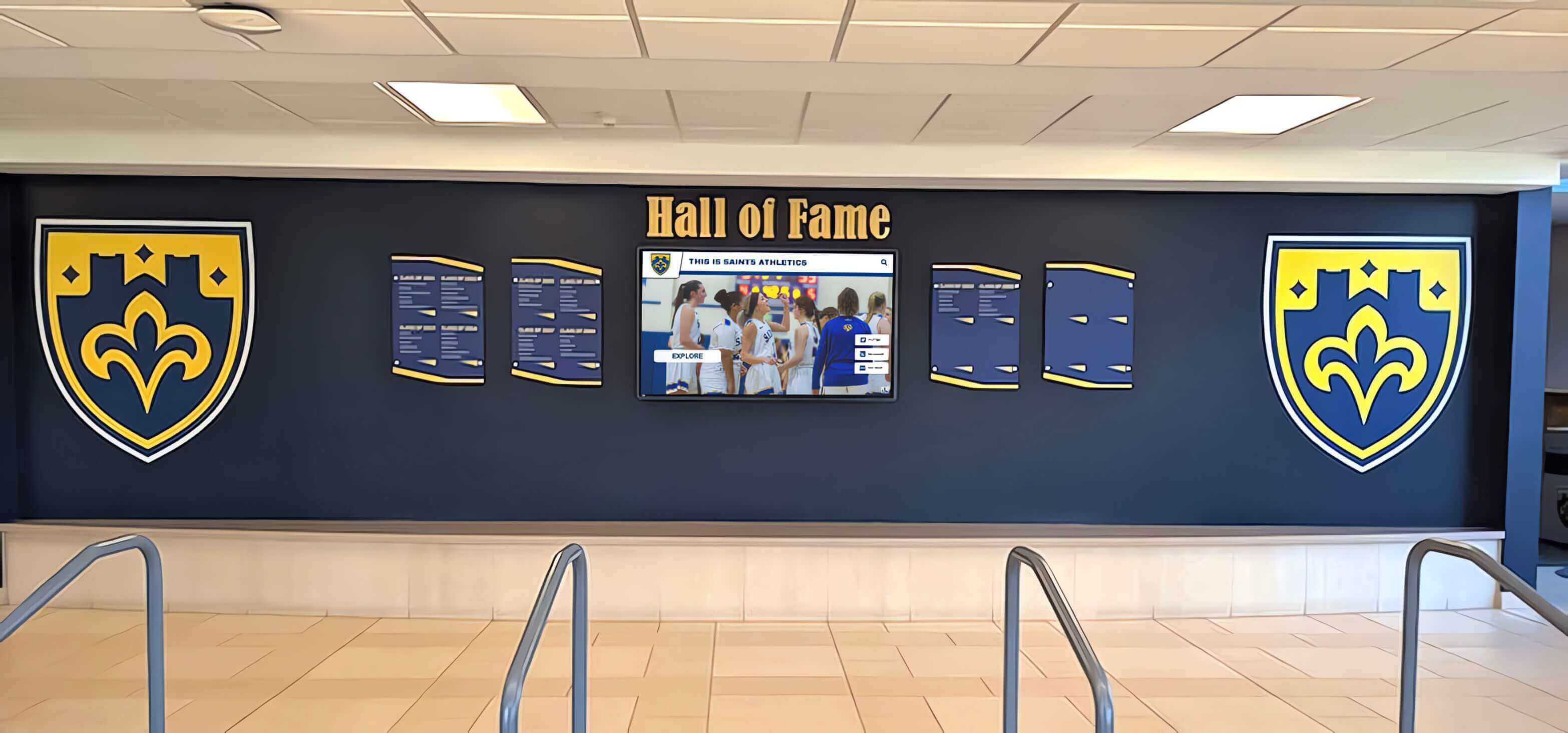
Successful launches combine technical preparation with quality content and stakeholder engagement
Best Practices for Long-Term Success
Learning from successful implementations helps schools maximize digital signage impact while avoiding common pitfalls:
Sustainable Content Management
Ongoing maintenance determines whether displays remain valuable:
Establish Clear Ownership
- Name specific individuals responsible for each content category
- Allocate dedicated time within job responsibilities rather than “additional duties”
- Create backup administrators preventing single points of failure
- Document workflows ensuring consistency across staff transitions
- Provide ongoing training and support maintaining skills
Implement Regular Update Schedules
- Daily announcements and event information reviewed each morning
- Weekly content rotation highlighting current activities and achievements
- Monthly recognition additions celebrating recent accomplishments
- Quarterly content audits ensuring accuracy and completeness
- Annual comprehensive reviews planning major content expansions
Engage Multiple Contributors
- Coach and advisor submission processes for achievement recognition
- Student involvement in content creation and historical research
- Alumni contribution opportunities providing biographical updates and photos
- Parent volunteer support for digitization projects
- Community partner recognition ensuring visibility for supporters
Distributed responsibility prevents bottlenecks while building broader ownership and investment in digital signage success.
Maintaining Technical Performance
Hardware and software maintenance ensures reliable operation:
Regular Cleaning and Inspection
- Daily or weekly touchscreen cleaning using appropriate materials
- Monthly inspection for physical damage, loose cables, or mounting issues
- Quarterly hardware health checks and software updates
- Annual preventive maintenance and deep cleaning
- Immediate response to reported issues preventing extended downtime
Software and Security Updates
- Monthly software platform updates accessing new features and improvements
- Quarterly security patching protecting against vulnerabilities
- Annual platform reviews ensuring continued alignment with needs
- Regular backup verification protecting against data loss
- Network security audits maintaining institutional compliance
Lifecycle Planning
- Monitor industry developments identifying emerging capabilities
- Plan hardware refresh cycles every 7-10 years
- Budget capital reserves for eventual replacement
- Document total cost of ownership for institutional planning
- Evaluate technology upgrades before hardware failures force reactive decisions
Schools implementing modern recognition walls benefit from systematic maintenance approaches sustaining display quality and functionality.
Measuring Impact and Demonstrating Value
Regular assessment justifies ongoing investment and identifies improvement opportunities:
Quantitative Metrics Collection
- Technical analytics tracking interactions, session duration, and content views
- Communication effectiveness measuring information request volume changes
- Program metrics documenting recognition entries and content additions
- Tour feedback tracking prospective family responses to displays
- Event attendance influenced by digital signage promotion
Qualitative Feedback Gathering
- Student surveys assessing awareness and engagement
- Staff interviews evaluating content management experience
- Visitor feedback on information accessibility and usefulness
- Alumni responses to historical content and recognition
- Stakeholder perception of school culture and communication quality
Return on Investment Calculation
- Staff time savings from reduced information requests
- Traditional plaque and printing cost avoidance
- Recruitment yield improvements from enhanced tours
- Donor retention value from improved recognition presentation
- Event attendance increases driven by effective promotion
Document impact through annual reports sharing metrics, testimonials, and success stories with administrators, school boards, and community stakeholders who influence future funding decisions.
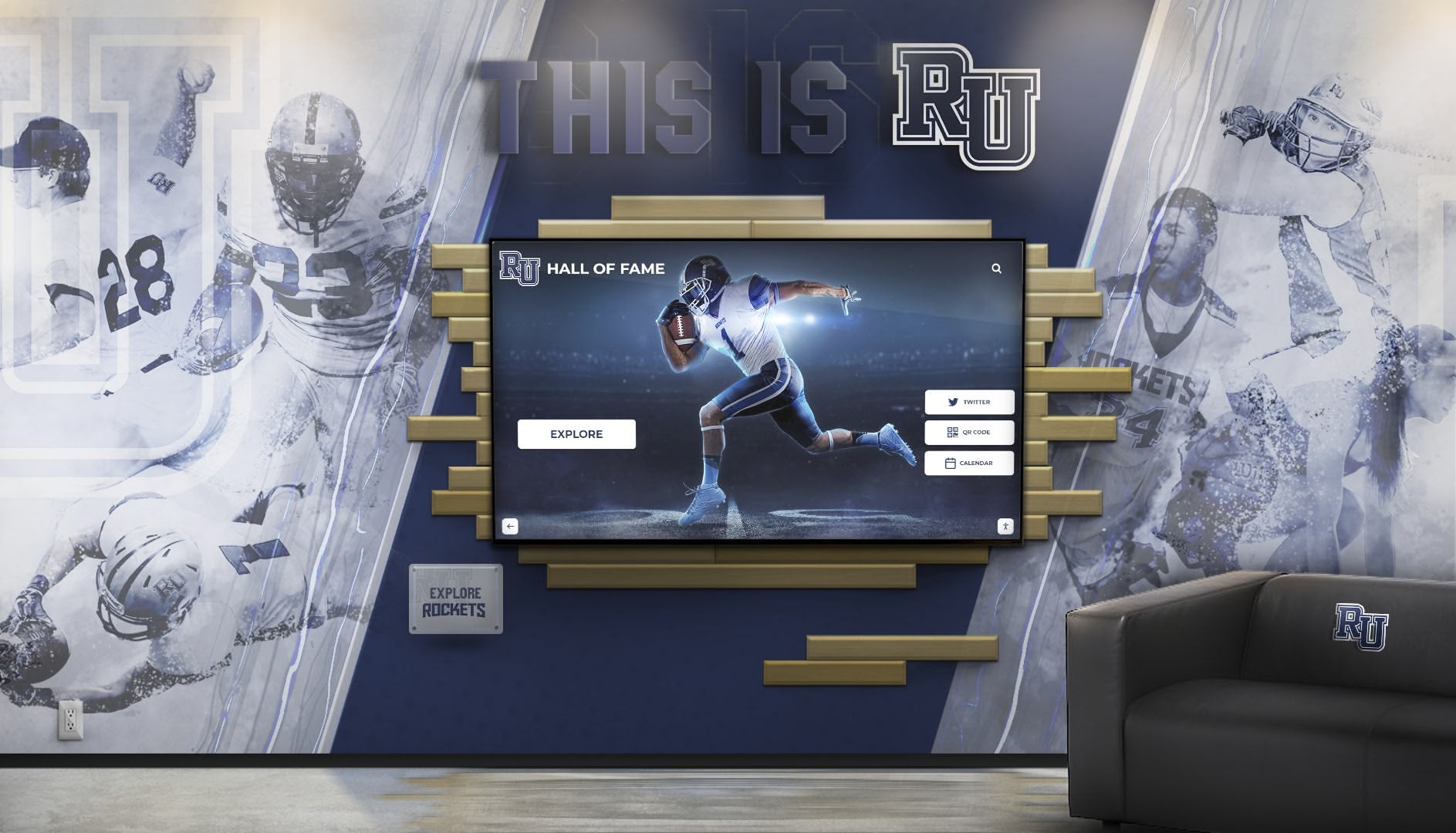
Sustained success requires ongoing content maintenance, technical upkeep, and impact measurement
Common Challenges and Solutions
Anticipating obstacles enables proactive planning preventing implementation delays and disappointments:
Content Development Bottlenecks
Challenge: Schools underestimate the work required to create quality content for digital signage.
Symptom Indicators
- Displays installed but showing minimal content for months
- Incomplete recognition databases missing historical achievements
- Outdated information undermining credibility
- Staff frustration with time requirements
- Leadership disappointment with engagement results
Solution Approaches
- Realistic timeline expectations accounting for content complexity
- Professional content development services accelerating initial population
- Phased content rollout starting with priority categories
- Student and volunteer engagement in digitization projects
- Simplified initial content accepting gradual expansion
- Summer break dedication to intensive content creation
Accept imperfect launches with ongoing content additions rather than delaying indefinitely awaiting completion.
Staff Capacity and Turnover
Challenge: Key personnel managing content leave positions taking institutional knowledge.
Symptom Indicators
- Content updates ceasing after staff transitions
- New staff unaware of content management responsibilities
- Login credentials and access lost
- Workflows and procedures forgotten
- Display neglect as priority diminishes
Solution Approaches
- Multiple trained administrators preventing single points of failure
- Comprehensive documentation of workflows and procedures
- Intuitive platforms minimizing learning curves for new staff
- Vendor support resources including training and consultation
- Annual refresher training for all authorized users
- Student assistant programs building continuous skill pipeline
Distributed knowledge prevents disruption during inevitable personnel changes.
Funding Limitations
Challenge: Budget constraints prevent ideal implementation scope.
Symptom Indicators
- Delayed implementation awaiting complete funding
- Suboptimal technology selection based solely on cost
- Single display insufficient for building coverage
- No budget for content development services
- Inability to replace aging displays requiring lifecycle replacement
Solution Approaches
- Phased implementation spreading costs across fiscal years
- Mixed technology deployment using varying sophistication levels
- Creative funding through booster clubs, alumni associations, and corporate sponsors
- Memorial and naming opportunities creating philanthropic incentives
- Shared services across districts reducing per-school costs
- Used or refurbished display consideration for budget-constrained locations
Start where you are with resources available rather than awaiting ideal funding preventing any progress.
Successful school recognition programs require sustained organizational commitment beyond initial enthusiasm.
Technology Obsolescence
Challenge: Rapid technology evolution creates concerns about premature obsolescence.
Symptom Indicators
- Hesitation investing in technology that may become outdated
- Desire to wait for “next generation” preventing current implementation
- Hardware failures in aging displays installed years earlier
- Software platform limitations as needs evolve
- Industry developments creating new capabilities post-implementation
Solution Approaches
- Cloud-based software platforms receiving continuous updates without hardware changes
- Commercial-grade displays with 7-10 year serviceable lifecycles
- Modular systems enabling component upgrades versus complete replacement
- Total cost of ownership analysis demonstrating value despite eventual replacement
- Focus on return on investment during usable life rather than permanent solution expectations
Technology investment serves current needs while accepting eventual replacement as normal lifecycle rather than implementation failure.
Future Trends in School Digital Signage
Understanding emerging capabilities helps schools plan for long-term evolution:
Artificial Intelligence Integration
AI capabilities will enhance content management and personalization:
- Automated content generation from achievement data and biographical information
- Natural language search enabling conversational queries
- Photo enhancement and restoration improving historical image quality
- Content recommendations based on usage patterns and preferences
- Voice interaction for hands-free accessibility
Extended Reality Experiences
Augmented and virtual reality will extend digital signage capabilities:
- Mobile device AR overlays providing additional context and information
- Virtual tours enabling remote exploration of campus and facilities
- Historical photo comparisons showing campus evolution over decades
- 3D trophy and achievement visualizations
- Immersive historical experiences transporting visitors to past events
Advanced Analytics and Personalization
Data capabilities will provide deeper understanding of audience engagement:
- Demographic inference guiding content strategy without privacy violations
- Heatmaps showing most-engaged content areas within displays
- Path analysis revealing navigation patterns and content discovery
- Conversion tracking from digital signage to desired actions
- Predictive analytics forecasting content performance and optimal scheduling
Sustainability and Energy Efficiency
Environmental considerations will influence hardware and operation:
- Advanced LED technology reducing power consumption
- Automatic brightness adjustment based on ambient lighting
- Intelligent sleep modes during unoccupied periods
- Solar power integration for outdoor installations
- Recyclable materials and extended product lifecycles reducing e-waste
Organizations planning implementations should select platforms with regular software updates ensuring access to emerging capabilities without hardware replacement, maximizing return on initial investment over extended periods.
Schools exploring interactive announcement systems position themselves to leverage emerging technologies as capabilities evolve.
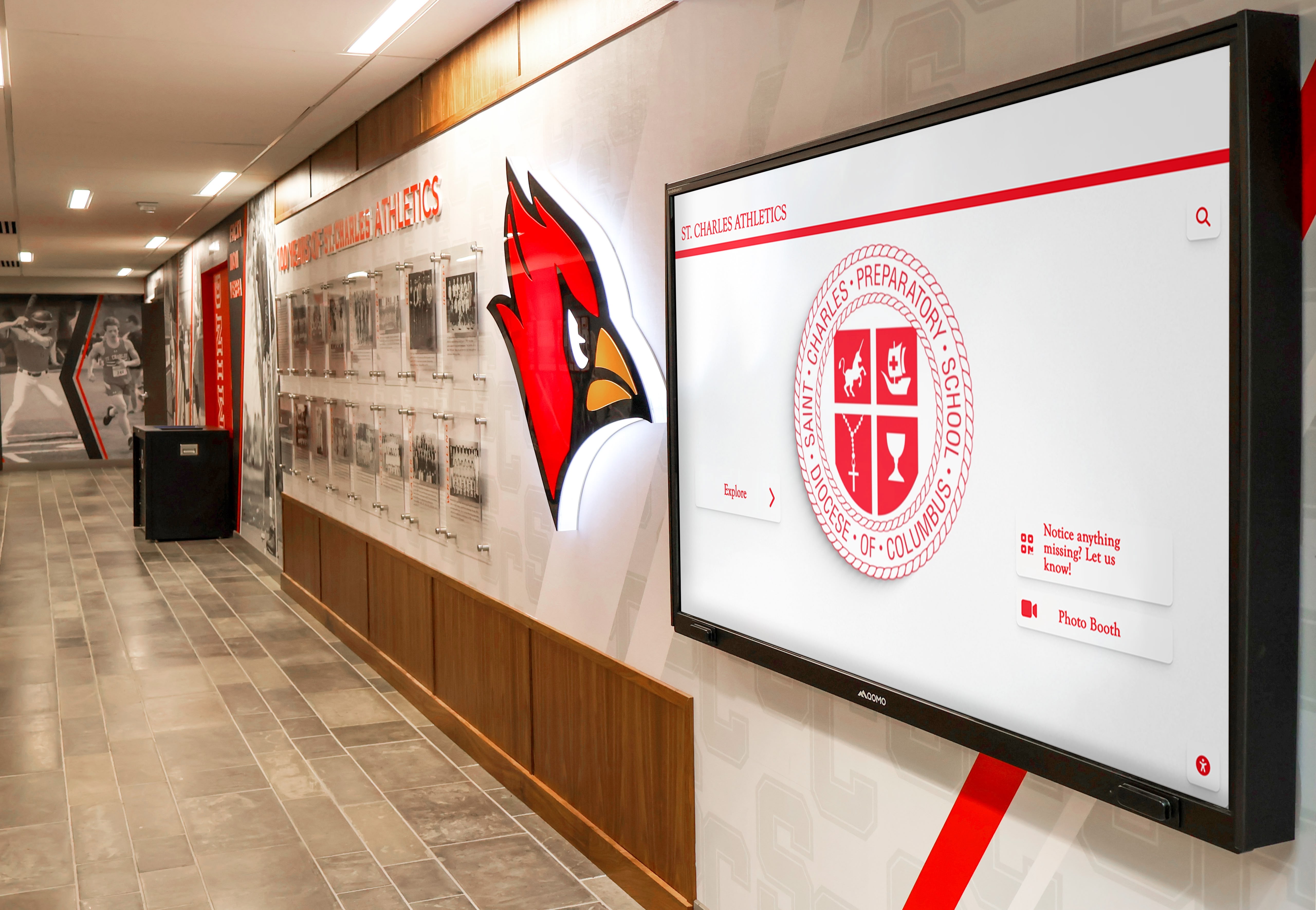
Future-ready implementations blend current technology with architectural design supporting long-term evolution
Conclusion: Transforming School Communication Through Digital Signage
School digital signage represents far more than replacing bulletin boards with screens. When thoughtfully implemented with quality content, sustainable management, and strategic placement, digital displays transform how schools celebrate achievement, communicate information, engage visitors, and strengthen culture.
The schools successfully implementing digital signage share common characteristics: clear vision for how technology serves mission and values, commitment to quality content development, realistic planning addressing technical and logistical realities, stakeholder engagement building broad ownership, and long-term perspective ensuring sustainable operation beyond initial enthusiasm.
Modern digital signage platforms make comprehensive recognition achievable across unlimited students, celebrating diverse accomplishments in athletics, academics, arts, activities, and service. Cloud-based content management eliminates geographic and technical barriers preventing regular updates. Accessibility features ensure all community members engage with content regardless of abilities. Interactive touchscreen capabilities transform passive viewing into active exploration creating memorable engagement.
Whether your primary objective involves recognition, communication, wayfinding, culture-building, or recruitment, digital signage creates possibilities that traditional approaches simply cannot match. Start where you are with implementations matching available resources and priorities, then systematically expand as you experience the impact of dynamic, engaging displays.
Every student, visitor, and community member who walks through your doors presents an opportunity to communicate values, celebrate achievement, share information, and strengthen connection to your institution. School digital signage ensures you make the most of every opportunity.
Ready to explore how digital signage can transform recognition and communication at your school? Discover comprehensive touchscreen platforms designed specifically for educational institutions, with unlimited content capacity, professional templates, cloud-based management, and dedicated support that makes modern digital signage achievable for schools of all sizes.