Large school districts and institutions planning multi-screen digital recognition networks face a critical pricing question that vendors often obscure until late in the sales process: What does it actually cost to deploy content across multiple locations? A single touchscreen in the main lobby might meet minimum requirements, but what happens when you want synchronized or different content in the gymnasium, cafeteria, athletic facility, and multiple building entrances?
Most digital signage and recognition software vendors structure pricing around per-screen licensing models that accumulate costs rapidly as organizations expand their display networks. A solution priced reasonably for one screen becomes prohibitively expensive when multiplied across ten, twenty, or fifty locations. Organizations discover too late that their “affordable” platform carries hidden per-display fees, content delivery charges, or tiered pricing that makes campus-wide deployment financially unfeasible.
This comprehensive guide examines the hidden costs of multi-screen digital signage deployments, explains how per-screen licensing impacts total cost of ownership, and details how Rocket Alumni Solutions’ approach to unlimited screen deployment eliminates these financial barriers while enabling schools and organizations to create truly comprehensive recognition networks without budget constraints limiting their vision.
Understanding the true cost structure of multi-screen deployments before making platform commitments prevents the frustration of discovering financial limitations after investing time, effort, and initial capital into a system that cannot scale affordably to meet your organization’s complete needs.
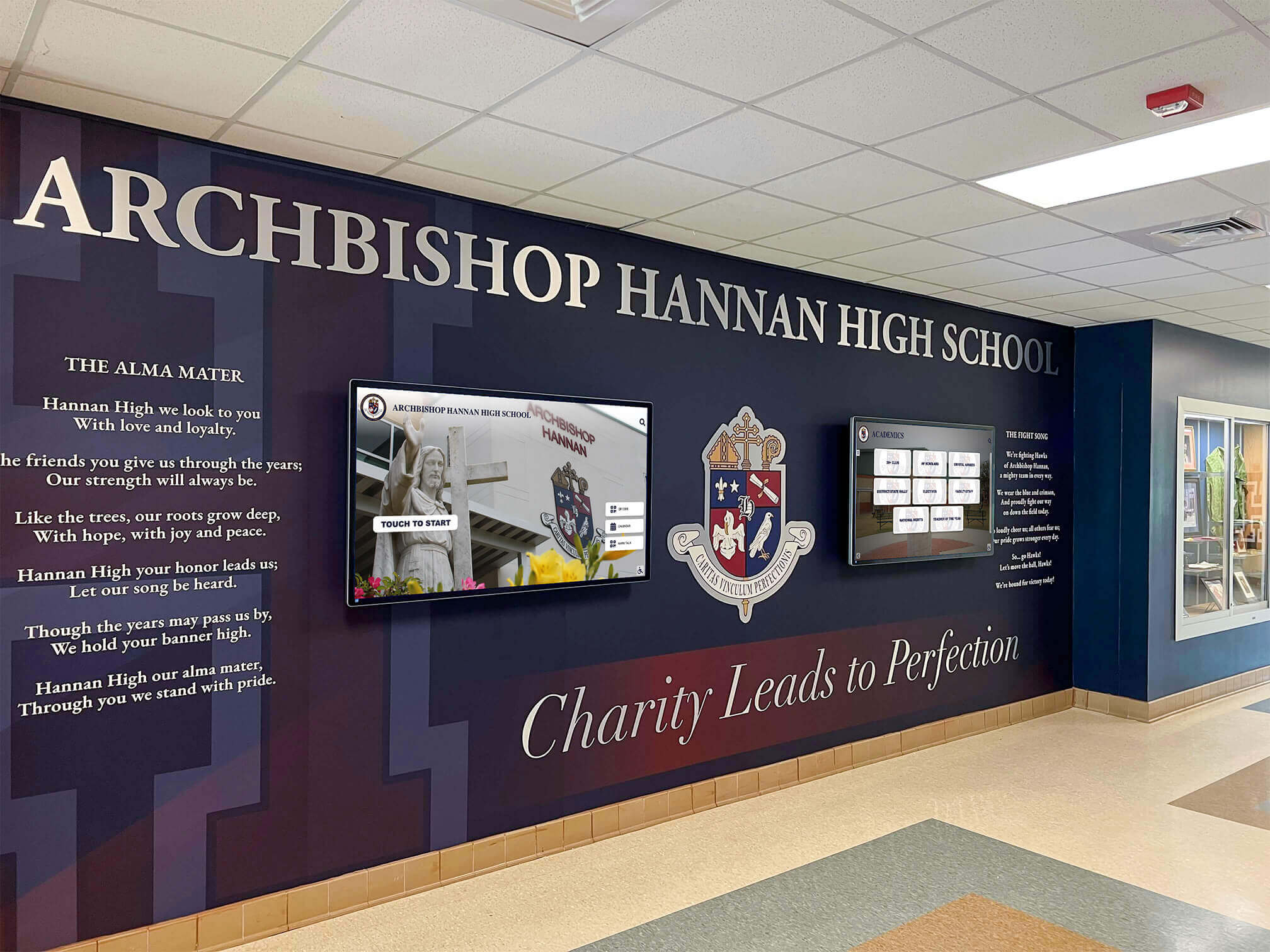
Comprehensive recognition networks require multiple displays across diverse locations—each representing potential additional licensing costs with traditional vendors
The Hidden Cost Problem in Multi-Screen Digital Signage
Before examining solutions, understanding how traditional pricing models create unexpected financial barriers helps organizations evaluate total cost of ownership accurately rather than focusing solely on initial per-screen prices that seem affordable.
Understanding Per-Screen Licensing Models
Most digital signage and recognition software vendors structure their pricing around individual screen licenses:
Common Per-Screen Pricing Structures
- Basic tier: $10-20 per screen per month for content scheduling and display management
- Professional tier: $25-40 per screen per month adding analytics and advanced scheduling
- Enterprise tier: $50-100+ per screen per month including custom features and priority support
- Hardware-bundled licensing: Media players costing $200-500 that include 1-2 year software licenses, requiring renewal subscriptions afterward
- Perpetual licenses: One-time payments of $500-1,500 per screen with annual maintenance fees of 15-20% of license cost
Organizations planning multi-location deployments quickly discover that these per-screen costs multiply beyond budget allocations when scaling from pilot implementations to comprehensive campus networks.
Example Cost Calculation for 10-Screen Network
Consider a mid-sized high school planning displays in the main lobby, gymnasium, cafeteria, athletic entrance, performing arts center, two academic buildings, administration office, and alumni center:
- Per-screen cost: $30/month
- Number of screens: 10
- Monthly cost: $300
- Annual cost: $3,600
- Five-year total: $18,000 (software licensing alone)
This calculation excludes hardware, installation, content development, training, support, and maintenance—focusing solely on the recurring software licensing fees that continue indefinitely. Organizations implementing multi-location digital signage networks frequently underestimate these ongoing subscription costs when calculating total cost of ownership.
Who Per-Screen Licensing Affects Most Severely
Certain types of organizations experience disproportionate impact from per-screen pricing models:
Large Districts and Multi-Campus Organizations
School districts managing multiple buildings or campuses face the highest per-screen cost accumulation. A district with six elementary schools, two middle schools, and two high schools wanting displays in just the main lobby and gymnasium of each facility requires 20 screens minimum—before considering cafeterias, athletic facilities, performing arts centers, or multiple entrances at larger campuses.
At $30 per screen monthly, this district pays $600 monthly ($7,200 annually) for software licensing alone across their minimal display network. Expansion to more comprehensive recognition systems including cafeterias, auditoriums, and athletic facilities could easily triple these costs to $21,600 annually—making the platform financially prohibitive despite strong educational and community engagement benefits.
Organizations with Diverse Display Needs
Institutions requiring different content for different audiences face additional challenges. Consider a large high school wanting:
- Athletic recognition in the gymnasium and sports facilities
- Academic achievement displays in the main lobby and library
- Arts and music recognition in the performing arts center
- Career and technical education showcases in CTE buildings
- Alumni and donor recognition in the development office
- Historical timeline content in administrative areas
Each of these use cases benefits from specialized content rather than identical displays across all locations. Traditional vendors charging per screen make this specialization expensive, forcing organizations to choose between comprehensive recognition networks and budget constraints.
Schools implementing athletic hall of fame displays often want dedicated screens in gymnasiums, weight rooms, and athletic wings—but per-screen licensing makes these additional displays financially challenging even when hardware costs are acceptable.
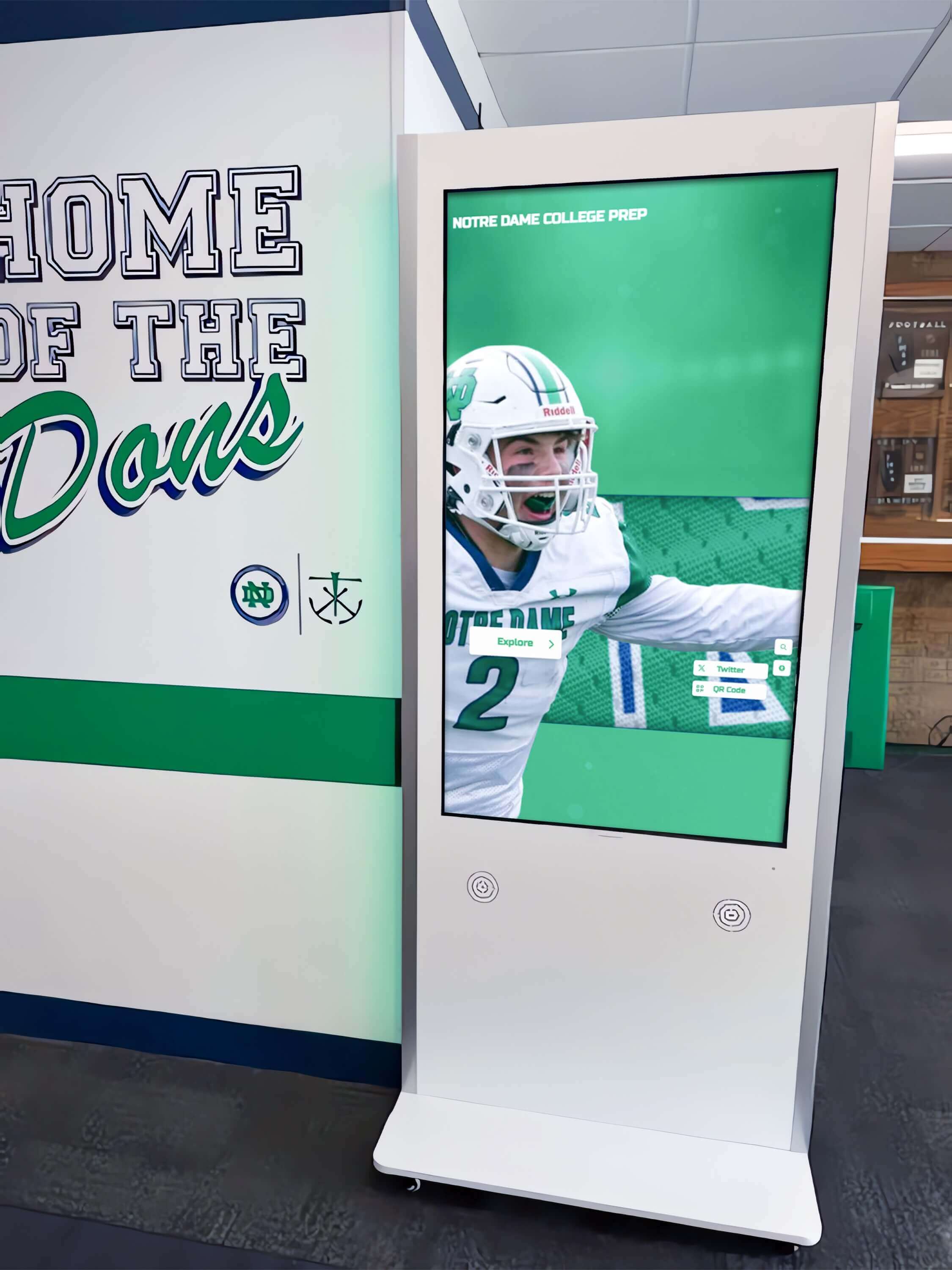
Specialized content zones like athletic facilities benefit from dedicated displays—but only when per-screen licensing doesn't create prohibitive costs
Common Misconceptions About Multi-Screen Pricing
Many organizations make incorrect assumptions when evaluating multi-screen deployments:
Misconception 1: “Base Pricing Covers Multiple Screens”
Organizations often believe that advertised pricing includes reasonable multi-screen deployment capabilities. Vendors typically market their “starting at $X per month” pricing without prominently disclosing that this represents per-screen costs rather than platform access. Decision-makers assume the quoted price provides platform access supporting multiple displays, only discovering the per-screen multiplication during implementation planning.
Misconception 2: “Volume Discounts Make Multi-Screen Affordable”
While many vendors offer volume discounts for large screen quantities, these reductions typically range from 10-20% off list prices—helpful but insufficient to fundamentally change the cost structure. A vendor charging $30 per screen might offer 15% volume discount at 20+ screens, reducing cost to $25.50 per screen—still totaling $510 monthly or $6,120 annually for 20 displays.
Misconception 3: “We Can Start Small and Expand Later”
Organizations frequently plan to begin with one or two pilot displays and expand to comprehensive networks after proving value. This approach creates two problems:
- Pilot implementations with limited scope fail to demonstrate the full engagement and recognition impact achievable through comprehensive campus-wide networks
- Organizations invest time learning platform management, developing content, and training staff—making platform switching expensive when per-screen costs become prohibitive during expansion
Starting with platforms that support unlimited screen deployment from day one enables genuine pilots that demonstrate full-scale capabilities without locking organizations into financially limiting technology decisions.
Misconception 4: “Hidden Costs Are Minimal”
Beyond obvious per-screen licensing fees, traditional digital signage vendors often add supplementary charges that compound total costs:
- Content delivery network fees for bandwidth-intensive media
- Storage charges for large media libraries
- Premium template access requiring higher-tier subscriptions
- Technical support plans with faster response times
- Training and onboarding fees per administrator
- Implementation and configuration services
- Custom feature development and integration work
These supplementary charges can add 25-40% to base licensing costs, making accurate total cost of ownership calculations difficult during vendor evaluation.
Organizations implementing donor recognition displays for nonprofits particularly value pricing transparency as these organizations operate under strict budget constraints that make hidden costs especially problematic.
How Rocket Alumni Solutions Eliminates Per-Screen Licensing
Understanding alternative pricing models that prioritize organizational access over per-device fees reveals how technology platforms can support comprehensive recognition networks without artificial financial limitations.
One Subscription, Unlimited Touchscreens
Rocket Alumni Solutions structures pricing around organizational platform access rather than individual screen licenses:
Platform Access Model
- Organizations subscribe to platform access at organizational level
- Subscription includes unlimited screen deployment across all locations
- Same content management system controls one screen or one hundred screens
- No incremental licensing fees regardless of screen quantity
- Hardware purchased independently without mandatory vendor lock-in
This fundamental pricing difference transforms multi-screen deployment economics. Organizations planning comprehensive recognition networks face identical software costs whether implementing five screens or fifty screens—enabling budget planning based on hardware, installation, and content development rather than recurring per-screen licensing that multiplies indefinitely.
Financial Impact Comparison
Consider the same 10-screen high school network from earlier examples:
| Cost Component | Traditional Per-Screen Model | Rocket Alumni Solutions |
|---|---|---|
| Monthly software cost | $300 (10 screens × $30) | Single platform subscription |
| Annual software cost | $3,600 | Fixed platform cost |
| Five-year software cost | $18,000 | 5× annual platform cost |
| Cost per additional screen | $30/month ongoing | $0 ongoing (hardware only) |
| Maximum affordable screens | Budget-limited | Hardware-limited only |
This pricing structure fundamentally changes decision-making processes. Organizations evaluate display additions based on value and hardware costs rather than ongoing licensing fees that accumulate monthly in perpetuity.
What “Unlimited” Actually Means in Practice
Understanding the scope and limitations of unlimited screen deployment prevents misunderstandings:
Included in Unlimited Screen Deployment
- Install Rocket Alumni Solutions software on any quantity of touchscreen displays
- Deploy identical content across all screens simultaneously
- Create location-specific content for different screens
- Manage all displays from single cloud-based dashboard
- Update content affecting one, some, or all screens
- Add additional screens any time without licensing changes
- Remove screens without penalty or contract modifications
Reasonable Use Parameters
While unlimited screen deployment includes genuine unlimited touchscreen quantity, organizations should understand practical considerations:
- Unlimited refers to touchscreen displays running recognition content, not video wall matrices or LED billboards used primarily for advertising
- Organizations should use reasonable network bandwidth appropriate to their deployment size
- Extremely large deployments (100+ screens) benefit from deployment consultation ensuring optimal network architecture
- Support responsiveness scales with organizational subscription level
These parameters affect essentially no K-12 schools, most universities, and the vast majority of mission-driven organizations implementing recognition networks—they prevent commercial digital signage operators from misusing education-focused platforms while ensuring schools never face artificial screen quantity limitations.
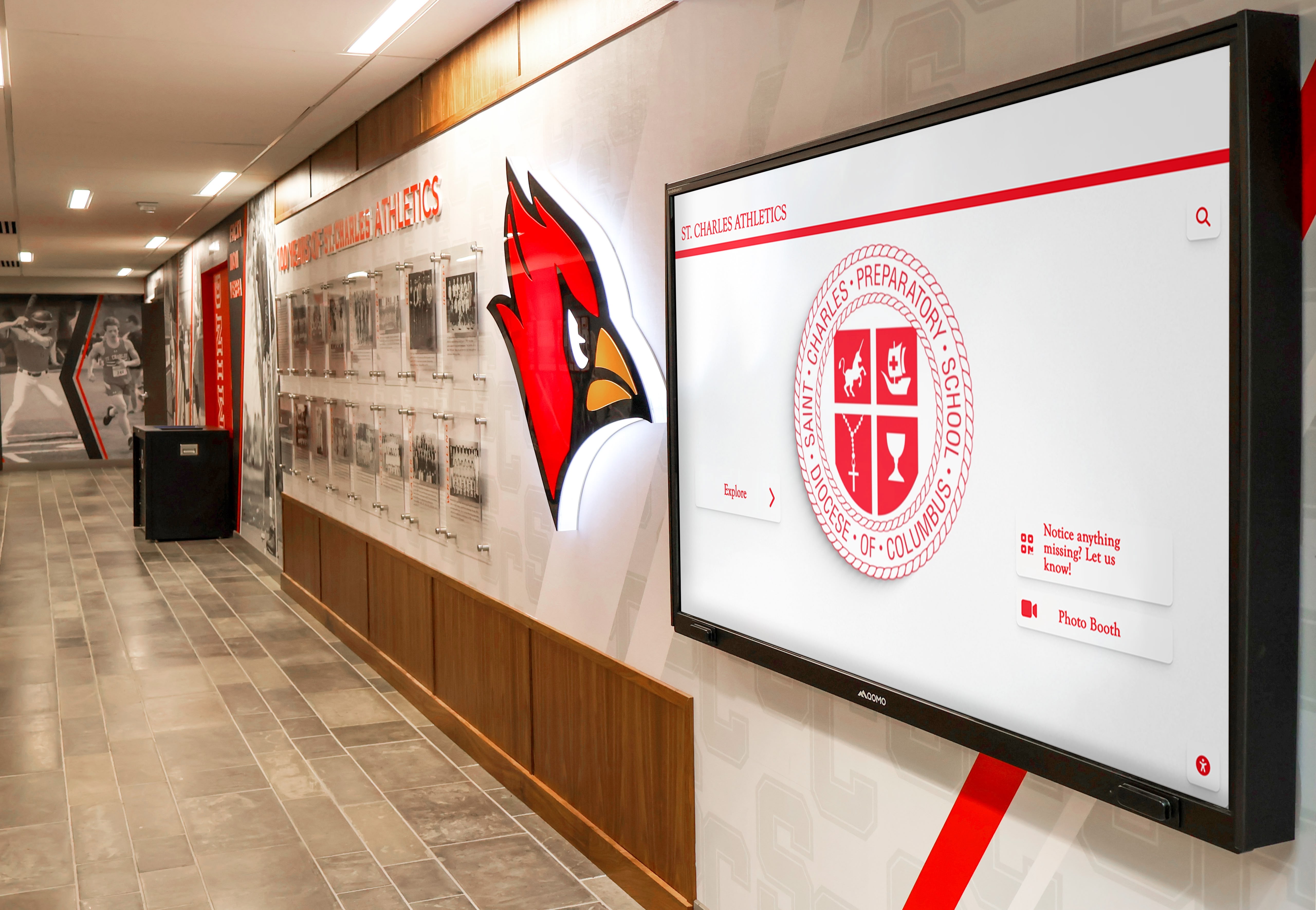
Athletic programs benefit from multiple specialized displays throughout facilities—financially feasible only with unlimited screen deployment models
Real-World Deployment Scenarios
Understanding how unlimited screen deployment enables comprehensive recognition networks illustrates practical applications:
Scenario 1: Large High School Comprehensive Network
A 1,600-student high school implements 18 touchscreen displays:
- Main entrance lobby: Two 65" displays (donor recognition and daily announcements)
- Gymnasium: Three 55" displays (athletic hall of fame and team recognition)
- Cafeteria: Two 55" displays (student achievement and upcoming events)
- Athletic entrance: One 55" display (sports schedules and athlete spotlights)
- Performing arts center lobby: One 55" display (arts and music recognition)
- Library: One 55" display (academic achievement and National Honor Society)
- CTE building: One 55" display (career program achievements)
- Administration office: One 43" display (historical timeline)
- College counseling office: One 43" display (college signing wall)
- Alumni center: One 55" display (alumni spotlights)
- Each academic building (4 buildings): One 43" display per building (departmental recognition)
Financial Comparison
- Traditional per-screen model at $30/month: $540 monthly, $6,480 annually
- Rocket Alumni Solutions unlimited deployment: Fixed platform cost regardless of screen quantity
The school implements their comprehensive vision without artificial screen quantity limitations, enabling recognition throughout campus rather than concentrating displays only in high-traffic areas to minimize licensing costs.
Scenario 2: Small Multi-Campus District
A small district with four schools (two elementary, one middle, one high school) implements minimal recognition networks:
- Each elementary school: Two displays (main entrance and cafeteria)
- Middle school: Four displays (entrance, cafeteria, gymnasium, performing arts center)
- High school: Six displays (entrance, cafeteria, gymnasium, library, athletics, auditorium)
Total screens: 16 across four campuses
Financial Comparison
- Traditional per-screen model at $30/month: $480 monthly, $5,760 annually
- Rocket Alumni Solutions unlimited deployment: Fixed platform cost regardless of school quantity or screen quantity
The district manages all displays from centralized dashboard while enabling individual schools to customize content for their communities—without per-building or per-screen licensing multiplication.
Organizations implementing digital recognition across multiple buildings benefit from unified platform management that simplifies technical administration while supporting location-specific content customization.
Planning Multi-Screen Deployments Without Licensing Constraints
When per-screen licensing no longer limits screen quantity, organizations can plan recognition networks based on community impact and engagement rather than artificial budget constraints.
Identifying Optimal Display Locations
Strategic display placement maximizes recognition impact and community engagement:
High-Traffic Public Spaces
These locations receive the most diverse audiences and create maximum visibility:
- Main entrance lobbies: Visitors, students, staff, and community members all pass through regularly
- Cafeterias and commons areas: Students congregate daily during lunch and free periods
- Gymnasiums and athletic facilities: Game attendees, athletes, and families frequent these spaces
- Performing arts center lobbies: Display arts and music achievement where audiences gather before performances
- Library and media centers: Students, teachers, and community members researching and learning
Specialized Recognition Zones
Targeted displays in specific areas recognize niche achievements for relevant audiences:
- Athletic wing hallways: Detailed sports recognition including historical team photos, records, and athlete profiles
- CTE buildings: Career and technical education program achievements, certifications, and industry partnerships
- Science and STEM areas: Academic competition results, research projects, and STEM achievement
- Arts facilities: Theatre production histories, music performance recognition, and visual arts showcases
- Administrative buildings: Historical timelines, founding information, and institutional milestones
Audience-Specific Locations
Some displays serve particular stakeholder groups:
- Alumni and development offices: Donor recognition, alumni spotlights, and giving impact displays for visitors meeting with advancement staff
- College counseling offices: College signing walls, scholarship recipient recognition, and post-secondary success stories
- Athletic training rooms: Athlete-focused content including training achievements, personal records, and team statistics
- Faculty lounges: Staff recognition, teaching milestones, and professional development achievements
Organizations implementing interactive kiosk solutions for schools can deploy specialized content matching each location’s primary audience without multiplying software costs that would otherwise force prioritization and elimination of lower-traffic but strategically valuable locations.
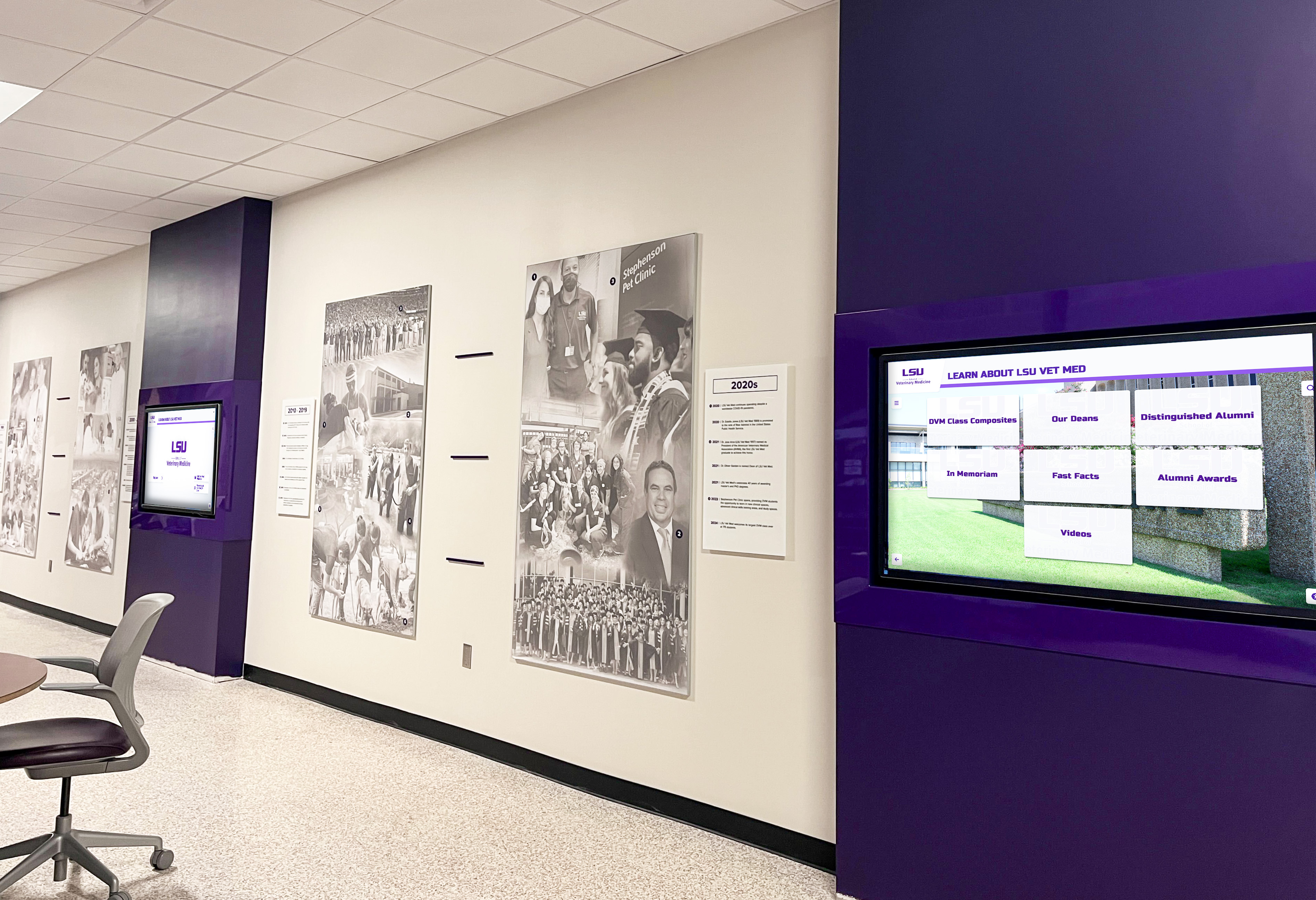
Comprehensive recognition networks extend beyond main lobbies into specialized areas serving targeted audiences and specific recognition purposes
Content Strategy for Multiple Displays
Managing content across numerous displays requires systematic approaches balancing efficiency with location-specific customization:
Centralized Content Libraries
Develop shared content assets usable across multiple displays:
- Institutional branding templates ensuring consistent visual identity
- Biographical profiles of recognized individuals (students, alumni, donors, athletes)
- Photo galleries from events, programs, and activities
- Video content including event highlights and testimonials
- Historical information and institutional timeline content
Centralized libraries enable content reuse across displays while maintaining single sources of truth that update everywhere when information changes—particularly valuable for individuals or teams recognized in multiple locations (athlete appearing in both main lobby “student of the month” and gymnasium athletic hall of fame).
Location-Specific Content Zones
Customize content for each display’s location and primary audience:
- Athletic displays emphasizing sports-specific recognition and team histories
- Academic displays highlighting scholarly achievement and competition results
- Arts displays featuring performance and creative accomplishments
- Donor displays focusing on philanthropic impact and giving recognition
- Historical displays emphasizing institutional timeline and founding stories
Cloud-based content management systems enable efficient bulk operations (updating shared content across all displays simultaneously) while supporting individual customization (adding location-specific content to particular displays without affecting others).
Scheduled Content Rotation
Time-based content scheduling ensures displays remain current and engaging:
- Daily rotation showing current events, today’s schedule, and recent achievements
- Weekly updates highlighting upcoming events and new recognition content
- Monthly features spotlighting specific programs, departments, or themes
- Seasonal content emphasizing relevant activities (fall sports, winter concerts, spring academics)
- Annual updates refreshing historical content and adding recent milestones
Organizations implementing systematic content workflows prevent displays from becoming static digital plaques that quickly lose audience attention—maintaining the fresh, updated presentation that distinguishes digital recognition from traditional approaches.
Phased Implementation Strategies
Organizations rarely implement comprehensive recognition networks simultaneously—phased approaches spread costs and enable learning:
Phase 1: High-Impact Pilot (Year 1)
Begin with displays in highest-traffic locations proving concept and demonstrating value:
- Main entrance lobby display featuring multiple recognition types
- Gymnasium or cafeteria display demonstrating location-specific content
- One additional display in area matching organizational priority (athletics, arts, academics, development)
This minimal pilot (2-3 displays) demonstrates platform capabilities, identifies content development needs, trains staff on management workflows, and generates stakeholder enthusiasm while maintaining manageable budget requirements.
Phase 2: Primary Expansion (Year 2)
Add displays in major facility areas creating comprehensive core network:
- Remaining primary public spaces (gymnasium, cafeteria, library, auditorium)
- Athletic facilities if not included in Phase 1
- Performing arts spaces if relevant to institutional priorities
- Alumni or development areas for institutions prioritizing donor engagement
This expansion (typically 4-8 additional displays) creates campus-wide presence ensuring most students, staff, and visitors encounter recognition content regularly.
Phase 3: Specialized Deployment (Year 3+)
Complete network with specialized displays serving targeted audiences and specific recognition purposes:
- Academic building displays featuring departmental achievement
- Specialized facility displays (CTE centers, specialized academies, satellite campuses)
- Administrative and office area displays for historical content
- Outdoor displays in covered areas with appropriate environmental protection
Unlimited screen deployment enables this phased expansion without triggering licensing cost multipliers that would make later phases increasingly expensive—organizations scale hardware purchases across multiple budget years while maintaining consistent software costs.
Schools planning touchscreen display installations in new buildings benefit from unlimited deployment models that accommodate facility expansions without renegotiating software contracts or increasing recurring licensing fees.
Comparing Competitor Approaches to Multi-Screen Licensing
Understanding how different digital signage and recognition platform vendors structure multi-screen pricing helps organizations evaluate total cost of ownership accurately.
Traditional Digital Signage Platforms
General-purpose digital signage vendors typically maintain strict per-screen licensing:
Pricing Characteristics
- Monthly or annual fees multiplied by exact screen quantity
- Tiered pricing based on features (basic, professional, enterprise)
- Volume discounts at high screen quantities (typically 15-25% at 20+ screens)
- Additional charges for premium features like analytics, API access, or priority support
Financial Impact Example
A school implementing 15 screens across campus:
- Base pricing: $25 per screen per month
- Total monthly cost: $375
- Annual cost: $4,500
- Five-year total: $22,500 (software only)
Advantages
- Pay only for screens actually deployed
- Predictable cost scaling (each additional screen costs same amount)
- Established vendors with proven reliability
Disadvantages
- Costs multiply linearly with screen quantity
- Financial barriers to comprehensive campus-wide deployment
- Organizations forced to prioritize limited screen quantities
- Expansion decisions driven by licensing costs rather than strategic value
Recognition-Specific Software Solutions
Some vendors specialize in educational recognition and alumni engagement:
Varied Pricing Approaches
- Institution-level platform access with reasonable screen limits (e.g., “up to 10 screens included”)
- Per-building or per-campus licensing rather than strict per-screen charges
- Hybrid models with base license including limited screens and additional per-screen fees beyond threshold
- Custom enterprise pricing for large multi-campus districts
Financial Impact Example
A vendor charging institutional licensing with 10-screen limit and per-screen fees beyond:
- Base institutional license: $500/month (includes up to 10 screens)
- Additional screens: $30/month each
- Organization with 15 screens: $500 + (5 × $30) = $650/month = $7,800 annually
Advantages
- More predictable than pure per-screen models for organizations within screen limits
- Sometimes include content development services in institutional pricing
- Vendors understand educational recognition needs specifically
Disadvantages
- Screen limits force difficult decisions about display locations
- Organizations exceeding limits face same per-screen cost multiplication
- Institutional pricing can be expensive for small schools with limited budgets
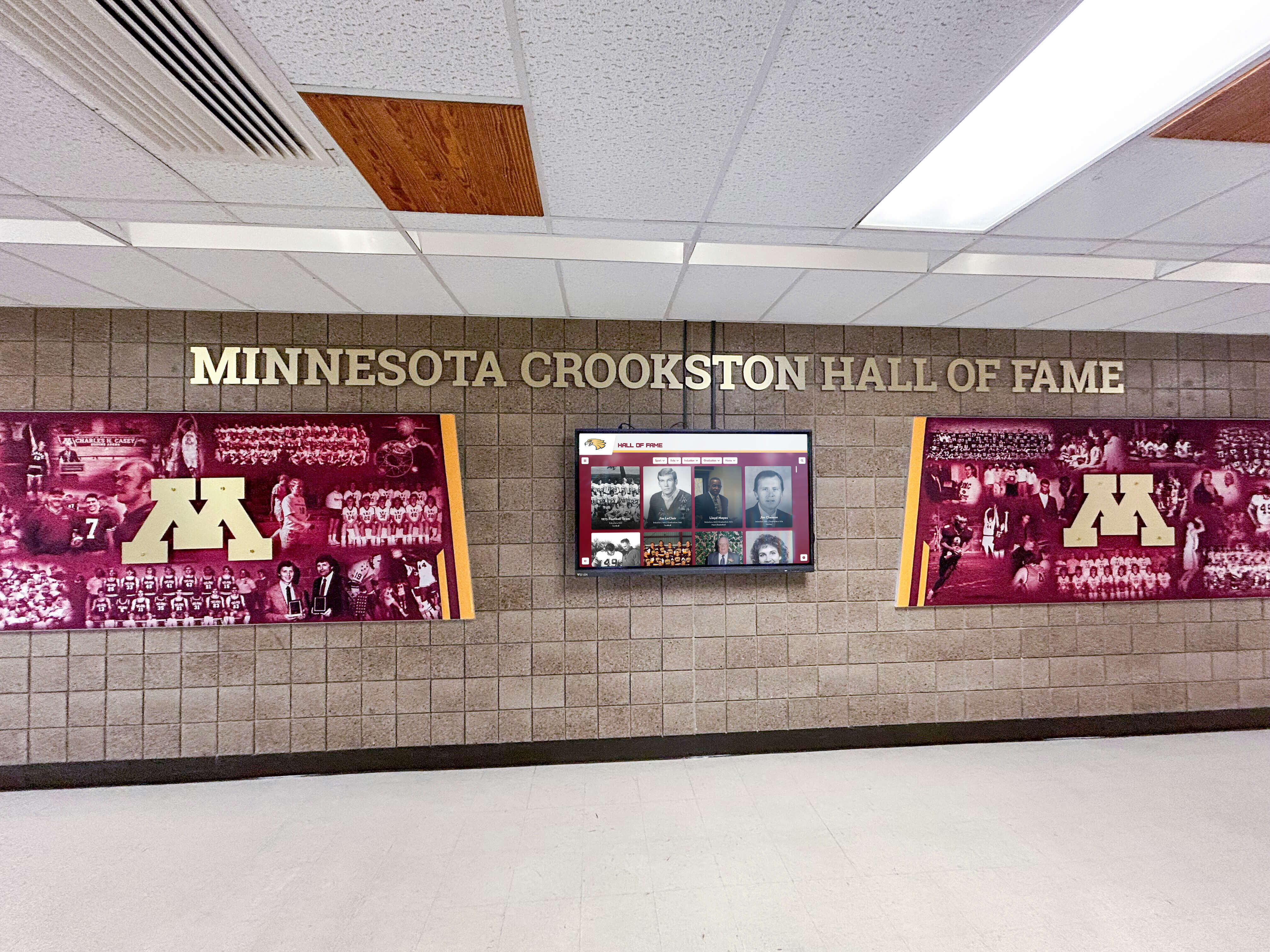
Organizations benefit from vendors understanding educational and mission-driven recognition needs—especially when pricing models support rather than limit comprehensive deployment
Open-Source and Self-Hosted Solutions
Some organizations consider building custom solutions or using open-source digital signage platforms:
Cost Structure
- Free or low-cost open-source software
- Organization provides server infrastructure and technical expertise
- One-time or minimal ongoing software licensing costs
- Significant internal technical resource requirements
Financial Impact Example
A district with technical staff implementing open-source solution:
- Software licensing: $0-500 one-time or annually
- Server hosting: $100-300/month for cloud hosting or internal server costs
- Technical staff time: 20-40 hours initial implementation, 5-10 hours monthly ongoing
- Custom development for recognition-specific features: 40-100+ hours
Advantages
- Minimal per-screen licensing costs
- Complete control over platform functionality and data
- Ability to customize features precisely to organizational needs
Disadvantages
- Requires significant internal technical expertise
- Staff time costs often exceed commercial software savings
- Recognition-specific features require custom development
- Ongoing maintenance burden falls on organization
- Platform sustainability depends on internal staff continuity
Most educational institutions lack dedicated technical staff with bandwidth for custom digital signage platform development and maintenance—making the apparent cost savings illusory when accounting for full staff time and opportunity costs.
True Cost Comparison Across 5 Years
Comparing total cost of ownership across different approaches reveals true financial implications:
Scenario: 12-Screen High School Network
| Vendor Approach | Year 1 Cost | Year 5 Cost | 5-Year Total | Cost Per Screen Per Year |
|---|---|---|---|---|
| Traditional per-screen ($30/mo) | $4,320 | $4,320 | $21,600 | $360 |
| Recognition platform (10 included + 2 extra) | $6,720 | $6,720 | $33,600 | $560 |
| Open-source (internal hosting + staff) | $8,000 | $6,000 | $32,000 | $533 |
| Rocket Alumni Solutions (unlimited) | Platform cost | Platform cost | Fixed regardless of screens | N/A—no per-screen cost |
These comparisons illustrate how per-screen licensing compounds over time and across screens, while unlimited deployment models maintain consistent costs regardless of screen quantity—enabling budget predictability and removing artificial barriers to comprehensive recognition network implementation.
Organizations evaluating digital signage content management systems should calculate five-year total cost of ownership including all software, hardware, installation, content development, training, and maintenance expenses rather than focusing exclusively on advertised monthly per-screen rates that obscure true financial commitments.
Implementation Best Practices for Unlimited Screen Deployments
Organizations with unlimited screen deployment capability can focus on strategic planning, content quality, and community engagement rather than licensing limitations—but should still follow systematic implementation approaches.
Hardware Selection and Standardization
Consistent hardware simplifies management and maintenance:
Recommended Hardware Standardization
- Select 2-3 standard display sizes covering most use cases (typically 43", 55", and 65")
- Choose commercial-grade displays rated for 16-18 hours daily operation minimum
- Standardize mounting hardware (wall mounts, freestanding kiosks) for consistent installation
- Use identical or compatible media players across all displays for uniform management
- Select touchscreen technology appropriate to expected interaction levels
Financial Benefits of Standardization
- Volume purchasing discounts from display vendors
- Simplified spare parts inventory for maintenance
- Consistent staff training across uniform hardware
- Efficient installation through repetitive processes
- Predictable replacement costs when displays reach end-of-life
Organizations implementing touchscreen displays for school lobbies and gymnasiums benefit from hardware standardization that simplifies long-term ownership even as display quantities grow through unlimited deployment capabilities.
Network Infrastructure Planning
Multiple displays require adequate network connectivity:
Bandwidth Considerations
- Content typically caches locally on media players, requiring bandwidth primarily during updates
- High-resolution photo content: minimal bandwidth impact
- Video content: higher bandwidth during initial sync, then cached playback
- Live streaming or real-time data: continuous bandwidth consumption
- Typical bandwidth requirements: 5-10 Mbps per display during content updates, minimal during cached playback
Network Architecture Best Practices
- Connect displays via wired Ethernet whenever possible for reliability
- WiFi acceptable for locations where wiring is prohibitively expensive
- Segment digital signage traffic on separate VLAN for network management
- Ensure adequate switch capacity and avoid oversubscription
- Implement basic Quality of Service (QoS) for critical educational network traffic priority
Most schools with modern network infrastructure easily support 20-30 displays without upgrades—but organizations should audit network capacity when planning very large deployments or locations with limited connectivity.
Content Development Workflows
Managing content across unlimited displays requires systematic processes:
Content Creation Responsibilities
- Designate primary content administrator(s) with allocated time for content management
- Train secondary administrators ensuring continuity during absences
- Identify content contributors across departments (athletics, academics, arts, development)
- Establish submission workflows for contributors lacking direct platform access
- Create approval processes for sensitive content requiring administrative review
Content Quality Standards
- Establish minimum photo resolution requirements (typically 1920×1080 for landscape displays)
- Create branded templates ensuring visual consistency
- Develop style guides for text content (capitalization, punctuation, terminology)
- Set update frequency expectations (daily announcements, weekly features, monthly themes)
- Define content lifecycle processes removing dated information automatically or systematically
Bulk Operations and Efficiency
- Update shared content once, publish to multiple displays simultaneously
- Use playlist and scheduling features automating rotation
- Leverage content tagging enabling quick filtering and organization
- Implement approval workflows preventing errors in high-visibility displays
- Monitor analytics identifying popular content worthy of expansion
Organizations implementing comprehensive digital recognition programs maintain engagement through sustained content freshness—requiring dedicated workflows rather than assuming displays manage themselves after initial setup.
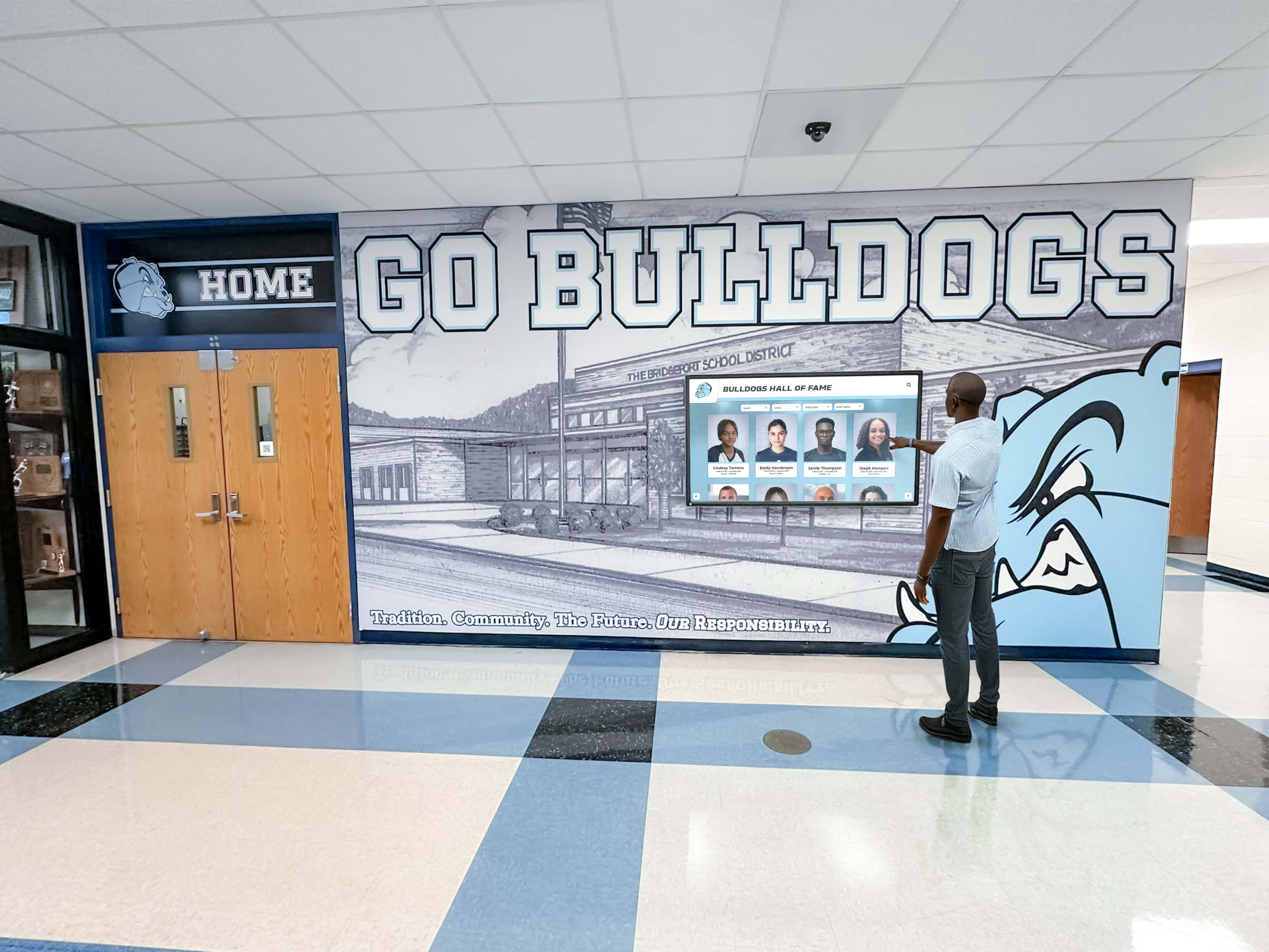
Content quality and freshness determine long-term engagement success—unlimited screen deployment enables comprehensive recognition but requires systematic content management
Monitoring and Maintenance Procedures
Regular monitoring ensures displays remain operational:
Display Health Monitoring
- Weekly dashboard reviews checking all displays online
- Alert systems notifying administrators of offline displays
- Monthly physical inspections cleaning screens and checking mounting hardware
- Quarterly cable and connection inspections identifying potential failures
- Annual comprehensive reviews assessing hardware condition and replacement needs
Common Issues and Responses
- Display offline: Check power, network connection, media player status
- Content not updating: Verify network connectivity, clear cache, restart media player
- Touchscreen responsiveness issues: Clean screen surface, recalibrate if software provides option
- Physical damage: Document, assess warranty coverage, implement repair or replacement
- Performance degradation: Review content complexity, improve media files, assess hardware age
Replacement Planning
- Budget for display replacement on 5-7 year cycles as commercial displays age
- Maintain hardware inventory for critical displays requiring immediate replacement
- Prioritize replacement resources for highest-traffic locations
- Consider refurbishing displaced hardware for lower-traffic secondary locations
- Plan technology upgrades (higher resolution, larger sizes) during replacement cycles
Organizations managing larger display networks benefit from systematic monitoring and maintenance preventing small issues from compounding into display downtime that reduces recognition program impact.
Conclusion: Comprehensive Recognition Without Financial Barriers
Per-screen licensing models create artificial financial limitations that force organizations to choose between budget constraints and their vision for comprehensive recognition networks celebrating achievement across their entire community. Traditional digital signage vendors multiplying monthly fees by screen quantity make campus-wide deployments prohibitively expensive—limiting most organizations to minimal pilot implementations that never achieve their complete vision.
Rocket Alumni Solutions structures pricing around organizational platform access rather than individual screen licenses—enabling schools, universities, nonprofits, and mission-driven organizations to deploy recognition content across unlimited touchscreens without recurring per-screen fees accumulating monthly in perpetuity. Organizations subscribe to platform access and then implement as many displays as their hardware budgets, physical spaces, and strategic priorities support—without software licensing constraining their recognition vision.
This fundamental pricing difference changes decision-making processes. Instead of asking “can we afford software licensing for displays in the gym, cafeteria, and lobby?” organizations ask “where would recognition displays create the most community impact?” Hardware and installation costs remain real constraints requiring multi-year budget planning—but software licensing stops being the limiting factor preventing comprehensive implementation.
Schools planning recognition networks across multiple buildings, districts managing displays in numerous schools, and organizations wanting specialized content in diverse locations benefit from unlimited screen deployment that makes software costs predictable regardless of scale. One subscription covers five screens or fifty screens—enabling phased expansion as hardware budgets allow without triggering licensing cost multipliers that make later phases increasingly expensive.
When evaluating digital recognition and signage platforms, organizations should calculate complete five-year total cost of ownership including software licensing, hardware purchase, installation, content development, training, maintenance, and eventual hardware replacement. Vendors advertising attractive per-screen monthly rates often deliver final costs far exceeding initial estimates once multi-screen networks multiply those per-device fees across years and locations.
Comprehensive recognition networks celebrating athletic achievement, academic excellence, arts accomplishments, donor generosity, and community contributions should be limited only by organizational vision and hardware resources—not by software vendors charging recurring fees for each additional display that artificially constrain the breadth and depth of recognition programs serving students, families, and communities.
Ready to explore recognition platforms designed for unlimited screen deployment without hidden per-screen licensing fees? Discover how Rocket Alumni Solutions supports comprehensive multi-location recognition networks enabling schools and organizations to celebrate achievement across their entire community without software licensing limiting their vision.