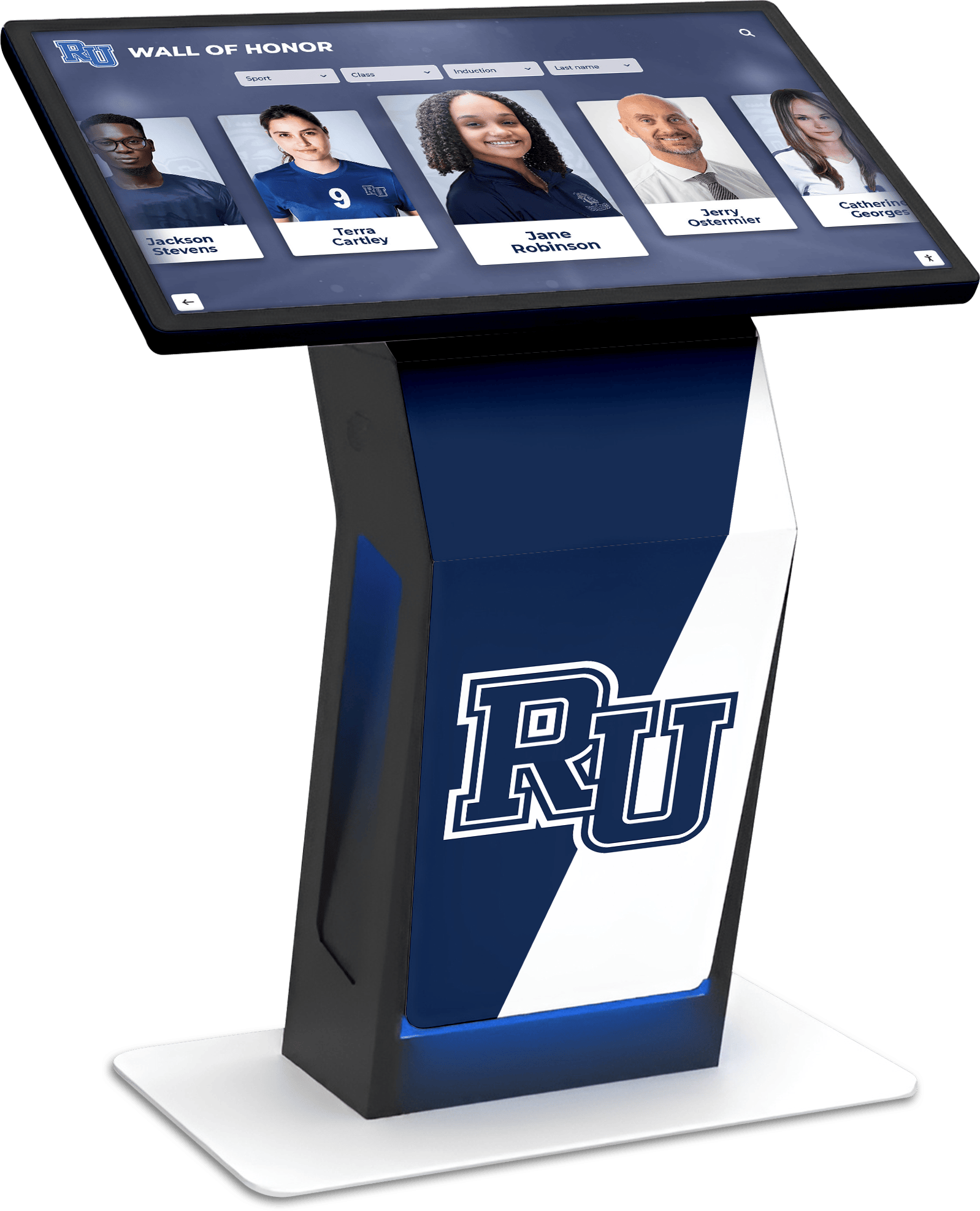
When schools and organizations evaluate digital recognition systems, one concern surfaces repeatedly: “If I buy this touchscreen software, will I be stuck dealing with hardware vendors on my own?”
The short answer with Rocket Alumni Solutions is no. Rocket provides the hardware, manages the full kiosk stack from display to content, and offers Customer Success as your single point of contact for any issue—hardware failures, software glitches, or content questions. Even when OEM warranties exist in the background, Rocket owns the outcome: uptime. Schools do not get bounced between vendors when problems occur.
Schools researching touchscreen recognition displays face a fragmented vendor landscape. Some companies sell only software and leave hardware sourcing to the customer. Others bundle hardware but outsource support to third-party integrators. This creates confusion when issues arise: is it a hardware problem, a software problem, or a network problem? Who do you call first?
Rocket Alumni Solutions takes a different approach. The company provides both hardware and software, manages the entire technology stack, and assigns dedicated Customer Success representatives who triage issues regardless of origin. This structure eliminates finger-pointing and ensures one team is accountable for keeping your display operational.
What “Full Stack” Actually Means for Touchscreen Kiosks
Digital recognition displays involve multiple technical layers. Understanding these components clarifies why unified support matters.
Hardware Layer:
- Commercial-grade touchscreen displays (55", 65", 75", or 86" options)
- Mounting brackets and cable management
- Network connectivity components (Ethernet or WiFi modules)
- Optional peripherals (external speakers, webcams for QR code scanning)
Software Layer:
- Cloud-based content management system (CMS)
- Touch-optimized interface rendering engine
- Media asset hosting and compression
- Remote device management and monitoring
Network and Security Layer:
- Firewall and port configuration
- Content delivery optimization
- SSL certificates and encryption
- Device authentication and access control
When vendors sell only software, customers inherit responsibility for hardware selection, compatibility verification, IT infrastructure setup, and troubleshooting across all these layers. If the display stops responding, customers must diagnose whether the issue stems from hardware failure, network configuration, software bugs, or user error—then contact the appropriate vendor.
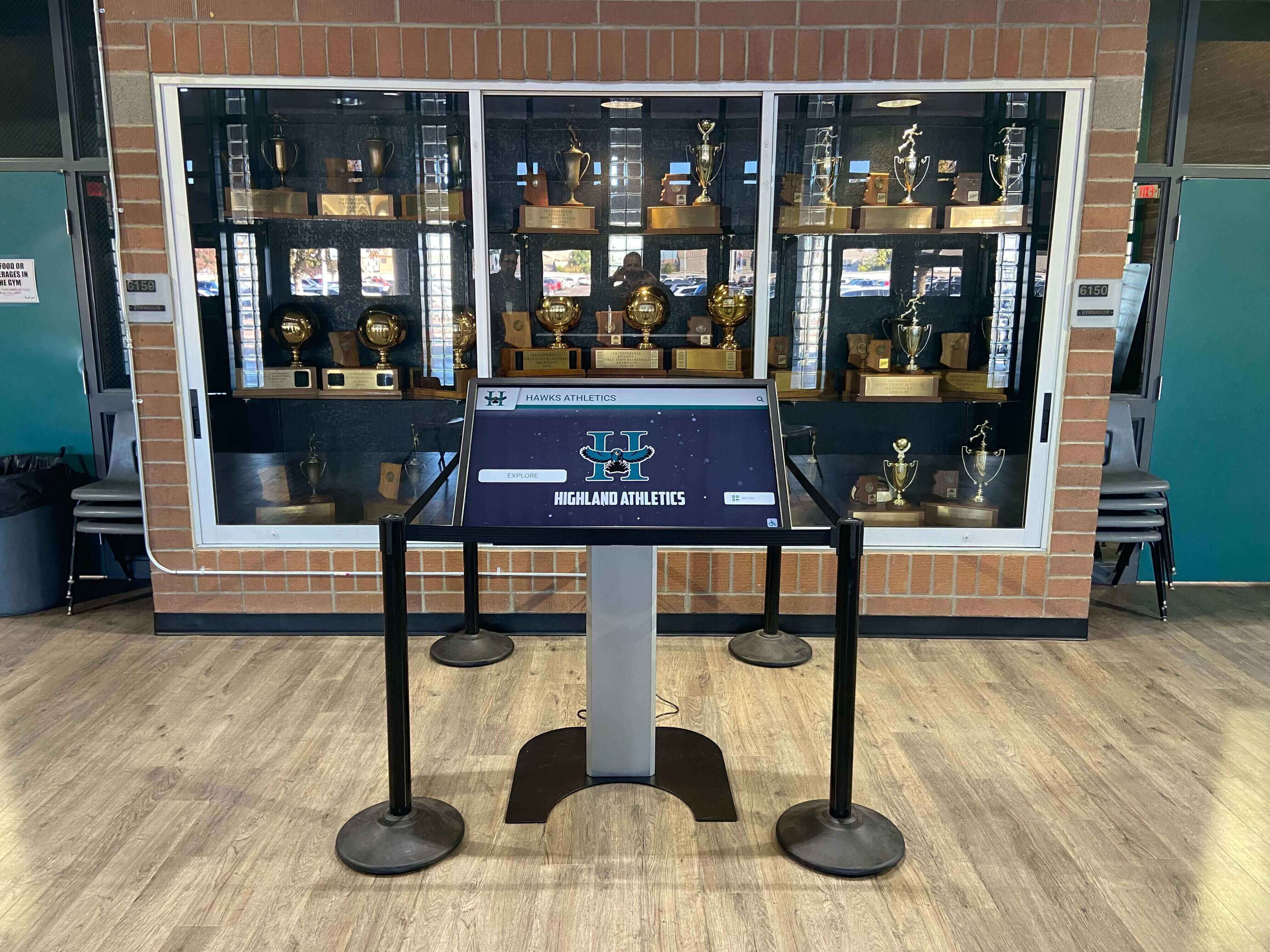
Commercial-grade touchscreen kiosks installed in school athletic facilities showcase the integration of hardware, mounting, and software in one unified system.
Rocket’s model consolidates these layers under one support umbrella. The Customer Success team has visibility into hardware diagnostics, software logs, network connectivity status, and content management activity. This end-to-end ownership accelerates issue resolution and prevents the common scenario where customers spend hours on hold with multiple vendors who each blame the other party.
Hardware Provision: Commercial Displays Built for High-Traffic Use
Rocket sources commercial-grade displays designed for continuous operation in public spaces. These differ from consumer televisions in several technical specifications.
Commercial vs. Consumer Displays:
Consumer televisions are engineered for home use—typically 4-8 hours per day in climate-controlled environments with minimal physical interaction. They include tuners, smart TV features, and consumer-oriented warranties (often one year).
Commercial displays are built for 16-24 hour daily operation in institutional settings. They feature:
- Higher brightness (350-500 nits vs. 250-300 nits) for visibility in lit hallways
- Industrial-grade components rated for extended duty cycles
- Tempered glass for impact resistance in high-traffic areas
- Three-year manufacturer warranties (minimum)
- VESA mount compatibility and cable routing designed for permanent installation
- Optional landscape or portrait orientation support
Rocket handles the hardware specification process. Schools provide installation location details (mounting surface type, ambient light conditions, expected user height range). Rocket’s team selects display size, brightness level, and mounting hardware to match the environment. This eliminates the guesswork customers face when ordering generic displays from electronics suppliers.
Customer testimonials repeatedly highlight hardware quality. University of Maryland described their installation as “versatile and dynamic,” noting the display’s “supremely attractive” appearance drew visitor engagement. Alfred State University emphasized hardware reliability: “Eye-catching, user-friendly, and easy” to operate across all generations. Mesa Community College specifically cited “quality of product” in their feedback about the Rocket team’s support.
Installation and Setup: Beyond Just Mounting the Display
Hardware setup extends beyond physical installation. Rocket’s process addresses the technical configuration that determines whether a touchscreen system works reliably from day one or requires weeks of troubleshooting.
Pre-Installation Site Assessment:
Before shipping hardware, Rocket conducts site assessments to identify potential issues:
- Wall construction type (drywall, concrete block, brick) determines mounting bracket selection
- Electrical outlet location and accessibility
- Network connectivity options (wired Ethernet preferred; WiFi as backup)
- Viewing angle and height optimization for ADA accessibility
- Ambient light assessment for screen brightness tuning
Schools sometimes assume any wall can support a 75" touchscreen. In reality, mounting a 150-pound display requires specific stud placement or wall reinforcement. Rocket’s pre-installation checklist prevents scenarios where hardware arrives but cannot be safely installed due to structural limitations.
Network Configuration Support:
Touchscreen displays require network connectivity for content updates and remote management. This creates IT coordination requirements that catch schools off guard when they purchase software-only solutions.
Rocket’s Customer Success team guides school IT departments through firewall configuration, assigns static IP addresses when needed, and verifies bidirectional communication between the display and cloud servers. North Dakota Aviation Association highlighted this support in their testimonial: they deployed approximately 10 machines “with ease” and can “quickly update all sites with just a few keystrokes without physically touching hardware.” This remote management capability requires proper network setup during installation—configuration Rocket handles as part of the deployment process.
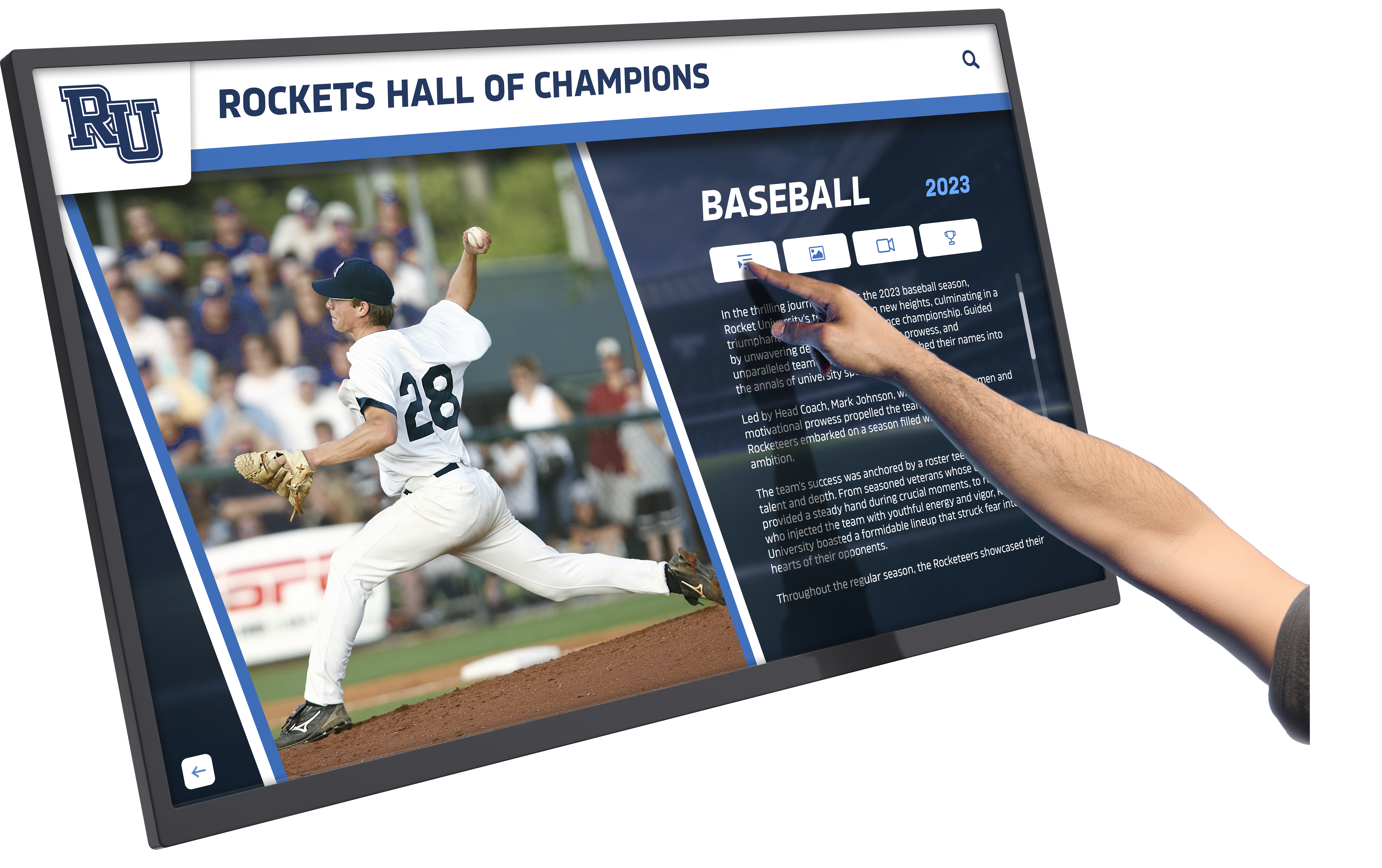
Touch responsiveness depends on proper hardware calibration during installation—configuration managed by Rocket's setup process rather than left to school IT staff.
Content Management Training:
Hardware and software configuration alone do not guarantee successful deployment. Schools need training on the cloud-based content management system to update athlete profiles, add new inductees, and modify display layouts.
Rocket provides live training sessions tailored to each school’s use case. Lafayette Catholic School’s testimonial emphasized this support: “We selected Rocket because of ease of user interface, end-user flexibility with design, and responsiveness of team. Multiple department heads have access to add material with wonderful creativity.” This multi-user access requires permissions configuration and role-based training—services included in Rocket’s setup process.
Rockford University noted they have “worked with Rocket for multiple years” and the software “allows much more than we initially expected.” This learning curve underscores the value of comprehensive training during setup rather than expecting customers to self-educate from documentation alone.
Customer Success: The Single Point of Contact That Actually Answers
Hardware and software inevitably encounter issues. The quality of support determines whether problems cause hours of downtime or get resolved in minutes.
Rocket assigns each customer a dedicated Customer Success representative who serves as the primary contact for all issues—hardware malfunctions, software questions, content updates, or feature requests. This differs from tiered support models where customers navigate phone trees, submit tickets to generic queues, or get escalated across departments.
Response Time Evidence from Real Schools:
Highland High School experienced a display failure during a Friday night basketball game. Their testimonial documents the resolution timeline: “Board stopped working Friday night. Got call back within 3 minutes and issue was fixed.” Three minutes from initial outage to callback—not three hours, not next business day. Friday night callback service indicates 24/7 availability, not just business-hours support.
Division High School described similar responsiveness: “You just FaceTimed me a few seconds after I reached out.” Video troubleshooting via FaceTime allows Customer Success to see the physical installation, diagnose cable connection issues, or walk customers through power cycling procedures in real-time. This capability requires support staff with hardware expertise, not just software knowledge.
Wray School District verified around-the-clock availability: “The chat support is very helpful! When they say 24/7, they are being truthful. I have chatted late nights, weekends, mornings and they are always very responsive.” The testimonial emphasizes duration commitment: “They make sure my needs are met and always offer to help solve the issue, no matter how long it takes.” This contrasts with support models that close tickets prematurely to meet metrics.
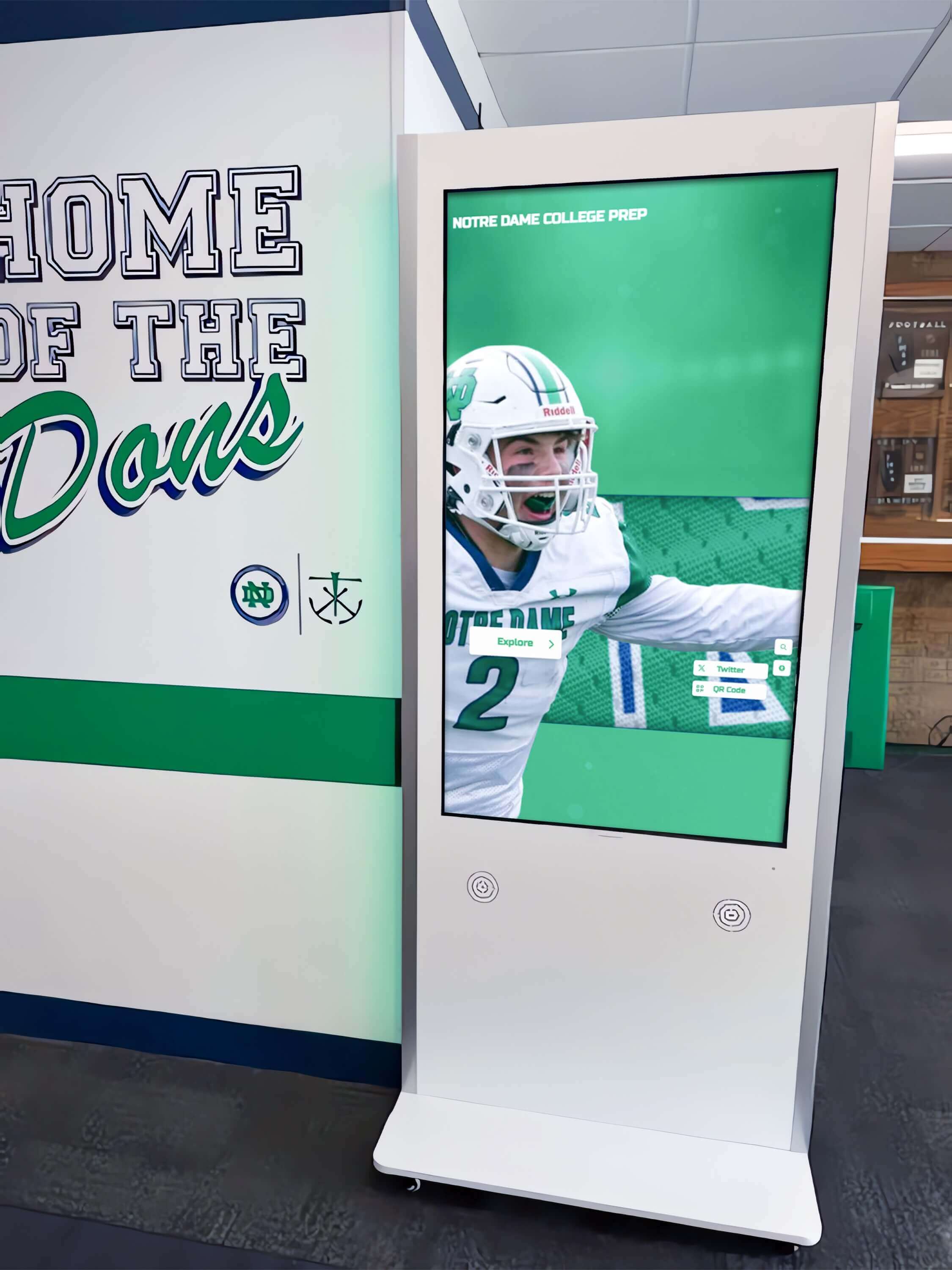
Rocket's Customer Success team provides remote diagnostics and troubleshooting for installed displays, eliminating the need for schools to coordinate between multiple vendors.
Technical Depth and Problem Ownership:
University of Buffalo provided an extensive testimonial documenting Rocket’s support capabilities: “exceptional customer service, incredible troubleshooting abilities, outstanding professionalism, courteous and patient staff, dedication to resolving technical difficulties, genuine care about customer needs.” The phrase “incredible troubleshooting abilities” indicates technical competency beyond basic script-following.
Seneca East Local School emphasized ownership: “Rocket is truly a hands-on team—a group which is certain to answer the phone, take your thoughts, ideas, and suggestions, and turn them into a reality. Anything I have wanted to make happen has happened thanks to Chase and his team’s dedication to doing what the customer wants.” This describes solution-oriented support rather than limitation-focused responses.
The testimonials reveal a pattern: Customer Success representatives do not deflect hardware issues to third parties. Whether the problem involves display power failure, touch calibration drift, network connectivity loss, or content management questions, the same team handles triage and resolution.
Hardware Warranty and Replacement: Who Owns Uptime?
Commercial displays include manufacturer warranties (typically three years for parts and labor). However, warranty coverage differs from uptime accountability.
Traditional Model Gaps:
When schools purchase hardware separately from software, warranty claims follow manufacturer procedures:
- Customer contacts display manufacturer support line
- Manufacturer technician diagnoses issue remotely (if possible)
- Manufacturer ships replacement parts to school
- School coordinates local installer to swap components
- School tests display and reconnects to software system
This process can take days or weeks. During that period, the recognition display sits dark—particularly problematic during homecoming weekends, alumni reunions, or facility dedication events when the display matters most.
Rocket’s Uptime Model:
Rocket owns uptime even when OEM warranties exist in the background. When hardware fails, schools contact their Customer Success representative—not the display manufacturer. Rocket coordinates warranty claims, expedites replacement parts, and in urgent cases, ships spare hardware from inventory to minimize downtime.
Concordia Lutheran’s testimonial confirms this approach: “The Rocket team has been amazing! Every time we’ve had some sort of issue, which is rare, they have been right on top of it to help us.” The phrase “which is rare” indicates reliable hardware selection, while “right on top of it” describes proactive resolution management rather than passive warranty administration.
Municipality of North Cowichan (a Canadian client) highlighted service continuity: “Rocket Alumni built our community’s Sports Wall of Fame touchscreen in a matter of days… Even months after the job was complete they are always just an email away to answer questions.” This long-term accessibility contrasts with installation contractors who disappear after deployment.
Deployment Speed: From Order to Operation
Timeline matters when schools plan installations around events. Sports hall of fame unveilings often coincide with homecoming weekends. Donor recognition displays get scheduled for capital campaign events. These deadlines create pressure that software-only vendors cannot address since they do not control hardware supply chains.
North Dakota Aviation Association documented their deployment timeline: “Originally planned deployment to take up to a year. With Rocket, ready to deploy first site and can have fully deployed system in less than 1 month (really less than 1 week if schedule allowed).” This 52-week reduction came from eliminating the hardware sourcing, compatibility testing, and integration troubleshooting phases that customers face when coordinating multiple vendors.
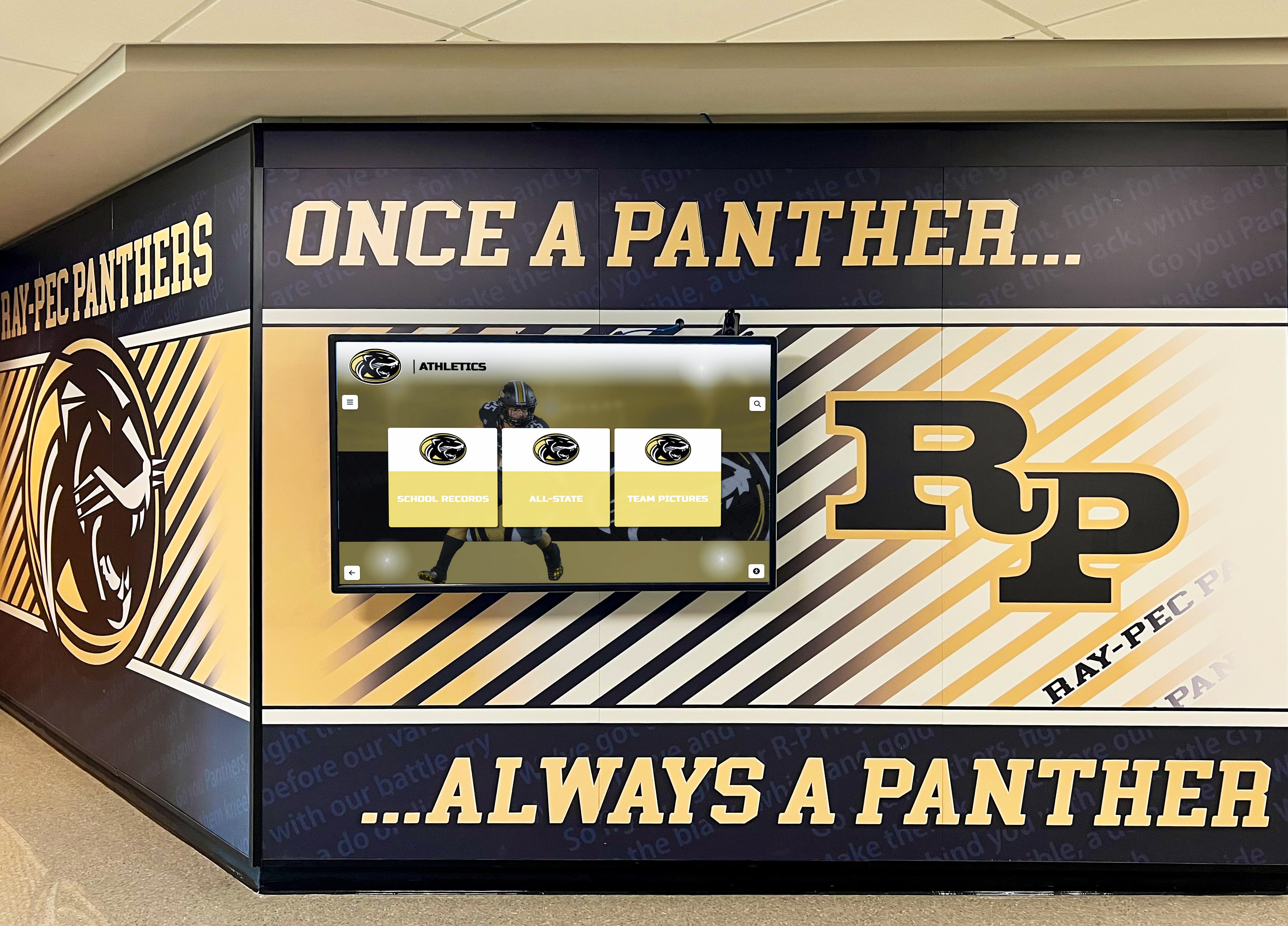
Coordinated installation planning allows schools to integrate digital displays with existing athletic murals and facility renovations on tight timelines.
Sweetwater High School’s testimonial describes impact speed: “Thank you for your amazing product, it has literally changed the trajectory of my career!” The athletic director won teacher of the year for implementing the display system and used it to archive military service records and school history. Rapid deployment enabled immediate value capture rather than prolonged setup periods that erode enthusiasm.
Municipality of North Cowichan emphasized turnkey speed: “Rocket Alumni built our community’s Sports Wall of Fame touchscreen in a matter of days to our specifications with photos and biographies for 58 athletes.” Loading 58 athlete profiles with multimedia content in days requires pre-installation content preparation support—another service Rocket provides rather than expecting customers to navigate content management systems alone.
The Expertise Factor: Deep Knowledge of the Full Kiosk Stack
Support quality correlates with technical depth. Rocket’s team specializes exclusively in touchscreen recognition systems rather than supporting generic software across multiple industries. This focus creates expertise advantages customers notice.
Orange Lutheran High School called the product “second to none” and praised ease of communication: “Fantastic to work with. Easy to communicate with, simple to work with, awesome to respond to inquiries.” The phrase “awesome to respond to inquiries” suggests staff who understand questions without requiring extensive explanation.
A particularly telling testimonial came from a Scoreboard Company (a vendor in the sports display industry): “The only one that actually functions as advertised.” This peer-level endorsement from someone who evaluates display technologies professionally validates that Rocket’s hardware and software integration delivers promised capabilities rather than requiring workarounds.
Noble and Greenough School emphasized technical execution: “We have had the best experience with Rocket. Attentive and open to our ideas, created an interface that is equally easy to use on the back end as it is to interact with as a user. The flexibility of the product is key.” Creating interfaces that balance administrator ease with visitor engagement requires expertise in touchscreen user interface design—not just hardware installation competency.
Customization and Feature Development: When Customers Request Changes
Off-the-shelf products rarely fit every school’s needs perfectly. Specialized display requirements emerge: synchronized multi-display installations, integration with existing school information systems, custom navigation structures for complex athletic programs, or unique accessibility accommodations.
Software-only vendors typically respond to customization requests with “that’s not a feature we support.” Hardware-only vendors say “that’s a software question.” This leaves customers stuck with workarounds or unmet requirements.
Seneca East Local School’s testimonial describes Rocket’s approach to customization: “A group which is certain to answer the phone, take your thoughts, ideas, and suggestions, and turn them into a reality. Anything I have wanted to make happen has happened thanks to Chase and his team’s dedication to doing what the customer wants.”
This customer-driven development model requires technical capability across the full stack. Feature requests might involve hardware adjustments (adding external sensors for automated screen wake), software modifications (custom data import formats), or hybrid solutions (integrating with school databases for automated student achievement tracking).
Middletown High School confirmed delivery on promises: “They have been with us every step of the way, going above and beyond to make sure our newly created initiative is a complete success… It is a complete home run!”
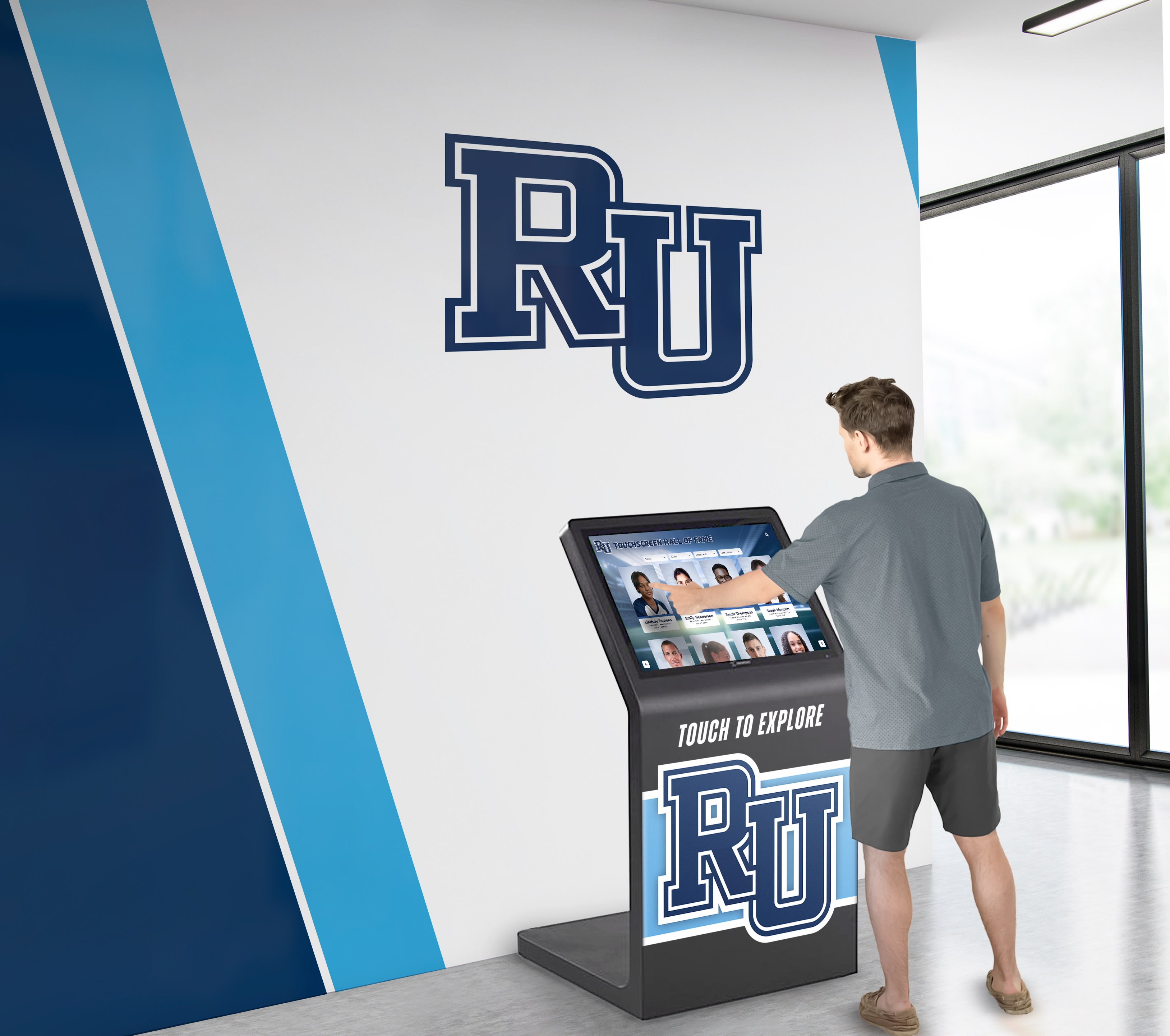
Custom interface development allows schools to match touchscreen navigation to their specific program structures and branding requirements.
Scaling Across Multiple Locations: Consistency and Remote Management
Schools and districts with multiple campuses face deployment complexity. Each location needs identical hardware configurations, synchronized content updates, and consistent user experiences. Managing this at scale requires capabilities beyond single-display expertise.
North Dakota Aviation Association deployed “approximately 10 machines with ease” and emphasized remote management capability: “Can quickly update all sites with just a few keystrokes without physically touching hardware.” This multi-site deployment succeeded because Rocket handled hardware standardization, network configuration across locations, and centralized management platform setup—not just software licensing.
Northwest Athletic Conference (NWAC) praised the platform as “the simplest solution for an amazing digital display” and noted satisfaction with “ease of site, the look from front-end, and customer support.” Conference-level deployments across member institutions require vendor coordination skills and technical standardization—capabilities that fragmented vendor relationships cannot provide.
Schools expanding from single displays to multiple touchscreen installations face questions about content distribution, centralized management, and hardware consistency. Having the same vendor provide hardware and software eliminates integration testing and ensures synchronized capabilities across all locations.
Real-World Reliability: What Happens After Year One?
Initial installation quality matters, but long-term reliability determines whether touchscreen systems become valued institutional assets or maintenance headaches. Schools cannot afford displays that require frequent service calls or content management platforms that break with updates.
Johnson County High School described the relationship balance: “The Rocket team is very personable. They are small enough to know us yet big enough to serve us.” This captures an advantage of specialized providers—personal attention without capacity limitations.
Rockford University’s multi-year experience confirms sustained quality: “We have worked with Rocket for multiple years… Content creation could not be easier and there are multiple layout options so each page can have a unique look.” Years of operation without major incidents indicates both reliable hardware selection and stable software development practices.
Fairview High School emphasized support consistency: “Responds to support questions extremely quick. Thanks for making it easy.” Bayard High School noted similar patterns: “Fast to respond and willing to go the extra mile.” These testimonials come from different schools in different states—suggesting systematic service quality rather than isolated positive experiences.
Comparing Service Models: Rocket’s Approach vs. Alternatives
Understanding Rocket’s model requires context about alternative vendor structures in the touchscreen display market.
Software-Only Vendors:
- Sell cloud-based content management systems
- Provide hardware compatibility lists
- Customer purchases displays separately from commercial AV suppliers
- Customer coordinates installation contractors
- Customer manages hardware warranty claims directly with manufacturers
- Software support only—hardware issues redirect to display manufacturers
This model works when customers have experienced IT staff and established relationships with AV integrators. Schools without these resources face steep learning curves and fragmented support.
Hardware-Only Vendors:
- AV equipment suppliers and system integrators
- Sell commercial displays and installation services
- May recommend software vendors but provide no integration
- Hardware warranty support only—software questions redirect to software companies
Bundled Solutions with Third-Party Fulfillment:
- Some software companies partner with installation contractors
- Customer receives single invoice but separate support channels
- Hardware issues go to contractor; software issues go to software company
- Resolution delays occur when finger-pointing emerges
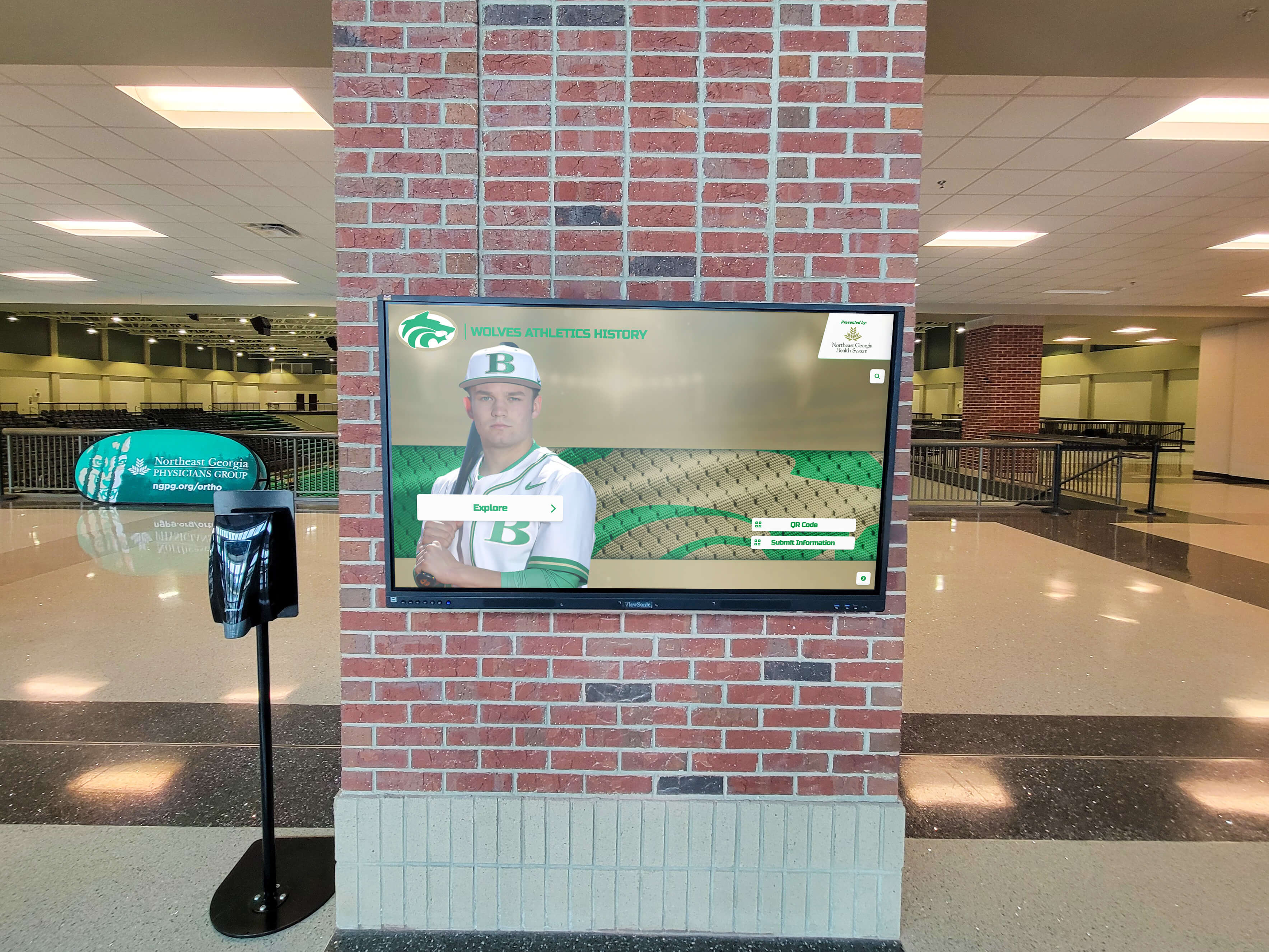
Integrated hardware and software solutions eliminate the coordination complexity schools face when managing multiple vendors for display systems.
Rocket’s Integrated Model:
- Single vendor for hardware, software, installation coordination, and support
- Customer Success as unified contact point
- Proactive monitoring and issue detection
- Direct accountability for uptime regardless of component failure
- Customization capability across the full stack
This structure costs marginally more than piecemeal approaches but eliminates hidden costs: staff time coordinating vendors, downtime during finger-pointing periods, and failed installations requiring expensive remediations.
Accessibility and Compliance: Hardware Choices That Matter
Digital recognition systems in schools must comply with ADA accessibility standards. WCAG 2.1 AA compliance requires specific technical capabilities that hardware selection impacts.
Hardware-Dependent Accessibility Features:
- Display mounting height (reach range for wheelchair users)
- Touch sensitivity calibration (accommodating varied fine motor skills)
- Screen brightness and contrast ratios (visibility for low vision users)
- Audio output options (screen reader compatibility)
Software-only vendors cannot guarantee accessibility compliance because they do not control hardware installation. Rocket’s integrated approach ensures mounting height, tilt angles, and touch calibration meet ADA requirements during installation rather than requiring modifications after failed accessibility audits.
Alfred State University’s testimonial specifically mentioned “great ease of use for all generations”—an oblique reference to interface accessibility across age ranges and abilities. University of Maryland described the platform as “intuitive to use on backend, supremely attractive to visitors,” confirming both administrator and end-user accessibility.
Content Migration and Historical Preservation
Schools switching from physical plaques or legacy digital systems face content migration challenges. Existing athlete databases, scanned photos, and historical records must transfer to new platforms without data loss.
Sweetwater High School used their Rocket display to “archive military service records and school history” and planned to showcase content at the “town’s 150th birthday celebration.” This historical preservation mission requires handling varied media formats, degraded image quality from old yearbooks, and incomplete metadata from paper records.
Rocket’s Customer Success team assists with content migration during setup. This includes scanning recommendations for old photographs, data formatting guidance for spreadsheet imports, and quality standards for multimedia assets. Software-only vendors provide documentation; Rocket provides hands-on assistance that gets historical content online rather than leaving it languishing in unfulfilled implementation plans.
Decision Framework: When Integrated Hardware and Support Matters Most
Not every school requires full-stack vendor integration. Small installations with experienced IT staff may prefer purchasing components separately. However, specific scenarios strongly favor Rocket’s integrated model:
Limited IT Resources: Schools without dedicated IT staff or those sharing technology coordinators across districts benefit from external technical expertise. Customer Success becomes the de facto IT support for the recognition display.
Mission-Critical Uptime: Displays central to donor recognition programs, athletic program branding, or campus wayfinding cannot afford extended downtime. Single-vendor accountability reduces mean time to resolution.
Complex Customization Requirements: Schools with unique program structures (military academies with rank hierarchies, performing arts schools with varied achievement categories, multi-sport conferences with synchronized displays) need vendors capable of full-stack modifications.
Multi-Site Deployments: Districts deploying across elementary, middle, and high schools or universities installing in multiple buildings need consistency and centralized management—capabilities requiring coordinated hardware and software design.
Limited Technical Expertise: Schools want recognition displays, not technology projects. Turnkey solutions let administrators focus on content curation rather than technical troubleshooting.
Seneca East’s testimonial captures this value proposition: “Without a doubt in my mind I can tell you that Rocket’s framework is the way of the future in touchscreen displays. None compare with the flexibility and innovativeness of Rocket. The autosave, Google-like framework, and flexibility of software program is what sets it apart. With Rocket you essentially control anything and everything live and from the cloud.”
The Bottom Line: Hardware Responsibility as Competitive Advantage
Schools evaluating touchscreen recognition displays face a fundamental decision: purchase components separately and coordinate vendors yourself, or select an integrated provider that owns the complete system.
Rocket Alumni Solutions positions hardware provision and setup expertise as core services rather than afterthoughts. The company sources commercial-grade displays, manages installation logistics, configures network connectivity, trains staff, and provides unified Customer Success support that handles any issue regardless of whether it originates in hardware, software, or network layers.
Customer testimonials consistently validate this approach. Schools cite rapid response times (minutes, not hours), technical expertise across the full stack, proactive problem-solving, and long-term reliability. The phrase “not just software” undersells the value—Rocket provides complete recognition display systems where hardware quality, installation expertise, and ongoing support combine to deliver uptime rather than just licensing agreements.
Organizations concerned about being “stuck dealing with third parties” for hardware issues can evaluate Rocket’s track record through testimonials from schools nationwide. The consistent theme: one team, one contact, one company accountable for keeping recognition displays operational year after year.
Ready to explore how integrated hardware and support differs from software-only solutions? Talk to Rocket’s team about installation timelines, hardware options, and Customer Success capabilities specific to your school’s recognition program needs.