
Museums and galleries face a fundamental challenge in 2026: capturing visitor attention in an era where smartphone screens compete for every moment of focus.
Traditional static exhibits, printed labels, and passive viewing experiences no longer satisfy audiences accustomed to interactive, tailored digital experiences. According to recent industry research, museums implementing interactive technology report visitor engagement increases of 40-60% compared to traditional static displays.
Interactive touchscreen displays offer a solution by transforming passive observation into active participation. These systems allow visitors to explore artifact details at their own pace, access multilingual content, zoom into high-resolution images, and engage with multimedia storytelling that brings history and art to life.
This comprehensive guide examines how interactive touchscreen technology enhances museum and gallery experiences, what features matter most, implementation considerations, and practical strategies for creating engaging digital exhibits that educate and inspire visitors of all ages.
Why Museums and Galleries Choose Interactive Touchscreen Displays
Interactive touchscreen technology addresses several critical challenges facing modern cultural institutions while creating new opportunities for visitor engagement and education.
Making Archives and Collections More Accessible
Physical space constraints limit how much of a collection museums can display at any given time. Most institutions display only 5-10% of their total holdings, leaving vast archives unseen by the public.
Interactive touchscreen displays break through these physical limitations:
- Digital access to entire collections: Visitors can browse thousands of artifacts, artworks, and historical documents that would never fit in physical display cases
- High-resolution imagery: Zoom capabilities let visitors examine fine details impossible to see with the naked eye, even when standing directly in front of an original piece
- Contextual information layers: Access curator notes, conservation reports, provenance history, and scholarly research without cluttering physical exhibit spaces
- Searchable databases: Visitors can find specific pieces, artists, time periods, or themes based on personal interests rather than following predetermined exhibit paths
- Historical photo archives: Digitized historical photographs provide visual connections to past eras
A visitor interested in 18th-century maritime history can search the entire collection for relevant pieces, while another focusing on textile patterns can explore those specific elements across different cultures and time periods.
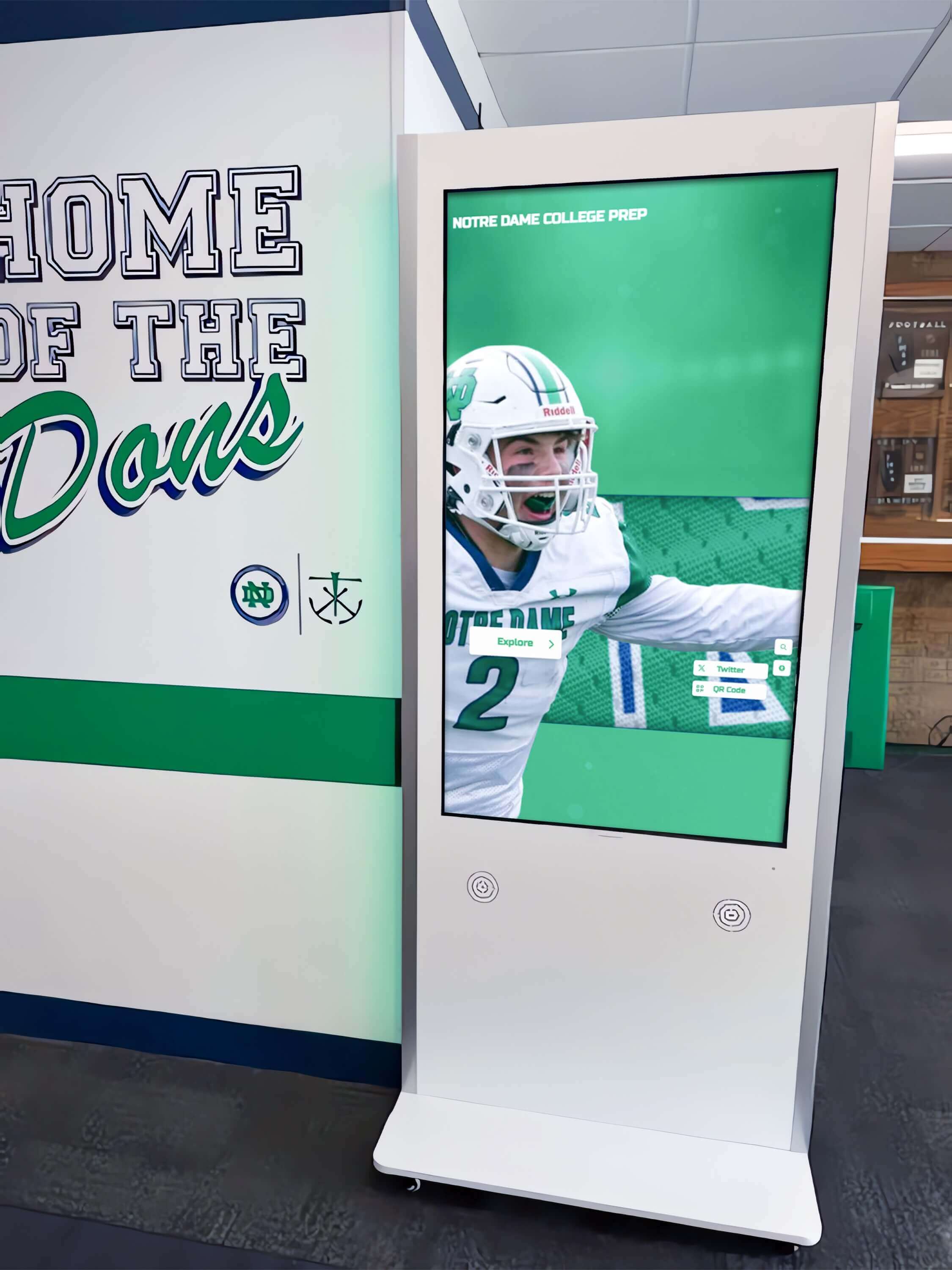
Interactive kiosks provide searchable access to entire museum collections beyond what physical space allows
Extending Visitor Engagement Time
Average museum visit duration correlates directly with visitor satisfaction and educational outcomes. Interactive displays significantly increase the time visitors spend with exhibits.
Traditional text panels provide fixed information that visitors scan in seconds. Interactive touchscreens invite exploration:
- Self-directed learning paths: Visitors control their depth of engagement, spending more time on topics that interest them personally
- Multimedia content: Videos, audio recordings, 3D models, and animated timelines maintain attention longer than static text
- Interactive challenges: Quizzes, puzzles, and matching games transform learning into active participation
- Social engagement: Multi-touch capability allows families and groups to explore content together, discussing findings and sharing discoveries
Research from cultural institutions implementing interactive displays shows visitors spend an average of 3-5 minutes engaging with interactive exhibits compared to 30-45 seconds with traditional text labels.
Creating Inclusive, Multilingual Experiences
Cultural institutions serve increasingly diverse audiences with varying language needs, accessibility requirements, and learning preferences.
Interactive touchscreen systems address inclusivity through:
- Multilingual content: Switch between languages instantly, serving international visitors without requiring multiple printed materials for each exhibit
- Adjustable text size: Visitors can increase font size for easier reading without requiring separate large-print materials
- Audio narration: Text-to-speech or recorded audio assists visitors with visual impairments or reading difficulties
- Universal design principles: Touch interfaces work for visitors with varying technical experience, from children to seniors
- ADA compliance: Properly implemented touchscreen exhibits meet WCAG 2.1 AA accessibility standards
This inclusivity expands audience reach while reducing the cost and environmental impact of producing multilingual printed materials that quickly become outdated.
Bringing Collections to Life Through Storytelling
Static exhibits present information. Interactive displays tell stories that create emotional connections with collections.
Advanced touchscreen experiences offer:
- Before-and-after comparisons: Sliders reveal conservation work, show archaeological sites before excavation, or display historical photographs alongside current conditions
- Animated reconstructions: Watch historical events unfold, see buildings constructed over time, or observe scientific processes in action
- Personal narratives: Audio and video recordings of artists, historians, or individuals connected to exhibits add human dimension to artifacts
- Interactive timelines: Explore historical context by navigating through related events, cultural movements, or biographical information
- Behind-the-scenes content: Videos of conservation processes, interviews with curators, and explanations of research methods demystify museum work
These storytelling techniques transform artifacts from objects behind glass into windows into lived human experience, making history and culture tangible and relevant. For institutions exploring comprehensive approaches to digital storytelling, interactive museum kiosks offer flexible platforms for various exhibit types.
Types of Interactive Touchscreen Solutions for Cultural Institutions
Different touchscreen technologies serve distinct purposes within museum and gallery environments. Understanding these options helps institutions select appropriate solutions for specific exhibit goals.
Freestanding Interactive Kiosks
Freestanding kiosks function as self-contained information stations that visitors can use independently.
Best applications:
- Exhibit introductions and overviews
- Collection databases and search interfaces
- Wayfinding and facility maps
- Ticket purchasing and membership information
- Visitor feedback and surveys
Specifications to consider:
- Screen size typically ranges from 32" to 55" depending on viewing distance and content type
- Portrait or landscape orientation based on content design
- Durable enclosures rated for high-traffic public spaces
- Integrated speakers for audio content
- ADA-compliant height positioning (maximum 48" high forward reach)
Freestanding kiosks work well in lobby areas, exhibit entrances, and transition spaces where visitors naturally pause during their museum journey.
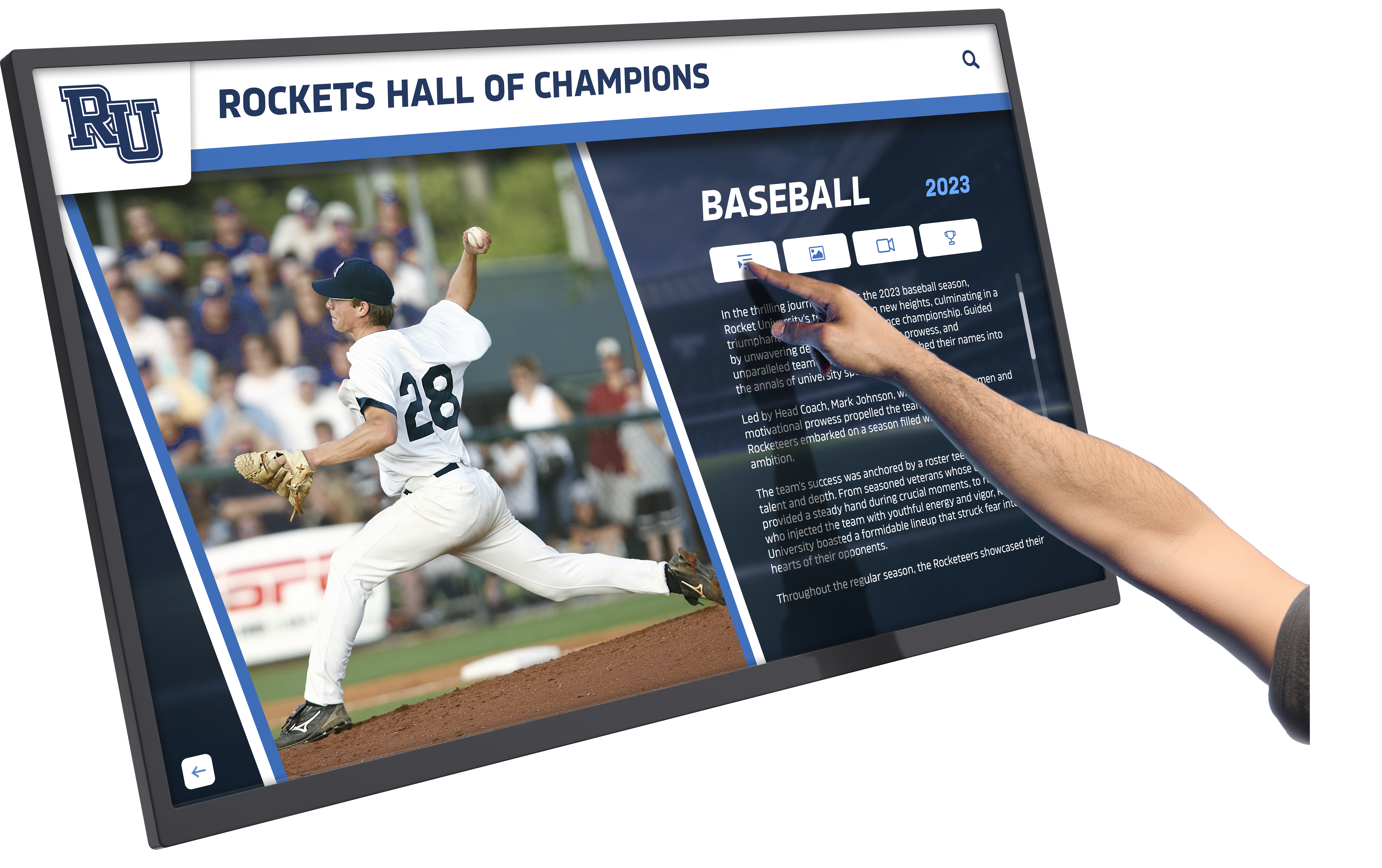
Freestanding kiosks allow self-directed exploration of museum collections and exhibit information
Wall-Mounted Touchscreen Displays
Wall-mounted displays integrate seamlessly into exhibit design, complementing physical artifacts without requiring additional floor space.
Best applications:
- Companion content adjacent to display cases
- Interactive exhibit labels with expandable information
- Video walls showing documentary content
- Digital artwork displays in galleries
- Thematic information panels
Specifications to consider:
- Screen sizes from 43" to 86" based on viewing distance
- Commercial-grade displays rated for continuous operation
- Anti-glare coatings for visibility under museum lighting
- Recessed or flush mounting for finished appearance
- Accessible placement height for seated and standing visitors
Wall-mounted displays work particularly well when specific artifacts or artworks require detailed contextual information that would clutter traditional labels.
Multi-Touch Tables
Horizontal touch tables support collaborative exploration, making them ideal for educational programs and family engagement.
Best applications:
- Interactive maps and site plans
- Collaborative puzzles and activities
- Comparative analysis of multiple artifacts
- Hands-on learning stations for children
- Group research and discussion areas
Specifications to consider:
- Table heights appropriate for standing or seated use
- True multi-touch supporting 10+ simultaneous touch points
- Ruggedized glass surfaces resistant to scratching and impact
- Projection or direct-view display technology
- Furniture-grade construction matching exhibit aesthetics
Touch tables create natural gathering points where families and school groups work together, discussing findings and solving challenges collaboratively.
Digital Signage Networks
Networked digital displays broadcast scheduled content across multiple screens throughout facilities.
Best applications:
- Event calendars and program schedules
- Rotating highlights from collections
- Wayfinding with dynamic directions
- Emergency notifications and visitor alerts
- Promotional content for special exhibitions
Specifications to consider:
- Centralized content management system
- Scheduled content rotation
- Remote monitoring and updates
- Integration with existing network infrastructure
- Content templates maintaining brand consistency
While not strictly interactive, digital signage networks complement touchscreen exhibits by providing dynamic information throughout facilities without requiring one-to-one interaction. Cultural institutions can explore 120 content ideas for digital signage screens to maximize these systems.
Key Features for Museum Interactive Touchscreen Systems
Successful museum touchscreen installations require specific capabilities that differ from general-purpose digital signage or commercial displays. These features directly impact visitor experience, content management efficiency, and long-term system reliability.
Content Management System Requirements
Museum content changes regularly with new acquisitions, traveling exhibitions, updated research, and seasonal programming. The content management system must accommodate these needs efficiently.
Essential CMS capabilities:
- Cloud-based access: Update content remotely without visiting physical displays, enabling staff to manage exhibits from offices or while traveling
- Unlimited content capacity: Add artifacts, images, videos, and documents without storage limitations or additional licensing fees
- Media library organization: Tag and categorize content by period, style, artist, collection, or custom taxonomies for easy retrieval
- Version control: Track content changes, revert to previous versions, and maintain audit trails for institutional records
- Multi-user permissions: Allow different staff members to edit specific sections while protecting other content areas
- Scheduled publishing: Prepare content in advance and schedule automatic publication for exhibition openings
Straightforward content management allows museum staff to maintain current, accurate information without requiring technical support for routine updates.
Visitor Engagement Features
Interactive displays must captivate attention and maintain engagement throughout the visitor experience. Specific features support these goals:
Critical engagement elements:
- Attract loops: Motion graphics and preview content that draw attention when displays are idle, inviting interaction from passing visitors
- Clear navigation: Obvious visual hierarchies, recognizable icons, and consistent interaction patterns that require no instruction
- Multiple interaction depths: Surface-level content for casual browsers with progressively detailed information for engaged learners
- Social sharing: Options to email content, save favorites, or share discoveries on personal devices
- Gamification elements: Achievement systems, collection challenges, or interactive quizzes that encourage thorough exploration
- Dwell time analytics: Track which content maintains attention longest to inform future exhibit design
These features transform passive information consumption into active discovery that visitors find rewarding and memorable.
Accessibility and Inclusive Design
Cultural institutions serve all community members regardless of physical abilities, technical experience, or language background. Interactive exhibits must accommodate this diversity.
Accessibility requirements:
- WCAG 2.1 AA compliance: Meet international web content accessibility guidelines adapted for interactive exhibits
- Adjustable interface size: Text and buttons scale larger for visitors with visual impairments
- Screen reader compatibility: Properly structured content that assistive technology can interpret
- Alternative input methods: Support for keyboard navigation, switch access, or other assistive devices
- Sufficient color contrast: Text and background combinations that remain legible for visitors with color blindness
- Multilingual support: Content available in multiple languages with easy switching between options
- Clear language: Text written at appropriate reading levels with technical terms explained
Accessible design benefits all visitors, not just those with specific needs. Clear navigation and adjustable text improve experience for everyone.
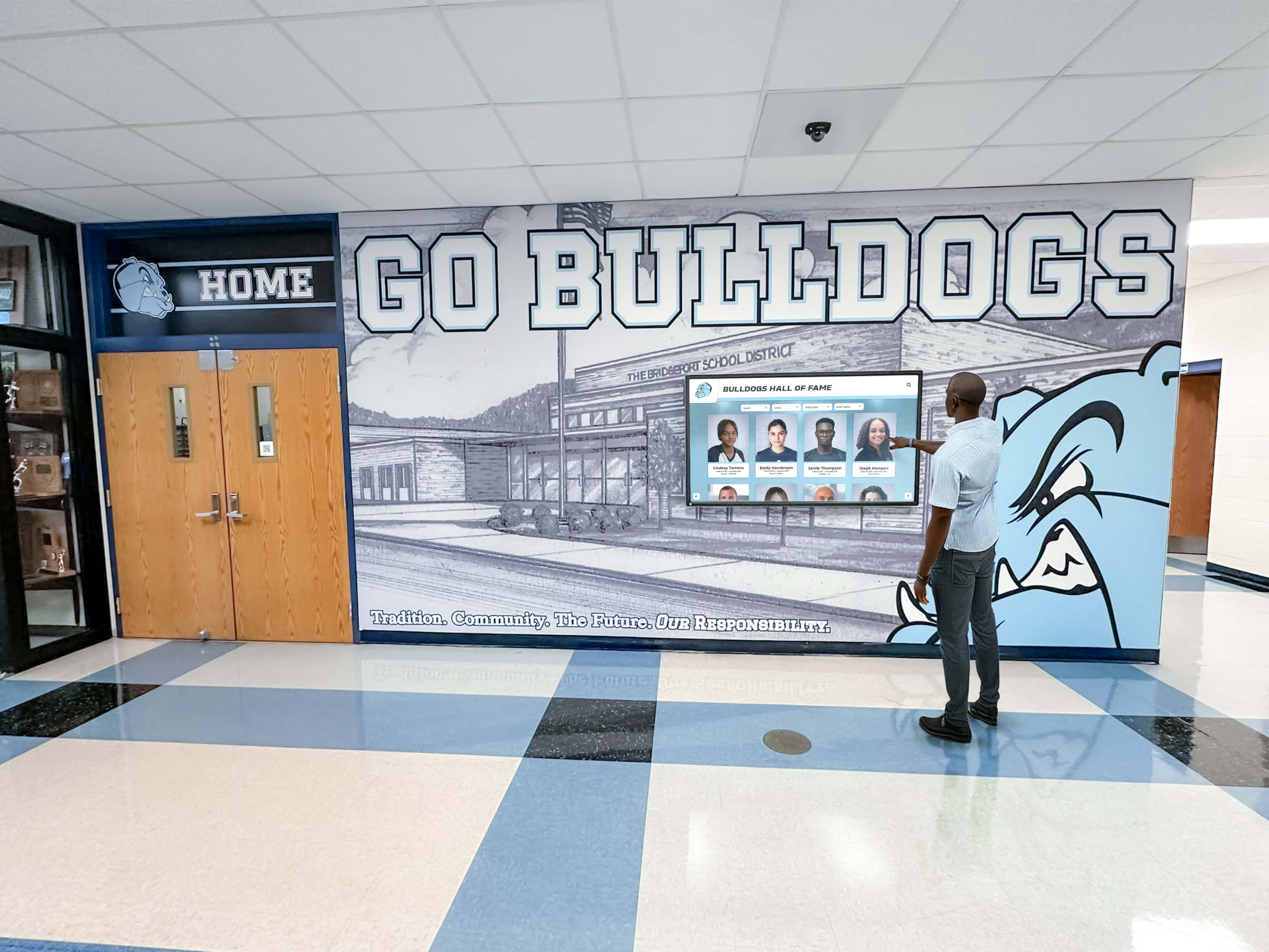
Accessible design ensures interactive exhibits serve visitors with varying abilities and technical experience
Technical Reliability and Maintenance
Museum interactive displays operate during all public hours, often 10-12 hours daily, seven days per week. Technical reliability directly impacts visitor experience and staff workload.
Reliability specifications:
- Commercial-grade displays: Panels rated for continuous operation, not consumer TVs designed for intermittent home use
- Solid-state storage: No moving parts that wear out or fail under constant use
- Remote monitoring: Systems that alert staff to technical issues before visitors report problems
- Automatic restart: Recovery from power interruptions without manual intervention
- Vandal-resistant enclosures: Tamper-proof construction protecting against intentional or accidental damage
- Temperature management: Cooling systems preventing overheating in enclosed exhibit spaces
- Redundancy options: Backup systems or content fallback when primary displays require maintenance
Dependable systems reduce maintenance costs and ensure visitors consistently find working interactive exhibits throughout facilities.
Integration Capabilities
Museum interactive displays rarely function in isolation. Integration with other institutional systems amplifies their value.
Integration opportunities:
- Ticketing systems: Customized experiences based on purchased tours, membership levels, or special program registration
- Mobile apps: Continuation of museum experience on visitor smartphones with saved content and navigation
- Collection databases: Direct connection to institutional catalog systems ensuring content accuracy
- Analytics platforms: Visitor behavior data flowing to broader institutional reporting systems
- QR code generation: Create scannable codes visitors use to continue learning on personal devices
- External displays: Content appearing on both interactive kiosks and personal devices simultaneously
Connected systems create cohesive experiences where digital touchpoints reinforce rather than compete with each other.
Implementation Strategies for Museum Interactive Displays
Successful interactive exhibit implementation requires careful planning that extends well beyond equipment purchase. These strategies help cultural institutions avoid common pitfalls while maximizing return on technology investment.
Content Strategy Before Technology Selection
Many institutions approach interactive exhibits by selecting technology first, then determining what content to display. This backward approach leads to expensive mistakes.
Content-first planning process:
- Define exhibit goals: What should visitors understand, feel, or do after engaging with this content?
- Identify content assets: What images, videos, documents, and artifacts support these goals?
- Map user journeys: How will visitors discover, explore, and absorb information?
- Determine interaction types: What specific interactions serve content and goals?
- Select appropriate technology: What display type, size, and capabilities support planned interactions?
This sequence ensures technology serves content strategy rather than forcing content into predetermined technological formats.
For example, an exhibit exploring textile patterns benefits from high-resolution displays with pinch-to-zoom capabilities, while an interactive timeline requires horizontal layouts supporting sequential navigation.
Phased Implementation Approach
Implementing interactive exhibits across entire institutions simultaneously creates overwhelming technical and content challenges. Phased approaches allow learning and refinement.
Recommended implementation phases:
Phase 1: Pilot installation (3-6 months)
- Install 1-2 displays in high-traffic areas
- Develop content for one complete exhibit section
- Observe visitor behavior and gather feedback
- Identify technical issues in actual operating conditions
- Train staff on content management systems
Phase 2: Refinement (2-3 months)
- Adjust content based on usage analytics
- Revise navigation based on observed visitor confusion points
- Fine-tune display placement and height
- Develop staff training materials based on pilot experience
- Document best practices and content templates
Phase 3: Expansion (ongoing)
- Deploy additional displays to other exhibit areas
- Apply lessons learned from pilot phase
- Standardize content templates and interaction patterns
- Build institutional knowledge and staff confidence
Phased implementation reduces financial risk while building organizational capabilities gradually.
Visitor Experience Testing
Interactive exhibits designed by museum professionals may not function intuitively for diverse visitor populations. Testing reveals usability issues before full deployment.
Effective testing methods:
- Think-aloud protocols: Ask test visitors to verbalize thoughts while using exhibits, revealing confusion points and mental models
- Task completion tests: Ask visitors to find specific information, measuring success rates and time required
- Age-diverse testing: Include children, adults, and seniors to identify age-specific usability challenges
- Accessibility testing: Recruit visitors with various abilities to identify barriers
- Exit surveys: Brief questionnaires measuring satisfaction and information retention
Document all feedback, prioritize issues based on frequency and severity, and revise exhibits before public opening. One round of testing typically reveals 80% of major usability problems.
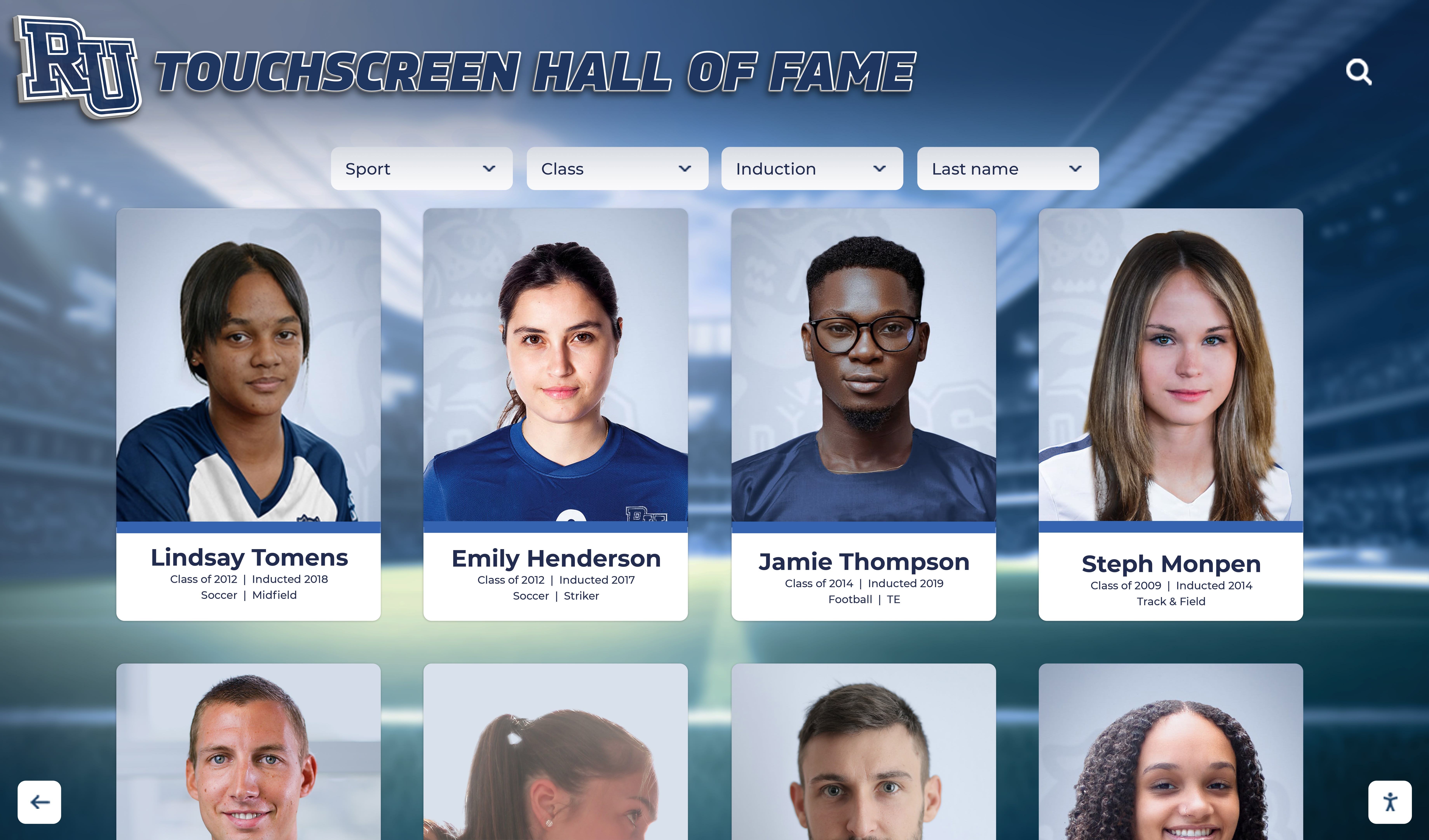
User testing ensures navigation patterns and information architecture serve diverse visitor populations effectively
Staff Training and Support
Interactive exhibits fail when museum staff cannot manage content, troubleshoot basic issues, or assist visitors confidently.
Comprehensive training programs include:
- Content management: Creating, editing, and publishing new exhibit content independently
- Basic troubleshooting: Restarting displays, checking connections, and identifying when to request technical support
- Visitor assistance: Helping visitors start interactions and navigate content without taking over the experience
- Analytics interpretation: Understanding usage reports to inform content decisions
- Maintenance schedules: Cleaning displays, checking for damage, and performing routine system health checks
Plan for 4-6 hours of hands-on training for staff who will manage content regularly, with condensed versions for docents and front-line staff who assist visitors.
Analytics and Continuous Improvement
Interactive displays generate valuable data about visitor behavior, content popularity, and engagement patterns. Use this information strategically.
Actionable metrics to track:
- Dwell time by content section: Which topics maintain attention longest?
- Navigation paths: How do visitors move through content hierarchies?
- Interaction abandonment points: Where do visitors stop engaging?
- Popular search terms: What topics do visitors actively seek?
- Peak usage times: When do visitors engage most with interactive content?
- Completion rates: Do visitors follow content to natural conclusions or exit prematurely?
Review analytics monthly during the first year, then quarterly as patterns stabilize. Use findings to refine content, adjust navigation, and develop new exhibits addressing demonstrated visitor interests.
Addressing Common Concerns About Museum Touchscreen Displays
Cultural institutions considering interactive touchscreen exhibits frequently express specific concerns. Understanding these issues and their solutions helps institutions make confident decisions.
Hygiene and Public Touch Surfaces
Public health awareness increased dramatically in recent years, making some institutions hesitant about shared touch surfaces.
Mitigation strategies:
- Antimicrobial screen coatings: Applied treatments reduce bacterial growth on glass surfaces
- Regular cleaning protocols: Scheduled disinfection using display-safe cleaning solutions
- Hand sanitizer stations: Convenient sanitizer placement near interactive exhibits
- Alternative interaction methods: QR codes allowing visitors to view content on personal devices without touching public screens
- Visitor communication: Signage explaining cleaning procedures builds confidence
Research shows properly maintained touchscreens pose no greater risk than door handles, elevator buttons, or other common public surfaces. Clear communication about cleaning procedures addresses visitor concerns effectively.
Competition with Personal Devices
Some institutions worry interactive exhibits cannot compete with smartphones that visitors already carry.
This framing misunderstands the opportunity. Personal devices and institutional interactive displays serve complementary rather than competing roles:
- Shared screens facilitate social interaction: Families and groups gather around institutional displays, discussing findings together rather than isolating with individual phones
- Larger displays reveal detail: 55" to 86" screens show high-resolution imagery impossible to appreciate on 6" phone screens
- Curated content guides discovery: Institutional displays present thoughtfully organized information while smartphone searches often overwhelm with unvetted results
- Integration extends experience: QR codes connect institutional displays to personal devices, continuing engagement beyond the visit
Smart institutions design ecosystems where touchscreen displays, mobile apps, and physical exhibits reinforce rather than compete with each other. Understanding how digital tools enhance visitor experiences across various institutional settings provides valuable context.
Content Development Resources
Museums often underestimate content development effort, assuming existing text panels and labels transfer directly to interactive formats.
Realistic planning acknowledges that interactive content requires different approaches:
- Budget 3-4 hours of content development per minute of interactive experience: This includes writing, image selection, layout design, testing, and revision
- Assign clear content ownership: Designate specific staff members responsible for each content section to prevent coordination bottlenecks
- Start with priority content: Develop interactive exhibits for collection highlights and popular exhibits first, expanding gradually
- Apply digital archiving best practices: Learn from institutions that have successfully implemented digital archives to simplify content organization
- Consider solutions like Rocket Alumni Solutions: Platforms designed specifically for cultural institutions reduce development complexity with templates, workflows, and content management tools purpose-built for recognition displays and archival content
Starting with realistic expectations and appropriate tools prevents abandoned projects and budget overruns.
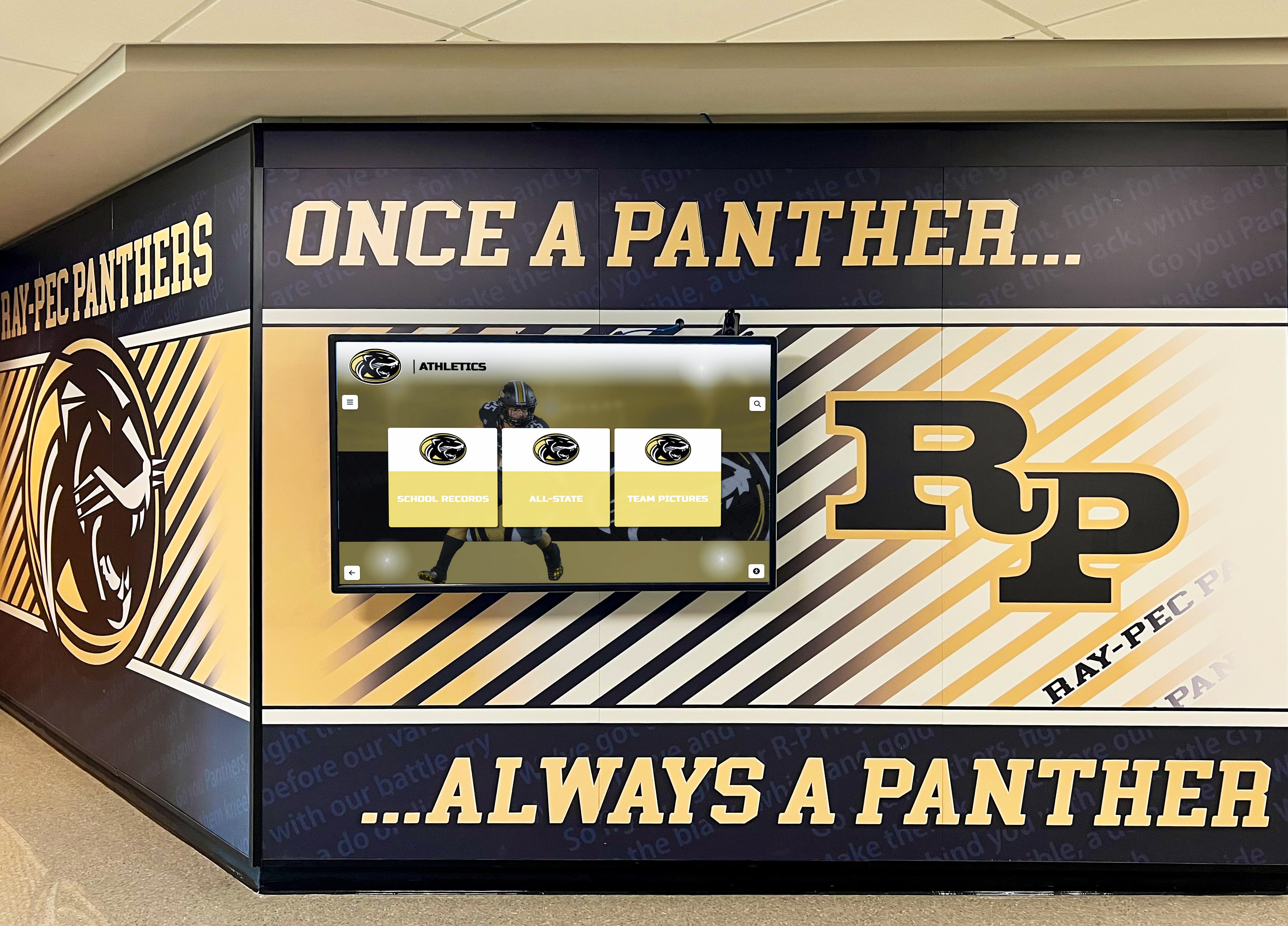
Successful implementations integrate digital displays with traditional exhibits rather than replacing physical collections
Technology Obsolescence
Investment in display technology raises concerns about equipment becoming outdated before providing adequate return on investment.
Longevity strategies:
- Separate content from hardware: Cloud-based content management ensures content transfers to new displays when hardware eventually requires replacement
- Commercial-grade equipment: Professional displays typically function reliably for 7-10 years under museum conditions
- Software updates: Systems that receive regular software updates extend functional life as visitor expectations evolve
- Modular design: Replace individual components rather than entire systems when specific elements fail
- Web-based interfaces: Displays running web content remain current as browsers update automatically
With appropriate planning, interactive exhibit technology provides 7-10 years of service before requiring significant hardware investment.
Balancing Technology and Traditional Exhibits
Some curators worry interactive technology will overshadow or diminish physical artifacts and artworks.
This concern reflects technology implementation that competes with rather than complements collections. Thoughtful design positions interactive exhibits as interpretive tools:
- Placement matters: Position interactive displays to support rather than obscure viewing of physical objects
- Contextual content: Interactive exhibits provide background that deepens appreciation of physical artifacts rather than substituting for direct observation
- Complementary information density: Physical labels provide essential identification while interactive displays offer expanded research, conservation details, and contextual history for interested visitors
- Respect exhibit aesthetics: Display hardware and interaction design should harmonize with exhibit visual language and institutional design standards
Interactive technology serves museums best when it disappears into the visitor experience, supporting rather than dominating interactions with collections.
Creating Engaging Content for Museum Interactive Displays
Display technology provides infrastructure, but compelling content creates memorable visitor experiences. These strategies help cultural institutions develop interactive content that educates, engages, and inspires.
Storytelling Over Information Dumping
Traditional museum labels often read like encyclopedia entries—accurate but uninspiring. Interactive displays offer opportunities for narrative approaches that create emotional connections.
Storytelling techniques:
- Personal narratives: Begin with individual human experiences rather than abstract historical summaries. “Maria Rodriguez arrived at Ellis Island in 1892 carrying…” engages more effectively than “Immigration patterns during the period…”
- Present-tense narration: “You stand on the battlefield where…” creates immediacy compared to distant past-tense descriptions
- Unexpected details: Include surprising, specific facts that visitors remember and share: “The artist mixed crushed beetles into this red pigment…”
- Open with questions: “What would you risk to protect your family?” invites reflection before presenting historical content about refugee experiences
- Show transformation: Before-and-after comparisons, restoration processes, or time-lapse sequences reveal change dramatically
Effective storytelling doesn’t sacrifice accuracy—it makes accurate information memorable and meaningful.
Layered Information Architecture
Visitors arrive with varying levels of existing knowledge and different time constraints. Layered content accommodates this diversity.
Three-tier information structure:
Tier 1: Essential information (10-15 seconds)
- Clear headlines with key facts
- Primary images
- Single sentence takeaways
- Sufficient for scanning visitors who won’t engage deeply
Tier 2: Expanded context (1-3 minutes)
- Additional images and short videos
- Historical background and cultural context
- Artist or creator biographies
- Satisfies moderately engaged visitors seeking solid understanding
Tier 3: Deep dive content (5+ minutes)
- Scholarly research and technical details
- Conservation processes and scientific analysis
- Extended interviews and documentary footage
- Serves deeply interested visitors and researchers
This structure respects visitor autonomy—casual browsers access essentials quickly while passionate learners find substantial depth.
Visual Design Principles
Screen-based content follows different design principles than printed materials. Understanding these differences prevents interactive exhibits that look like PowerPoint presentations.
Effective screen design:
- Large touch targets: Buttons and navigation elements minimum 44x44 pixels (approximately 0.5 inches) to accommodate fingers of all sizes and precision levels
- High contrast: Background and text combinations maintaining 4.5:1 contrast ratio for readability under varying lighting conditions
- Limited text per screen: Maximum 50-75 words per screen to prevent overwhelming visitors with walls of text
- Consistent navigation: Identical button placement and interaction patterns across all screens so visitors learn once and apply throughout
- White space: Empty areas preventing visual clutter and making content hierarchies obvious
- High-quality imagery: Sharp, properly exposed photographs displayed at appropriate resolution without pixelation
Remember that visitors stand while using most museum displays, typically 2-4 feet from screens. Test all design at actual viewing distances rather than while sitting at design workstations.
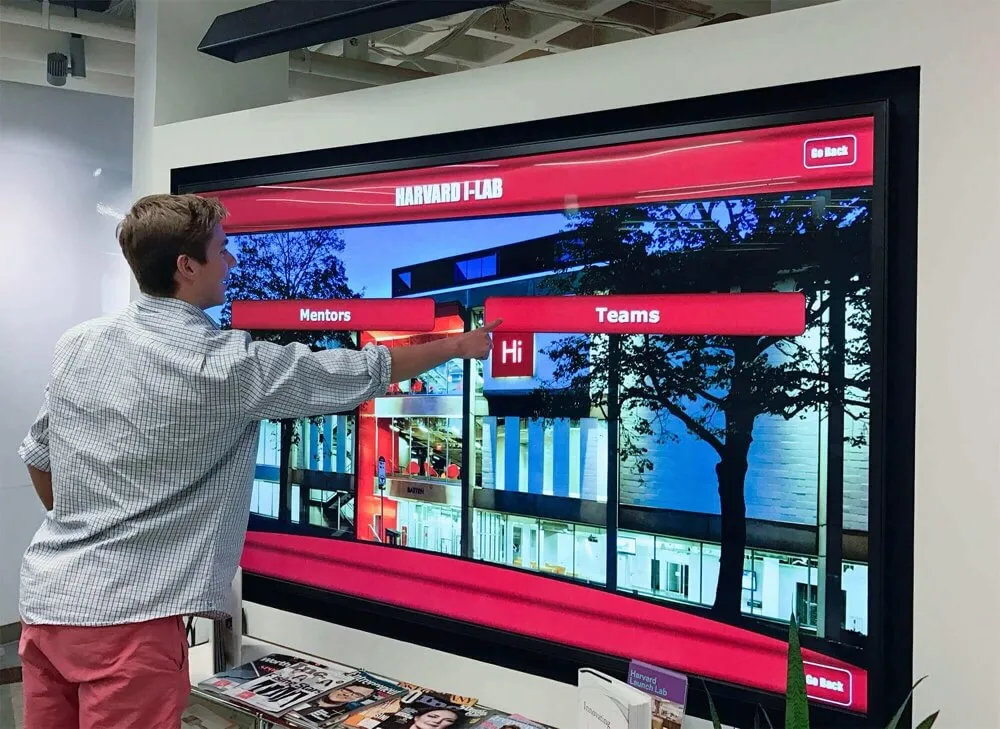
Effective screen design uses clear visual hierarchy, appropriate text sizes, and straightforward navigation patterns
Multimedia Integration
Text alone rarely captivates on interactive displays. Strategic multimedia creates varied, engaging experiences.
Multimedia content types:
- Short video clips: 30-90 second videos showing processes, interviews, or historical footage maintain attention without exhausting patience
- Audio narration: Recordings of artist statements, historian commentary, or survivor testimonies add human voice to written content
- Image comparison sliders: Drag-to-reveal comparisons showing conservation work, archaeological reconstruction, or before-and-after transformation
- 360-degree object viewing: Rotate artifacts or artworks to view from all angles, revealing details invisible in fixed displays
- Animated diagrams: Motion graphics explaining complex processes, chronological sequences, or spatial relationships
- Interactive maps: Zoom and pan through geographical content, exploration routes, or battlefield layouts
Vary content types throughout exhibits to maintain engagement through diversity while avoiding repetitive patterns.
Accessibility in Content Creation
Accessible content reaches wider audiences while often improving usability for all visitors.
Content accessibility practices:
- Alternative text for images: Descriptive text for every image, ensuring screen readers convey visual content to visitors with visual impairments
- Captions for video content: Text captions for all audio content serve deaf visitors and those in noisy museum environments
- Plain language: Clear sentences avoiding unnecessary jargon, serving visitors with cognitive disabilities, children, and non-native speakers
- Readable fonts: San-serif typefaces in sizes minimum 18-24 pixels for body text
- Avoid content timing: Don’t force visitors to read within time limits or automatically advance content before visitors complete reading
Testing content with diverse visitor groups reveals accessibility gaps that developers accustomed to technology often overlook.
Museum Recognition and Visitor Engagement Solutions
Beyond traditional exhibit content, museums increasingly use interactive touchscreen technology for visitor recognition, donor appreciation, and community engagement programs.
Digital recognition displays serve multiple institutional goals—acknowledging support, building community connections, and creating pride in participation. Museums can implement digital donor recognition walls that celebrate supporters while maintaining aesthetic alignment with exhibit spaces. Solutions like Rocket Alumni Solutions provide touchscreen platforms specifically designed for these recognition applications, offering museums tools to honor volunteers, celebrate donors, and showcase community partnerships through accessible, engaging digital displays.
These recognition systems complement traditional museum functions while extending institutional reach into community relationship building that supports long-term sustainability.
For institutions exploring comprehensive digital recognition and engagement platforms, exploring purpose-built solutions designed for cultural institutions provides advantages over adapting general-purpose display technology to recognition purposes.
Future Trends in Museum Interactive Technology
Interactive touchscreen technology continues advancing rapidly. Understanding emerging trends helps institutions plan for future capabilities while making current investment decisions.
Artificial Intelligence and Personalization
AI systems begin enabling tailored museum experiences that adjust to individual visitor interests and knowledge levels.
Emerging AI applications:
- Conversational interfaces: Natural language questions (“What paintings feature water?”) replacing traditional keyword searches
- Adjustable content: Systems that modify information depth and complexity based on observed visitor engagement patterns
- Recommendation engines: “If you enjoyed this artifact, you might also appreciate…” suggestions guiding discovery
- Visual recognition: Visitors photograph artifacts and receive instant information without requiring manual search
These capabilities remain experimental in 2026 but will become mainstream museum technology within 3-5 years.
Augmented Reality Integration
Touchscreen displays increasingly serve as controllers for augmented reality experiences that overlay digital content onto physical environments.
AR museum applications:
- Historical reconstruction: View buildings, costumes, or environments as they appeared in different time periods
- Hidden layers: Reveal underdrawings beneath paintings, see through opaque materials, or visualize removed architectural elements
- Scale comparison: Place life-size figures or objects in space to appreciate actual dimensions
- Animation overlay: Watch mechanical devices operate, see manufacturing processes, or observe natural phenomena
AR technology requires visitors to use personal devices or institution-provided equipment, with touchscreen displays serving as introduction and control interfaces. Special exhibitions like America’s 250th anniversary celebrations demonstrate how museums integrate traditional exhibits with advanced digital technology.
Social and Collaborative Features
Museums recognize that social interaction enhances learning and engagement. Interactive exhibits increasingly facilitate collaborative exploration.
Social interaction features:
- Multi-user simultaneous interaction: Truly collaborative touchscreen experiences where multiple visitors control different aspects simultaneously
- Challenge modes: Families or school groups work together solving puzzles, matching artifacts, or answering quiz questions cooperatively
- Creation tools: Visitors build virtual exhibits, design artifacts using historical techniques, or compose multimedia presentations
- Sharing and communication: Save favorite artifacts, email content to personal devices, or create shareable collections
These social features align with research showing that museum visits function primarily as social experiences where content provides context for interpersonal interaction rather than isolated individual learning. Exploring interactive touchscreen experiences in sports and entertainment venues reveals additional engagement strategies applicable to traditional museums.
Conclusion: Making Strategic Decisions About Museum Interactive Displays
Interactive touchscreen technology offers cultural institutions powerful tools for engaging visitors, increasing accessibility, and telling compelling stories through collections. Successful implementation requires careful attention to content strategy, visitor experience design, technical reliability, and organizational capacity.
Institutions approaching interactive exhibits strategically—defining clear goals, planning content before selecting technology, implementing in phases, and committing to ongoing refinement—create valuable digital experiences that complement and enhance traditional museum offerings.
As visitor expectations continue evolving in an increasingly digital world, interactive touchscreen displays transition from novel experiments to essential museum infrastructure. Institutions that embrace this technology thoughtfully position themselves to serve diverse audiences effectively while fulfilling core missions of education, preservation, and community engagement.
For museums and galleries ready to explore modern interactive display solutions, platforms designed specifically for cultural institutions and recognition applications provide advantages over adapting general-purpose technology. These purpose-built systems understand the unique needs of museums while offering the reliability, accessibility, and content management capabilities that successful long-term implementations require.
Ready to explore how interactive touchscreen technology can transform your museum or gallery experience? Discover proven digital recognition and display solutions designed for cultural institutions and community engagement.
Sources: