Walk into a modern school, nonprofit, or organization today and you’ll likely encounter interactive kiosk solutions that transform how institutions engage visitors, recognize achievements, share information, and build community connections. These touchscreen-enabled systems represent far more than digital bulletin boards—they create two-way engagement opportunities that static displays simply cannot match.
The shift toward interactive kiosk technology reflects fundamental changes in how people expect to access information. Visitors no longer want to search for paper directories or wait for staff assistance to find basic information. Students expect to explore achievement archives at their own pace. Donors appreciate seeing their contributions acknowledged through engaging multimedia presentations. Community members value touchscreen systems that tell institutional stories through photos, videos, and interactive timelines.
This comprehensive guide explores how schools and organizations implement interactive kiosk solutions in 2026, examining practical applications, technology considerations, implementation strategies, and proven approaches for creating engaging touchscreen experiences that strengthen communities while achieving institutional goals.
Modern interactive kiosks serve multiple purposes simultaneously—wayfinding for visitors, recognition for supporters and achievers, communication for time-sensitive announcements, and archiving for institutional history. The most successful implementations integrate these functions into cohesive systems that feel intuitive rather than overwhelming, creating value for diverse stakeholders from prospective families to long-time alumni.
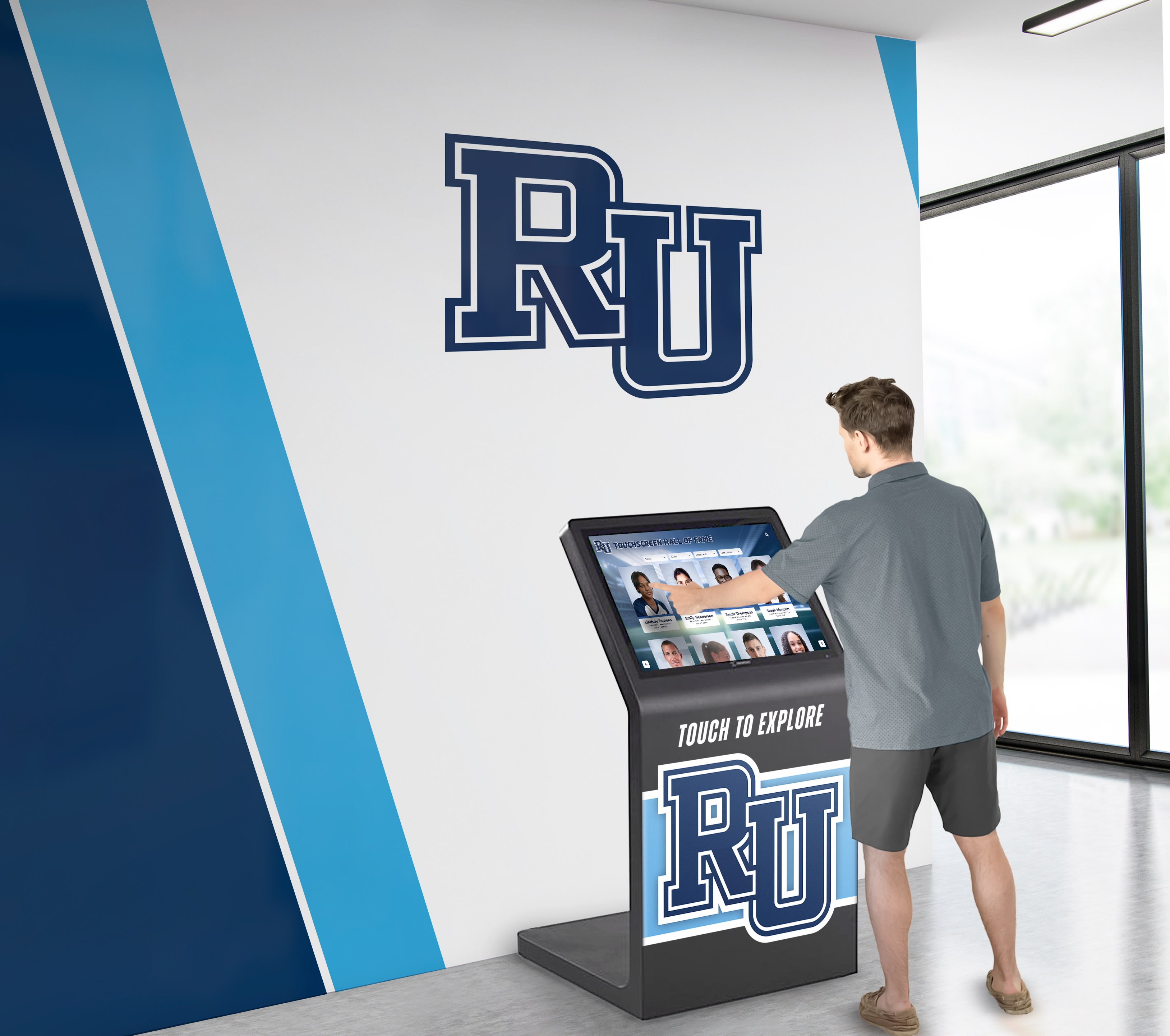
Interactive kiosks transform lobbies into engagement hubs where visitors actively explore institutional content
Understanding Interactive Kiosk Solutions
Before exploring specific applications, understanding what distinguishes effective interactive kiosks from simple digital signage helps organizations make informed technology decisions.
What Makes a Kiosk “Interactive”?
True interactive kiosks enable two-way engagement where users control their experience rather than passively consuming predetermined content:
Core Interactive Capabilities
- Touchscreen navigation: Users tap, swipe, and pinch to explore content at their own pace
- Search functionality: Visitors find specific information without navigating through hierarchical menus
- Content filtering: Users narrow results by category, date, achievement type, or other relevant criteria
- Multimedia access: Videos, photo galleries, and audio content play on demand based on user interest
- Social connection: QR codes enable visitors to continue exploring on personal devices after leaving kiosks
- Personalized pathways: Different visitors follow unique journeys based on individual interests and needs
This interactivity transforms passive viewing into active discovery, significantly increasing engagement time and information retention compared to static displays or one-way digital signage.
Why Organizations Choose Interactive Kiosk Solutions
The investment in interactive kiosk technology addresses several critical institutional challenges while creating new opportunities:
Space Constraints and Scalability Physical recognition walls, trophy cases, and bulletin boards face rigid space limitations. Traditional plaques fill available wall space within years, forcing difficult decisions about removing older recognition to accommodate new achievements. Interactive kiosks eliminate these constraints entirely—a single 55" touchscreen can display unlimited individuals, achievements, or information without ever running out of space.
Information Currency and Accuracy Printed directories, paper announcements, and static displays become outdated the moment they’re produced. Correcting errors or updating information requires physical replacement at significant cost and delay. Cloud-based interactive kiosk systems update remotely in seconds, ensuring visitors always access current, accurate content.
Visitor Experience and Autonomy Modern visitors prefer self-service information discovery to waiting for staff assistance. Interactive kiosks empower guests to find exactly what they need independently, at their own pace, without interrupting busy staff members. This autonomy particularly appeals to younger generations accustomed to smartphone-style interfaces.
Organizations implementing touchscreen kiosk displays for visitor engagement report 60-80% reduction in basic information requests to front desk staff, freeing personnel for higher-value interactions requiring human judgment and relationship building.
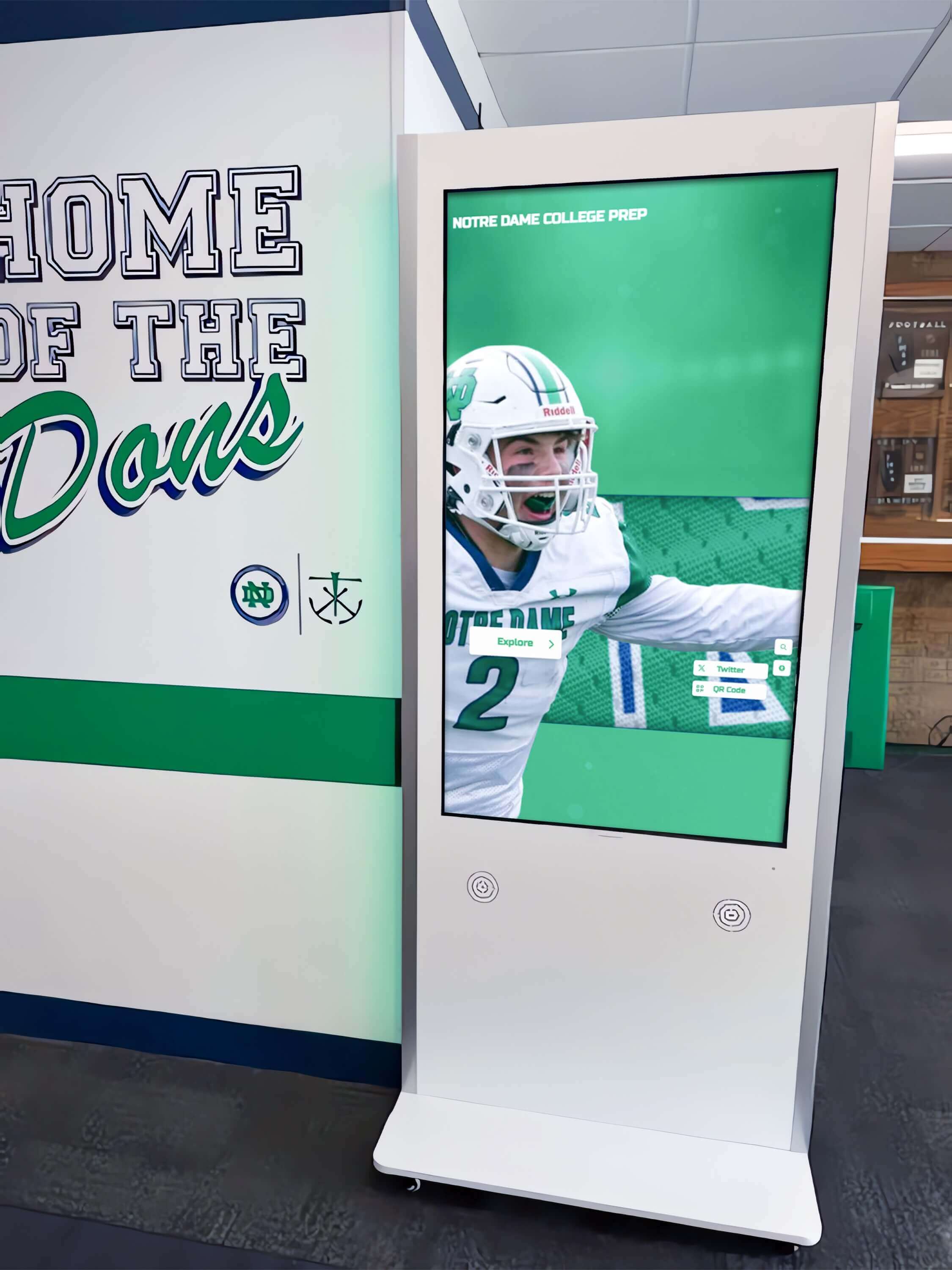
Freestanding kiosks fit naturally into hallways and common spaces without requiring wall mounting
Applications of Interactive Kiosk Solutions in Schools
Educational institutions represent the largest adopters of interactive kiosk technology, leveraging touchscreens for applications spanning athletics, academics, arts, and community engagement.
Athletic Recognition and Sports History
Sports programs generate decades of achievements deserving celebration—championships, individual records, hall of fame inductees, and milestone moments. Traditional trophy cases and plaque walls struggle to accommodate comprehensive recognition while remaining organized and accessible.
Interactive athletic kiosks transform sports recognition:
Championship Recognition
- Complete team rosters with individual athlete profiles and statistics
- Game highlight videos from championship seasons
- Season summaries with scores, standings, and memorable moments
- Coach recognition and program leadership history
- Opponent information and series records
Hall of Fame Programs Athletic halls of fame honor distinguished athletes, coaches, and contributors. Physical plaque systems restrict inductee numbers and provide minimal information beyond names and years. Interactive kiosks eliminate both limitations:
- Unlimited inductee capacity accommodating decades of honorees
- Comprehensive biographical profiles with career achievements
- Photo galleries showing athletes in action across their careers
- Video tributes and acceptance speeches from induction ceremonies
- Career statistics and records with historical context
- Search and filtering enabling visitors to find specific inductees quickly
Schools successfully implementing digital hall of fame solutions for athletics report dramatically increased visitor engagement compared to traditional plaque walls, with guests spending 5-10 minutes exploring content versus 30 seconds scanning static displays.
Record Boards and Performance Tracking Interactive kiosks excel at displaying complex performance data:
- Top performances across all events in each sport
- Historical progression showing how records evolved over time
- Comparison tools enabling visitors to see performances side-by-side
- Filtering by decade, gender, or specific events
- Automatic ranking updates as new records are established
This dynamic approach far surpasses static painted boards requiring expensive repainting every time records fall.
Academic Excellence Recognition
Academic achievement deserves equal visibility to athletic accomplishments. Interactive kiosks create parity through comprehensive recognition systems:
Honor Roll and Academic Distinction
- Current and historical honor roll listings
- Academic competition achievements and awards
- National Merit Scholars and commended students
- Perfect attendance and academic milestones
- Subject-specific excellence recognition
- Academic club leadership and membership
Scholarship Recipients
- College scholarship recipient profiles
- Scholarship award details and donor recognition
- College acceptance and matriculation information
- Academic program outcomes and achievements
- Career pathway information for alumni
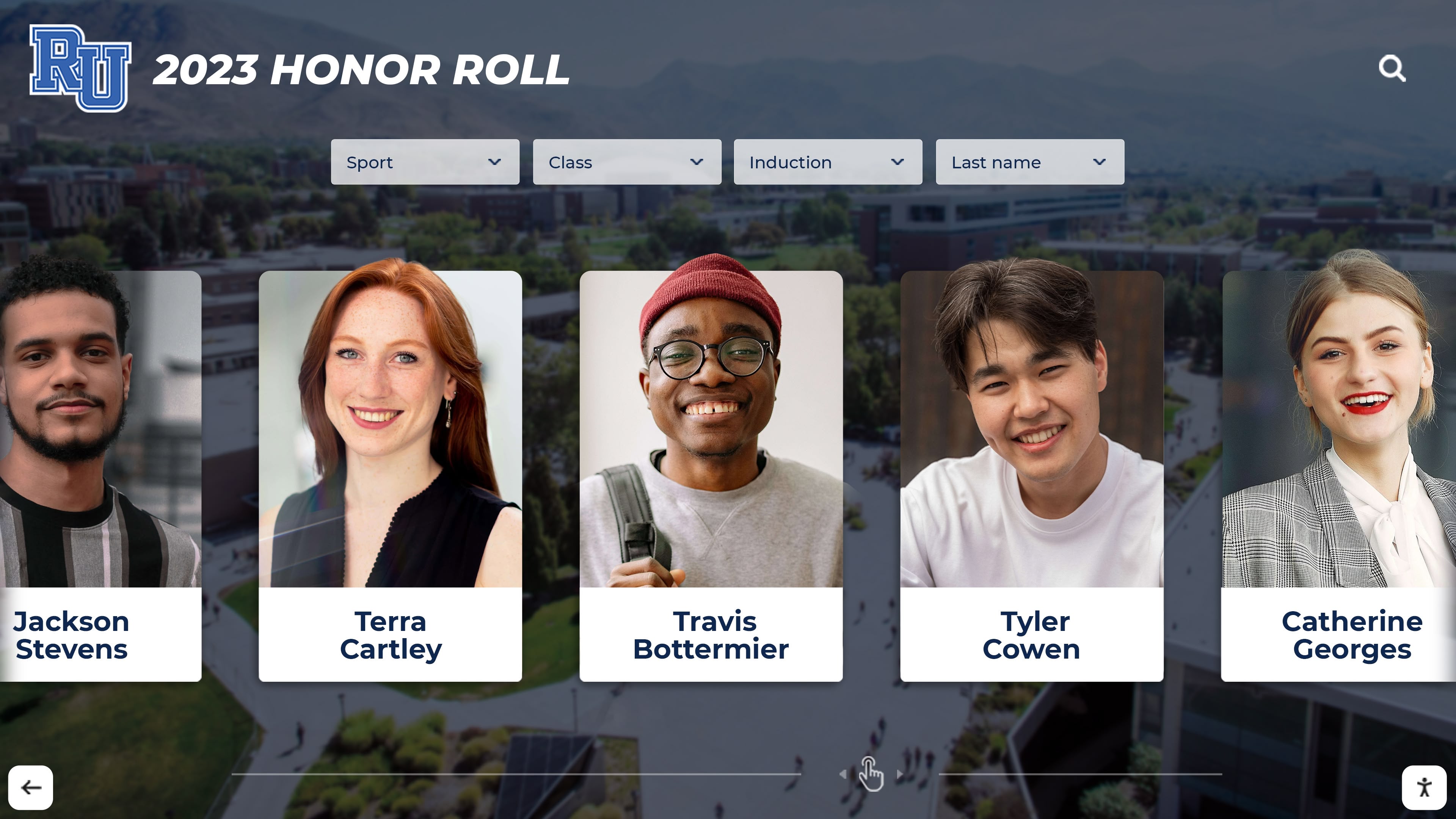
Interactive systems enable comprehensive academic recognition beyond what physical space allows
Valedictorians and Salutatorians Historical archives celebrating academic leaders with graduation year, colleges attended, and biographical context create inspiring connections between current and past students.
Many schools implement academic recognition programs through interactive kiosks that give intellectual achievement equal prominence to athletic excellence.
Arts, Activities, and Club Recognition
Beyond athletics and academics, interactive kiosks celebrate diverse contributions:
Performing Arts Showcases
- Theatre production histories with cast and crew recognition
- Concert and performance video archives
- Music competition achievements and awards
- Visual arts student work galleries
- Arts program alumni and professional achievement
Club and Organization Leadership
- Student government officers and representatives
- Club presidents and organization leaders
- Community service hour recognition
- Competition and conference participation
- Special interest group showcases
Extracurricular Achievements Interactive kiosks acknowledge the full breadth of student involvement, creating inclusive recognition that celebrates every contribution to school community.
Wayfinding and Visitor Information
Practical information access represents another major kiosk application:
Campus Navigation
- Interactive building maps with room locations
- Department and office directories with contact information
- Parking and transportation guidance
- Accessibility features and accommodation information
- Event locations and facility reservations
Program Information
- Course offerings and curriculum overviews
- Extracurricular activity opportunities
- Athletic schedules and registration information
- Special programs and pathways
- College counseling resources
Real-Time Communications
- Daily announcements and schedule changes
- Event calendars with tickets and registration links
- Emergency notifications and safety information
- Weather alerts and school closures
- Social media feeds from official accounts
Schools leveraging digital signage content ideas for kiosks ensure visitors access comprehensive information through intuitive interactive interfaces.
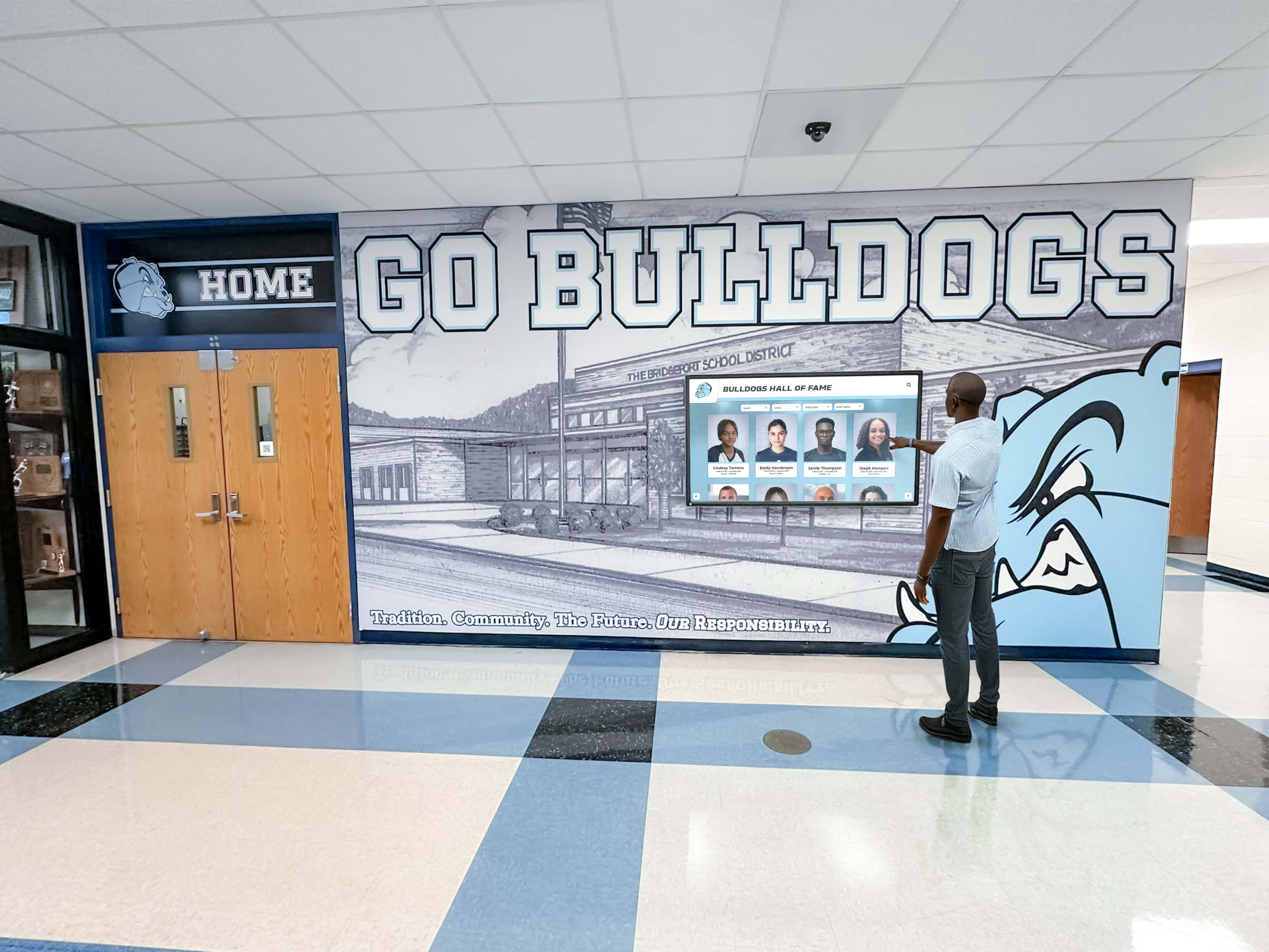
Intuitive navigation enables visitors to explore information independently without staff assistance
Interactive Kiosk Applications in Nonprofit Organizations
Beyond educational institutions, nonprofits leverage interactive kiosks for donor recognition, program education, and community engagement.
Donor Recognition and Stewardship
Acknowledging supporter generosity represents a primary nonprofit kiosk application:
Comprehensive Donor Walls Traditional physical donor walls face the same space constraints affecting athletic recognition. Digital kiosks eliminate limitations:
- Unlimited donor capacity across all giving levels
- Tiered recognition organized by giving societies
- Donor profiles with gift history and impact stories
- Corporate partnership and sponsorship recognition
- Memorial tribute sections for gifts honoring loved ones
- Volunteer and non-financial contribution acknowledgment
Nonprofits implementing digital donor recognition displays report significant advantages over traditional plaques, particularly the ability to update recognition instantly following gifts rather than waiting months for plaque production.
Impact Storytelling Donor recognition proves most effective when connecting contributions to tangible outcomes. Interactive kiosks enable rich storytelling:
- Before-and-after comparisons showing change created by philanthropy
- Beneficiary testimonials explaining program impact
- Photo and video documentation of programs funded by donations
- Measurable outcome data demonstrating gift effectiveness
- Historical timelines connecting donor support to organizational evolution
This narrative approach transforms donor walls from simple name lists into compelling stories about philanthropic impact.
Mission Education and Program Showcases
Nonprofits use interactive kiosks to educate visitors about causes and services:
Program Information Centers
- Service descriptions with eligibility and access information
- Impact metrics demonstrating program effectiveness
- Client success stories (with appropriate privacy protections)
- Geographic service area information
- Partnership and collaboration recognition
Educational Content Mission-driven organizations leverage kiosks for cause education:
- Issue background and context explaining why work matters
- Research and data supporting program approaches
- Historical information about organizational founding and evolution
- Volunteer opportunities and engagement pathways
- Advocacy resources and action opportunities
Religious organizations implement touchscreen displays for faith communities that respect theological traditions while embracing modern technology for stewardship and communication.
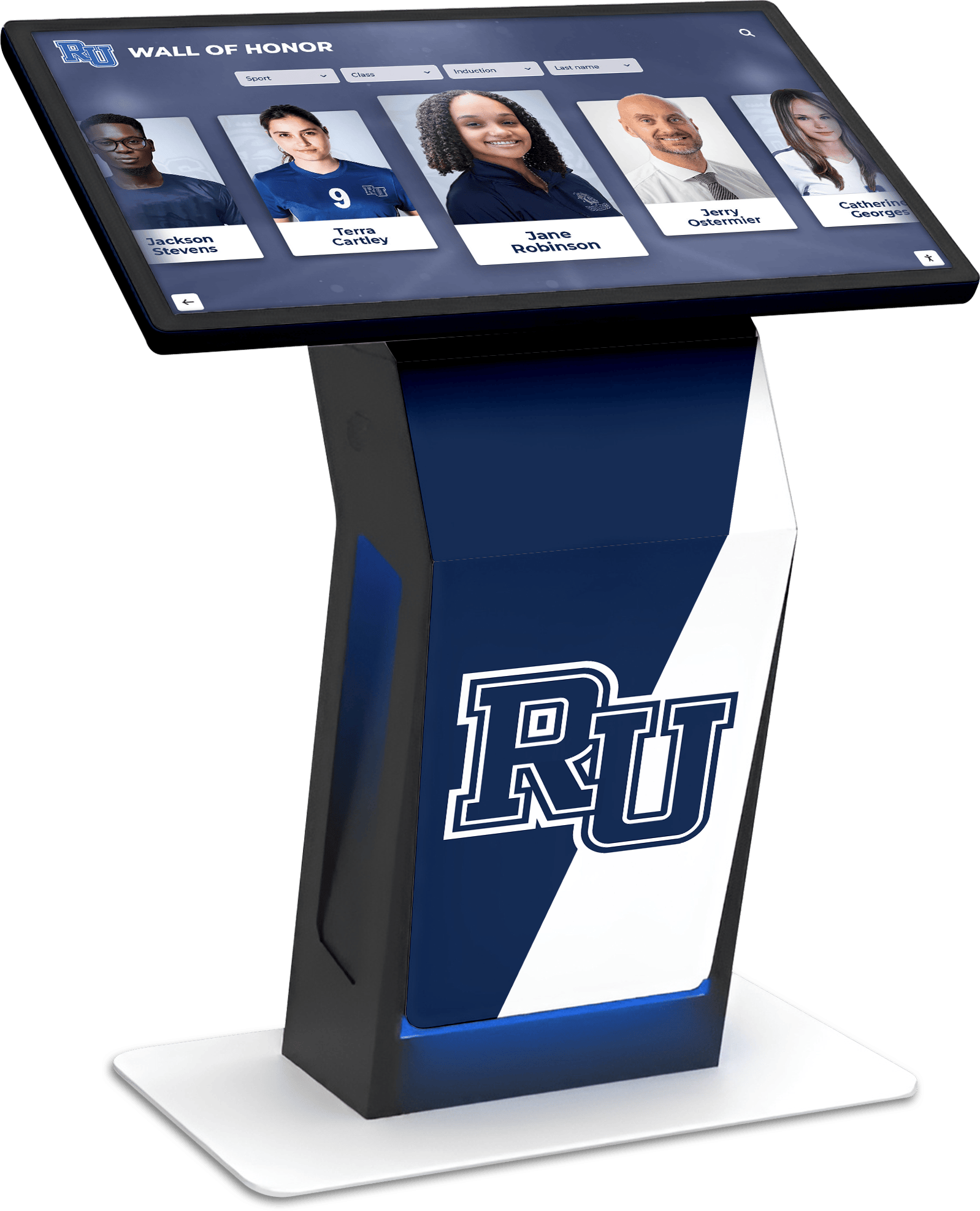
Nonprofit kiosks honor supporters while telling compelling stories about mission impact
Fundraising Event Support
Interactive kiosks enhance fundraising events:
Event Recognition and Engagement
- Real-time donation leaderboards during campaigns
- Tribute recognition for event sponsors and supporters
- Silent auction item displays with bidding information
- Event schedules and program information
- Volunteer recognition celebrating event support
Campaign Progress Tracking
- Visual fundraising thermometers showing goal progress
- Countdown timers creating urgency
- Recent donor recognition celebrating current gifts
- Challenge and matching gift information
- Donor stories explaining giving motivations
Organizations hosting annual fundraising events and galas use interactive kiosks to create engaging recognition experiences that inspire additional giving while honoring current supporters.
Interactive Kiosk Applications in Other Organizations
Beyond schools and nonprofits, various organizations benefit from interactive kiosk solutions:
Museums and Cultural Institutions
Museums leverage touchscreen kiosks for visitor engagement:
Collection Access and Discovery
- Searchable databases of entire collections beyond what physical space displays
- High-resolution artifact imagery with zoom capabilities
- Curator notes and conservation information
- Historical context and provenance research
- Related artifact connections and exploration pathways
Cultural institutions implementing interactive touchscreens for museums transform visitor experiences by making entire archives accessible rather than just exhibition highlights.
Educational Programming
- Self-guided tour content and audio descriptions
- Interactive timelines contextualizing artifacts
- Behind-the-scenes conservation and research videos
- Multilingual content serving diverse audiences
- Accessibility features for visitors with disabilities
Healthcare Facilities
Medical organizations use kiosks for wayfinding and patient education:
Navigation and Information
- Interactive campus maps with turn-by-turn directions
- Physician directories with specialties and locations
- Department and service information
- Parking and visitor guidance
- Patient resource centers
Recognition and Community
- Donor recognition for healthcare philanthropy
- Physician and staff achievement recognition
- Community health program information
- Patient testimonials and success stories
- Historical facility and founding information
Corporate and Professional Settings
Business environments leverage kiosks for various applications:
Workplace Recognition
- Employee milestone celebrations
- Performance award recognition
- Team achievement showcases
- Corporate value demonstrations
- Diversity and inclusion celebrations
Visitor Management
- Building directories and wayfinding
- Meeting room schedules and reservations
- Company information and history
- Product and service showcases
- Safety and emergency information
Law firms implement professional touchscreen displays that project sophistication while providing clients convenient access to firm information and attorney profiles.
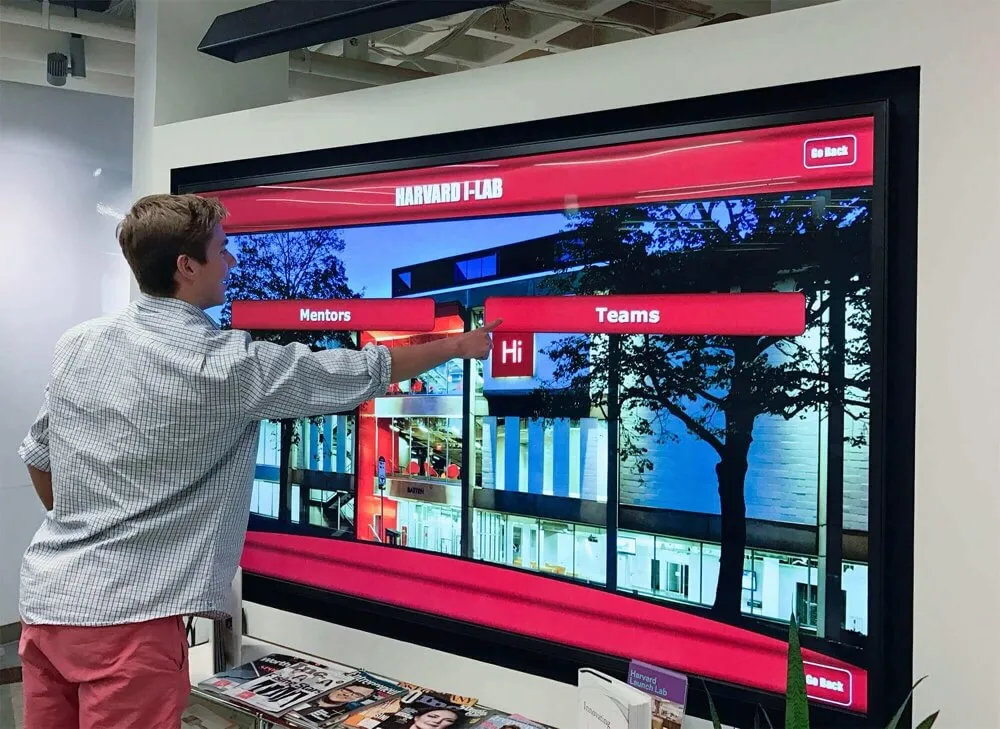
Corporate environments leverage kiosks for professional recognition and visitor information
Key Features of Effective Interactive Kiosk Solutions
Successful kiosk implementations share specific technical and functional characteristics that distinguish them from basic digital signage.
Intuitive User Interface Design
Interface design determines whether visitors engage with kiosks or walk past them frustrated:
Essential Interface Elements
- Clear visual hierarchy: Important content and navigation obvious at first glance
- Large touch targets: Buttons and interactive elements minimum 0.5 inches supporting fingers of all sizes
- Consistent navigation: Identical button placement and interaction patterns throughout system
- Obvious calls-to-action: Clear prompts indicating what visitors should do next
- Breadcrumb trails: Navigation history showing current location within content hierarchy
- Home button accessibility: Easy return to start screen from any location
Attract Loop Strategies When idle, kiosks should invite interaction through motion graphics showcasing content highlights. Effective attract loops:
- Display compelling imagery and video clips previewing available content
- Rotate through different content categories demonstrating system breadth
- Include clear “tap to explore” instructions
- Return to attract loop after 30-60 seconds of inactivity
- Avoid content that embarrasses users interacting mid-loop
Robust Search and Filtering
Search functionality transforms massive databases into accessible resources:
Search Capabilities
- Full-text search across all biographical and descriptive content
- Name search with partial matching and spelling suggestions
- Date range filtering for specific time periods
- Category filtering by achievement type, department, or classification
- Tag-based search enabling topic and theme discovery
- Advanced filters combining multiple criteria
Results Presentation
- Grid or list views depending on content type
- Sorting options by relevance, date, name, or other attributes
- Preview cards with essential information and imagery
- Result counts indicating matches found
- Clear paths from results to full content
Organizations with decades of achievement history particularly benefit from sophisticated search, enabling visitors to find specific individuals or accomplishments quickly within databases containing thousands of entries.
Multimedia Content Support
Rich media creates engaging experiences that static text cannot match:
Supported Media Types
- High-resolution photographs displayed at touchscreen full resolution
- Video clips with playback controls and volume adjustment
- Photo galleries with swipe navigation and pinch-to-zoom
- Audio narration and recorded interviews
- PDF documents like programs, certificates, and publications
- Interactive timelines showing chronological progressions
- External website links for additional resources
Content Organization
- Thumbnail previews indicating available media
- Clear media type indicators (video, gallery, audio icons)
- Loading indicators for media requiring buffering
- Graceful handling of missing or unavailable content
- Appropriate file size optimization balancing quality and performance
Schools creating comprehensive digital recognition displays maximize multimedia to tell compelling stories that honor achievements while engaging visitors.
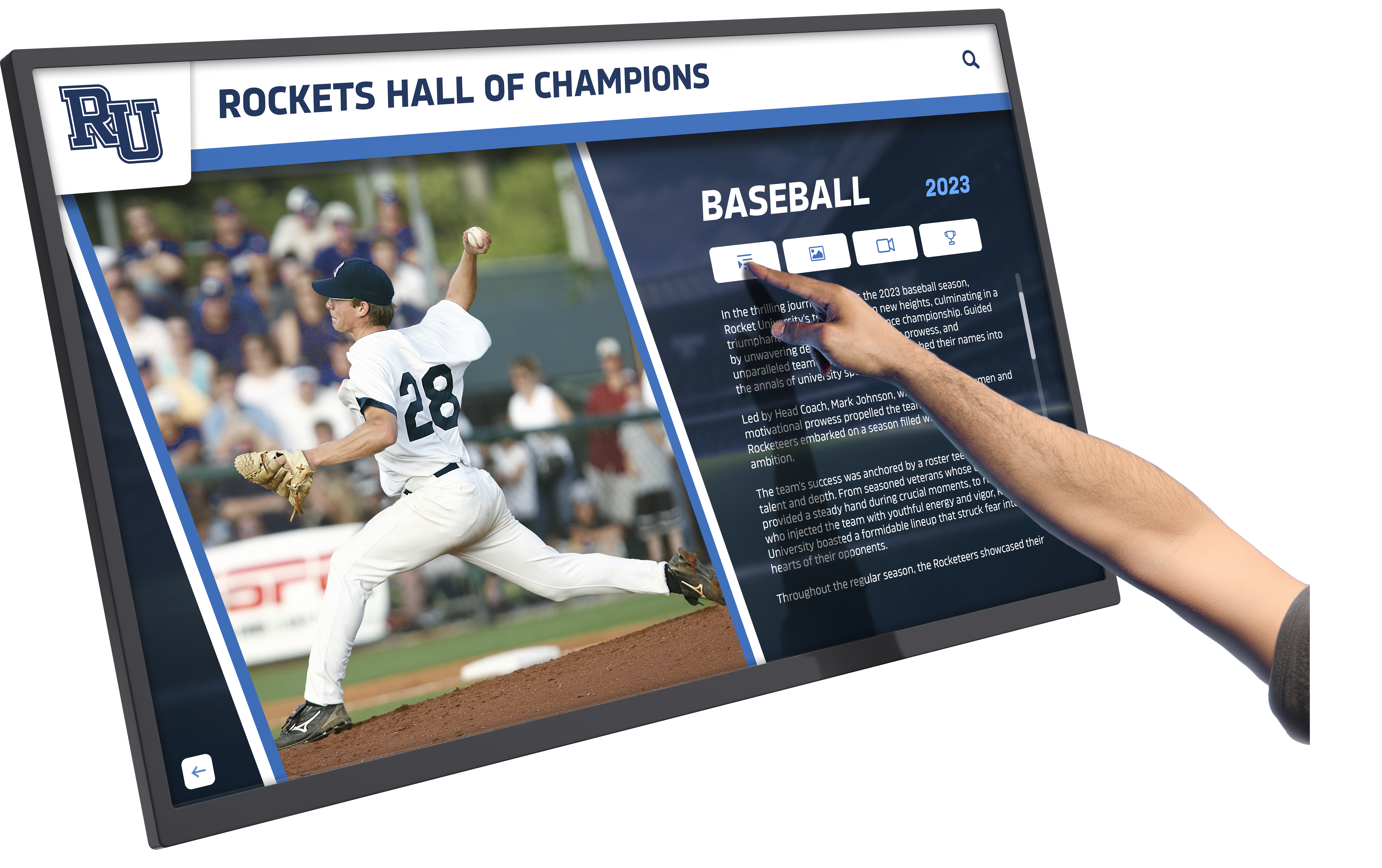
Multimedia support enables rich storytelling beyond what text and static images achieve
Cloud-Based Content Management
Ease of content management determines long-term kiosk success:
Essential Management Features
- Remote access: Update content from any internet-connected device without physical kiosk access
- Unlimited capacity: No artificial limits on entries, photos, videos, or documents
- Bulk import tools: Upload hundreds or thousands of records from spreadsheets
- Template consistency: Pre-designed layouts ensuring professional appearance
- Multi-user support: Multiple administrators with role-based permissions
- Scheduled publishing: Prepare content in advance with automatic publication dates
- Version control: Track changes and revert to previous versions if needed
Content Workflow
- Draft content creation and editing before publication
- Approval workflows for content requiring review
- Preview capability showing how content appears before going live
- Analytics tracking which content receives most engagement
- Search engine for administrators finding specific records to edit
Modern interactive touchscreen software platforms prioritize intuitive management that requires no coding or technical expertise, enabling anyone on staff to maintain current, engaging content.
Accessibility Compliance
Public-facing kiosks must serve all visitors regardless of abilities:
ADA WCAG 2.1 AA Standards
- Keyboard navigation for complete functionality without touch
- Screen reader compatibility for biographical and informational content
- Sufficient color contrast between text and backgrounds
- Alternative text descriptions for all images and graphics
- Adjustable text size for visitors with visual impairments
- No content timing requiring reading within time limits
Physical Accessibility
- Mounting height complying with ADA reach range requirements
- Adequate clearance for wheelchair approach and use
- Angled displays reducing neck strain
- Volume controls for audio content
- QR codes enabling personal device access as alternative to kiosk touch
Universal Design Benefits Accessibility features benefit all users, not just those with specific needs. Large text and clear navigation improve experience for everyone, while QR codes enable visitors to continue exploring on phones after leaving kiosks.
Integration and Connectivity
Modern kiosks function within broader institutional technology ecosystems:
System Integrations
- Website embedding displaying identical content online and on kiosks
- Social media feeds pulling live content from institutional accounts
- Calendar system connections for event information
- Student information systems providing recognition data
- Donor databases feeding recognition content automatically
- Single sign-on authentication for secure content management
QR Code Connectivity Physical kiosks extend reach through mobile device access:
- QR codes displayed on kiosk screens or adjacent signage
- Mobile-optimized interfaces for smartphone viewing
- Personal device continuity enabling visitors to save and share content
- Analytics tracking both kiosk and mobile engagement
- Email and text content to personal devices for later viewing
Organizations implementing fully locked-down kiosk browser applications prevent unauthorized use while enabling intended functionality and content access.
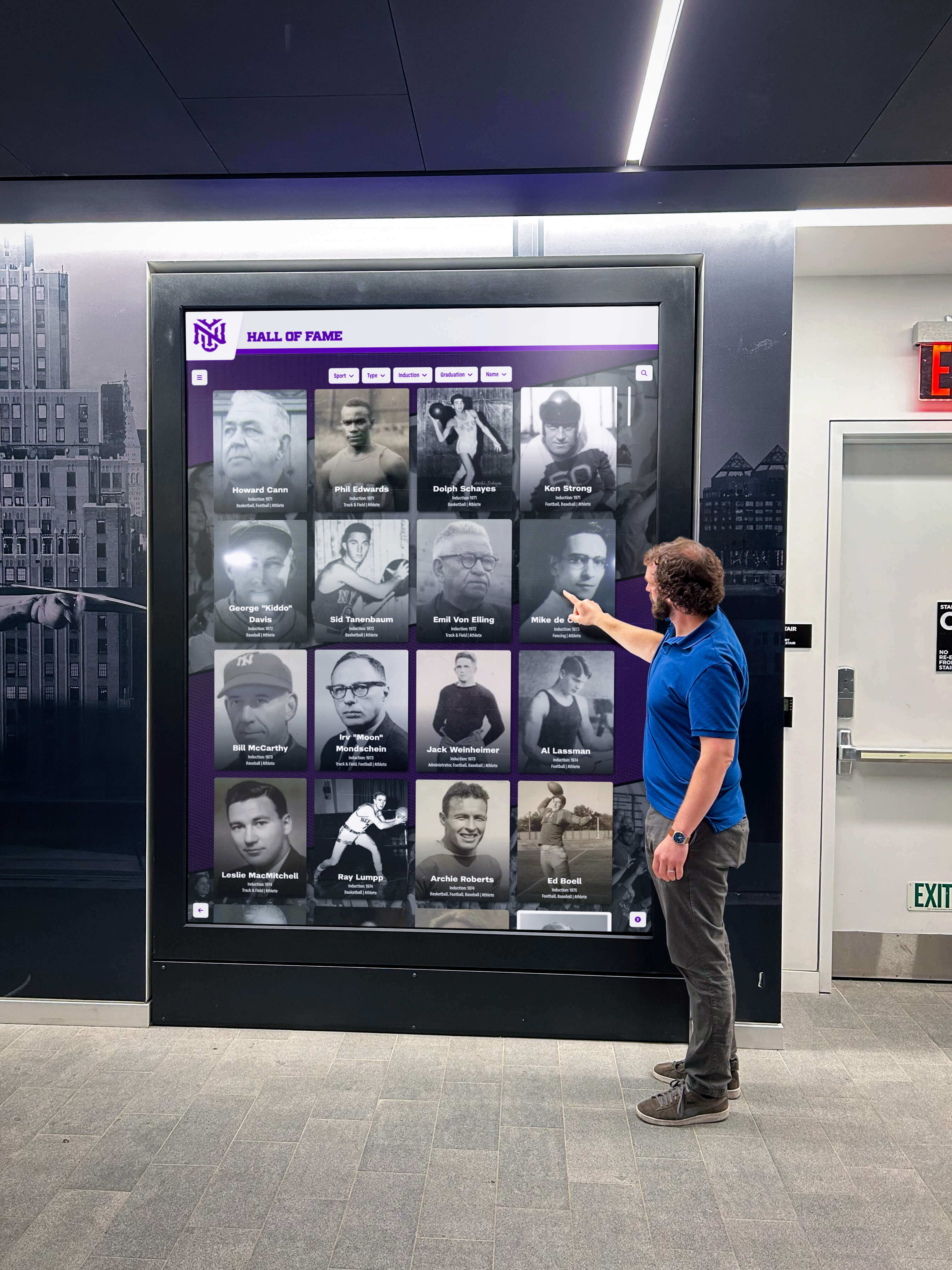
Effective kiosks integrate seamlessly with organizational technology and communication strategies
Implementing Interactive Kiosk Solutions: Planning and Strategy
Successful kiosk implementations require systematic planning addressing multiple considerations beyond simply purchasing hardware and software.
Defining Goals and Use Cases
Clear objectives guide appropriate technology selection and content development:
Primary Goal Identification
- Recognition: Celebrating achievements and honoring supporters
- Information: Providing practical guidance and wayfinding
- Education: Teaching about programs, history, and mission
- Engagement: Creating interactive experiences that strengthen community
- Communication: Sharing announcements and real-time updates
Success Metrics Definition
- Quantitative: Interaction counts, session duration, search queries, content views
- Qualitative: User satisfaction, feedback surveys, observation studies
- Behavioral: Reduced information desk questions, increased tour engagement
- Programmatic: Higher donor retention, improved recruitment, stronger culture
Organizations should document 3-5 specific goals with measurable success criteria before selecting technology or developing content.
Space Assessment and Placement
Physical environment analysis determines optimal kiosk locations and configurations:
High-Value Locations
- Main entrance lobbies where all visitors enter
- Reception and waiting areas with dwell time
- Hallways connecting high-traffic spaces
- Cafeterias and common areas with sustained presence
- Special-purpose spaces like athletic facilities or donor lounges
- Event venues serving gathering and celebration functions
Environmental Considerations
- Natural lighting and glare patterns throughout the day
- Viewing distances and angles from traffic patterns
- Available electrical power and network connectivity
- ADA accessibility requirements for mounting and clearance
- Security concerns in unsupervised areas
- Aesthetic integration with existing architecture and design
Installation Options
- Wall-mounted displays for permanent installations
- Freestanding kiosks for flexible placement without wall mounting
- Desk or counter-mounted tablets for staff-assisted access
- Outdoor-rated enclosures for exterior applications
- Mobile carts for temporary or rotating installations
Schools and organizations should conduct site surveys photographing candidate locations at different times of day, documenting lighting conditions, measuring viewing distances, and assessing technical infrastructure before finalizing placement decisions.
Hardware Selection Criteria
Choosing appropriate display hardware balances budget, functionality, durability, and future needs:
Display Specifications
- Size: 43" to 86" depending on viewing distance and space
- 43-55": Narrow hallways and smaller lobbies
- 55-65": Medium spaces with 5-8 foot viewing distances
- 65-75": Large lobbies and gathering spaces
- 75-86": Statement installations in grand entrances
- Resolution: 4K (3840 x 2160) provides crisp text and images
- Touch Technology: Infrared or capacitive multi-touch
- Brightness: 350-500 nits for typical indoor applications
- Commercial Rating: 16-24 hour daily operation capability
Durability Features
- Tempered glass or acrylic protective overlays
- Anti-glare and anti-fingerprint coatings
- Vandal-resistant enclosures for high-risk locations
- Commercial-grade components for longevity
- Manufacturer warranties covering panel and components
Connectivity Requirements
- HDMI or DisplayPort video inputs
- USB ports for media players and accessories
- Ethernet and WiFi network connectivity
- Audio output for speakers or headphone jacks
- VESA mounting patterns for installation flexibility
Organizations should budget $2,500-$8,000 per display depending on size and features, with freestanding kiosk enclosures adding $1,000-$3,000 to total hardware investment.
Software Platform Evaluation
Software capabilities determine what kiosks can accomplish and how easily organizations manage content:
Essential Platform Features
- Cloud-based architecture enabling remote management
- Unlimited content capacity without per-entry fees
- Intuitive content management requiring no coding
- Professional templates for consistent appearance
- Robust search and filtering for large databases
- Multimedia support for photos, videos, and documents
- ADA WCAG 2.1 AA accessibility compliance
- Analytics tracking engagement and usage patterns
Implementation Support
- Professional content development services
- Data migration from existing systems
- Administrator training programs
- Ongoing technical support and updates
- Design customization matching branding
- Integration consulting for system connections
Total Cost of Ownership
- Annual software subscription: $500-$3,000
- Content development services: $1,000-$5,000 one-time
- Ongoing management: 2-5 hours monthly internal time
- Hardware replacement: Every 7-10 years
- Network and electricity: Minimal ongoing costs
Organizations should prioritize platforms built specifically for recognition and institutional communication rather than general digital signage tools requiring extensive customization. Purpose-built solutions like Rocket Alumni Solutions include recognition-specific templates, workflows, and features that accelerate implementation while ensuring professional results.
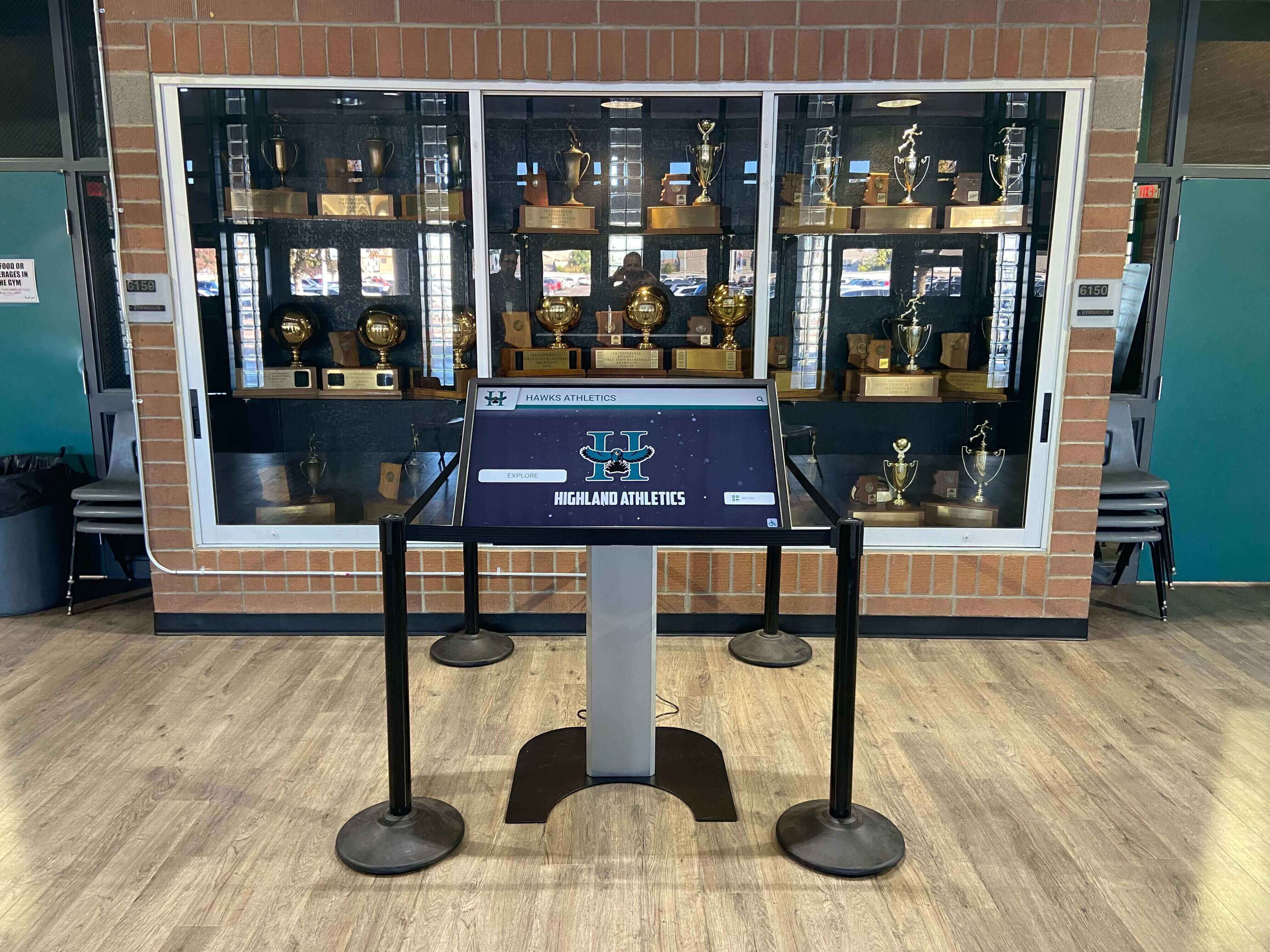
Purpose-built solutions integrate naturally with existing recognition displays and institutional aesthetics
Content Development Strategy
Quality content determines whether kiosks create meaningful engagement or become ignored screens:
Content Inventory and Sources
- Existing recognition plaques and displays requiring digitization
- Historical photographs and documents in archives
- Current achievement data in databases and spreadsheets
- Biographical information from forms and applications
- Video and multimedia assets from events and programs
- Historical information from yearbooks and publications
Content Creation Workflow
- Photography and videography of students, athletes, and honorees
- Biographical writing with consistent formatting and style
- Historical research verifying facts and dates
- Media rights documentation for all photos and videos
- Review and approval processes ensuring quality and accuracy
- Bulk upload and publishing to kiosk platforms
Ongoing Maintenance Planning
- Staff role assignment for content management
- Update schedules for different content categories
- Quality standards for photography and writing
- Student involvement opportunities in content creation
- Community contribution processes for historical information
- Annual audits ensuring accuracy and completeness
Organizations implementing comprehensive school recognition programs benefit from professional content development services that accelerate initial implementation while training internal staff for ongoing management.
Best Practices for Kiosk Success
Learning from successful implementations helps organizations avoid common pitfalls while maximizing kiosk impact:
User Testing and Iteration
Testing with real users reveals usability issues before full deployment:
Testing Methodologies
- Think-aloud protocols where users verbalize thoughts while exploring
- Task completion tests asking users to find specific information
- Age-diverse testing including students, adults, and seniors
- Accessibility testing with users having various abilities
- Observation studies documenting natural usage patterns
Iteration Cycles
- Pilot installation in single high-traffic location
- User testing during pilot phase
- Interface and navigation refinement based on feedback
- Content organization improvements addressing confusion points
- Expansion to additional locations after optimization
One round of testing typically identifies 80% of major usability problems, preventing visitor frustration and maximizing engagement after full launch.
Professional Content Standards
Quality content presentation determines perceived value:
Photography Guidelines
- High-resolution images minimum 1920 x 1080 pixels
- Consistent lighting and composition across recognition content
- Professional headshots for individual recognition
- Action photography showcasing activities and achievements
- Historical photo restoration and enhancement
Writing Standards
- Consistent biographical format across all inductees
- Active voice emphasizing achievements and impact
- Appropriate length for touchscreen reading (150-300 words)
- Fact verification for all claims and statistics
- Inclusive language avoiding assumptions
- Grade-appropriate vocabulary for student accessibility
Design Consistency
- Institutional branding colors and logo placement
- Typography hierarchy for readable text at distance
- Layout templates ensuring visual consistency
- Navigation patterns users quickly understand
- Professional loading animations and transitions
Organizations maintaining high content quality standards report significantly higher engagement as kiosks earn reputation for interesting, professionally presented information rather than amateur content visitors ignore.
Training and Change Management
Success requires preparing staff for new workflows and opportunities:
Administrator Training
- Content management system navigation and features
- Adding and editing entries with templates
- Photo and video upload procedures
- Publishing workflows and approval processes
- Basic troubleshooting for common issues
- Analytics interpretation for continuous improvement
Staff Awareness
- All-staff presentations introducing capabilities
- Department-specific training on relevant applications
- Recognition of innovative uses and contributions
- Regular communication about new features and content
- Support resources and documentation availability
Community Engagement
- Launch events introducing kiosks to community
- Tours highlighting content and functionality
- Social media campaigns promoting exploration
- Feedback mechanisms gathering improvement suggestions
- Recognition of contributors providing content
Organizations approaching kiosks as community resources rather than IT projects achieve higher utilization and more meaningful impact on institutional culture.
Athletic organizations implementing digital recognition for sports achievements see significantly higher athlete and family engagement compared to traditional static displays.
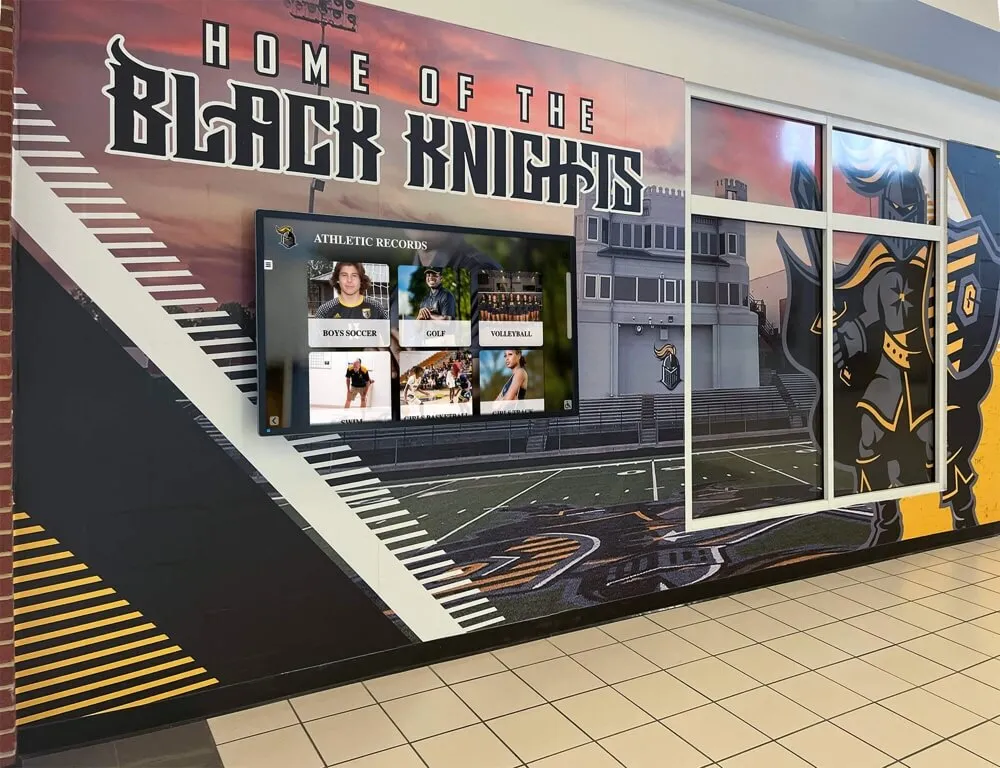
Athletic programs leverage kiosks for comprehensive recognition that celebrates team and individual achievements
Regular Maintenance and Updates
Sustained engagement requires keeping content current and kiosks functioning properly:
Content Maintenance Schedule
- Add new achievements and recognition immediately following events
- Update biographical information quarterly reflecting changes
- Refresh impact stories annually demonstrating current programs
- Conduct annual content audits ensuring accuracy and completeness
- Plan content enhancements adding multimedia elements over time
Technical Maintenance
- Daily or weekly display cleaning using appropriate materials
- Monthly system health checks and software updates
- Quarterly hardware inspection for damage or wear
- Annual preventive maintenance and deep cleaning
- Lifecycle planning for hardware replacement
Continuous Improvement
- Monthly analytics review during first year
- Quarterly assessment after patterns stabilize
- User feedback integration into content and navigation
- Competitor research identifying emerging best practices
- Technology update evaluation as capabilities evolve
Organizations designating specific staff responsible for kiosk maintenance with clear protocols and schedules ensure displays remain fresh, accurate, and engaging for years after initial installation.
Measuring Kiosk Success and ROI
Regular assessment ensures interactive kiosks deliver intended benefits and justify ongoing investment:
Quantitative Metrics
Objective measurement tracks usage and engagement:
Technical Analytics
- Total interactions per day, week, and month
- Average session duration indicating engagement depth
- Most frequently accessed content and individuals
- Search queries revealing visitor interests
- Time-of-day usage patterns
- Comparative metrics across multiple locations
Program Metrics
- Number of recognized individuals and achievements displayed
- Update frequency for content categories
- Active content management users
- Multimedia elements added over time
- Historical content digitized and preserved
Impact Indicators
- Reduction in basic information requests to staff
- Campus tour visitor engagement and feedback
- Event attendance influenced by kiosk promotion
- Social media mentions and content sharing
- Community awareness of programs and achievements
Qualitative Assessment
Stakeholder feedback provides context for quantitative data:
User Surveys and Interviews
- Visitor satisfaction with kiosk experience
- Staff assessment of content management workflows
- Donor response to recognition presentation
- Alumni engagement with historical content
- Student pride in achievement celebrations
Observational Studies
- Time visitors spend exploring content
- Group gathering and discussion around kiosks
- Age-specific usage patterns and preferences
- Physical interaction quality with touchscreens
- Visitor photography and sharing behaviors
Cultural Impact
- Changes in recognition program participation
- Community perception of institutional innovation
- Donor retention and gift progression
- Recruitment inquiry quality and conversion
- Alumni engagement and campus connections
Return on Investment Calculation
Quantifying kiosk value demonstrates program worth:
Cost Components
- Initial hardware, software, and installation investment
- Annual software subscription and support fees
- Content development and management time
- Maintenance, cleaning, and electricity costs
- Hardware replacement over 7-10 year lifecycle
Benefit Quantification
- Staff time savings from reduced information requests
- Traditional plaque and printing cost avoidance
- Donor retention value from improved recognition
- Recruitment yield improvements from enhanced tours
- Event attendance increases from promotion visibility
Organizations typically calculate 3-5 year ROI demonstrating kiosk investments deliver measurable value through operational efficiency, improved stakeholder engagement, and enhanced institutional reputation.
Comprehensive hall of fame implementation tools provide analytics and reporting capabilities that simplify ongoing assessment and continuous improvement.
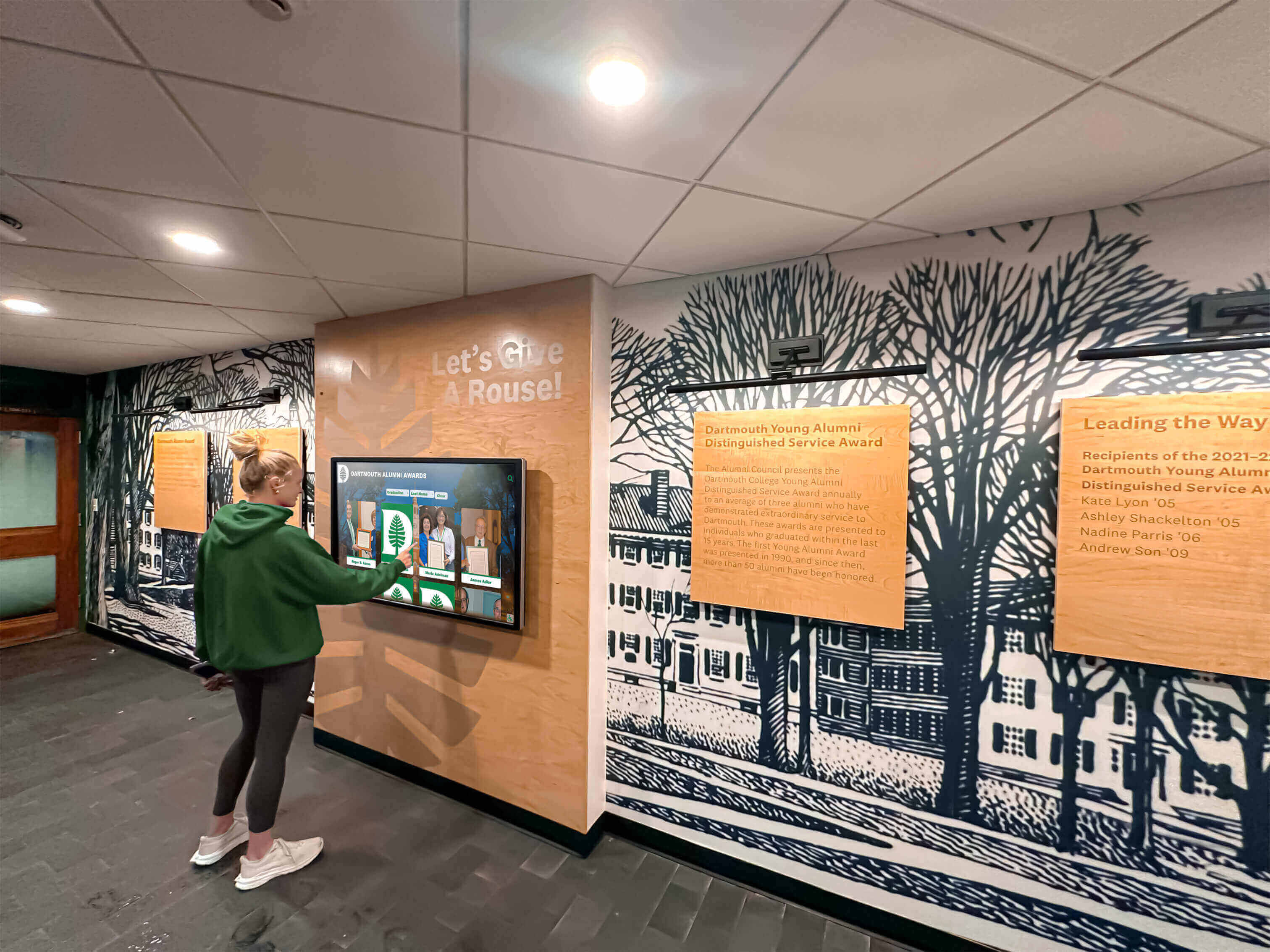
Regular usage indicates successful kiosk implementations that serve community needs effectively
Future Trends in Interactive Kiosk Technology
Understanding emerging capabilities helps organizations plan for long-term evolution and investment protection:
Artificial Intelligence Integration
AI capabilities will enhance kiosk content management and user experiences:
Content Intelligence
- Automated biographical content generation from achievement data
- Photo enhancement and restoration for historical imagery
- Natural language search enabling conversational queries
- Voice interaction for hands-free accessibility
- Content recommendations based on user interest patterns
Personalization Engines
- Adaptive interfaces adjusting to user behavior
- Related content suggestions guiding exploration
- Popular content highlighting based on analytics
- Dynamic navigation emphasizing user preferences
Extended Reality Enhancements
Augmented and virtual reality will extend kiosk capabilities:
Augmented Reality Applications
- Mobile device overlays providing additional context
- 3D models of trophies and achievements
- Historical photo comparisons showing evolution
- Virtual tours extending physical campus visits
- Achievement animations bringing recognition to life
Virtual Reality Extensions
- Immersive historical experiences
- Virtual facility tours for remote visitors
- 360-degree event recordings
- Interactive timelines with environmental context
Advanced Analytics and Insights
Data capabilities will provide deeper understanding of kiosk impact:
User Behavior Analytics
- Heatmaps showing most-engaged content areas
- Path analysis revealing navigation patterns
- Abandonment point identification for optimization
- Demographic inference guiding content strategy
- Conversion tracking from kiosk to action
Predictive Capabilities
- Content performance forecasting
- Optimal scheduling recommendations
- Maintenance prediction preventing failures
- Usage trend projection for capacity planning
Sustainable and Green Technology
Environmental considerations will influence hardware and operation:
Energy Efficiency
- Advanced LED technology reducing power consumption
- Automatic brightness adjustment based on ambient light
- Intelligent sleep modes during unoccupied periods
- Solar power integration for outdoor installations
- Carbon footprint tracking and reporting
Sustainable Manufacturing
- Recyclable materials and components
- Modular design enabling repair versus replacement
- Extended product lifecycles reducing e-waste
- Manufacturer take-back and recycling programs
- Refurbishment opportunities extending hardware life
Organizations planning kiosk implementations should select platforms with regular software updates ensuring access to emerging capabilities without hardware replacement, maximizing return on initial investment over 7-10+ year periods.
Conclusion: Transforming Engagement Through Interactive Kiosk Solutions
Interactive kiosk solutions represent far more than digital displays replacing bulletin boards and plaques. When thoughtfully implemented with quality content, intuitive interfaces, and sustainable management, these touchscreen systems transform how schools and organizations engage stakeholders, celebrate achievements, share information, and strengthen community connections.
The organizations successfully implementing interactive kiosks share common characteristics: clear vision for how technology serves mission and values, commitment to quality content development, systematic planning addressing technical and logistical realities, stakeholder engagement building broad ownership, and long-term perspective ensuring sustainable operation beyond initial installation enthusiasm.
Modern touchscreen kiosk platforms make comprehensive recognition achievable across unlimited students, alumni, donors, athletes, volunteers, and community members without the space constraints plaguing traditional plaques. Cloud-based content management eliminates geographic and technical barriers preventing regular updates. Accessibility features ensure all community members engage with content regardless of abilities. Mobile QR code extensions multiply physical display reach exponentially.
Whether celebrating athletic championships, honoring donor generosity, recognizing academic excellence, showcasing arts achievements, preserving institutional history, or simply helping visitors find their way, interactive kiosks create engagement possibilities that static approaches simply cannot match.
Start where you are with implementations matching available resources and priorities, then systematically expand as you experience the impact of dynamic, engaging displays that capture attention and strengthen community. Every visitor who explores your interactive kiosk represents an opportunity to communicate values, celebrate achievements, share knowledge, and strengthen connection to your institution.
Your lobbies, hallways, and common spaces represent premium real estate in the competition for attention and engagement. Interactive kiosk solutions ensure you make the most of every opportunity while honoring the achievements and contributions that define your community.
Ready to explore how interactive kiosk solutions can transform recognition, communication, and engagement at your school or organization? Discover comprehensive touchscreen platforms designed specifically for educational institutions and mission-driven organizations, with unlimited content capacity, professional templates, cloud-based management, and dedicated support that makes modern interactive recognition achievable for organizations of all sizes.