Schools investing in interactive kiosk displays face a critical technology decision: selecting systems that deliver lasting value for students, staff, and visitors while remaining manageable for busy administrators without dedicated IT support. The right interactive kiosk transforms common areas into engagement hubs that showcase achievements, provide information, strengthen community connections, and modernize institutional image—all while simplifying rather than complicating daily operations.
The interactive kiosk landscape in 2026 has expanded significantly beyond basic digital signage. Modern systems now serve specialized purposes: recognition-focused platforms excel at honoring achievements and preserving institutional history; wayfinding solutions help visitors navigate complex campuses; general-purpose digital signage displays announcements and schedules; while integrated information kiosks combine multiple functions into unified experiences. Generic consumer touchscreens require extensive customization and lack educational content frameworks. Purpose-built school platforms provide templates and workflows optimized for common institutional needs. Cloud-based systems enable remote management from any location but introduce recurring subscription costs. Self-hosted solutions provide complete control but demand internal technical expertise.
This comprehensive comparison examines the leading interactive kiosk display options available to schools and educational institutions in 2026, analyzing their distinct capabilities, pricing structures, technical requirements, and optimal use cases. Whether implementing your first interactive display or upgrading outdated systems, understanding the fundamental differences between available platforms ensures you select technology that serves your community effectively both today and throughout years of continuous operation ahead.
The most successful school interactive kiosk implementations balance powerful engagement features with administrative simplicity—creating compelling user experiences while maintaining content management systems that teachers, coaches, development staff, and administrators can operate confidently without technical training or ongoing IT involvement.
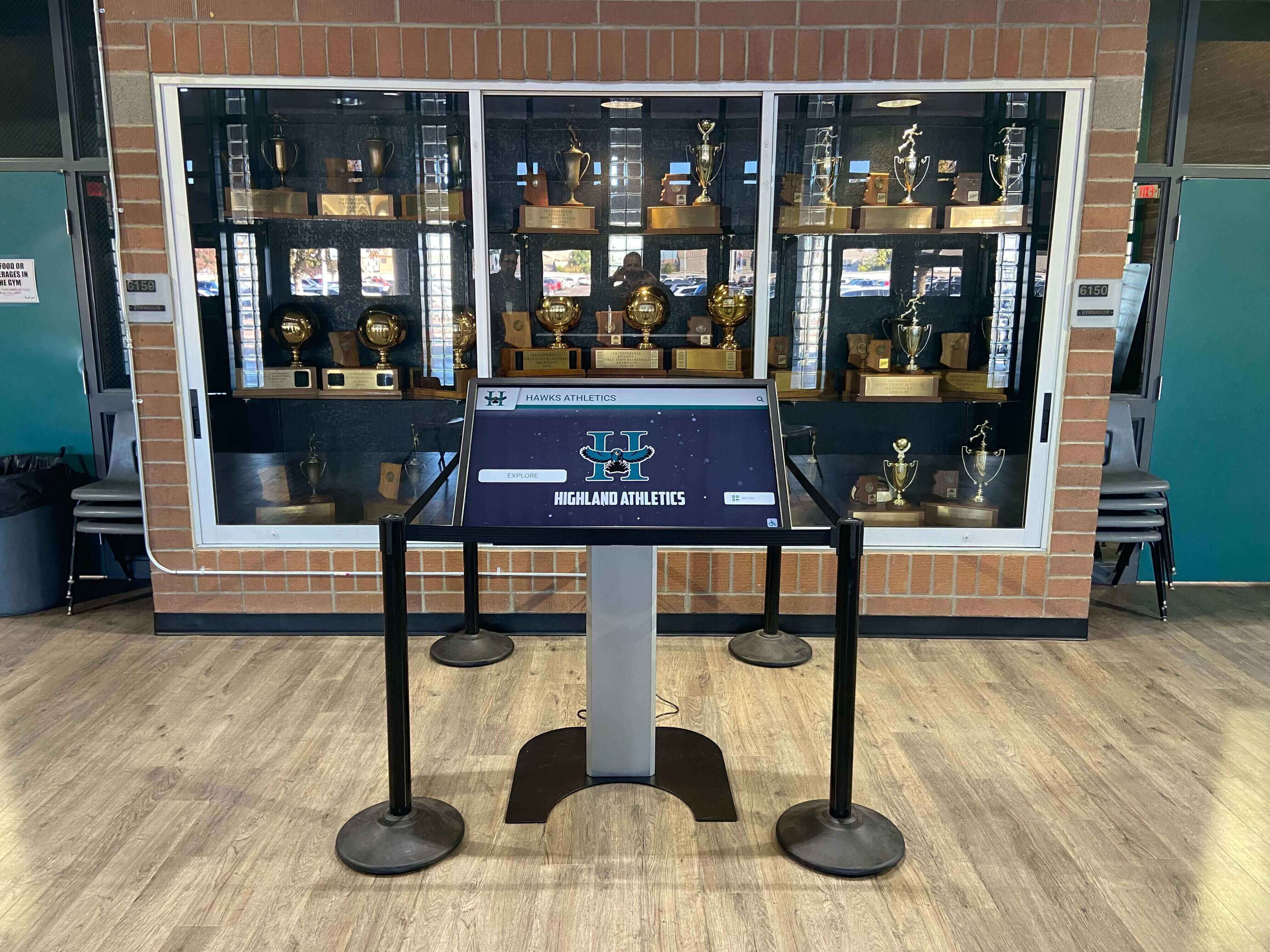
Interactive kiosks integrate seamlessly with existing school spaces while delivering modern digital engagement capabilities
Understanding Interactive Kiosk Display Categories
Before evaluating specific platforms and vendors, understanding the distinct kiosk categories helps schools frame appropriate expectations and identify solutions aligned with their primary institutional objectives.
Recognition and Achievement Platforms
Purpose-built interactive kiosks designed specifically for honoring achievements, preserving institutional history, and engaging communities through biographical content:
Core Capabilities
- Pre-designed templates for athletic halls of fame, academic honor rolls, donor recognition, and alumni achievements
- Biographical database structures with fields for photos, videos, accomplishments, statistics, and historical narratives
- Advanced filtering and search functionality enabling visitors to explore content by category, year, achievement type, or individual name
- Unlimited content capacity supporting decades of institutional history and thousands of individual profiles
- Automatic sorting and ranking for record boards, leaderboards, and achievement comparisons
- QR code generation allowing mobile access to kiosk content on personal devices
- ADA WCAG 2.1 AA compliance ensuring accessibility for visitors with disabilities
- Cloud-based content management enabling updates from any internet-connected device
Ideal School Applications
- Athletic halls of fame showcasing championship teams, individual athlete achievements, and sports program history
- Academic achievement displays honoring valedictorians, National Merit Scholars, AP scholars, and distinguished graduates
- Arts recognition celebrating theater productions, musical performances, visual arts achievements, and creative accomplishments
- Donor walls acknowledging capital campaign contributors, endowment supporters, and facility sponsors
- Alumni recognition highlighting distinguished graduates, career achievements, and community contributions
- Faculty and staff appreciation honoring years of service, teaching excellence, and institutional dedication
Recognition-focused interactive kiosks prioritize ease of use for busy administrators, athletic directors, development officers, and volunteer committees who need to maintain accurate, engaging content without technical expertise. Schools implementing comprehensive athletic recognition programs benefit from specialized platforms that reduce implementation complexity while ensuring professional presentation quality.
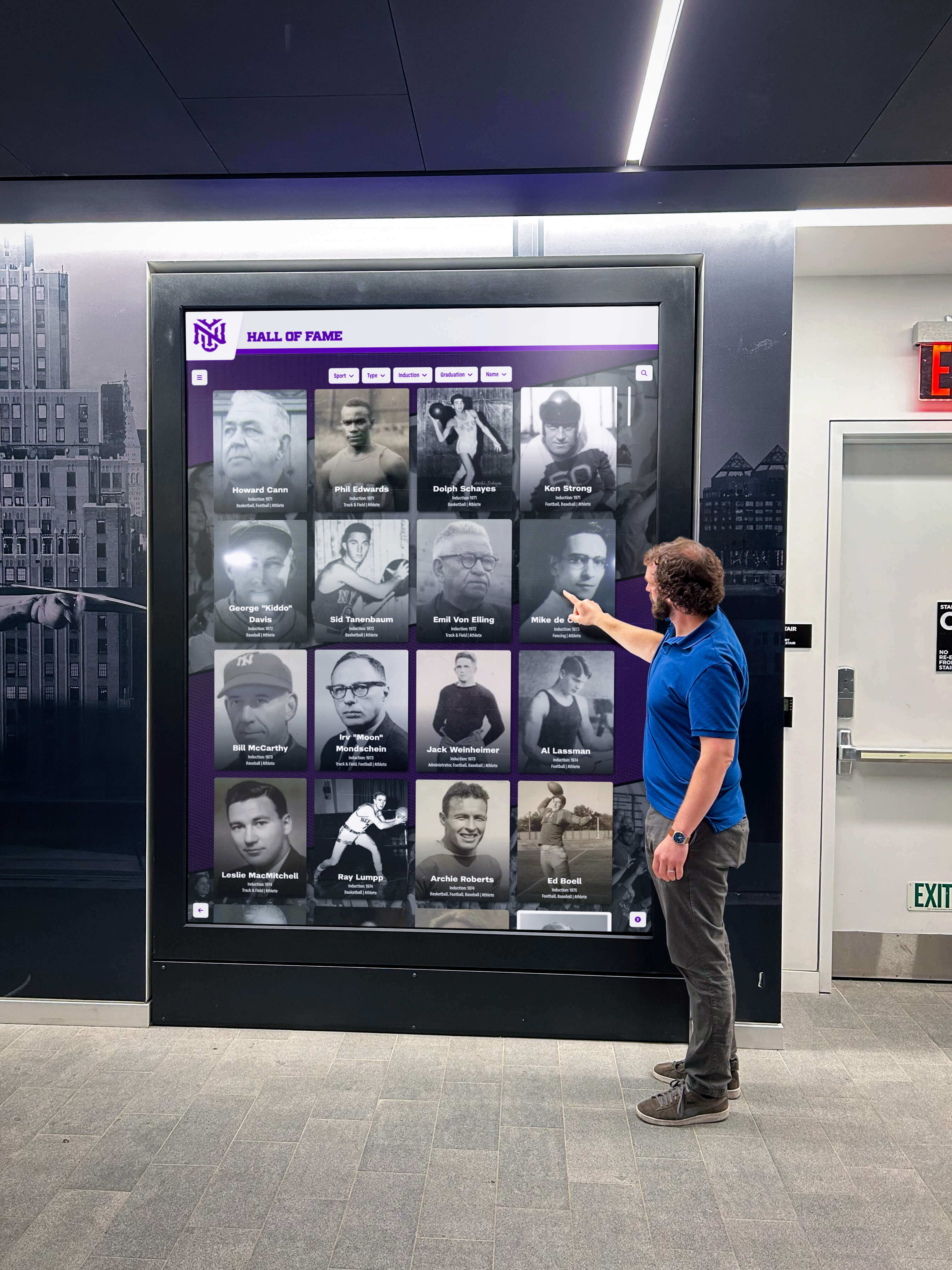
Recognition-focused kiosks create engaging experiences that celebrate achievements and strengthen institutional pride
Wayfinding and Navigation Systems
Specialized interactive kiosks focused on campus navigation, directory information, and visitor assistance:
Core Capabilities
- Interactive campus maps with building locations, room numbers, and facility identification
- Turn-by-turn navigation directions with visual route guidance
- Faculty and staff directories with office locations, department affiliations, and contact information
- Real-time room availability and event scheduling integration
- Accessibility route options for visitors with mobility limitations
- Multi-language support accommodating diverse communities and international visitors
- Integration with calendar systems displaying event locations and schedules
Ideal School Applications
- Main entrance lobbies assisting visitors in finding offices, classrooms, and meeting locations
- Large campus navigation for universities and multi-building K-12 facilities
- Event wayfinding during open houses, athletic competitions, conferences, and community gatherings
- New student orientation helping families learn campus layouts and building locations
- Parent-teacher conference assistance directing families to appropriate classrooms
- Accessibility information for visitors requiring specific route accommodations
Wayfinding systems serve large, complex campuses particularly well but may represent unnecessary complexity for smaller schools where traditional directional signage proves sufficient.
General Digital Signage and Announcement Platforms
Broad-purpose systems designed for varied content types, rotating announcements, and multi-location deployment:
Core Capabilities
- Flexible design tools supporting custom layouts, branding elements, and visual identity
- Playlist and scheduling capabilities enabling content rotation throughout days and weeks
- Support for diverse media formats including images, videos, PDFs, presentations, and live data feeds
- Multi-screen management across campus buildings, departments, and locations
- Split-screen layouts displaying multiple content zones simultaneously
- Weather widgets, social media feeds, calendar integrations, and real-time data displays
- Template libraries addressing common school communication needs
Ideal School Applications
- Main office displays showing daily announcements, schedules, and administrative messages
- Cafeteria screens featuring menus, nutritional information, and lunch period schedules
- Gymnasium and athletic facility displays with game schedules, scores, and team information
- Library information stations highlighting new acquisitions, research resources, and program information
- Common area displays promoting upcoming events, activities, and school initiatives
- Emergency notification capabilities for safety alerts and urgent communications
General digital signage platforms excel at content variety and scheduling flexibility but typically require more design expertise and ongoing management compared to purpose-built recognition or wayfinding solutions.
Integrated Multi-Function Systems
Comprehensive platforms combining recognition, wayfinding, announcements, and custom functionality into unified interactive experiences:
Core Capabilities
- Modular architecture supporting multiple content types within single displays
- Seamless navigation between different functional areas (recognition, wayfinding, information)
- Unified content management across diverse content categories
- Customizable home screens directing visitors to relevant sections
- Integration capabilities connecting student information systems, calendars, and databases
- Scalable architecture supporting growth from single displays to campus-wide networks
Ideal School Applications
- Multi-purpose lobby displays serving visitors, students, staff, and community members
- Central information hubs combining institutional history with practical navigation and announcements
- Comprehensive engagement platforms maximizing limited display locations
- Unified systems reducing management complexity across multiple content needs
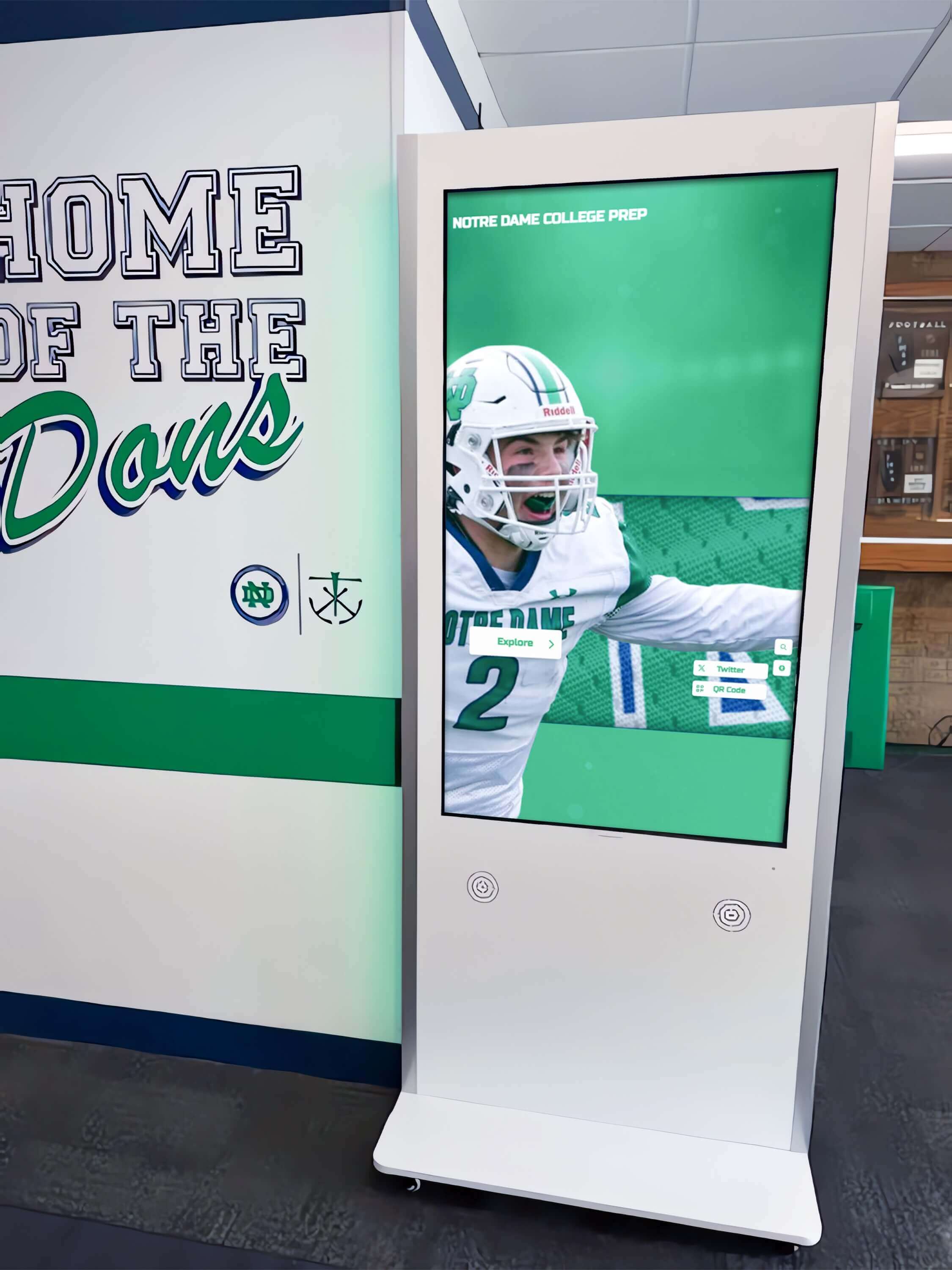
Modern interactive kiosks serve multiple purposes while maintaining intuitive user experiences
Integrated systems provide maximum versatility but require careful planning to ensure content organization remains intuitive rather than overwhelming for visitors unfamiliar with display interfaces.
Leading Interactive Kiosk Display Solutions for Schools: Detailed Comparison
Rocket Alumni Solutions: Purpose-Built Recognition Platform
Overview Rocket Alumni Solutions specializes in interactive kiosk displays designed specifically for schools, universities, athletic facilities, and educational institutions seeking to honor achievements, preserve institutional history, and engage communities through compelling digital recognition experiences.
Key Features for Educational Institutions
- Purpose-built templates optimized for athletic halls of fame, academic honor rolls, donor recognition, and alumni achievement displays
- Cloud-based content management system accessible from any internet-connected device without specialized software installation
- Unlimited profile capacity supporting thousands of individuals, teams, achievements, and historical records
- Advanced search and filtering enabling visitors to explore content by sport, year, achievement category, or individual name
- Auto-ranking record boards that automatically update leaderboards and statistical rankings as new achievements are added
- QR code generation for every profile enabling mobile access and social sharing on personal devices
- Photo and video support showcasing highlights, historical footage, interviews, and achievement documentation
- ADA WCAG 2.1 AA compliance ensuring full accessibility for visitors with visual, auditory, or mobility limitations
- Professional design consultation services available for custom branding, layouts, and institutional identity integration
- Multi-location support for school districts and university systems managing kiosks across multiple campuses
- Remote content updates without requiring on-site technical visits or IT involvement
- Hardware flexibility supporting screen sizes from 55" to 86" commercial-grade touchscreens with various mounting options
Pricing Model One-time software licensing with optional ongoing content management and design services. Hardware sold separately with institutional pricing for commercial-grade touchscreen displays and mounting systems. No recurring monthly software fees for core functionality.
Technical Requirements Minimal IT involvement following initial installation. Content updates managed through intuitive web-based interface requiring only internet access and basic computer literacy. Compatible with Windows-based media players and standard commercial touchscreen displays. No specialized server infrastructure or networking equipment required beyond standard internet connectivity.
Best For Schools prioritizing long-term recognition displays where content represents enduring institutional history rather than daily-changing announcements. Ideal for athletic programs honoring hall of fame inductees, academic departments celebrating scholarly achievements, development offices recognizing major donors, and alumni associations preserving graduate accomplishments. Organizations seeking modern alumni recognition approaches benefit from platforms purpose-built for biographical content rather than generic kiosk software requiring extensive customization.
Strengths
- Specialized recognition focus eliminates need for custom database design or interface development
- One-time licensing avoids perpetual subscription costs common with SaaS platforms
- Unlimited content capacity removes artificial profile limits or per-user pricing
- Professional results achievable by non-technical administrators without design expertise
- ADA compliance built into core platform rather than requiring additional accessibility modules
- Mobile access through QR codes extends engagement beyond physical kiosk locations
Considerations
- Focused on recognition and achievement content rather than general announcements or wayfinding
- Hardware purchases separate from software licensing (common across commercial kiosk industry)
- Initial setup requires planning content structure and gathering biographical information

Touch-optimized interfaces make exploring achievements intuitive and engaging for all ages
22Miles Integrated Campus Solutions
Overview 22Miles provides comprehensive wayfinding and digital signage platforms serving universities, corporate campuses, healthcare facilities, and large institutional environments requiring sophisticated navigation capabilities.
Key Features for Educational Institutions
- Interactive 3D campus maps with building visualization and outdoor navigation
- Real-time room scheduling integration showing availability and booking status
- Faculty and staff directories with photos, contact information, and office locations
- Event management integration displaying schedules, locations, and directions
- Multi-language support for diverse campus communities and international visitors
- Mobile app integration extending navigation to personal devices
- Digital signage capabilities for announcements and informational content
- Analytics tracking display usage patterns and popular destinations
Pricing Model Annual subscription licensing based on number of displays and feature modules required. Hardware typically purchased separately. Implementation and customization services billed separately.
Technical Requirements Moderate to significant IT involvement for integration with campus systems including room scheduling, directory databases, and calendar platforms. Network infrastructure supporting real-time data synchronization. Dedicated media players or compatible display hardware.
Best For Large universities and multi-building campuses where navigation complexity justifies sophisticated wayfinding investments. Institutions with existing campus management systems (room scheduling, event management, directory databases) seeking integrated interactive kiosk experiences.
Strengths
- Comprehensive wayfinding capabilities addressing complex navigation challenges
- Deep integration with campus management systems
- Scalable architecture supporting large deployments
- Professional implementation support for complex environments
Considerations
- Annual subscription costs accumulate over system lifetime
- Implementation complexity requires significant IT involvement and planning
- May represent overkill for smaller schools or single-purpose recognition needs
- Ongoing technical support required for system integrations and updates
Rise Vision Free Digital Signage Platform
Overview Rise Vision provides free digital signage software targeting schools and nonprofit organizations, offering basic content management capabilities without subscription fees.
Key Features for Educational Institutions
- Free software licensing for unlimited screens
- Template library with education-focused designs
- Google Workspace integration for calendar, slides, and drive content
- Playlist scheduling enabling content rotation
- Remote content management through web-based interface
- Multi-user access with permission controls for distributed management
- Weather widgets and RSS feed integrations
- Compatibility with various media player hardware options
Pricing Model Free software with optional paid support services. Schools provide their own display hardware and media players.
Technical Requirements Moderate technical comfort required for initial setup and content design. Compatible with various media player options including Chromebox, Windows, and Linux-based devices. Basic networking knowledge helpful for deployment.
Best For Budget-conscious schools seeking basic digital signage capabilities for announcements, schedules, and general information display. Organizations with in-house technical resources available for setup and troubleshooting.
Strengths
- Zero ongoing software costs for budget-limited schools
- Google Workspace integration leverages existing school technology investments
- Active community support and shared templates
- Flexible hardware compatibility reduces vendor lock-in
Considerations
- General-purpose digital signage rather than specialized recognition or wayfinding platform
- Requires content design skills to achieve professional results
- Limited built-in templates for specialized needs like biographical databases or achievement tracking
- Technical support through community forums rather than dedicated vendor assistance
- Schools implementing comprehensive recognition programs may find generic signage platforms lack specialized features for honoring achievements
ScreenCloud Cloud-Based Digital Signage
Overview ScreenCloud offers cloud-based digital signage software serving businesses, retailers, schools, and organizations seeking simple content management with broad app integrations.
Key Features for Educational Institutions
- Extensive app marketplace with education-specific integrations
- Simple drag-and-drop content creation interface
- Social media feed displays for Instagram, Twitter, and Facebook
- Google Slides and PowerPoint presentation support
- Calendar and event schedule integrations
- Emergency alert capabilities for safety notifications
- Analytics dashboards tracking content performance
- Screen grouping for managing multiple displays by location or purpose
Pricing Model Monthly or annual subscription per screen with tiered pricing based on features and number of displays. Hardware purchased separately.
Technical Requirements Minimal technical requirements. Compatible with various media players and smart displays. Web-based management accessible from any device.
Best For Schools seeking straightforward digital signage for general announcements, event promotion, and social media content display across common areas.
Strengths
- Intuitive interface requiring minimal training
- Broad app marketplace providing extensive integration options
- Regular updates and new features included in subscription
- Responsive customer support available
Considerations
- Monthly subscription costs accumulate significantly over multi-year ownership periods
- Per-screen pricing becomes expensive for large deployments
- General signage platform lacks specialized recognition or biographical content structures
- Content design flexibility requires ongoing administrative time investment
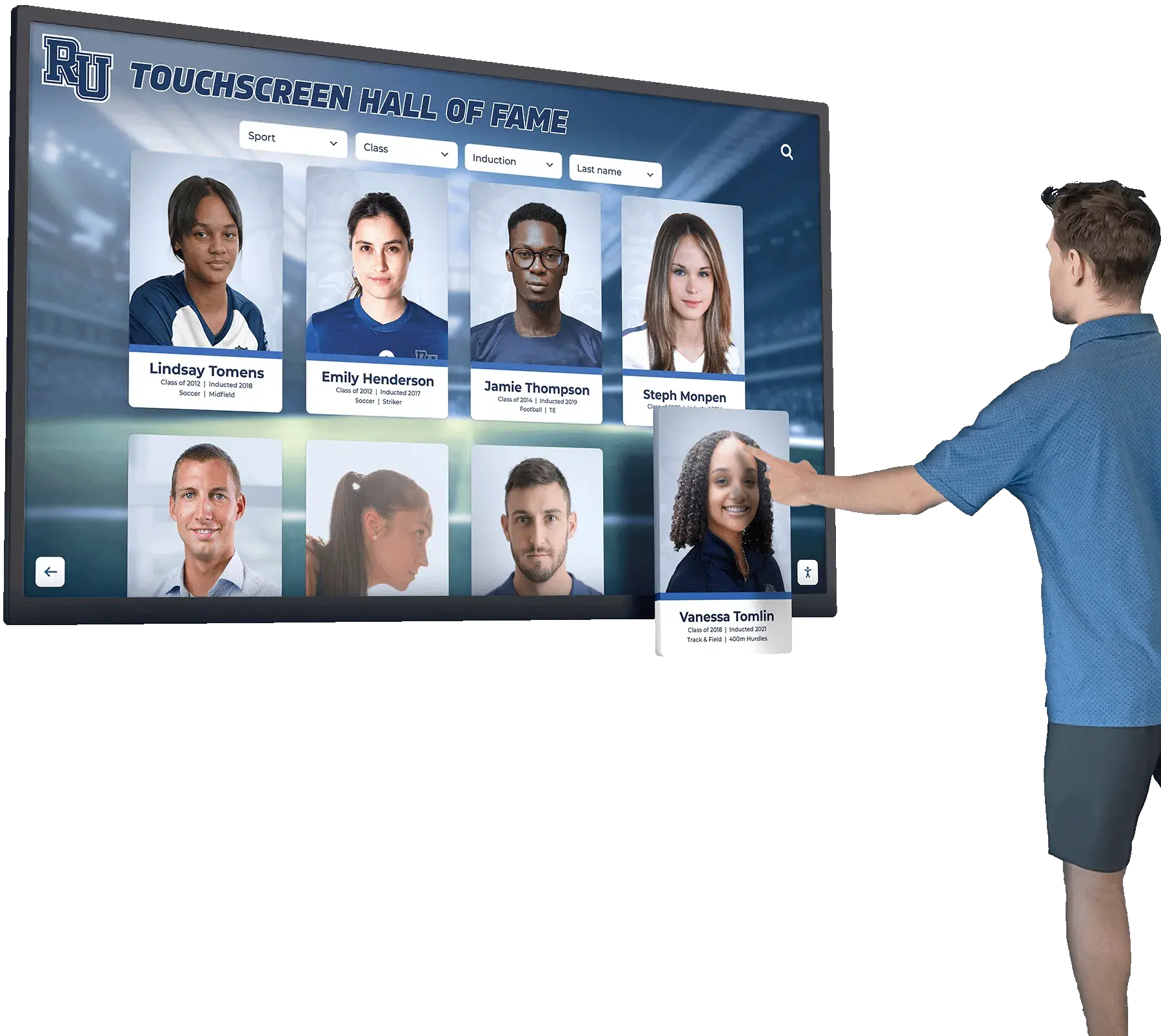
Specialized recognition platforms optimize interfaces for biographical exploration and achievement discovery
Hardware Considerations for Interactive Kiosk Displays
Software platform selection represents only one component of successful interactive kiosk implementation. Hardware decisions significantly impact user experience, system reliability, and total cost of ownership.
Commercial vs. Consumer Touchscreen Displays
Commercial-Grade Displays Purpose-built for continuous operation in public environments:
- Operating Hours: Rated for 16-24 hour daily operation versus consumer displays designed for 8-10 hours
- Touchscreen Technology: Industrial touch overlays withstand heavy use without degradation
- Warranty Coverage: 3-5 year commercial warranties covering business use
- Brightness: Higher nit ratings (450-700 nits) ensure visibility in brightly lit environments
- Anti-Glare Coatings: Reduce reflections in lobbies with windows and overhead lighting
- Temperature Tolerance: Operate reliably in wider temperature ranges common in institutional settings
- Durability: Ruggedized construction withstands public use and accidental impacts
Schools installing visitor kiosks in high-traffic areas benefit from commercial-grade hardware investments that deliver years of reliable operation rather than frequent consumer display replacements.
Consumer Displays Standard televisions and monitors with touchscreen overlays:
- Lower Initial Cost: 30-50% less expensive than equivalent commercial displays
- Shorter Lifespan: Typical 2-3 year reliability in public use environments
- Limited Warranties: 1-year consumer warranties typically void in commercial applications
- Reduced Durability: Consumer touchscreens degrade faster under heavy public use
- Brightness Limitations: Lower nit ratings cause visibility issues in bright environments
Total Cost of Ownership Analysis Commercial displays typically cost $2,500-$5,000 for 55"-75" sizes versus $800-$1,500 for consumer equivalents. However, commercial units lasting 7-10 years versus consumer displays requiring replacement every 2-3 years result in lower long-term costs, fewer disruptions for reinstallation, and reduced technical support requirements.
Screen Size Selection for Different Environments
55" Displays
- Optimal viewing distance: 6-10 feet
- Ideal locations: Small offices, narrow hallways, individual classroom entrances
- Typical applications: Department-specific recognition, classroom wayfinding
- Installation: Standard wall mounts or mobile stands
65" Displays
- Optimal viewing distance: 8-12 feet
- Ideal locations: Main office lobbies, athletic department entrances, library common areas
- Typical applications: Primary hall of fame displays, donor recognition walls
- Installation: Wall mounts or freestanding kiosk enclosures
75" Displays
- Optimal viewing distance: 10-15 feet
- Ideal locations: Large lobbies, gymnasium entrances, auditorium common areas
- Typical applications: Comprehensive recognition displays, multi-category hall of fame systems
- Installation: Permanent wall mounting or custom millwork integration
86" Displays
- Optimal viewing distance: 12-20 feet
- Ideal locations: Large atriums, field house lobbies, performing arts center entrances
- Typical applications: Flagship institutional displays, comprehensive multi-sport recognition
- Installation: Professional mounting systems or architectural millwork
Smaller displays work well for targeted recognition serving specific audiences, while larger displays command attention in high-traffic areas serving entire school communities.
Mounting and Installation Options
Wall-Mounted Displays Direct attachment to structural walls using commercial mounting brackets:
- Advantages: Clean appearance, space-efficient, straightforward installation
- Requirements: Structural wall support, electrical access, appropriate mounting height (center typically 48"-60" from floor for ADA compliance)
- Considerations: Permanent installation requires commitment to location
Freestanding Kiosk Enclosures Purpose-built enclosures housing displays, media players, and supporting hardware:
- Advantages: Professional appearance, relocatable, integrated cable management, available in various finishes matching institutional aesthetics
- Requirements: Floor space, stable placement, electrical access
- Considerations: Higher initial cost than wall mounting, larger footprint
Millwork Integration Custom architectural integration within trophy cases, recognition walls, or donor galleries:
- Advantages: Seamless institutional aesthetic, coordinated with surrounding architectural elements
- Requirements: Professional design and installation, coordination during construction or renovation
- Considerations: Highest cost option, permanent installation, requires architectural planning
Schools implementing memorial recognition displays often choose millwork integration to create dignified, permanent installations honoring institutional history and significant individuals.
Interactive Kiosk Content Management Best Practices
Successful interactive kiosk implementations depend not only on technology selection but on sustainable content management processes ensuring displays remain current, accurate, and engaging throughout years of operation.
Establishing Content Governance
Designated Content Owners Assign specific individuals or departments responsibility for content areas:
- Athletic Recognition: Athletic directors, hall of fame committees, or sports information coordinators manage athlete profiles, statistics, and team achievements
- Academic Achievement: Counseling offices, academic departments, or registrar staff maintain honor roll, scholarship, and academic award content
- Donor Recognition: Development officers or advancement departments manage contributor profiles and gift acknowledgments
- Alumni Achievements: Alumni relations offices coordinate graduate updates and career accomplishments
- General Announcements: Communications offices or administrative staff manage event promotions and institutional messaging
Clear ownership prevents content gaps, duplicate efforts, and outdated information remaining displayed indefinitely.
Update Schedules and Responsibilities Establish regular review cycles appropriate for content types:
- Annual Updates: Hall of fame inductions, graduating class honors, major donor recognition
- Quarterly Updates: Academic honor rolls, seasonal sports achievements, program milestones
- Monthly Updates: Event calendars, upcoming activities, temporary recognition
- As-Needed Updates: Breaking achievements, emergency information, time-sensitive announcements
Schools implementing comprehensive student recognition programs benefit from documented update schedules ensuring achievements receive timely display rather than languishing in administrative backlogs.
Content Quality Standards
Biographical Information
- Verify name spellings, graduation years, and achievement details before publication
- Obtain proper photo permissions and usage rights for all images
- Standardize profile structures maintaining consistency across individuals
- Include sufficient context ensuring visitors understand significance of achievements
- Proofread all text content eliminating errors and ensuring professional presentation
Visual Standards
- Establish image resolution requirements ensuring clarity on large displays (minimum 1920x1080 for full-screen images)
- Maintain consistent photo cropping and aspect ratios across similar content
- Use institutional branding colors, fonts, and design elements consistently
- Ensure text remains readable from expected viewing distances (minimum 24pt for body text, 48pt+ for headlines)
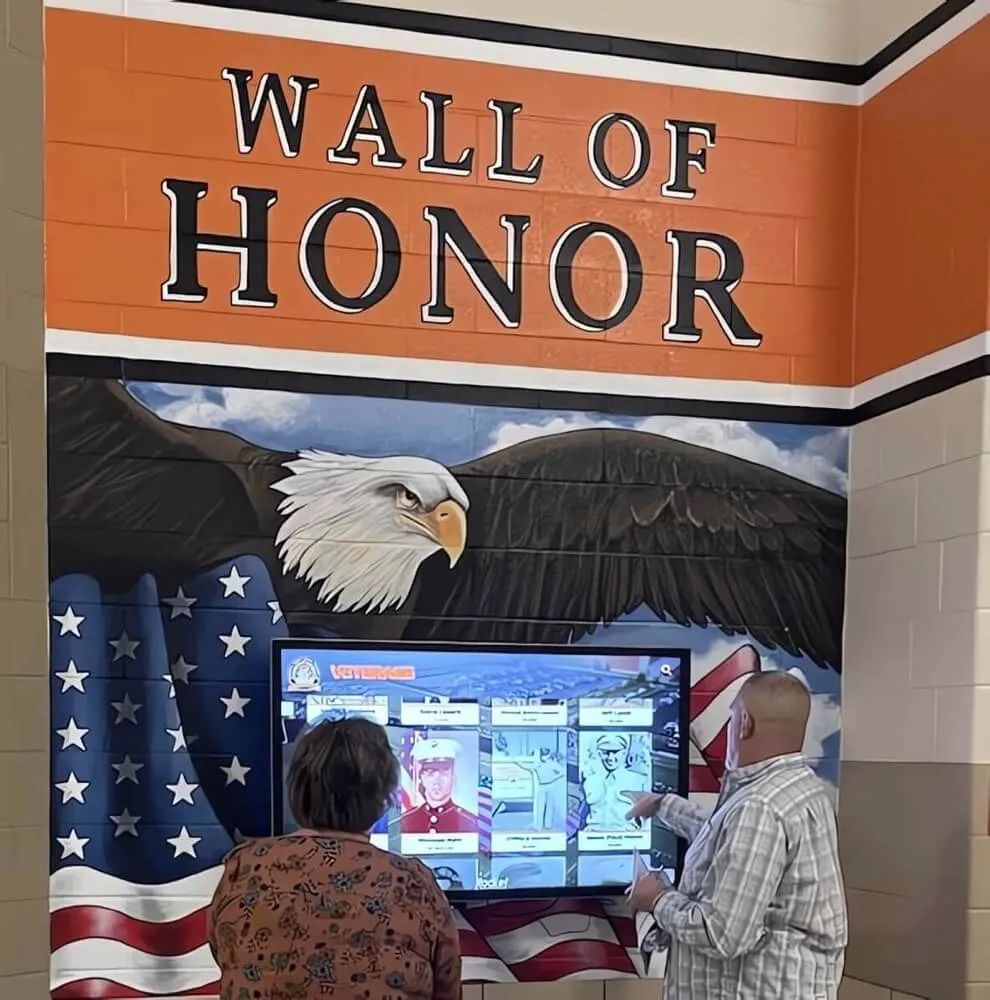
Professional content standards maintain institutional brand consistency across interactive displays
Accuracy and Verification
- Cross-reference statistical information with official records before publication
- Obtain approval from recognized individuals for biographical content when possible
- Verify award dates, championship years, and achievement details from authoritative sources
- Establish correction processes for addressing errors discovered after publication
Poor content quality undermines interactive kiosk investments regardless of hardware quality or software capabilities. Professional presentation standards elevate institutional image while sloppy content damages credibility.
Accessibility Compliance Considerations
Federal ADA requirements and accessibility best practices apply to interactive kiosks in educational institutions receiving public funding or serving public audiences.
Physical Accessibility
- Position interactive controls within reach range for wheelchair users (15"-48" from floor per ADA standards)
- Provide clear floor space (30" x 48" minimum) for wheelchair approach
- Ensure kiosk placement doesn’t obstruct accessible routes or create protruding object hazards
- Consider dual-height installation or angled displays accommodating various visitor heights
Digital Accessibility
- Implement ADA WCAG 2.1 AA compliant interfaces with keyboard navigation alternatives to touch
- Provide sufficient color contrast ratios for text and interface elements (4.5:1 minimum for normal text)
- Include text alternatives for images and media content
- Ensure touch targets meet minimum size requirements (44x44 pixels minimum per WCAG guidelines)
- Provide audio descriptions for video content when applicable
- Include QR codes enabling mobile access for visitors who cannot reach or operate physical touchscreens
Schools should verify interactive kiosk platforms include accessibility compliance rather than requiring costly retrofitting after installation.
Total Cost of Ownership Analysis: 5-Year Projections
Understanding total costs over typical ownership periods enables more accurate budget planning and vendor comparison than focusing exclusively on initial purchase prices.
Recognition-Focused Platform Example (Rocket Alumni Solutions Model)
Initial Investment
- Software licensing: $8,000-$15,000 (one-time, varies by features and scale)
- 65" commercial touchscreen display: $3,500-$4,500
- Media player and installation: $1,000-$2,000
- Professional content setup (optional): $2,000-$5,000
- Total Initial Investment: $14,500-$26,500
Ongoing Costs (Annual)
- Software maintenance/updates: $0 (included in initial licensing for core platform)
- Optional content management services: $1,200-$3,000 annually if desired
- Hardware warranty extension: $300-$500 annually (optional beyond initial warranty)
- Annual Ongoing Costs: $300-$3,500 (depending on optional services selected)
5-Year Total Cost of Ownership: $16,000-$44,000 depending on optional services
Per-Year Average: $3,200-$8,800
Subscription-Based Digital Signage Example
Initial Investment
- Display hardware (similar commercial touchscreen): $3,500-$4,500
- Media player: $300-$800
- Installation: $500-$1,000
- Initial content design: $1,000-$3,000
- Total Initial Investment: $5,300-$9,300
Ongoing Costs (Annual)
- Software subscription (per screen): $300-$600 annually
- Content updates and design: $1,500-$4,000 annually (internal time or contract services)
- Technical support: $200-$500 annually
- Annual Ongoing Costs: $2,000-$5,100
5-Year Total Cost of Ownership: $15,300-$34,800
Per-Year Average: $3,060-$6,960
Analysis Insights
One-time licensing models show higher initial costs but lower total ownership costs over multi-year periods compared to subscription models. Schools planning long-term installations (5+ years typical for recognition displays) benefit financially from perpetual licensing. Institutions expecting frequent software changes or uncertain long-term needs may prefer subscription flexibility despite higher cumulative costs.
Hardware costs remain similar across platforms, emphasizing the importance of commercial-grade equipment regardless of software selection. Ongoing content management represents significant operational costs often overlooked during initial budgeting—whether handled through purchased services or internal staff time.
Making the Right Interactive Kiosk Display Selection
Schools evaluating interactive kiosk options should prioritize alignment between platform capabilities and institutional objectives rather than selecting based solely on price or feature lists.
Primary Purpose Clarification
Recognition and Achievement Focus Schools prioritizing long-term biographical content honoring individuals, teams, and donors benefit from purpose-built recognition platforms providing specialized content structures, unlimited profile capacity, and interfaces optimized for achievement exploration. Generic digital signage platforms require extensive customization to approximate recognition-specific features.
Organizations implementing baseball recognition programs or other sports-specific displays should evaluate whether platforms offer auto-ranking capabilities, statistical leaderboards, and sports-optimized content templates versus requiring custom database development.
Daily Information and Announcements Schools needing frequent content updates with announcements, schedules, cafeteria menus, and event promotions benefit from general digital signage platforms optimized for content rotation and scheduled playlists. Recognition-focused platforms prove less suitable for rapidly changing daily information.
Navigation and Wayfinding Large campuses with complex building layouts, multiple departments, and frequent visitor navigation challenges justify dedicated wayfinding platforms. Smaller schools rarely achieve sufficient return on investment from sophisticated navigation systems.
Multi-Purpose Requirements Institutions requiring combined recognition, announcements, and wayfinding from limited display locations should evaluate integrated platforms supporting multiple content types while maintaining intuitive navigation between functional areas.
Administrative Capacity Assessment
Technical Resources Schools with dedicated IT staff and technical resources can manage more complex platforms requiring system integrations, custom content design, and ongoing technical maintenance. Budget-conscious institutions with technical expertise may successfully implement free or low-cost platforms through internal labor.
Schools lacking technical resources benefit from turnkey solutions with professional implementation services, intuitive content management, and responsive vendor support. Higher initial costs for managed solutions often prove less expensive than struggling with complex platforms requiring expertise unavailable internally.
Content Management Bandwidth Evaluate realistically whether staff have time for ongoing content creation, design work, and regular updates. Platforms requiring extensive design work for each content update demand significant administrative time that busy school staff often cannot sustain. Recognition platforms with standardized templates and simple profile forms enable sustainable content management with minimal time investment.
Schools coordinating comprehensive fundraising initiatives benefit from donor recognition systems enabling development staff to update contributor profiles independently without requiring IT support or external design services for each addition.
Budget Structure Alignment
Capital Budget Availability Schools with available capital budgets for one-time technology purchases benefit from perpetual licensing models avoiding ongoing operational costs. Capital funding often proves easier to secure for permanent installations than recurring operational subscriptions.
Operational Budget Constraints Institutions with limited capital budgets but available operational funding may prefer subscription models spreading costs across fiscal years despite higher total ownership expenses. Monthly or annual subscription payments accommodate budget structures limiting large upfront purchases.
Long-Term Financial Planning Calculate total ownership costs over expected lifespan (typically 7-10 years for recognition installations, 5-7 years for general signage) rather than comparing only initial prices. Subscription costs accumulating over years often exceed one-time licensing despite lower initial investment.
Implementation Planning and Timeline Expectations
Successful interactive kiosk projects require careful planning addressing content preparation, installation logistics, and staff training.
Typical Implementation Phases
Planning and Selection (4-8 weeks)
- Clarify institutional objectives and primary use cases
- Evaluate platform options against requirements
- Obtain budget approvals and authorization
- Select vendor and finalize contracts
- Determine installation location and hardware specifications
Content Preparation (6-12 weeks for recognition projects, 2-4 weeks for signage)
- Gather biographical information, photos, and achievement details
- Organize content structure and categorization approach
- Prepare initial content sets for launch
- Review and approve content before publication
- Obtain necessary permissions and usage rights
Installation and Configuration (2-4 weeks)
- Prepare installation site (electrical, mounting, networking)
- Receive and install display hardware
- Configure software and load content
- Test functionality and user experience
- Train designated content managers
- Conduct final review and acceptance
Launch and Promotion (ongoing)
- Announce kiosk availability to school community
- Gather initial user feedback and observations
- Address any technical or content issues discovered
- Plan ongoing content updates and maintenance
- Establish sustainable operational processes
Schools implementing displays for special recognition events should allow sufficient lead time for content preparation, particularly when gathering historical information, locating photos, and coordinating with multiple departments or volunteer committees.
Common Implementation Challenges
Content Collection Delays Gathering biographical information, historical photos, and achievement details typically takes longer than anticipated. Athletic records require verification from archives. Alumni information needs research and outreach. Photo quality varies requiring editing or re-scanning. Build realistic timelines with buffer for content preparation.
Installation Logistics Wall mounting requires identifying structural supports and coordinating electrical access. Freestanding kiosks need appropriate floor space and stable placement. Renovation projects must coordinate with construction schedules. Holiday breaks and school events create installation windows requiring advance scheduling.
Change Management Staff accustomed to traditional recognition approaches (plaques, trophy cases, printed programs) may resist digital transitions initially. Involve stakeholders early in planning, demonstrate prototypes before installation, provide thorough training, and celebrate successful launches to build acceptance and enthusiasm.
Scope Creep Initial projects often expand as stakeholders envision additional features, content areas, and capabilities during implementation. Control scope by documenting clear requirements upfront, explaining implications of additions on timeline and budget, and planning phased rollouts adding features after successful initial launch.
Measuring Interactive Kiosk Success and ROI
Schools should establish metrics evaluating whether interactive kiosks deliver expected value and achieve institutional objectives.
Quantitative Metrics
Usage Analytics Modern interactive kiosk platforms provide usage data including:
- Total interactions and session counts
- Average session duration indicating engagement depth
- Most-viewed content revealing visitor interests
- Time-of-day usage patterns informing optimal placement
- Search queries showing how visitors explore content
High traffic with short sessions suggests navigation issues or content relevance problems. Low traffic indicates placement challenges or insufficient awareness. Analytics guide content strategy improvements and demonstrate utilization justifying investments.
Content Engagement Track specific content performance:
- Most-viewed profiles and achievements
- Popular search terms and filters applied
- QR code scans extending engagement to mobile devices
- Social sharing activity when features enable content distribution
Schools implementing academic recognition displays can identify which achievement categories resonate most with visitors, informing future recognition program priorities.
Qualitative Assessments
Community Feedback Gather observations and testimonials from various stakeholder groups:
- Student reactions and engagement during casual interactions
- Parent comments during school events and conferences
- Alumni responses during reunions and campus visits
- Community member impressions at athletic events and performances
- Staff observations about visitor behavior and questions
Positive qualitative feedback validates successful implementations even when quantitative metrics prove difficult to capture or interpret.
Institutional Impact Assess broader organizational benefits:
- Enhanced institutional image and modern technology perception
- Increased donor engagement and recognition program effectiveness
- Strengthened alumni connections and institutional loyalty
- Improved wayfinding reducing staff time answering directional questions
- Operational efficiency gains from digital content updates versus physical plaque changes
Future Trends in Interactive Kiosk Display Technology
Understanding emerging trends helps schools make forward-looking technology selections remaining relevant throughout extended ownership periods.
Artificial Intelligence and Personalization
Advanced platforms increasingly incorporate AI capabilities:
- Facial recognition enabling personalized content for registered users
- Natural language search understanding conversational queries
- Recommendation engines suggesting relevant content based on viewing patterns
- Predictive content prioritization based on visitor demographics and behaviors
- Automated content generation from connected databases and information systems
Privacy considerations and regulatory compliance requirements will influence AI adoption rates in educational settings, with institutions balancing personalization benefits against data protection obligations.
Enhanced Mobile Integration
Interactive kiosks increasingly function as discovery hubs driving engagement to mobile devices:
- Universal QR code access to all kiosk content from personal smartphones
- Progressive web apps providing kiosk functionality on personal devices
- Augmented reality experiences triggered by kiosk interactions
- Bluetooth beacon integration for proximity-based content delivery
- Social sharing features encouraging content distribution across networks
Mobile integration extends interactive kiosk reach beyond physical installations, enabling 24/7 access and broader community engagement.
Voice Interface Adoption
Hands-free voice interaction provides accessibility benefits and convenience:
- Voice search enabling questions without touch interaction
- Audio descriptions providing content access for visually impaired visitors
- Multi-language voice support accommodating diverse communities
- Conversational interfaces reducing navigation complexity
- Voice-activated content sharing to personal devices
Voice technology maturation and falling implementation costs will drive broader adoption in educational interactive kiosks over coming years.
Sustainability and Energy Efficiency
Environmental considerations increasingly influence technology purchasing decisions:
- Energy-efficient displays reducing operational costs and carbon footprint
- Automatic brightness adjustment based on ambient lighting conditions
- Power-saving modes during low-traffic periods
- Sustainable materials and manufacturing practices
- Longer hardware lifespans reducing electronic waste
Schools implementing dedication recognition displays and other permanent installations should prioritize platforms supporting extended hardware lifecycles through software updates and ongoing compatibility with evolving display technology.
Conclusion: Selecting Interactive Kiosk Displays That Serve Your School Community
Interactive kiosk displays represent significant institutional investments demanding careful evaluation beyond superficial feature comparisons and initial pricing. The most successful implementations align platform capabilities precisely with institutional objectives, match technical requirements with available administrative resources, and provide sustainable content management processes ensuring displays remain current and engaging throughout years of continuous operation.
Schools prioritizing biographical recognition—honoring athletic achievements, celebrating academic excellence, acknowledging donor generosity, and preserving institutional history—benefit from purpose-built recognition platforms like Rocket Alumni Solutions that eliminate need for extensive customization while providing specialized features including unlimited profile capacity, auto-ranking capabilities, and intuitive content management accessible to non-technical staff.
Institutions requiring sophisticated campus navigation across large, complex facilities justify dedicated wayfinding platforms, while schools needing general announcements and rotating information content benefit from flexible digital signage solutions. Multi-purpose requirements demand integrated platforms combining diverse capabilities within unified interfaces.
Budget structures favoring capital investments support perpetual licensing models providing lower total ownership costs over extended periods. Operational budget constraints may necessitate subscription models despite higher cumulative expenses. Hardware investments should prioritize commercial-grade displays ensuring reliability under continuous public use rather than consumer products requiring frequent replacement.
Most importantly, successful interactive kiosk implementations require realistic assessment of content management capacity. Sophisticated platforms demanding ongoing design expertise, technical maintenance, and frequent content creation fail when busy school staff cannot sustain required administrative attention. Purpose-built solutions with standardized templates, simple workflows, and professional support enable sustainable operations matching institutional resources.
The right interactive kiosk display strengthens school identity, engages community members, honors achievements appropriately, and operates reliably for years—enhancing rather than complicating institutional operations while delivering measurable value justifying technology investments.
Ready to Explore Interactive Recognition Solutions for Your School?
Discover how purpose-built interactive kiosk displays can honor your school’s achievements, engage your community, and preserve institutional history through compelling digital experiences.