Walk into any modern school lobby and you’ll immediately notice a transformation underway. Where static bulletin boards and dusty trophy cases once dominated common spaces, interactive display technology now creates dynamic environments that engage students, celebrate achievements, share information, and strengthen school culture in ways traditional displays never could.
Schools nationwide are discovering that lobbies and common spaces represent untapped opportunities to communicate institutional values, recognize excellence, connect students to history and tradition, and create welcoming environments that make powerful first impressions on visitors, prospective families, and community members. The right interactive display technology transforms these spaces from mere passageways into destinations that capture attention and foster engagement.
This comprehensive guide explores how schools are leveraging touchscreen displays, digital recognition systems, interactive wayfinding, and multimedia presentation tools to reimagine lobbies and common areas as vibrant communication and recognition hubs.
Modern interactive display technology goes far beyond simply replacing paper posters with screens. The most effective implementations create two-way engagement opportunities where students and visitors actively explore content, discover information relevant to their interests, and connect with the broader school community through intuitive touchscreen interfaces.
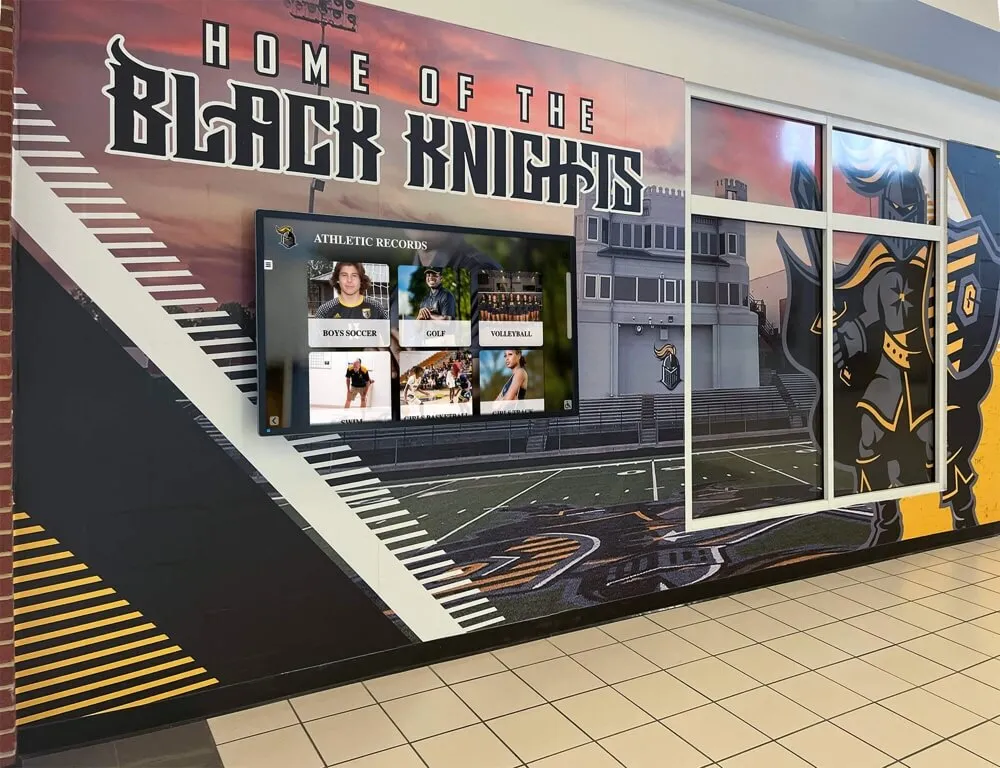
Interactive displays transform common spaces into engaging recognition and communication hubs
The Case for Interactive Displays in School Spaces
Understanding why schools invest in interactive display technology reveals both immediate practical benefits and long-term cultural impacts that strengthen educational communities.
Creating First Impressions That Last
School lobbies serve as the front door to your institution, creating immediate impressions for every visitor:
Prospective Family Visits
- Interactive displays showcase academic programs, activities, and achievements comprehensively
- Prospective students explore school culture and opportunities independently
- Parents gain insight into institutional values and priorities through displayed content
- Modern technology communicates forward-thinking educational approach
- Self-guided exploration respects family time while providing complete information
Community Connection Points
- Alumni visiting campus reconnect with tradition through historical content
- Board members and donors see their impact displayed prominently
- Community partners understand school programs and needs
- Local media representatives find story ideas and background information
- Event attendees learn about programs and opportunities between activities
Schools report that interactive lobby displays significantly enhance campus tour experiences, with prospective families spending 5-10 minutes exploring content that would occupy mere seconds with static displays.
Maximizing Communication Efficiency
Traditional bulletin boards and paper posters create ongoing management headaches:
Static Display Limitations
- Content becomes outdated quickly requiring physical replacement
- Limited space forces difficult choices about what information to display
- Weather and handling damage posters creating unprofessional appearance
- Updating content requires physical campus access
- Multiple administrators cannot easily coordinate messaging
Interactive Display Advantages
- Remote content updates from any internet-connected device
- Unlimited content capacity through multiple screens and scheduled rotations
- Professional appearance maintained consistently
- Multiple staff can manage different content areas
- Real-time updates for urgent communications
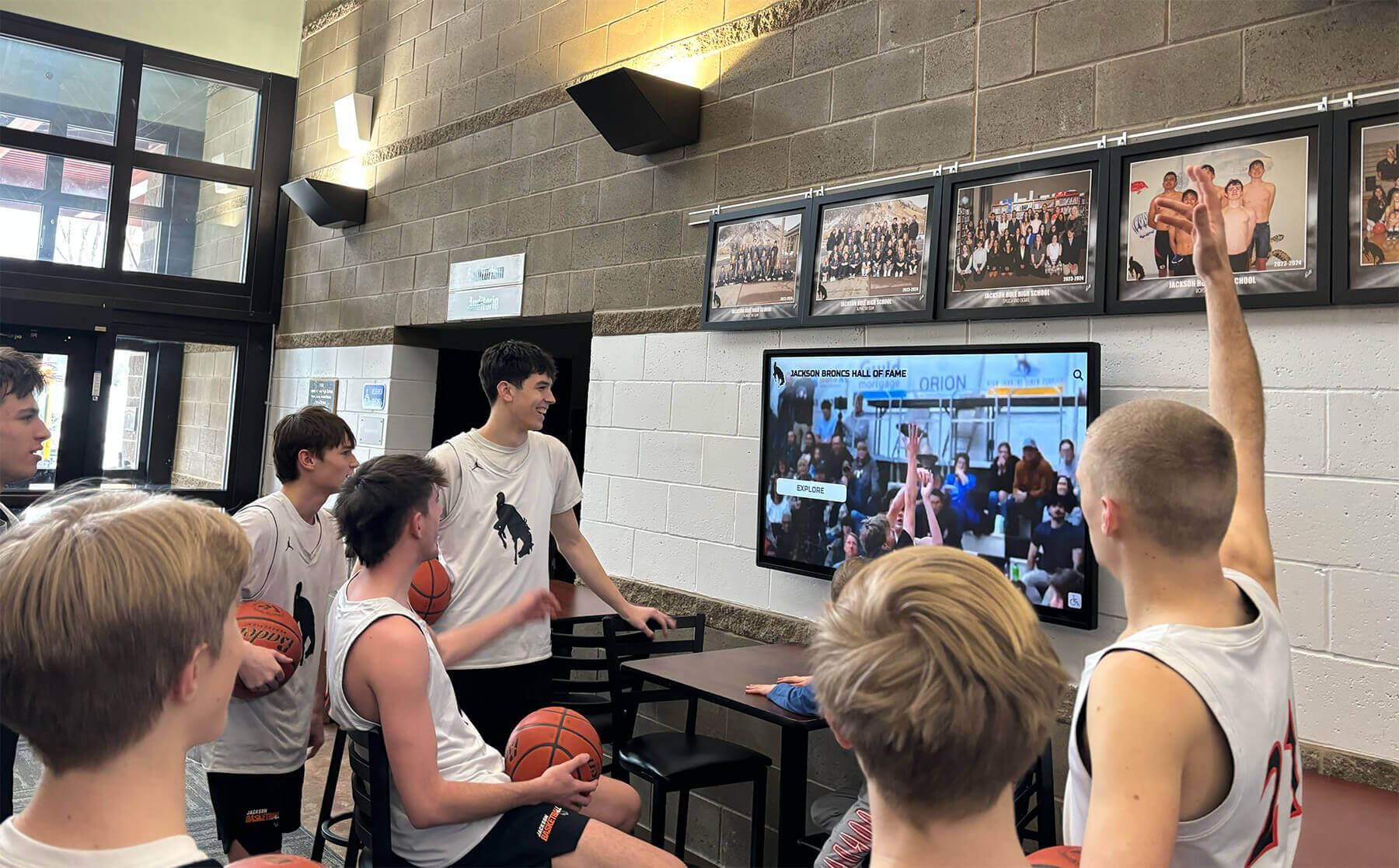
Interactive displays capture student attention in ways static bulletin boards never could
Schools using interactive displays for campus communication report 70-80% reduction in time spent managing lobby and hallway communications.
Celebrating Achievement at Scale
Recognition represents one of the most powerful applications for interactive display technology:
Traditional Recognition Constraints
- Physical plaques fill available wall space within years
- Limited room forces removing older recognition to add current achievements
- Static displays provide minimal information about accomplishments
- Creating and mounting plaques involves significant expense and delay
- Recognizing team achievements with full rosters consumes excessive space
Digital Recognition Capabilities
- Unlimited inductees across all recognition categories
- Comprehensive biographical content with photos, videos, and detailed achievements
- Easy search and filtering enabling visitors to find specific individuals
- Immediate updates following recognition events without production delays
- Complete team rosters with individual profiles for every member
Comprehensive digital hall of fame solutions make celebrating decades of student achievement achievable in single displays.
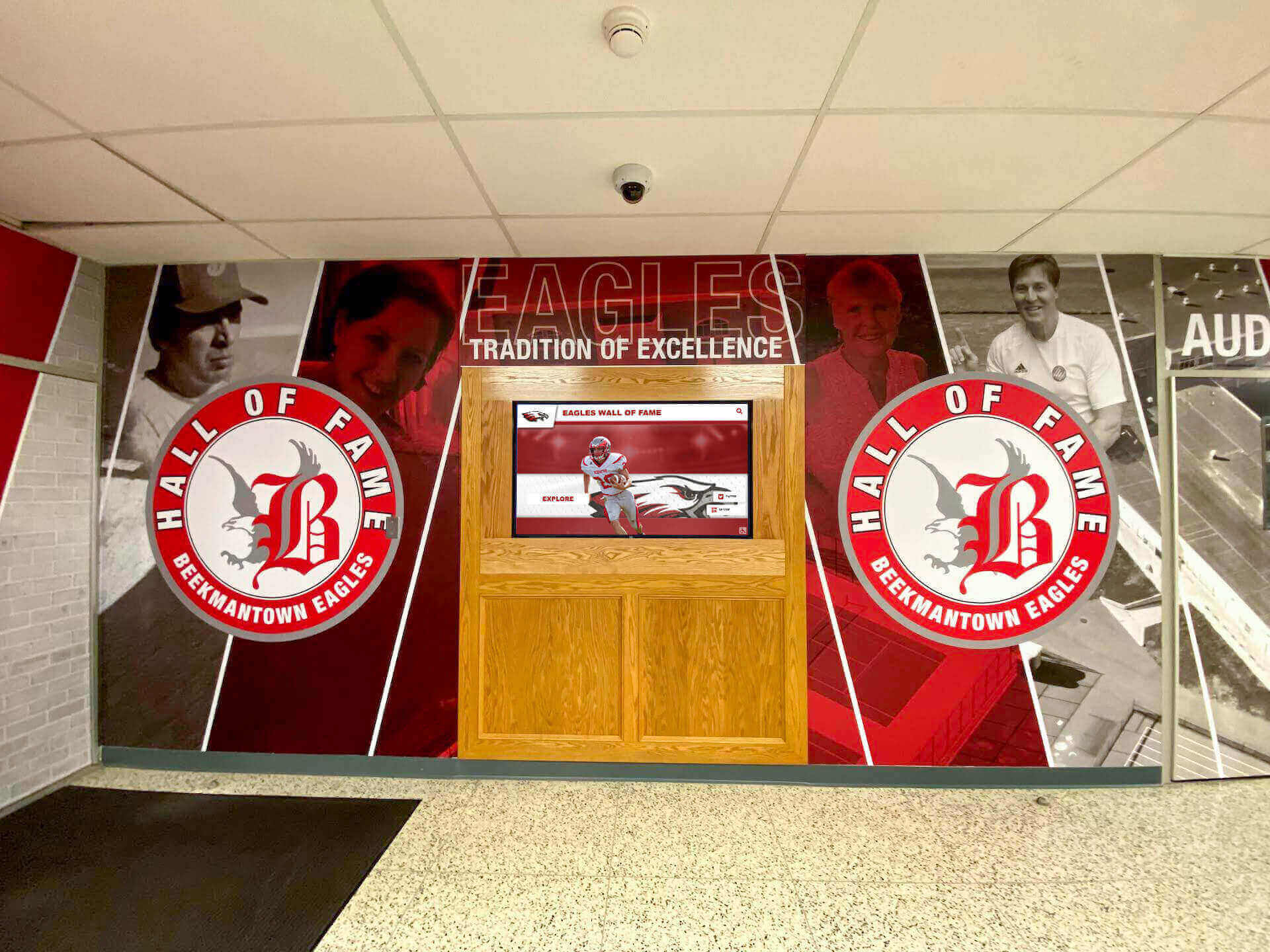
Modern lobbies blend traditional design elements with interactive technology for comprehensive recognition
Types of Interactive Display Technology for Schools
Different interactive display applications serve distinct communication and engagement objectives in school environments.
Touchscreen Recognition Displays
Interactive touchscreen systems provide the richest engagement experiences for celebrating achievement and preserving institutional history:
Athletic Recognition Applications
- Hall of fame inductees with complete career statistics and achievements
- Championship team rosters with individual player profiles
- Record boards showing top performances across every sport and event
- Historical game highlights and memorable moments
- Coach recognition and program milestone celebrations
Academic Excellence Displays
- Honor roll students with biographical profiles and achievements
- National Merit Scholars and academic competition recognition
- Valedictorian and salutatorian historical archives
- Subject-specific achievement awards and recognition
- Academic club and organization leadership displays
Schools implementing academic recognition programs create parity between athletic and intellectual achievement through equally visible celebration.
Arts and Activities Recognition
- Theatre productions with cast and crew recognition
- Music program performances and competition achievements
- Visual arts showcases with student work galleries
- Club and organization leadership boards
- Service learning and community contribution recognition
Information and Wayfinding Displays
Interactive information displays address practical visitor needs while showcasing school culture:
Directory and Navigation
- Building maps with room numbers and department locations
- Event calendars with location and time details
- Staff directories with photos and contact information
- Visitor registration and check-in workflows
- Emergency assembly point and safety information
Program Information Displays
- Course offerings and academic program overviews
- Extracurricular activity opportunities and schedules
- Athletic team information and season schedules
- College counseling resources and timeline information
- Parent involvement and volunteer opportunities
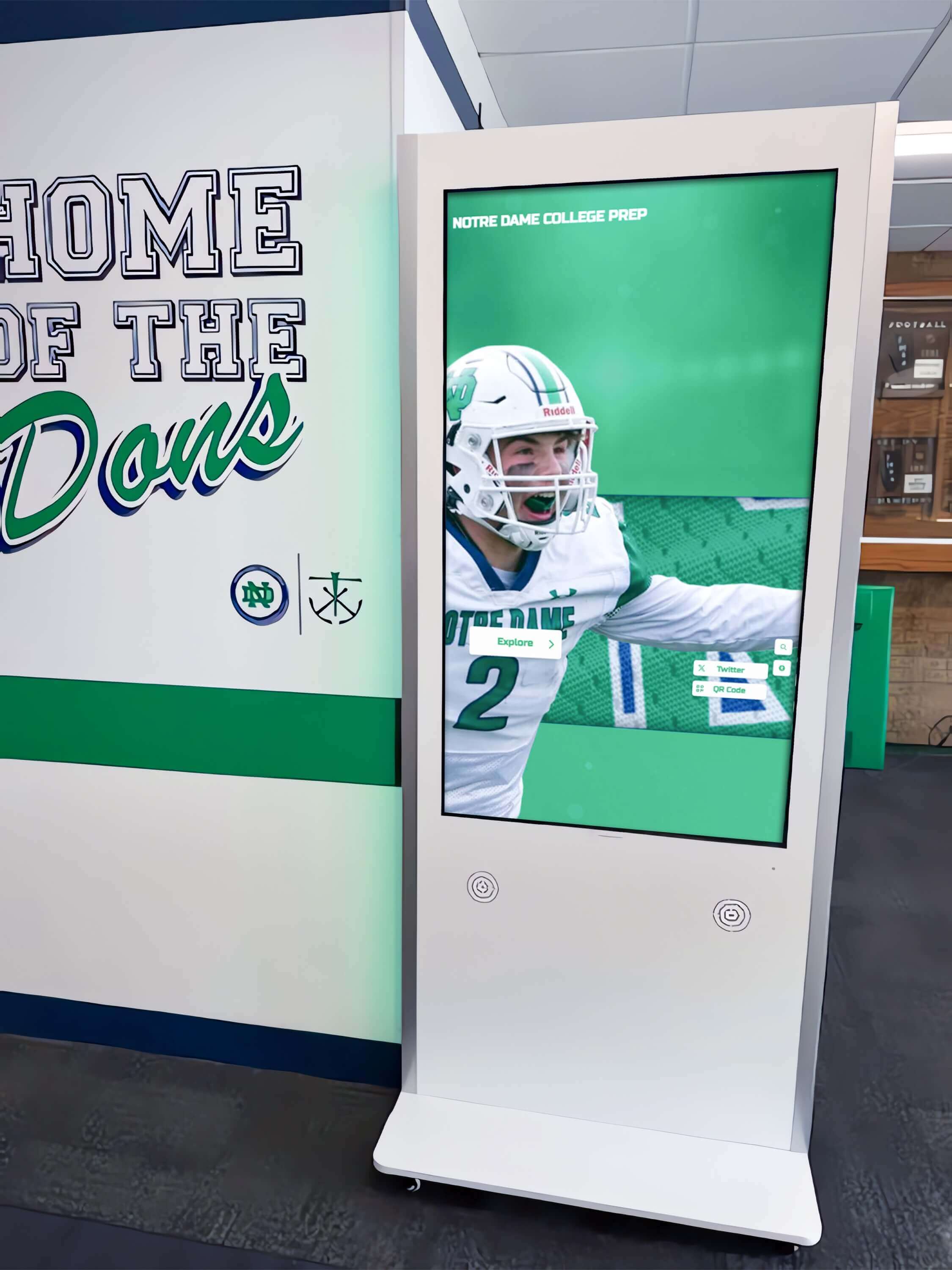
Free-standing kiosks provide wayfinding and information without wall mounting requirements
Social Media and Live Content Feeds
Real-time content displays keep common spaces current and engaging:
Dynamic Content Applications
- Social media feeds from official school accounts
- Student work showcases and project highlights
- Daily announcements and schedule updates
- Upcoming event promotions and ticket sales
- Lunch menus and daily activities
- Weather forecasts and school closure information
Engagement Enhancement
- Student-generated content submission opportunities
- Hashtag campaigns displayed in real-time
- Student government messaging and campaigns
- Club promotion and recruitment
- Achievement celebration as it happens
Schools balance scheduled content with live feeds to maintain professional quality while showcasing authentic student voice and current activities.
Historical Timeline and Archive Displays
Interactive historical displays preserve institutional memory while educating current students about tradition:
Historical Content Categories
- School founding and development timeline
- Building construction and renovation history
- Administrative leadership through the decades
- Notable alumni achievement stories
- Community impact and service history
- Merger or consolidation histories for combined districts
Interactive school history displays help students from recently merged districts understand shared tradition and heritage.
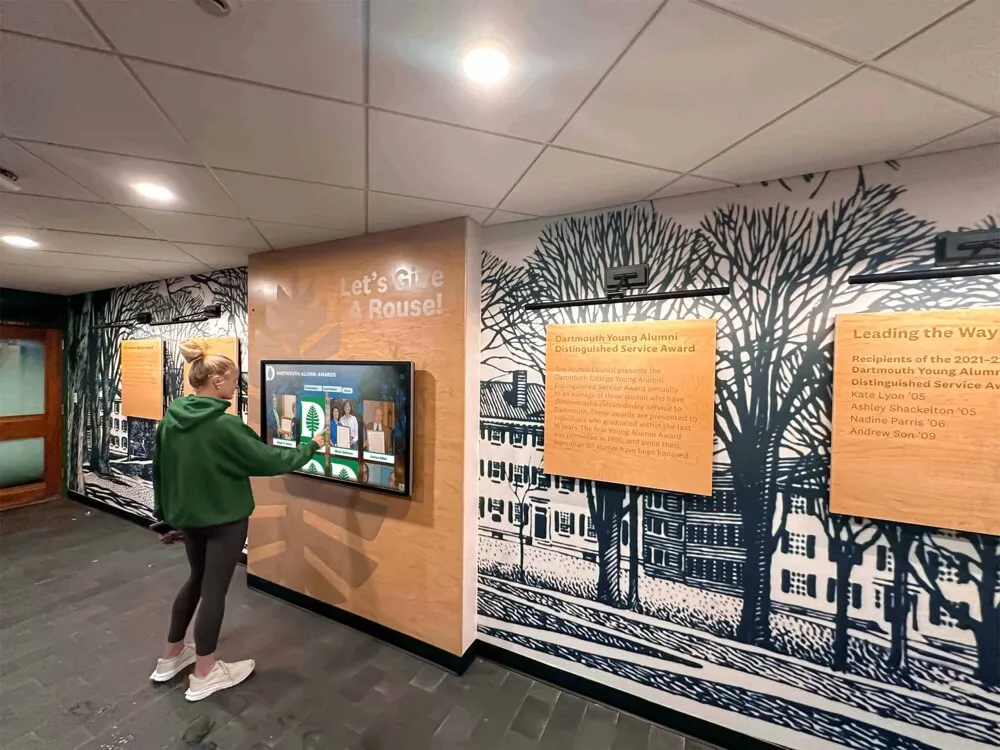
Historical displays connect current students and alumni to institutional heritage and tradition
Planning Your Interactive Display Implementation
Successful interactive display projects require systematic planning addressing multiple technical, logistical, and content considerations.
Space Assessment and Display Placement
Physical environment analysis determines optimal display locations and configurations:
High-Traffic Location Identification
- Main entrance lobbies where all visitors pass
- Cafeteria and common areas with sustained student presence
- Athletic facilities lobbies serving athletes, families, and spectators
- Performing arts center entrances engaging audiences before events
- Library and media center spaces promoting literacy and learning
- Administrative office areas serving families and community members
Viewing Condition Evaluation
- Natural lighting patterns and glare considerations throughout the day
- Viewing distances and angles from typical foot traffic paths
- Ambient noise levels affecting audio content decisions
- Available electrical power and network connectivity
- Wall mounting versus floor kiosk installation options
- ADA accessibility requirements for height and reach range
Space Planning Considerations
- Adequate clearance for groups to gather and explore
- Integration with existing architectural elements and school branding
- Proximity to related content like trophy cases or traditional plaques
- Security concerns in unsupervised areas
- Maintenance access for cleaning and technical service
Schools should conduct site surveys documenting lighting conditions at different times of day, measuring viewing distances, and photographing spaces from multiple angles before finalizing display specifications.
Hardware Selection Criteria
Choosing appropriate display hardware balances budget, functionality, and longevity:
Display Size and Type
- 55" displays suited for narrow hallways and smaller lobby areas
- 65" screens providing good visibility in medium-sized lobbies
- 75" displays commanding attention in larger entrance spaces
- 86" screens creating statement installations in grand lobbies
- Touchscreen versus non-touch based on interactivity requirements
- Commercial-grade displays rated for 16-24 hour daily operation
Technical Specifications
- Resolution: 4K (3840 x 2160) provides crisp text and images
- Brightness: 350-500 nits for indoor applications with typical lighting
- Touch technology: Infrared or capacitive for multi-touch capability
- Connectivity: HDMI, DisplayPort, USB, and network options
- Operating temperature range appropriate for installation environment
- VESA mounting patterns for installation flexibility
Durability and Protection
- Tempered glass or acrylic overlays protecting screen surface
- Anti-glare treatments reducing reflection from windows and overhead lighting
- Vandal-resistant enclosures for unsupervised high-traffic areas
- Warranty coverage including panel replacement and technical support
- Expected lifespan of 50,000+ hours for commercial displays
Athletic facilities often implement touchscreen displays for sports recognition in lobbies where athletes, families, and spectators naturally gather before and after events.
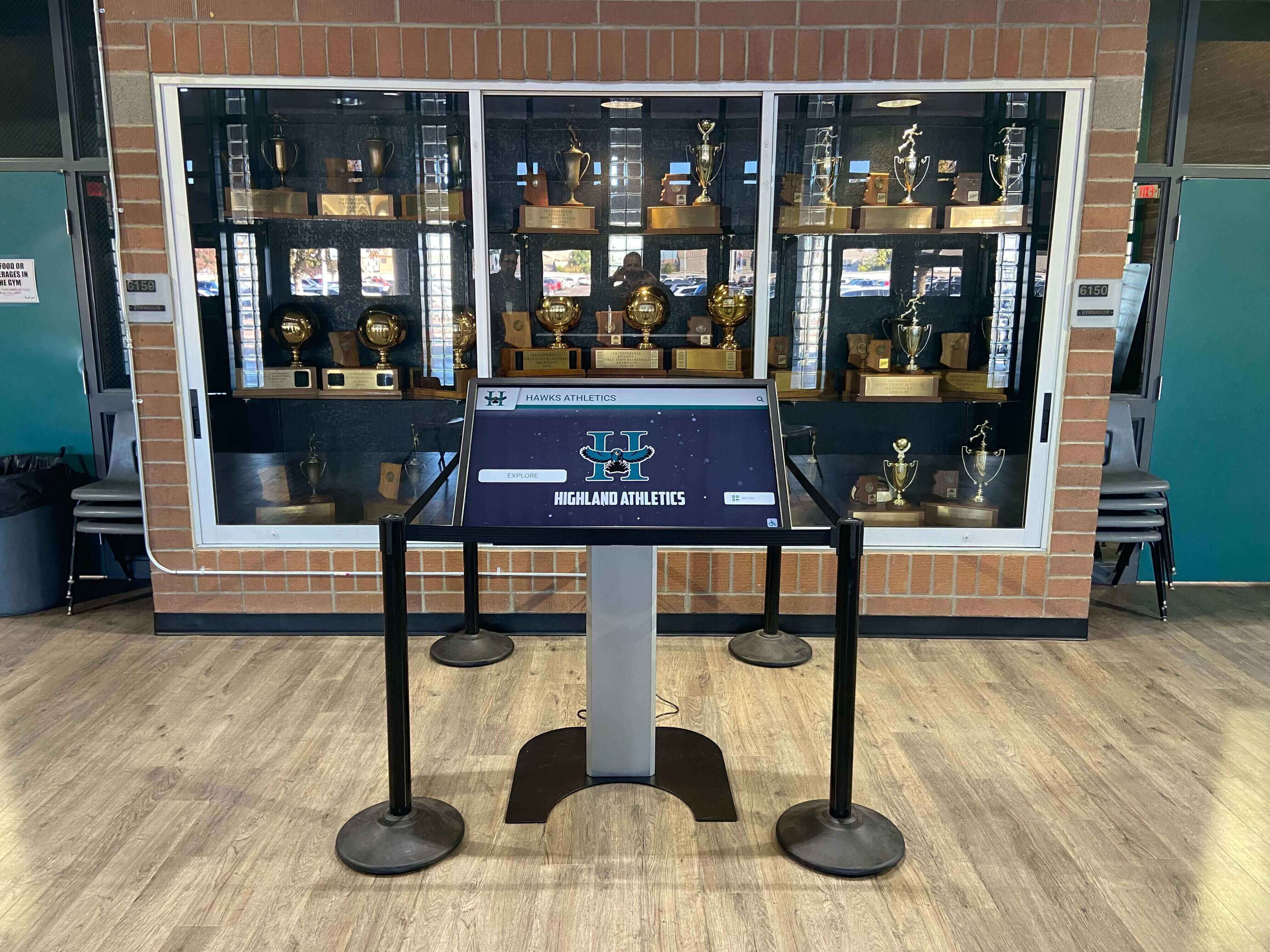
Athletic lobbies benefit from interactive displays that complement traditional trophy case recognition
Software Platform Evaluation
Software capabilities determine what you can accomplish with interactive displays:
Essential Software Features
- Cloud-based content management accessible remotely from any device
- Intuitive admin interfaces requiring no coding or technical expertise
- Unlimited content capacity without artificial entry restrictions
- Professional templates for recognition, information, and communication
- Search and filtering capabilities for database-driven content
- Scheduling tools for rotating content and timed displays
- Multi-user access with role-based permissions
- Analytics tracking engagement and content performance
Accessibility Requirements
- ADA WCAG 2.1 AA compliance for public-facing displays
- Keyboard navigation for complete touchscreen functionality
- Screen reader compatibility for biographical and informational content
- Sufficient color contrast meeting accessibility standards
- Text alternatives for images and multimedia content
- QR code access extending content to personal mobile devices
Integration Capabilities
- Website embedding for web-based access beyond physical displays
- Social media feed integration for live content
- Calendar system connections for event information
- Student information system data import for recognition programs
- Single sign-on authentication for secure content management
Schools should prioritize software platforms built specifically for recognition and institutional communication rather than general digital signage tools requiring extensive customization.
Content Development Planning
Quality content determines whether interactive displays create meaningful engagement or become ignored screens:
Content Inventory and Audit
- Existing recognition content from plaques, trophies, and archives
- Historical photographs and documents requiring digitization
- Current student achievement data for recognition programs
- School history information from yearbooks and publications
- Program information needing regular display and updates
Content Creation Strategy
- Professional photography of students for recognition displays
- Video interview capture with inductees and honorees
- Biographical writing for consistent narrative style
- Historical research and fact verification
- Media rights and permissions documentation
- Content review and approval workflows
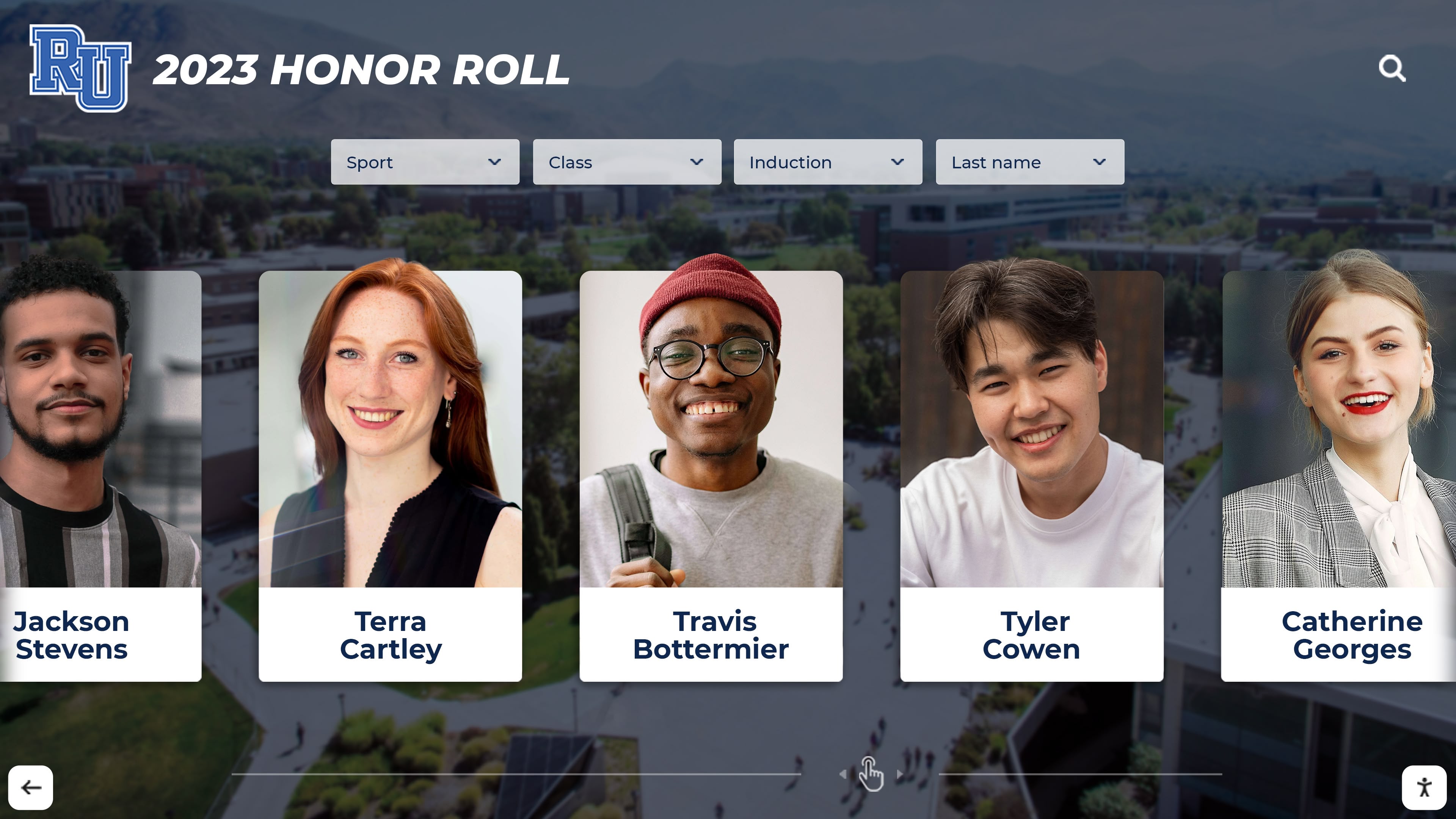
Professional recognition content creates meaningful connections between students and achievement
Sustainable Content Management
- Staff role assignment for ongoing content maintenance
- Update schedules for different content types
- Student involvement opportunities in content creation
- Community contribution processes for historical information
- Quality standards ensuring professional presentation
- Archive strategies preserving historical content
Schools implementing end-of-year awards programs benefit from interactive displays that immediately recognize recipients without waiting for plaque production.
Budget Development and Funding
Interactive display implementation involves both initial investment and ongoing costs:
Initial Implementation Costs
- Hardware: $2,500-$8,000 per display depending on size and features
- Software subscription: $500-$3,000 annually for cloud-based platforms
- Installation and mounting: $500-$2,000 per display
- Network infrastructure: $200-$1,000 for connectivity if needed
- Content development: $1,000-$5,000 for professional services
- Training and support: Often included in software subscription
Ongoing Operational Costs
- Annual software licensing: $500-$3,000 depending on features and scale
- Electricity: Approximately $100-$200 annually per display
- Maintenance and cleaning: $100-$300 annually
- Content updates: Internal staff time or contracted services
- Hardware replacement: Plan for 7-10 year lifecycle
Funding Source Strategies
- Capital improvement budgets for building technology infrastructure
- Booster club support for athletic recognition displays
- Alumni association funding for historical and recognition projects
- Parent organization grants for lobby improvement projects
- Memorial and naming opportunities for major donors
- Corporate sponsorships from local business partners
- Technology budgets within annual operating plans
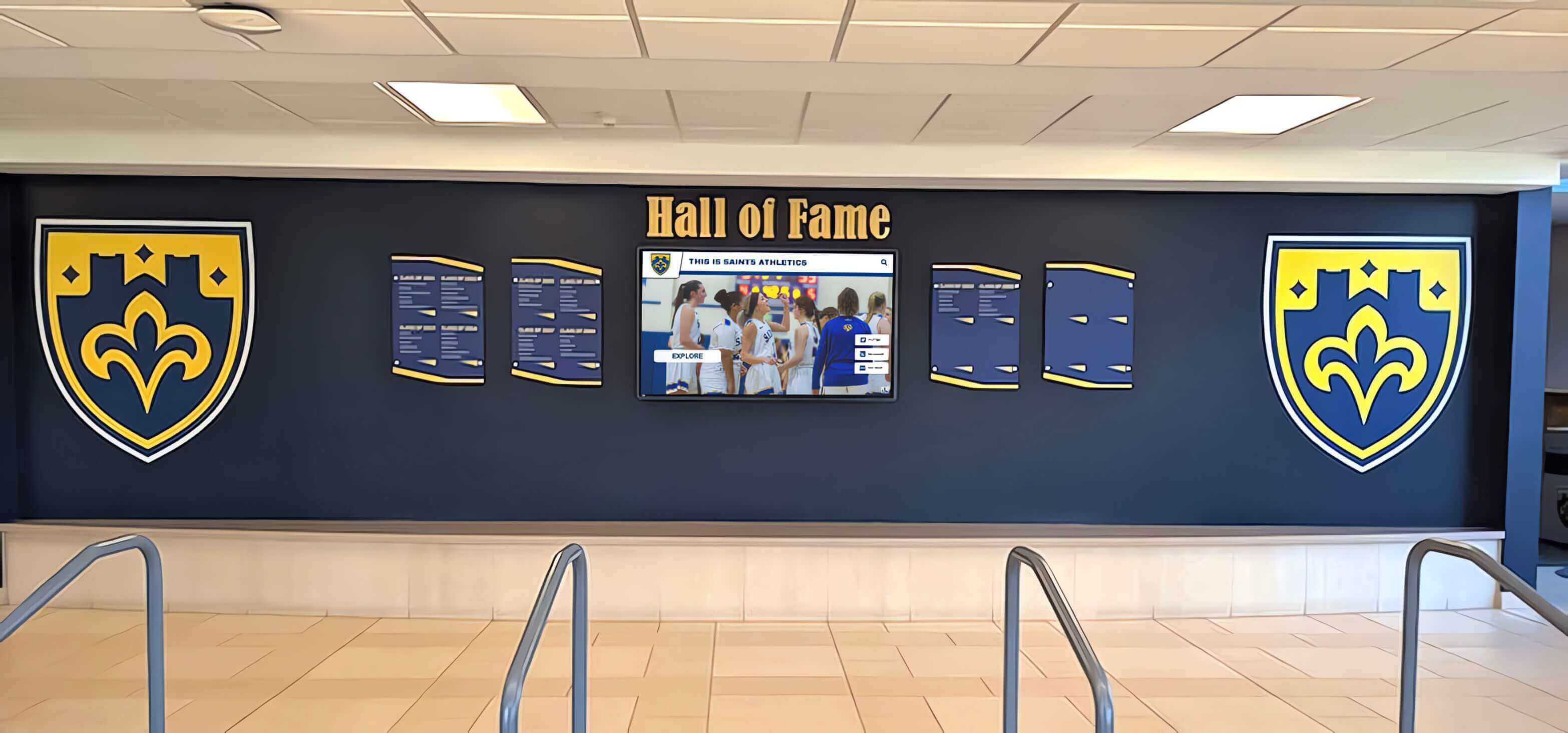
Strategic installations integrate displays into existing school design and branding
Implementation Best Practices
Learning from successful school implementations prevents common pitfalls and accelerates positive impact.
Involving Stakeholders Early
Broad engagement ensures displays serve diverse needs while building support:
Key Stakeholder Groups
- Administrative leadership setting vision and priorities
- Athletic directors defining sports recognition requirements
- Activities and arts directors identifying celebration opportunities
- Technology coordinators addressing infrastructure and support needs
- Facilities managers planning installation and maintenance
- Marketing and communications staff aligning messaging
- Parent organization representatives supporting funding
- Student government leaders providing student perspective
Stakeholder Engagement Activities
- Initial planning meetings establishing goals and scope
- Needs assessment surveys gathering input on content priorities
- Demonstration sessions with sample content and interfaces
- Review cycles for content templates and design approaches
- Training programs ensuring all users understand management tools
- Launch celebrations building awareness and excitement
Schools successfully implementing donor recognition displays involve development staff early to ensure displays acknowledge supporters appropriately while respecting privacy preferences.
Phased Rollout Approach
Gradual implementation allows learning and refinement:
Phase One: Pilot Installation (Months 1-3)
- Single display in highest-priority location
- Core content demonstrating key use cases
- User testing with students, staff, and visitors
- Technical troubleshooting and refinement
- Staff training on content management
- Initial engagement measurement
Phase Two: Expansion (Months 4-8)
- Additional displays in secondary priority locations
- Expanded content based on pilot learning
- Refined templates and navigation structures
- Broader staff access and content contributions
- Marketing campaign building awareness
- Assessment of impact on school culture
Phase Three: Full Implementation (Months 9-12)
- Complete planned display network installation
- Comprehensive content covering all recognition categories
- Systematic update schedules and workflows
- Integration with broader school communication strategies
- Long-term sustainability planning
- Regular assessment and continuous improvement
This phased approach distributes costs across fiscal years while allowing course correction based on real-world experience.
Content Quality Standards
Professional content presentation determines perceived value and engagement:
Photography Guidelines
- High-resolution images (minimum 1920 x 1080 for full-screen display)
- Consistent lighting and composition across recognition content
- Professional headshots for individual recognition
- Action photography showcasing activities and achievements
- Historical photo restoration and enhancement
- Media rights documentation for all images
Writing Standards
- Consistent biographical format across all inductees
- Active voice emphasizing achievements and impact
- Appropriate length for touchscreen reading (150-300 words)
- Fact verification for all claims and statistics
- Inclusive language avoiding assumptions
- Grade-appropriate vocabulary for student accessibility
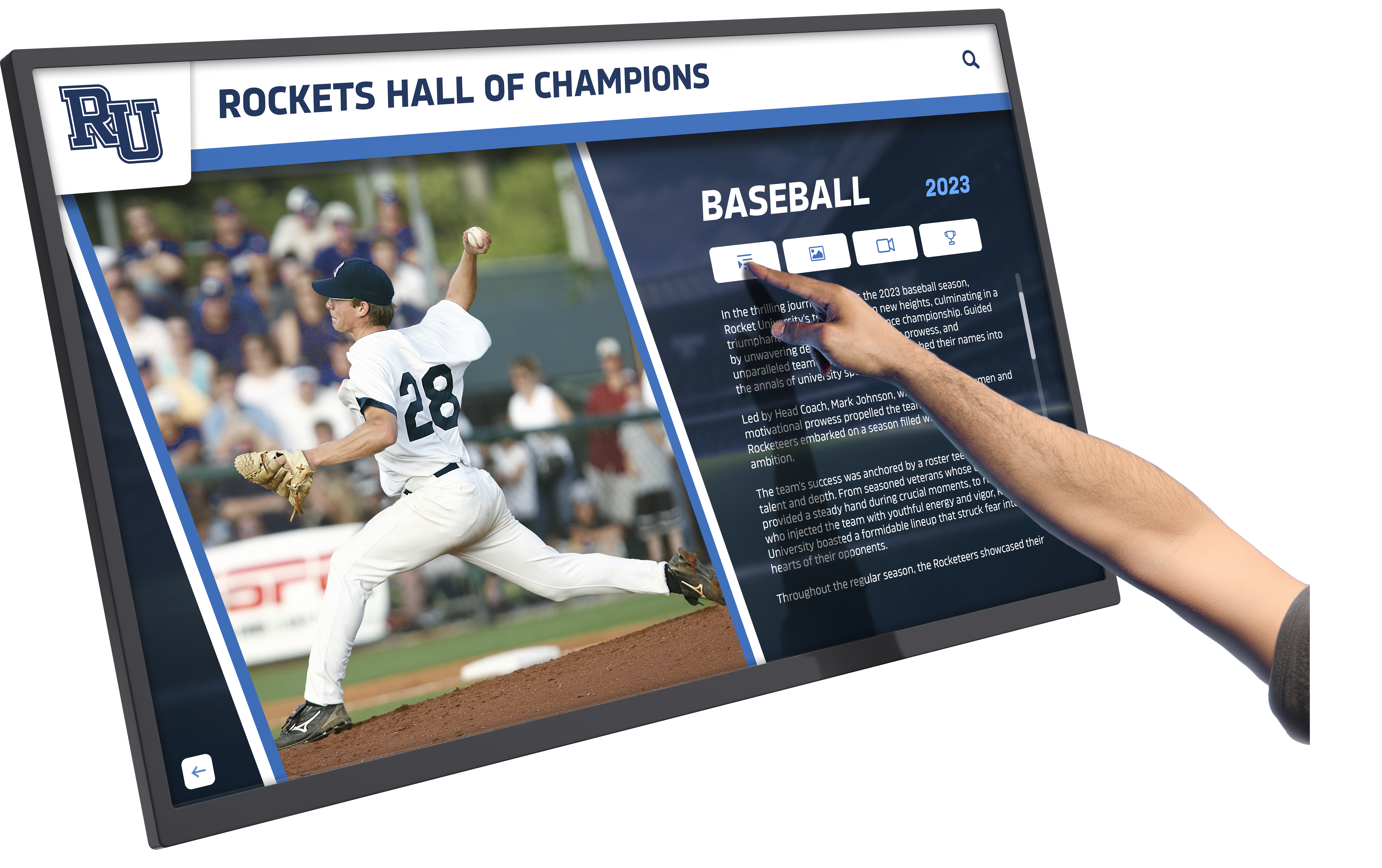
Intuitive interfaces encourage exploration and engagement with recognition content
Design Consistency
- School branding colors and logo placement
- Typography hierarchy for readable text at distance
- Layout templates ensuring visual consistency
- Navigation patterns that users quickly understand
- Loading animations and transitions that feel professional
- Accessibility considerations in all design decisions
Schools maintaining high content quality standards report significantly higher engagement as displays earn reputation for interesting, professionally presented information.
Training and Change Management
Success requires preparing staff for new workflows and opportunities:
Administrator Training Programs
- Content management system navigation and features
- Adding and editing content with templates
- Photo and video upload procedures
- Publishing workflows and approval processes
- Troubleshooting common issues
- Analytics interpretation for continuous improvement
Staff Awareness and Adoption
- All-staff presentations introducing capabilities
- Department-specific training on relevant applications
- Best practice sharing for effective content
- Recognition opportunities for innovative uses
- Regular communication about new features
- Support resources and documentation
Student Engagement Strategies
- Student government involvement in content priorities
- Media class projects creating video and photo content
- Tech club support for basic troubleshooting
- Student tour guide training on display features
- Recognition nomination processes enabling peer acknowledgment
- Social media campaigns driving display engagement
Schools report higher utilization when multiple staff members understand capabilities and see displays as communication tools rather than technology projects owned by IT departments.
Interactive displays at athletic events and facilities enhance game-day experiences while celebrating program history and tradition.
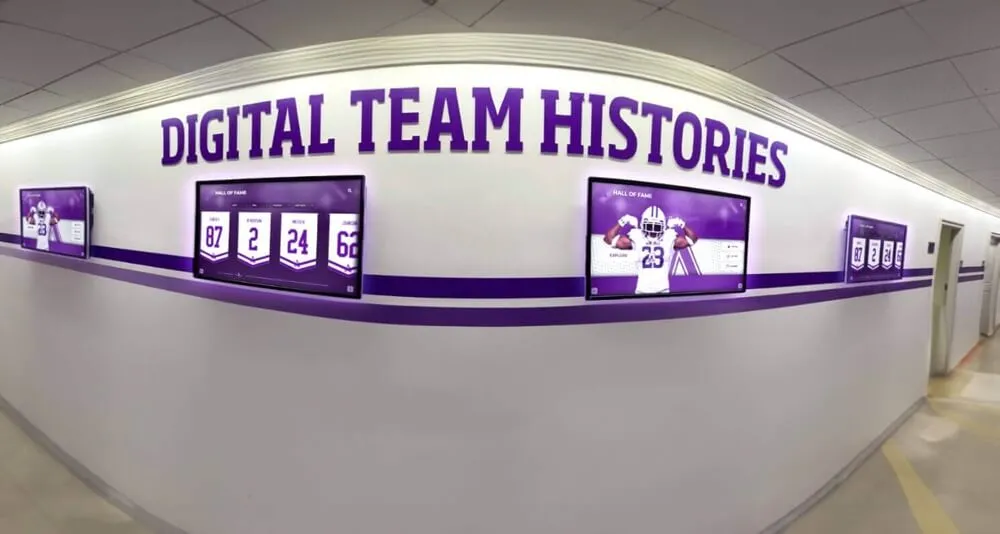
Networked displays throughout campus create cohesive communication and recognition ecosystems
Measuring Success and Impact
Regular assessment ensures interactive displays deliver intended benefits and justify ongoing investment.
Quantitative Metrics
Objective measurement tracks usage and engagement:
Technical Analytics
- Total touchscreen interactions per day, week, and month
- Average session duration indicating engagement depth
- Most frequently accessed content categories and individuals
- Search queries revealing visitor interests
- Time-of-day usage patterns informing content scheduling
- Comparative metrics across multiple display locations
Program Metrics
- Number of recognized individuals and achievements displayed
- Update frequency for different content categories
- Staff users actively managing content
- Multimedia elements added (photos, videos, documents)
- Historical content digitized and preserved
- Recognition event attendance influenced by display promotion
Communication Effectiveness
- Campus tour visitor engagement with displays
- Prospective family inquiry topics reflecting display content
- Event attendance for activities promoted on displays
- Information desk question volume reduction
- Social media mentions and sharing of display content
- Community awareness of programs and achievements
Qualitative Assessment
Stakeholder feedback provides context for quantitative data:
Stakeholder Surveys and Interviews
- Student awareness of and engagement with displays
- Staff satisfaction with content management workflows
- Visitor feedback on information accessibility and usefulness
- Alumni responses to historical content and recognition
- Parent perception of school culture and communication
- Community member understanding of school programs
Observational Assessment
- Time visitors spend exploring content
- Group gathering and discussion around displays
- Student behavior and interaction patterns
- Integration into campus tour narratives
- Staff referencing displays in conversations
- Visitor photography and sharing of content
Cultural Impact Indicators
- Changes in recognition program participation
- Alumni engagement and connection to campus
- Student pride in achievements and tradition
- Community perception of school innovation
- Fundraising success linked to donor recognition
- Enrollment inquiry quality and conversion rates
Schools conducting regular assessment identify opportunities for content improvement, technical enhancement, and expanded applications that multiply initial investment value.
Continuous Improvement Cycle
Ongoing refinement ensures displays remain fresh and relevant:
Regular Content Review
- Quarterly audits identifying outdated or missing content
- Engagement data analysis revealing popular topics
- Stakeholder feedback incorporation into content planning
- Seasonal content updates celebrating current programs
- Historical content expansion as materials are discovered
- Recognition program additions reflecting school growth
Technical Optimization
- Software update adoption for new features and improvements
- Display placement adjustments based on usage patterns
- Brightness and color calibration maintaining quality
- Touch sensitivity calibration ensuring responsiveness
- Network performance monitoring preventing lag
- Security updates protecting systems and data
Program Evolution
- New content category additions as opportunities emerge
- Expanded recognition programs celebrating diverse achievements
- Integration with new school systems and platforms
- Staff training updates for new features and capabilities
- Marketing refinement increasing awareness and usage
- Best practice sharing with other schools and districts
Recognition programs benefit from comprehensive tools for halls of fame that provide unlimited content capacity and professional templates across all achievement categories.
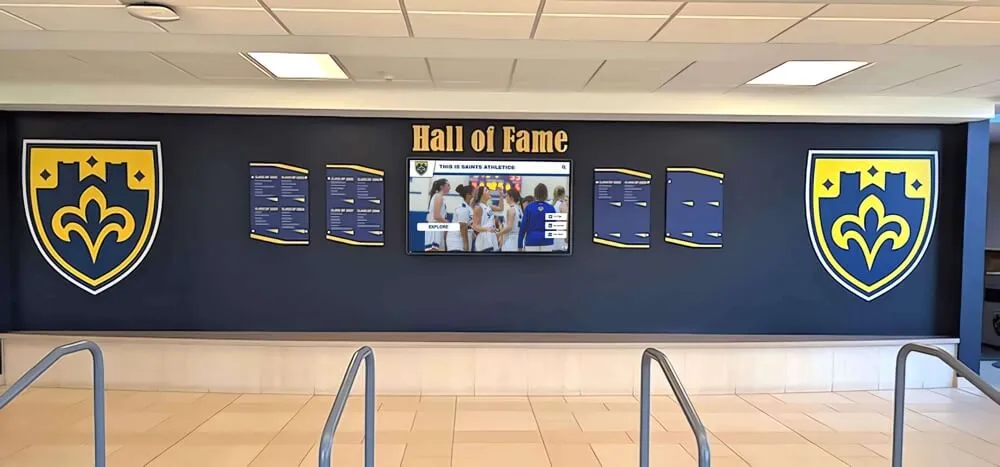
Successful implementations blend digital innovation with traditional design elements that respect institutional heritage
Common Challenges and Solutions
Anticipating obstacles enables proactive planning that prevents implementation delays and disappointments.
Content Development Bottlenecks
Many schools underestimate the work required to create quality content:
Challenge: Historical Content Gaps Schools lack digital archives of recognition content currently displayed on plaques, in yearbooks, or stored in filing cabinets.
Solution Approaches
- Dedicate summer months to systematic digitization projects
- Engage alumni volunteers for historical research and photo collection
- Partner with local historical societies accessing community archives
- Implement phased content development starting with recent decades
- Use professional content development services accelerating completion
- Accept imperfect initial launch with ongoing content additions
Challenge: Biographical Information Collection Gathering meaningful biographical content about honorees requires significant outreach.
Solution Approaches
- Online submission forms enabling honorees to contribute directly
- Social media campaigns reaching alumni through their networks
- Class reunion coordination requesting biographical updates
- Student research projects interviewing and documenting achievements
- Family outreach through alumni association communications
- Standardized biographical templates with clear information requests
Technical Infrastructure Limitations
Existing building systems may not support interactive display requirements:
Challenge: Network Connectivity Issues Older buildings lack ethernet or WiFi coverage in lobby areas.
Solution Approaches
- Wireless access point installation near display locations
- Cellular data connections for isolated installations
- Networked media players with local content caching
- Facilities upgrade projects incorporating connectivity improvements
- Alternative display locations with existing infrastructure
- Hybrid systems using local storage with periodic cloud synchronization
Challenge: Electrical Power Availability Display locations lack convenient electrical outlets or circuits have insufficient capacity.
Solution Approaches
- Electrician consultation during planning phase
- Conduit installation hiding power and data cables
- Floor kiosk installations with integrated power distribution
- Circuit upgrades during broader facility renovations
- Alternative mounting locations near existing power
- Energy-efficient displays minimizing electrical requirements
Ongoing Maintenance and Support
Sustained success requires addressing maintenance realities:
Challenge: Staff Turnover Disrupting Content Management Key personnel managing content leave positions taking institutional knowledge.
Solution Approaches
- Multiple trained administrators preventing single points of failure
- Comprehensive documentation of workflows and procedures
- Intuitive content management systems minimizing learning curves
- Vendor support resources including training and consultation
- Annual refresher training for all authorized users
- Student assistant programs building pipeline of trained managers
Challenge: Display Cleaning and Physical Maintenance Touchscreens accumulate fingerprints and displays collect dust affecting professional appearance.
Solution Approaches
- Daily or weekly cleaning schedules using appropriate materials
- Student responsibility programs for display maintenance
- Facilities staff integration into regular cleaning routines
- Anti-fingerprint coatings reducing visible smudges
- Protective enclosures minimizing dust accumulation
- Preventive maintenance contracts with installation vendors
Schools implementing military recognition programs use interactive displays to honor veterans and military families within the school community.
Future Trends in School Interactive Displays
Understanding emerging capabilities helps schools plan for long-term evolution:
Artificial Intelligence Integration
AI capabilities will enhance content management and user experiences:
Content Recommendation Engines
- Personalized content suggestions based on user interaction patterns
- Related achievement connections helping visitors explore similar accomplishments
- Automatic content categorization and tagging
- Natural language search enabling conversational queries
- Voice interaction options for hands-free accessibility
Automated Content Generation
- AI-assisted biographical writing from submitted achievements
- Automated photo enhancement and restoration
- Video highlight creation from uploaded content
- Translation services for multilingual communities
- Content summaries optimized for different viewing contexts
Extended Reality Experiences
Augmented and virtual reality will complement physical displays:
AR Applications
- Mobile device overlays providing additional context
- Historical photo comparisons showing campus evolution
- 3D models of athletic achievements and trophies
- Virtual tours extending physical campus visits
- Achievement animations bringing recognition to life
VR Extensions
- Virtual museum experiences for historical content
- Immersive facility tours for remote visitors
- Virtual induction ceremonies for distant alumni
- Interactive timelines with 360-degree environments
- Preservation of performances and events in virtual spaces
Social Media Integration Evolution
Deeper social platform connections will expand reach:
Live Content Streaming
- Real-time social media feeds from events and activities
- Hashtag campaigns displayed instantly
- Student-generated content moderation and display
- Community contribution portals encouraging engagement
- User-generated tribute content honoring achievements
Sharing and Virality Features
- One-touch sharing from displays to personal social accounts
- Photo opportunities integrated into display experiences
- Shareable achievement graphics and templates
- Social proof displays showing community engagement
- Alumni network effects expanding reach exponentially
Sustainability and Green Technology
Environmental considerations will influence hardware and operation:
Energy Efficiency Advances
- LED display technology reducing power consumption
- Automatic brightness adjustment based on ambient light
- Sleep modes during unoccupied hours
- Solar power integration for outdoor installations
- Carbon footprint tracking and reporting
Sustainable Manufacturing
- Recyclable materials in display construction
- Modular components enabling repair versus replacement
- Extended product lifecycles reducing e-waste
- Manufacturer take-back and recycling programs
- Refurbishment opportunities extending hardware life
Schools planning homecoming recognition programs use interactive displays to celebrate court members and school traditions during annual celebrations.
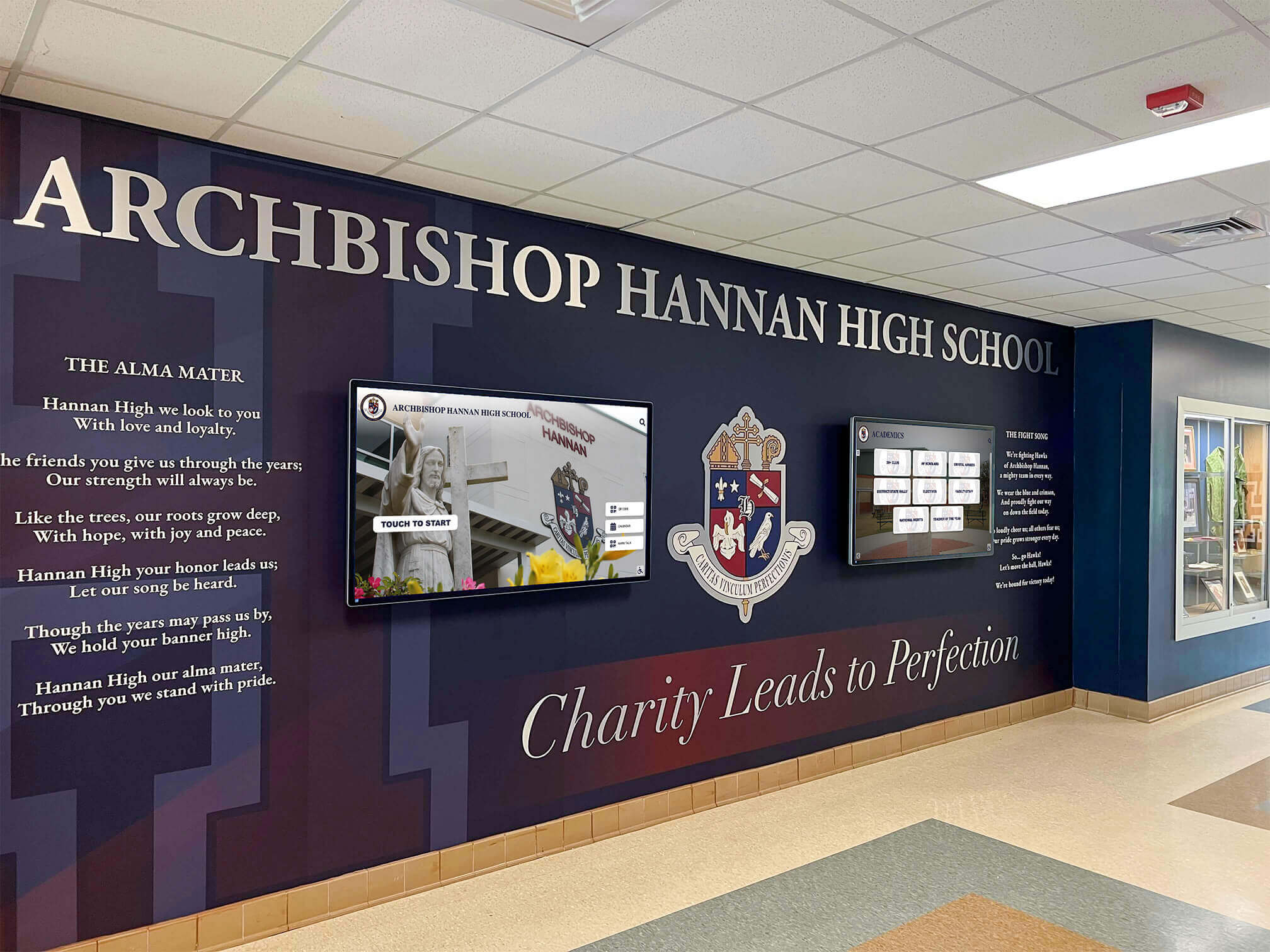
Future-ready lobbies seamlessly integrate interactive technology with traditional architectural elements
Conclusion: Transforming Spaces, Strengthening Communities
Interactive display technology represents far more than simply replacing bulletin boards with screens. When thoughtfully implemented with quality content and sustainable management systems, these displays transform school lobbies and common spaces into vibrant communication hubs that celebrate achievement, preserve history, share information, and strengthen the connections binding students, staff, alumni, and community members to educational institutions.
The schools successfully implementing interactive displays share common characteristics: clear vision for how technology serves mission and values, commitment to quality content development, systematic planning addressing technical and logistical realities, stakeholder engagement building broad ownership, and long-term perspective ensuring sustainable operation.
Modern touchscreen platforms make comprehensive recognition achievable across unlimited students, alumni, donors, and community members without the space constraints that plagued traditional plaques. Cloud-based content management eliminates the geographic and technical barriers that prevented regular updates. Accessibility features ensure all community members can engage with content regardless of ability. Web and mobile extensions multiply the reach of physical displays exponentially.
Start where you are with implementations matching available resources and priorities, then systematically expand as you experience the impact of dynamic, engaging common spaces. Whether celebrating athletic achievement, recognizing academic excellence, honoring donor generosity, preserving institutional history, or welcoming visitors with helpful information, interactive display technology creates possibilities that static approaches simply cannot match.
Your school’s lobbies and common spaces represent premium real estate in the competition for attention and engagement. Every student, visitor, and community member who walks through your doors presents an opportunity to communicate values, celebrate achievement, and strengthen connection to your institution. Interactive display technology ensures you make the most of every opportunity.
Ready to transform your school’s common spaces with interactive display technology that celebrates achievement while strengthening community? Explore comprehensive solutions that make modern recognition and communication achievable for schools of all sizes.