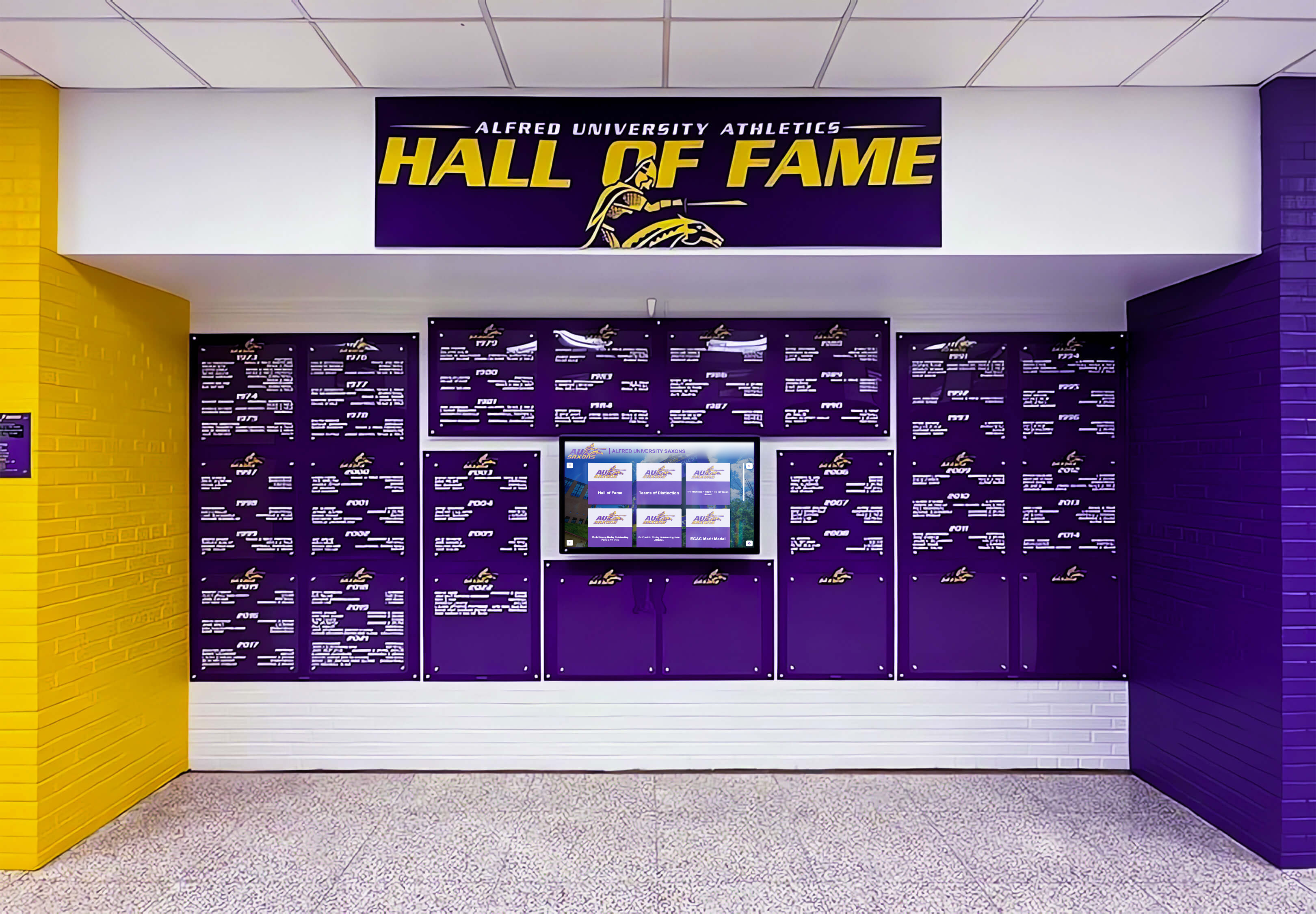
Intent: compare — this guide evaluates leading hall of fame software platforms so K-12 athletic departments and university development offices can identify the solution that best fits their recognition goals, technical capacity, and long-term budget.
Static plaques, painted record boards, and glass trophy cases defined school recognition for generations. They honored real achievements by real people — but increasingly they work against engagement. Photos fade, cases fill up, and adding a new inductee triggers weeks of fabrication orders and budget approval cycles. Coaches retire without their records fully documented. Alumni visit campus and walk past displays they contributed to without pausing to look.
Hall of fame software addresses these operational and engagement gaps by replacing static recognition with interactive, updateable digital experiences. A well-chosen platform lets an athletic director add a new inductee from a laptop in minutes, enables a visitor to search by sport or decade on a touchscreen in the gym lobby, and extends recognition to mobile devices through QR codes. But not every platform marketed as “hall of fame software” delivers the same depth of functionality. General digital signage tools, purpose-built interactive platforms, traditional LED display systems, and self-hosted CMS solutions each represent genuinely different trade-offs in interactivity, content management complexity, total cost, and long-term scalability.
This hall of fame software comparison examines five categories and platforms schools and universities commonly evaluate, with an honest look at where each excels and where each falls short for recognition-specific use cases.
Understanding how these platforms differ starts with recognizing that hall of fame use cases have distinct requirements that general digital communications software often doesn’t fully address. Schools documenting decades of athletic history need unlimited content capacity. Institutions serving guests at homecoming need search interfaces that work for visitors who have never used the kiosk before. Facilities managers need systems that run reliably without daily IT intervention. These requirements — depth of interactivity, ease of ongoing management, content permanence — shape which platform type fits any given institution.
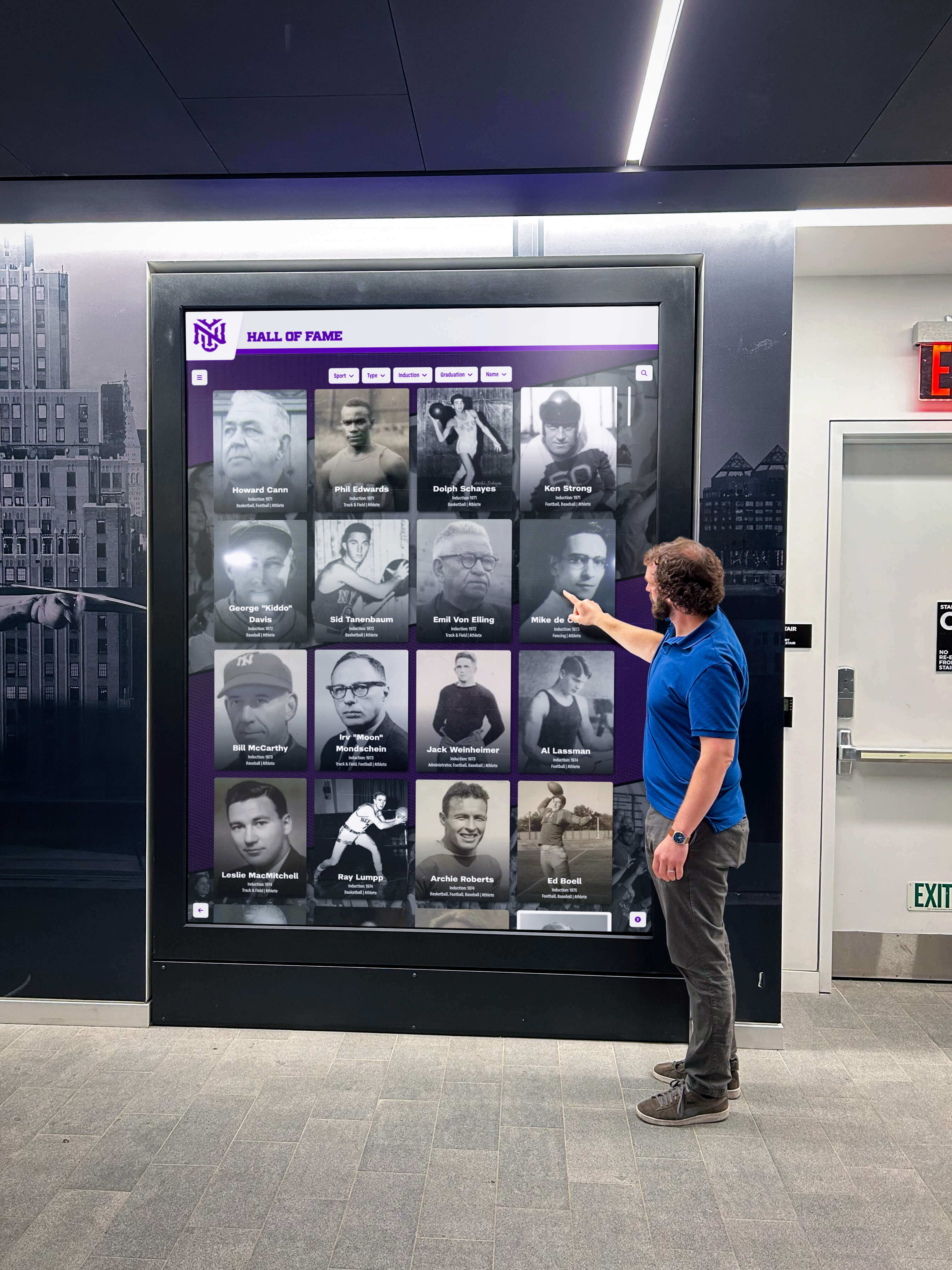
Interactive touchscreen hall of fame displays invite visitors to explore achievements on their own terms — browsing by sport, year, or name without staff assistance
Why Schools Are Moving Away from Physical Recognition Displays
Before comparing platforms, it helps to understand why the shift is happening at all. Physical hall of fame systems aren’t failing because digital is inherently better — they’re failing because they can’t keep pace with growth, budget constraints, and the expectations of visitors who interact with digital interfaces daily.
The Compounding Cost of Physical Updates
Each new class of inductees requires custom fabrication: engraved plaques, printed photographs, framing, and installation. For established programs with annual induction ceremonies, these costs accumulate into thousands of dollars per year. Painted record boards become permanent once installed — when a record falls, repainting or sign replacement is the only option. Physical recognition has a ceiling: the wall runs out of space, or the budget does.
Institutions that have documented their athletic history digitally report a qualitative difference in alumni engagement during homecoming, reunions, and recruiting visits. Programs that carefully preserve and display decades of high school sports history through digital record boards illustrate how comprehensive archives serve both current students and long-graduated alumni in ways static displays cannot.
The Visibility Problem with Static Displays
Visitors walk past static displays without engaging because there is no interaction prompt. A framed photograph on a hallway wall asks nothing of the viewer and offers nothing beyond what is immediately visible. An interactive touchscreen invites exploration — touch here to see more, search for a name, filter by year. That interactivity gap explains much of the investment in digital platforms happening across K-12 and higher education right now.
Understanding Hall of Fame Software Categories
Five types of platforms appear in most schools’ evaluation processes. Each serves recognition needs differently, and understanding the distinctions prevents mismatched purchases that look promising in a vendor demo but create friction in daily use.
1. Purpose-Built Interactive Touchscreen Platforms
Designed from the ground up for school recognition, these systems combine touchscreen-optimized interfaces with cloud content management built for non-technical administrators. Content structures — athlete profiles, award categories, historical timelines — are pre-built. Hardware and software are typically sold together with professional installation support.
Strengths: Fastest to deploy for recognition purposes; require minimal customization; interfaces are optimized for the specific use case; include recognition-specific features like auto-ranking record boards and QR code profile sharing.
Limitations: Higher upfront investment than general signage tools; purpose-specific design offers less flexibility if the institution’s needs shift significantly after deployment.
2. Cloud-Based Digital Signage Platforms
Subscription services designed for general-purpose screen content — announcements, event listings, social feeds, cafeteria menus. Schools adapt these for recognition displays by building custom templates.
Strengths: Flexible for varied content types; lower initial subscription cost; can serve multiple campus screens for different purposes.
Limitations: Not optimized for biographical content or deep interactive browsing; building a compelling hall of fame experience requires significant design and configuration work; ongoing subscription costs accumulate over years.
3. Traditional LED and Static Digital Display Systems
LED video boards, ribbon displays, and wall-mounted screens from traditional sports display manufacturers. Content is typically managed through proprietary software with limited interactivity beyond preset playlists.
Strengths: High visual impact for large venues; strong visual presence during live events; durable hardware designed for gymnasium and stadium environments.
Limitations: Limited touchscreen interactivity; content management is often less intuitive for administrative staff; better suited for live event contexts than permanent, browsable recognition archives.
4. Self-Hosted CMS / WordPress Solutions
Schools with developer resources sometimes build recognition displays on standard web CMS platforms — WordPress being the most common — displaying content through a browser in kiosk mode on wall-mounted screens.
Strengths: Complete control over functionality and appearance; no ongoing licensing fees once built; potential integration with existing school website infrastructure.
Limitations: Requires ongoing developer maintenance; lacks purpose-built recognition features; touchscreen optimization requires additional development; no dedicated vendor support.
5. Hybrid / Managed Content Services
Some vendors provide a combination of software, hardware, and ongoing content management — turning recognition displays into a managed service where school staff provide inductee information while the vendor handles production and digital updates.
Strengths: Reduces internal staff workload; ensures consistent visual quality; turnkey implementation with minimal internal technical requirements.
Limitations: Ongoing service fees; less direct control over update timing; dependent on vendor responsiveness.
Platform-by-Platform Hall of Fame Software Comparison
Rocket Alumni Solutions
Category: Purpose-built interactive touchscreen platform
Rocket Alumni Solutions is the most recognized purpose-built platform in the K-12 and university hall of fame software space. The platform centers on interactive touchscreen displays — typically 55" to 86" commercial-grade screens — running a cloud-managed recognition interface that athletic departments and development offices manage remotely through a browser-based CMS.
Core Capabilities
- Unlimited profile capacity for athletes, scholars, donors, and faculty honorees
- Touchscreen-optimized browsing with filtering by sport, year, award category, and name search
- Auto-ranking record boards that update automatically when new records are entered into the system
- QR code generation for every profile, enabling mobile access and social sharing from the touchscreen
- Cloud-based CMS accessible from any device with an internet connection
- ADA WCAG 2.1 AA compliant interfaces ensuring accessibility for all visitors
- Support for photos, videos, and biographical content at the individual profile level
- Multi-location support for school districts managing displays across several campuses
Hardware Compatibility
Screen sizes range from 55" to 86", all commercial grade with multi-touch capability rated for continuous operation. Detailed hardware setup and service information for Rocket Alumni Solutions installations covers wall-mounted, freestanding pedestal, and lobby kiosk configurations in detail.
Pricing Model
One-time software licensing rather than ongoing subscriptions. Hardware purchased separately. Optional annual support and maintenance agreements available.
Best Fit
Schools and universities with permanent recognition programs where content depth matters — multiple sports, decades of history, donor walls, academic honor rolls, and faculty recognition within a unified platform. Programs expecting annual inductee classes benefit from the simplified content workflow that non-technical staff can maintain independently.
Considerations
Higher upfront investment than free digital signage alternatives. Best value emerges over 5–10 year timeframes where no recurring software fees accumulate alongside hardware depreciation.
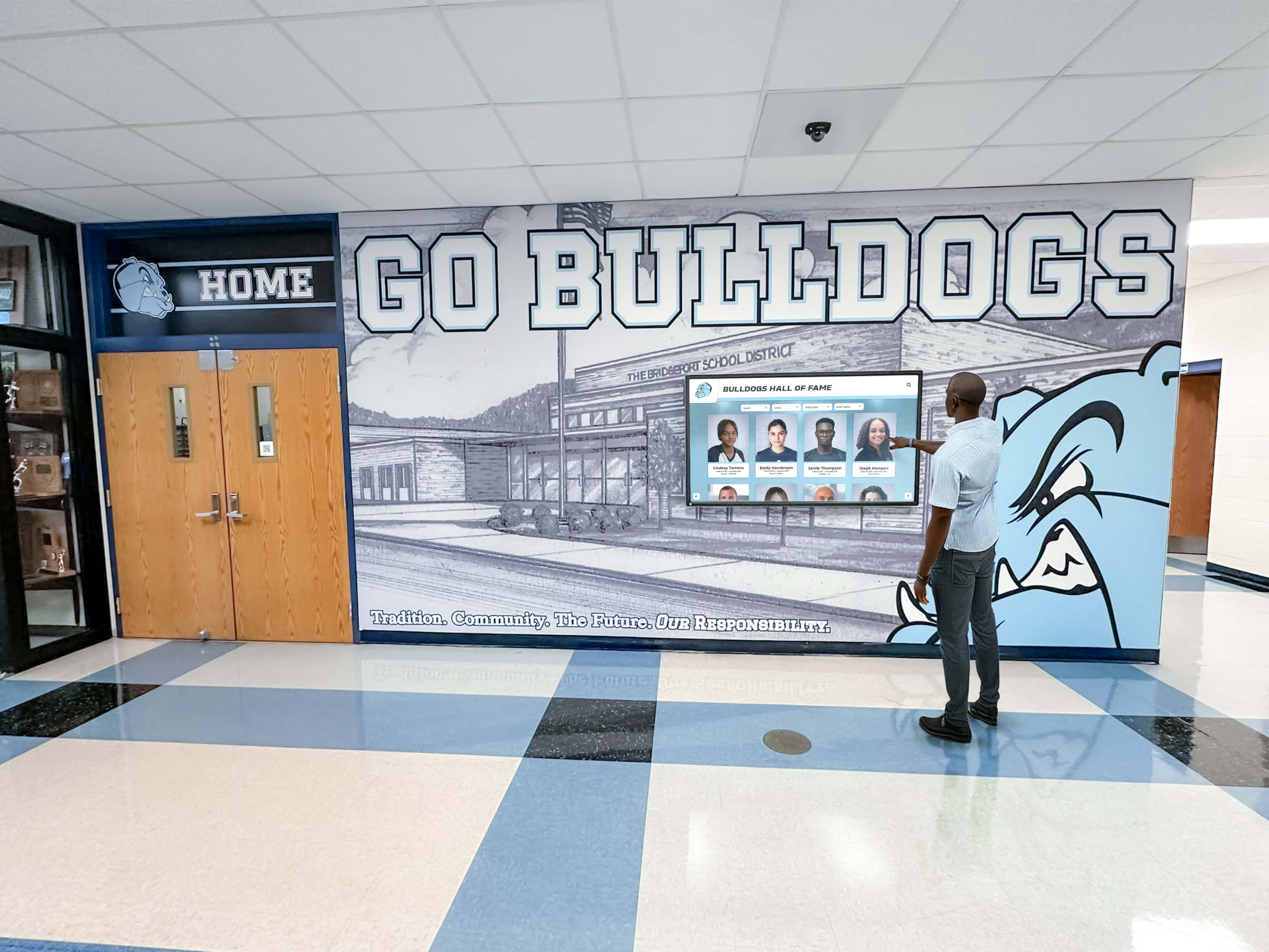
Rocket Alumni Solutions displays are engineered for high-traffic school hallways where visitors of all ages interact without prior instruction or staff assistance
Rise Vision
Category: Free cloud-based digital signage
Rise Vision offers free digital signage software under a model where revenue comes from hardware sales and professional services rather than software subscriptions. Schools using Google Workspace appreciate the native Calendar, Slides, and Drive integrations that reduce content creation time for general communications.
Core Capabilities
- Free software for unlimited screens
- Template library with customizable designs
- Google Workspace integrations
- Playlist scheduling and content rotation
- Remote content management through web browser
- Community-contributed template library for common school use cases
Pricing Model
Free software. Schools purchase their own hardware (Rise Vision sells compatible media players, but third-party hardware is supported).
Best Fit
Schools needing basic announcement displays, event calendars, and rotating content on a zero-software-cost budget. Works well for digital signage in cafeterias, office lobbies, and hallways where content changes frequently and deep interactivity is not required.
Limitations for Hall of Fame Use
Rise Vision is not designed for biographical recognition or deep interactive browsing. Building a functional hall of fame experience requires significant custom template work with no native structure for athlete profiles, searchable inductee archives, or auto-updating record boards. Staff time spent on design and customization should factor into the real cost comparison against licensed platforms. Understanding the trade-off between traditional and digital recognition options is useful context for schools evaluating whether free tools meet their recognition program’s depth requirements.
ScreenCloud
Category: Cloud-based digital signage subscription
ScreenCloud delivers cloud-based digital signage to schools, businesses, and organizations through a per-screen subscription model. Its drag-and-drop interface and app marketplace make general content management accessible to non-technical staff across a wide range of campus communication needs.
Core Capabilities
- Drag-and-drop content creation interface
- App marketplace with integrations for calendars, social media, and live data feeds
- Screen grouping for managing multiple displays across campus buildings
- Content scheduling with day-part programming
- User roles and permissions for distributed management across departments
- Analytics tracking which content is displayed and for how long
Pricing Model
Subscription-based starting around $20/month per screen. Annual contracts offer discounts.
Best Fit
School districts managing varied content across multiple campus screens — general communications, announcements, cafeteria menus, and event listings where content changes daily or weekly.
Limitations for Hall of Fame Use
Like Rise Vision, ScreenCloud requires building recognition functionality from scratch. The platform lacks native structures for biographical profiles, multi-year inductee archives, or searchable interactive exploration. Ongoing subscription costs that may appear modest month-to-month accumulate significantly over multi-year operating periods. A school running three recognition screens pays $720–$1,800 annually in software fees indefinitely — costs that one-time licensed platforms do not carry after the initial investment. For a detailed look at long-term platform cost comparisons, the analysis of digital wall of fame vs. physical display costs provides a useful framework for modeling 5- and 10-year total ownership scenarios.
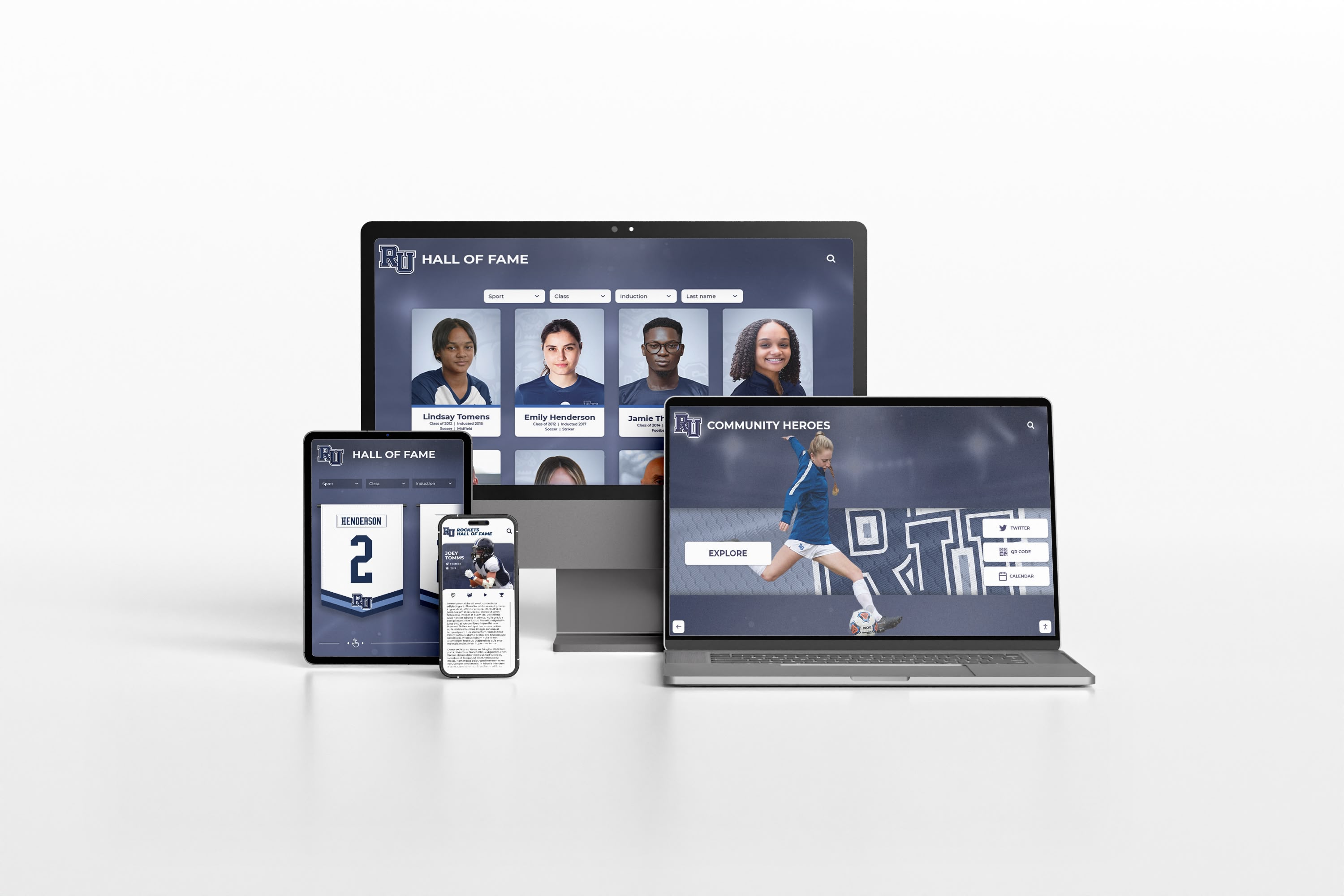
Modern hall of fame platforms extend recognition beyond physical touchscreen displays to any device through responsive web access and QR code profile sharing
Daktronics and Traditional LED Display Systems
Category: Traditional LED / video board displays
Daktronics and comparable manufacturers provide LED video boards, ribbon displays, and digital scoreboards primarily designed for live event contexts — game day scoreboards, video replay boards, and sponsor recognition in gymnasiums and stadiums. Some of these systems include content management software with playlist and scheduling capability that schools use for year-round recognition content.
Core Capabilities
- High-brightness LED displays visible under gymnasium and arena lighting conditions
- Video and animation support for highlight reels and highlight content
- Game day scoring and statistics integration
- Playlist-based content management with scheduled rotation
- Durable hardware engineered for large venue environments
Best Fit
Schools and universities that need large-format event displays — main scoreboard replacements, end-zone video boards, gymnasium ribbon displays for game nights. The visual impact in large arenas is substantial and the hardware is purpose-built for that environment.
Limitations for Hall of Fame Use
These systems are built for event-time content delivery, not permanent browsable archives. Touchscreen interaction is typically unavailable. Visitor-directed exploration — searching for a specific athlete, filtering by year, reading a biography — is not part of the core software design. Recognition content can be scheduled as slides in a playlist, but this provides passive exposure rather than active visitor engagement. Schools evaluating whether to combine a video board investment with a separate interactive recognition platform should consider how interactive digital record board systems serve fundamentally different engagement goals than live event scoreboards.
WordPress and Custom CMS Solutions
Category: Self-hosted / DIY
Schools with developer resources sometimes build recognition displays on standard web CMS platforms — WordPress being the most common — displaying content through a browser in kiosk mode on wall-mounted screens. This approach offers the most flexibility but carries the highest ongoing technical overhead of any option in this comparison.
Core Capabilities
- Complete control over functionality, design, and content structure
- Integration with existing school website and alumni systems where infrastructure exists
- No ongoing licensing fees once the system is built
- Content managed through familiar CMS admin interface
Pricing Model
Development cost varies significantly based on complexity. Simple recognition pages displayed on a screen may cost a few thousand dollars in developer time. Custom interactive experiences with profile databases, search functionality, and touchscreen optimization can cost $10,000–$30,000 or more in initial development alone.
Best Fit
Institutions with in-house technical staff capable of ongoing maintenance and a clear need for platform control beyond what commercial vendors offer. Universities with web development departments sometimes build recognition systems this way as part of broader alumni portal projects.
Limitations
No purpose-built recognition features — everything must be built or sourced through plugins and custom development. Touchscreen interfaces require specific optimization that standard WordPress themes don’t provide. The cost comparison shifts against custom solutions when ongoing maintenance, plugin updates, security patching, and eventual redesign work are factored into total cost of ownership. For institutions without development staff, this approach creates dependency on external contractors with no clear service SLA. Understanding how alumni relations software tools support long-term engagement programs is useful context for institutions deciding between custom builds and purpose-built platforms.
Feature Comparison at a Glance
The table below summarizes key capabilities across the five platform types, giving procurement decision-makers a quick reference before scheduling product demonstrations.
| Feature | Rocket Alumni Solutions | Rise Vision | ScreenCloud | LED Display Systems | WordPress / Custom |
|---|---|---|---|---|---|
| Purpose-built for HOF | Yes | No | No | No | Depends on build |
| Touchscreen interaction | Yes | Limited | Limited | No | Depends on build |
| ADA WCAG 2.1 AA | Yes | No | No | N/A | Depends on build |
| Cloud CMS | Yes | Yes | Yes | Limited | Yes |
| Auto-ranking record boards | Yes | No | No | No | Requires dev work |
| QR code mobile access | Yes | No | No | No | Requires dev work |
| Unlimited content capacity | Yes | Yes | Yes | Limited | Yes |
| Search / filter by category | Yes | No | No | No | Requires dev work |
| Ongoing subscription fee | No | No | Yes | Varies | No |
| Setup complexity | Low | Medium | Medium | High | Very high |
Explore Interactive Hall of Fame Displays for Your Institution
Rocket Alumni Solutions offers live demonstrations of their purpose-built platform for schools and universities actively evaluating hall of fame software options. See how Rocket Alumni Solutions compares against general digital signage alternatives in a walkthrough of the CMS and touchscreen interface before making a platform commitment.
Key Criteria for Evaluating Hall of Fame Software
Beyond the feature checklist, the following criteria reflect how these platforms perform in real school environments over multi-year operating periods.
Interactivity Depth
The difference between a visitor glancing at a display for three seconds and a visitor spending five minutes exploring it comes down to interactivity. Platforms supporting search, filtering, and individual profile browsing consistently generate deeper engagement than slideshow-style rotating content. This matters particularly for schools hosting alumni events, recruiting visits, and community open houses where recognition visibility directly supports institutional goals.
Schools building collegiate-caliber recognition experiences for high school athletes find that the depth of interactive features — not just the visual design — determines whether visitors actually engage or simply glance and move on.
Content Management Accessibility
The staff member updating recognition displays at most K-12 schools is an athletic director, development officer, or administrative assistant — not a web developer. Platforms requiring HTML editing, template customization, or database management to add new inductees create ongoing bottlenecks. Purpose-built platforms with structured profile workflows reduce update time from hours to minutes and allow content to stay current without IT involvement.
ADA Compliance
Schools serving the public are subject to accessibility requirements for digital interfaces. WCAG 2.1 AA compliance means screen reader compatibility, appropriate contrast ratios, keyboard navigation alternatives, and touch target sizing that accommodates visitors with motor and visual impairments. Among the five platform types, purpose-built platforms like Rocket Alumni Solutions explicitly certify WCAG 2.1 AA compliance. Custom builds can achieve compliance with sufficient investment, and general signage tools typically have not been audited against these standards.
Total Cost of Ownership Over Five to Ten Years
Up-front software cost comparisons often miss the long-term picture. A platform with no licensing fee that requires ongoing developer maintenance may cost more than a one-time licensed platform after three years. The detailed examination of how digital wall of fame costs compare to physical display alternatives over time is a useful framework for modeling these scenarios. Schools should build a 5- and 10-year total cost model before comparing initial platform quotes.
Multi-Generational Recognition Reach
Effective recognition programs serve current students, recent alumni, and graduates from decades past. Platforms supporting deep historical archives and enabling visitors to search for individuals from any era serve more of the community than systems focused on current-season content. This is especially relevant for institutions hosting multi-generational alumni recognition events where grandparents and grandchildren may both have records in the same system.
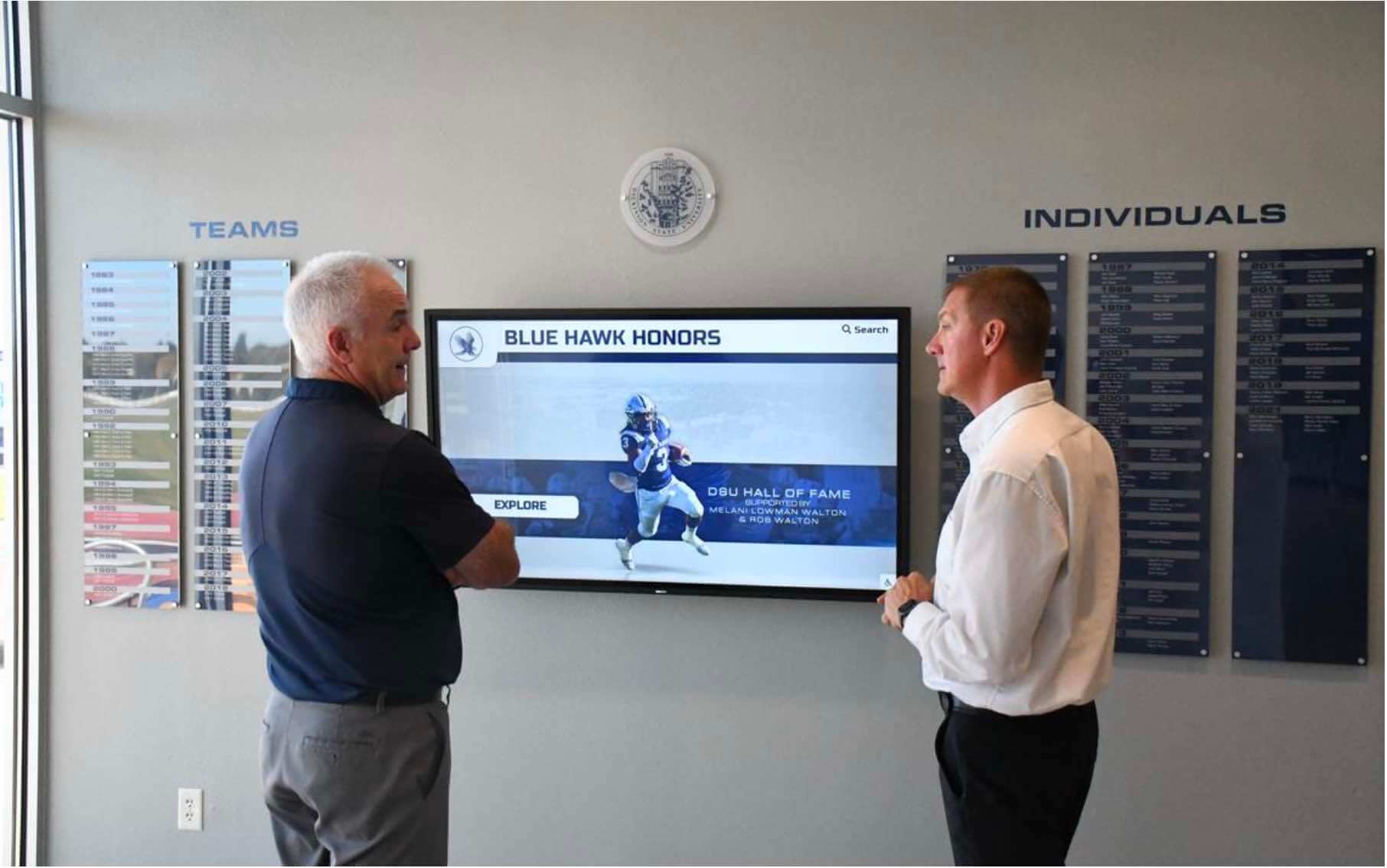
Interactive hall of fame displays generate genuine engagement from multiple visitors simultaneously — an experience static recognition displays rarely produce
Selecting the Right Platform by Institution Type
Small to Mid-Size K-12 Schools
Budget sensitivity is highest at this level, but so is the need for simplicity. Athletic directors at smaller schools often work alone or with limited support staff. The operational case for a purpose-built platform at this size is reduced ongoing management burden — workflows designed for coaches and ADs eliminate the technical overhead that general signage or custom solutions require week-to-week.
Schools at this size commonly start with a single 65" display at the gym lobby entrance or main athletic hallway and expand as they digitize more program history. Understanding the full scope of touchscreen software for recognition programs is a useful reference for scoping these projects at smaller institutions before entering vendor conversations.
Large High Schools and Multi-School Districts
Scale introduces complexity that favors platforms with multi-location management, user permission hierarchies, and centralized content oversight. Districts managing recognition displays across several campuses need platforms that allow content updates at the campus level while maintaining visual and structural consistency system-wide.
The considerations relevant to Division II athletics digital recognition systems — tracking decades of multi-sport history with active donor recognition — apply equally to large high school programs managing similar scale and complexity across multiple buildings.
Colleges and Universities
University recognition programs typically involve multiple recognition categories — athletics, academics, faculty, donors, Greek organizations, and department-specific honor rolls — managed by different offices with different update schedules. Platforms must handle content volume at scale, support multiple content managers with role-based permissions, and maintain consistent presentation across all recognition categories.
The donor stewardship dimension is particularly significant at the university level. Recognition displays that honor campaign donors with appropriate permanence and visibility support development goals in ways that static plaque installations, which become invisible over time, cannot replicate.
Frequently Asked Questions
Can general digital signage software serve as hall of fame software?
General digital signage tools can display recognition content as part of a rotating playlist. What they typically cannot do is provide visitor-directed interactivity — the ability to search for a specific person, browse by sport or year, or access extended biographical profiles by touching the screen. For passive display of rotating recognition content, general signage works adequately. For active interactive exploration, purpose-built platforms serve the use case substantially better.
What does ADA WCAG 2.1 AA compliance mean for hall of fame displays?
For interactive digital displays in public school and university facilities, ADA compliance encompasses both physical accessibility (mounting height, clearance space for wheelchair users) and digital accessibility. WCAG 2.1 AA standards require screen reader compatibility, appropriate color contrast ratios, keyboard navigation alternatives to touch input, and touch target sizing that accommodates visitors with motor and visual impairments. Schools in publicly accessible buildings should confirm platforms explicitly certify WCAG 2.1 AA compliance rather than assuming it — many general-purpose signage platforms have not been audited against these standards.
How do these platforms handle historical content from decades past?
Purpose-built platforms are designed for historical depth. Data entry workflows accommodate information with limited documentation — partial statistics, scanned photographs at varying quality, biographical notes compiled from yearbooks and newspaper archives. Institutions typically start the display with what exists and expand content over time as additional materials surface. General signage and custom CMS tools can hold historical data but lack structured workflows that make the digitization process efficient for administrative staff. Reviewing the hall of fame selection criteria and display considerations before purchasing software helps institutions clarify exactly what content the platform needs to accommodate from launch.
What is a realistic timeline from purchase decision to display going live?
Purpose-built platforms with professional implementation support typically go live in 6–12 weeks, covering hardware procurement, installation, initial content entry, and staff training. Custom CMS builds take longer — typically 3–6 months minimum for a well-executed deployment, longer if content volume is high or design requirements are complex. General signage tools can technically be configured quickly, but achieving a quality hall of fame experience requires significant design investment that extends the real timeline beyond what the setup documentation suggests.
Is a one-time licensed platform or a subscription model better for schools?
The answer depends on time horizon. Subscription models have lower initial cost but accumulate recurring expense indefinitely. One-time licensed platforms typically cost more upfront but carry no mandatory ongoing software fees. For recognition displays intended to run for five to ten years or more, one-time licensing typically produces lower total cost of ownership. For institutions uncertain about their platform choice or planning shorter deployments, subscription flexibility may be worth the premium.

Touchscreen interfaces for hall of fame recognition are designed for intuitive self-guided exploration — visitors navigate independently without staff assistance or printed instructions
Next Steps for Schools Evaluating Hall of Fame Software
Selecting the right platform starts with clearly defining what the recognition program needs to accomplish — and for whom. Schools prioritizing visitor-directed browsing, historical content depth, and minimal ongoing management burden will find purpose-built interactive platforms align most directly with those goals. Schools primarily needing general signage with some recognition content may find adapted general tools adequate. Institutions with substantial developer resources and specific technical requirements may benefit from custom builds.
Practical next steps before making a purchase commitment:
- Request live demonstrations showing the actual CMS and touchscreen interface — not just a marketing overview
- Ask to speak with schools of similar size and program complexity about their implementation experience
- Request a 5-year and 10-year total cost model covering hardware, software, support, and estimated staff time
- Confirm ADA WCAG 2.1 AA compliance with documentation rather than vendor assurance alone
- Define how many recognition categories the platform needs to support from day one — athletics, academics, donors, faculty — and verify the platform handles all of them within a single system
The recognition program honoring your institution’s achievements deserves a platform that will still serve that purpose effectively in year eight as clearly as it does in year one. Taking time to evaluate the long-term operational picture alongside features and initial pricing is where platform fit becomes genuinely clear.
See How Rocket Alumni Solutions Compares in a Live Demonstration
Purpose-built hall of fame software for K-12 schools and universities does not require you to take feature claims on faith. Rocket Alumni Solutions offers demonstrations that walk through the full platform — the cloud CMS, the touchscreen interface, the auto-ranking record board functionality, and QR code profile sharing — so athletic directors and development officers can compare directly against digital signage alternatives before committing to an investment.