Yearbooks chronicle decades of institutional memory. These bound volumes document graduating classes, championship teams, student leaders, and defining moments that shaped school communities. Many institutions store yearbook collections dating back fifty, seventy, or even one hundred years—irreplaceable historical records capturing faces, fashions, and moments that exist nowhere else.
Yet these valuable archives face persistent challenges. Yearbooks deteriorate over time as bindings crack, pages yellow, and photographs fade. Physical yearbooks sit in storage rooms or library shelves where few people access them regularly. Schools seeking to celebrate historical achievements in modern hall of fame displays struggle with a fundamental question: how can we share these precious photographs without damaging fragile original volumes?
Digitizing old yearbooks creates the solution. Careful digitization preserves yearbook content permanently while enabling schools to display historical photos on interactive touchscreen displays without ever risking damage to original volumes. Students exploring digital halls of fame discover photographs of alumni from decades past, championship teams from bygone eras, and institutional history that connects today’s community with its heritage.
This comprehensive guide explains safe yearbook digitization methods, equipment requirements, step-by-step processes, integration with touchscreen hall of fame displays, and best practices ensuring historical preservation without compromising fragile original materials.
Schools possess yearbooks representing decades of institutional memory. These volumes contain photographs and information that document school history more thoroughly than any other source. Yearbooks capture students who never made headlines, teams that competed before anyone kept digital records, and everyday school life moments that formal archives overlooked.
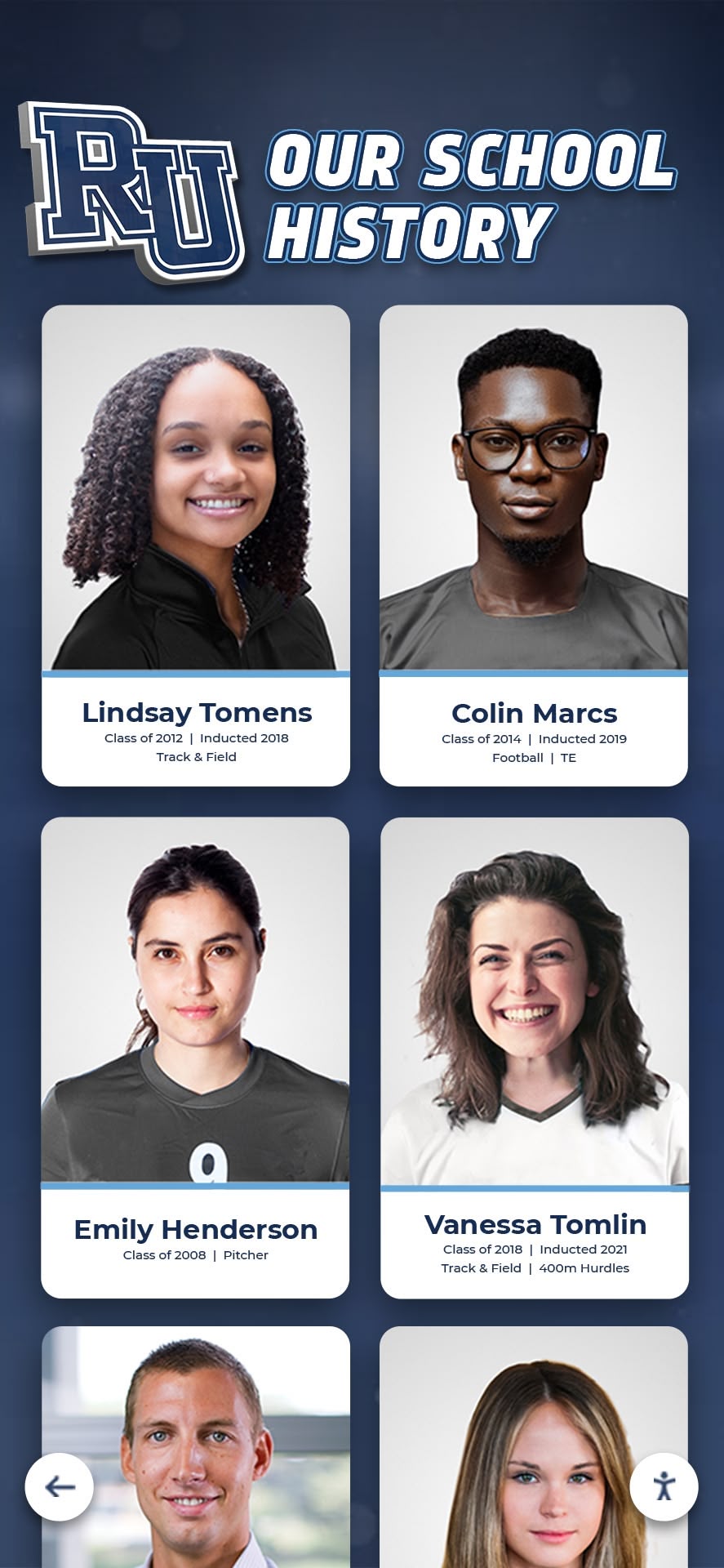
Historical yearbook photos preserve institutional memory while creating connections between current students and alumni
Why Digitize Historical Yearbooks
Digitization transforms inaccessible archives into accessible resources while protecting original materials from damage, deterioration, and loss.
Preservation of Deteriorating Materials
Paper yearbooks face inevitable deterioration regardless of storage conditions. Understanding these preservation challenges helps schools prioritize digitization before materials degrade beyond recovery.
Natural Deterioration Processes
- Paper acidification causing yellowing and brittleness over time
- Binding adhesives breaking down after 40-60 years
- Photograph fading from light exposure and chemical degradation
- Brittle pages developing tears and edge damage
- Cover materials separating from binding structures
- Moisture exposure creating warping and potential mold growth
Yearbooks from the 1960s and earlier often show significant deterioration. Schools waiting to digitize these volumes risk losing historical content as materials continue degrading.
Protection Through Digital Preservation
- High-resolution scans capture current condition before further deterioration
- Digital copies serve as backups if physical yearbooks suffer damage
- Multiple digital copies stored in different locations ensure permanence
- Future restoration work uses digital files as reference materials
- Schools share access without exposing fragile originals to handling
- Digital archives outlast physical materials indefinitely
Digitization functions as insurance against loss. Even if physical yearbooks eventually deteriorate beyond usability, digital copies preserve content permanently.
Expanded Access to Historical Content
Physical yearbooks create access barriers. Digital yearbooks eliminate these limitations while dramatically expanding who can explore institutional history.
Physical Access Limitations
- Single copy means only one person views yearbooks at any time
- Storage in libraries or archives restricts access to specific locations
- Fragile condition may prevent circulation entirely
- Alumni living elsewhere cannot access yearbook collections
- Finding specific individuals or events requires manual page-by-page searching
- Institutional policies may limit access to protect valuable materials
Digital Access Benefits
- Simultaneous viewing by unlimited users across multiple platforms
- Alumni anywhere access yearbooks through web interfaces or mobile apps
- Searchable databases locate specific individuals, teams, or events instantly
- Integration with touchscreen displays makes history visible in daily school life
- QR code access enables personal device viewing alongside physical displays
- No wear on original materials regardless of viewing frequency
Schools implementing digital yearbook solutions create comprehensive archives spanning decades of institutional memory.
Integration with Modern Recognition Systems
Historical yearbook content becomes far more valuable when integrated into modern touchscreen hall of fame displays rather than remaining isolated in archives.
Display Integration Capabilities
- Historical photos appear alongside current student achievements
- Alumni profiles show yearbook photos from graduation years
- Championship team displays include yearbook spreads documenting victories
- Historical timelines incorporate yearbook images showing institutional evolution
- Searchable archives connect current students with alumni who share activities
- Before-and-after comparisons showing facilities, uniforms, and traditions evolution
This integration helps current students understand they participate in traditions spanning generations. Seeing championship photos from 1975 displayed next to this year’s conference title creates powerful connections between past and present.
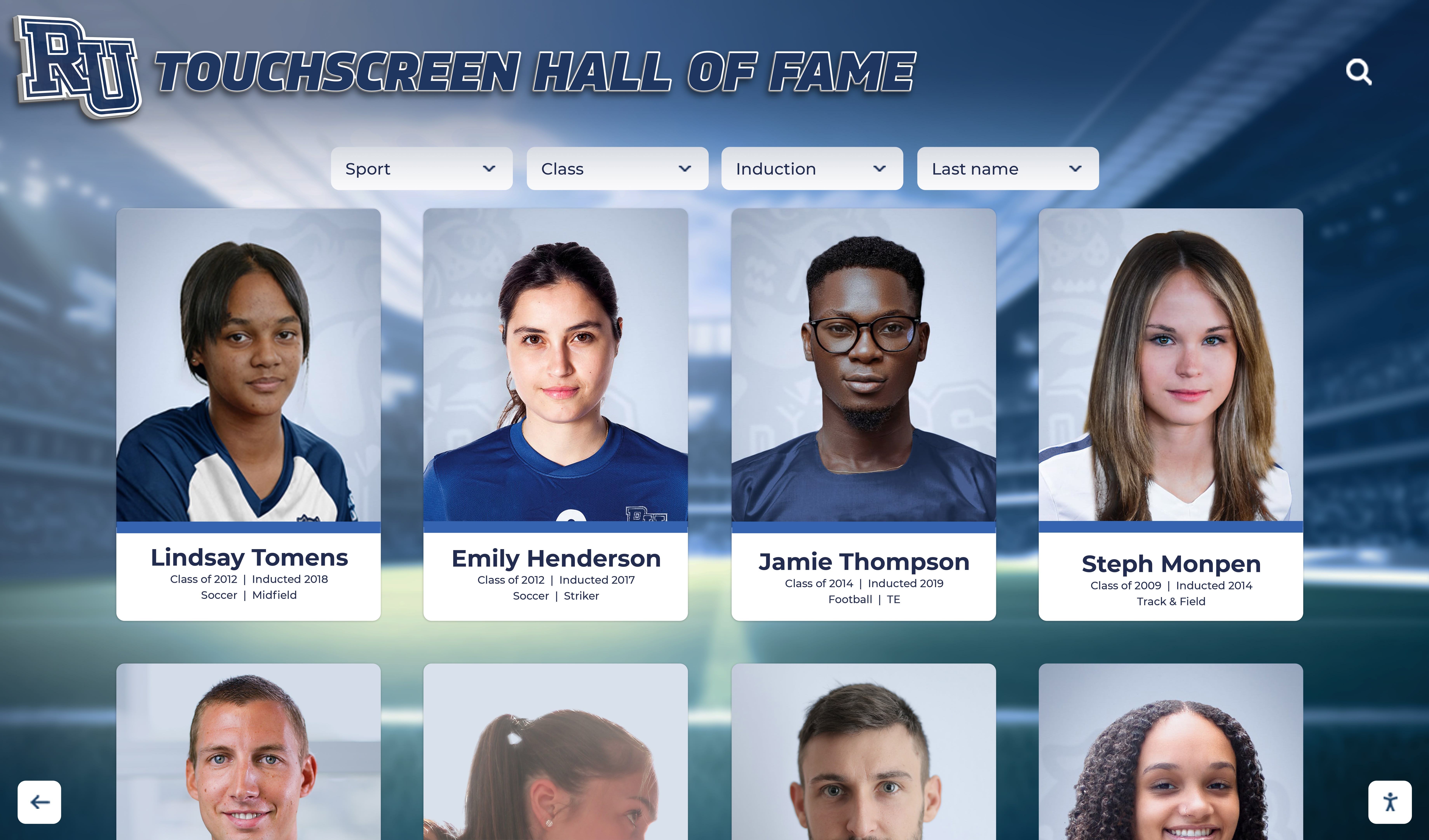
Touchscreen displays organize historical and current photos into searchable, interactive experiences
Safe Yearbook Digitization Methods
Digitizing yearbooks requires methods that capture high-quality images without damaging fragile bindings, brittle pages, or aging photographs.
Non-Destructive Scanning Approaches
Several digitization methods accommodate bound yearbooks without requiring destructive disassembly or harmful flattening.
Overhead Book Scanner Method Specialized overhead book scanners design specifically for bound volumes provide the safest digitization approach for fragile yearbooks.
How They Work
- Yearbook rests face-up on padded cradle at natural opening angle
- Overhead cameras capture both pages simultaneously
- Gentle page turning maintains minimal stress on bindings
- V-shaped book cradle prevents forced flattening
- Adjustable lighting eliminates shadows and glare
- Foot pedal or button controls enable hands-free operation
Advantages
- Zero pressure on bindings or spine structures
- Books never forced beyond natural opening angles
- Pages remain undamaged during scanning process
- Professional quality results with proper resolution
- Efficient workflow capturing hundreds of pages quickly
- Suitable for even extremely fragile materials
Equipment Requirements
- Overhead book scanner: $1,500-$8,000 depending on features
- Computer with scanning software and sufficient storage
- Adequate lighting or scanner with integrated lighting
- Controlled environment preventing temperature/humidity extremes
Schools planning extensive yearbook digitization find overhead scanners worthwhile investments that enable safe processing of entire collections.
Flatbed Scanner with Glass Plate Method Standard flatbed scanners work for yearbooks in reasonable condition when used carefully with proper techniques.
Safe Flatbed Techniques
- Open yearbooks only to comfortable natural angles
- Never force spines flat against scanner glass
- Place books so binding extends off scanner edge
- Scan pages near binding in multiple passes if needed
- Use book cradles supporting binding during scanning
- Avoid excessive pressure from scanner lid
- Allow binding to rest naturally without stress
Advantages
- Lower cost using existing equipment (scanners cost $100-$500)
- Suitable for yearbooks in good condition with flexible bindings
- Produces high-quality results when used properly
- No specialized training required for basic operation
Limitations
- Not suitable for fragile or deteriorating yearbooks
- Binding stress may damage older volumes
- Time-consuming for large collections
- Difficult to capture pages very close to binding
- Risk of damage if operators unfamiliar with proper techniques
Flatbed scanning works acceptably for yearbooks from recent decades in good physical condition. Older or fragile volumes require gentler overhead scanning methods.
Professional Digitization Services Schools lacking equipment or staff time may engage professional digitization services specializing in historical document preservation.
Service Provider Benefits
- Professional-grade equipment ensuring highest quality results
- Experienced technicians trained in fragile material handling
- Insurance coverage protecting against accidental damage
- Metadata creation describing and organizing digital files
- Multiple format delivery (PDF, JPEG, searchable text)
- Climate-controlled facilities protecting materials during processing
Typical Costs
- Per-page pricing: $0.50-$2.00 depending on yearbook condition and requirements
- Typical yearbook (200 pages): $100-$400 per volume
- Rush services available at premium rates
- Quantity discounts for large collections
Professional services make sense for extremely valuable or fragile yearbooks where damage risk outweighs in-house digitization savings.
Organizations implementing comprehensive approaches to digitizing historical archives preserve institutional memory across multiple formats and materials.
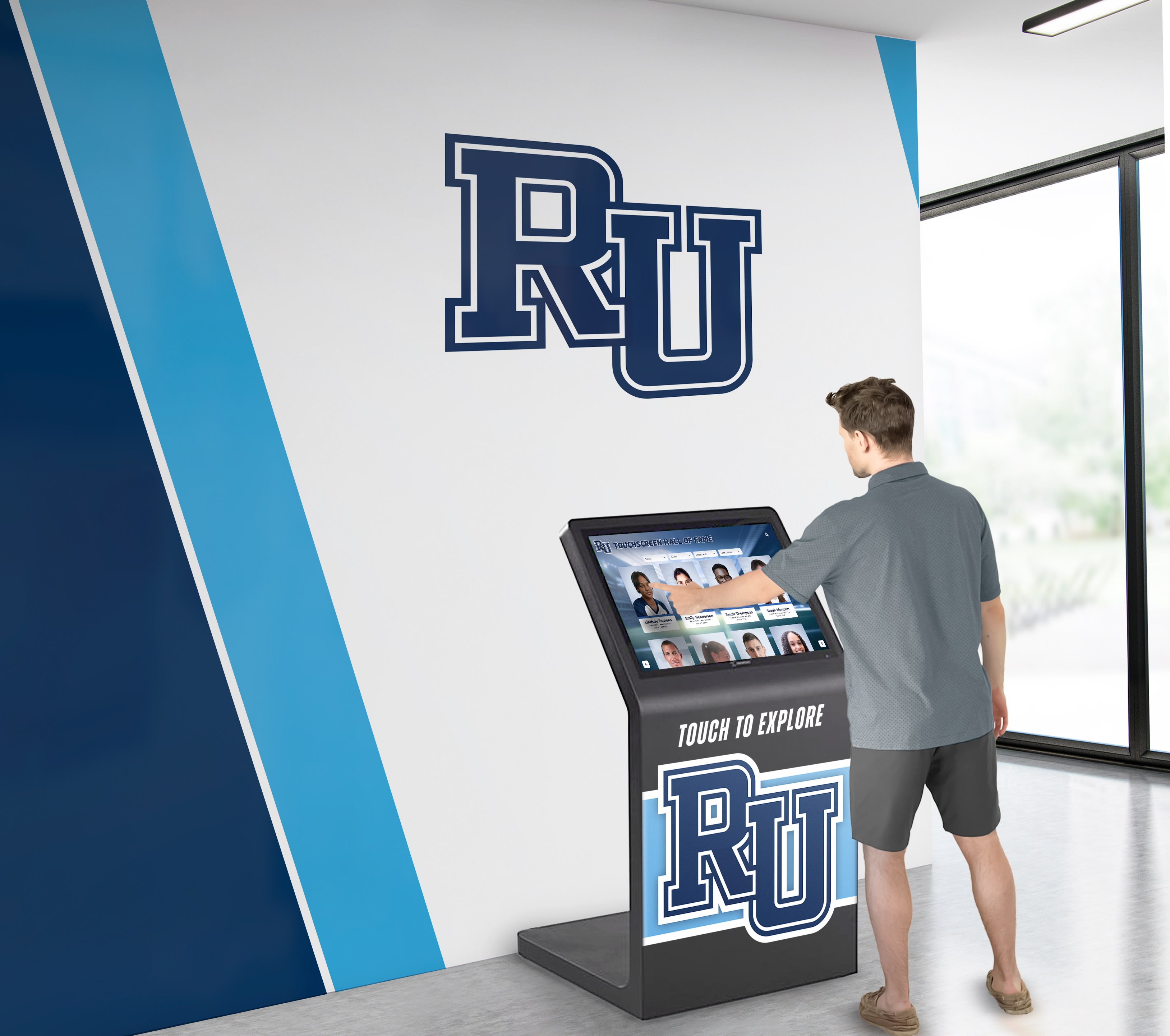
Well-designed interfaces make historical archives accessible to all visitors regardless of technical expertise
Photography-Based Digitization Methods
Photograph-based approaches offer alternatives when scanner access proves impractical or yearbooks require especially gentle handling.
Digital Camera Book Reproduction High-resolution digital cameras capture yearbook pages through careful photography setups.
Photography Setup Requirements
- Camera with minimum 20-megapixel sensor for adequate resolution
- Stable copy stand or overhead mount preventing camera movement
- Even lighting from both sides eliminating shadows and glare
- Yearbook positioned on padded surface at natural opening angle
- Remote shutter release preventing camera shake
- Consistent distance and framing for all pages
Advantages
- Minimal contact with yearbook materials
- Suitable for extremely fragile volumes
- Mobile setup enables on-site work at various locations
- Lower equipment cost than specialized book scanners
- Faster than flatbed scanning for large projects
Challenges
- Requires photography skills for consistent results
- Lighting setup critical for usable images
- Image distortion correction needed for pages near binding
- More post-processing work compared to scanner output
- File size management for high-resolution photos
Smartphone Photography Option Modern smartphones with high-quality cameras provide basic digitization capabilities when proper equipment proves unavailable.
Best Practices
- Use newest smartphone models with best available cameras
- Photograph in bright, even natural light near windows
- Maintain consistent height and angle for all pages
- Use gridlines or guides ensuring straight alignment
- Capture multiple shots of each page for quality comparison
- Process images adjusting brightness, contrast, and alignment
Smartphone photography produces acceptable results for quick projects or situations where professional equipment remains inaccessible. However, dedicated scanners or cameras yield superior quality for permanent archives.
Equipment and Software Requirements
Successful yearbook digitization requires appropriate tools supporting high-quality capture, efficient workflow, and proper file management.
Hardware Specifications
Equipment quality directly affects digitization efficiency and final image quality.
Scanning Equipment Options
Basic Setup (Under $500)
- Flatbed scanner with minimum 600 DPI optical resolution
- Standard computer with 8GB+ RAM and 1TB+ storage
- External hard drive for backup storage
- Basic image editing software
Professional Setup ($2,000-$8,000)
- Overhead book scanner with dual cameras
- High-performance computer with 16GB+ RAM and 2TB+ SSD storage
- Professional photo editing software suite
- Color calibration tools ensuring accuracy
- Network-attached storage for centralized file management
Enterprise Setup ($10,000+)
- Production-grade overhead book scanner with automated features
- Dedicated scanning workstation with maximum specifications
- Professional archival software with metadata management
- Climate-controlled scanning environment
- Backup systems with redundant storage arrays
Schools digitizing limited collections start with basic setups, while institutions processing thousands of yearbook pages justify professional equipment investments.
Resolution Requirements
- Minimum 300 DPI for text legibility and basic photo quality
- 400-600 DPI recommended for superior photo reproduction
- 600+ DPI for archival preservation allowing future restoration
- Higher resolutions create larger files requiring more storage
Storage Capacity Planning
- Average yearbook page: 10-50MB at 400 DPI color scanning
- 200-page yearbook: 2-10GB depending on settings
- Collection of 50 yearbooks: 100-500GB storage requirement
- Plan 2-3x estimated storage for backups and working files
Software Tools and Platforms
Appropriate software improves digitization workflows while organizing files for efficient access and integration.
Scanning and Image Processing Software
Included Scanner Software Most scanners include basic software handling scanning operations and simple adjustments. These programs suffice for straightforward digitization projects but lack advanced features.
Professional Scanning Applications
- VueScan: $100, supports virtually all scanners with advanced controls
- SilverFast: $49-$449, professional color management and workflow tools
- ABBYY FineReader: $120-$200, excellent OCR for text extraction
- Adobe Acrobat Pro: $180/year, comprehensive PDF creation and editing
Image Editing and Processing
- Adobe Photoshop: $240/year, industry-standard photo editing
- GIMP: Free, open-source alternative to Photoshop
- Adobe Lightroom: Included with Photoshop subscription, batch processing
- XnConvert: Free, batch processing and format conversion
File Organization and Metadata Management
Systematic organization prevents chaos when managing thousands of individual page images across dozens of yearbooks.
Organization Best Practices
- Folder structure: School Name > Decade > Year > Yearbook Title
- Consistent file naming: YearbookYear_PageNumber (e.g., 1985_Page042.jpg)
- Separate folders for covers, pages, and special inserts
- Master spreadsheet documenting all digitized yearbooks
- Metadata tags indicating yearbook year, page number, and content type
- Backup verification confirming all files copied successfully
Metadata Standards
- Yearbook publication year
- School name and location
- Page numbers or section identifiers
- Relevant subject tags (sports, clubs, classes, events)
- Digitization date and operator
- Original yearbook condition notes
Proper metadata ensures digital files remain usable decades into the future when institutional memory about file origins fades.
Schools implementing comprehensive digital history archives create systematic approaches to historical content preservation and access.

Intuitive touchscreen interfaces enable easy navigation through decades of historical yearbook content
Step-by-Step Yearbook Digitization Process
Systematic workflows ensure consistent quality while protecting original materials throughout digitization projects.
Pre-Digitization Preparation
Proper preparation prevents problems and establishes efficient workflows before scanning begins.
Yearbook Collection Assessment
- Create inventory listing all yearbooks requiring digitization
- Assess physical condition noting damage or special handling requirements
- Prioritize fragile or deteriorating yearbooks for urgent digitization
- Identify yearbooks with missing pages or sections
- Document existing damage with photographs before handling
- Determine copyright status for publication and sharing
Workspace Setup
- Clean, well-lit environment with stable temperature (65-75°F)
- Adequate table space for yearbook staging and equipment
- Comfortable seating preventing operator fatigue during long sessions
- Organized storage for completed and pending yearbooks
- Computer workstation adjacent to scanning area
- Power backup preventing data loss from outages
Materials and Supplies
- Clean cotton gloves for handling fragile yearbooks
- Page weights preventing curling during scanning
- Soft brushes for removing dust before scanning
- Post-it flags marking damaged pages requiring special attention
- Padded surfaces protecting yearbooks during handling
- Archival boxes for returning yearbooks to storage
Scanning Workflow
Efficient scanning workflows balance quality with productivity.
Optimal Scanning Settings
- Resolution: 400-600 DPI for balanced quality and file size
- Color mode: 24-bit color for photographs, grayscale for text pages
- File format: TIFF for archival masters, JPEG for working copies
- Compression: None for masters, medium-quality for derivatives
- Color correction: Scanner software automatic adjustment
- Deskew: Automatic straightening for consistent alignment
Page-by-Page Process
- Open yearbook carefully to desired spread
- Position book on scanner or copy stand
- Check preview ensuring proper framing and focus
- Scan both pages simultaneously (overhead scanner) or individually (flatbed)
- Verify image quality before proceeding to next page
- Turn page gently using page corner, never forcing binding
- Repeat process through entire yearbook
- Conduct final page count verification ensuring completeness
Quality Control Checkpoints
- Focus sharpness on faces and small text
- Even lighting without shadows or glare
- Accurate color reproduction matching originals
- Straight alignment without skewed pages
- Complete page capture without cropped edges
- Consistent file naming matching documentation
Production Rate Expectations
- Overhead scanner: 200-400 pages per hour with experience
- Flatbed scanner: 50-100 pages per hour
- Digital photography: 100-200 pages per hour
- First-time operators: 50% of experienced rates initially
Large yearbook collections require realistic time estimates. A school digitizing 50 yearbooks averaging 200 pages each faces 10,000 total pages—representing 25-200 hours of scanning time depending on equipment and experience.
Post-Processing and Quality Enhancement
Raw scans typically require processing before publication in digital displays or archives.
Essential Processing Steps
Image Enhancement
- Brightness and contrast adjustment for faded photographs
- Color correction compensating for yellowed pages
- Dust and scratch removal from degraded originals
- Sharpening for improved clarity
- Cropping to remove scanner backgrounds
- Deskewing for perfectly straight alignment
Batch Processing Efficiency Process entire yearbooks or collections using automated workflows rather than editing images individually.
Batch Processing Tools
- Adobe Lightroom presets applying consistent adjustments
- Photoshop actions automating multi-step corrections
- Command-line tools like ImageMagick for large-scale processing
- Dedicated batch processing applications
Optical Character Recognition (OCR) OCR converts yearbook text into searchable digital text enabling powerful search capabilities.
OCR Applications
- ABBYY FineReader: Industry-leading accuracy
- Adobe Acrobat Pro: Good quality with PDF integration
- Tesseract: Free open-source option
- Cloud services: Google Cloud Vision, Amazon Textract
OCR Best Practices
- Use highest-quality scans for best text recognition
- Process each page individually for optimal accuracy
- Manually verify critical names and dates
- Expect 95-99% accuracy requiring review
- Create searchable PDFs combining images with text layers
File Format Conversion Create multiple file formats serving different purposes.
Format Strategy
- TIFF masters: Archival preservation in uncompressed format
- High-quality JPEG: Working files for processing and editing
- PDF compilations: Complete yearbooks in browsable format
- Web-optimized JPEG: Images sized for online display
- Thumbnail versions: Small previews for fast browsing
Educational institutions implementing digital trophy case systems integrate historical yearbook photos alongside current achievements.
Integrating Digitized Yearbooks into Hall of Fame Displays
Digitized yearbook content achieves maximum impact when incorporated into interactive touchscreen hall of fame displays where students, staff, and visitors regularly encounter institutional history.
Content Selection and Organization
Not every yearbook page belongs in hall of fame displays. Strategic content selection creates engaging experiences rather than overwhelming archives.
High-Impact Content for Displays
Individual Student Profiles
- Senior portrait photographs from historical yearbooks
- Notable alumni with post-graduation achievements
- Student leaders (class presidents, club officers, team captains)
- Academic award recipients and scholarship winners
- Student profiles featuring interests and activities
Team and Group Photos
- Championship team photographs with rosters
- State qualifying teams and tournament participants
- Club and activity group photos
- Performing arts ensemble photos
- Historical photos showing traditions evolution
Event and Activity Documentation
- Homecoming courts and prom photographs
- Major school events and celebrations
- Athletic competitions and meets
- Performing arts productions
- Community service activities
Historical Comparison Content
- Facility photographs showing campus evolution
- Uniform and equipment changes over decades
- Tradition documentation across generations
- “Then and now” comparison layouts
Organization Frameworks
By Graduation Year Chronological organization enables alumni to explore their specific years while students discover historical context.
By Activity or Sport Activity-based organization connects current participants with program history and traditions.
By Achievement Type Organization around championships, academic honors, leadership roles, or specific recognitions.
By Notable Alumni Featured sections spotlighting distinguished graduates with yearbook photos from school years.
Platform Integration and Display
Modern touchscreen platforms enable sophisticated presentation of historical yearbook content alongside current student achievements.
Display Platform Requirements
Content Management Capabilities
- Bulk upload supporting hundreds or thousands of images
- Flexible organization with multiple categorization options
- Search functionality across names, years, activities, and achievements
- Tagging systems connecting related historical content
- Timeline views showing chronological progression
- Responsive design adapting to various screen sizes
Accessibility Features
- ADA WCAG 2.2 AA compliance ensuring universal access
- QR code generation for personal device viewing
- Text-to-speech for vision-impaired users
- High-contrast modes improving readability
- Adjustable text sizes accommodating various needs
- Keyboard navigation for non-touch access
Technical Specifications
- Cloud-based architecture enabling remote content updates
- Unlimited storage capacity for extensive photo collections
- Fast loading regardless of archive size
- Multi-device compatibility (touchscreens, tablets, smartphones, computers)
- Automatic backup preventing data loss
- Analytics revealing popular content and usage patterns
Solutions like Rocket Alumni Solutions provide purpose-built platforms specifically designed for integrating historical yearbook content with modern recognition displays. These specialized systems understand the unique requirements of schools preserving institutional memory while celebrating current achievements—capabilities that general-purpose digital signage struggles to accommodate.
Display Design Considerations
Visual Hierarchy
- Balance historical and current content preventing either from overwhelming displays
- Featured content rotation presenting different eras and achievements
- Landing pages guiding exploration rather than overwhelming with options
- Clear navigation indicating how to find specific people, years, or activities
User Experience Design
- Intuitive interfaces requiring no instructions
- Generous touch targets for all ages and abilities
- Immediate visual feedback confirming selections
- Breadcrumb navigation showing location within content hierarchy
- Home button always accessible for starting over
Content Presentation
- High-quality image rendering honoring yearbook photo quality
- Contextual captions explaining historical photographs
- Date stamping clarifying when photos were taken
- Related content suggestions encouraging deeper exploration
- Comparison views showing historical progression
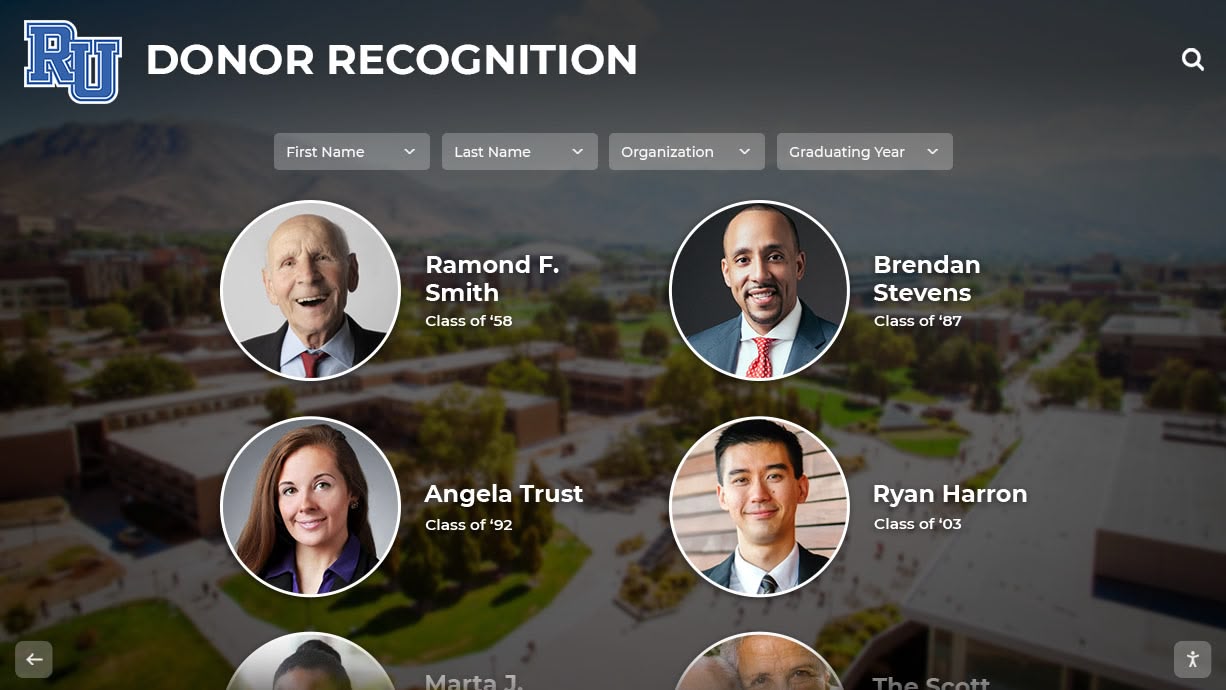
Integrated displays celebrate alumni achievements while preserving historical photographs from yearbook archives
Search and Discovery Features
Powerful search capabilities distinguish excellent digital archives from simple photo galleries.
Search Functionality Requirements
Name Search
- Full-text search across all student names
- Partial name matching (first name, last name, nicknames)
- Phonetic search helping with spelling uncertainties
- Maiden name cross-referencing for married alumni
- Fuzzy matching accommodating spelling variations
Filtered Browsing
- Year range filtering (e.g., all photos from 1980-1989)
- Activity or sport filters showing specific program history
- Achievement type filters (championships, academic awards, leadership)
- Photo type filters (individual portraits, team photos, event photos)
- Combined filters narrowing results precisely
Advanced Search Features
- Boolean operators (AND, OR, NOT) for complex queries
- Tag-based search using custom descriptors
- Location-based search for specific venues or facilities
- Date range search for particular timeframes
- “Related content” showing connections between items
Discovery and Engagement Tools
Interactive Timelines Chronological displays showing institutional evolution across decades through yearbook photographs.
Comparative Views Side-by-side comparisons showing changes in facilities, uniforms, traditions, and student life across eras.
Featured Collections Curated galleries featuring specific themes like championship decades, facility evolution, or notable alumni.
Random Discovery Features “On this day” features showing yearbook photos from historical dates creating serendipitous connections.
Schools implementing interactive digital history systems create comprehensive approaches to preserving and sharing institutional memory.
Best Practices for Long-Term Preservation
Digitization creates lasting archives when schools follow preservation standards protecting digital files as carefully as physical originals.
Digital File Management and Storage
Proper storage prevents digital file loss through hardware failures, format obsolescence, or organizational chaos.
Storage Strategy: 3-2-1 Rule
- Maintain 3 copies of all files (one primary, two backups)
- Store copies on 2 different media types (hard drives, cloud storage, optical media)
- Keep 1 copy off-site protecting against local disasters
Primary Storage Options
Network-Attached Storage (NAS)
- Dedicated storage systems accessible across school networks
- RAID configurations protecting against drive failures
- Centralized management and backup automation
- Costs: $500-$5,000 depending on capacity
Cloud Storage Services
- Unlimited scalability accommodating growing archives
- Automatic redundancy and disaster recovery
- Access from anywhere with internet connectivity
- Costs: $0.02-$0.12 per GB monthly ($20-$120 monthly for 1TB)
External Hard Drives
- Budget-friendly option for smaller collections
- Manual backup requiring discipline and systems
- Vulnerable to failure without redundancy
- Costs: $50-$200 for 2-8TB drives
File Format Longevity
- Use standard formats likely to remain readable for decades
- TIFF and JPEG preferred for images (widely supported, non-proprietary)
- PDF/A for complete yearbook compilations (archival standard)
- Avoid proprietary formats risking obsolescence
- Migrate files periodically to current format standards
Metadata Preservation
- Embed metadata within image files (EXIF, IPTC)
- Maintain separate metadata databases with detailed information
- Include digitization details (date, operator, equipment, settings)
- Document relationships between related files
- Create README files in each folder explaining contents
Copyright and Privacy Considerations
Digitization and display require attention to copyright law and student privacy rights.
Copyright Status of Yearbooks
Published Yearbooks Most yearbooks qualify as published works with copyright belonging to the school or yearbook publisher.
Copyright Analysis
- Pre-1928 yearbooks: Public domain
- 1928-1977: Copyright status varies; research required
- Post-1977: Likely copyrighted for 95 years from publication
- School-owned copyrights: School controls usage rights
- Publisher-owned copyrights: Permission may be required
Fair Use Considerations Schools using yearbook content for educational purposes and institutional history often qualify for fair use protection, but consult legal counsel for specific situations.
Privacy and Student Rights
Student Information Protection
- FERPA protects student education records including yearbook photos
- Historical yearbooks (10+ years old) raise fewer privacy concerns
- Alumni consent not typically required for historical displays
- Schools should honor individual opt-out requests
- Sensitive information (addresses, phone numbers) should not be displayed
Best Practices
- Include privacy policy explaining yearbook content usage
- Provide mechanism for individuals requesting photo removal
- Avoid displaying sensitive personal information
- Limit access to appropriate audiences (on-campus displays, password-protected online access)
- Consider additional protections for minor students in recent yearbooks
Organizations developing comprehensive digital recognition programs create systematic approaches balancing access with appropriate privacy protections.
Quality Assurance and Verification
Systematic quality control ensures digitization projects produce reliable, complete archives.
Verification Checklists
Completeness Verification
- Page count matches original yearbook
- All photographs captured clearly
- No missing pages or sections
- Special inserts (fold-outs, color pages) included
- Covers (front, back, spine) digitized
- Dust jackets or special features preserved
Image Quality Standards
- Resolution meets minimum specifications (400+ DPI)
- Focus sharp on faces and text
- Lighting even without shadows or glare
- Colors accurate compared to originals
- Alignment straight without skewing
- File formats appropriate for archival preservation
Metadata Accuracy
- File names follow established conventions
- Yearbook year correctly identified
- Page numbers accurate and sequential
- Organizational tags applied consistently
- OCR text reviewed for major errors
- Database entries complete and accurate
Error Documentation and Correction
- Log issues discovered during verification
- Flag damaged original pages affecting scan quality
- Note missing pages in original yearbooks
- Document processing decisions for future reference
- Maintain correction procedures for discovered errors
- Schedule periodic archive audits ensuring ongoing integrity
Conclusion: Preserving History While Protecting Originals
Digitizing old yearbooks solves the fundamental tension between preservation and access. Schools protect fragile original volumes while sharing historical photographs more broadly than physical yearbooks ever permitted. Students exploring touchscreen hall of fame displays discover institutional history spanning decades, connecting today’s achievements with traditions extending back generations.
Safe digitization methods—from overhead book scanners to careful flatbed techniques—enable schools to capture yearbook content without damaging irreplaceable original materials. Proper equipment, systematic workflows, and attention to image quality ensure digital archives serve schools for decades to come.
Integration with modern touchscreen displays transforms archived yearbook photos from forgotten storage room materials into active institutional memory celebrated daily. Current students see themselves as part of continuing traditions. Alumni revisit memories from their school years. Community members understand institutional evolution across time.
The schools successfully digitizing yearbook collections share common characteristics: commitment to protecting original materials, systematic project planning addressing both scanning and organization, appropriate equipment matching project scope, quality standards ensuring usable results, and long-term perspective treating digital archives as institutional assets requiring proper care and preservation.
Whether digitizing five yearbooks or five hundred, these principles ensure results worth the investment. Start with highest-priority yearbooks—the oldest, most fragile volumes facing greatest deterioration risk—then systematically work through collections as resources permit.
Every digitized yearbook page represents a victory against time and deterioration. Every historical photograph integrated into hall of fame displays creates connections between past and present. Every student discovering their parent’s senior portrait or their sport’s championship history from decades ago experiences the power of preserved institutional memory.
Your yearbook collection documents history that exists nowhere else. Digitization ensures this irreplaceable heritage remains accessible for generations to come while protecting fragile originals from the handling that access inevitably requires.
Ready to explore how interactive touchscreen platforms can display your digitized yearbook collection while celebrating current student achievements? Discover comprehensive digital recognition solutions designed specifically for schools, with unlimited photo capacity, intuitive content management, powerful search capabilities, ADA compliance, and dedicated support making historical preservation achievable for institutions of all sizes.