Local nonprofits face a communication challenge: how do you effectively showcase community partnerships, upcoming events, veteran recognition, and organizational impact when your audience constantly changes? Static bulletin boards require manual updates, printed posters become outdated quickly, and traditional signage offers limited information—all while consuming valuable staff time that could be devoted to mission-critical work.
Digital wall mount displays solve these fundamental challenges while creating engaging visual communication that captures attention and delivers information effectively. A mounted touchscreen or digital display enables nonprofits to highlight partnerships, announce upcoming events like community openings, recognize veterans and supporters, and modify content instantly from any location—all through a single, professional installation.
This comprehensive guide explores digital wall mount displays specifically for local nonprofits, focusing on practical pricing information, hardware options, content management considerations, and implementation strategies that help organizations communicate effectively without large-scale budgets or complex technical infrastructure.
Many local nonprofits operate with limited budgets yet need professional communication tools that reflect their important community work. Digital wall mount displays offer scalable solutions—from basic digital signage showing event calendars to interactive touchscreens enabling visitors to explore partnerships, programs, and recognition content. Understanding your options helps you invest appropriately for your organization’s specific needs.
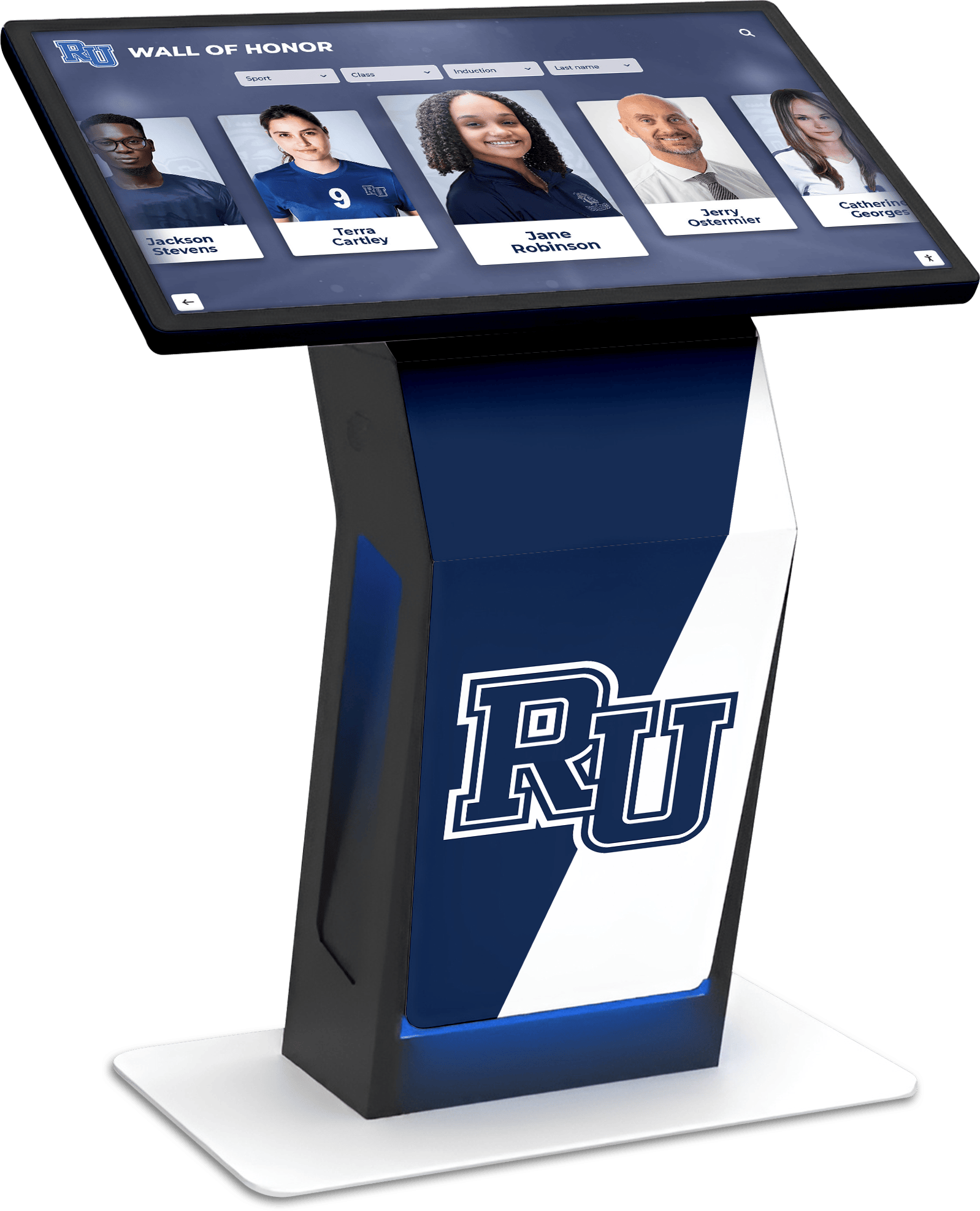
Digital displays help nonprofits communicate partnerships, events, and recognition in high-traffic common spaces
Understanding Digital Wall Mount Displays for Nonprofits
Before exploring specific pricing and options, understanding what digital wall mount displays offer helps nonprofits determine whether this technology fits their communication needs.
What Is a Digital Wall Mount Display?
A digital wall mount display is a screen—ranging from standard digital signage to interactive touchscreens—mounted on a wall to communicate information visually. For nonprofits, these displays typically serve several functions:
Core Communication Purposes
- Event promotion and calendar information
- Partnership and sponsor recognition
- Veteran and community member acknowledgment
- Program impact stories and beneficiary testimonials
- Volunteer opportunity listings
- Donation information and giving options
- Educational content about organizational mission
Unlike static signage, digital displays update easily, show multiple content items through rotation, and present professional multimedia content including photos, videos, and graphics that capture attention more effectively than printed materials.
Basic Digital Signage vs. Interactive Touchscreens
Nonprofits choosing digital displays encounter two primary technology approaches, each with distinct capabilities and price points:
Basic Digital Signage (Non-Touch)
- Display shows rotating content like slideshows or videos
- Content managed through software, often cloud-based
- Lower hardware costs ($300-$2,000 depending on size)
- Simpler installation without touch functionality
- Appropriate for event calendars, announcements, and recognition displays
- Viewers observe passively without interacting
Interactive Touchscreen Displays
- Visitors tap, swipe, and explore content actively
- Search functionality enables finding specific information
- Database-driven content shows unlimited entries
- Higher hardware investment ($2,500-$8,000 depending on size)
- More engaging experiences with better information retention
- Appropriate for recognition programs, directories, and detailed organizational information
For many local nonprofits focused on event announcements and partnership recognition, basic digital signage provides sufficient functionality at accessible price points. Organizations wanting deeper engagement—like searchable veteran recognition databases or interactive program directories—benefit from touchscreen capabilities despite higher costs.
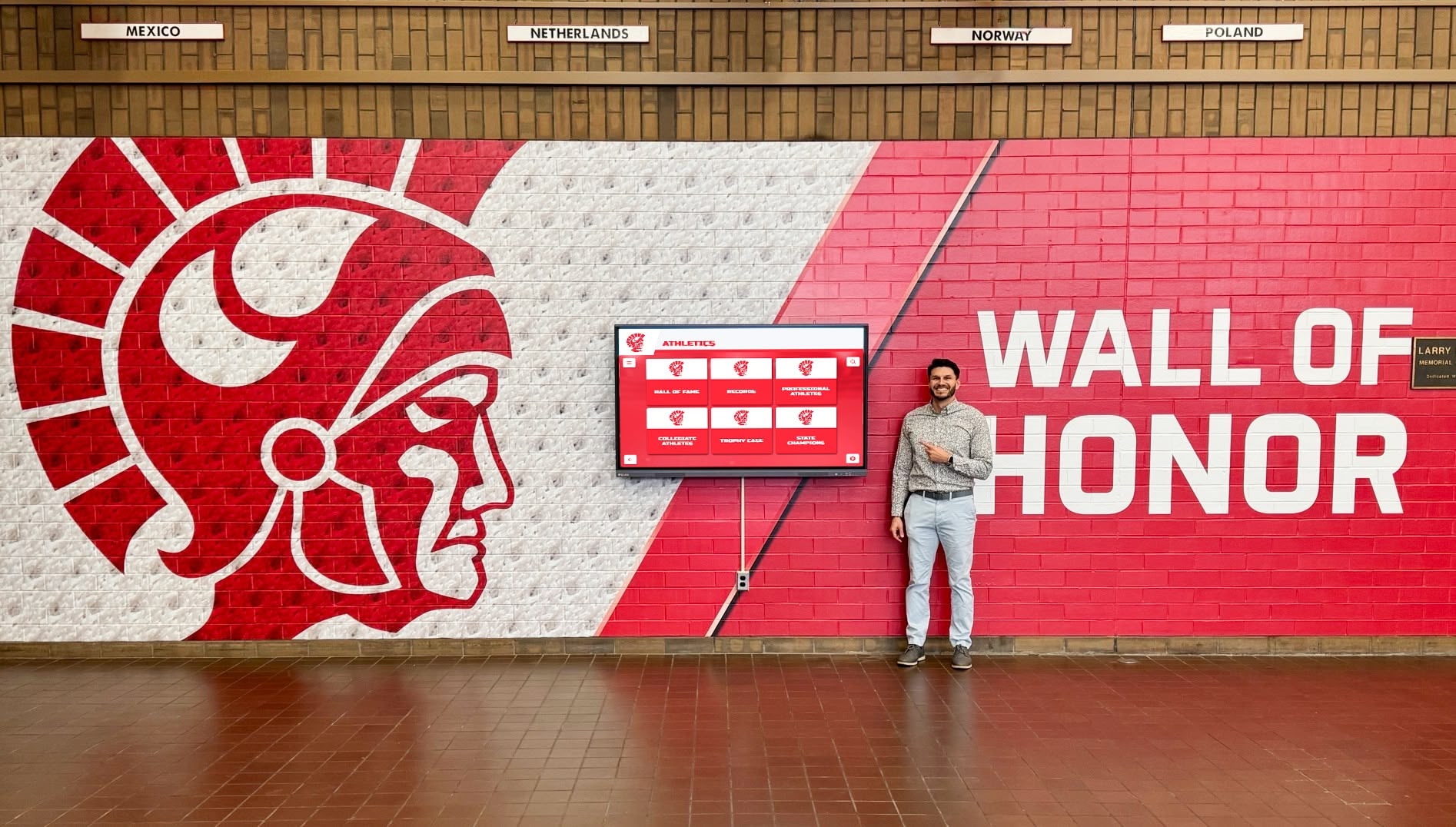
Wall-mounted displays integrate cleanly into nonprofit facilities while providing flexible content management
Pricing Guide: Digital Display Hardware for Nonprofits
Understanding hardware costs helps nonprofits budget realistically for digital wall mount displays. Pricing varies significantly based on display size, touch capabilities, and commercial durability ratings.
Display Size and Price Ranges
Digital displays for nonprofits typically range from 43 inches to 75 inches, with pricing increasing proportionally with size:
43-50 Inch Displays
- Screen dimensions: Approximately 38" wide x 21" tall
- Viewing distance: Optimal for 8-12 feet
- Basic digital signage: $300-$800
- Commercial-grade signage: $600-$1,500
- Interactive touchscreen: $1,800-$3,500
- Best for: Small lobbies, office waiting areas, hallways
55-65 Inch Displays
- Screen dimensions: Approximately 48-57" wide x 27-32" tall
- Viewing distance: Optimal for 10-15 feet
- Basic digital signage: $400-$1,200
- Commercial-grade signage: $800-$2,000
- Interactive touchscreen: $2,500-$5,000
- Best for: Medium-sized community spaces, main lobbies, meeting rooms
70-75 Inch Displays
- Screen dimensions: Approximately 61-66" wide x 34-37" tall
- Viewing distance: Optimal for 15-20 feet
- Basic digital signage: $800-$2,000
- Commercial-grade signage: $1,500-$3,500
- Interactive touchscreen: $4,000-$8,000
- Best for: Large gathering spaces, auditorium lobbies, community centers
Sizing Considerations
- Measure viewing distance from natural traffic patterns
- Larger displays create more impact but require more wall space
- Consider ceiling height and architectural proportions
- Account for Americans with Disabilities Act (ADA) reach requirements if touchscreen
For most local nonprofits, 55-inch displays provide the optimal balance of visibility, cost, and space efficiency. Organizations with larger community spaces or significant viewing distances benefit from 65-75 inch options.
Consumer vs. Commercial-Grade Displays
Price differences often reflect display durability and expected operational hours:
Consumer Displays (TV-Style)
- Designed for 4-8 hours daily home use
- 1-3 year warranties typical
- Lower initial investment
- May fail prematurely in continuous-operation environments
- Appropriate for: Nonprofits operating limited hours with controlled environments
Commercial-Grade Displays
- Designed for 16-24 hours daily operation
- 3-5 year warranties common
- Higher initial cost but longer lifespan
- Better heat dissipation for vertical mounting
- Appropriate for: Nonprofits with extended operating hours or public-facing 24/7 environments
Many nonprofits successfully use consumer-grade displays when operations involve standard business hours and displays power down overnight. Organizations open evenings and weekends or wanting maximum longevity benefit from commercial-grade investments.
Additional Hardware Components and Costs
Beyond the display itself, several components affect total hardware investment:
Mounting Hardware
- Basic wall mounts: $30-$100
- Tilting or articulating mounts: $80-$250
- Heavy-duty commercial mounts: $150-$400
- Installation labor (if professional): $150-$500
Media Players and Computers
- Basic media sticks (Amazon Fire, etc.): $30-$80
- Commercial media players: $100-$500
- Small form-factor computers: $200-$800
- Required for: Running content management software
Connectivity
- Wireless adapters (if needed): $15-$50
- Long HDMI or data cables: $20-$100
- Network infrastructure upgrades: $0-$1,000+
- Electrician for power outlet: $100-$500 if needed
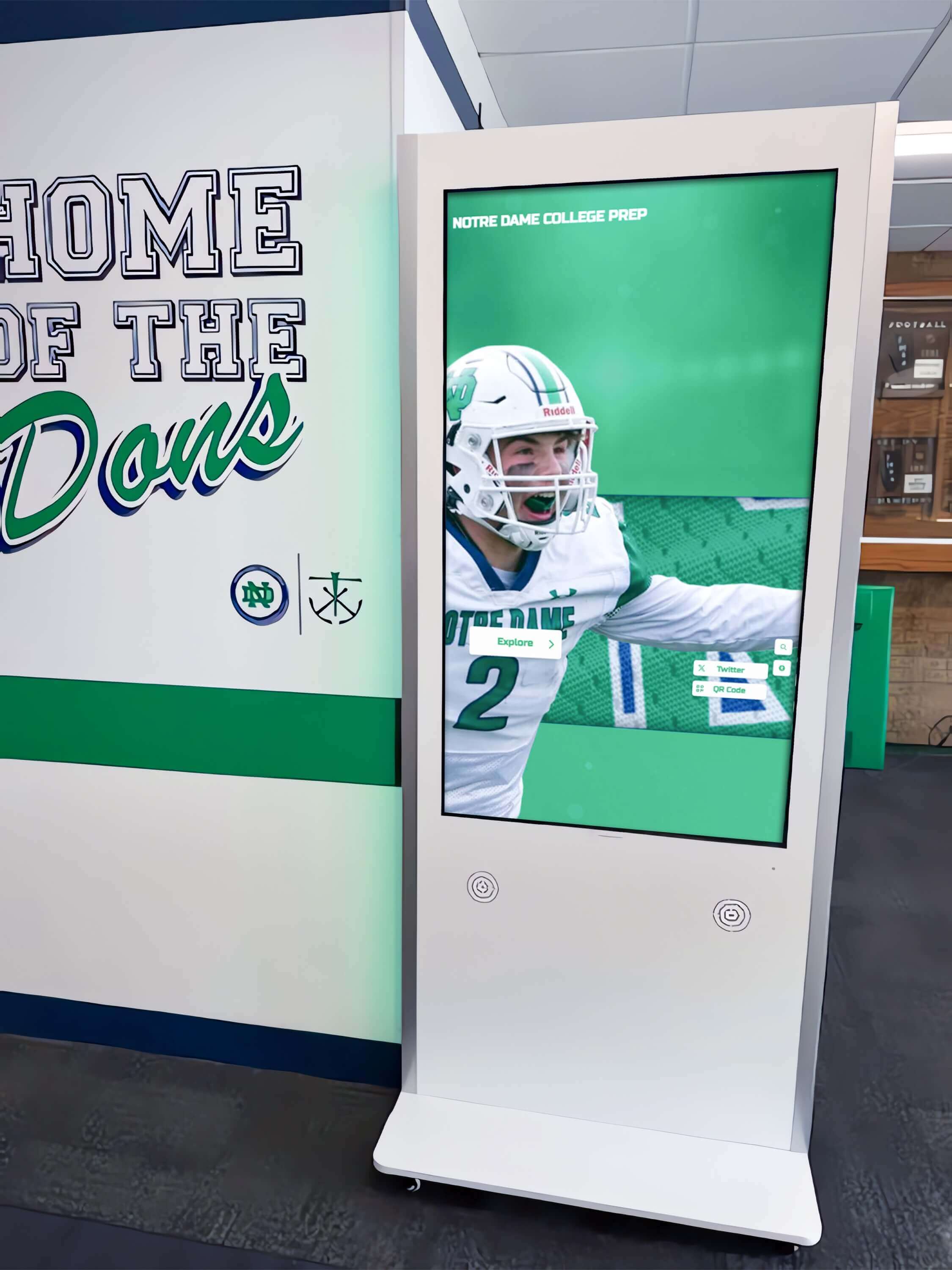
Freestanding kiosks offer installation alternatives when wall mounting presents challenges
Total Hardware Budget Examples
Basic Setup (55" Consumer Display, Basic Signage)
- Display: $500
- Mount: $75
- Media player: $50
- Cables and accessories: $40
- DIY installation
- Total: $665
Mid-Range Setup (65" Commercial Display, Signage)
- Display: $1,500
- Mount: $150
- Media player: $300
- Professional installation: $350
- Network connection: $100
- Total: $2,400
Premium Setup (55" Commercial Touchscreen, Interactive)
- Touchscreen display: $4,000
- Heavy-duty mount: $250
- Computer: $600
- Professional installation: $450
- Network infrastructure: $200
- Total: $5,500
These examples illustrate the range from entry-level digital signage to professional interactive installations suitable for community recognition and engagement.
Software and Content Management Costs
Hardware represents only one component of total digital display investment. Software for managing content significantly affects both initial costs and ongoing operational expenses.
Content Management Software Options
Digital displays require software to present and manage content. Nonprofits encounter several approaches with varying cost structures:
Free or Low-Cost Digital Signage Software
- Cloud-based platforms: $0-$20 monthly per display
- Open-source solutions: Free software, self-hosting required
- Limited features and templates
- May include advertising or branding from provider
- Appropriate for: Very small nonprofits with basic needs and technical capability
Mid-Range Digital Signage Platforms
- Cloud-based subscription: $20-$75 monthly per display
- Professional templates and design tools
- Scheduling and multi-display management
- Technical support included
- Integration capabilities with calendars and social media
- Appropriate for: Most local nonprofits with standard signage needs
Purpose-Built Recognition and Interactive Platforms
- Specialized software: $500-$3,000 annually
- Database-driven content for recognition and directories
- Touchscreen interaction design and search functionality
- Unlimited content capacity for growing databases
- Professional content development support
- Appropriate for: Nonprofits implementing recognition programs, donor walls, or veteran acknowledgment
Organizations implementing donor recognition walls benefit from purpose-built platforms designed specifically for unlimited supporter acknowledgment rather than adapting general signage software.
Content Development Considerations
Software costs represent only part of content management investment. Creating quality content requires time and expertise:
DIY Content Development
- Internal staff design slides or graphics
- Time investment: 2-5 hours weekly for active management
- Software tools: Canva, PowerPoint, Google Slides (free or low-cost)
- Learning curve for design principles and best practices
- Appropriate for: Nonprofits with design-capable staff and time availability
Professional Content Services
- Initial content development: $500-$3,000
- Ongoing content management: $200-$800 monthly
- Professional photography and videography
- Copywriting and graphic design
- Template creation and brand consistency
- Appropriate for: Nonprofits wanting polished presentation without internal expertise
Hybrid Approach
- Professional initial setup and templates
- Internal staff manage routine updates
- Professional services for major campaigns or refreshes
- Most cost-effective balance for many organizations
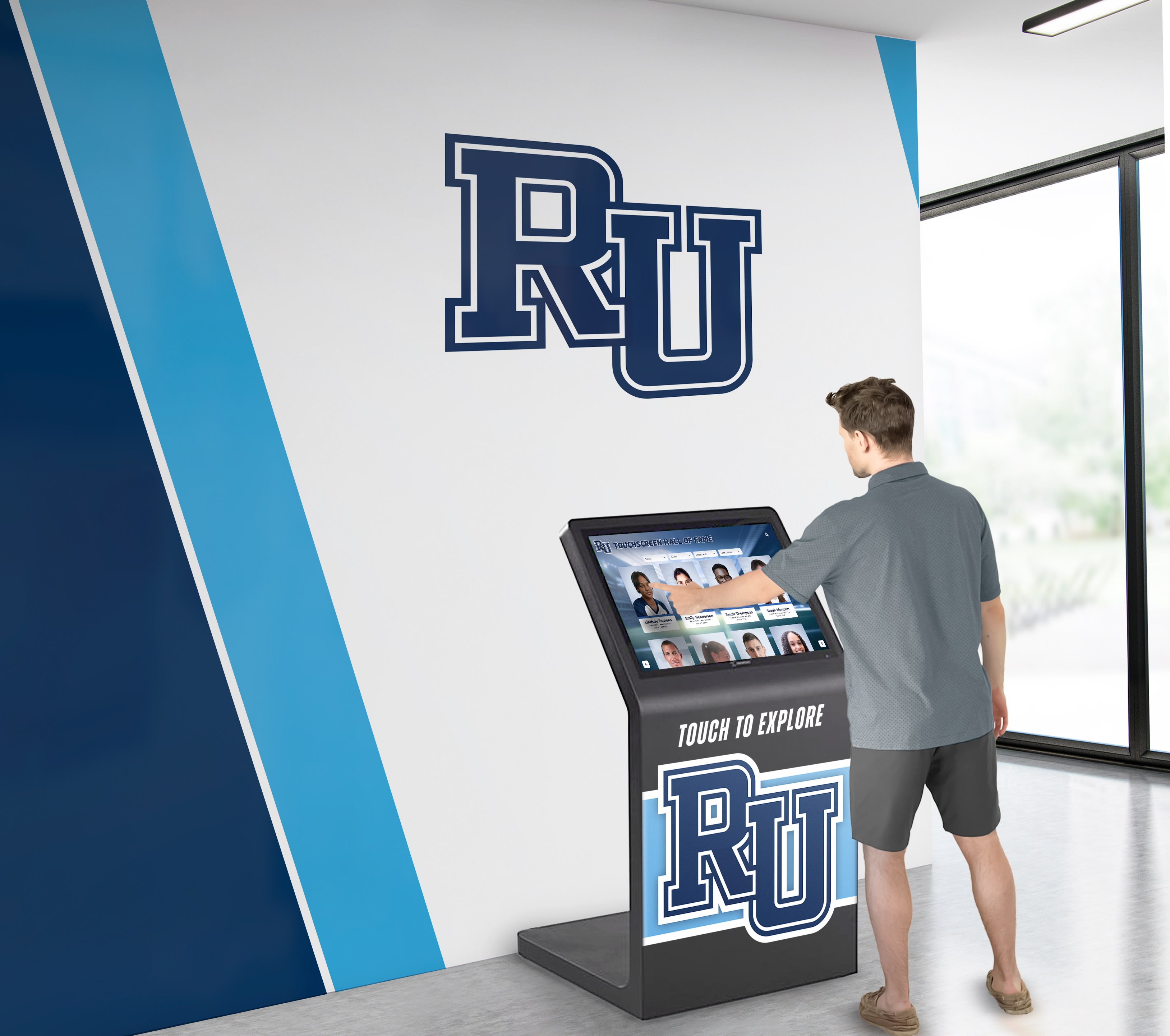
Quality content development ensures digital displays communicate effectively and reflect organizational professionalism
Common Nonprofit Use Cases and Content Ideas
Understanding how other nonprofits utilize digital wall mount displays provides practical implementation ideas and content planning guidance.
Partnership and Sponsor Recognition
Many nonprofits need to acknowledge community partners and sponsors prominently:
Recognition Content Approaches
- Partner logos displayed with organizational descriptions
- Rotating spotlight slides highlighting different sponsors monthly
- Interactive directories with searchable partner databases
- Impact stories connecting sponsor support to program outcomes
- Corporate volunteer recognition alongside financial contributions
- Multi-tier displays organizing partners by support levels
Implementation Considerations
- Update sponsor recognition as partnerships renew or change
- Include partner website links or QR codes for more information
- Balance commercial acknowledgment with mission-focused content
- Obtain logo files and brand guidelines from partners for quality presentation
- Define recognition policies establishing display duration and prominence
Veterans organizations and service nonprofits frequently implement community recognition programs celebrating military service members and community supporters through searchable digital displays.
Event Promotion and Community Calendar
Upcoming events represent critical communication for most nonprofits:
Event Display Formats
- Calendar views showing monthly or weekly schedules
- Featured event slides with photos, descriptions, dates, and registration information
- Countdown timers building anticipation for major events
- Map integrations showing event locations
- QR codes linking to detailed event pages or registration forms
- Post-event photo galleries and impact summaries
Calendar Integration Options
- Google Calendar automatic feeds displaying current events
- Outlook/Office 365 calendar connections
- Manual event entry through content management system
- Social media event imports from Facebook or Eventbrite
- Website calendar synchronization preventing duplicate entry
Content Update Frequency
- Weekly refreshes for active event calendars
- Daily updates during major campaign or event periods
- Automatic removal of past events maintaining current focus
- Seasonal content emphasizing relevant programming
Veteran and Community Member Recognition
Nonprofits serving veterans or honoring community contributors use digital displays for meaningful acknowledgment:
Recognition Database Content
- Biographical profiles with service history
- Photos from service periods and present day
- Medal and decoration information
- Oral history video interviews
- Family connection information
- Search functionality enabling visitors to find specific individuals
Display Organization Methods
- Alphabetical listings for easy browsing
- Service branch organization (Army, Navy, Air Force, Marines, Coast Guard)
- War or conflict period groupings
- Hometown or geographic organization
- Rank or unit-based displays
- Timeline views showing service across decades
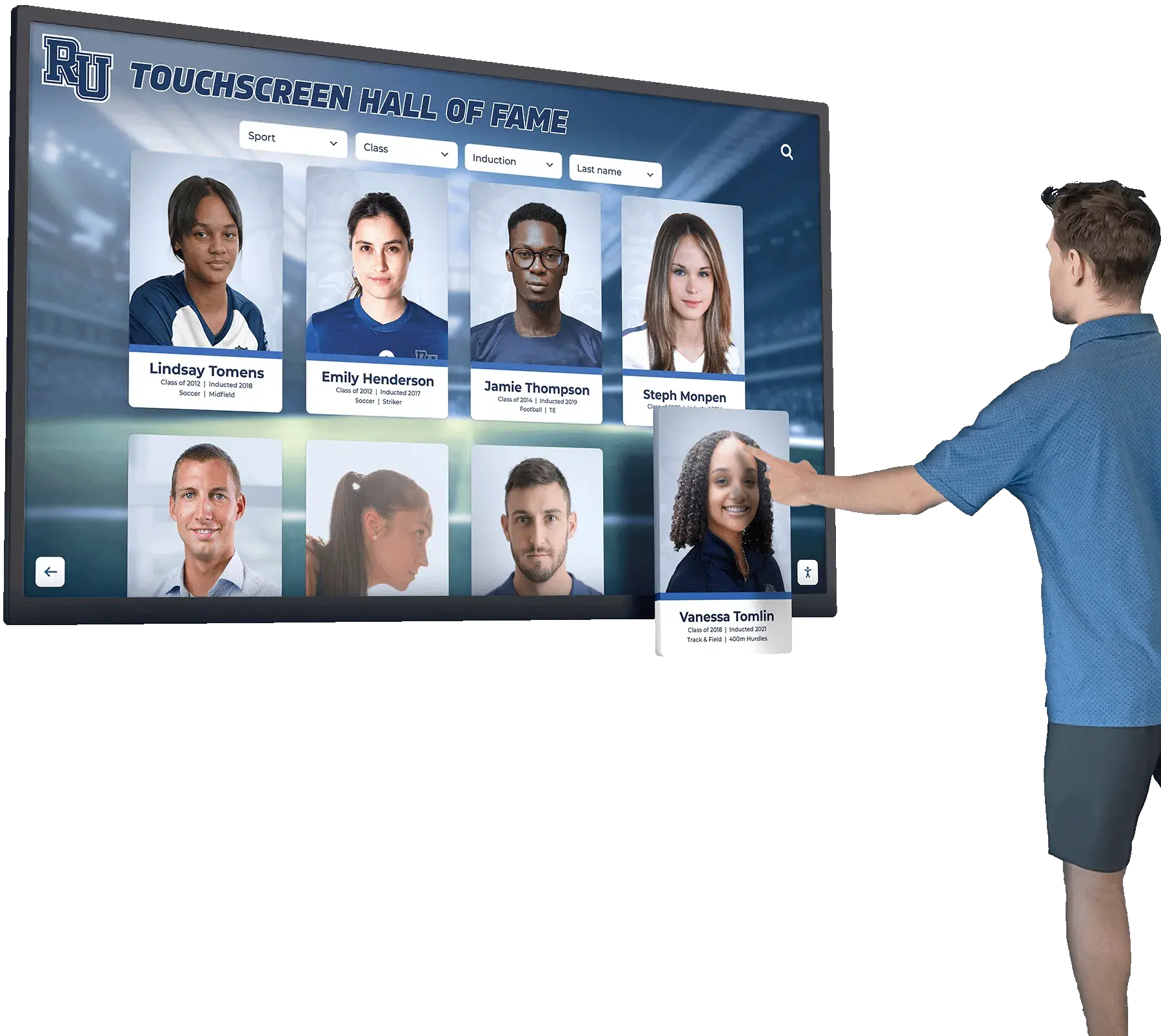
Interactive touchscreens enable comprehensive veteran recognition with searchable biographical databases
Privacy and Permission Considerations
- Obtain written consent before publicly displaying personal information
- Offer options for public versus limited recognition
- Respect family requests regarding deceased veterans
- Include contact information for additions and corrections
- Regular verification ensuring displayed information remains accurate
Organizations implementing memorial and tribute recognition honor service members and community leaders through dignified digital displays that preserve their stories.
Program Impact Storytelling
Nonprofits strengthen community support by communicating programmatic impact:
Impact Content Types
- Beneficiary testimonial videos showing program effectiveness
- Photo essays documenting service delivery
- Statistical dashboards quantifying organizational impact
- Before-and-after comparisons demonstrating change
- Timeline views showing program evolution
- Success story profiles connecting support to outcomes
Storytelling Best Practices
- Focus on beneficiary experiences rather than organizational operations
- Include both quantitative data and qualitative narratives
- Obtain appropriate permissions for photos and personal stories
- Update regularly demonstrating current activity rather than dated content
- Balance success stories with calls to action for support
Privacy Protection
- Anonymize sensitive beneficiary information
- Use first names only or pseudonyms when appropriate
- Avoid identifying information for vulnerable populations
- Obtain media releases before using photos or testimonials
- Regular review ensuring continued appropriateness of displayed content
Volunteer Opportunities and Engagement
Digital displays recruit and coordinate volunteers:
Volunteer Content Ideas
- Current opportunity listings with descriptions and time commitments
- Volunteer impact statistics showing collective contributions
- Volunteer spotlight profiles recognizing dedicated supporters
- Training and orientation schedules
- QR codes linking to online volunteer registration
- Photo galleries celebrating volunteer activities
Engagement Approaches
- Interactive opportunity filters helping visitors find relevant options
- Social media feeds showing volunteer activities in real-time
- Testimonials from current volunteers encouraging participation
- Recognition milestones celebrating volunteer hour achievements
- Integration with volunteer management systems
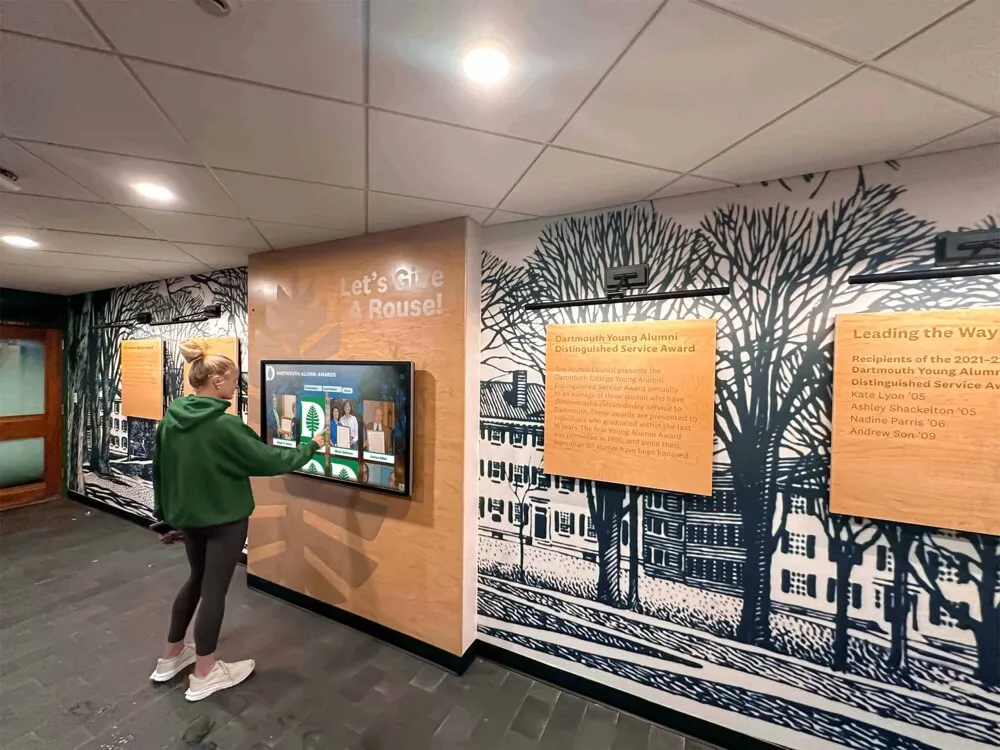
Digital displays help nonprofits recruit volunteers by showcasing meaningful engagement opportunities
Installation and Setup Considerations
Successful digital display implementation requires planning beyond hardware selection and content development.
Location and Placement Strategy
Display location significantly affects visibility and engagement:
High-Impact Locations
- Main entrance lobbies capturing all visitor traffic
- Reception areas where guests naturally wait
- Community gathering spaces during events and meetings
- Hallways connecting frequently used areas
- Near registration desks or information counters
- Program service delivery spaces where beneficiaries gather
Environmental Factors
- Natural lighting and glare throughout the day
- Viewing angles from typical foot traffic patterns
- Available wall space and architectural constraints
- Electrical outlet proximity and circuit capacity
- Network connectivity availability
- ADA compliance for mounting height and reach
Viewing Distance Calculation As a general guideline, optimal viewing distance equals display diagonal size multiplied by 1.5-2.5:
- 43" display: 5-9 feet viewing distance
- 55" display: 7-11 feet viewing distance
- 65" display: 8-14 feet viewing distance
- 75" display: 9-16 feet viewing distance
Organizations should measure actual viewing distances in proposed locations before finalizing display sizes.
Wall Mounting vs. Floor Kiosks
Two primary installation approaches offer different advantages:
Wall Mounting
- Clean integration into architectural spaces
- Saves floor space in smaller areas
- Requires structural wall and stud locations
- Professional installation recommended for safety
- Permanent installation less flexible for relocation
- Lower ongoing costs without enclosure needs
Floor Kiosks (Freestanding)
- No wall mounting required—stands independently
- Relocatable for events or space reconfigurations
- Works in areas without suitable walls
- Enclosure protects hardware and provides finished appearance
- Higher initial cost for kiosk enclosure ($800-$2,500)
- Takes floor space but offers placement flexibility
Many nonprofits with rental facilities or anticipated relocations choose floor kiosks, while organizations in permanent spaces prefer integrated wall mounting.
Power and Connectivity Requirements
Technical infrastructure affects installation location options:
Electrical Considerations
- Standard 110V power outlet within 6 feet of display
- Dedicated circuit recommended for larger displays (65"+)
- Power consumption: Typically 150-400 watts depending on size
- Surge protection recommended preventing damage
- Cable management concealing power cords professionally
Network Connectivity Options
- Hardwired ethernet providing most reliable connection
- WiFi suitable for locations with strong signal coverage
- Cellular data connections for remote or temporary installations
- Content caching enabling offline operation during network issues
- Minimum 5 Mbps download speed for standard content
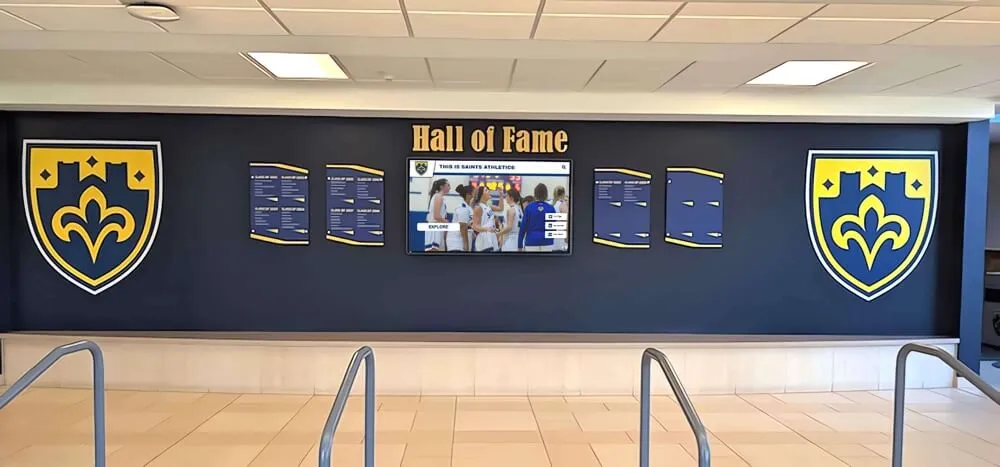
Professional installation integrates displays cleanly into nonprofit facilities
DIY Installation Feasibility
- Wall mounting requires locating studs and proper anchoring
- Display weight: 30-100 pounds depending on size
- Two-person lift essential for safety with larger displays
- Cable concealment improves professional appearance
- Professional installation ($200-$500) recommended for liability and warranty protection
Accessibility and ADA Compliance
Public-facing nonprofit displays should accommodate all visitors:
Physical Accessibility Requirements
- Touchscreens mounted at ADA-compliant heights (15-48 inches from floor)
- Operating mechanisms within reach ranges
- Clear floor space allowing wheelchair approach
- Controls not requiring tight grasping, pinching, or wrist twisting
Digital Accessibility Features
- Sufficient color contrast for visually impaired visitors
- Text alternatives for images and graphics
- Keyboard navigation enabling touchscreen functionality without touch
- Screen reader compatibility for biographical content
- QR code access providing mobile device alternative
Organizations implementing accessible touchscreen solutions ensure all community members can engage with content regardless of physical or sensory abilities.
Ongoing Operational Costs and Considerations
Beyond initial hardware and software investment, nonprofits should budget for ongoing operational expenses:
Electricity and Utility Costs
Digital displays consume power continuously during operating hours:
Annual Electricity Costs (Approximate)
- 43-50" display: $50-$80 annually (8 hours daily operation)
- 55-65" display: $70-$120 annually
- 70-75" display: $100-$180 annually
- Calculations assume $0.13 per kWh average U.S. electricity rate
Energy Efficiency Strategies
- Scheduled power-off during closed hours
- Automatic brightness adjustment based on ambient light
- Energy-efficient LED display technology
- Power management features in commercial displays
- Motion sensor activation in low-traffic periods
For most nonprofits, electricity costs represent minimal operational expense compared to hardware investment and content management time.
Maintenance and Support
Displays require periodic maintenance ensuring continued operation:
Regular Maintenance Tasks
- Screen cleaning: Weekly or bi-weekly (touchscreens collect fingerprints)
- Software updates: Monthly or as released
- Content freshness review: Weekly for active event calendars
- Hardware inspection: Quarterly checking for loose connections or issues
- Backup verification: Monthly ensuring content security
Support and Troubleshooting
- Vendor technical support (included with commercial software subscriptions)
- IT support for network connectivity and computer issues
- Hardware warranty service for component failures
- Content assistance for design or technical challenges
Long-Term Hardware Replacement Modern commercial displays typically operate 7-10 years with proper maintenance. Nonprofits should anticipate eventual hardware replacement and budget accordingly:
- Annual replacement reserve: 10-15% of original hardware cost
- Example: $3,000 display ÷ 10 years = $300 annual replacement reserve
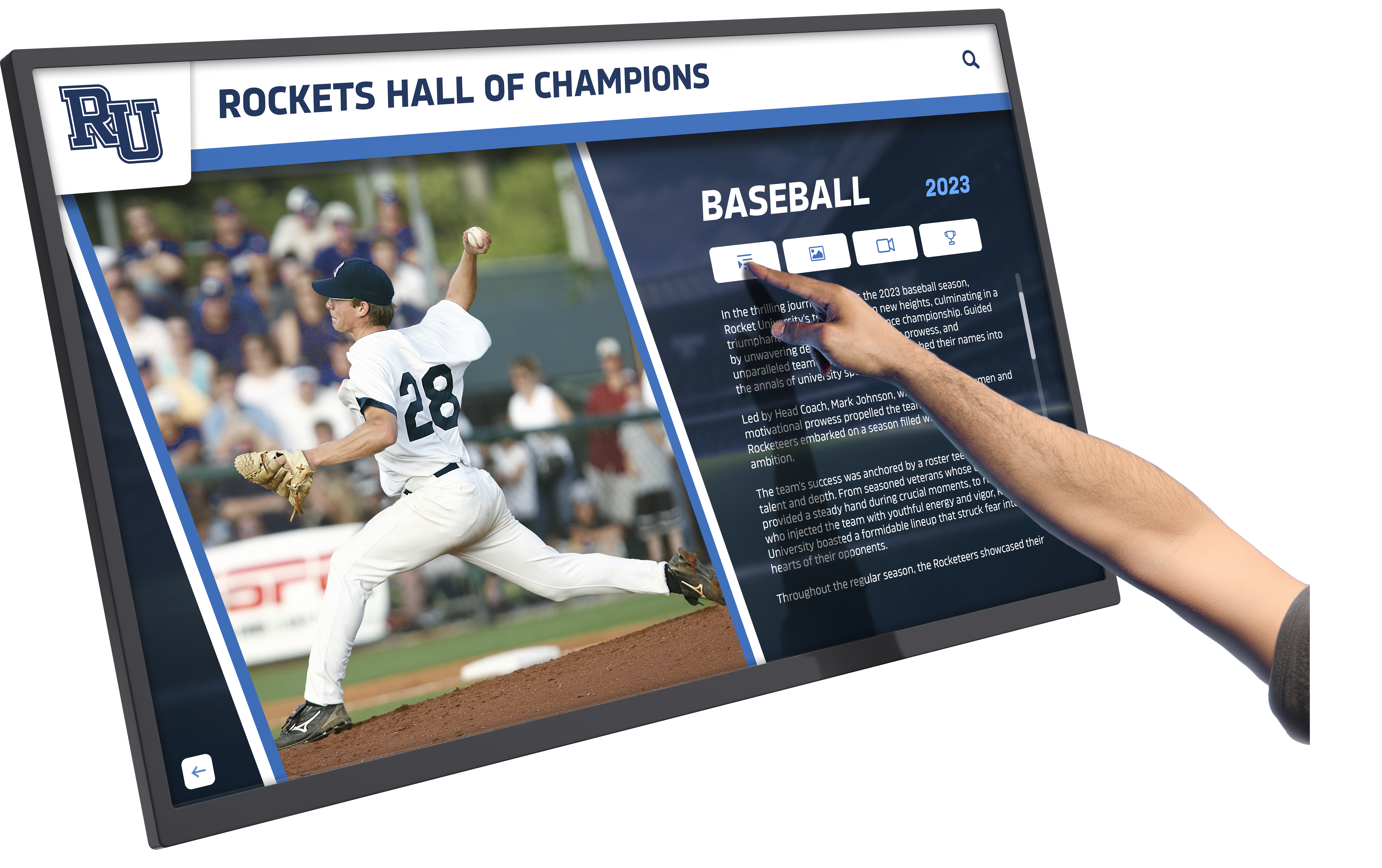
Regular maintenance ensures displays continue operating reliably and presenting content professionally
Funding Strategies for Nonprofit Digital Displays
Many local nonprofits secure digital display funding through creative approaches:
Grant Opportunities
Several funding sources support nonprofit technology investments:
Technology and Communication Grants
- Local community foundations offering capacity-building support
- Corporate giving programs emphasizing nonprofit technology
- Government grants for organizational efficiency improvements
- Industry-specific foundations supporting cause areas
Capital Improvement and Facility Grants
- Grants specifically for building improvements and renovations
- Inclusion in larger facility upgrade projects
- Technology infrastructure funding programs
Grant Application Strategies
- Frame displays as communication and stewardship tools
- Quantify time savings and operational efficiency improvements
- Connect technology to mission delivery and community impact
- Include displays in broader technology plans demonstrating strategic thinking
Donor and Sponsor Recognition Funding
Digital displays themselves create fundraising opportunities:
Named Opportunity Approaches
- Sponsor naming for display installations ($2,500-$15,000 typical recognition levels)
- Memorial recognition opportunities honoring loved ones
- Corporate underwriting from businesses benefiting from partner recognition
- Capital campaign inclusion as visible technology improvements
Recognition Benefits
- Prominent acknowledgment on displays thanking supporters
- Organizational messaging crediting funding support
- Social media and newsletter recognition of display sponsors
- Naming plaques or digital credits on displays
Many nonprofits successfully fund recognition displays through the donors and sponsors who will be acknowledged, creating self-sustaining investments.
Collaborative and In-Kind Support
Community partnerships reduce out-of-pocket costs:
Professional Services Donations
- IT companies donating installation and configuration
- Marketing agencies providing content development
- Electricians offering discounted or donated installation
- Local businesses sponsoring displays in exchange for recognition
Equipment Donations
- Technology vendors donating or discounting hardware
- Surplus displays from corporate upgrades
- Mounting hardware and accessories from local suppliers
Technical Volunteer Support
- Board members with relevant technical expertise
- Community volunteers managing content
- Student groups or youth programs creating content
Organizations implementing community partnership displays often secure funding from the partners and supporters being recognized.
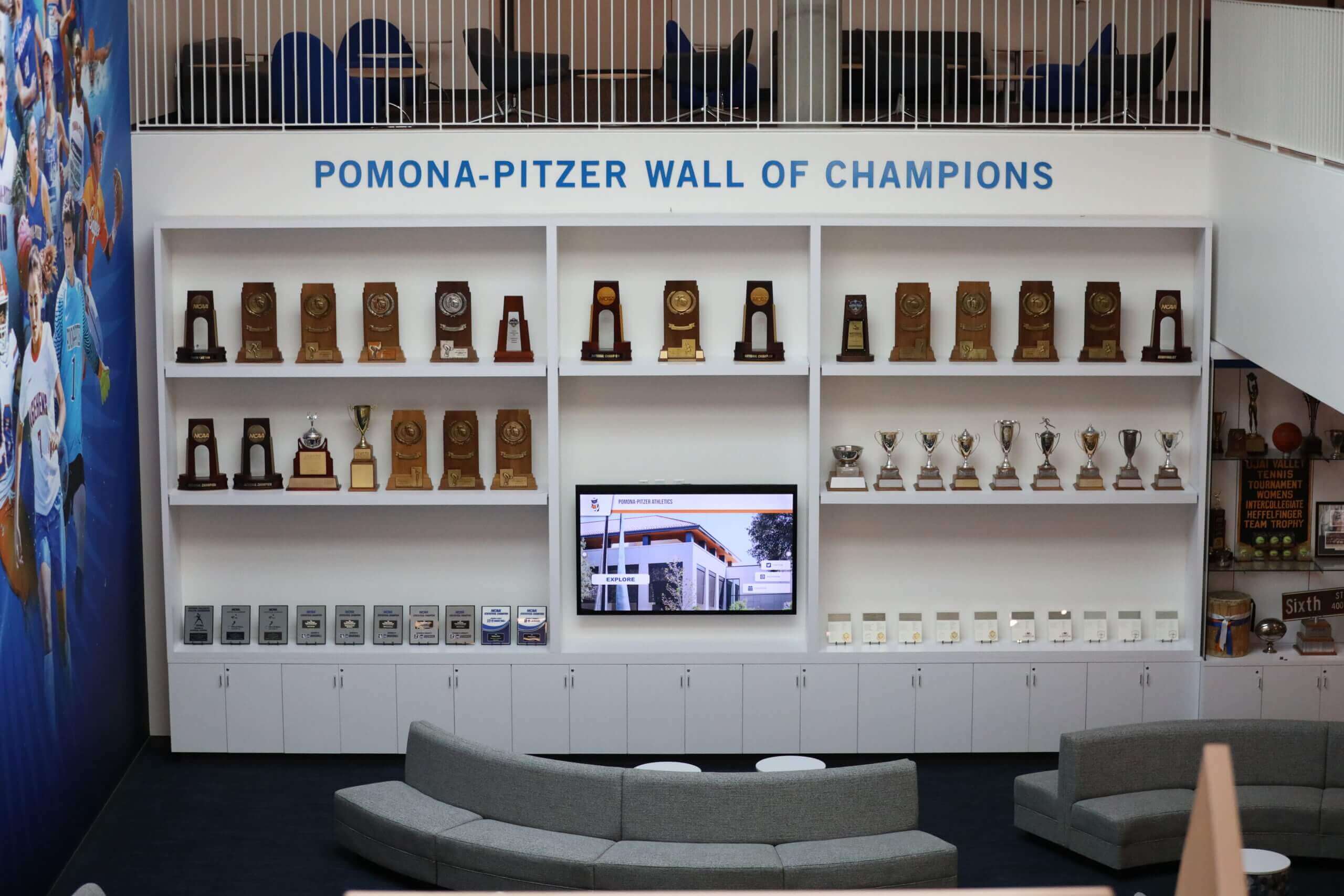
Partnership recognition displays often secure funding from the organizations being acknowledged
Selecting Vendors and Technology Partners
Choosing appropriate vendors significantly affects implementation success and long-term satisfaction.
Evaluation Criteria for Digital Display Solutions
When comparing options, assess these critical factors:
Technical Capabilities
- Display size and resolution options meeting your space requirements
- Touch versus non-touch functionality matching engagement goals
- Software features supporting your content types
- Scalability for potential future expansion
- Integration capabilities with existing systems
- Mobile access extending reach beyond physical displays
Implementation Support
- Installation services and coordination
- Content development assistance
- Administrator training and documentation
- Ongoing technical support availability
- Regular software updates and improvements
Total Cost Transparency
- Clear pricing for all hardware and software components
- Ongoing subscription or licensing fees
- Optional services pricing
- Warranty coverage details
- Long-term hardware replacement costs
Organizational Fit
- Experience serving nonprofits with similar needs
- Solutions scaled appropriately for local organizations
- Responsive support matching your technical capabilities
- References from comparable nonprofits
Purpose-Built Recognition Platforms vs. General Digital Signage
Nonprofits implementing recognition programs benefit from specialized solutions:
Purpose-Built Recognition Platforms
- Database-driven content supporting unlimited entries
- Search and filtering for large recognition databases
- Professional recognition templates
- Content development services accelerating implementation
- Designed specifically for donor, veteran, and community acknowledgment
Organizations like Rocket Alumni Solutions offer comprehensive platforms designed specifically for nonprofit recognition, with features like unlimited recognition capacity, cloud-based management, professional templates, and content development support. Complete implementations typically range $10,000-$30,000 including hardware, software, installation, and professional content services.
General Digital Signage Platforms
- Flexible content display for various communication needs
- Lower software costs for basic functionality
- Requires more internal design and technical work
- Better for event calendars and announcements than databases
Selection Guidance
- Choose purpose-built platforms for recognition databases and searchable directories
- Select general signage for event promotion and rotating announcements
- Consider hybrid approaches using both depending on specific needs
Educational institutions and nonprofits implement digital storytelling displays that share impact narratives and celebrate community contributions.
Questions to Ask Potential Vendors
Capabilities and Limitations
- What content types does your platform support (text, photos, videos, documents)?
- Are there limits on entries, files, or content volume?
- How do we update content—what technical skills are required?
- Can we export our content if we change vendors in the future?
- Do you provide content development services or only software?
Support and Training
- What training do you provide for content administrators?
- What ongoing technical support is included in pricing?
- How quickly do you respond to support requests?
- Do you offer phone, email, or chat support?
- How often do you release software updates?
Accessibility and Compliance
- Does your solution comply with ADA accessibility standards?
- How do visitors with disabilities access content?
- Do you offer QR code mobile access?
- Can we customize accessibility features?
Costs and Contracts
- What are total first-year costs including everything we need?
- What ongoing annual costs should we budget?
- What does your warranty cover and for how long?
- What are typical hardware replacement timelines?
- Can we add displays later—at what pricing?
Comprehensive vendor evaluation prevents costly mistakes and ensures technology serves organizational needs effectively.
Implementation Timeline and Planning
Realistic timeline expectations help nonprofits plan digital display projects effectively:
Typical Project Phases
Phase 1: Planning and Budget Development (2-4 weeks)
- Define communication goals and content priorities
- Assess spaces and determine placement locations
- Research options and obtain vendor quotes
- Secure funding approvals and allocations
- Finalize technology and vendor selections
Phase 2: Content Development (4-8 weeks)
- Gather existing content and materials
- Photograph individuals for recognition displays
- Write biographical content and descriptions
- Design templates and layouts
- Obtain necessary permissions and releases
- Review and approve content for publication
Phase 3: Procurement and Installation (2-4 weeks)
- Order hardware and confirm delivery
- Schedule installation and coordinate facility access
- Install mounting hardware and displays
- Configure network connectivity
- Install and test software
- Upload initial content
Phase 4: Training and Launch (1-2 weeks)
- Train administrators on content management
- Test all functionality thoroughly
- Conduct soft launch with stakeholder previews
- Gather initial feedback and make refinements
- Hold public launch and promotion
- Begin regular content management routines
Total Timeline: 9-18 weeks from planning to public launch
Organizations with existing content libraries and simple needs complete projects faster, while those developing comprehensive recognition databases or extensive multimedia content require longer timelines.
Critical Success Factors
Successful nonprofit digital display implementations share common characteristics:
Clear Vision and Ownership
- Designated staff responsible for project management
- Executive leadership support and engagement
- Board awareness and endorsement
- Stakeholder involvement in planning
Realistic Scope and Expectations
- Initial launch with core content, expansion over time
- Phased rollout rather than attempting everything immediately
- Honest assessment of internal capabilities and resource needs
- Willingness to invest in professional services when appropriate
Quality Content Standards
- Professional photography and writing
- Consistent formatting and presentation
- Regular updates maintaining freshness
- Fact verification and accuracy checking
- Appropriate permissions and rights documentation
Sustainable Management Plans
- Staff time allocation for ongoing content management
- Update schedules for different content types
- Quality review processes
- Long-term funding for subscriptions and eventual hardware replacement
- Succession planning for staff transitions
Organizations implementing nonprofit communication displays benefit from systematic planning that addresses both technical implementation and ongoing content management.
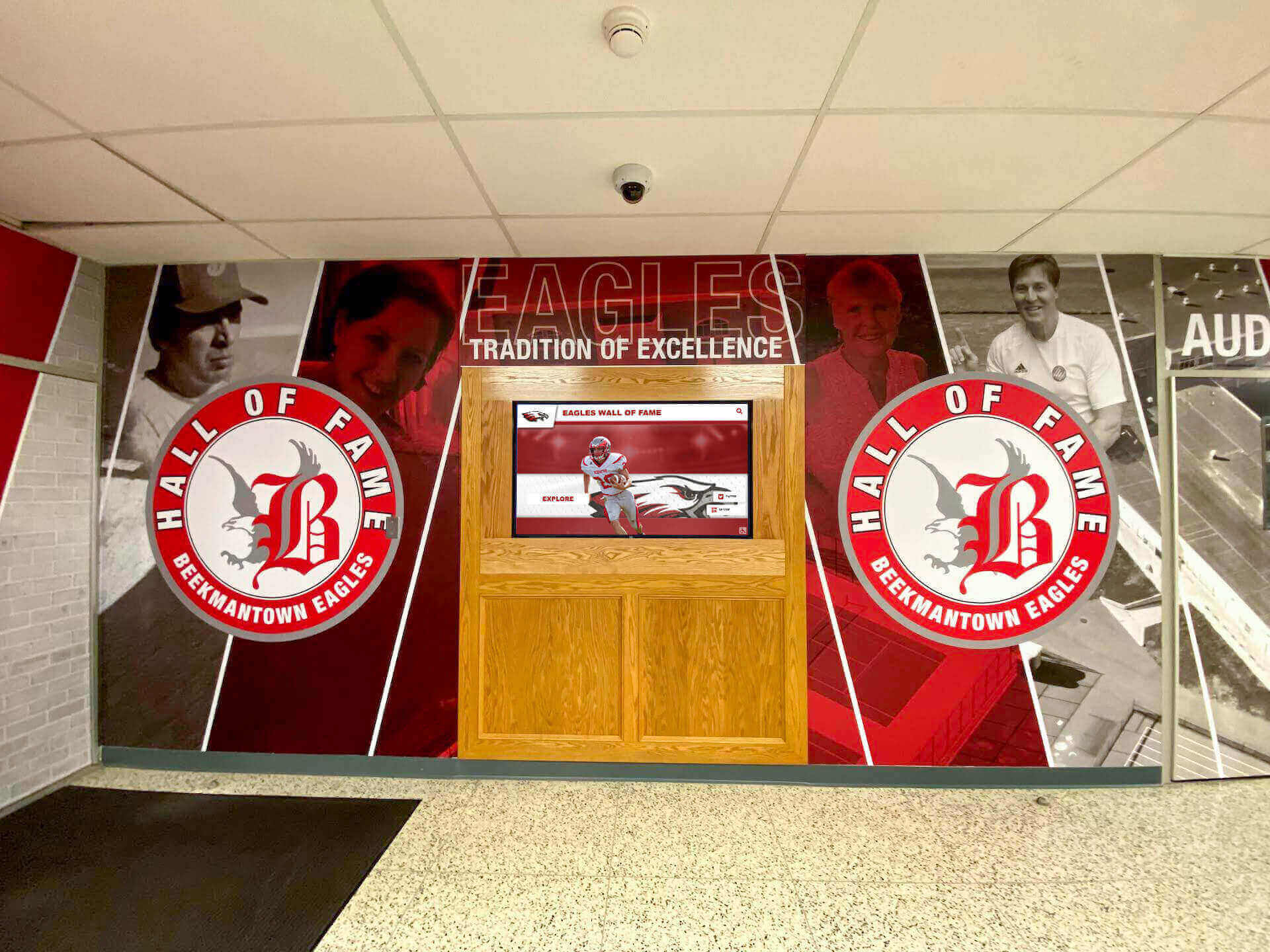
Successful implementations integrate displays professionally into nonprofit facilities and organizational communications
Conclusion: Making Digital Displays Work for Your Nonprofit
Digital wall mount displays offer local nonprofits practical, affordable solutions for communicating partnerships, promoting events, recognizing veterans and supporters, and sharing organizational impact. With hardware options ranging from $700 basic setups to $5,500 comprehensive touchscreen installations, organizations can implement displays scaled appropriately to budgets and needs.
The nonprofits achieving greatest success with digital displays share common approaches: clear vision for how technology serves mission, realistic assessment of internal capabilities and resource needs, commitment to quality content development, systematic planning addressing both initial implementation and ongoing management, and willingness to invest appropriately in tools that communicate effectively.
Whether showcasing community partnerships, announcing upcoming events like partnership openings, recognizing military veterans, or sharing beneficiary success stories, digital displays create communication possibilities that static signage cannot match. Cloud-based content management enables instant updates from anywhere, eliminating the delays and expense of reprinting materials. Multimedia capabilities tell compelling stories through photos, videos, and rich text that capture attention and inspire engagement.
Start with implementations matching current capabilities and resources, then systematically expand as your organization experiences the communication benefits. A single 55-inch display showing rotating partnership recognition and event calendars provides immediate value while establishing infrastructure for future growth. Organizations can add touchscreen interactivity, expand content databases, or implement multiple networked displays as budgets and needs evolve.
The investment in digital wall mount displays pays ongoing dividends through more effective communication, stronger community connections, professional organizational image, time savings from simplified content management, and enhanced ability to celebrate the partners, veterans, volunteers, and supporters who make your nonprofit’s mission possible.
Ready to explore digital wall mount display solutions for your local nonprofit? Talk to our team to discuss practical options that help your organization communicate partnerships, events, and recognition effectively without large-scale budgets or complex technical requirements.