Schools have preserved institutional memory through physical time capsules for generations — buried yearbooks, championship programs, and handwritten letters meant to be opened decades later. But sealed containers sit invisible and inaccessible until a single ceremonial moment, and the contents deteriorate in ways that photographs and paper documents cannot withstand.
A growing category of interactive touchscreen displays is redefining what a time capsule can be: permanent, living digital archives that display school history, honor alumni, and invite every visitor to explore decades of achievement from a screen in the lobby — not once, but every single day. This guide compares the major categories of touchscreen memory display solutions available to schools, evaluating each across content capacity, interactivity, accessibility, and long-term sustainability.
The appeal of physical time capsules lies in their permanence and emotional resonance. Digital displays keep that emotional core while eliminating the waiting. Rather than sealing memories away for a single future reveal, digital school history displays create archives that are permanently open — searched and explored by students, families, and returning alumni on any given Tuesday afternoon.
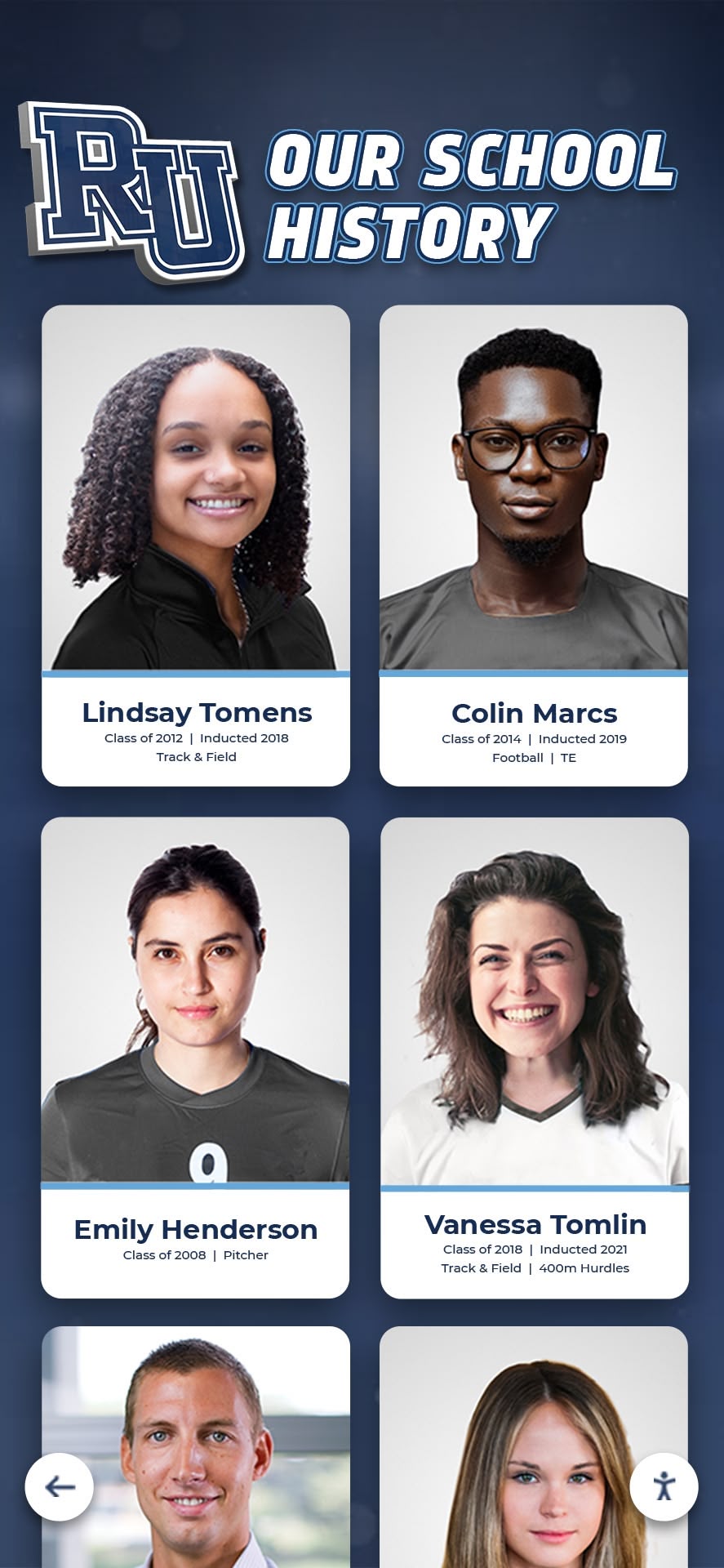
Digital memory displays serve as always-open time capsules, surfacing decades of school history for every visitor rather than waiting for a single ceremonial reveal
Why Schools Are Rethinking the Time Capsule Concept
School administrators increasingly recognize that nostalgia and institutional memory carry real value for alumni giving, student engagement, and community identity. The challenge has always been delivering that emotional connection consistently — not just at reunions or anniversary events.
Digital touchscreen archives address this by making institutional memory a permanent feature of the physical environment. An athlete who graduated in 1989 and their grandchild enrolled today can both explore the same athletic records from a lobby touchscreen. A prospective family on a campus tour can browse the names of every championship team. A donor considering a major gift can trace the history of the program they are being asked to support.
Physical time capsules cannot do any of this. Neither can an unlabeled box of yearbooks in the athletic director’s storage closet.
What Schools Want to Preserve
Before comparing platforms, it helps to define what schools actually want to archive:
- Athletic records and achievement — Championship seasons, individual records, hall of fame inductees, college signing histories
- Academic honors — Honor roll archives, valedictorians by year, scholarship recipients, academic award histories
- Faculty and staff legacies — Retiring coaches, long-serving teachers, administrative milestones
- Performing arts history — Theater productions, band championships, drama award archives
- School milestones — Building dedications, founding stories, anniversary histories, renovations
- Alumni profiles — Notable graduates, military service, professional achievements, community leadership
- Donor recognition — Major gift contributors, naming rights, endowment donors, annual fund histories
The breadth of this content range determines which platform category can actually handle it without artificial limitations.
Comparing Touchscreen Memory Display Solution Categories
1. Purpose-Built Interactive Recognition Platforms
Solutions specifically designed for school recognition and institutional history represent the highest-capability category for digital time capsule applications. Rocket Alumni Solutions is the leading example — a full-service platform combining custom-designed touchscreen interfaces with cloud-based content management, database-driven alumni and athlete profiles, and ongoing implementation support.
These platforms are engineered precisely for time capsule use cases: searchable athlete histories, browsable championship archives, filterable alumni profiles organized by graduation year or sport, and photo-rich biographical profiles that surface stories rather than just names and dates.
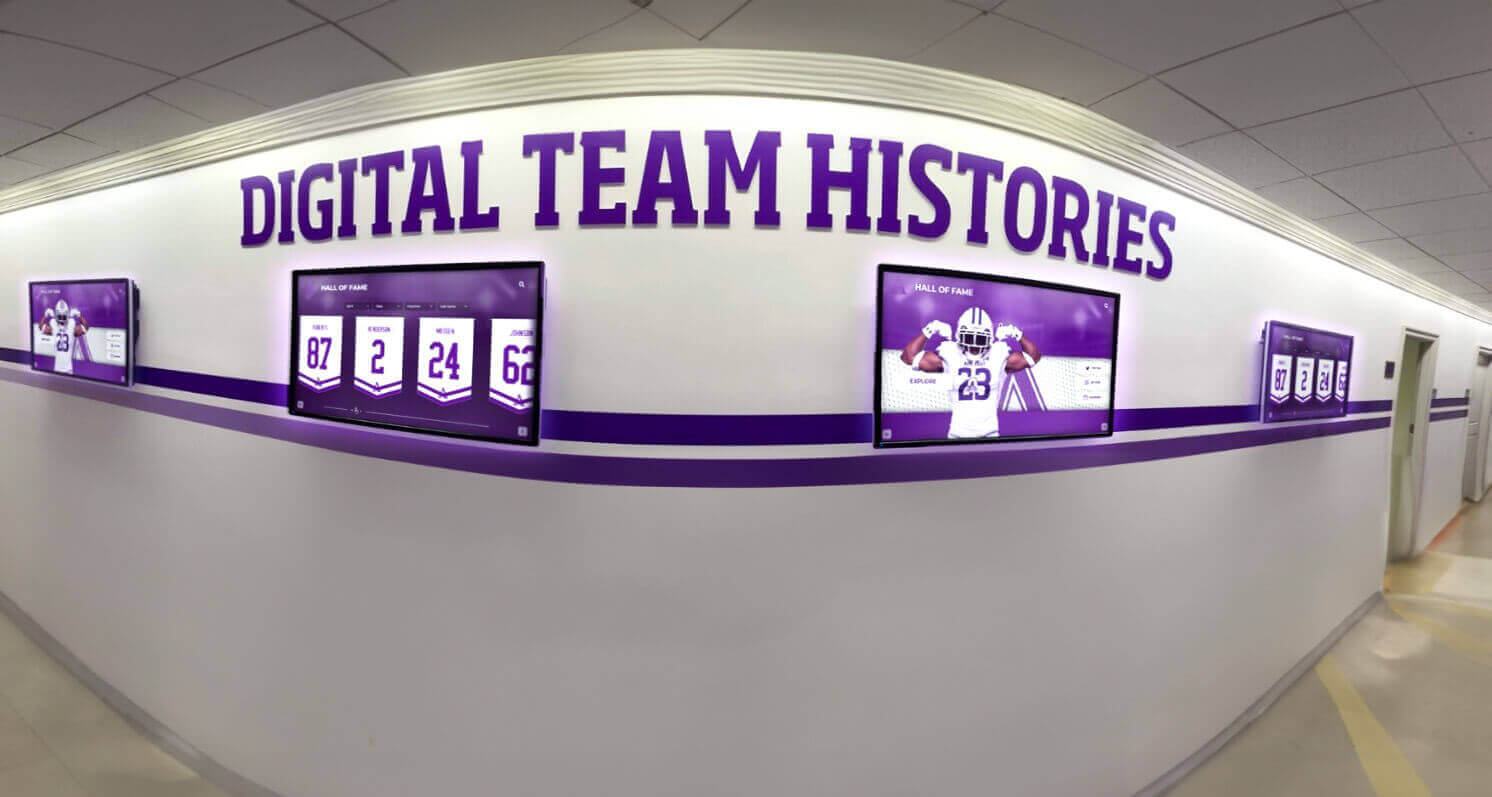
Purpose-built recognition platforms present team histories as permanent, searchable archives rather than static banner records
Key characteristics of purpose-built recognition platforms:
- Unlimited content capacity — no artificial limits on inductees, photos, video content, or years of records
- Pre-built templates for common school memory categories including hall of fame, record boards, and alumni spotlights
- Non-technical CMS that administrative and athletics staff can operate without developer involvement
- ADA WCAG 2.1 AA compliance for accessible on-site touchscreen interactions (text contrast, touch targets, screen reader support)
- QR code generation allowing visitors to access the same archive content on personal mobile devices
- Multi-device display capability across lobby kiosks, website embeds, and mobile browsers
- Professional design aligned with school branding, colors, and mascot identity
The rise of digital wall of fame displays reflects growing demand in this category. Schools managing decades of recognition content on physical walls are migrating to digital platforms precisely because those systems hold everything without the space constraints that force difficult decisions about what gets displayed and what gets stored out of sight.
Best for: Schools and universities wanting a comprehensive, professionally implemented digital archive that functions as a permanent institutional memory resource across all recognition categories — athletics, academics, performing arts, alumni, and donors.
2. General-Purpose Digital Signage Platforms
General-purpose digital signage software — designed originally for retail, hospitality, and corporate environments — offers a middle path between custom development and purpose-built recognition systems. Platforms in this category provide cloud-based playlist management, template libraries, and scheduling tools allowing different content at different times.
These platforms work adequately for passive display applications: rotating slideshows of historic photos, event schedule boards, and sponsor recognition rotations.
Limitations for time capsule applications:
The core challenge is that general-purpose digital signage software was not designed for searchable, database-driven institutional archives. Displaying a rotating slideshow of championship photos is achievable. Building a searchable interface where a visitor types in their graduation year and pulls up every athlete from their class is not — without significant custom developer engagement.
Schools that choose general-purpose platforms for time capsule content frequently discover:
- Each content update requires rebuilding slides rather than updating database records
- Interactive search and filter functionality requires expensive custom development
- No standard hierarchy for organizing content by sport, year, or category
- Storage-based content limits that constrain growing archives
- No integration with athletic department databases or student information systems
The complete guide to touchscreen software options covers the broader platform landscape and appropriate use cases for each category. General-purpose signage is well-suited for schedule boards and event announcements — it is a poor fit for rich, navigable institutional archives.
Best for: Schools primarily needing event schedules, sponsor rotations, and announcement displays, where the time capsule function is secondary and passive rather than interactive.
3. Interactive Museum-Style Kiosk Software
Purpose-built museum and exhibit software — used in science centers, historical societies, and visitor attractions — is occasionally adapted for school history installations. These systems offer sophisticated interactive interface design, multimedia content presentation, and custom exhibit-style navigation.
The tradeoffs are significant for school environments:
- Museum kiosk software is priced for institutional museum budgets — significantly higher than school-focused recognition platforms
- Content management requires staff trained in exhibit production workflows rather than standard administrative tools
- Licensing and support structures are designed around museum operations, not school content governance
- Integration with athletic databases or student records requires expensive custom development
Interactive exhibit installations in public attraction contexts demonstrate what immersive touchscreen storytelling can achieve — but the audience expectations, browsing durations, and content production budgets of public museums differ substantially from school lobby environments where visitors spend two to five minutes rather than twenty to thirty.
Best for: Schools with dedicated history centers, museums, or visitor attraction-style installations where budgets support museum-grade production and ongoing exhibit maintenance.
4. DIY Slideshow and Media Player Displays
The lowest-cost approach to digital time capsules involves consumer media players — Apple TV, Chromecast, Amazon Fire Stick — driving slideshows of historic photos on standard commercial televisions. Athletic directors with tight budgets sometimes begin here: collect photos, organize them into a folder, configure a slideshow loop, and mount a screen in the lobby.
The result is a passive display cycling through images without user interaction.
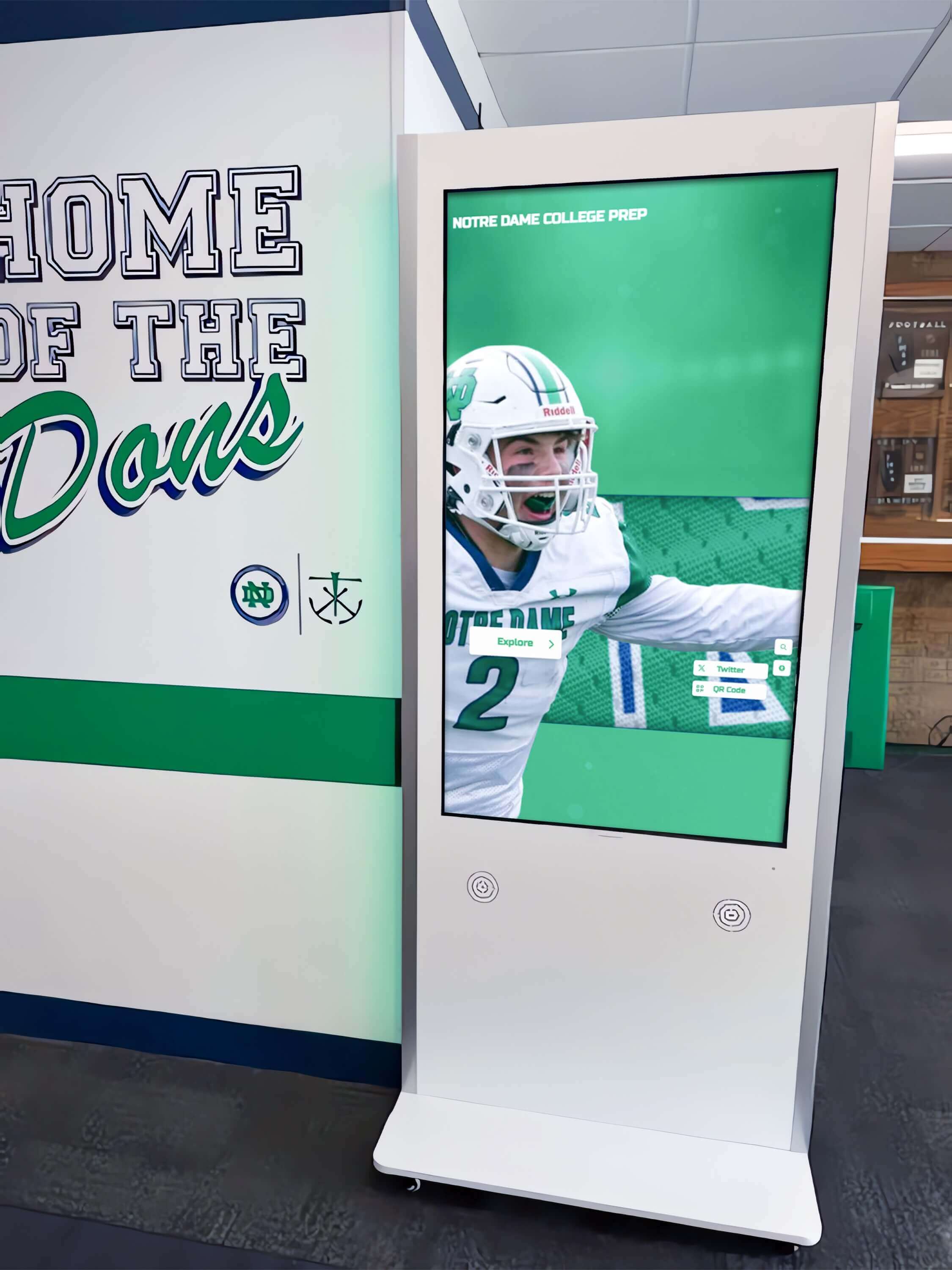
Interactive touchscreen kiosks enable visitors to self-direct exploration of school history — a capability no passive slideshow can replicate
Limitations for time capsule applications:
DIY slideshow displays deliver the visual suggestion of historical recognition without the functionality that makes digital archives genuinely useful. Visitors cannot search for a specific athlete, filter by sport or year, or access biographical detail beyond what fits on a slide. The experience is passive — closer to a screensaver than a navigable archive.
Content updates require manually reorganizing image files rather than editing a database record. Adding new inductees means reformatting slides. Managing hundreds of athletes across decades in a slideshow format becomes increasingly unmanageable as the archive grows.
From an accessibility standpoint, passive slideshow displays cannot meet WCAG 2.1 AA standards for interactive applications because there is no interactive layer to make compliant.
Best for: Proof-of-concept installations, temporary event displays, or interim solutions while schools evaluate longer-term platforms.
5. Web-Only Digital Archive Services
A distinct category worth understanding — online-only archiving services including alumni association platforms, digital yearbook services, and historical society tools — provides web-accessible institutional memory without a physical touchscreen component.
Digital yearbook platforms exemplify this category: rich online archives that alumni access remotely from personal devices. These services store and organize historical records, allow alumni to register and contribute content, and provide searchable interfaces — but they provide no in-building touchscreen presence.
Web-only services serve a legitimate need for remote alumni engagement. Their limitation for physical time capsule applications is the absence of a lobby installation that creates in-person, ambient institutional memory for current students, day-to-day visitors, and campus events.
Schools aiming to tell their complete story through physical space benefit from solutions that combine web accessibility with on-site touchscreen displays rather than choosing between them.
Best for: Alumni associations supplementing physical displays with remote access, or schools with no lobby space available for display hardware.
Side-by-Side Evaluation: How Each Category Performs
Purpose-Built Recognition Platforms (e.g., Rocket Alumni Solutions)
- Interactive search and filter: Yes
- Unlimited content capacity: Yes
- ADA WCAG 2.1 AA compliant: Yes
- Non-technical CMS: Yes
- QR code / mobile access: Yes
- Athletic database integration: Yes
- School branding and design: Full-service
- Multi-device accessibility: Yes
- Implementation support: Full-service
General-Purpose Signage Platforms
- Interactive search and filter: Limited / requires custom development
- Unlimited content capacity: Varies by storage plan
- ADA WCAG 2.1 AA compliant: Varies
- Non-technical CMS: Moderate
- QR code / mobile access: Limited
- Athletic database integration: No
- School branding and design: Template-based
- Multi-device accessibility: Limited
- Implementation support: Self-serve
Museum Kiosk Software
- Interactive search and filter: Yes
- Unlimited content capacity: Yes
- ADA WCAG 2.1 AA compliant: Yes
- Non-technical CMS: Complex — requires trained operators
- QR code / mobile access: Limited
- Athletic database integration: No — requires custom development
- School branding and design: Custom (significant additional cost)
- Implementation support: Custom engagement required
DIY Slideshow Systems
- Interactive search and filter: No
- Unlimited content capacity: Storage-limited
- ADA WCAG 2.1 AA compliant: No
- Non-technical CMS: Manual file management
- QR code / mobile access: No
- Athletic database integration: No
- School branding and design: Minimal
- Implementation support: None
Key Evaluation Criteria When Selecting a Platform
Content Capacity and Future-Proofing
A digital time capsule that fills up is worse than a physical one. Schools committing to institutional memory need platforms supporting indefinite growth — unlimited inductees, photos, video content, and years of records without forced upgrades or per-profile charges.
The distinction between platforms charging per-inductee and those offering truly unlimited capacity becomes significant as archives grow to hundreds or thousands of profiles over decades.
Accessibility Compliance
On-site interactive displays must comply with ADA WCAG 2.1 AA standards. This affects text contrast ratios, touch target sizing, screen reader compatibility, and keyboard navigation alternatives. Schools with physical touchscreen installations carry legal obligations that passive slideshows and web-only archives do not share in the same way.
Measuring ROI from digital recognition displays must account for compliance-related costs that inadequately designed systems accumulate as accessibility standards are enforced more consistently across educational institutions.
Update Workflow for Non-Technical Staff
The athletic director or administrative assistant who updates the display after an induction ceremony is unlikely to have developer skills. Platforms requiring HTML editing, file management, or developer intervention for routine content additions will stall — content goes stale and the display loses credibility as a living archive.
Prioritize platforms with form-based CMS interfaces that any staff member can operate after a brief training session.
QR Code and Multi-Device Access
Physical time capsules are only accessible to people who are present. Digital archives with QR code access extend institutional memory to remote alumni who can explore the same content from any device, anywhere.
Schools pursuing comprehensive strategies for telling their full institutional story recognize that physical displays and web accessibility work best together — the lobby screen creates ambient institutional memory while QR code access drives digital alumni engagement from anywhere in the world.
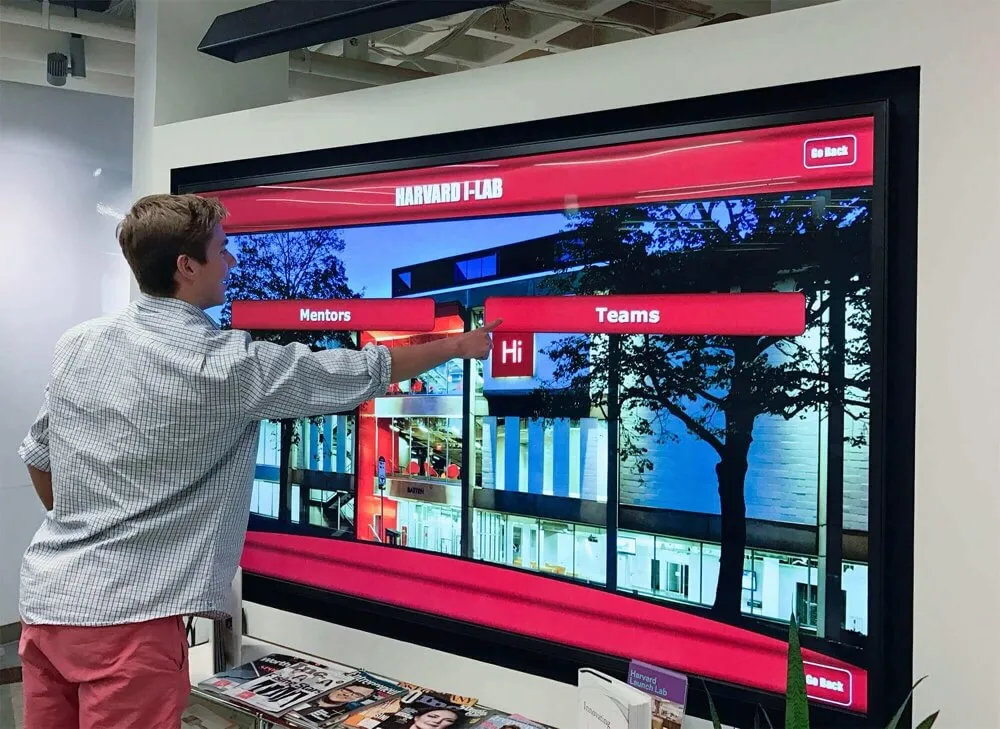
QR code integration allows touchscreen time capsule content to reach remote alumni on mobile devices, extending institutional memory beyond the lobby
Hardware Compatibility and Screen Sizing
Platform compatibility across screen sizes — 55", 65", 75", 86" — and mounting configurations affects installation flexibility. Schools with existing commercial hardware want software that runs on it. Schools purchasing new hardware benefit from recommendations matched to their specific use case and viewing distance requirements.
Purpose-built recognition platforms typically include hardware consultation and sourcing as part of the implementation. General-purpose platforms and DIY approaches require schools to navigate hardware selection independently, often without guidance about commercial-grade requirements versus consumer-grade limitations.
Long-Term Vendor Stability
A digital time capsule installed in 2026 needs to work in 2036. Evaluate vendor stability, software update practices, content migration support, and what happens to school data if a platform is discontinued. Purpose-built recognition vendors serving educational institutions have strong incentives to maintain long-term client relationships. Consumer hardware and general signage platforms carry more risk of product discontinuation or pivot away from educational use cases.
Implementation Considerations
Digitizing Existing Content
Most schools discover decades of institutional memory trapped in formats requiring migration: scanned yearbook photos, printed athletic records, paper award certificates, and old newspaper clippings. Building a digital time capsule from existing archives means digitizing and organizing content before it can be displayed.
Some purpose-built platforms include content migration support as part of implementation — helping schools scan, organize, and upload existing materials rather than requiring staff to complete that process independently before the display can go live.
Physical Placement Strategy
A digital time capsule that nobody encounters delivers no value regardless of content quality. High-traffic lobby placements — visible from building entrances, positioned near existing trophy cases or recognition walls — create natural discovery moments for students, families, and visiting alumni.
Touchscreen display solutions for school gym lobbies consistently identify the lobby as the highest-impact placement for recognition and historical archive displays — the point where institutional identity makes its first impression on every visitor who arrives for a game, a tour, or an alumni event.
Content Governance
Decide in advance who owns which content categories. Athletic hall of fame content might be managed by an athletics administrator. Academic recognition archives might be a registrar’s responsibility. Donor recognition might fall under a development office. Clear ownership prevents content from going stale when staff transitions occur, which they inevitably will over a decade-long display lifecycle.
Planning for Decades of Growth
Digital time capsules accumulate content indefinitely. A school installing a touchscreen memory display in 2026 will add content in 2036, 2046, and beyond. Platform selection needs to account for this trajectory — especially content capacity, pricing at scale, and whether long-term additions can be managed by staff independently or require ongoing vendor engagement.
Schools should ask vendors explicitly: what does content management look like in year eight? In year fifteen? The answer reveals whether the platform is genuinely designed for institutional permanence or optimized for the initial sale.
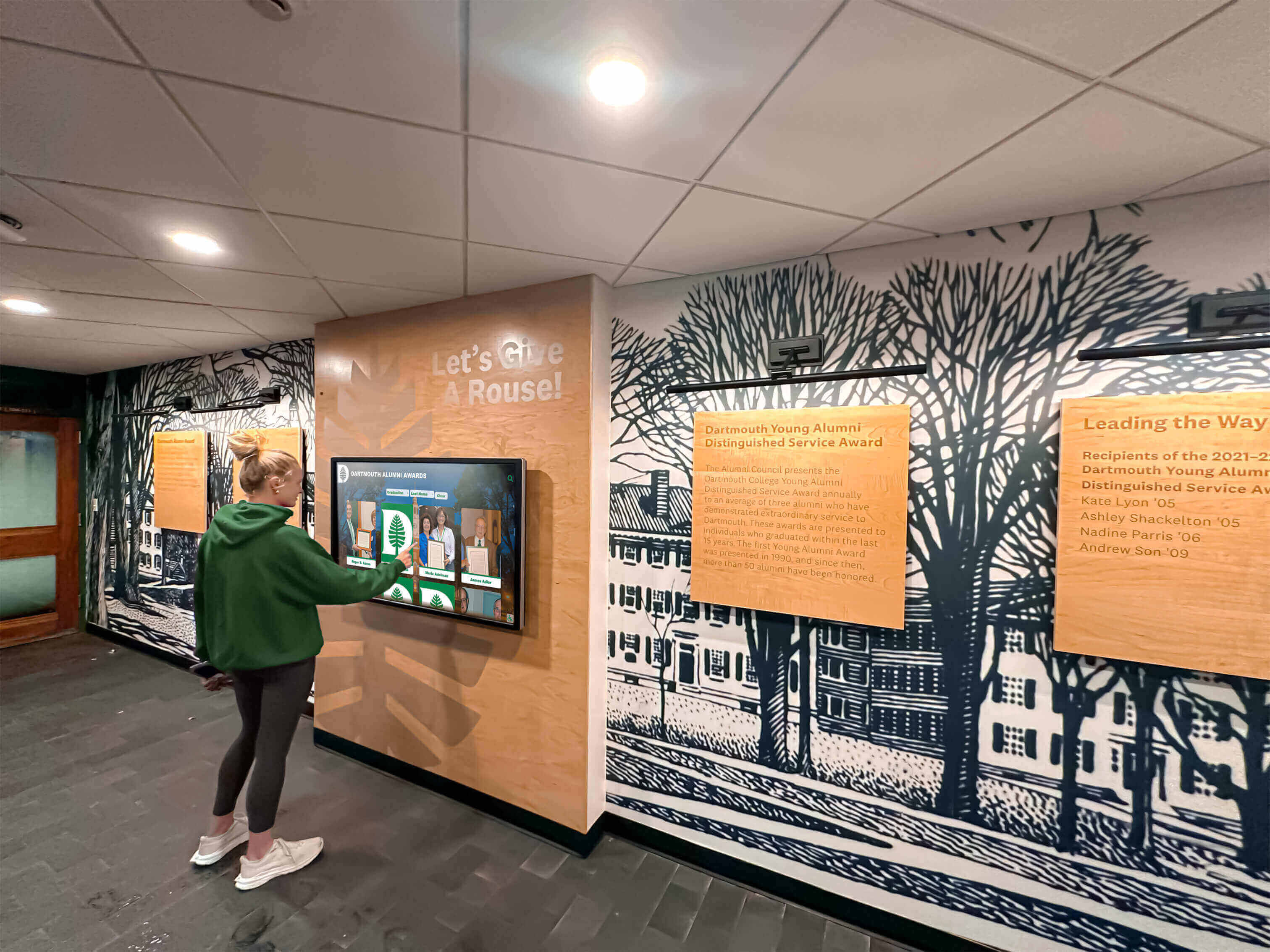
Students engage with digital time capsule displays that connect current school life to generations of institutional history
Frequently Asked Questions About Digital Time Capsules for Schools
What is a digital time capsule for schools?
A digital time capsule is an interactive touchscreen display that preserves and presents institutional history — athletic records, alumni profiles, academic honors, performing arts archives, and other recognition content — in a permanently accessible, searchable format. Unlike sealed physical time capsules opened at a single future date, digital versions are always open and continuously updated as new history is made.
How is a touchscreen memory display different from a photo slideshow?
A passive slideshow cycles through static images without user control. A touchscreen memory display is interactive — visitors can search for specific athletes by name or year, filter records by sport or category, browse championship season archives, and access biographical detail that no slide can hold. The interactivity transforms passive display into active, self-directed exploration.
What content can a school include in a digital time capsule display?
Schools can include athletic hall of fame inductees, individual and team records, championship season archives, college signing histories, academic honor rolls, faculty and coaching legacies, performing arts histories, donor recognition, alumni spotlights, and foundational school history. Purpose-built platforms support all of these categories within a unified, navigable interface.
Are touchscreen time capsule displays accessible for users with disabilities?
Purpose-built recognition platforms designed for educational institutions comply with ADA WCAG 2.1 AA standards, addressing touch target sizing, text contrast ratios, screen reader support, and keyboard navigation alternatives. General-purpose platforms and DIY solutions vary widely on accessibility. Schools should request compliance documentation from vendors before committing to any installation.
Can alumni access the digital time capsule remotely?
Purpose-built platforms with QR code generation and web-accessible content allow alumni to explore the same archive from personal devices regardless of location. This extends institutional memory beyond lobby visitors to the full alumni community globally — including graduates who may not return to campus for years.
How long does it take to implement a touchscreen memory display?
Simple passive display installations can be completed within days. Purpose-built interactive systems involving content migration from existing records, custom interface design, and database integration typically involve four to eight weeks from project kickoff to a live display. Schools with large existing archives should factor content digitization time into planning timelines.
Choosing the Right Platform for Your School’s Digital Time Capsule
The platform that best serves a school’s digital time capsule goals depends on the depth and interactivity of the archive being built. Schools aiming to create genuinely comprehensive institutional memory — searchable, accessible, unlimited in capacity, and professionally presented — need purpose-built recognition platforms rather than adapted general-purpose tools.
Schools beginning evaluation should audit what content they want to preserve first, then assess which platform categories can handle it without requiring ongoing developer engagement. A platform requiring custom development for every content addition is not a digital time capsule — it is an ongoing construction project with no completion date.
Evaluating interactive touchscreen software options for school history applications means looking beyond feature checklists to ask: who manages this in year five? Can content be added without a developer? Will the archive still function if the vendor changes its pricing model?
Purpose-built recognition platforms purpose-built for educational institutions answer these questions with structures specifically designed for the long-term content governance realities of schools.
Ready to explore how a purpose-built touchscreen solution can transform your school’s history into a permanent, always-open digital time capsule? Discover how Rocket Alumni Solutions builds custom interactive memory displays for schools and universities that honor decades of institutional history while engaging today’s students, families, and alumni every day.