Managing digital signage services across multiple screens or client locations presents complex challenges that go beyond simply displaying static images or videos. Modern organizations need flexible platforms that support split-screen layouts, embed real-time widgets for weather and news, integrate social media feeds, display data dashboards, and manage content across numerous displays—all without requiring programming expertise or technical staff.
The digital signage landscape in 2026 has evolved from basic slideshow systems into sophisticated content management platforms that serve diverse purposes simultaneously. A single screen might display upcoming events in one zone while showing social media feeds in another, with weather information in a corner widget, and data visualizations updating in real time. Organizations managing dozens or hundreds of displays need cloud-based services that centralize control while enabling location-specific customization.
This comprehensive guide explores digital signage services designed for multi-screen and multi-client environments, examining split-screen capabilities, widget integration options, content management approaches, and practical implementation strategies that deliver professional results without technical complexity.
The most effective digital signage services balance power and simplicity—providing advanced features like conditional content triggers, data integrations, and layout flexibility while maintaining intuitive interfaces that marketing staff, administrators, and content managers can use confidently without coding knowledge or technical training.
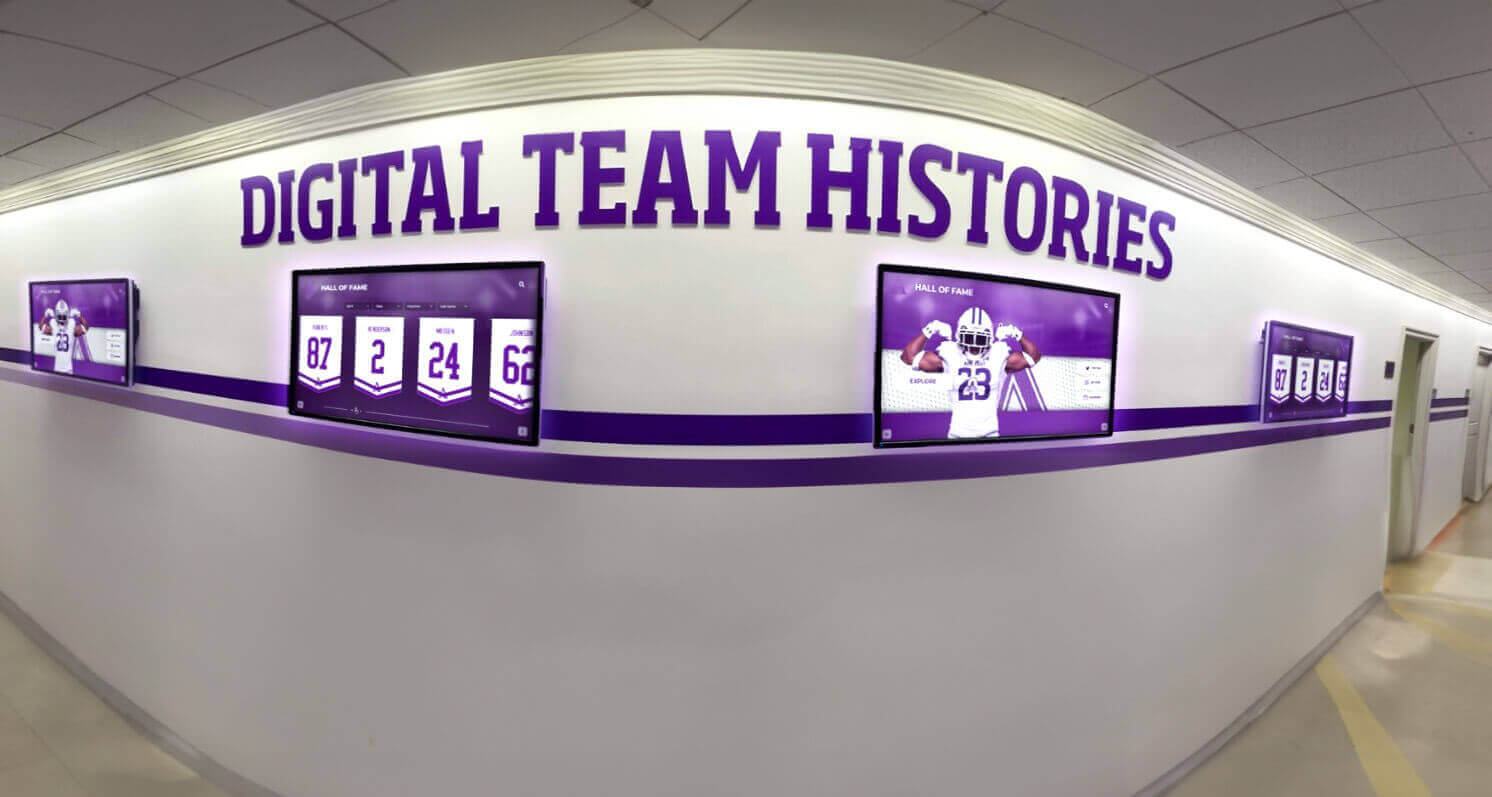
Modern digital signage services manage multiple screens with coordinated content and flexible layouts
Understanding Digital Signage Services for Multi-Screen Management
Before exploring specific features, understanding what distinguishes professional digital signage services from basic display tools helps organizations evaluate platforms that match their operational complexity and content requirements.
What Are Digital Signage Services?
Digital signage services provide cloud-based platforms for creating, scheduling, and distributing content to networked displays across single or multiple locations:
Core Service Components
- Cloud-based content management: Browser-accessible platforms enabling content creation and scheduling from anywhere
- Multi-screen orchestration: Centralized control over numerous displays with independent or synchronized content
- Template libraries: Pre-designed layouts and widgets that eliminate design work
- Scheduling systems: Time-based content delivery with playlist management and automatic rotation
- User permissions: Role-based access enabling multiple administrators with appropriate authorization levels
- Analytics and reporting: Usage tracking, proof-of-play verification, and engagement measurement
Service Delivery Models Digital signage services typically operate through subscription models:
- Software-as-a-Service (SaaS) platforms charging monthly or annual fees per screen
- Media player hardware bundled with software subscriptions
- White-label services enabling agencies and resellers to brand platforms
- Enterprise licensing for organizations managing large display networks
- Hybrid models combining cloud management with local content caching
Organizations seeking digital signage content management solutions should understand these service structures when evaluating vendors and pricing models.
Key Requirements for Multi-Client and Multi-Screen Management
Managing digital signage across multiple locations or client accounts requires specific capabilities:
Client Hierarchy and Organization
- Separate client accounts with isolated content libraries preventing cross-contamination
- Location-based grouping within client accounts for regional management
- Screen tagging systems enabling flexible content targeting
- Nested permission structures allowing client administrators limited control
- White-label branding options for agencies serving multiple organizations
Scalability and Performance
- Platform architecture supporting hundreds or thousands of concurrent displays
- Content delivery networks ensuring reliable streaming regardless of location
- Bandwidth optimization through local caching and compression
- Queue management preventing network congestion during bulk updates
- Redundancy and failover systems maintaining uptime during outages
Content Distribution Workflows
- Bulk content publishing across multiple screens simultaneously
- Location-specific overrides for regional customization
- Time zone awareness for coordinated scheduling across geographies
- Approval workflows when multiple stakeholders review content
- Version control tracking changes and enabling rollback
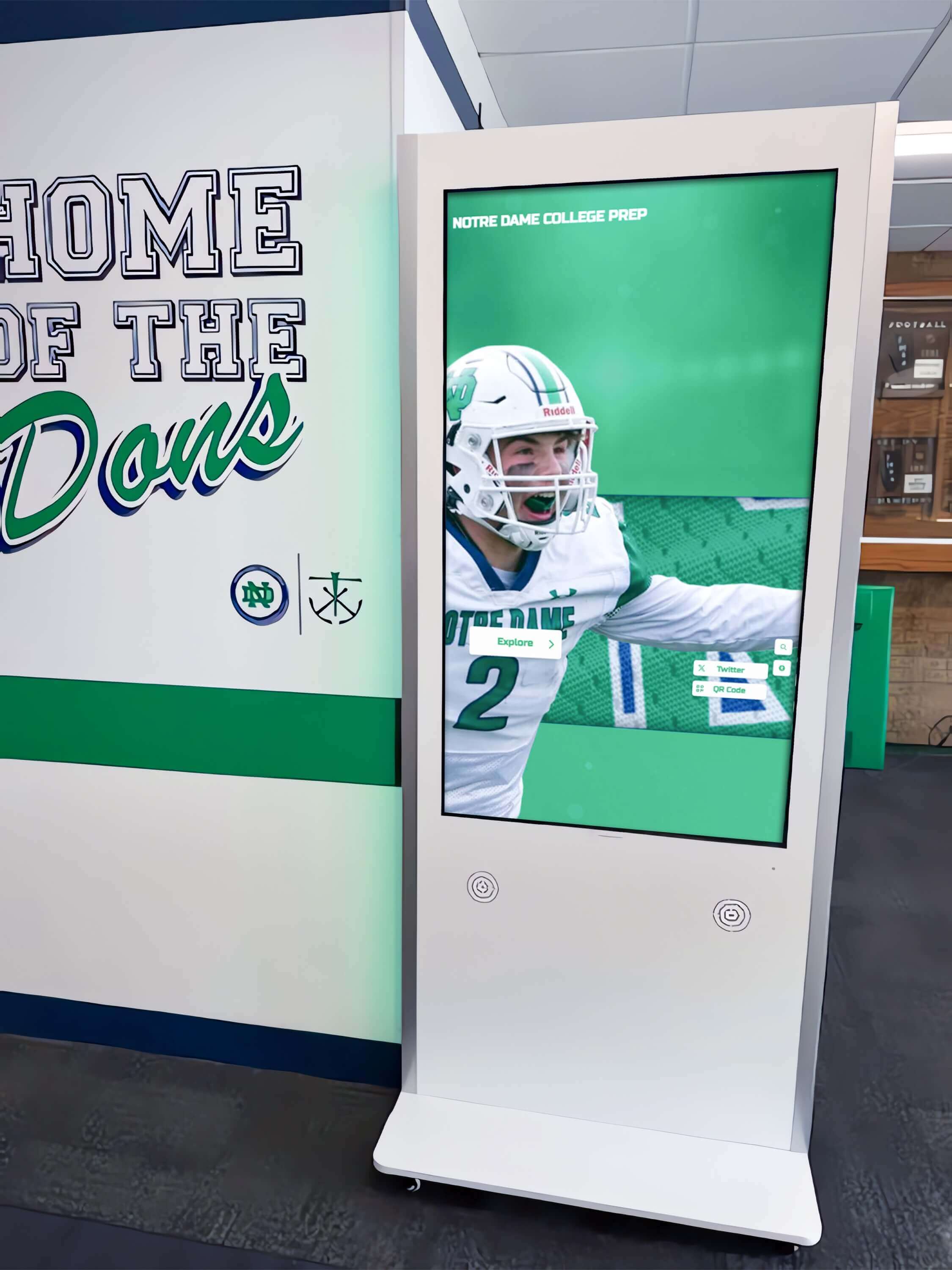
Professional digital signage services support diverse display types from wall-mounted screens to freestanding kiosks
Split-Screen Display Capabilities: Zone-Based Content Management
Split-screen functionality represents one of the most valuable features for organizations wanting to display multiple content types simultaneously without cycling through playlists that might cause visitors to miss important information.
Understanding Zone-Based Screen Layouts
Modern digital signage services divide screens into independent zones that display different content types simultaneously:
Zone Configuration Options
- Flexible grid systems: Define custom layouts with percentage-based or pixel-exact sizing
- Pre-designed templates: Common layouts like 70/30 splits, thirds, or corner widgets
- Dynamic zones: Content areas that resize based on conditional rules
- Scrolling regions: Zones with vertical scrolling for lengthy content
- Video zones: Areas optimized for multimedia playback with audio control
- Interactive zones: Touchscreen-enabled regions on interactive displays
Common Layout Patterns
Organizations typically implement these split-screen patterns:
- Primary content with sidebar: 70% main content area with 30% supplementary information
- Header/content/footer: Top banner for branding, main content center, bottom ticker
- Quadrant layouts: Four equal zones each displaying different content categories
- Corner widgets: Small overlay zones showing weather, time, or social feeds
- Dynamic proportions: Zones that expand when content is present and collapse when empty
Schools implementing digital signage for multiple screens benefit from split-screen capabilities that display events, recognition, and real-time information simultaneously.
Benefits of Split-Screen Digital Signage
Zone-based layouts provide significant advantages over traditional single-content displays:
Information Density Without Complexity Viewers absorb multiple information types in a single glance rather than waiting through playlist rotation. A school lobby display might show today’s schedule prominently while simultaneously displaying upcoming events, weather, and lunch menu—ensuring visitors see all relevant information regardless of when they arrive.
Persistent Critical Content Important information remains visible continuously rather than cycling off-screen. Emergency alerts, daily schedules, or key announcements can occupy dedicated zones while other content rotates in remaining screen areas.
Audience Segmentation Different zones can target different viewer interests simultaneously. Athletic facility displays might show game schedules in one zone for families, training information in another for athletes, and booster club updates in a third for supporters.
Professional Presentation Split-screen layouts appear more sophisticated and news-like compared to simple slideshow presentations, conveying organizational professionalism and technology competency.
Implementing Split-Screen Layouts Without Programming
The best digital signage services make zone-based layouts accessible to non-technical users:
Visual Layout Editors
- Drag-and-drop zone creation and resizing
- Snap-to-grid alignment ensuring clean proportions
- Preview modes showing layouts at actual screen resolution
- Template galleries providing starting points
- Saved layout libraries for reuse across screens
Content Assignment Workflows
- Drop content items into zones from media libraries
- Assign playlists or feeds to specific zones
- Configure zone-specific scheduling and rules
- Set transition effects between zone content items
- Test layouts before publishing to displays
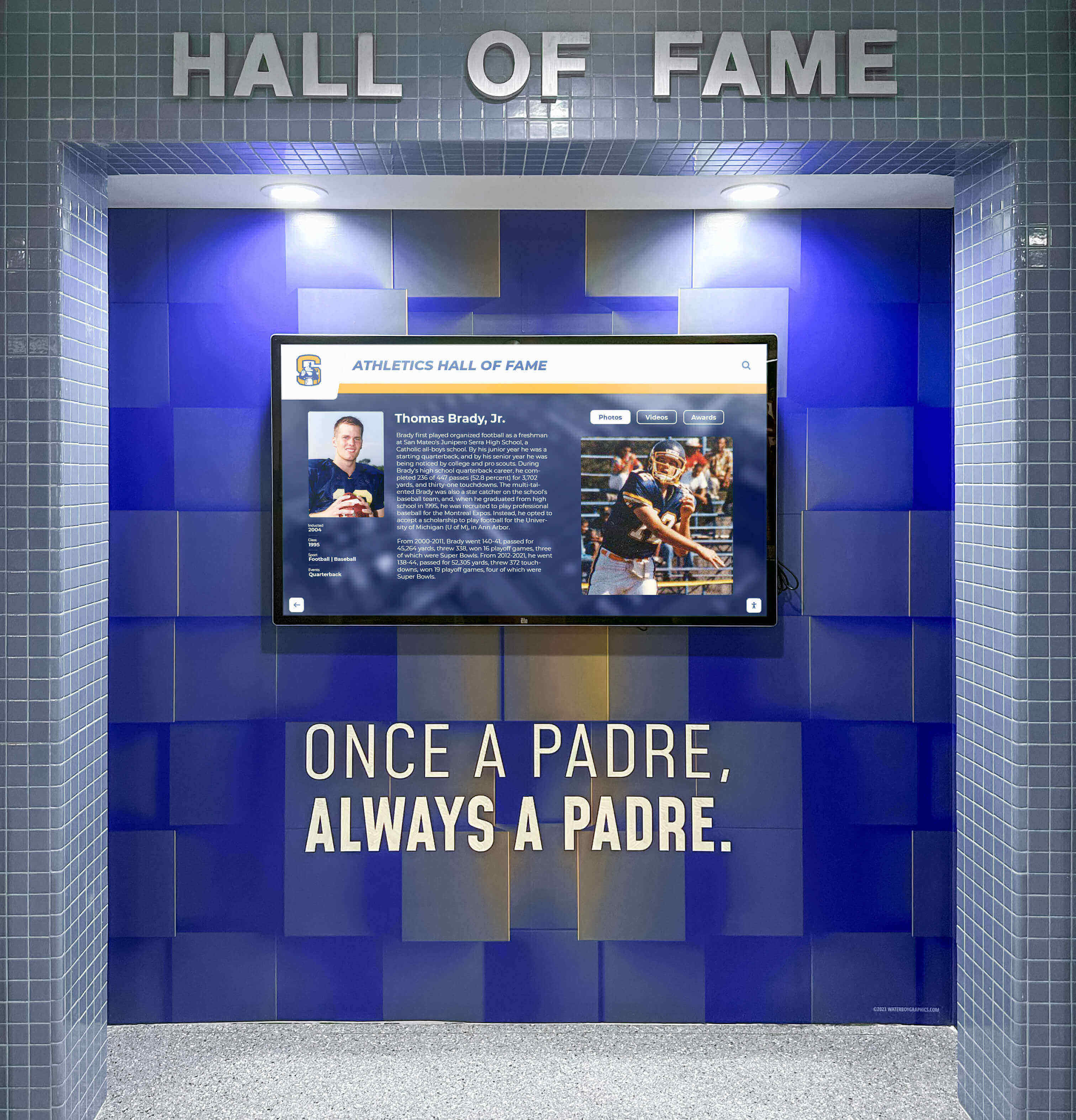
Zone-based layouts enable complex content presentation within unified display designs
Responsive Design Considerations Digital signage services should adapt layouts to different screen orientations and sizes:
- Automatic layout adjustment between portrait and landscape orientations
- Screen size-specific templates for 43", 55", 65", and larger displays
- Mobile preview for QR code-accessed content
- Fallback layouts when primary designs don’t fit screen dimensions
Widget Integration: Weather, News, Social Media, and Data
Widgets provide real-time dynamic content that updates automatically without manual intervention, delivering fresh information that keeps audiences engaged and displays relevant.
Weather Widgets and Information
Weather integration represents one of the most common digital signage widget requests:
Weather Data Display Options
- Current conditions with temperature, conditions icon, and feels-like temperature
- Hourly forecasts showing next 12-24 hours of expected weather
- Multi-day forecasts displaying 3-7 day outlooks
- Radar and satellite imagery showing precipitation patterns
- Severe weather alerts highlighted prominently with warning colors
- Location-specific forecasts for organizations with multiple sites
Configuration Requirements
- Location input via city name, ZIP code, or GPS coordinates
- Temperature unit selection (Fahrenheit or Celsius)
- Weather data provider configuration (OpenWeather, Weather Underground, etc.)
- Update frequency settings balancing freshness with API call limits
- Display styling matching organizational branding
Organizations implementing digital displays with weather integration particularly value automatic severe weather alerts that override regular content during emergencies.
News Feed Integration
Real-time news widgets keep displays current with breaking information:
News Source Options
- RSS feed integration from any news source providing syndication
- Twitter/X feeds displaying posts from specific accounts or hashtags
- Curated news services like Associated Press or Reuters
- Industry-specific news sources relevant to organization type
- Local news integration emphasizing community information
- Topic-filtered feeds showing only relevant categories
Content Moderation and Control Automatic news feeds require filtering to ensure appropriate content:
- Keyword filtering blocking specific terms or topics
- Profanity filters preventing inappropriate language
- Manual moderation queues requiring approval before display
- Trusted source whitelists preventing misinformation
- Content caching enabling review before public display
- Emergency override capabilities removing problematic content immediately
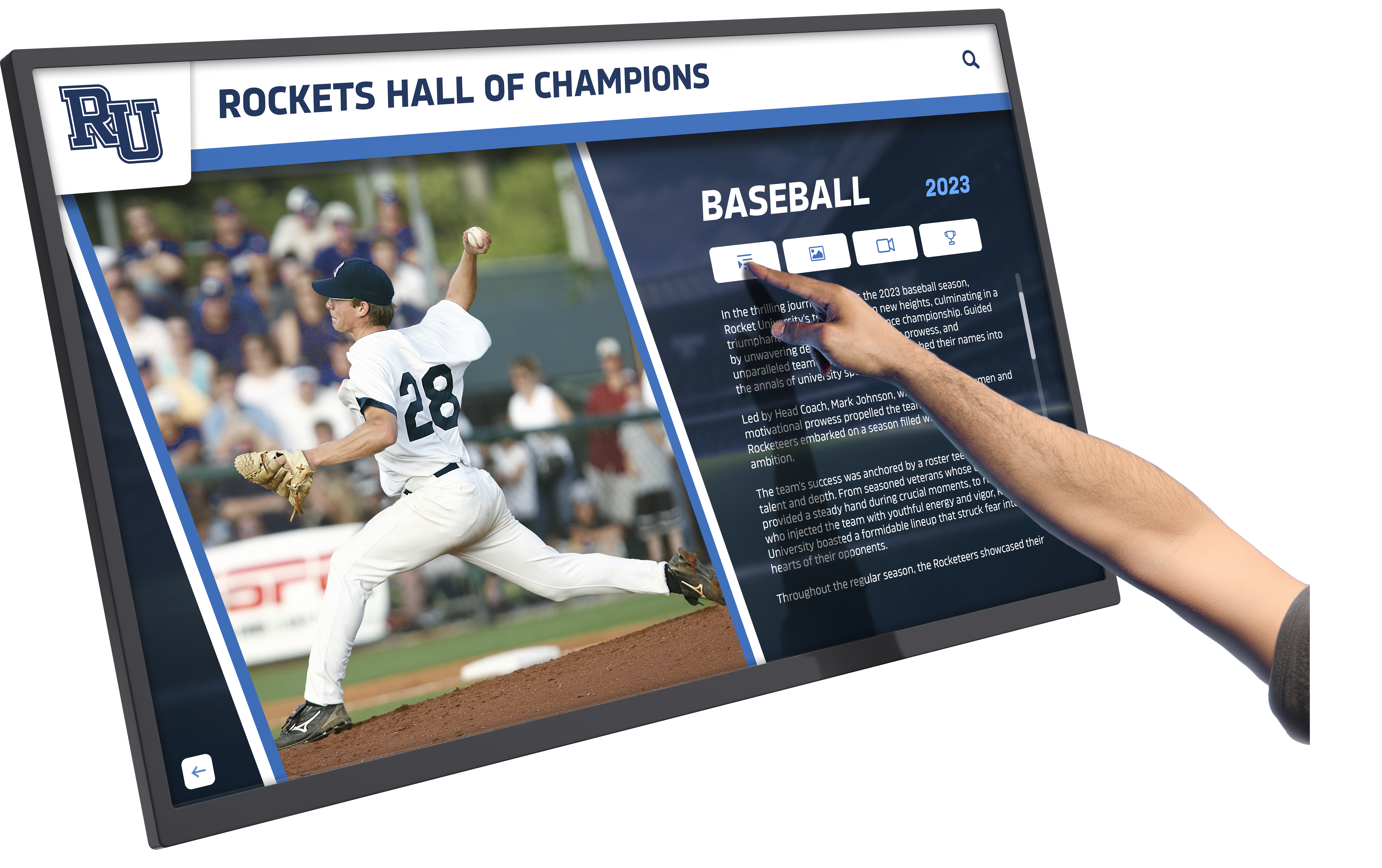
Interactive widgets enable user engagement beyond passive content consumption
Social Media Feed Widgets
Social media integration extends organizational reach while providing authentic user-generated content:
Supported Social Platforms
- Instagram photo and video feeds from organizational accounts
- Twitter/X posts and hashtag aggregation
- Facebook page posts and event information
- LinkedIn company updates and professional content
- YouTube video feeds from organizational channels
- Custom social aggregation combining multiple platforms
Aggregation and Moderation Managing social content requires careful curation:
- Hashtag-based collection gathering posts from events or campaigns
- Account-based feeds displaying only official organizational content
- Moderation dashboards with approve/reject workflows
- Automatic profanity and inappropriate content filtering
- User permission verification ensuring rights to display content
- Scheduled social content publication for planned campaigns
Display Formatting Social media widgets typically include:
- Profile photos and usernames attributing content creators
- Timestamp showing post recency
- Like/reaction counts demonstrating engagement
- Platform icons indicating content source
- Slide-style rotation through multiple posts
- Full-screen takeover options highlighting featured content
Schools leveraging social media integration for digital displays build community engagement while showcasing authentic student and family experiences.
Data Visualization and Dashboard Widgets
Data widgets transform abstract numbers into visual stories:
Data Integration Methods
- Direct database connections via ODBC or API credentials
- Spreadsheet imports from Google Sheets or Microsoft Excel
- REST API integrations pulling data from business systems
- Manual data entry for simple metrics
- Webhook triggers updating displays when data changes
- Scheduled automatic refresh intervals
Visualization Types
- Bar and column charts comparing values across categories
- Line graphs showing trends over time
- Pie charts displaying proportional relationships
- Gauges and meters indicating progress toward goals
- Counters and statistics highlighting key numbers
- Tables and lists presenting detailed information
Common Data Widget Applications
Organizations display diverse data types through digital signage:
- Fundraising thermometers showing campaign progress
- Sales leaderboards recognizing top performers
- Event registration counts and capacity tracking
- Real-time attendance or facility occupancy
- Service metrics and performance indicators
- Goal progress and milestone achievements
Nonprofits implementing donor recognition displays with fundraising data create urgency and momentum during campaigns while honoring supporter contributions.
Content Management Systems for Multi-Screen Digital Signage Services
Effective content management separates professional digital signage services from basic display tools, particularly when managing numerous screens across multiple locations.
Cloud-Based Content Libraries
Centralized asset management prevents chaos as content libraries grow:
Media Library Organization
- Folder hierarchies organizing content by type, campaign, or location
- Tagging systems enabling flexible categorization and search
- Metadata fields capturing creation date, expiration, and usage rights
- Preview thumbnails for quick visual identification
- Bulk operations for batch tagging, moving, or deleting
- Storage capacity appropriate to organizational content volume
Supported File Types Professional digital signage services accommodate diverse media:
- Images: JPG, PNG, GIF (animated), SVG vector graphics
- Video: MP4, MOV, AVI, WebM with various codecs
- Documents: PDF files for menus, schedules, or informational content
- Web content: HTML5 widgets and embedded webpages
- Streaming media: Live video feeds and IP camera integration
- Social feeds: Dynamic content from integrated platforms
Version Control and History
- Automatic versioning when updating existing assets
- Change history showing who modified content and when
- Rollback capabilities restoring previous versions
- Expiration date enforcement automatically removing dated content
- Approval status tracking for content requiring review
- Usage tracking showing which displays use specific assets
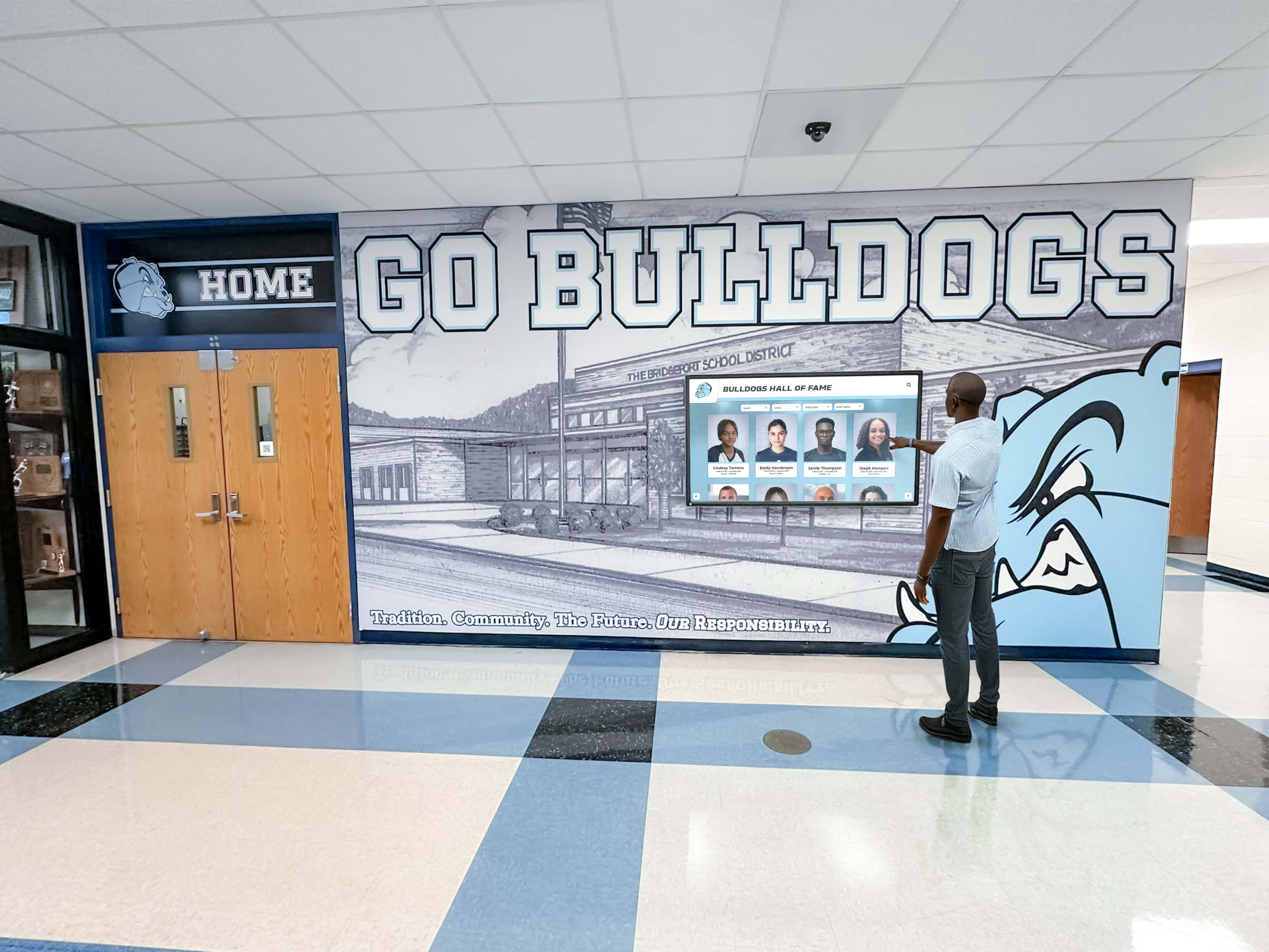
Cloud-based content management enables updates to displays across all locations from centralized dashboards
Playlist Management and Scheduling
Playlist systems determine when and how content appears on displays:
Playlist Creation and Configuration
- Add multiple content items in desired sequence
- Set duration for each item (seconds, minutes, or hours)
- Configure transition effects between items
- Loop playlists continuously or play once
- Priority settings determining which content displays when multiple playlists apply
- Conditional logic showing content only when criteria match
Scheduling Capabilities
- Date range scheduling for temporary campaigns or seasonal content
- Day-of-week and time-of-day scheduling for audience-specific content
- Recurring schedules repeating weekly, monthly, or custom patterns
- Exception handling for holidays and special events
- Multiple simultaneous schedules with priority resolution
- Time zone awareness for geographically distributed displays
Advanced Scheduling Features
Professional services include sophisticated scheduling:
- Dayparting showing breakfast content mornings, lunch content midday
- Trigger-based content responding to external events or data changes
- Proof-of-play verification documenting exactly when content appeared
- Automated content expiration removing dated materials
- A/B testing rotating alternative content to measure effectiveness
- Override capabilities for urgent communications bypassing schedules
Organizations implementing complex scheduling for educational displays need platforms supporting bell schedule changes, early dismissals, and emergency overrides.
Multi-Location Management and Client Hierarchies
Organizations managing displays across locations require hierarchical organization:
Organizational Structure
- Company/client level containing all organization assets and displays
- Location groups organizing displays by facility, campus, or region
- Display tagging for flexible grouping beyond physical location
- Nested permissions enabling location managers to control subset of network
- Inherited settings cascading configurations from organization to specific displays
Location-Specific Customization
- Override global content with location-specific alternatives
- Local media libraries supplementing centralized content
- Location metadata for automatic content selection (weather by ZIP code)
- Regional schedule variations accounting for time zones
- Custom branding per location for franchises or branch networks
Bulk Operations and Network Management
Managing hundreds of displays efficiently requires:
- Bulk content publishing to multiple displays simultaneously
- Display grouping for coordinated updates
- Health monitoring showing online/offline status
- Remote device management and configuration
- Software updates deployed across entire networks
- Performance metrics aggregated across locations
Interactive Touchscreen Capabilities
Beyond passive display, interactive touchscreen functionality transforms digital signage into engagement platforms:
Touch-Enabled Content Experiences
Interactive displays support user-driven exploration:
Navigation and Interaction Patterns
- Tap navigation through hierarchical content structures
- Swipe gestures for photo galleries and lists
- Pinch-to-zoom for detailed image examination
- Long-press for contextual menus and actions
- Multi-finger gestures for advanced controls
- Keyboard support for search and text entry
Interactive Content Types
- Searchable databases enabling name or keyword lookup
- Filterable directories with category and attribute selection
- Interactive maps with touch-to-explore locations
- Photo galleries with full-screen viewing
- Video players with playback controls
- Forms and surveys collecting visitor input
- Wayfinding applications providing turn-by-turn directions
Organizations implementing interactive kiosk solutions report dramatically higher engagement compared to passive digital signage as visitors explore content at their own pace.
QR Code Integration and Mobile Extension
QR codes bridge physical displays and personal devices:
QR Code Use Cases
- Display-to-mobile content transfer enabling continued exploration
- Survey and feedback collection linking to forms
- Event registration connecting to ticketing systems
- Contact information sharing for staff directories
- Social media following with direct profile links
- Download triggers for apps, documents, or media files
Implementation Approaches
- Static QR codes embedded in display layouts
- Dynamic QR codes updating based on displayed content
- Session-specific codes tracking individual user journeys
- Short URL services creating memorable alternatives
- Analytics tracking scan rates and conversion
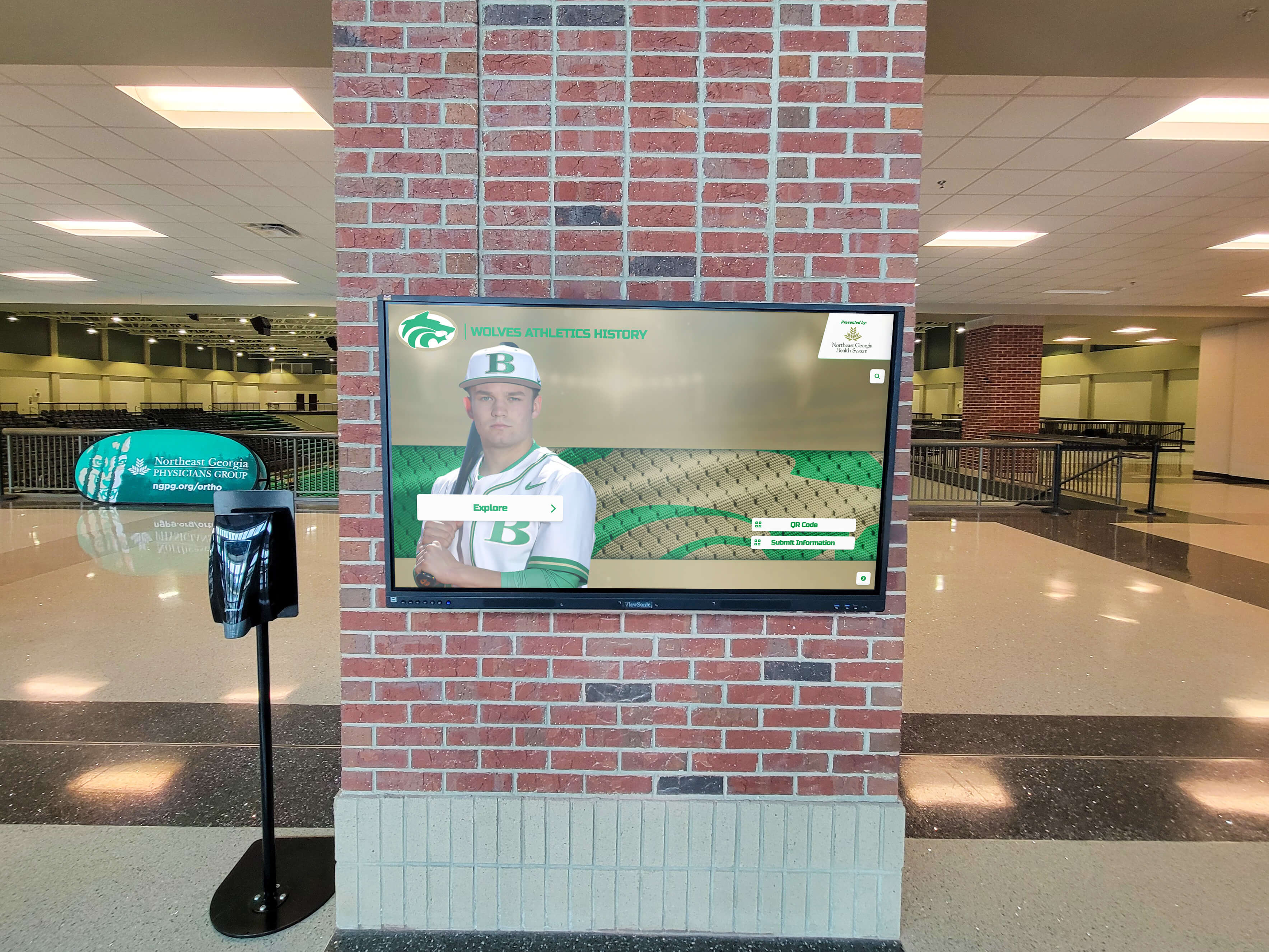
QR codes extend digital signage reach by enabling visitors to continue exploring content on personal devices
Accessibility Considerations
Public-facing interactive displays must serve all users:
ADA WCAG 2.1 AA Compliance
- Keyboard navigation enabling full functionality without touch
- Screen reader compatibility for informational content
- Sufficient color contrast between text and backgrounds
- Alternative text descriptions for images
- Adjustable text size for visual impairments
- No time limits forcing rushed interaction
Physical Accessibility
- Mounting height complying with ADA reach range requirements (15"-48" from floor)
- Adequate clearance for wheelchair approach (minimum 30" x 48" clear floor space)
- Angled displays reducing neck strain for seated users
- Volume controls and audio output for narration
- Tactile elements supplementing visual interfaces
- Alternative input methods beyond touch when feasible
Selecting Digital Signage Services: Evaluation Criteria
Choosing the right platform requires systematic assessment of capabilities against organizational requirements:
Feature Checklist for Multi-Screen Management
Essential capabilities for managing multiple displays:
Content Management
- Unlimited content capacity without per-asset fees
- Intuitive browser-based interface requiring no technical expertise
- Template libraries with split-screen layouts
- Bulk operations for efficient multi-screen management
- Version control and content approval workflows
- Mobile app for on-the-go management
Display Control
- Centralized dashboard showing all display status
- Screen grouping and tagging for flexible organization
- Remote scheduling and playlist management
- Real-time preview of current display content
- Health monitoring with uptime tracking
- Remote troubleshooting and configuration
Widget and Integration Support
- Weather widget with location-specific forecasts
- Social media feeds from major platforms
- News aggregation from RSS and curated sources
- Data visualization from spreadsheets or databases
- Calendar integration showing events automatically
- Custom HTML widget support for specialized content
Scalability and Reliability
- Cloud architecture supporting growth to hundreds of displays
- Content delivery network ensuring reliable streaming
- Local caching for offline content playback
- Automatic failover and redundancy
- Service level agreements guaranteeing uptime
- Responsive technical support with clear escalation
Pricing Models and Total Cost of Ownership
Digital signage service costs extend beyond monthly subscriptions:
Subscription Pricing Structures
- Per-screen monthly or annual fees (typically $10-$50 per screen per month)
- Tiered pricing with feature unlocks at higher levels
- Volume discounts for organizations managing many displays
- Agency or reseller pricing for multi-client management
- Enterprise licensing for large corporate deployments
Additional Cost Considerations
- Media player hardware ($200-$500 per display if required)
- Display hardware separate from software services
- Implementation and training services
- Custom development for specialized features
- Premium support plans with faster response times
- Integration consulting for complex system connections
Total Cost of Ownership Analysis
Calculate complete financial picture over 3-5 years:
- Software subscription fees over evaluation period
- Hardware purchase and installation costs
- Content creation time and expenses
- Network bandwidth and electricity consumption
- Maintenance and technical support
- Hardware replacement during lifecycle
Organizations should compare total cost of ownership rather than monthly fees alone, as implementation services, training quality, and ongoing support significantly impact long-term success.
Professional solutions like Rocket Alumni Solutions provide comprehensive digital signage capabilities designed specifically for schools and mission-driven organizations, combining split-screen layouts, widget integration, interactive touchscreen support, and unlimited content capacity within intuitive platforms accessible to non-technical staff.
Implementation Best Practices for Digital Signage Services
Successful deployments follow systematic approaches addressing planning, content, technical, and organizational factors:
Planning Phase: Strategy and Objectives
Foundation work prevents costly mistakes:
Goal Definition
- Document 3-5 specific objectives digital signage will achieve
- Identify stakeholders benefiting from displays
- Define success metrics and measurement approaches
- Establish realistic timeline accounting for content development
- Secure budget approval and funding sources
Content Strategy Development
- Inventory existing content assets requiring display
- Plan content creation workflows and responsibilities
- Establish quality standards for photography and writing
- Design approval processes ensuring appropriate messaging
- Create content calendar for first 3-6 months
Technical Planning
- Assess network infrastructure supporting displays
- Evaluate power availability at display locations
- Determine display sizes based on viewing distances
- Select mounting approaches (wall, freestanding, ceiling)
- Plan for display health monitoring and troubleshooting
Content Development: Quality Standards
Professional presentation determines perceived value:
Visual Content Requirements
- High-resolution images minimum 1920 x 1080 pixels
- Consistent photography style across content
- Professional lighting and composition
- Branded templates with organizational colors and logos
- Readable text size at typical viewing distances (minimum 0.5" tall for 10-foot viewing)
Widget Configuration
- Weather widget location accuracy verification
- Social media feed moderation and filtering
- News source relevance and appropriateness confirmation
- Data connection testing and refresh frequency validation
- Emergency override procedures for critical alerts
Content Rotation and Freshness
- Daily updates for time-sensitive announcements
- Weekly rotation for event promotion and highlights
- Monthly content audits removing dated materials
- Seasonal content preparation in advance
- Analytics review identifying popular content worthy of expansion
Organizations implementing digital recognition content for schools benefit from systematic content development approaches ensuring sustained quality and engagement.
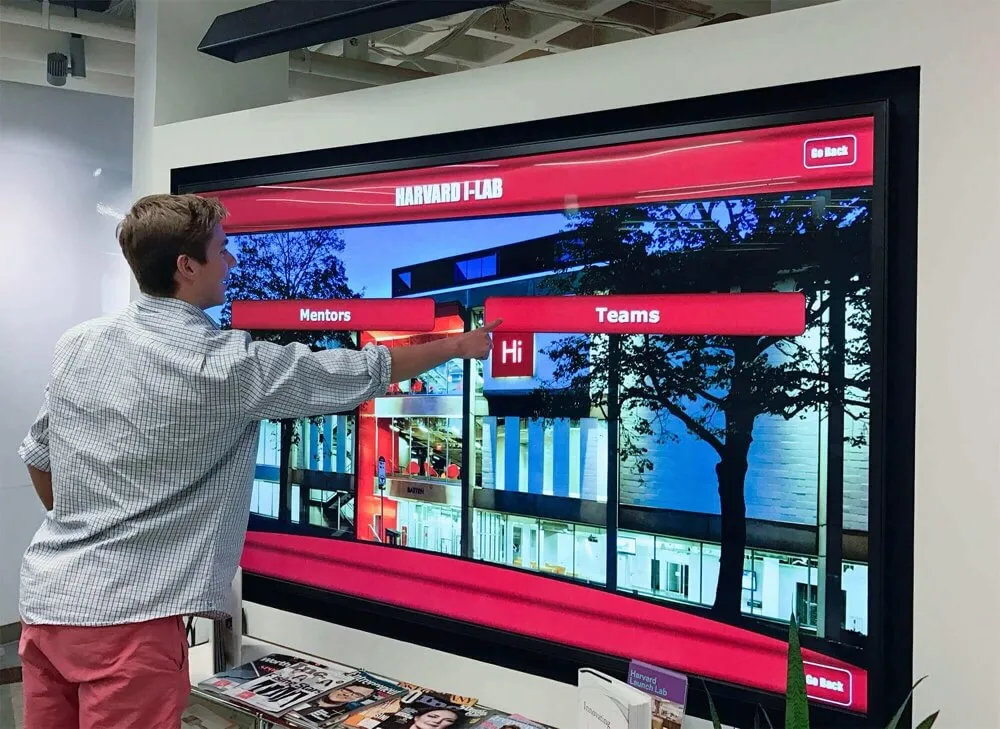
Professional content presentation builds credibility and encourages regular audience engagement with displays
Technical Implementation: Installation and Configuration
Proper technical setup prevents operational issues:
Hardware Installation
- Professional mounting ensuring secure attachment and proper viewing angles
- Cable management hiding wires for clean appearance
- Network connectivity verification with adequate bandwidth
- Power supply with surge protection and battery backup for critical displays
- Protective measures preventing vandalism in vulnerable locations
Software Configuration
- Platform setup with organizational branding
- User account creation with role-based permissions
- Display registration and network assignment
- Template customization matching aesthetic standards
- Widget configuration and data source connections
- Testing all functionality before launch
Training and Documentation
- Administrator training covering content management workflows
- Quick reference guides for common tasks
- Troubleshooting documentation for typical issues
- Support contact information and escalation procedures
- Best practice guidelines for content quality and scheduling
Ongoing Management: Sustainability
Long-term success requires sustained attention:
Content Maintenance
- Designated staff responsible for regular updates
- Allocated time within job responsibilities (not “additional duties”)
- Multiple trained administrators preventing single points of failure
- Regular content calendar planning meetings
- Community contribution opportunities for diverse input
Technical Maintenance
- Weekly display health monitoring checking online status
- Monthly cleaning removing fingerprints and dust
- Quarterly software updates accessing new features
- Annual hardware inspection identifying wear requiring attention
- Prompt response to reported issues preventing extended downtime
Performance Measurement
- Monthly analytics review during first year
- Quarterly assessment after patterns stabilize
- Engagement metric tracking (interactions, dwell time, content views)
- Stakeholder feedback collection through surveys and interviews
- ROI documentation for budget justification and expansion planning
Conclusion: Choosing Digital Signage Services for Your Organization
Digital signage services have evolved into sophisticated platforms managing complex multi-screen networks with split-screen layouts, real-time widget integration, social media feeds, data visualization, and interactive capabilities—all accessible through intuitive interfaces requiring no programming expertise.
Organizations managing displays across multiple locations or serving diverse client accounts need cloud-based services providing centralized control with location-specific customization, robust scheduling, content approval workflows, and hierarchical permissions enabling appropriate access levels for various administrators.
The most successful digital signage implementations share common characteristics: clear vision for how displays serve organizational goals, commitment to quality content development, systematic technical planning addressing infrastructure requirements, intuitive platforms enabling non-technical staff to manage content confidently, and sustained organizational attention ensuring displays remain fresh, accurate, and engaging.
Modern services make professional-quality digital signage achievable for schools, nonprofits, corporate environments, healthcare facilities, and any organization seeking to inform, engage, recognize, and connect with audiences through dynamic visual communication. Split-screen capabilities enable information-dense displays showing multiple content types simultaneously. Widget integration provides automatic updates keeping content current without manual intervention. Interactive touchscreen functionality transforms passive viewing into active exploration.
Whether your organization manages three screens in a single building or three hundred displays across multiple states, selecting the right digital signage service determines whether your investment delivers meaningful engagement and measurable results or becomes underutilized technology that disappoints stakeholders and wastes resources.
Start by clearly defining your primary objectives—recognition, communication, wayfinding, engagement, or data visualization—then evaluate platforms based on how intuitively they support those goals while providing room for growth as your digital signage program matures and expands.
Ready to explore comprehensive digital signage services designed for multi-screen management with split-screen layouts, widget integration, and no programming required? Discover how modern platforms make professional digital signage accessible to organizations of all sizes and technical capabilities.