Every school, museum, university, and civic organization accumulates decades of history through photographs, documents, athletic achievements, notable alumni, and community milestones. Physical scrapbooks deteriorate. Printed materials occupy valuable storage space. Traditional archives remain inaccessible to most community members who never visit dusty storage rooms or file through banker’s boxes.
Digital history archives transform how institutions preserve, organize, and share historical content. These systems digitize photographs, documents, and achievements into searchable databases accessible through interactive touchscreen displays, web browsers, and mobile devices. A visitor exploring your history no longer flips through deteriorating photo albums—they search comprehensive digital collections spanning decades, zoom into high-resolution images, watch video recordings, and discover connections across different eras and people.
This comprehensive guide examines digital history archives for schools, museums, nonprofits, and civic organizations—covering archival strategies, digitization processes, interactive display technology, content organization, and practical approaches for creating accessible historical repositories that preserve institutional heritage while making it available to current and future generations.
Historical preservation matters for communities. Archives connect present members to organizational roots, inspire future participants through past achievements, honor contributions of previous generations, and create institutional continuity across decades of change. Research from archival institutions demonstrates that organizations maintaining accessible historical records report stronger community identity and higher alumni engagement compared to those where history remains hidden in storage rooms.

Digital history archives make decades of institutional heritage accessible through organized, searchable collections
What Is a Digital History Archive?
A digital history archive converts physical historical materials into organized digital collections accessible through various platforms and devices. These comprehensive systems typically include:
Core Components
- Digitized photographs, documents, newspapers, yearbooks, and memorabilia from physical collections
- Biographical databases connecting people to events, achievements, and time periods
- Timeline interfaces organizing content chronologically across institutional history
- Search functionality finding specific individuals, events, years, or topics instantly
- Interactive touchscreen displays presenting archives in public spaces
- Web-based access extending archive availability beyond physical locations
- Cloud storage protecting digital content from physical damage, loss, or deterioration
Digital history archives represent fundamental shifts from physical-only preservation to hybrid approaches that maintain original materials while creating accessible digital copies that anyone can explore.
Why Organizations Create Digital History Archives
Understanding motivations helps institutions develop archives serving genuine community needs rather than simply digitizing materials because technology makes it possible.
Preservation Concerns Physical historical materials deteriorate over time:
- Photographs fade, discolor, or develop mold damage from improper storage conditions
- Newsprint becomes brittle and crumbles with age and handling
- Film and video tape formats become obsolete as playback equipment disappears
- Fire, flooding, or environmental disasters can destroy irreplaceable physical collections in moments
- Repeated handling accelerates deterioration of fragile materials
- Storage conditions in basements, attics, or inadequate facilities expose materials to temperature fluctuations, humidity, and pest damage
Digital archiving creates preservation copies protecting historical content even if original physical materials deteriorate or face disasters. Organizations maintain both preserved originals in climate-controlled storage and accessible digital copies for regular use.
Access Limitations Traditional archives create access barriers preventing most community members from engaging with institutional history:
- Physical archives require visiting specific locations during limited hours
- Materials stored in banker’s boxes or filing cabinets require manual searching without indexing
- Only one person accesses specific materials at a time
- Fragile items may have restricted access policies limiting handling
- Geographic distance prevents remote alumni or community members from accessing collections
- Lack of organization makes finding specific content difficult or impossible without archival expertise
Digital archives eliminate these barriers, allowing unlimited simultaneous access from any location at any time, with powerful search tools finding specific content instantly regardless of collection size.
Schools implementing comprehensive digital archiving for academic history discover that accessible historical content strengthens institutional identity while inspiring current students.
Discovery and Connection Physical archives limit serendipitous discovery. Digital systems create unexpected connections:
- Alumni searching for classmates discover previously unknown connections to other community members
- Researchers identify patterns across decades of achievement or participation
- Current students exploring past eras find personal connections to ancestors or family members
- Community members discover institutional impact on local history beyond organizational boundaries
- Cross-referencing reveals relationships between different historical threads and themes
These discovered connections deepen community engagement with institutional heritage while revealing historical narratives invisible in linear physical archives.
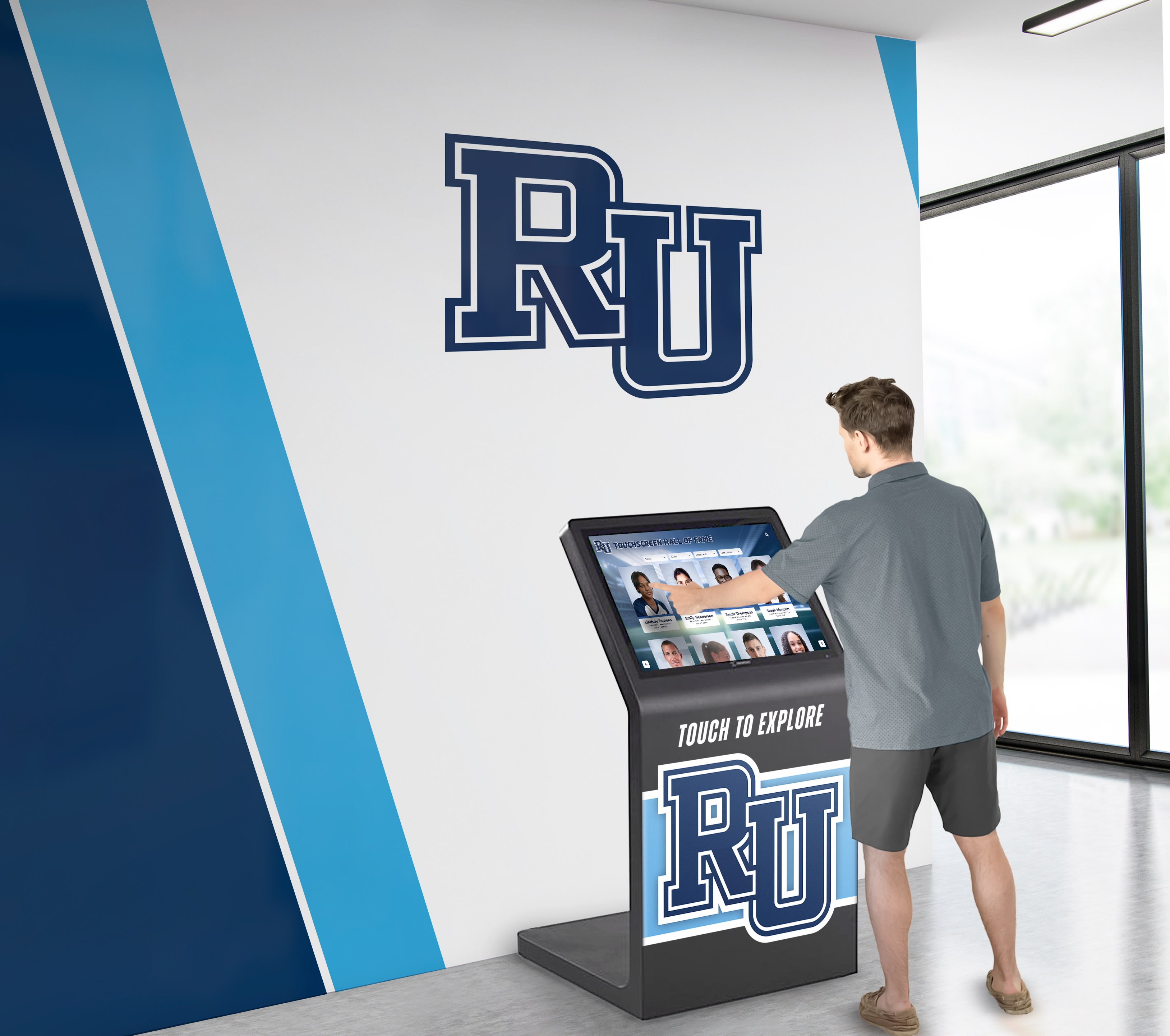
Interactive displays create engaging exploration experiences that bring historical content to life for all ages
Types of Content in Digital History Archives
Comprehensive digital archives include diverse content types that together create rich historical records.
Photographic Collections
Photographs form the visual foundation of most institutional archives:
Organizational Photography
- Formal team photos, class composites, and group portraits documenting participants across decades
- Candid event photography capturing daily organizational life beyond posed images
- Facility photographs showing campus evolution, building construction, and space transformations
- Achievement documentation including competitions, performances, ceremonies, and celebrations
- Leadership portraits of administrators, board members, coaches, and key institutional figures
- Historical community photographs placing institutional history within broader local context
Individual Portrait Photography
- Yearbook photos providing consistent documentation across graduating classes
- Athletic team headshots documenting sports program participants
- Faculty and staff portraits recognizing educators and administrators throughout eras
- Notable alumni photographs connecting current community to distinguished graduates
- Biographical portrait series accompanying detailed individual histories
Organizations creating school history display systems prioritize photographic digitization given visual content’s powerful emotional connections.
Technical Considerations for Photographic Archives
- Scan resolution minimum 600 DPI for 4x6 prints, higher for smaller originals or enlargement needs
- Color correction addressing fading and discoloration in aged photographs
- Dust and scratch removal through digital restoration
- Metadata tagging identifying subjects, dates, locations, and photographers when known
- Copyright documentation for institutional use permissions
Documents and Publications
Written materials provide context and narrative depth:
Institutional Records
- Yearbooks documenting student life, activities, and milestones annually
- Newspapers and newsletters covering events, achievements, and organizational news
- Programs from athletic contests, performances, ceremonies, and special events
- Annual reports providing administrative perspectives on institutional development
- Historical correspondence, meeting minutes, and policy documents
- Maps, architectural drawings, and facility planning materials
Personal Materials
- Alumni submissions sharing personal memories and retrospective reflections
- Oral history transcripts recording interviews with long-time community members
- Personal correspondence between institutional figures
- Diaries and journals documenting daily organizational life
- Scrapbooks compiled by individuals preserving personal institutional connections

Document collections provide textual context enriching visual historical materials
Document Digitization Approaches
- OCR (Optical Character Recognition) making text searchable within scanned documents
- PDF format preserving original document layouts and typography
- Full-text transcription for handwritten materials where OCR fails
- Metadata indexing enabling search by date, author, topic, or document type
- Linked navigation connecting related documents across different time periods
Athletic and Achievement Records
Schools, universities, and sports organizations maintain extensive achievement documentation:
Individual Records
- Career statistics for athletes across all sports and positions
- Academic achievement records including honor rolls, scholarships, and awards
- Competition results from state championships to local tournaments
- Record progression showing how institutional or individual marks improved over time
- All-conference, all-state, and all-American recognition documentation
Team and Organizational Records
- Championship seasons with rosters, records, and tournament results
- Coaching tenures documenting program leaders across eras
- Facility milestones including dedications, renovations, and improvements
- Program statistics showing participation, competitive success, and growth patterns
- Historical context comparing eras and revealing long-term trends
Museums developing athletic hall of fame displays integrate achievement records within comprehensive digital historical archives.
Multimedia Content
Modern archives extend beyond static images and documents:
Video Collections
- Event recordings capturing ceremonies, competitions, and performances
- Documentary films chronicling institutional history or significant episodes
- Oral history interviews with alumni, faculty, and community members sharing memories
- News footage documenting institutional involvement in broader historical events
- Anniversary celebrations and retrospective programs
Audio Materials
- Recorded speeches from leaders, graduation addresses, and special presentations
- Radio broadcasts mentioning institutional achievements or involvement
- Musical performances from bands, choirs, or theatrical productions
- Interview recordings with historical figures and notable alumni
- Ambient recordings capturing sounds of institutional environments across different eras
Educational institutions implementing historical timeline touchscreens integrate multimedia content creating immersive historical experiences.
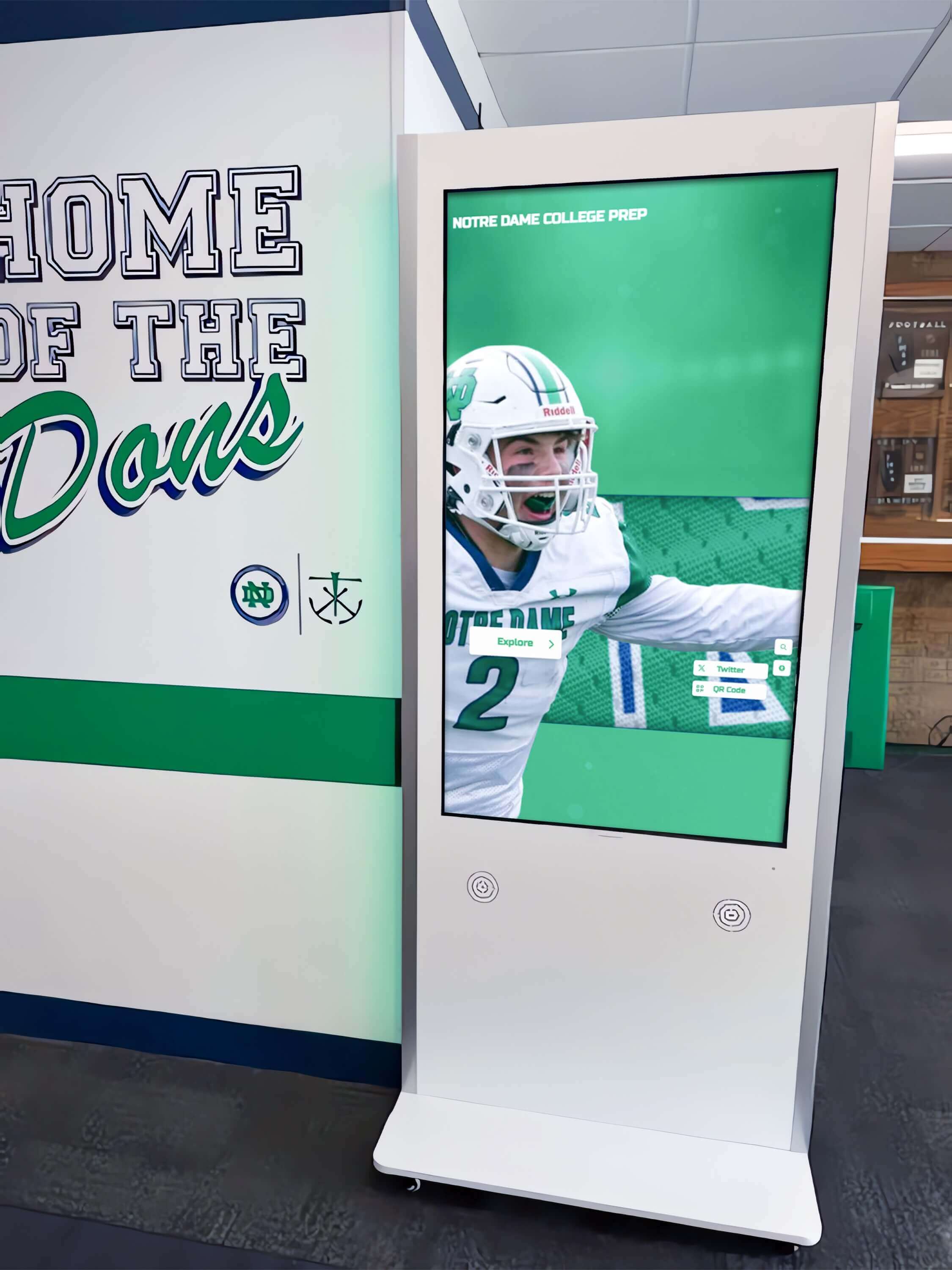
Multimedia collections bring historical content to life through video, audio, and interactive elements
Creating Digital History Archives: Step-by-Step Process
Successful digital archiving requires systematic approaches addressing collection, digitization, organization, and publication phases.
Phase 1: Inventory and Assessment
Understanding existing materials informs realistic project scoping.
Material Location Identification Organizations often store historical materials in multiple locations:
- Central archives or libraries maintaining official institutional collections
- Department or program offices holding sport-specific or activity-specific materials
- Storage rooms, basements, and closets containing forgotten boxes
- Personal collections held by long-time staff, alumni, or community members
- External repositories including local historical societies or regional archives
- Digital materials scattered across old computers, backup drives, or obsolete formats
Condition Assessment Evaluate material condition guiding preservation priorities:
- Critical deterioration requiring immediate attention before further damage
- Fragile materials needing special handling during digitization
- High-value items justifying professional conservation before scanning
- Duplicates allowing selection of best-condition copies for digitization
- Materials requiring format conversion (film to video, slides to digital, etc.)
Scope Definition Comprehensive digitization projects spanning decades overwhelm limited resources. Define manageable initial phases:
- Priority eras or themes addressing greatest community interest
- Content types offering highest impact relative to digitization effort
- Materials at greatest deterioration risk requiring urgent preservation
- Recent content lacking physical backups vulnerable to single-point loss
- Easily digitized collections allowing quick initial progress and momentum
Resource Allocation Realistic planning addresses required resources:
- Staff time for project management, digitization work, and metadata creation
- Equipment needs including scanners, computers, and storage systems
- Budget for professional services if outsourcing digitization or restoration
- Storage infrastructure for large digital file collections
- Timeline expectations balancing thoroughness with sustainable progress pace
Organizations exploring digital archives for schools and universities benefit from systematic inventory processes before digitization begins.
Phase 2: Digitization and File Management
Converting physical materials into organized digital collections requires consistent processes.
Equipment and Software Appropriate technology ensures quality results:
- Flatbed scanners for photographs and documents at 600+ DPI resolution
- Sheet-fed scanners accelerating document digitization with automatic feeding
- Specialized film and slide scanners for transparent materials
- High-resolution photography for oversized items, three-dimensional objects, or bound materials
- Photo editing software for color correction, restoration, and enhancement
- File naming and metadata tools creating organized, searchable collections
Digitization Standards Consistent processes ensure usable, preservable results:
- File format selection balancing quality, compatibility, and file size (typically JPEG for photos, PDF for documents, MP4 for video)
- Resolution standards appropriate for anticipated uses and future needs
- Color profiles ensuring accurate reproduction
- File naming conventions supporting organization and automated processing
- Master file preservation maintaining highest-quality originals separate from compressed display copies
- Backup procedures protecting work-in-progress and completed digitization
Workflow Management Systematic processes accelerate digitization while maintaining quality:
- Material preparation: Clean items, arrange in batches, document provenance
- Scanning/photography: Capture digital files following technical standards
- Quality review: Verify acceptable quality, identify items requiring rescanning
- File naming: Apply consistent naming following documented conventions
- Metadata creation: Add identifying information and contextual details
- Backup: Copy completed files to multiple secure locations
- Original storage: Return physical materials to proper archival storage
- Progress tracking: Document completed work and remaining materials
Outsourcing Considerations Large-scale digitization projects may justify professional services:
- Cost comparison of outsourcing versus internal labor and equipment investment
- Vendor expertise with specialized materials or restoration needs
- Turnaround time expectations based on material volumes
- Quality assurance processes ensuring acceptable deliverables
- Intellectual property and copyright considerations for commercial digitization
- File delivery formats and metadata structures compatibility with intended uses
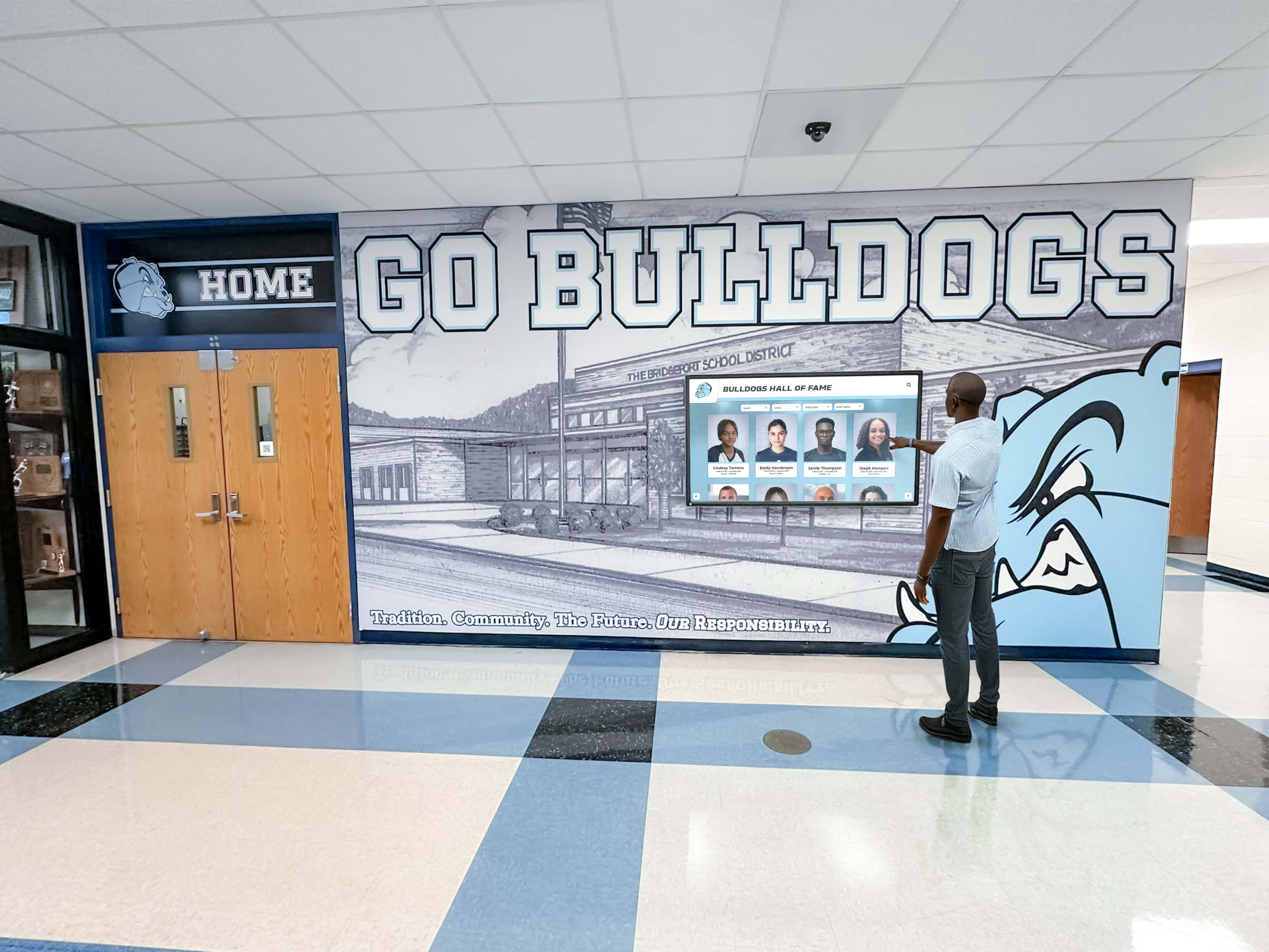
Consistent digitization processes create organized collections supporting various access platforms
Phase 3: Metadata and Organization
Raw digital files become useful archives only through thoughtful organization and description.
Metadata Schema Development Consistent information structures enable search and discovery:
Essential Metadata Fields
- Unique identifier for each digital object
- Title or caption describing content
- Date (exact or approximate) placing content temporally
- Creator or photographer when known
- Subjects identifying individuals, places, or topics depicted
- Physical description (original format, dimensions, condition)
- Rights and usage information guiding appropriate use
Organizational Metadata
- Collection or series assignment grouping related materials
- Classification by content type (portrait, event, document, etc.)
- Geographic information for location-specific content
- Institutional association (department, program, team, etc.)
- Relationship notes connecting related items across collection
Technical Metadata
- File format, size, and resolution specifications
- Digitization date and operator identification
- Equipment and settings used during capture
- Processing history documenting edits or enhancements
Comprehensive metadata transforms file collections into functional archives supporting complex research and discovery. Organizations implementing school history software benefit from purpose-built platforms managing metadata efficiently.
Controlled Vocabularies Consistent terminology improves search effectiveness:
- Name authority files standardizing how individuals are identified (handling nicknames, name changes, spelling variations)
- Geographic name standardization for consistent location references
- Subject heading lists using consistent terms for topics and themes
- Date formatting standards (YYYY-MM-DD) enabling chronological sorting
- Institutional terminology reflecting how community members actually search
Database Implementation Structured databases organize metadata and file relationships:
- Relational database design connecting people, events, places, and objects
- Many-to-many relationships allowing complex connections (individuals appearing in multiple photos, events spanning multiple years)
- Hierarchical organization supporting collection and series structures
- Search optimization enabling fast queries across large collections
- API availability allowing integration with display systems and websites
Phase 4: Access Systems and Platforms
Digital archives realize value only when accessible to intended audiences.
Access Platform Options Different approaches serve varying organizational needs and audiences:
Interactive Touchscreen Displays Purpose-built platforms like Rocket Alumni Solutions provide:
- Large-format touchscreens (55"-86") installed in high-visibility public spaces
- Intuitive browse and search interfaces requiring no instruction
- Unlimited content capacity growing with collections
- Cloud-based content management enabling remote updates
- ADA-compliant accessibility serving visitors with varying abilities
- QR code mobile access extending exploration to personal devices
- Analytics revealing how visitors engage with historical content
Schools and organizations implementing interactive display technology for historical archives create engaging public experiences that draw community members into institutional heritage.
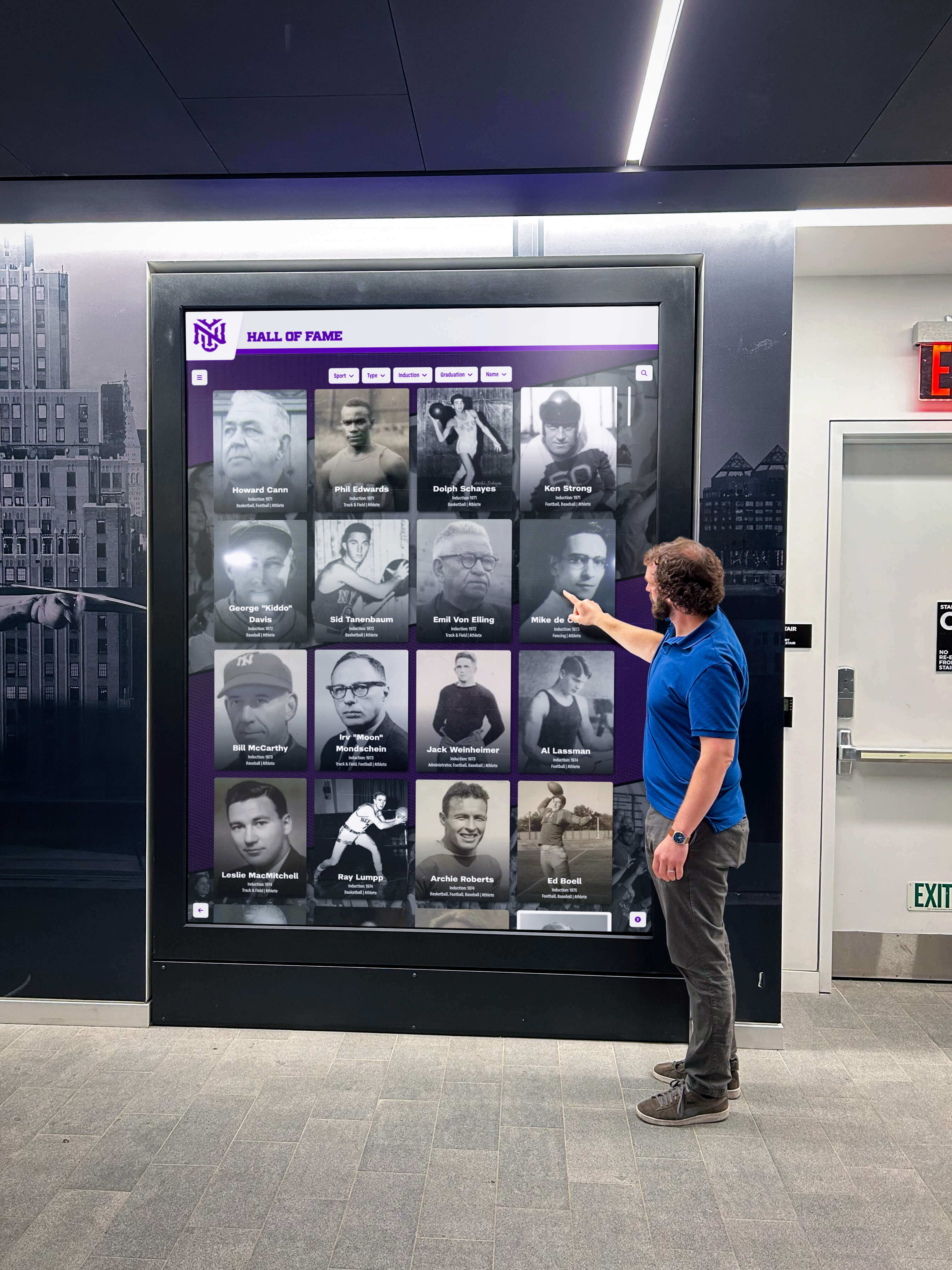
Interactive touchscreen displays create accessible archive experiences in lobbies, hallways, and gathering spaces
Web-Based Archive Portals Online access extends availability beyond physical locations:
- Searchable databases accessible via web browsers from any device
- Responsive design functioning on computers, tablets, and smartphones
- Advanced search options with filters for dates, people, topics, and content types
- User account systems allowing saved searches, favorites, and personal collections
- Social features enabling commenting, sharing, and crowd-sourced identification
- Download capabilities for personal use within appropriate rights guidelines
Hybrid Approaches Most effective implementations combine multiple access methods:
- Physical touchscreen displays for public spaces creating community gathering points
- Website access for alumni and remote community members unable to visit physically
- Mobile apps extending functionality to smartphones with offline capabilities
- Embedded displays within other institutional systems (websites, intranets, donor databases)
- Integration with broader institutional platforms and communication channels
Religious organizations exploring interactive information systems for historical content adapt digital archive approaches to faith community contexts.
Features of Effective Digital History Archive Systems
Understanding critical capabilities helps organizations select appropriate platforms rather than adapting inadequate tools.
Search and Discovery Functionality
Archives without effective search remain essentially inaccessible despite digitization efforts.
Full-Text Search
- Search across all metadata fields, captions, and descriptions simultaneously
- OCR-extracted text from documents and publications included in search indexes
- Partial word matching finding results even with incomplete search terms
- Spelling suggestions assisting when users misspell names or terms
- Synonym expansion finding related terms automatically
Advanced Filtering
- Date range selection narrowing results to specific years, decades, or eras
- Content type filters isolating photos, documents, videos, or specific formats
- Subject or topic filters organizing by themes, activities, or categories
- Geographic filters for location-specific content
- Collection filters searching within specific archives or series
- Combination filtering applying multiple criteria simultaneously
Browse Features
- Timeline visualization showing content distribution across institutional history
- Alphabetical name indexes for finding specific individuals
- Collection hierarchies browsing through organized groupings
- Related content suggestions revealing connections across different items
- Random or featured content discovery exposing lesser-known materials
Organizations implementing museum kiosk solutions apply similar search and discovery approaches to cultural heritage collections.
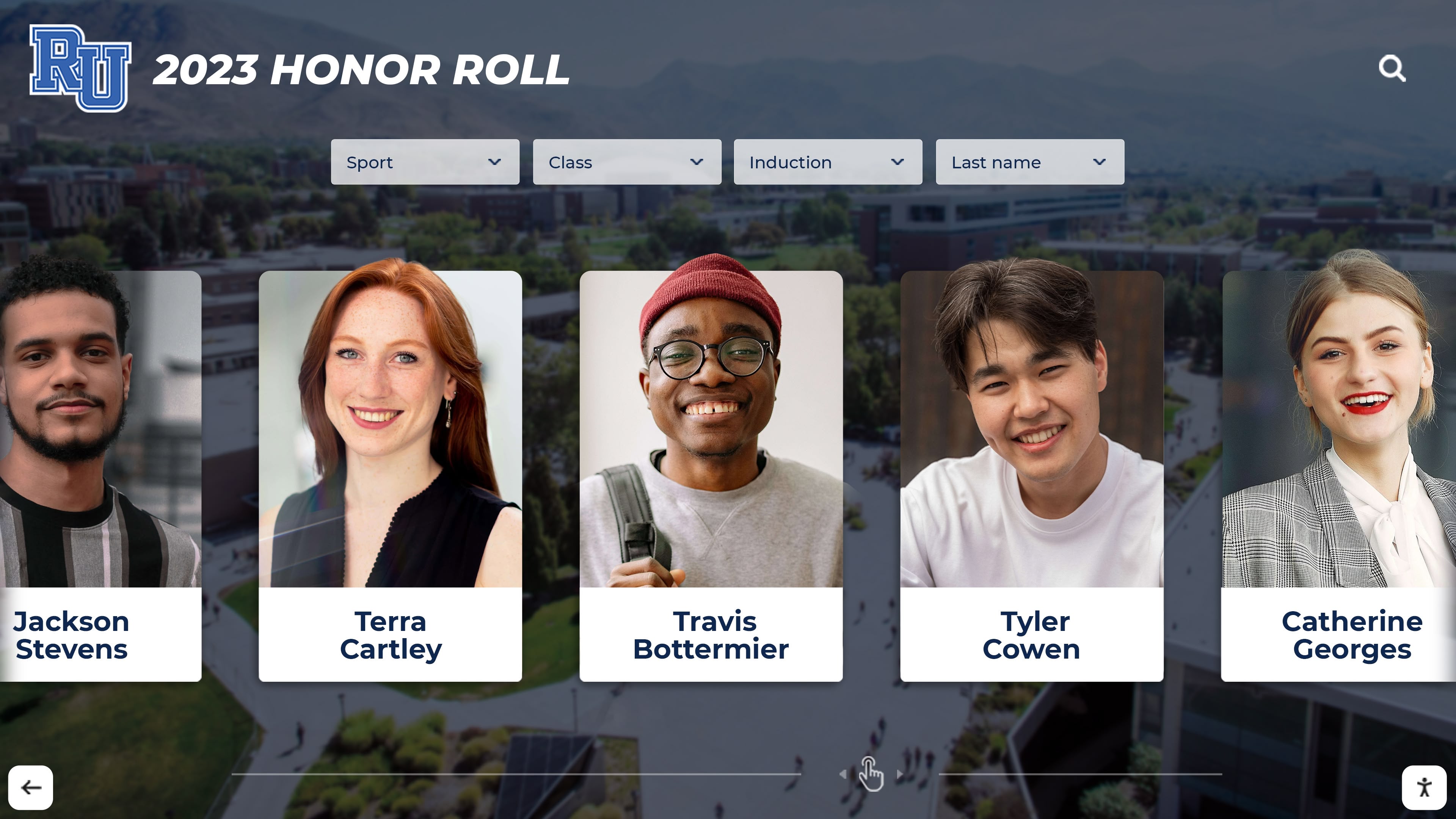
Effective search tools make finding specific individuals or moments possible across decades of content
User Engagement Features
Static presentation limits how visitors interact with historical content. Dynamic features increase engagement.
Zooming and Detail Viewing
- High-resolution image display allowing zoom into fine details invisible in original viewing
- Pan and zoom functionality for examining large documents or group photos
- Before-and-after sliders comparing historical and contemporary views
- Multi-image comparison placing related content side-by-side
Multimedia Presentation
- Video playback integrated seamlessly within archive browsing
- Audio narration accompanying visual content with synchronized presentation
- Photo galleries and slideshows revealing content sequences
- Animated timelines showing progression and change across years
- Interactive maps connecting geographic locations to related content
Social and Sharing Features
- Individual item sharing via email or social media platforms
- Collection creation allowing users to compile and save favorites
- Commenting and discussion enabling community conversation about historical content
- Crowd-sourced identification requesting help naming unknown individuals or identifying dates
- Personal stories submission inviting alumni to contribute memories and context
Mobile Extensions
- QR code scanning continuing exploration on personal devices
- Mobile-optimized interfaces functioning effectively on smartphones
- Save-for-later functionality bookmarking content for future viewing
- Offline access downloading content for viewing without internet connectivity
- Location awareness presenting relevant historical content based on physical location within facilities
Universities developing alumni recognition systems extend digital archives with features highlighting post-graduation achievements and careers.
Content Management Capabilities
Archives grow continuously as new materials become available and historical content surfaces.
Cloud-Based Administration
- Remote access enabling content management from any internet-connected device
- No software installation requirements using web-based interfaces
- Automatic backup and version control protecting against accidental deletions or changes
- Role-based permissions allowing appropriate access for different staff members
- Multi-user support enabling collaborative content development
Bulk Upload and Import
- Batch file upload supporting hundreds of items simultaneously
- Spreadsheet import creating metadata from organized data files
- Automated file naming based on metadata fields
- Template application ensuring consistent formatting across content
- Progress tracking monitoring large upload completion
Content Organization Tools
- Drag-and-drop arrangement organizing content visually
- Collection management creating hierarchical structures
- Tagging systems applying multiple categories to individual items
- Relationship mapping connecting related content across archive
- Featured content selection highlighting specific items for homepage display
Publishing Workflow
- Draft mode allowing content preparation without immediate publication
- Scheduled publication releasing content at specific dates and times
- Review and approval processes ensuring content accuracy before publication
- Revision history tracking changes and enabling rollback if needed
- Preview functionality viewing content as visitors will see it before publication
Schools and organizations implementing digital class composite displays require content management systems supporting annual updates and historical access.
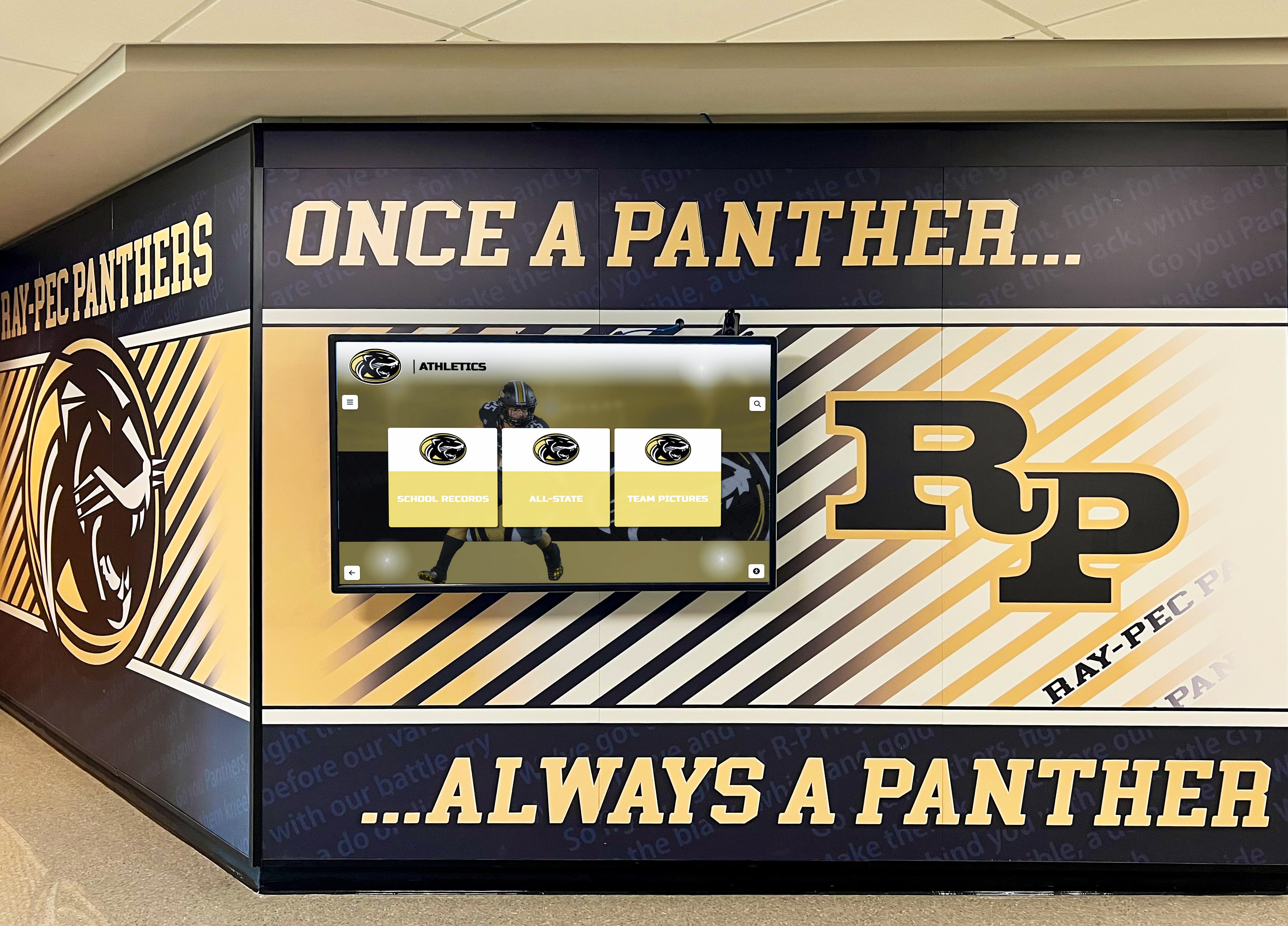
Cloud-based management enables staff to update historical content remotely without technical expertise
Accessibility and Inclusion
Historical archives serve entire communities regardless of physical abilities, technical experience, or language backgrounds.
ADA Compliance Standards
- WCAG 2.1 AA accessibility guidelines for digital content
- Screen reader compatibility allowing assistive technology to interpret content
- Keyboard navigation providing complete functionality without touch interaction
- Sufficient color contrast ensuring visibility for users with color blindness or visual impairments
- Alternative text descriptions for all images conveying visual content to non-visual users
- Adjustable text sizing accommodating varying vision abilities
Physical Accessibility
- Display mounting heights within ADA reach range requirements
- Adequate clearance for wheelchair approach and comfortable use
- Angled displays reducing neck strain during extended viewing
- Volume controls for audio content
- QR code alternatives enabling mobile device interaction without touching public screens
Multilingual Support
- Content translation for diverse community language needs
- Interface localization presenting navigation in multiple languages
- Cultural sensitivity in content description and presentation
- Community input on appropriate multilingual terminology
Universal Design Benefits Accessible design improves experience for all users beyond those with specific needs. Clear navigation helps first-time users. Large text benefits older visitors. Mobile access serves anyone preferring personal devices.
Organizations exploring historical preservation best practices prioritize accessibility ensuring historical content serves entire communities.
Digital History Archives for Different Organization Types
Various institutions adapt digital archiving approaches to specific contexts and community needs.
K-12 Schools and High Schools
Educational institutions maintain rich histories through students, athletics, academics, and community connections.
Academic History Content
- Class composites and student portraits across graduating classes
- Academic achievement recognition including honor rolls and scholarships
- Student activity documentation from clubs, performances, and competitions
- Faculty and staff history recognizing educators throughout school history
- Facility evolution showing building construction, renovations, and improvements
- Curriculum and program history documenting educational approaches across eras
Athletic Archives
- Team photos and individual athlete portraits from all sports across decades
- Championship documentation with rosters, records, and tournament results
- Coaching history recognizing program leaders and their tenures
- Record books tracking top performances across sports and time periods
- Facility dedications and improvements to athletic venues
- Rival game histories and significant competition moments
Schools implementing trophy display solutions integrate achievement recognition within comprehensive digital historical archives.
Community and Event Documentation
- Homecoming and spirit week celebrations across years
- Performing arts productions including theater, music, and dance
- Community service projects and partnerships
- Reunions and alumni gatherings
- Facility dedications and milestone celebrations
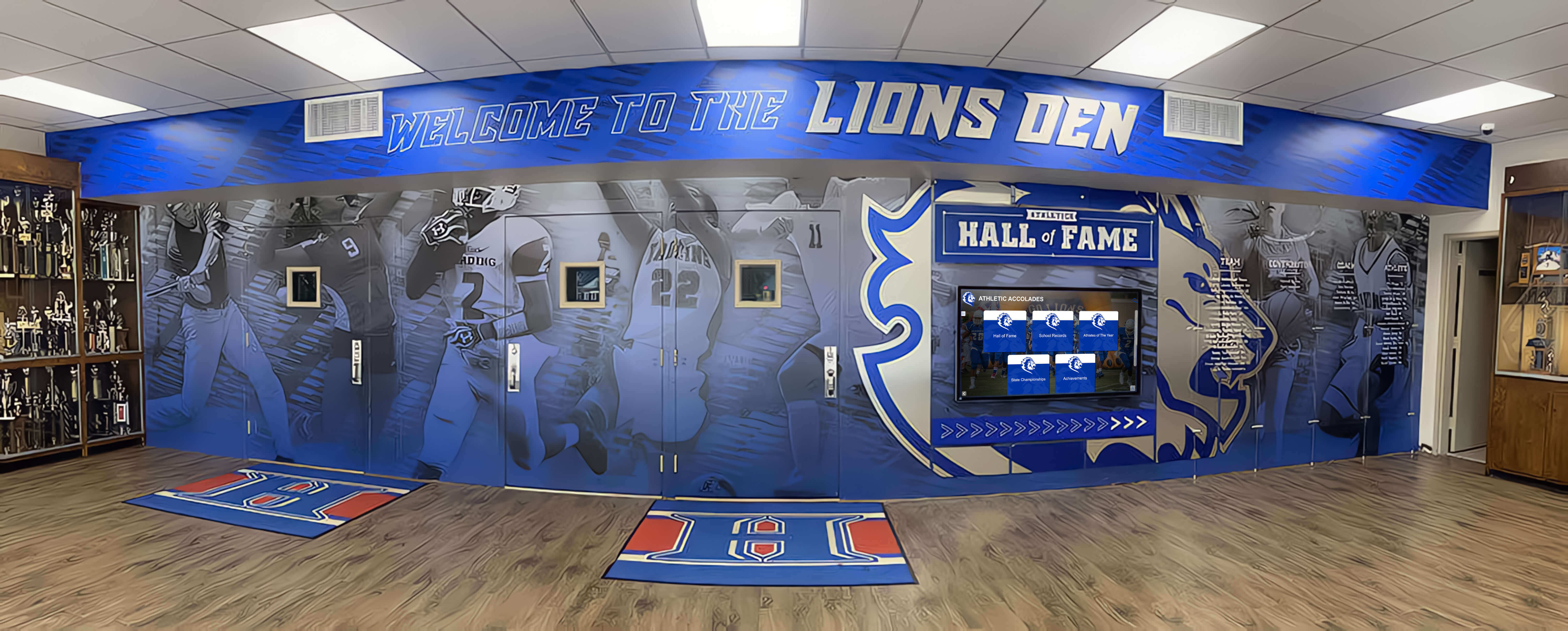
K-12 schools preserve academic, athletic, and community history through comprehensive digital archives
Colleges and Universities
Higher education institutions manage complex archives spanning academics, research, athletics, and alumni achievements.
Institutional History
- Founding documentation and early institutional development
- Leadership succession across presidents, deans, and administrative eras
- Academic program evolution and departmental histories
- Campus development through facility construction and landscape changes
- Significant research achievements and discoveries
- Distinguished faculty recognition and contributions
Student Life Archives
- Residential life and campus housing evolution
- Greek life and social organization histories
- Student government and activism documentation
- Cultural and identity-based organization archives
- Traditional events and longstanding ceremonies
- Student publication archives including newspapers and yearbooks
Athletics and Competition
- Conference championship and national tournament documentation
- Individual athlete record books and career statistics
- Coaching legends and program-building figures
- Facility development from early fields to modern complexes
- Notable games and defining moments in program histories
- Alumni athlete achievements at professional and international levels
Universities developing athletic recognition displays integrate competition history within broader institutional archives.
Research and Academic Excellence
- Notable research projects and discoveries
- Publication histories for significant scholarship
- Grant funding and partnership documentation
- Academic honor society membership across years
- Distinguished lecturers and visiting scholars
- Academic conference hosting and participation
Museums and Cultural Organizations
Cultural institutions preserve community heritage and specialized collection areas.
Collection Documentation
- Acquisition histories showing how collections developed
- Curator and director succession across institutional eras
- Exhibition histories documenting past shows and installations
- Conservation project documentation showing preservation work
- Provenance research revealing object histories
- Behind-the-scenes institution operations
Community Connection
- Founding and early organizational development
- Volunteer and docent recognition across decades
- Educational program evolution and impact
- Community partnership documentation
- Special events and fundraising milestone celebrations
- Donor recognition and philanthropic history
Cultural organizations exploring interactive museum displays create accessible historical content alongside exhibition materials.
Thematic Archives
- Local history documentation connecting institutions to broader community
- Industry or topic-specific content aligned with museum focus areas
- Historical event documentation where institutions played roles
- Cultural heritage preservation for specific communities or traditions
- Regional history positioning institutions within geographic contexts
Civic and Community Organizations
Municipal governments, service organizations, and community groups maintain local heritage.
Organizational History
- Founding and incorporation documentation
- Leadership succession across boards, councils, and executive roles
- Membership rosters tracking participation across decades
- Program and service evolution showing how organizations adapted to community needs
- Facility histories including meeting spaces and community centers
- Significant milestones, anniversaries, and achievement celebrations
Community Impact Documentation
- Service project histories documenting community contributions
- Partnership and collaboration documentation
- Fundraising and philanthropy records
- Volunteer recognition across participation history
- Community event sponsorship and involvement
- Crisis response and emergency assistance efforts
Local Heritage Preservation
- Historical photograph collections documenting community development
- Oral history projects capturing resident memories and experiences
- Historical site documentation showing community evolution
- Traditional event histories preserving cultural continuity
- Notable resident recognition celebrating community members
- Geographic and demographic change documentation
Organizations developing community recognition systems integrate historical archives with current community engagement platforms.

Civic organizations preserve local heritage through accessible digital historical archives
Best Practices for Digital History Archive Success
Learning from successful implementations helps organizations create valuable archives while avoiding common pitfalls.
Starting Small and Expanding Systematically
Comprehensive digital archives representing decades of history develop over time through sustainable processes.
Phased Implementation Approach Organizations attempting complete digitization immediately often abandon overwhelmed projects partway through. Sustainable approaches:
- Pilot phase: Digitize one high-value collection (recent decade, specific program, popular era)
- System development: Establish processes, standards, and workflows through manageable project
- Evaluation: Assess results, identify improvements, and refine approaches
- Expansion: Apply learned lessons to additional collections systematically
- Continuous growth: Maintain regular digitization adding new materials and completing historical coverage
Priority Content Selection Initial digitization phases should address:
- Materials at greatest deterioration risk requiring urgent preservation
- Content generating highest community interest and usage
- Recent materials lacking other backups vulnerable to single-point loss
- Collections offering manageable scope demonstrating achievable progress
- High-quality source materials producing impressive results building enthusiasm
Resource Allocation Realistic planning prevents unsustainable efforts leading to burnout and abandoned projects:
- Assign specific staff responsibility rather than expecting volunteer efforts
- Budget adequate time recognizing digitization requires sustained effort
- Establish regular work schedules maintaining steady progress
- Celebrate milestones reinforcing value and motivating continued work
- Accept that comprehensive archives develop across years, not months
Engaging Community Contributions
Organizations lack complete historical material collections. Community members possess additional content and contextual knowledge.
Contribution Programs Systematic community engagement expands collections:
- Clear submission guidelines specifying desired materials and formats
- Simple contribution processes minimizing friction and technical barriers
- Recognition for contributors acknowledging their generosity and effort
- Rights documentation ensuring appropriate use permissions
- Quality review confirming submissions meet archival standards
- Integration workflows incorporating community content into main collections
Crowd-Sourced Identification Community members identify unknown individuals and provide context:
- Tagging systems allowing visitors to submit identifications
- Verification processes confirming accuracy before accepting changes
- Discussion forums enabling collaborative identification efforts
- Credit attribution recognizing successful identifications
- Gamification elements encouraging participation through achievements
Oral History Projects Recorded interviews capture memories and context unavailable from physical materials:
- Structured interview protocols ensuring consistent, valuable content
- Technical quality standards for recording and preservation
- Transcription creating searchable text alongside audio
- Integration with related visual materials connecting voices to images
- Permission documentation clarifying usage rights
Organizations implementing alumni spotlights encourage ongoing community contributions expanding institutional archives.

Community engagement expands historical collections while building ownership and connection
Maintaining Historical Accuracy and Context
Digital archives must balance accessibility with historical responsibility and accuracy.
Fact Verification Historical content requires careful verification:
- Cross-reference multiple sources confirming dates, names, and events
- Document uncertainty when definitive information unavailable
- Correct errors discovered after initial publication
- Maintain revision logs tracking corrections and updates
- Acknowledge conflicting sources transparently
Contextual Information Raw historical materials need interpretive context:
- Historical background explaining circumstances and significance
- Biographical information connecting individuals to broader narratives
- Cultural context addressing changing social norms and perspectives
- Technical explanations for specialized terminology or practices
- Comparative information showing historical progression and change
Ethical Considerations Historical materials sometimes contain problematic content:
- Respectful presentation of historical materials reflecting past eras
- Content warnings for materials some visitors may find disturbing
- Interpretive notes addressing outdated or inappropriate historical perspectives
- Removal consideration for content causing genuine harm while documenting reasons
- Community input on appropriate approaches to sensitive materials
Copyright and Rights Management Legal compliance protects institutions and respects creators:
- Copyright assessment determining usage rights
- Permission documentation for materials requiring authorization
- Attribution crediting creators, photographers, and donors
- Usage restrictions communicating appropriate use limitations
- Takedown procedures addressing rights conflicts discovered after publication
Promoting Archive Usage and Awareness
Digital archives realize value only when communities use them regularly.
Launch Strategy Successful archive introductions create awareness and initial momentum:
- Dedication ceremonies celebrating completion and honoring contributors
- Media coverage in newsletters, websites, local press, and social platforms
- Email campaigns to alumni and community members highlighting new access
- Educational presentations to current students, staff, and stakeholders
- Special events incorporating archive exploration activities
Ongoing Promotion Sustained visibility maintains engagement beyond initial launch excitement:
- Regular featured content highlighting interesting discoveries
- Anniversary recognition using historical materials
- Educational integration incorporating archives into curricula
- Event tie-ins connecting current activities to historical precedents
- Social media campaigns sharing historical photographs and stories
- Newsletter columns presenting historical content regularly
- Tours and orientations introducing new community members to archives
Analytics and Improvement Understanding usage patterns informs continuous enhancement:
- Track popular content revealing community interests
- Monitor search queries showing what visitors seek
- Identify navigation patterns revealing usability issues
- Survey users about satisfaction and desired improvements
- Test new features with community feedback before wide release
Organizations implementing digital signage content strategies apply similar promotional approaches to historical archive systems.
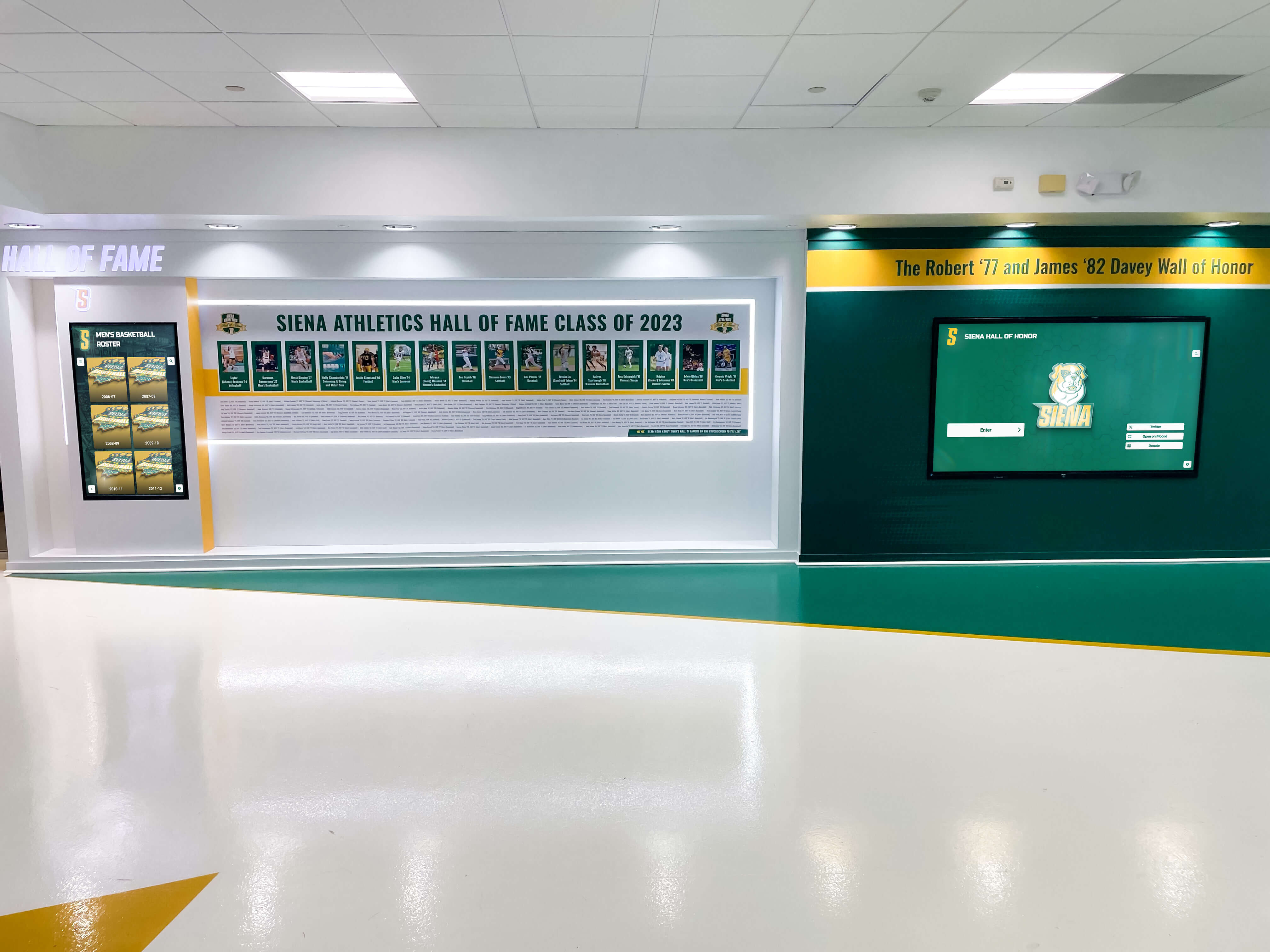
Successful digital archives combine quality content, effective promotion, and continuous improvement
Technology Platforms for Digital History Archives
Selecting appropriate technology determines long-term archive success and sustainability.
Purpose-Built Archive Solutions
Platforms designed specifically for institutional archives offer significant advantages over adapted general-purpose systems.
Rocket Alumni Solutions Comprehensive platform for educational and community organizations providing:
- Unlimited content capacity supporting decades of historical materials
- Interactive touchscreen displays (55"-86") for public spaces
- Cloud-based content management accessible from any device
- Professional templates requiring no design expertise
- Powerful search and filtering for large databases
- Timeline visualization organizing content chronologically
- ADA WCAG 2.1 AA accessibility compliance
- QR code mobile access extending reach beyond physical displays
- Analytics revealing usage patterns and popular content
- Complete implementation including hardware, software, installation, and training
Organizations particularly value turnkey approaches including content development services, system setup, and ongoing support ensuring successful long-term operation.
Digital Asset Management Systems Enterprise content management platforms offer:
- Sophisticated metadata and taxonomy capabilities
- Advanced search across massive content collections
- Granular access controls and permissions management
- Integration with other institutional systems
- Long-term digital preservation features
- Audit trails tracking all system activity
These comprehensive systems serve institutions with extensive archival programs and dedicated technical resources, typically requiring significant investment and ongoing IT support.
Website-Based Solutions Web content management systems adapted for archival use:
- Familiar administrative interfaces for staff accustomed to website management
- Integration with existing institutional websites
- Lower upfront costs compared to specialized platforms
- Customization flexibility through plugins and extensions
- Self-hosted or cloud-hosted deployment options
Web-based approaches work for organizations with technical expertise but often require significant custom development achieving archival functionality.
Evaluation Criteria
When comparing digital archive platforms, assess these critical factors:
Technical Capabilities
- Unlimited content capacity without per-item or storage limitations
- Full-text search across metadata, OCR text, and transcriptions
- Advanced filtering by date, person, topic, content type, and custom fields
- Timeline and geographic visualization options
- Multimedia support for photos, documents, video, and audio
- Mobile-responsive design or dedicated mobile applications
- API availability enabling custom integrations
Usability
- Intuitive interfaces requiring minimal training for staff and visitors
- Cloud-based administration accessible from any device
- Bulk upload and import capabilities
- Template systems ensuring consistent presentation
- Preview functionality before publishing
- Quick learning curve for non-technical users
Accessibility and Inclusion
- ADA WCAG 2.1 AA compliance verified through testing
- Screen reader compatibility
- Keyboard navigation without requiring touch
- Adjustable text sizing
- Multilingual interface and content support
- QR code or alternative access methods
Support and Services
- Professional content development assistance
- Training and documentation for administrators
- Technical support availability and response times
- Software updates and new feature releases
- Migration services from existing systems
- Hardware sourcing and installation coordination for touchscreen displays
Total Cost Analysis
- Initial platform fees or perpetual licenses
- Annual subscription or maintenance costs
- Hardware expenses for physical displays
- Implementation and setup services
- Content development costs
- Ongoing support and training expenses
Calculate five-year total cost of ownership rather than focusing solely on initial purchase price. Apparently inexpensive solutions often require extensive hidden costs for customization, training, and support.
Organizations exploring hall of fame software options should evaluate comprehensive platforms serving both recognition and archival needs.
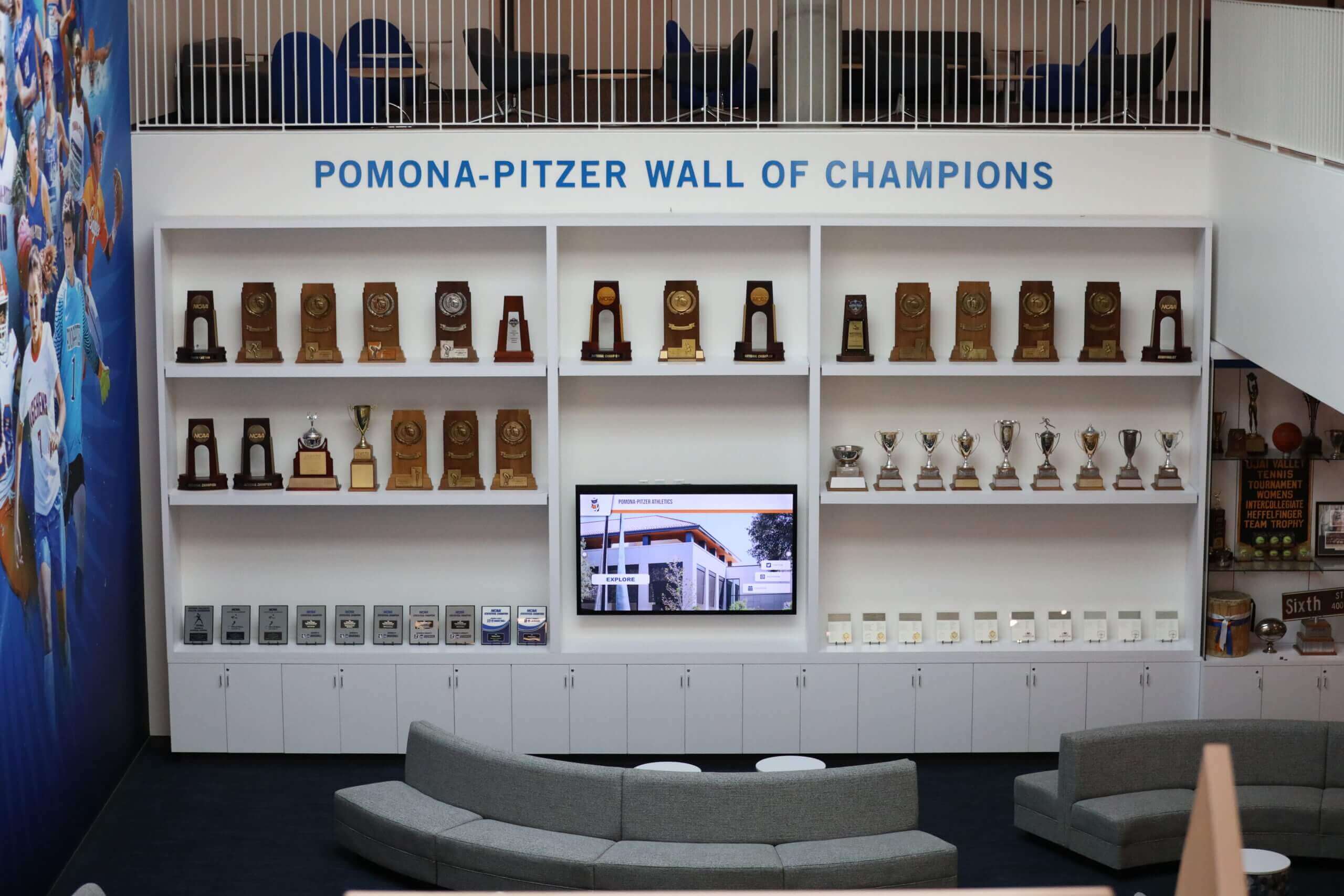
Purpose-built platforms integrate seamlessly with institutional environments while serving diverse content needs
Measuring Digital Archive Success and Impact
Regular assessment ensures archive investments deliver intended community benefits.
Quantitative Metrics
Usage Statistics
- Total interactions tracking overall archive engagement
- Unique users counting distinct visitors accessing archives
- Average session duration indicating engagement depth
- Return visitor rates showing sustained interest
- Most viewed content revealing popular materials
- Search query analysis understanding what visitors seek
- Geographic distribution for web-based access
- Peak usage times informing content scheduling
Content Growth
- Digital items added monthly tracking digitization progress
- Historical coverage completeness measuring collection gaps
- Community contributions quantifying external engagement
- Content type diversity ensuring balanced representation
Technical Performance
- System uptime and reliability percentages
- Search response times ensuring fast results
- Page load speeds maintaining user experience
- Mobile access statistics showing device usage patterns
- Error rates identifying technical issues
Qualitative Assessment
Stakeholder Feedback
- User satisfaction surveys measuring community perceptions
- Alumni comments revealing emotional connections to historical content
- Staff impressions about community reactions and engagement
- Board member perspectives on institutional value
- Student responses to educational applications
Observational Research
- Time visitors spend with archive displays
- Group interaction patterns around touchscreen installations
- Navigation behaviors revealing usability strengths and weaknesses
- Repeat usage indicating sustained value
- Discussion and social interaction inspired by content
Cultural Impact
- Community identity strengthening through accessible history
- Alumni engagement increases following archive launch
- Educational integration expanding historical awareness
- Media coverage demonstrating broader community interest
- Donor sentiment about institutional stewardship and preservation
Return on Investment
Organizations typically assess digital archive value through:
Direct Benefits
- Staff time savings from reduced historical information requests
- Physical storage space freed by organized digital systems
- Preservation insurance protecting irreplaceable materials
- Tour and recruitment enhancement supporting institutional goals
Indirect Benefits
- Alumni engagement increases supporting fundraising and participation
- Community pride enhancement strengthening institutional relationships
- Educational value through curriculum integration
- Research facilitation serving academic and creative projects
- Stewardship demonstration attracting donors and support
Research demonstrates that organizations maintaining accessible historical records report 25-40% higher alumni engagement compared to institutions where history remains hidden in storage. Digital archives create measurable value through strengthened community connections and increased participation.
Organizations implementing interactive timeline displays track engagement metrics demonstrating historical content value to stakeholders.
Conclusion: Creating Lasting Digital Historical Legacies
Digital history archives represent significant advancement in how institutions preserve heritage and make it accessible to current and future generations. When thoughtfully implemented with quality digitization, organized metadata, intuitive access platforms, and sustainable maintenance processes, digital archives create engaging experiences connecting communities to institutional roots while honoring previous generations’ contributions.
Organizations successfully implementing digital history archives share common characteristics: clear vision for how archives serve mission and community, commitment to systematic digitization and organization, accessible technology platforms meeting diverse user needs, community engagement expanding collections and building ownership, and long-term perspectives ensuring sustainable operation across decades.
Modern digital archive platforms make comprehensive historical preservation achievable for organizations of all sizes—from small community groups to major universities—without the space constraints and access limitations plaguing traditional physical-only approaches. Cloud-based content management eliminates technical barriers preventing regular updates. Powerful search tools make finding specific content instantaneous regardless of collection size. Interactive touchscreen displays create public engagement impossible with materials stored in boxes. Mobile access extends archive availability beyond physical locations to anywhere community members connect.
Whether preserving school history, documenting athletic achievement, celebrating community heritage, or maintaining organizational continuity, digital archives create preservation and access possibilities that traditional approaches simply cannot match.
Start where you are with implementations matching available resources and priorities, then systematically expand as you experience the impact of accessible historical content strengthening community identity and engagement. Every photograph digitized, every biography created, and every historical moment preserved represents investment in connecting present community members to institutional roots while ensuring future generations inherit complete historical records.
Your institutional history represents irreplaceable heritage deserving preservation and celebration. Digital archive solutions ensure you protect this legacy while making it accessible to everyone who should experience and learn from your organizational journey.
Ready to explore how digital history archives can preserve and share your institutional heritage? Discover comprehensive interactive touchscreen platforms and archive solutions designed specifically for schools, museums, and community organizations, with unlimited capacity, professional content development, cloud-based management, ADA compliance, and dedicated support making modern historical preservation achievable for organizations of all sizes.