Traditional class composites—those formal portraits arranged by graduating class—have defined school memory preservation for generations. Rows of framed photographs line hallways, yearbooks gather dust on forgotten shelves, and alumni struggle to find connections to their graduating class when visiting campus decades later.
Schools face mounting challenges with traditional photo displays. Wall space runs out. Physical composites deteriorate. Alumni can’t locate their classmates among hundreds of portraits. Updates require expensive reprinting. And younger visitors accustomed to digital experiences find static photo walls unengaging.
Digital class composite displays offer a practical alternative. Interactive touchscreen systems enable schools to preserve unlimited class photos with search functionality, multimedia content, and continuous updates—all through cloud-based platforms accessible anywhere. This comprehensive guide explains how schools implement digital class composites, key features to evaluate, and the tangible benefits these systems deliver.
Schools preserve graduating class memories through formal portraits organized by year. Yet the traditional approach creates significant limitations that digital technology now solves through interactive displays combining unlimited capacity, powerful search, and rich multimedia content.
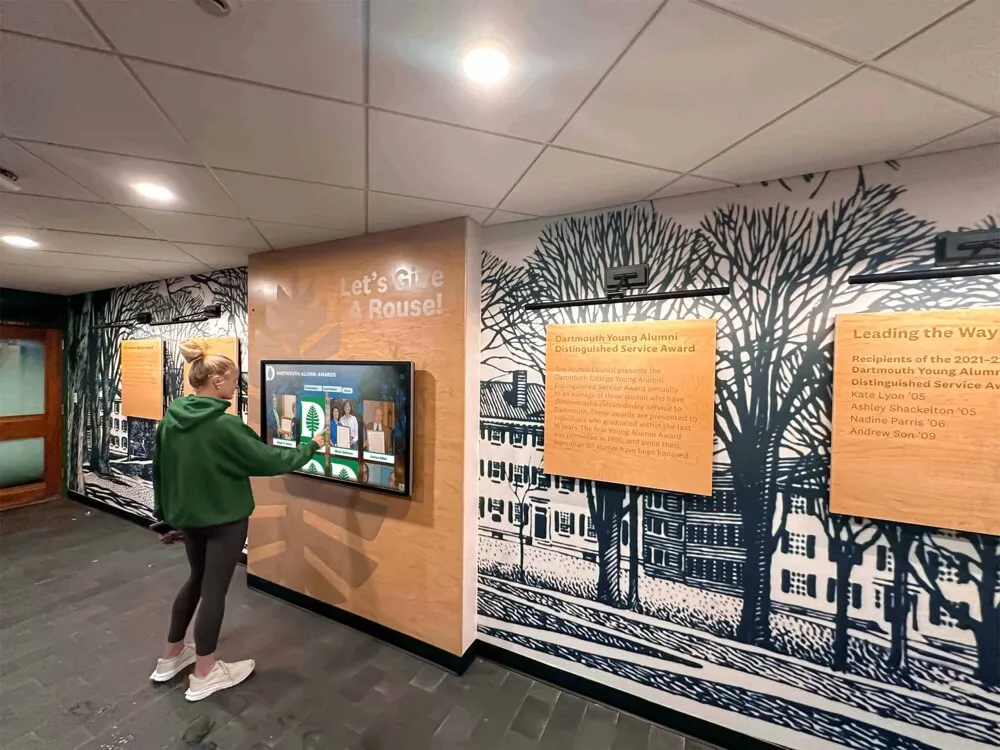
Modern touchscreen displays transform how schools preserve and share class photo archives with visitors
What Are Digital Class Composites?
Digital class composites represent the evolution of traditional senior portraits into searchable, interactive recognition systems accessible through touchscreen displays. Rather than physical photographs mounted on walls or stored exclusively in yearbooks, digital systems organize class photos within cloud-based platforms that visitors explore through intuitive touch interfaces.
Core Components of Digital Class Composite Systems
Cloud-Based Content Management Platform
The foundation consists of web-accessible software where administrators upload, organize, and manage class photos:
- Upload individual portraits or entire class photos from any device
- Add biographical information, achievements, and multimedia content
- Update information in real-time without requiring on-site access
- Organize photos by graduation year, program, or other criteria
- Archive historical photos dating back decades or even a century
Interactive Touchscreen Display Hardware
Physical touchscreen displays installed in high-traffic areas transform digitized archives into engaging experiences:
- Commercial-grade touchscreens ranging from 55" to 86" diagonal
- Portrait or landscape orientation depending on space and content
- Installation options including wall-mounted, freestanding kiosks, or built-in architectural integration
- Durable construction designed for continuous operation and public interaction
- Optional protective enclosures for high-traffic or outdoor environments
Search and Discovery Features
The distinguishing characteristic that separates digital composites from static photos involves powerful search capabilities:
- Search by student name to instantly locate any individual across decades
- Browse by graduation year to explore specific class cohorts
- Filter by achievements, honors, or post-graduation accomplishments
- View alphabetical listings within each class year
- Access random highlights showcasing diverse student stories
Multimedia Content Integration
Unlike static photographs, digital platforms incorporate rich media that brings class history to life:
- Individual student biographies and accomplishments
- Links to notable career achievements or community contributions
- Video content including graduation speeches or alumni reflections
- Historical context about specific graduation years or eras
- Connection to broader school history and traditions
These components work together to create recognition systems far exceeding traditional composites in accessibility, engagement, and preservation quality.
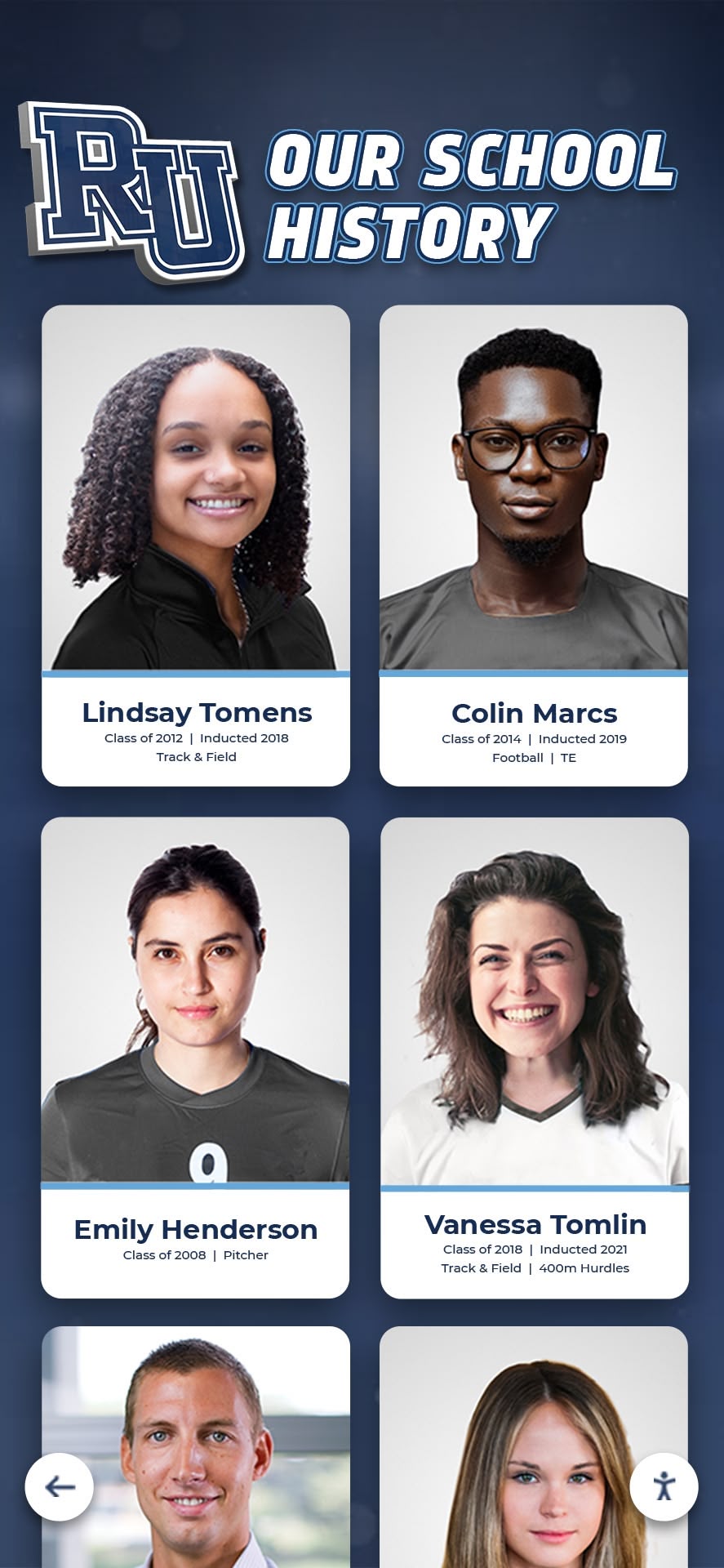
Individual digital portrait cards enable detailed information beyond what traditional composites can display
Benefits Over Traditional Class Photo Displays
Schools maintaining traditional composites encounter limitations that digital systems address through modern technology and interactive design.
Unlimited Capacity Without Space Constraints
Physical wall space creates the most obvious limitation with traditional composites:
Traditional Approach Limitations
- Available wall space dictates how many years of classes can be displayed
- Schools eventually must choose between removing older composites or finding new wall space
- Expanding buildings require relocating existing composites at significant cost
- Prime hallway locations become unavailable as displays accumulate
- Storage of removed composites requires climate-controlled space to prevent deterioration
Digital System Advantages
- Single touchscreen occupying 10-15 square feet displays unlimited graduating classes
- Add new classes annually without removing or relocating older content
- Archive historical photos dating back to school founding without space concerns
- Include multiple photos per student without increasing physical footprint
- Expand content continuously as alumni provide additional historical materials
A school maintaining traditional composites for 75 years might display 30-40 recent classes while storing hundreds of older composites in basements or archives. Digital systems make every graduating class equally accessible regardless of age.
Instant Updates and Content Modifications
Traditional composites become permanent once produced—corrections require expensive reproduction:
Traditional Composite Challenges
- Production timelines extend 2-6 months from photography to installation
- Corrections for misspellings or photo errors require complete reproduction
- Updated information about alumni accomplishments can’t be added retroactively
- Faded or damaged composites require costly restoration or replacement
- Lost or stolen composites represent irreplaceable historical records
Digital Platform Flexibility
- Update student information within minutes through cloud-based management systems
- Correct errors immediately without reproduction costs
- Add alumni accomplishments as schools learn about notable achievements
- Update photos if better quality versions become available
- Restore historical images through digital enhancement rather than physical restoration
Schools frequently discover notable alumni accomplishments years after graduation—Rhodes Scholars, Olympic athletes, successful entrepreneurs, or community leaders. Digital systems enable retroactive recognition through simple content updates. Solutions like Rocket Alumni Solutions provide cloud-based platforms where administrators manage these updates remotely.
Enhanced Search and Discovery
Locating specific individuals among hundreds or thousands of portraits creates frustration with traditional displays:
Traditional Search Difficulties
- Visitors must know which year to check before finding individuals
- Scanning hundreds of small portraits proves time-consuming and ineffective
- Married names or name changes make searches nearly impossible
- Visitors unfamiliar with graduation years face significant search challenges
- Class composites in storage or removed from walls become effectively inaccessible
Digital Search Capabilities
- Name search instantly locates individuals across all graduating classes
- Phonetic search helps when exact spelling is uncertain
- Search by decade or era when specific years are unknown
- Filter by achievements, honors, or post-graduation accomplishments
- Browse random profiles to discover unexpected connections
Alumni visiting campus for reunions or events can immediately find themselves, classmates, and relatives through simple searches. Prospective students exploring campus can discover whether family members attended the school. Current students can identify notable alumni who share their interests or career aspirations.
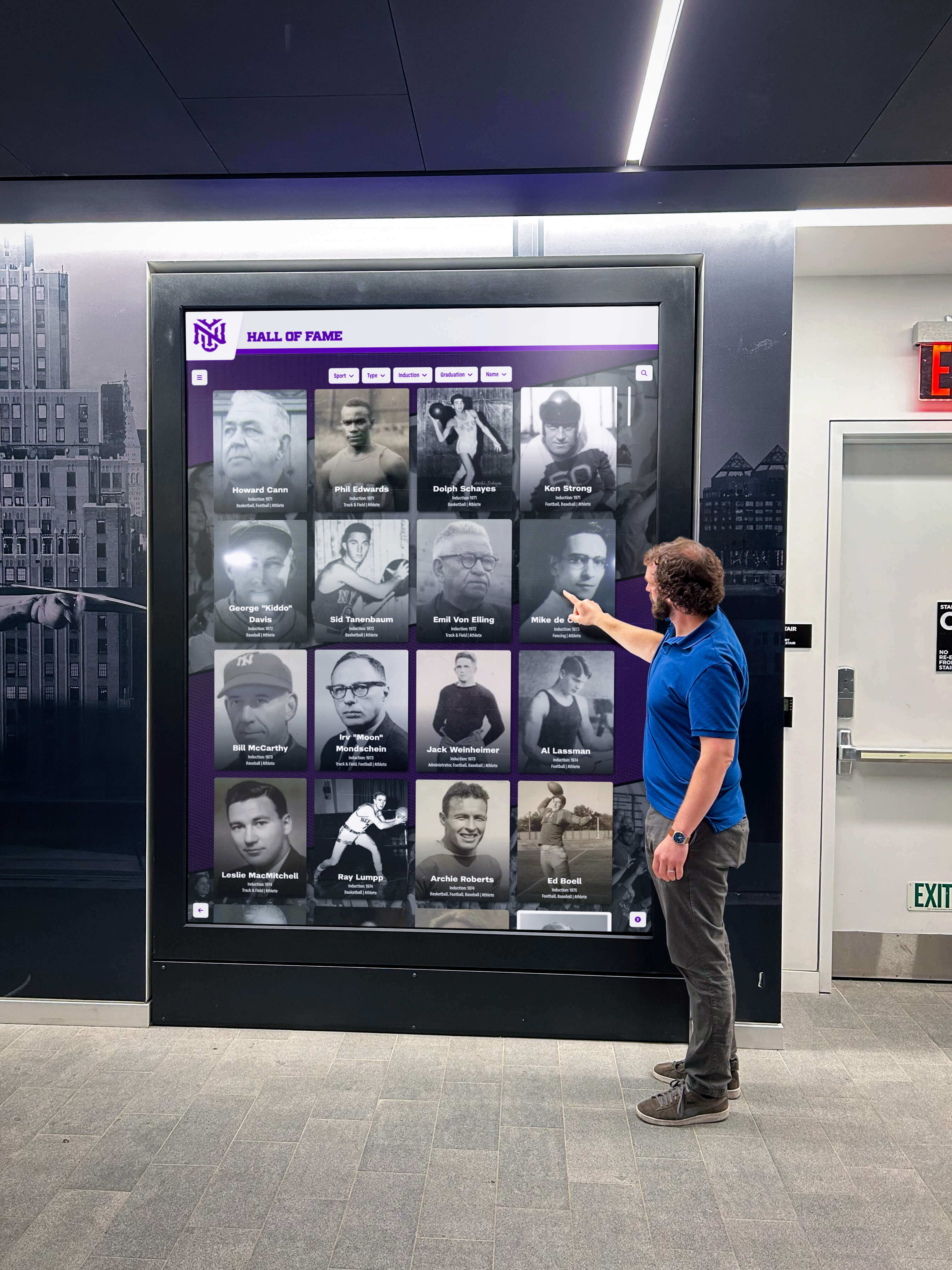
Interactive search features help visitors quickly locate classmates and family members across decades
Preservation and Longevity
Physical photographs deteriorate over time regardless of quality:
Physical Deterioration Challenges
- Photographs fade from light exposure, especially in sunlit hallways
- Frames break or become damaged from accidental impacts
- Paper backing yellows and becomes brittle over decades
- Environmental factors including humidity and temperature cause damage
- Cleaning and maintenance requires careful handling to prevent damage
Digital Preservation Advantages
- Digital files don’t deteriorate—image quality remains constant indefinitely
- Cloud storage provides redundancy protecting against local disasters
- Digital enhancement can improve quality of historical photographs
- No physical contact from visitors means no handling damage
- Professional archival scanning preserves originals while providing access
Schools that digitize composites create preservation copies protecting irreplaceable historical records. Even if schools maintain traditional composites, digital backups provide insurance against loss or damage.
Accessibility and Reach
Traditional composites serve only visitors physically present on campus:
Geographic and Accessibility Limitations
- Only visitors to campus can view traditional composites
- Alumni living far from campus have no access to class photos
- Physically mounted displays may not meet ADA accessibility requirements
- Height placement makes lower or upper rows difficult to view
- Visitors with vision impairments cannot enlarge or enhance photos
Digital Accessibility Features
- ADA WCAG 2.1 AA compliant touchscreen interfaces ensure accessibility for all visitors
- QR codes enable mobile phone access extending reach beyond physical displays
- Web-accessible platforms allow alumni worldwide to explore class archives
- Adjustable text size and zoom functions accommodate vision needs
- Screen reader compatibility serves visually impaired visitors
According to a study by Gartner, cloud-based solutions for digital displays and kiosks can reduce administrative costs by up to 30% while expanding access to recognition content.
Key Features to Evaluate in Digital Class Composite Systems
Schools considering digital class composites should evaluate specific features that distinguish basic photo galleries from comprehensive recognition platforms.
Content Management and Administration
The administrative experience determines how easily schools can maintain and expand class archives:
Essential Administrative Features
- Bulk Upload Capability: Import entire class photos in batch operations rather than individual entries
- Template Systems: Pre-built layouts ensure consistent presentation without requiring design expertise
- Role-Based Permissions: Allow multiple administrators with appropriate access levels
- Version History: Track changes and restore previous versions if needed
- Content Scheduling: Schedule new content to go live at specific dates and times
Advanced Administrative Tools
- CSV import/export for integration with student information systems
- Automated backups protecting against accidental deletions
- Content approval workflows for multiple-person review processes
- Custom field creation for school-specific information
- Mobile management enabling updates from smartphones or tablets
Schools should prioritize platforms offering intuitive interfaces that don’t require technical expertise. Consider how current staff will manage the system and whether training requirements fit available resources.
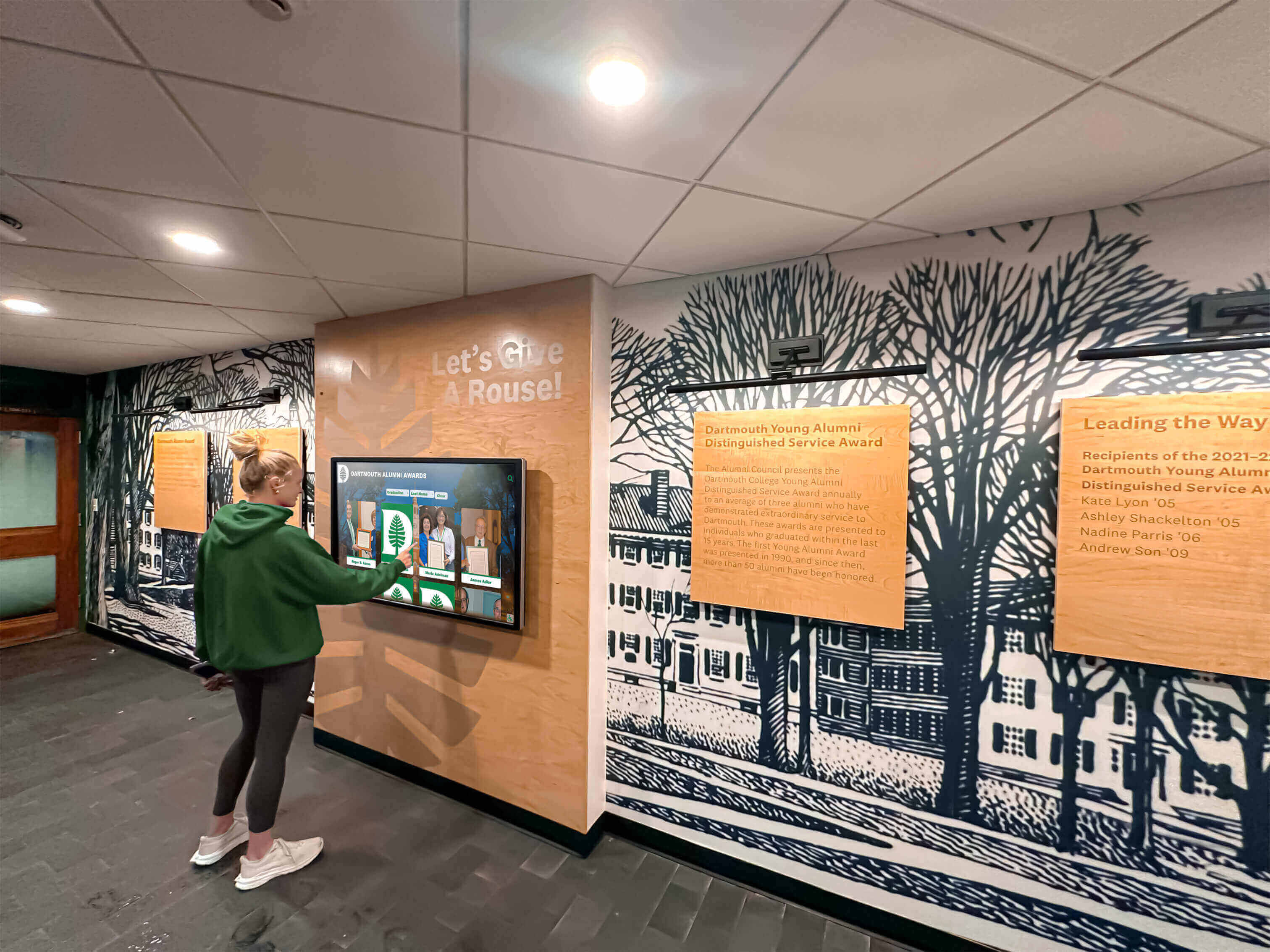
Intuitive touch interfaces make digital class composites accessible to visitors of all ages and technical backgrounds
Display and User Experience
The visitor-facing experience determines engagement and satisfaction:
Navigation and Interface Design
- Clear home screen with obvious entry points for browsing or searching
- Intuitive touch gestures (tap, swipe, pinch-to-zoom) that feel natural
- Visual hierarchy guiding visitors through content logically
- Attractive layouts that match school branding and visual identity
- Responsive design adapting to different screen sizes and orientations
Search and Discovery Options
- Multiple search methods including name, year, and keyword
- Auto-complete suggestions helping visitors find correct spellings
- Filtering and sorting options for exploring specific subsets
- “Featured” or “spotlight” sections highlighting notable alumni
- Related content suggestions encouraging continued exploration
Content Presentation
- High-resolution photo display showcasing image quality
- Consistent biographical information formats
- Clear typography ensuring readability from typical viewing distances
- Appropriate photo sizing balancing detail with screen space
- Smooth transitions and animations enhancing polish without distraction
Engagement Features
- Share functionality allowing visitors to email or text profiles to themselves
- QR codes enabling quick mobile device transfers for continued exploration
- Photo galleries showing multiple images per person when available
- Video integration for graduation speeches or alumni messages
- Social media links when appropriate for professional networking
Schools implementing digital trophy case systems alongside class composites should ensure consistent user experiences across different recognition displays.
Hardware Specifications and Reliability
Display hardware determines longevity and maintenance requirements:
Screen Specifications
- Commercial-grade panels rated for continuous operation (24/7 duty cycles)
- Projected capacitive touchscreen technology supporting multi-touch gestures
- High brightness ratings (450-700 nits) ensuring visibility in ambient lighting
- Anti-glare coatings reducing reflections in bright environments
- Size options (55", 65", 75", 86") matching installation spaces
Mounting and Installation
- VESA mounting compatibility for wall mounting flexibility
- Freestanding kiosk enclosures for locations without suitable wall space
- Cable management systems creating clean, professional appearances
- Ventilation and cooling systems preventing overheating
- Security features preventing unauthorized hardware access or removal
Reliability and Maintenance
- Mean time between failures (MTBF) exceeding 50,000 hours
- Warranty coverage for hardware failures (minimum 3 years recommended)
- Remote monitoring capabilities alerting administrators to issues
- Automatic restart and recovery systems handling software problems
- Easy access for cleaning and routine maintenance
Schools should verify that hardware meets commercial specifications rather than consumer-grade equipment. Consumer displays designed for home use typically fail quickly under continuous public operation.
Integration and Compatibility
Digital class composites often connect with other school systems:
Data Integration Options
- Student information system (SIS) integration for automated data transfer
- Alumni database connectivity for post-graduation updates
- Photo service provider APIs for direct yearbook photo imports
- Single sign-on (SSO) authentication for administrative access
- Webhook support for triggering updates from external systems
Multi-Platform Accessibility
- Web-accessible interfaces viewable from any internet-connected device
- Native mobile apps for enhanced smartphone experiences
- Responsive design adapting to different screen sizes automatically
- QR code generation linking physical displays to mobile content
- Email/SMS sharing functionality for visitor convenience
Content Format Support
- Standard image formats (JPEG, PNG, TIFF) for photographs
- Video format support (MP4, MOV) for multimedia content
- PDF document display for historical materials or publications
- Audio format support for oral history or interview content
- Text content with rich formatting capabilities
Schools operating multiple interactive touchscreen displays benefit from platforms managing different content types through unified administrative interfaces.
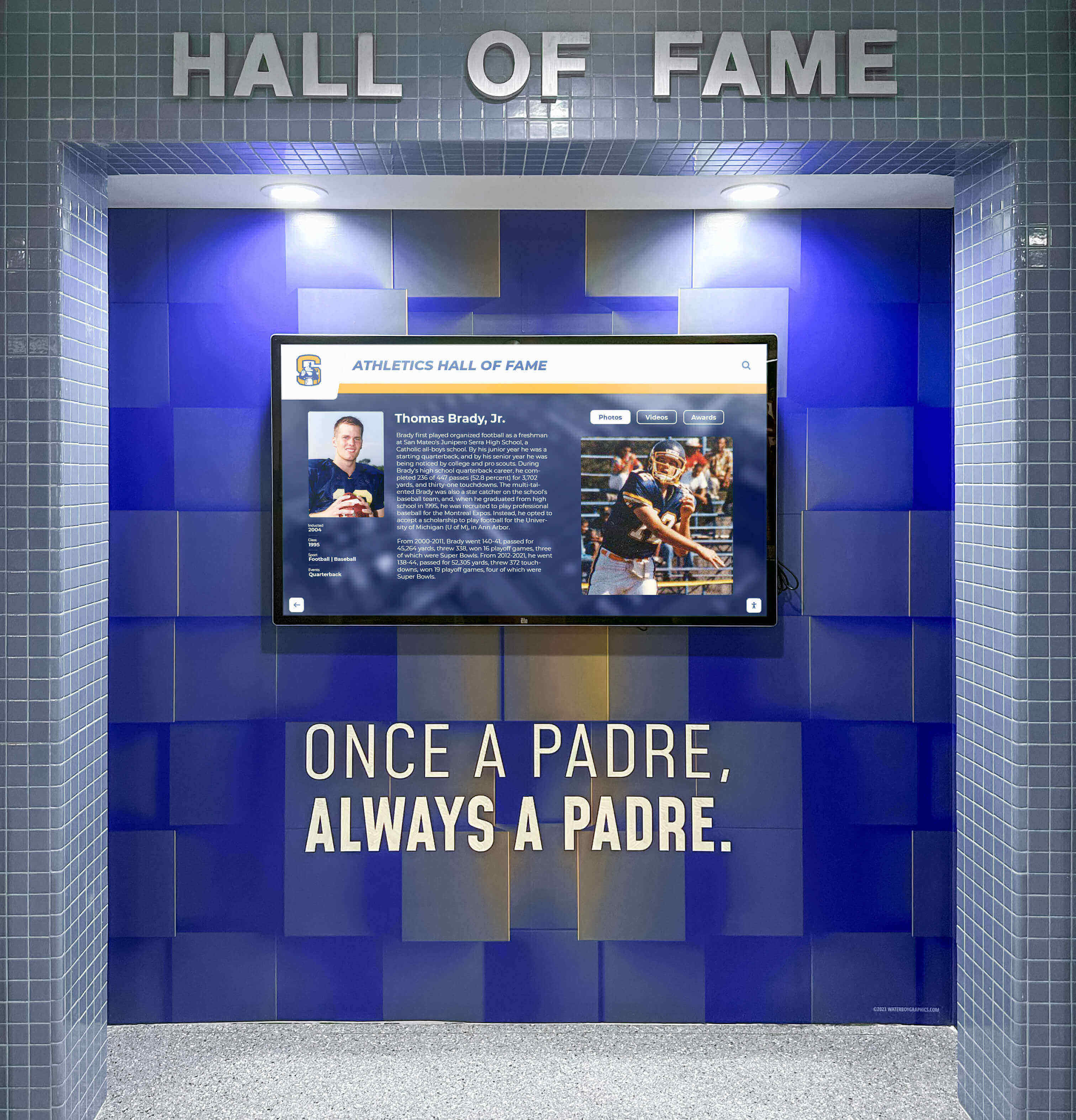
Schools often integrate class composites with athletic and academic recognition through cohesive display strategies
Implementation Planning for Digital Class Composite Projects
Successful implementations require systematic planning addressing content development, technical infrastructure, and organizational coordination.
Phase 1: Content Assessment and Preparation
Begin by evaluating existing content and identifying digitization needs:
Historical Content Inventory
- Catalog all existing class composites, yearbooks, and photo archives
- Document condition of physical materials and restoration needs
- Identify gaps in historical record requiring additional research
- Prioritize content based on historical significance and demand
- Establish workflows for accepting additional content from alumni
Content Digitization Strategy
- Evaluate in-house scanning capabilities versus professional services
- Determine appropriate scan resolution for long-term preservation (minimum 600 dpi recommended)
- Establish file naming conventions for organized digital archives
- Create metadata standards for consistent information capture
- Develop quality control processes ensuring accurate information
Biographical Information Development
- Define standard information fields for all profiles
- Establish research processes for incomplete or missing information
- Create alumni engagement strategies encouraging biographical submissions
- Develop privacy policies addressing sensitive personal information
- Plan ongoing content enrichment as new information becomes available
Schools often underestimate content preparation time. Allocating appropriate resources during planning prevents implementation delays. Consider digitizing yearbooks comprehensively to support digital class composite initiatives.
Phase 2: Technology Selection and Procurement
Choose platforms and hardware matching institutional needs and capabilities:
Software Platform Evaluation
- Assess administrative interface usability with actual school staff
- Verify content capacity limits accommodate long-term growth
- Confirm accessibility compliance with WCAG 2.1 AA standards
- Evaluate support and training resources available
- Review pricing models for total cost of ownership clarity
Hardware Specifications
- Determine appropriate screen sizes based on installation locations
- Verify commercial-grade ratings for continuous operation
- Assess mounting options compatible with building infrastructure
- Confirm network connectivity capabilities (wired ethernet preferred over WiFi)
- Evaluate security features protecting public-facing equipment
Vendor Selection Criteria
- Experience working with educational institutions specifically
- Customer references from schools with similar implementations
- Support capabilities including response times and availability
- Training offerings for administrative staff
- Long-term viability and financial stability
Schools benefit from requesting demonstrations or trial periods before committing to platforms. Involve actual end users—both administrators and typical visitors—in evaluation processes.
Phase 3: Installation and Launch Planning
Coordinate technical implementation with organizational readiness:
Installation Location Selection
- Choose high-traffic areas maximizing visibility and engagement
- Verify adequate electrical power and network connectivity
- Assess lighting conditions and potential glare issues
- Evaluate wall structures or floor space for mounting options
- Consider sightlines and visitor flow patterns
Technical Infrastructure Preparation
- Install or verify network connectivity meeting bandwidth requirements
- Arrange electrical service to installation locations
- Configure network access and security policies
- Prepare content management system with school branding
- Load initial content and test functionality thoroughly
Launch Communication and Training
- Develop communication materials explaining new systems to school community
- Create user guides for administrative staff managing content
- Prepare visitor instructions or quick reference cards for touchscreen displays
- Plan launch event or ceremony drawing attention to new installations
- Establish support channels for questions and issues
Successful launches often include alumni event ideas centered on the new digital class composites, encouraging engagement and content contributions from attendees.
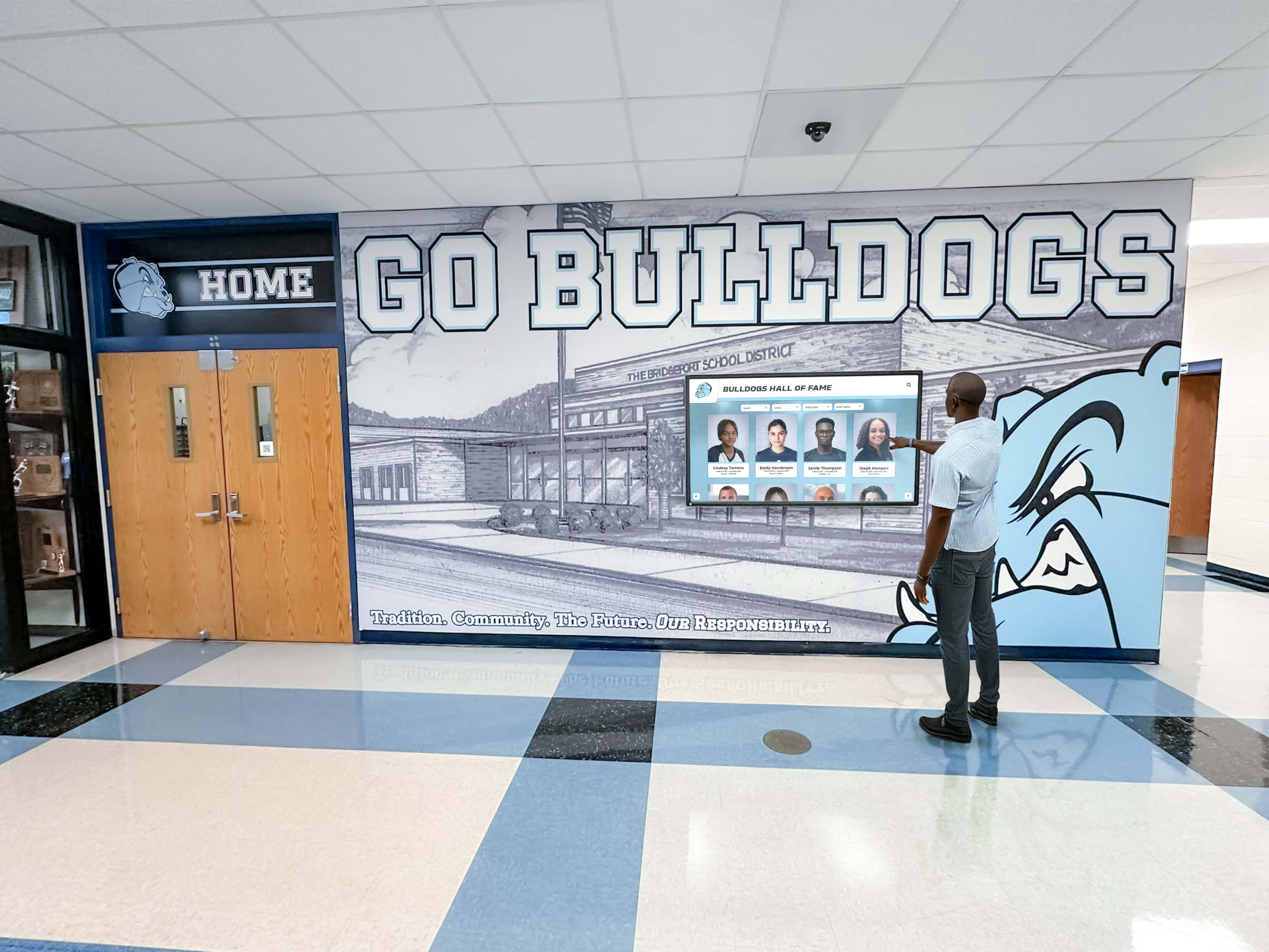
Strategic placement in high-traffic areas ensures digital class composites become regular touchpoints for school community
Best Practices for Ongoing Management and Engagement
Effective digital class composite systems require active management and continuous improvement:
Content Maintenance and Enrichment
Regular content updates keep systems valuable and engaging:
Annual Class Additions
- Establish processes for adding new graduating classes promptly each year
- Coordinate with yearbook publishers or school photographers for efficient photo acquisition
- Collect biographical information from graduating seniors before departure
- Create standardized templates ensuring consistency across class years
- Celebrate new class additions through communication campaigns
Historical Content Enhancement
- Systematically improve older class profiles with additional research
- Engage alumni during reunions to collect missing information
- Invite alumni to submit updated biographies and accomplishment information
- Add multimedia content including oral histories from senior classes
- Enhance photo quality through professional restoration of degraded originals
Accuracy and Quality Control
- Implement review processes before publishing new content
- Establish correction procedures for errors reported by community members
- Regularly audit random samples ensuring consistent quality standards
- Maintain documentation of sources for biographical information
- Archive previous versions preserving history of content development
Visitor Engagement Strategies
Drive awareness and utilization through active promotion:
On-Campus Promotion
- Feature digital composites during campus tours for prospective students
- Incorporate class composite exploration into alumni weekend activities
- Challenge students to find notable alumni related to their interests
- Host competitions identifying connections between historical and current students
- Include touchscreen instructions in visitor materials and maps
Remote Access Promotion
- Promote web-accessible versions through alumni communications
- Include QR codes linking to class composites in print publications
- Feature “alumni spotlights” in newsletters encouraging profile exploration
- Integrate class composite access into alumni association websites
- Use social media to highlight interesting alumni stories from archives
Content Contribution Encouragement
- Invite alumni to submit biographical updates during major life events
- Create simple submission forms reducing friction for content contributions
- Acknowledge contributors through public recognition or appreciation events
- Host “history days” where alumni bring historical materials for digitization
- Partner with local historical societies for comprehensive community archiving
Schools implementing interactive touchscreen kiosk systems can adapt successful engagement strategies from institutions experienced with digital recognition technology.
Technical Maintenance and Support
Proactive maintenance prevents issues affecting visitor experiences:
Routine Maintenance Tasks
- Clean touchscreens weekly using appropriate cleaning solutions and techniques
- Monitor display functionality through periodic testing
- Verify content management system accessibility and performance
- Review analytics identifying usage patterns and potential issues
- Update software and security patches promptly when released
Monitoring and Issue Resolution
- Establish reporting mechanisms for visitors or staff to flag problems
- Monitor uptime and availability through remote monitoring tools
- Maintain vendor contacts for technical support escalation
- Keep backup hardware components available for rapid replacement
- Document issues and resolutions building institutional knowledge
Continuous Improvement
- Analyze usage data identifying popular features and unused functionality
- Solicit feedback from visitors and administrators regularly
- Evaluate new platform features as vendors release updates
- Benchmark against other schools’ implementations for ideas
- Budget for periodic hardware refresh cycles (typical 7-10 year lifespans)
Cost Considerations and Budget Planning
Understanding total costs enables realistic budget planning:
Initial Investment Components
Software Platform Costs
- Initial setup and configuration fees: $1,500-$5,000
- Annual licensing or subscription fees: $1,200-$4,800 per year
- Training and onboarding: $500-$2,000
- Content migration from existing systems: $1,000-$5,000
- Customization for school-specific needs: $2,000-$10,000
Hardware Expenses
- Commercial touchscreen display (55"-86"): $3,000-$12,000 per unit
- Mounting hardware and installation: $500-$2,500
- Network infrastructure upgrades if needed: $1,000-$5,000
- Electrical work for installation locations: $500-$3,000
- Protective enclosures or kiosks if needed: $2,000-$8,000
Content Development Investment
- Professional scanning of historical composites: $5-$25 per composite
- Biographical research and content writing: $25-$100 per profile
- Photo restoration for damaged historical images: $50-$200 per image
- Video production for multimedia content: $1,000-$5,000 per project
- Initial content entry and organization: $5,000-$20,000
Ongoing Operational Costs
Annual Recurring Expenses
- Software licensing or subscription renewals: $1,200-$4,800
- Technical support and maintenance contracts: $500-$2,000
- Content management staff time: varies by institution
- Electricity and network connectivity: minimal (under $100/year per display)
- Cleaning supplies and routine maintenance: under $200/year
Periodic Costs
- Hardware replacement or upgrades: every 7-10 years
- Software platform changes: every 5-10 years
- Major content initiatives: varies based on scope
- Expansion to additional displays: per initial hardware costs
Schools often find digital class composites deliver positive return on investment compared to traditional approaches. Eliminating annual composite production costs (typically $800-$2,500 per year) offsets digital system expenses. Additionally, unlimited capacity means schools avoid expensive building renovations creating additional wall space.
Frequently Asked Questions
How long does it take to implement a digital class composite system?
Timeline varies based on content preparation requirements. Schools with well-organized historical archives and minimal digitization needs can launch within 2-3 months. Institutions requiring extensive historical composite scanning, biographical research, and content development may need 6-12 months for comprehensive implementations. Technical installation typically requires only 1-2 weeks once content preparation completes.
Can digital systems integrate with existing yearbook programs?
Yes, most platforms accept content in standard formats enabling integration with yearbook publishers and student information systems. Schools can import class photos directly from yearbook publishers, eliminating duplicate photography sessions. Some platforms offer direct API integration with major yearbook providers for automated content transfer. This integration creates efficiency while maintaining separate digital and print programs.
What happens if internet connectivity fails?
Well-designed systems cache content locally on display hardware, enabling continued operation during network outages. Visitors can still browse and search all content even without active internet connections. Internet connectivity only becomes necessary for administrative updates adding new content or modifying existing information. Schools should prioritize wired ethernet connections over WiFi for improved reliability.
How do schools handle privacy concerns with student information?
Administrators control what information appears in public-facing displays. Most schools include only basic biographical information (name, graduation year, honors) in digital composites matching what traditionally appeared in physical composites and yearbooks. Schools can omit or restrict access to sensitive information including contact details, addresses, or personal information. Many platforms include privacy controls enabling individual alumni to request information removal or restrictions.
Can alumni access digital class composites remotely?
Many schools provide web-accessible versions enabling alumni to explore class composites from anywhere with internet access. This extends value beyond on-campus visitors, supporting alumni engagement regardless of geographic distance. Schools control access through public websites or password-protected alumni portals depending on privacy preferences. QR codes displayed on physical touchscreens bridge physical and digital access methods.
What size touchscreen works best for class composite displays?
Screen size depends on installation location and expected viewing distance. Lobbies or large gathering spaces benefit from 75"-86" displays providing visibility from greater distances. Hallways or smaller spaces work well with 55"-65" screens. Consider viewing angle and how many people might simultaneously engage with displays. Multiple smaller displays distributed across campus often outperform single large installations for broad accessibility.
How do digital systems accommodate historical classes from decades ago?
Digital platforms handle historical content exceptionally well. Schools can scan composites dating back to founding, creating searchable archives spanning a century or more. Professional scanning services capture degraded or damaged historical composites, with digital restoration improving quality. Missing biographical information can be researched gradually over time and added to profiles without requiring republishing like physical composites. Many schools discover historical photos archive schools guide resources helpful for comprehensive digitization projects.
Conclusion
Digital class composite displays transform traditional yearbook photos into dynamic, searchable recognition systems accessible to entire school communities. Moving beyond static wall displays, interactive touchscreen platforms offer unlimited capacity, powerful search functionality, multimedia content integration, and preservation quality protecting irreplaceable historical records.
Schools implementing digital class composites solve persistent challenges including space limitations, physical deterioration, accessibility barriers, and geographic restrictions. Alumni anywhere can explore class archives, current students can discover notable predecessors, and visitors can engage with school history through intuitive touch interfaces.
Successful implementations require systematic planning addressing content digitization, technology selection, installation coordination, and ongoing management. Yet schools consistently find digital systems deliver value exceeding traditional approaches through enhanced engagement, operational efficiency, and expanded community access.
As educational institutions increasingly prioritize digital experiences, class composite displays represent practical applications of interactive technology serving core institutional missions around community building, history preservation, and alumni relations. Schools ready to modernize class recognition can explore platforms designed specifically for educational environments.
Talk to our team to learn how interactive touchscreen systems can transform your school’s class photo archives into engaging digital experiences accessible to your entire community.