Schools accumulate thousands of digital assets every year—student photos, athletic videos, yearbook images, event documentation, historical records, and recognition materials. Without organized systems for managing these assets, valuable content disappears into disconnected folders, outdated hard drives, and staff members’ personal devices. Locating specific photos for publications becomes time-consuming, historical materials remain inaccessible, and opportunities to celebrate achievements slip away because finding relevant assets takes too long.
Digital asset management (DAM) systems provide centralized platforms where schools organize, store, tag, search, and display digital content. Well-implemented DAM solutions transform how educational institutions preserve history, recognize achievements, and engage communities by making digital assets accessible across departments and purposes.
This comprehensive guide explains digital asset management for schools, covering essential features, implementation considerations, and practical strategies for selecting and deploying DAM systems that serve educational institutions effectively.
Digital asset management extends beyond simple file storage. Effective DAM platforms provide metadata systems for categorization, search functionality enabling quick retrieval, permission controls protecting student privacy, and integration capabilities connecting assets to recognition displays, websites, and publications.
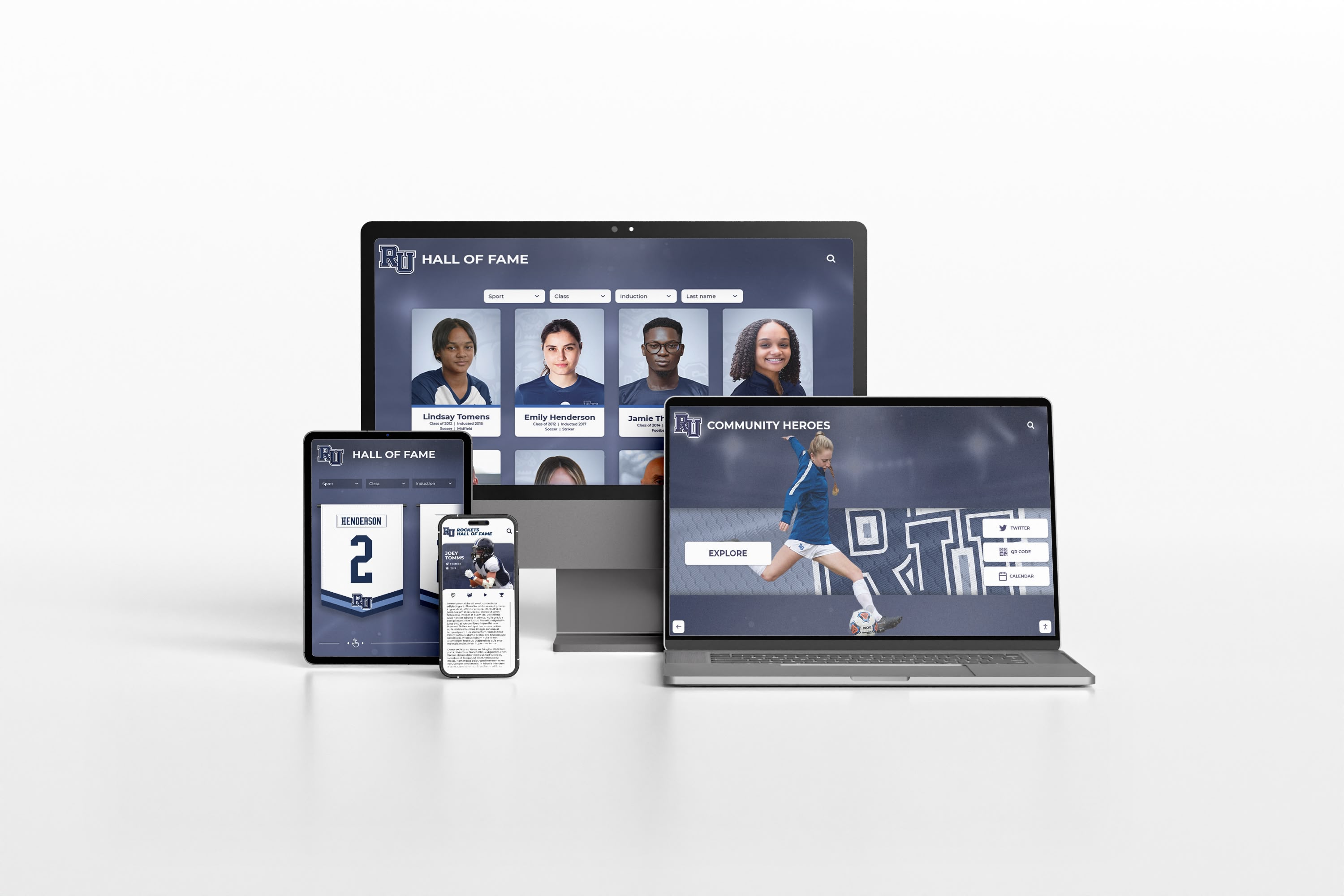
Effective DAM systems make digital assets accessible across devices while maintaining organization and security
Understanding Digital Asset Management for Educational Institutions
Schools face unique digital asset management challenges requiring purpose-built solutions addressing educational contexts.
What Digital Assets Do Schools Manage?
Educational institutions handle diverse content categories:
Visual Content
- Student portraits and class photos from multiple years
- Athletic team photos and action shots from games
- Event photography from ceremonies, performances, and activities
- Candid shots capturing daily school life
- Historical photos documenting institutional evolution
- Headshots for staff directories and recognition
Video Content
- Athletic game footage and highlight reels
- Performance videos from theater, music, and dance programs
- Ceremony recordings including graduations and award presentations
- Promotional content for admissions and development
- Historical video archives documenting school heritage
- Student project videos and presentations
Documentary Records
- Digitized yearbooks from past decades
- Newspaper archives and student publications
- Program materials from events and performances
- Award certificates and recognition documentation
- Historical documents including founding materials and milestone records
Recognition Assets
- Hall of fame inductee photos and biographies
- Athletic record documentation and statistics
- Donor recognition content including photos and contribution details
- Academic achievement records and honor roll data
- Distinguished alumni profiles and accomplishments
Without systematic organization, these assets remain underutilized despite significant value for current recognition programs, historical preservation, alumni engagement, and community connection.
Why Schools Need Dedicated DAM Systems
General file storage fails to meet educational institution requirements:
Accessibility Challenges
- Staff turnover creates knowledge gaps about where assets reside
- Department silos prevent cross-functional asset access
- Outdated storage media becomes unreadable over time
- Lack of search functionality makes finding specific content difficult
- Permission management proves complex with standard file systems
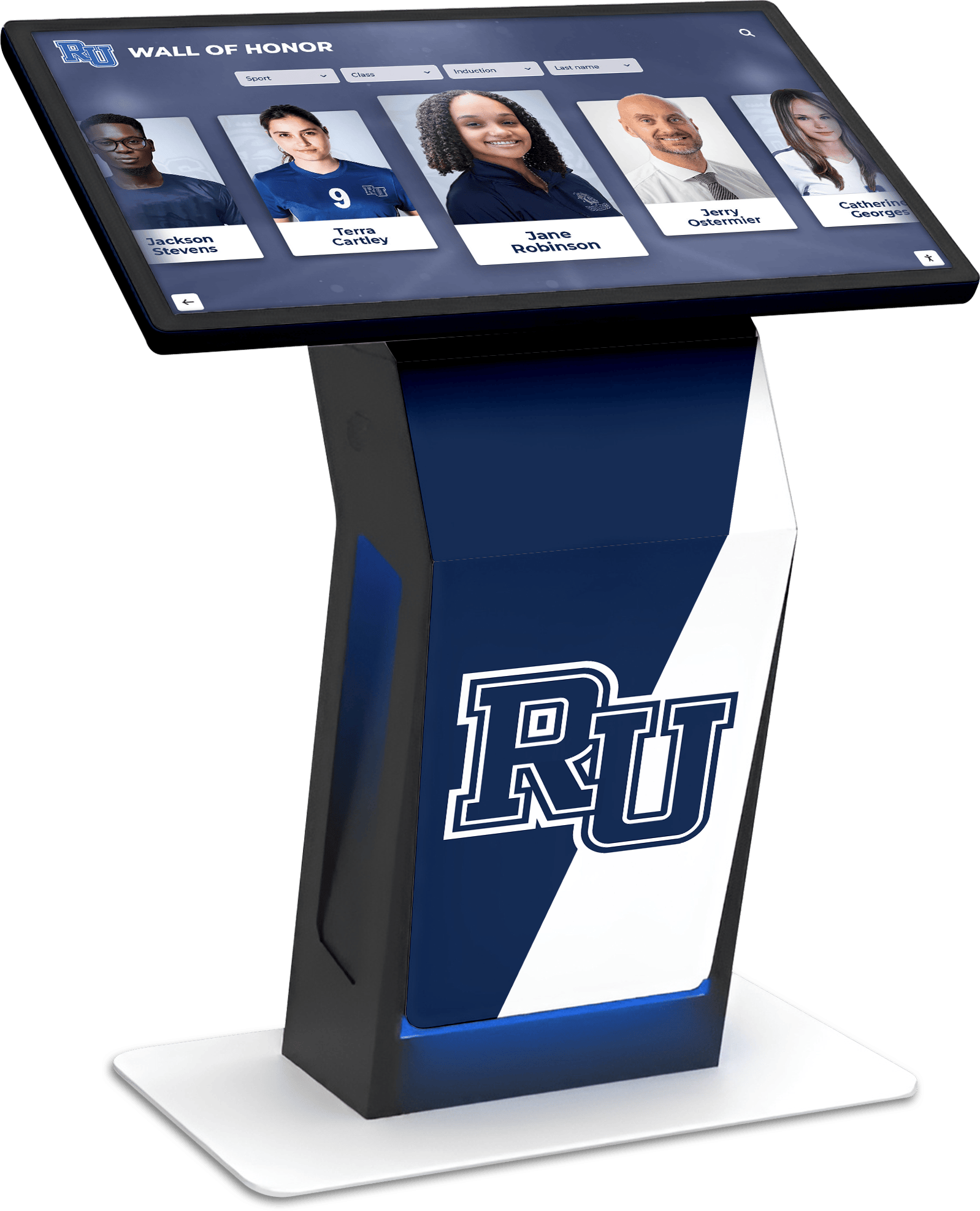
DAM systems power interactive displays that make archived content visible and engaging
Privacy and Compliance Requirements
- FERPA regulations require careful control over student information
- Photo release permissions must be tracked and honored
- Access controls need granular permission settings
- Audit trails document who accessed which student assets
- Retention policies require systematic archival and deletion schedules
Practical Usage Barriers
- Creating yearbooks requires gathering photos from multiple sources
- Recognition programs struggle to locate historical photos of inductees
- Website updates stall waiting for specific event photos
- Development offices cannot access photos for donor communications
- Athletic recognition displays lack organized archives of team photos and statistics
Purpose-built digital asset management platforms address these challenges through features designed for educational contexts.
Essential DAM Features for Educational Institutions
Effective digital asset management systems for schools include capabilities supporting educational workflows and requirements.
Metadata and Organization Systems
Comprehensive tagging enables quick asset retrieval:
Standard Metadata Fields
- Academic year and semester for temporal organization
- Department and program affiliation
- Activity or event type categorization
- Student grade level and class designation
- Location information for campus areas and facilities
- Photographer or creator attribution
- Copyright and usage rights designation
Custom Metadata for Educational Content
- Student names (with privacy controls)
- Athletic teams and sports
- Clubs and organizations
- Award categories and recognition types
- Historical significance markers
- Photo release status and restrictions
Well-structured metadata transforms asset libraries from chaos to organized repositories where staff members quickly locate exactly what they need.
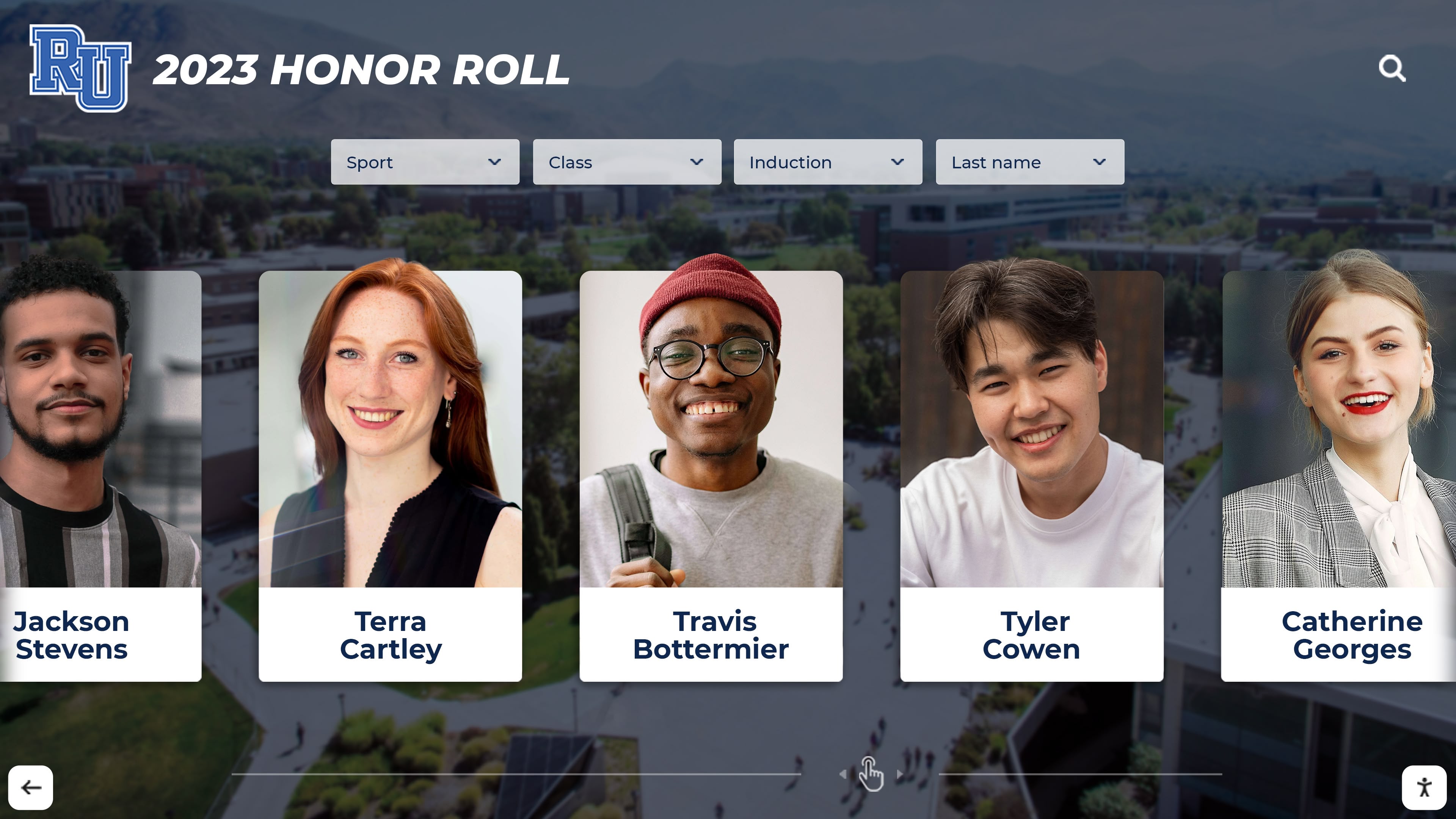
Organized metadata enables systematic display of student achievements and recognition
Search and Discovery Capabilities
Finding specific assets among thousands requires powerful search:
Search Functionality Requirements
- Keyword search across metadata fields and file names
- Filtered search by multiple criteria simultaneously
- Date range searching for temporal specificity
- Visual similarity search identifying related images
- Saved search templates for repeated queries
- Quick filters for common asset types
Discovery and Browsing Tools
- Calendar views showing assets by date
- Collection grouping related assets together
- Recently added or modified asset feeds
- Popular or frequently accessed content
- Suggested assets based on context
- Archive exploration interfaces for historical browsing
Search capabilities determine whether staff members can actually find and use archived content.
Access Control and Security Features
Protecting student privacy while enabling appropriate access requires granular controls:
Permission Management
- Role-based access controlling who views which assets
- Department-specific permissions limiting cross-department access
- Individual asset restrictions for sensitive content
- Bulk permission changes for easier administration
- Guest access for external partners with limited permissions
- Expiring access for temporary needs
Privacy Protection
- Photo release tracking preventing unauthorized use
- Student data protection complying with FERPA requirements
- Automated blurring or restriction of flagged individuals
- Download prevention for view-only access
- Watermarking for external sharing
- Audit logs documenting all access and downloads
Schools must balance making content accessible to appropriate users while protecting student privacy and complying with regulations.
Storage and Technical Infrastructure
Digital asset management requires substantial storage and delivery capabilities:
Storage Requirements
- Sufficient capacity for high-resolution photos and video
- Automatic backups preventing data loss
- Version control tracking asset changes
- Cloud-based or hybrid storage options
- Archival storage for historical content
- Redundancy ensuring availability

Cloud-based DAM enables access from any device while maintaining centralized control
Performance Considerations
- Fast preview generation for quick browsing
- Thumbnail creation for fast gallery views
- Responsive delivery optimized for different devices
- Content delivery networks for faster loading
- Bandwidth management preventing network congestion
Technical infrastructure determines whether DAM systems perform well enough for regular staff use.
Integration and Distribution Capabilities
Maximum DAM value comes from connecting asset repositories to content destinations:
Integration Points for Schools
- Website content management systems pulling photos automatically
- Digital recognition displays accessing current and historical content
- Yearbook publishing software importing organized photos
- Email marketing platforms incorporating event photos
- Social media management tools distributing content
- Student information systems linking photos to records
- Presentation software accessing branded assets
Distribution Functions
- Automated resizing for different output requirements
- Format conversion for various publishing needs
- Branded template application maintaining consistency
- Batch export for multiple asset distribution
- Shareable links for external stakeholder access
- API access for custom application integration
Integration capabilities transform DAM from storage repositories into active content distribution hubs.
DAM Implementation Strategies for Schools
Successfully deploying digital asset management requires systematic planning and phased rollout.
Assessment and Planning Phase
Understanding current state and requirements informs system selection:
Current State Assessment
- Inventory existing digital assets across all departments
- Document current storage locations and organization methods
- Identify staff responsible for different asset types
- Map content workflows and usage patterns
- Note pain points and inefficiencies in current processes
- Review privacy policies and compliance requirements
Requirements Definition
- Essential features versus nice-to-have capabilities
- User roles and permission requirements
- Storage capacity needed for current and future assets
- Integration requirements with existing systems
- Budget parameters for software and implementation
- Success metrics for measuring DAM effectiveness
Thorough assessment prevents purchasing systems that don’t address actual needs or workflows.
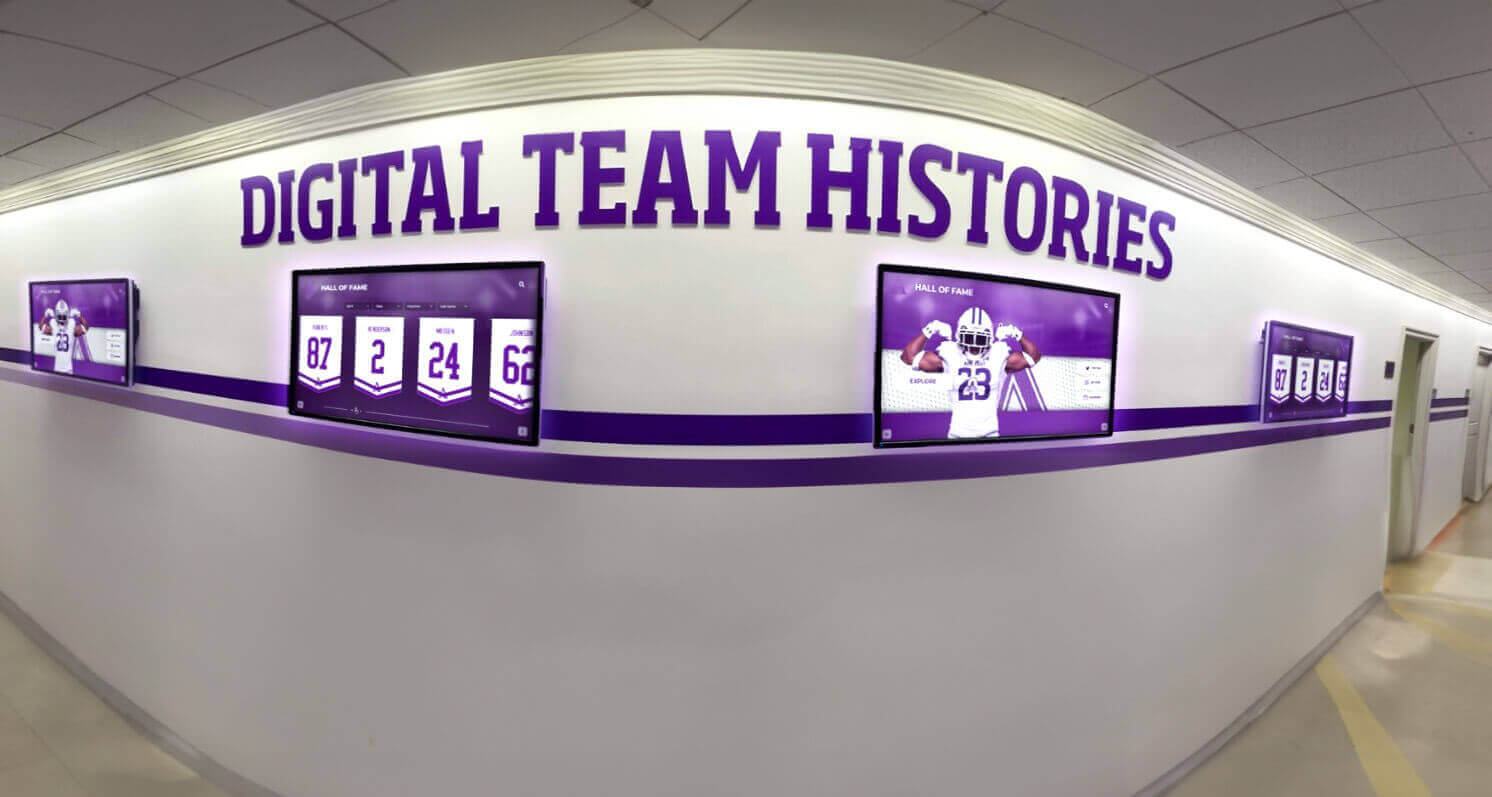
Effective DAM systems enable comprehensive digital displays of institutional history and achievements
System Selection Considerations
Choosing appropriate digital asset management platforms requires evaluating multiple factors:
Software Evaluation Criteria
- User interface simplicity for non-technical staff
- Metadata flexibility supporting educational categorization
- Permission granularity meeting privacy requirements
- Search power enabling quick asset discovery
- Storage scalability accommodating growth
- Support quality and responsiveness
- Pricing structure fitting educational budgets
- Integration capabilities with existing school systems
Implementation Requirements
- Setup complexity and timeline
- Data migration support for existing assets
- Training availability and materials
- Ongoing maintenance and administration needs
- Vendor stability and longevity
- User community and documentation quality
Many schools benefit from DAM solutions designed specifically for educational recognition and engagement rather than generic asset management platforms.
Migration and Content Organization
Transferring existing assets and establishing organization requires systematic approaches:
Phased Migration Strategy
- Start with current year assets before tackling historical content
- Prioritize frequently accessed content for early migration
- Begin with organized departments before addressing chaotic archives
- Establish metadata standards before bulk import
- Pilot with small asset sets validating processes
- Schedule migration during low-demand periods
Organization Best Practices
- Consistent naming conventions for files and collections
- Standardized metadata values preventing variation
- Hierarchical folder structures reflecting school organization
- Automated tagging where possible reducing manual work
- Quality control checkpoints ensuring accuracy
- Documentation of organization logic for future reference
Rushed migration creates messy DAM systems requiring extensive cleanup.
Training and Adoption Programs
Staff must understand and embrace DAM systems for successful implementation:
Training Components
- Role-specific training focused on relevant functions
- Search technique instruction maximizing discovery
- Upload and metadata entry procedures
- Permission management for administrators
- Integration usage for connected systems
- Troubleshooting common issues
Adoption Strategies
- Champion identification promoting usage
- Quick reference guides for common tasks
- Regular communication highlighting new content
- Success stories demonstrating benefits
- Ongoing support during initial months
- Feedback mechanisms for continuous improvement
Technology adoption fails without adequate training and change management.
Practical Applications of School DAM Systems
Digital asset management creates value across educational institution functions.
Recognition Program Support
Comprehensive DAM enables sophisticated recognition displays:
Hall of Fame Applications
- Centralized repository of inductee photos and biographies
- Historical photos connecting current students to legacy
- Athletic hall of fame displays accessing decades of championship photos
- Searchable archives enabling quick retrieval for ceremonies
- Standardized photo formatting maintaining quality
Award and Achievement Recognition
- Student accomplishment photos for digital displays
- Academic recognition documentation
- Award ceremony content organized by year and category
- Performance documentation for arts programs
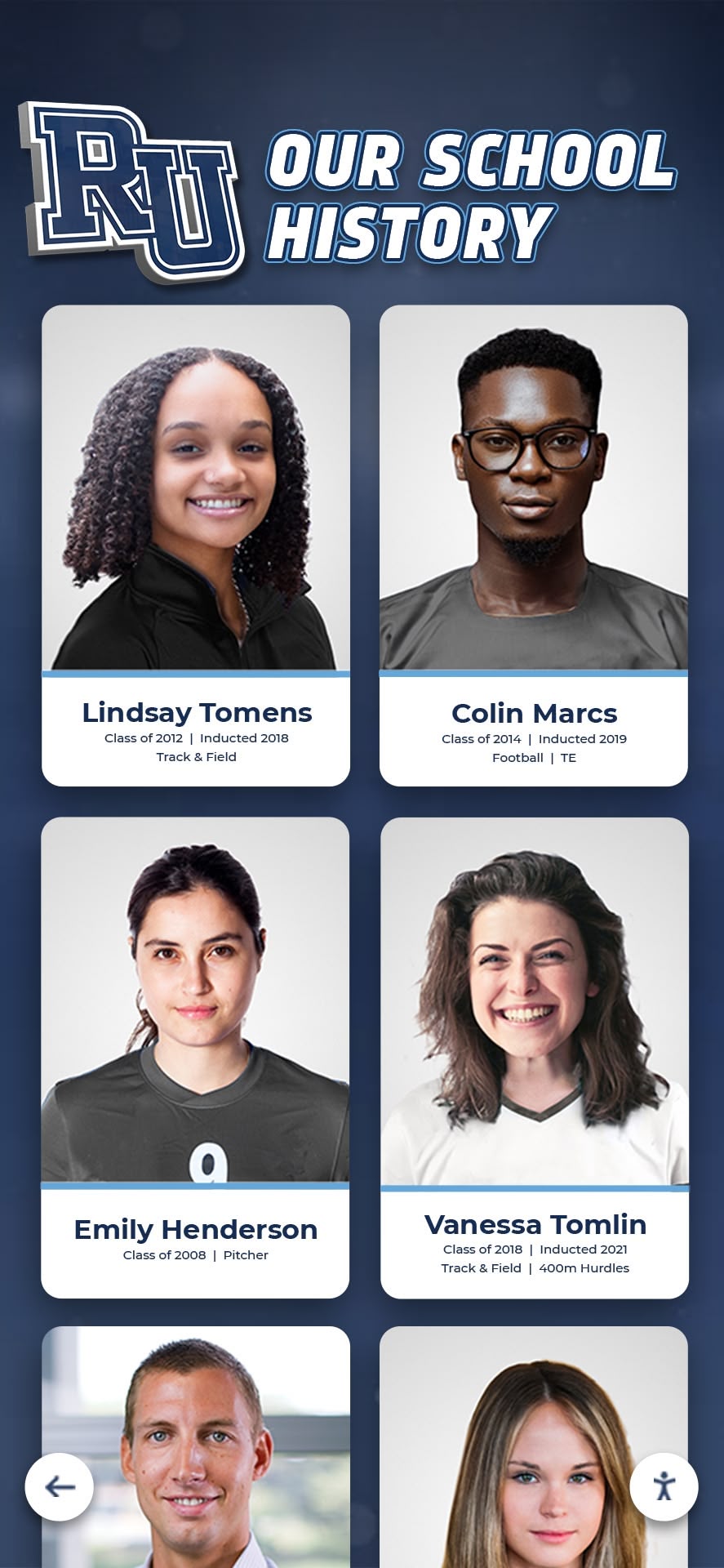
DAM systems preserve and organize historical content making it accessible for recognition programs
Development and Fundraising Support
Advancement offices rely on organized assets for donor engagement:
Donor Recognition
- Donor photos for recognition displays and materials
- Event photography documenting donor gatherings
- Impact photography showing gift results
- Historical photos for anniversary campaigns
- Donor wall content organized by giving levels and campaigns
Marketing and Communications
- Branded photo libraries for consistent messaging
- Student success stories with supporting visuals
- Campus imagery for promotional materials
- Historical photos demonstrating institutional heritage
Alumni Engagement
DAM systems strengthen alumni connections through accessible historical content:
Yearbook Digitization
- Searchable digital yearbook archives
- Individual page access without downloading entire books
- Historical photo discovery enabling alumni reminiscence
- Permission-controlled access protecting privacy
Reunion Support
- Class-specific photo collections
- Historical campus photos showing evolution
- Athletic team archives for team reunions
- Activity and club photos sparking memories
Academic and Athletic Program Support
DAM improves day-to-day departmental operations:
Athletic Department Uses
- Game footage archives for coaching analysis
- Team photo organization by season and sport
- Record documentation with supporting photos
- Recruiting materials featuring facilities and teams
- Senior night recognition content organized by year
Academic Department Applications
- Student project documentation
- Fieldwork and research photography
- Performance and exhibition records
- Guest speaker event documentation
DAM Best Practices for Long-Term Success
Maintaining effective digital asset management requires ongoing attention and refinement.
Metadata Consistency
Standardized approaches ensure findability:
Standards Establishment
- Controlled vocabularies for common fields
- Date formatting conventions
- Naming pattern documentation
- Required versus optional metadata fields
- Regular metadata quality audits
Ongoing Maintenance
- Periodic cleanup of inconsistent tags
- Merging duplicate or similar tags
- Updating historical records to current standards
- Regular review of taxonomy relevance
Regular Content Audits
Systematic reviews prevent asset bloat and improve quality:
Audit Activities
- Identifying and removing duplicate assets
- Checking metadata accuracy and completeness
- Verifying permission and release status
- Removing outdated or irrelevant content
- Confirming backup integrity
- Assessing usage patterns informing future organization
Privacy Compliance Monitoring
Student privacy requires continuous attention:
Ongoing Compliance Activities
- Regular review of photo release status
- Updating access permissions as students graduate
- Monitoring usage ensuring appropriate access
- Responding to parent removal requests
- Training new staff on privacy requirements
- Periodic policy review and updates
Backup and Disaster Recovery
Protecting irreplaceable historical assets requires redundancy:
Backup Best Practices
- Multiple backup locations preventing single points of failure
- Regular backup testing validating restoration procedures
- Versioning enabling recovery from accidental changes
- Offsite storage protecting against physical disasters
- Documentation of recovery procedures
- Regular disaster recovery testing
Digital Asset Management as Part of Comprehensive Recognition Solutions
While standalone DAM systems organize and store content, maximum value comes from platforms integrating asset management with display and engagement capabilities.
Combined Recognition Platforms
Solutions like Rocket Alumni Solutions combine digital asset management with interactive recognition displays, creating comprehensive systems where:
- Asset uploads automatically populate touchscreen displays
- Cloud-based content management enables remote updates
- Unlimited storage accommodates growing archives
- Multi-device accessibility extends reach beyond physical displays
- QR code integration enables mobile access to full content
- Automated record boards self-update as new achievements occur
- Comprehensive digital archives preserve institutional history while making it accessible
This unified approach eliminates the disconnect between asset storage and asset display, ensuring content uploaded once serves multiple purposes across recognition, engagement, and archival functions.
Cloud-Based Accessibility
Modern DAM platforms operate in the cloud, enabling authorized users to access, upload, and manage content from anywhere while maintaining centralized organization and security controls.
Growth Capacity
Effective systems accommodate institutions from small private schools to large universities, expanding storage and functionality as needs grow without requiring platform migrations.
Conclusion: Transforming School Content Management
Digital asset management systems transform how schools organize, preserve, and utilize the thousands of photos, videos, documents, and records they create annually. By implementing DAM platforms addressing educational institution requirements—privacy controls, sophisticated search, flexible metadata, and integration capabilities—schools make valuable content accessible rather than lost in disconnected storage.
The strategies explored in this guide provide frameworks for assessing needs, selecting appropriate systems, migrating existing content, and maintaining effective asset management long-term. From supporting recognition programs to enabling development efforts and preserving institutional history, well-implemented DAM creates value across school functions.
Schools evaluating digital asset management options should prioritize solutions designed for educational contexts rather than adapting generic platforms. Purpose-built systems understand the unique requirements of student privacy, recognition display integration, yearbook workflows, and alumni engagement that educational institutions face.
Consider platforms that combine asset management with recognition display capabilities, creating comprehensive solutions where content uploaded once serves multiple purposes. Cloud-based systems with unlimited storage, sophisticated permission controls, and direct integration with touchscreen displays and mobile access provide flexible foundations for digital asset management.
Effective digital asset management represents more than organized file storage—it creates living archives where institutional history, student achievements, and community connections remain accessible and useful rather than lost to time.
Ready to explore digital asset management and recognition solutions designed specifically for educational institutions? Explore Rocket Alumni Solutions to see how purpose-built platforms transform asset management and recognition for schools.