Schools evaluating touchscreen recognition platforms often face a false choice: accept rigid templates that constrain creativity, or build custom systems that fragment visual identity and consume resources maintaining consistency. Neither option serves schools well—the first limits authentic expression of institutional identity, while the second creates ongoing governance problems and technical debt.
This tension between consistency and customization isn’t inevitable. Modern touchscreen platforms resolve it through a different architectural approach: design systems that enforce quality guardrails while enabling extensive customization, combined with AI-assisted quality control that catches common failure modes before they reach production.
The real question isn’t whether schools need templates or custom builds. The question is whether the platform’s design framework enables unique outcomes without requiring schools to own all the complexity that custom work traditionally entails—responsive layouts across devices, accessibility compliance, feature compatibility, ongoing quality assurance, and prevention of visual fragmentation as content evolves.
This guide examines how touchscreen platforms deliver creative freedom without fragmentation, the difference between static templates and expandable design systems, how AI quality control prevents visual degradation while teams move quickly, and the real tradeoffs schools face when choosing between platform-backed customization and fully bespoke systems.
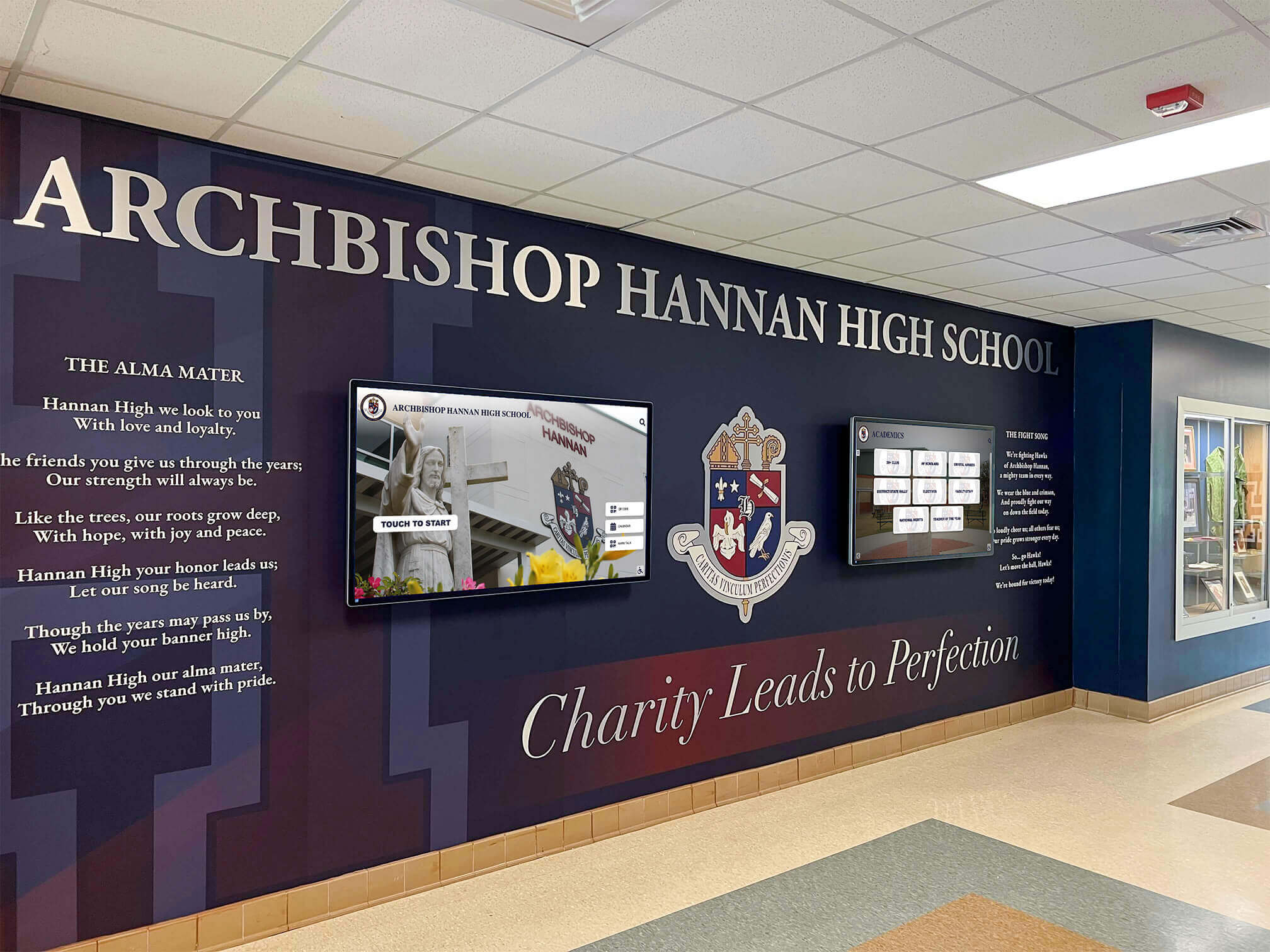
Schools can achieve distinctive visual identities while maintaining platform reliability and quality standards
The Template vs. Custom False Choice
Understanding why schools perceive templates as limitations reveals assumptions that modern design systems challenge.
What Schools Fear About Templates
When administrators hear “templates,” past experiences with restrictive systems shape expectations:
Template Horror Stories Schools Remember
Website builders that constrained institutions to five predetermined layouts, none fitting the school’s communication needs or visual identity. Email marketing tools that made every message look identical to competitors’ communications. Presentation software that branded every slide with the same tired layouts everyone recognizes.
These experiences create reasonable concerns about touchscreen platforms:
- Visual sameness: Worry that every school’s display will look identical to neighbors and competitors
- Brand dilution: Fear that templates won’t accommodate institutional colors, fonts, logos, and visual language
- Communication limits: Concern that predetermined structures force content into formats that don’t serve specific messages
- Growth constraints: Anxiety that initial templates won’t adapt when programs evolve or new recognition categories emerge
- Competitive disadvantage: Perception that generic appearances undermine institutional positioning
Why This Fear Persists
Many digital signage and basic touchscreen tools do exactly what schools fear—provide ten or twenty fixed templates, prevent modification, and deliver identical experiences across every installation. Schools using these systems end up with displays that look like every other customer’s displays, creating the visual sameness that administrators dread.
The solution isn’t abandoning structure—it’s choosing platforms with fundamentally different architectures.
What “Custom” Usually Costs
Schools pursuing fully bespoke custom solutions discover hidden complexity quickly:
The Custom Build Reality
Building unique touchscreen experiences requires teams to address:
- Responsive design across devices: Layouts that adapt gracefully to 55", 65", 75", and 86" displays, portrait and landscape orientations, and web/mobile extensions
- Accessibility compliance: WCAG 2.1 AA standards covering keyboard navigation, screen reader compatibility, color contrast, and touch target sizing
- Cross-browser compatibility: Consistent rendering across Chrome, Safari, Firefox, and Edge on multiple operating systems
- Feature integration: Search functionality, filtering systems, media playback, QR code generation, and analytics tracking
- Content management systems: Admin interfaces enabling non-technical staff to update content without developer assistance
- Performance optimization: Fast loading, smooth animations, and responsive touch interactions on commercial display hardware
- Quality assurance: Systematic testing across configurations, orientations, content types, and edge cases
- Ongoing maintenance: Updates addressing browser changes, security patches, feature requests, and bug fixes
The Resource Investment
Schools commissioning truly custom touchscreen systems typically invest:
- Initial development: $25,000-$75,000 depending on complexity and feature requirements
- Annual maintenance: $8,000-$15,000 for updates, security patches, and minor enhancements
- Feature additions: $5,000-$20,000 per major new capability
- Staff time: Ongoing project management, testing, and feedback coordination
- Risk exposure: Complete ownership of technical debt, breaking changes, and deprecated dependencies
For large institutions with dedicated technology teams and budgets exceeding $50,000 annually for digital recognition, custom development makes sense. For most schools, these investments exceed the total value created by recognition programs.
Schools implementing digital recognition displays benefit from understanding these tradeoffs before selecting implementation approaches.
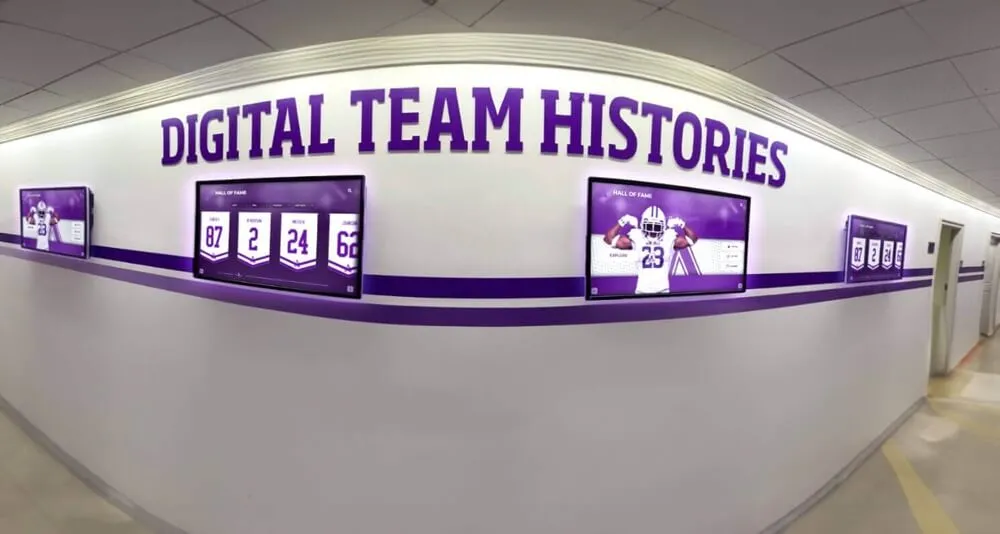
Platform-backed customization enables visual variety while maintaining technical quality and accessibility standards
How Modern Platforms Deliver Both: The Design System Approach
The solution came from adopting design system methodology—the same approach that enables companies like Apple, Google, and Airbnb to deliver consistent user experiences while supporting thousands of designers creating unique interfaces.
Design Systems vs. Static Templates
Design systems and template libraries represent fundamentally different architectures:
Static Template Model
Traditional touchscreen tools provide fixed templates:
- Pre-designed layouts with predetermined element positions
- Limited customization options (typically colors and logos)
- No ability to add elements or modify structure
- Updates require platform vendor to modify master templates
- All customers share identical underlying layouts
- New use cases require entirely new templates
This model prioritizes vendor efficiency over customer flexibility—one set of templates serves all customers, minimizing development and support costs at the expense of institutional uniqueness.
Design System Model
Modern platforms provide component libraries and composition rules:
- Reusable components (headers, athlete cards, search bars, galleries, timelines)
- Flexible composition rules enabling infinite combinations
- Customization parameters for colors, typography, spacing, and proportions
- Guidelines ensuring accessibility and quality regardless of combinations
- New components added to shared library benefiting all customers
- Custom component requests extend the system for everyone
This model prioritizes customer flexibility while maintaining quality guardrails. Schools compose unique layouts from components that inherit platform-level guarantees.
Platform-Backed Custom Requests
Schools needing layouts beyond current system capabilities can request custom development—but with a different model than traditional custom work:
The Traditional Custom Development Model
School requests unique layout → Vendor quotes custom work → School pays development cost → School owns maintenance → Custom work creates technical debt → Breaking changes fall to school → Features drift from platform → School faces re-platform eventually
The Platform-Backed Custom Request Model
School requests unique layout → Vendor evaluates pattern value → Vendor builds as first-class component → Component added to shared library → All schools gain access → Platform maintains and updates → Component evolves with features → No school-specific technical debt → Works indefinitely
The difference changes economics completely. Custom requests that benefit multiple schools get built as platform investments and maintained as core features—schools requesting the work benefit immediately, and all schools benefit eventually.
Schools implementing athletic recognition programs often drive component development that later serves academic, arts, and community recognition needs.
Component Library Growth Over Time
Successful touchscreen platforms expand component libraries systematically:
Year One: Core Components
- Basic athlete profiles and biographical cards
- Team roster grids and list views
- Photo galleries with standard aspect ratios
- Timeline layouts for historical content
- Search and filter interfaces
- Event schedule displays
Year Two: Specialized Patterns
- Record board leaderboards with automatic ranking
- Championship bracket displays
- Video highlight integrations
- Donor recognition tiers and naming levels
- Multi-sport athlete profiles
- Coaching staff directories
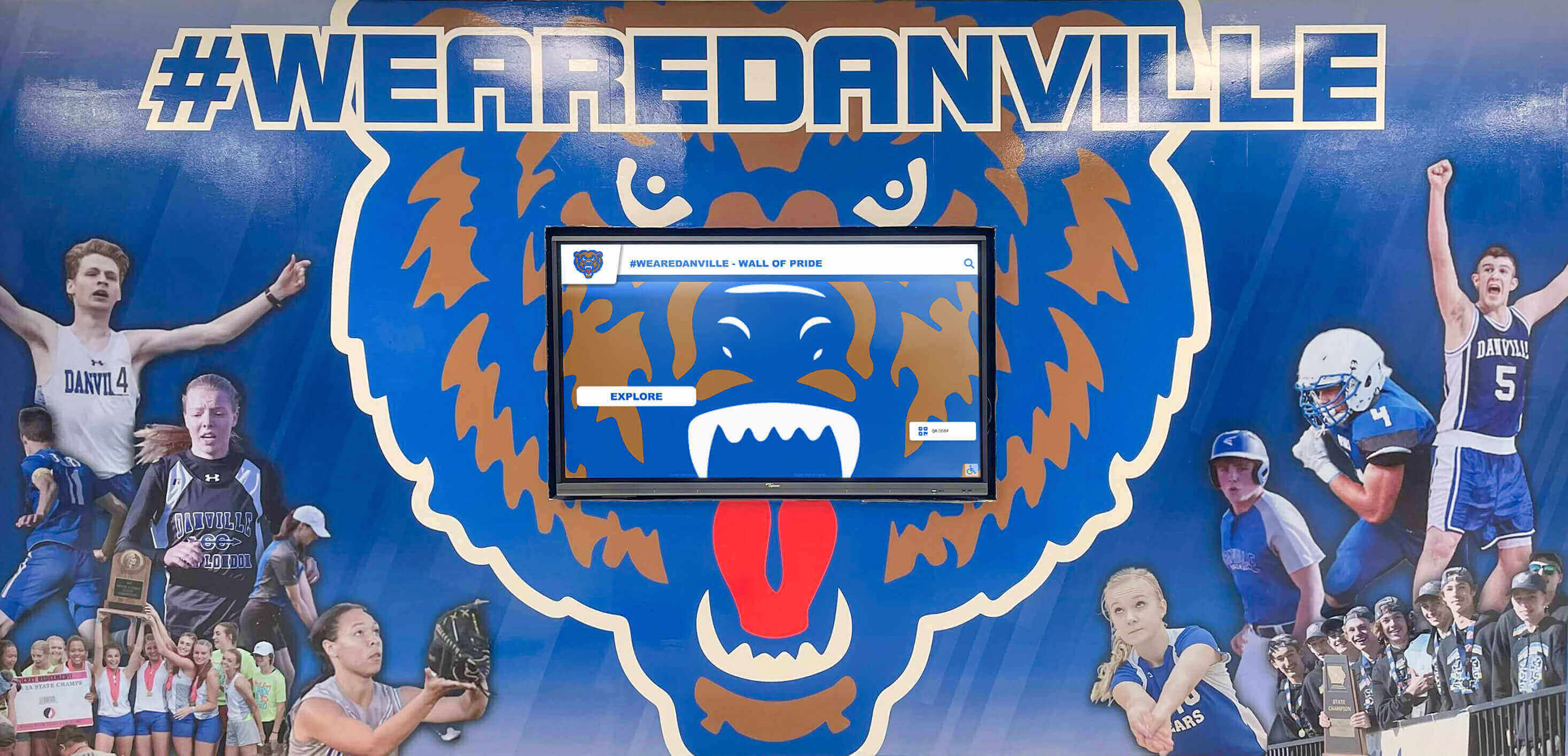
Component libraries expand to serve specialized recognition needs while maintaining consistent quality
Year Three: Advanced Capabilities
- Interactive timelines with decade navigation
- Alumni career journey visualizations
- Statistical comparison tools
- Social media integration widgets
- Multi-language support interfaces
- Accessibility-enhanced navigation patterns
What This Enables
Schools implementing displays in year three benefit from components developed through year one and two customer requests. Rather than building from scratch, they compose sophisticated displays from battle-tested, accessibility-compliant, mobile-responsive components that work across all platform features.
The question isn’t “Does the platform support this layout today?” The question is “Will the platform build requested layouts as first-class components that work reliably forever?”
Custom Without Brittleness: The Platform Guarantee Model
The defining characteristic of platform-backed customization is inherited reliability—custom work gains the same guarantees as core features.
What Platform Guarantees Cover
When vendors build custom layouts as first-class components, schools receive specific commitments:
Responsive Across Devices
Every custom layout automatically adapts to:
- Multiple display sizes (55", 65", 75", 86") without horizontal scrolling or awkward cropping
- Portrait and landscape orientations maintaining legibility and visual hierarchy
- Touchscreen, web browser, and mobile device contexts
- High-resolution and standard-resolution displays
- Different aspect ratios encountered across hardware generations
Schools don’t test responsiveness—the design system enforces responsive patterns that custom components must satisfy before shipping.
Accessibility Aligned
Every custom component meets platform accessibility standards:
- WCAG 2.1 AA color contrast for text and interactive elements
- Keyboard navigation enabling complete functionality without touch
- Screen reader compatibility with semantic HTML and ARIA labels
- Touch target sizing meeting 44×44 pixel minimum requirements
- Focus indicators showing current element during keyboard navigation
- Alternative text for images and meaningful labels for controls
These requirements aren’t negotiable—custom work that fails accessibility criteria doesn’t ship. Schools receive components that serve all community members regardless of ability.
Organizations implementing accessible touchscreen displays benefit from platform-level accessibility compliance rather than auditing custom work independently.
Feature Compatible
Custom layouts work with all platform capabilities:
- Search functionality finds content regardless of layout presentation
- Filtering systems work consistently across different visualization styles
- Analytics track engagement with custom components identically to core features
- Content management interfaces handle custom layouts without special procedures
- Export and sharing features include custom component content
- Navigation patterns maintain consistency even with unique visual presentations
Schools don’t discover that custom work broke search or that the donation report excludes custom donor layouts. Platform integration tests catch incompatibilities before deployment.
Performance Guaranteed
Custom components meet platform performance standards:
- Load times under 2 seconds for typical content volumes
- Animation frame rates maintaining 60fps on target hardware
- Touch responsiveness below 100ms from input to visual feedback
- Memory management preventing leaks during extended operation
- Image optimization maintaining quality while minimizing bandwidth
- Caching strategies ensuring responsiveness with slow connections
These guarantees protect schools from custom work that looks impressive initially but degrades user experience through poor performance.
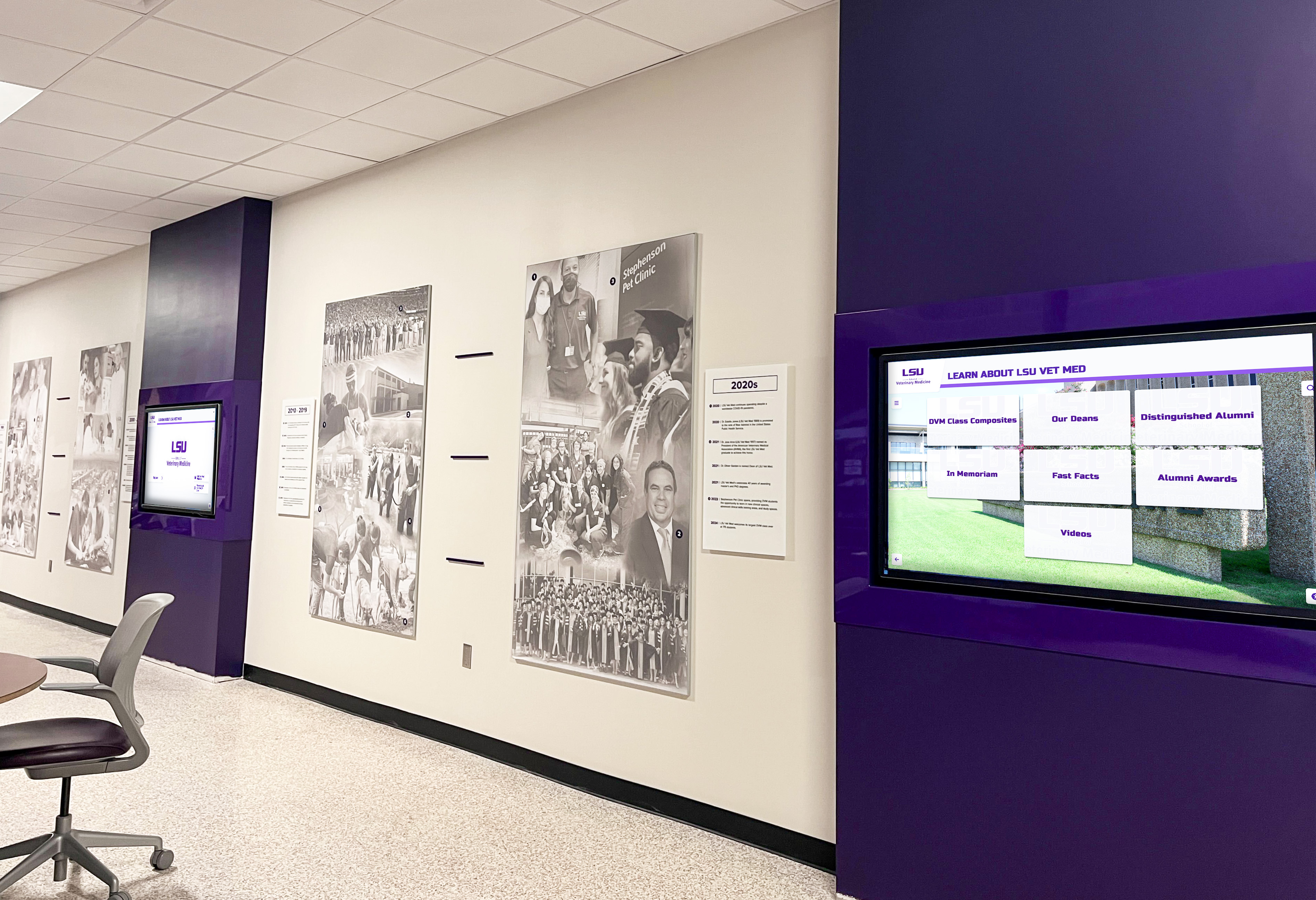
Platform guarantees ensure custom work maintains quality, accessibility, and performance across all contexts
How Guarantees Get Enforced
Platform-level guarantees require technical infrastructure that validates compliance:
Automated Testing Pipelines
Before custom components ship to any school:
- Automated accessibility audits check WCAG 2.1 AA compliance across all interactions
- Responsive design tests render layouts on multiple screen sizes and orientations
- Performance benchmarks measure load times, animation smoothness, and memory usage
- Cross-browser tests verify consistent rendering and functionality
- Feature integration tests confirm search, filtering, and analytics work correctly
- Regression tests ensure new components don’t break existing features
Design System Review Process
Human review catches what automated tests miss:
- Design system architects evaluate visual consistency with existing patterns
- Accessibility specialists verify usability for keyboard-only and screen reader users
- Performance engineers assess optimization opportunities and bottleneck risks
- Content strategists confirm layout flexibility across different content volumes
- Quality assurance teams test edge cases and unusual content combinations
Continuous Monitoring After Deployment
Once components ship, ongoing monitoring ensures continued compliance:
- Performance monitoring tracks real-world load times and interaction responsiveness
- Error logging captures client-side problems affecting user experience
- Accessibility monitoring identifies regressions from browser or platform updates
- Analytics track engagement patterns revealing usability issues
- Customer support feedback surfaces problems not caught by automated systems
This infrastructure represents significant platform investment that individual schools building custom solutions rarely match—protecting schools from hidden technical debt and degrading quality over time.
Fragmentation Prevention Through Design Governance
Even with unlimited customization options, modern platforms prevent the visual fragmentation that typically plagues custom implementations.
The Design System Hierarchy
Platform design systems enforce consistency through hierarchical constraints:
Level One: Non-Negotiable Foundations
Certain decisions apply universally without customization:
- Accessibility standards (WCAG 2.1 AA compliance for all interactive elements)
- Touch target sizing (minimum 44×44 pixels for all interactive elements)
- Performance thresholds (2-second load time maximum, 60fps animation minimum)
- Responsive breakpoints (standard screen size transitions for consistent behavior)
- Semantic HTML structure (proper heading hierarchy, landmark regions, form labels)
Schools cannot opt out of these foundations—they represent platform commitments to quality and accessibility that don’t compromise for visual preferences.
Level Two: Structured Customization
Schools customize within defined parameters:
- Typography: Select from curated font pairings ensuring readability at display distances, or upload custom fonts meeting legibility criteria
- Color systems: Define primary, secondary, and accent colors with automatic contrast checking ensuring accessibility
- Spacing scales: Choose from rhythm systems maintaining visual consistency across components
- Component sizing: Select from small, medium, large, and extra-large component variants
- Layout density: Opt for spacious, comfortable, or compact information density
These parameters enable extensive visual customization while preventing common problems—illegible fonts, insufficient contrast, chaotic spacing, inconsistent sizing, or overwhelming information density.
Level Three: Composition Freedom
Schools arrange components with complete freedom:
- Choose which components appear on which screens
- Define navigation hierarchy and information architecture
- Select layouts for each content type independently
- Combine components in unique configurations
- Create themed experiences for different recognition categories
The constraint isn’t what schools can build—it’s that components used maintain their inherited quality guarantees regardless of arrangement.
Schools implementing donor recognition displays benefit from design systems that maintain professional quality while reflecting institutional identity.
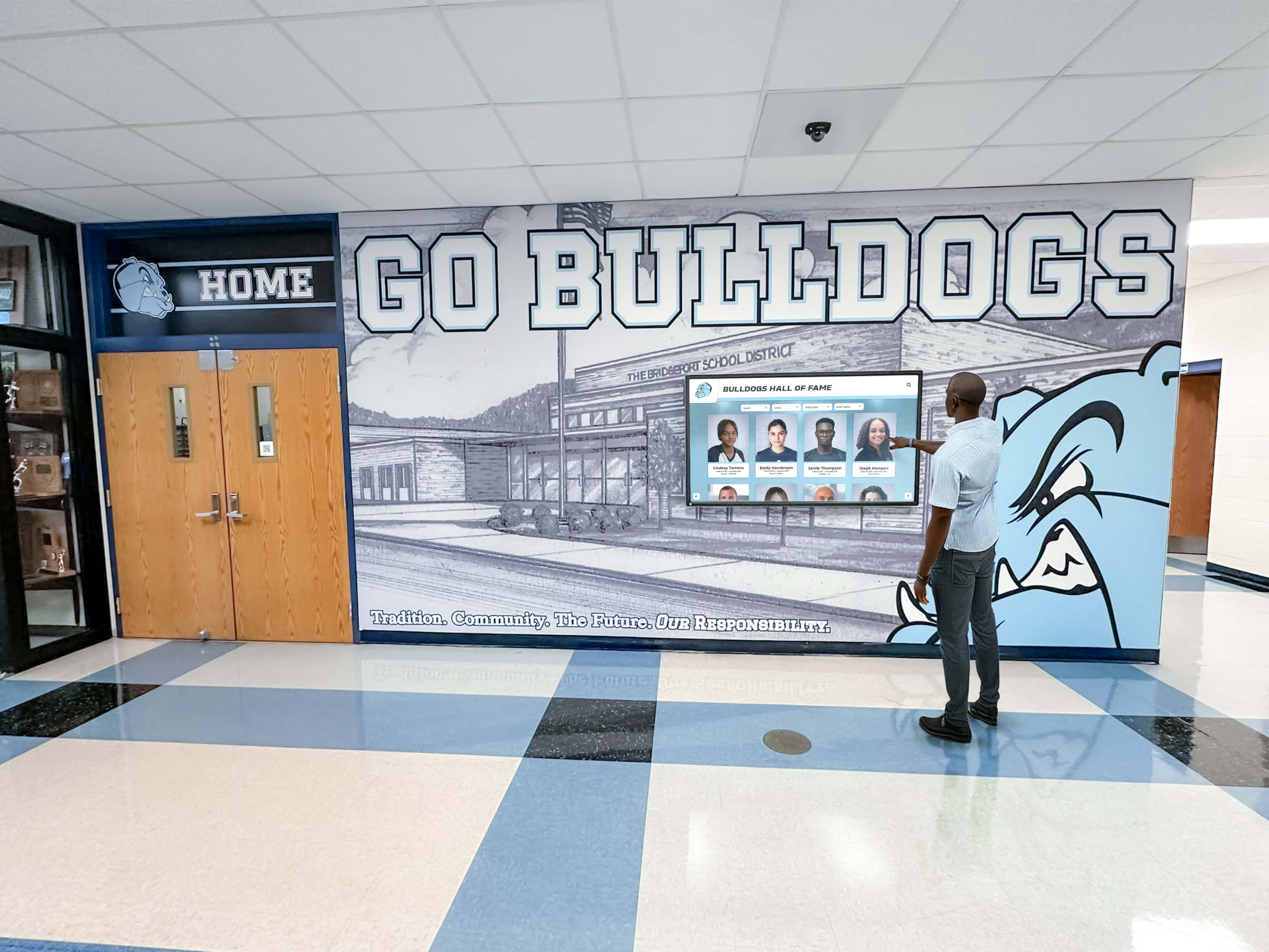
Design governance maintains usability and quality even with extensive visual customization
Common Failure Modes That Governance Prevents
Schools managing custom implementations without design systems encounter predictable problems:
Inconsistent Typography
Without typography governance:
- Multiple font families appear across different content types creating visual chaos
- Font sizes chosen arbitrarily rather than from systematic scales
- Insufficient size differentiation failing to establish clear hierarchy
- Poor font choices reducing legibility at viewing distances
- Mixing display fonts with body fonts inappropriately
Color Chaos
Without color system constraints:
- Random color selections creating incoherent palettes
- Insufficient contrast between text and backgrounds failing accessibility standards
- Overuse of color drawing attention everywhere and nowhere
- Brand color misuse diluting institutional identity
- Meaningless color coding confusing rather than clarifying information
Spacing Irregularities
Without spacing systems:
- Random gaps between elements creating visual noise
- Inconsistent padding around interactive elements suggesting different affordances
- Compressed or excessive whitespace making content hard to scan
- Misaligned elements suggesting different groupings than intended
- Unpredictable rhythm frustrating users trying to find information quickly
Cognitive Overload
Without density governance:
- Too much information per screen overwhelming viewers
- Insufficient information requiring excessive navigation
- Inconsistent information volume across screens breaking mental models
- Poor content prioritization burying critical information
- Navigation confusion from unpredictable information architecture
Design systems prevent these failures by making them structurally impossible—the constraints built into component libraries simply don’t allow selections that create common problems.
Controlled Flexibility in Practice
The best design systems feel expansive rather than constraining:
What Schools Can Customize
Visual identity expression:
- School colors applied systematically throughout interface
- Logo placement and sizing appropriate to context
- Font choices from professionally curated options
- Photography style and treatment preferences
- Animation and transition preferences
Content structure and organization:
- Navigation hierarchy reflecting program priorities
- Content groupings aligned with institutional language
- Feature emphasis based on audience needs
- Information architecture supporting natural discovery
- Search and filter configurations matching user expectations
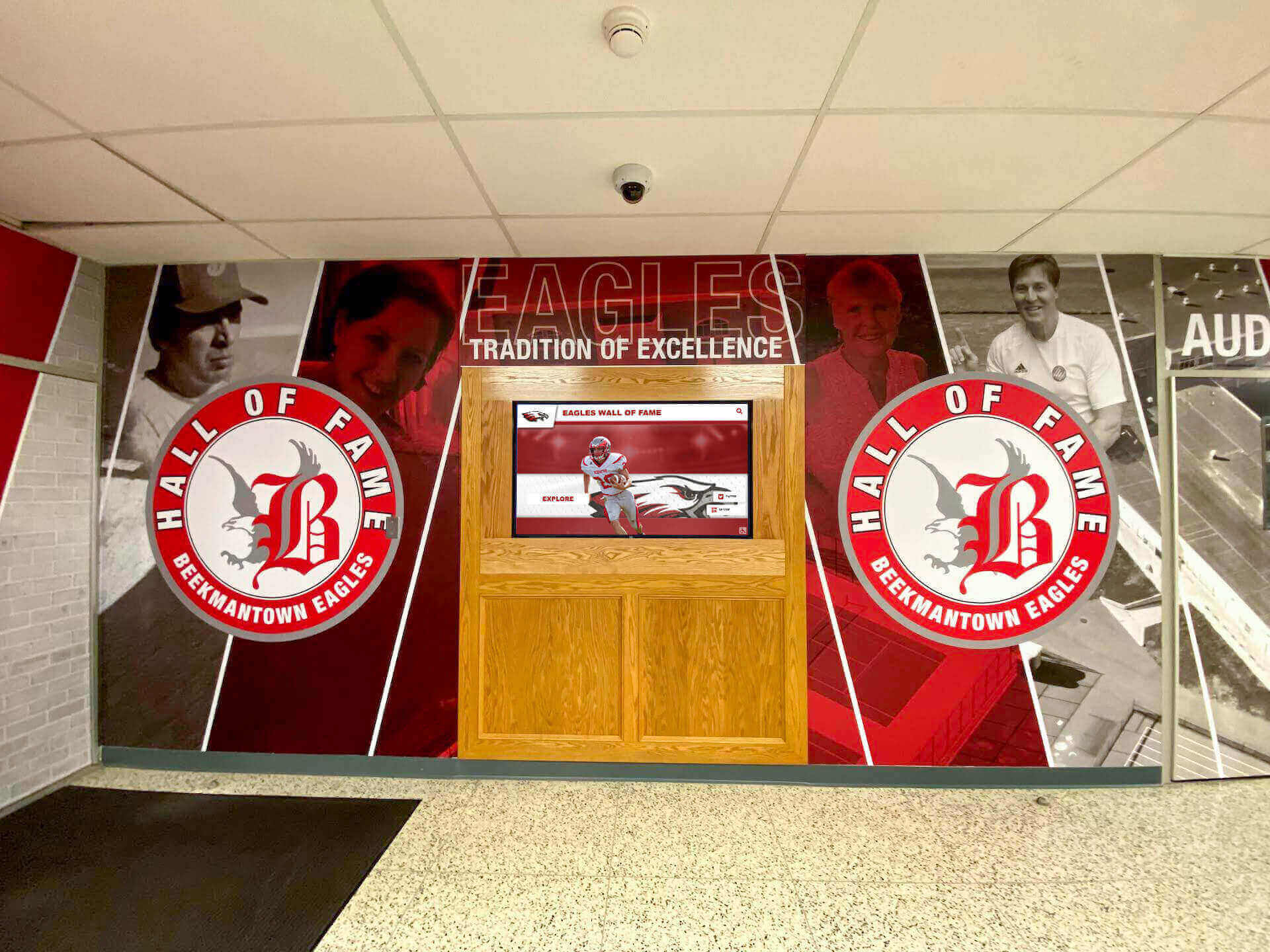
Schools achieve distinctive visual identities within frameworks that guarantee quality and consistency
What Platform Controls
Quality guarantees that protect outcomes:
- Accessibility compliance for all interactive elements
- Responsive behavior across device sizes and orientations
- Performance characteristics ensuring smooth interactions
- Feature compatibility maintaining platform capabilities
- Security standards protecting content and user data
- Update pathways preserving customizations through version upgrades
This division of responsibility enables schools to focus on institutional identity and content strategy while platforms handle technical complexity that most schools lack capacity to manage independently.
AI-Assisted Quality Control: Moving Fast Without Breaking Things
The missing piece that makes rapid customization safe is intelligent quality control catching problems before they reach production.
What AI Quality Control Monitors
Modern touchscreen platforms deploy AI systems that analyze content and design continuously:
Visual Design Analysis
AI systems evaluate layouts for common problems:
- Color contrast checking: Automated scanning ensures text meets WCAG 2.1 AA contrast ratios against backgrounds, flagging insufficient contrast before content publishes
- Spacing consistency: Pattern recognition identifies spacing irregularities that break visual rhythm or create alignment problems
- Hierarchy violations: Analysis detects typography that fails to establish clear information hierarchy
- Density problems: Content volume calculations flag screens with too much or too little information
- Alignment issues: Computer vision identifies misaligned elements disrupting visual order
Content Quality Assessment
AI reviews content characteristics:
- Photo quality evaluation: Image analysis detects low-resolution photos, poor crops, awkward compositions, or lighting problems
- Text readability analysis: Natural language processing evaluates reading complexity and suggests simplifications where appropriate
- Consistency checking: Content pattern analysis identifies inconsistent naming, formatting, or structural approaches across entries
- Completeness validation: Missing field detection ensures profiles include essential information
- Duplicate detection: Similarity analysis flags potentially duplicate content requiring review
Schools implementing digital trophy case systems benefit from AI quality control that maintains professional presentation across hundreds or thousands of achievement entries.
Accessibility Compliance Monitoring
AI systems specifically watch for accessibility barriers:
- Keyboard navigation testing: Automated testing verifies complete functionality without touch or mouse
- Screen reader simulation: Speech synthesis testing identifies confusing or missing labels
- Focus indicator checking: Visual analysis confirms visible focus states during keyboard navigation
- Touch target validation: Measurement systems verify interactive elements meet minimum sizing requirements
- Alternative text assessment: Image analysis combined with alt text review suggests improvements
Performance Optimization
AI identifies performance problems:
- Load time prediction: Analysis estimates rendering time for different content volumes and connection speeds
- Animation performance: Frame rate analysis identifies transitions that may stutter on target hardware
- Memory leak detection: Pattern analysis flags code structures likely to cause memory problems during extended operation
- Bundle size optimization: Dependency analysis suggests alternatives for heavy libraries
- Caching opportunity identification: Usage pattern analysis recommends content pre-loading strategies
How Quality Control Feels to Users
Effective AI quality control operates transparently:
During Content Creation
As administrators add content, AI systems provide real-time feedback:
- “This photo resolution may appear pixelated on large displays. Upload higher-resolution version?”
- “Text contrast insufficient for accessibility standards. Adjust background color or text weight?”
- “This athlete profile is missing career statistics present in similar entries. Add statistics?”
- “Photo crop cuts off subject’s head. Adjust crop boundaries or upload different image?”
This guidance helps non-designer administrators maintain professional quality without graphic design expertise.
During Layout Customization
As schools configure displays, AI systems suggest improvements:
- “Information density on this screen exceeds comfortable reading threshold. Reduce content or expand to two screens?”
- “Touch targets on this layout fall below 44-pixel minimum. Increase button sizing or spacing?”
- “Font size at 18pt may be difficult to read from 10-foot viewing distance. Consider 24pt minimum?”
- “Color contrast between these elements measures 3.2:1, below WCAG 2.1 AA requirement of 4.5:1. Adjust colors?”
These suggestions prevent schools from creating layouts that look appealing in design tools but fail in production environments.
Pre-Publication Review
Before content goes live, AI systems perform comprehensive checks:
- Accessibility audit results with specific remediation guidance
- Performance projections for typical hardware and connection scenarios
- Visual consistency assessment comparing new content against existing patterns
- Completeness validation ensuring no critical information missing
- Cross-browser compatibility verification
Administrators receive clear approval or specific action items requiring attention before publication.
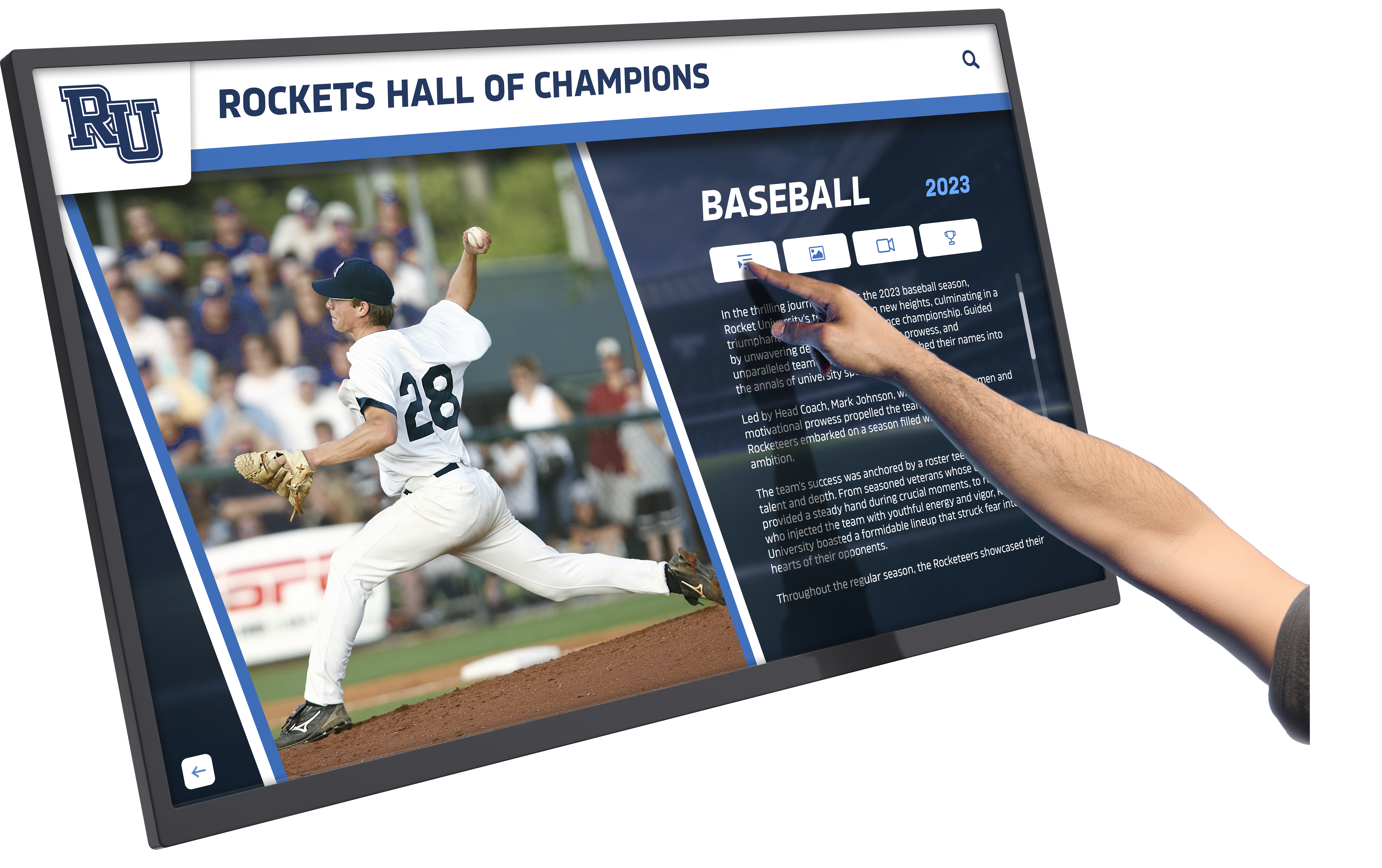
AI quality control enables rapid content creation while maintaining museum-quality presentation standards
The Museum Quality Standard
The goal isn’t preventing mistakes—it’s making it structurally difficult to accidentally create unprofessional presentations.
What “Museum Quality” Means
Museums maintain exacting standards:
- Every element serves clear communicative purpose
- Typography establishes unambiguous information hierarchy
- Color choices guide attention without creating chaos
- Spacing enables comfortable reading and visual scanning
- Consistency creates predictable patterns enabling efficient exploration
- Accessibility ensures all visitors can engage with content
- Durability allows installations to remain excellent over years
Touchscreen recognition displays should meet these standards—schools celebrate achievements and honor individuals in contexts where quality communicates respect and importance.
How AI Enables Museum Quality at School Scale
Museums employ professional designers, curators, and exhibit specialists maintaining quality. Schools rarely have equivalent resources. AI quality control democratizes museum-level standards by:
- Catching the errors professionals would spot immediately
- Suggesting improvements based on best practice knowledge
- Enforcing consistency that distributed teams struggle to maintain manually
- Monitoring degradation as content accumulates over time
- Identifying optimization opportunities that improve performance
- Validating accessibility compliance without specialized expertise
The outcome: schools moving quickly with limited design resources achieve quality that looks professionally curated and intentionally crafted.
Organizations implementing hall of fame displays benefit from quality control systems that maintain excellence across decades of inductees and achievement categories.
The Real Tradeoff: Build Your Own Freedom vs. Borrow Platform Freedom
Schools ultimately choose between two paths to creative freedom—each with distinct cost and capability profiles.
Building and Maintaining Your Own System
Schools commissioning fully bespoke custom development gain maximum control:
What Schools Own
Complete authority over:
- Visual design with no constraints from templates or component libraries
- Feature prioritization and development roadmaps
- Code architecture and technology stack choices
- Deployment timing and update schedules
- Integration approaches with other systems
- Data models and content structures
What Schools Must Provide
Resources and capabilities required:
- Initial development investment ($25,000-$75,000 typical range)
- Annual maintenance budget ($8,000-$15,000+ typical range)
- Technical expertise evaluating proposals and monitoring work
- Quality assurance processes catching bugs and usability problems
- Security monitoring and patch management
- Accessibility compliance auditing and remediation
- Performance monitoring and optimization
- Browser compatibility testing across configurations
- Backup and disaster recovery procedures
- Documentation for current and future administrators
The Risk Profile
Schools own technical debt and future costs:
- Breaking changes from browser updates or deprecated dependencies
- Security vulnerabilities requiring immediate patching
- Performance degradation as content volumes grow
- Feature incompatibilities when requirements change
- Staff turnover losing institutional knowledge
- Vendor dependency if original developer becomes unavailable
- Re-platform risk when custom system reaches end of life
Schools with technology teams, substantial budgets, and institutional commitment to owning complexity successfully manage custom systems. These institutions typically operate at scale justifying dedicated resources—large universities, major athletic programs, or well-funded independent schools.
Borrowing Platform Freedom with Guarantees
Schools selecting comprehensive platforms exchange ownership for different benefits:
What Platforms Provide
Schools gain without building:
- Extensive component libraries enabling sophisticated layouts
- Custom request fulfillment adding specialized patterns when needed
- Automatic updates maintaining current functionality and security
- Continuous quality assurance catching problems before users see them
- Performance optimization benefiting from vendor expertise
- Accessibility compliance built into every component
- Cross-browser testing across configurations
- Backup and redundancy handled by vendor infrastructure
- Documentation and training resources for administrators
- Support resources when problems arise
What Schools Invest
Resources focused on content and strategy:
- Annual subscription fees ($2,000-$6,000 typical range for small-to-medium schools)
- Content creation and curation effort
- Administrator training (typically 2-4 hours)
- Initial content migration (varies by historical archive volume)
- Design customization defining visual identity (typically 4-8 hours)
- Ongoing content management (varies by update frequency)
The Risk Profile
Schools depend on vendor stability and direction:
- Platform continuity requires vendor remaining viable
- Feature prioritization reflects vendor perspective on customer needs
- Design system constraints limit certain customization approaches
- Pricing changes affect long-term budgets
- Migration difficulty if platform becomes unsuitable
- Vendor acquisition or strategic changes affecting roadmap
Schools selecting platforms bet on vendor expertise, scale economies, and shared infrastructure delivering better outcomes than independent development. This approach serves most schools well—K-12 institutions, small colleges, club organizations, and nonprofits without dedicated technology teams.
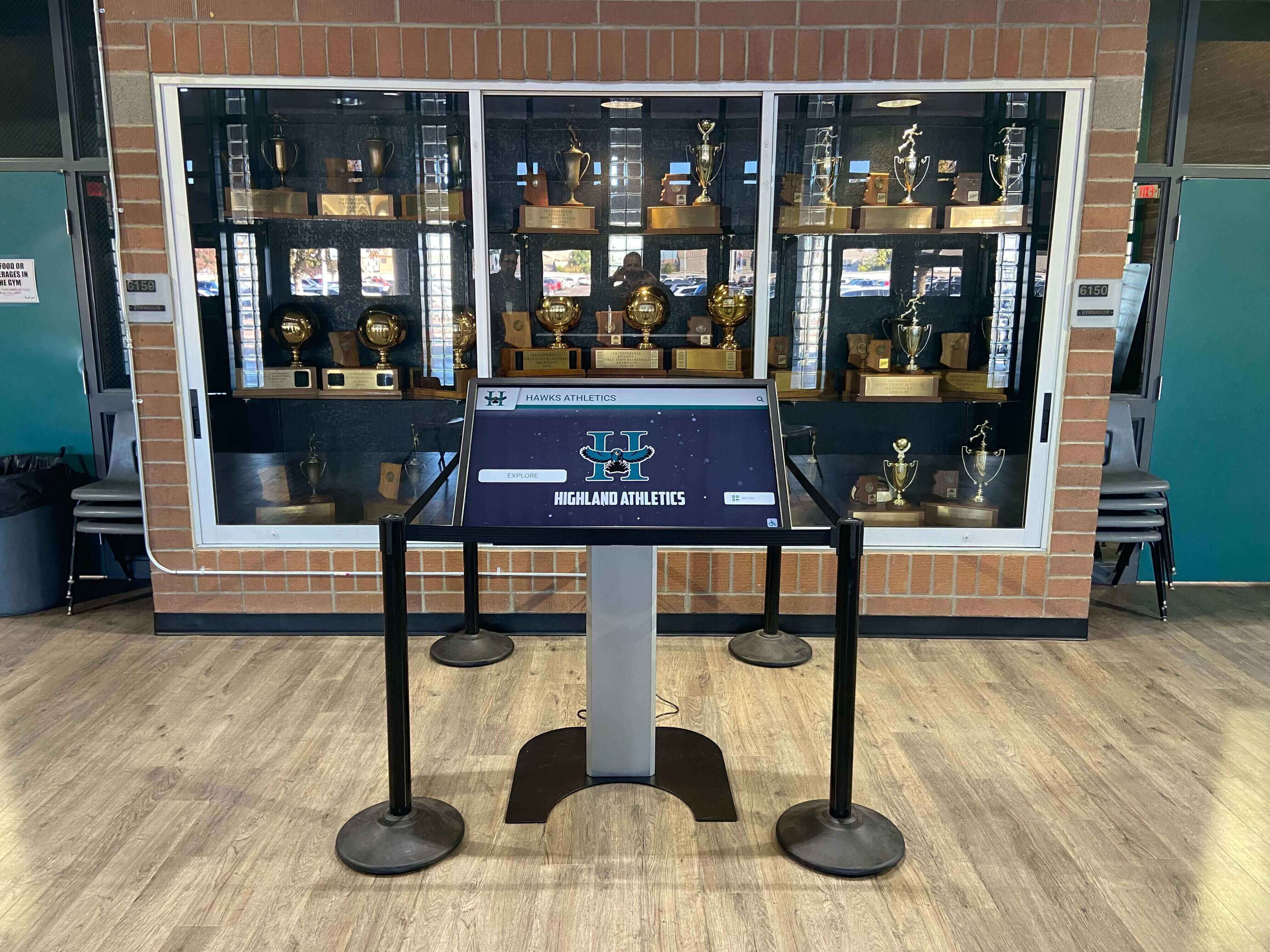
Platform-backed customization delivers unique outcomes without requiring schools to maintain technical infrastructure
The Middle Ground: Platforms With Serious Customization
The optimal approach for most schools combines platform reliability with meaningful customization:
Serious Customization Capabilities
Modern platforms enable:
- Complete visual identity customization (colors, fonts, logos, spacing)
- Custom component development for specialized needs
- Flexible content architecture supporting unique organizational models
- Integration with existing school systems and databases
- Custom navigation structures reflecting institutional priorities
- Specialized features for unique recognition programs
Maintained Platform Guarantees
Customizations inherit platform commitments:
- Responsive across all device sizes and orientations
- Accessible meeting WCAG 2.1 AA standards
- Compatible with all platform features and capabilities
- Performant maintaining fast load times and smooth interactions
- Supported through ongoing platform updates
- Documented with training resources
The Economic Model
Custom work economics change completely:
- Custom component requests often fulfilled at no additional cost
- Development adds first-class features benefiting all customers
- Schools avoid maintenance burden as vendor owns component updates
- No technical debt accumulates requiring eventual re-platform
- Future enhancements automatically apply to custom components
- Quality guaranteed through platform testing and governance
This model works because vendors recognize that custom requests revealing unmet needs often benefit multiple schools. Building requested features as first-class components costs vendors more initially but creates shared value across customer base while preventing the support nightmare of customer-specific code paths.
Schools implementing recognition displays spanning athletics, academics, arts, and community service benefit from platforms enabling diverse content types without compromising visual consistency.
Evaluating Platforms: Questions Schools Should Ask
Schools selecting touchscreen platforms should assess customization and quality control capabilities systematically:
Design System Questions
Component Library Depth
- How many layout components does the platform offer currently?
- What types of content and recognition do existing components support?
- How frequently does the vendor add new components?
- Can schools request custom components, and what’s the process?
- Do custom components become available to all customers eventually?
Customization Scope
- What visual elements can schools customize (colors, fonts, spacing, sizing)?
- Are customizations constrained to prevent quality problems?
- Can schools preview customizations before publishing?
- Do customizations apply consistently across all content types?
- Are customizations preserved through platform updates?
Design Governance
- What quality standards does the platform enforce automatically?
- How does the platform prevent accessibility violations?
- Does the platform guide non-designers toward professional outcomes?
- What happens when schools attempt problematic customizations?
- Can schools override platform recommendations if they insist?
Quality Control Questions
Automated Validation
- What automated quality checks run before content publishes?
- Does the platform check accessibility compliance automatically?
- Are performance thresholds validated before deployment?
- Does the system identify visual inconsistencies across content?
- What happens when content fails automated checks?
AI Assistance
- Does the platform use AI to suggest content improvements?
- What types of problems does AI quality control catch?
- How does AI feedback appear to administrators?
- Can administrators dismiss AI suggestions when appropriate?
- Does AI learning improve recommendations over time?
Ongoing Monitoring
- Does the platform monitor live content for quality degradation?
- Are schools notified when performance problems develop?
- Does the vendor proactively address emerging issues?
- What analytics help schools understand content effectiveness?
- How frequently does the vendor review overall system health?
Guarantee Questions
Responsive Design
- Does the platform guarantee responsive behavior across all display sizes?
- Do customizations maintain responsiveness automatically?
- Does the vendor test responsiveness across configurations?
- What happens if responsive behavior breaks after updates?
- Are web and mobile extensions included and responsive?
Accessibility Compliance
- Does the platform guarantee WCAG 2.1 AA compliance?
- Are custom components held to the same accessibility standards?
- Does the vendor provide accessibility documentation?
- What remediation support exists if accessibility issues arise?
- Are accessibility guarantees maintained through platform updates?
Feature Compatibility
- Do custom layouts work with all platform features?
- Are search, filtering, and navigation consistent across layouts?
- Do analytics track engagement across different components?
- Does content management remain consistent regardless of customization?
- Are guarantees documented in vendor agreements?
Schools seriously evaluating platforms should request demonstrations specifically addressing customization, quality control, and ongoing guarantee maintenance—not just polished marketing materials showing finished results.
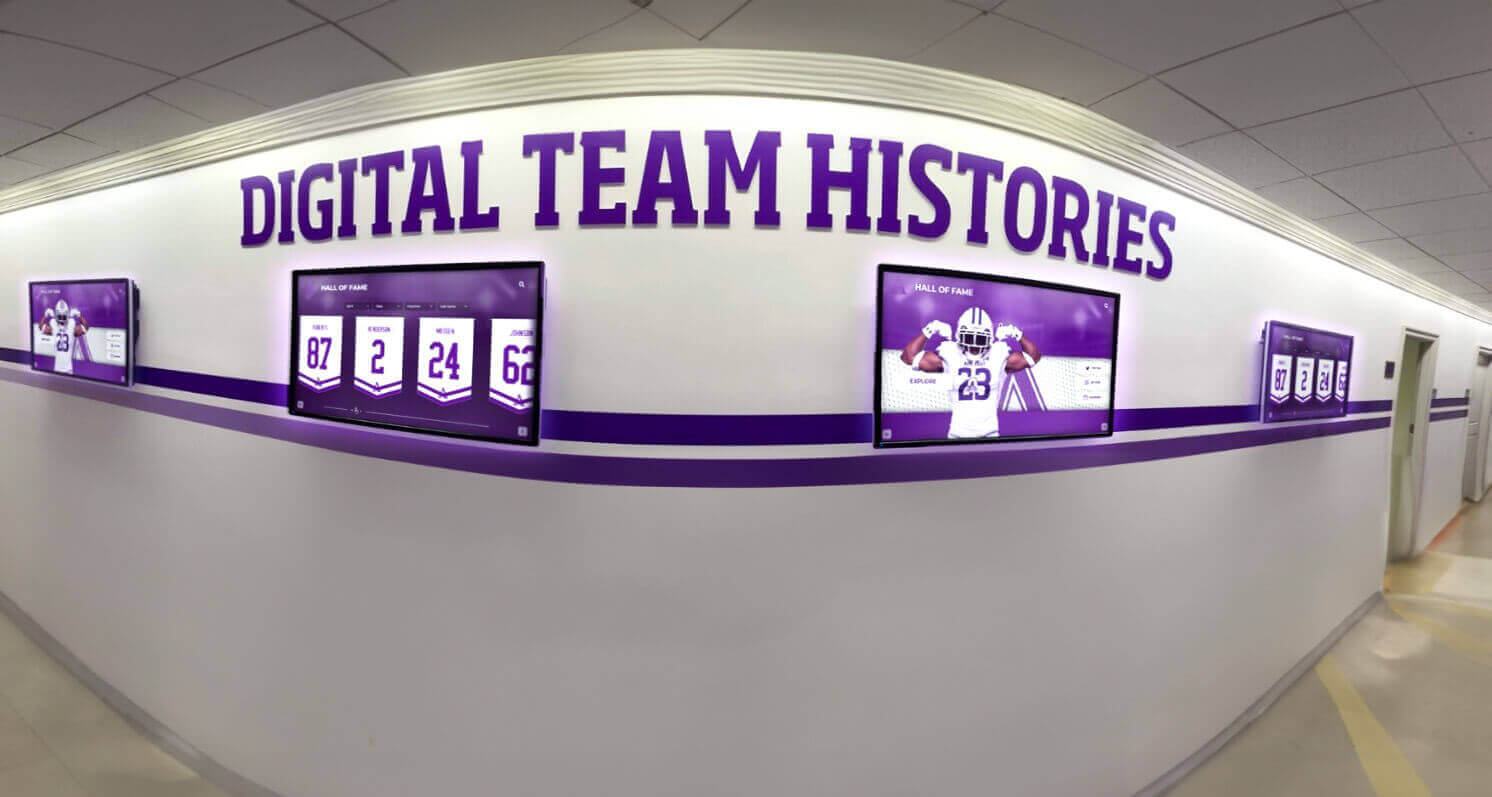
Effective platforms enable visual variety while maintaining technical excellence and accessibility compliance
Implementation: Getting Custom Outcomes Right
Schools ready to implement customized displays should approach the process systematically:
Phase One: Identity Definition (Weeks 1-2)
Visual Identity Audit
- Document current brand guidelines (colors, fonts, logos, spacing)
- Collect examples of effective institutional communications
- Identify visual patterns that feel authentically representative
- Note problematic patterns to avoid
- Gather stakeholder input on visual preferences
Content Architecture Planning
- Define recognition categories requiring display
- Establish information hierarchy and navigation structure
- Determine content density and detail levels
- Plan growth accommodating future recognition programs
- Consider different audience needs and discovery patterns
Phase Two: Platform Customization (Weeks 3-4)
Design System Configuration
- Apply institutional colors to platform color system
- Select or upload fonts meeting legibility requirements
- Define spacing and sizing preferences
- Configure component variants for different contexts
- Preview customizations across content types
Component Selection and Arrangement
- Choose layouts for each recognition category
- Define navigation structure and information architecture
- Select featured content for homepage displays
- Configure search and filter options
- Test user flows through typical discovery scenarios
Phase Three: Quality Validation (Weeks 5-6)
Accessibility Review
- Validate color contrast across all combinations
- Test keyboard navigation through all interfaces
- Verify screen reader compatibility with biographical content
- Check touch target sizing on all interactive elements
- Confirm focus indicators appear consistently
Performance Testing
- Measure load times across connection speeds
- Validate animation smoothness on target hardware
- Test responsiveness with typical and extreme content volumes
- Verify behavior across device sizes and orientations
- Confirm quick recovery from network interruptions
Content Pilot
- Create representative content across categories
- Test workflow for different administrator roles
- Validate AI quality control feedback usefulness
- Gather user feedback from students, staff, and visitors
- Refine based on real-world usage patterns
Phase Four: Rollout and Evolution (Ongoing)
Progressive Content Addition
- Start with current-year recognition building momentum
- Systematically add historical content during slower periods
- Enable new recognition categories as capacity allows
- Gather ongoing feedback identifying improvement opportunities
- Monitor engagement analytics informing content strategy
Continuous Improvement
- Review quality control feedback identifying patterns
- Request custom components for unmet needs
- Refine customizations based on real-world performance
- Update content management workflows as patterns emerge
- Share successful approaches with other administrators
Schools implementing digital donor walls benefit from systematic approaches that establish quality standards before adding large volumes of contributor content.
Conclusion: Creative Freedom With Professional Guardrails
The tension between templates and custom development represents a false choice. Modern touchscreen platforms resolve it through design systems that enable extensive customization within frameworks guaranteeing quality, accessibility, and performance—combined with AI-assisted quality control preventing the common failure modes that plague fast-moving teams without professional design resources.
Schools shouldn’t accept rigid templates that constrain institutional identity. Schools also shouldn’t build fully bespoke systems requiring resources that exceed available capacity and creating technical debt that eventually demands re-platforming.
The third path—platforms with serious customization backed by design governance and quality guarantees—delivers unique outcomes with platform-grade reliability. Schools express authentic institutional identity through extensive visual customization, request specialized layouts when current components don’t serve specific needs, and move quickly with AI assistance catching problems before they reach visitors.
Custom layouts built as first-class platform components inherit guarantees that individual schools rarely achieve through independent development: responsive across all devices, accessible meeting WCAG 2.1 AA standards, compatible with every platform feature, and performant regardless of content volume. Design systems enforce consistency preventing fragmentation while enabling creativity, and ongoing platform evolution continuously improves custom work without school maintenance effort.
The real tradeoff isn’t between templates and custom builds. The real tradeoff is between building and maintaining your own creative freedom versus borrowing platform freedom with professional guarantees. For most schools, platform-backed customization delivers superior outcomes at dramatically lower total cost of ownership—enabling museum-quality recognition displays that celebrate achievement professionally while maintaining visual identity authentically.
Recognition displays communicate institutional values through presentation quality as much as through content. Choose platforms that make excellence achievable without requiring design expertise, technical infrastructure, or ongoing maintenance that most schools lack capacity to provide. The difference between constrained templates and supported customization determines whether displays become distinctive assets or generic installations.
Ready to explore touchscreen platforms that deliver creative freedom without fragmentation, enable custom layouts with platform guarantees, and use AI quality control to maintain museum-quality presentation while teams move quickly? Discover how solutions like Rocket Alumni Solutions support schools with extensive design systems, custom component development, and quality control infrastructure that makes professional recognition displays achievable without design teams or technical maintenance burden.