Schools purchasing interactive touchscreen displays encounter a marketplace divided between general-purpose commercial screens, classroom-focused educational technology, and purpose-built recognition systems. Each category serves different institutional needs, operates at different price points, and delivers fundamentally different long-term value propositions. Choosing the wrong category wastes limited budgets on systems that underperform, frustrate users, or require expensive ongoing development and maintenance.
The best touchscreen for schools depends entirely on intended application. Digital signage displaying schedules requires different capabilities than interactive learning tools. Recognition displays celebrating student achievement need specialized software that general commercial screens lack. Athletic departments showcasing hall of fame content face different requirements than libraries implementing wayfinding kiosks.
This comprehensive comparison examines eight leading touchscreen display options across commercial manufacturers, educational technology providers, and specialized recognition platforms. We analyze each system across pricing, software capabilities, recognition use case suitability, and total cost of ownership to help administrators, technology coordinators, and facilities managers make informed purchasing decisions aligned with institutional goals.
Schools implementing interactive touchscreen displays transform lobbies, hallways, athletic facilities, and common areas into engaging digital environments. However, display hardware represents just one component of successful implementations. Software platforms managing content, update workflows, technical support infrastructure, and long-term system maintenance determine whether touchscreen investments deliver sustained value or become expensive disappointments.
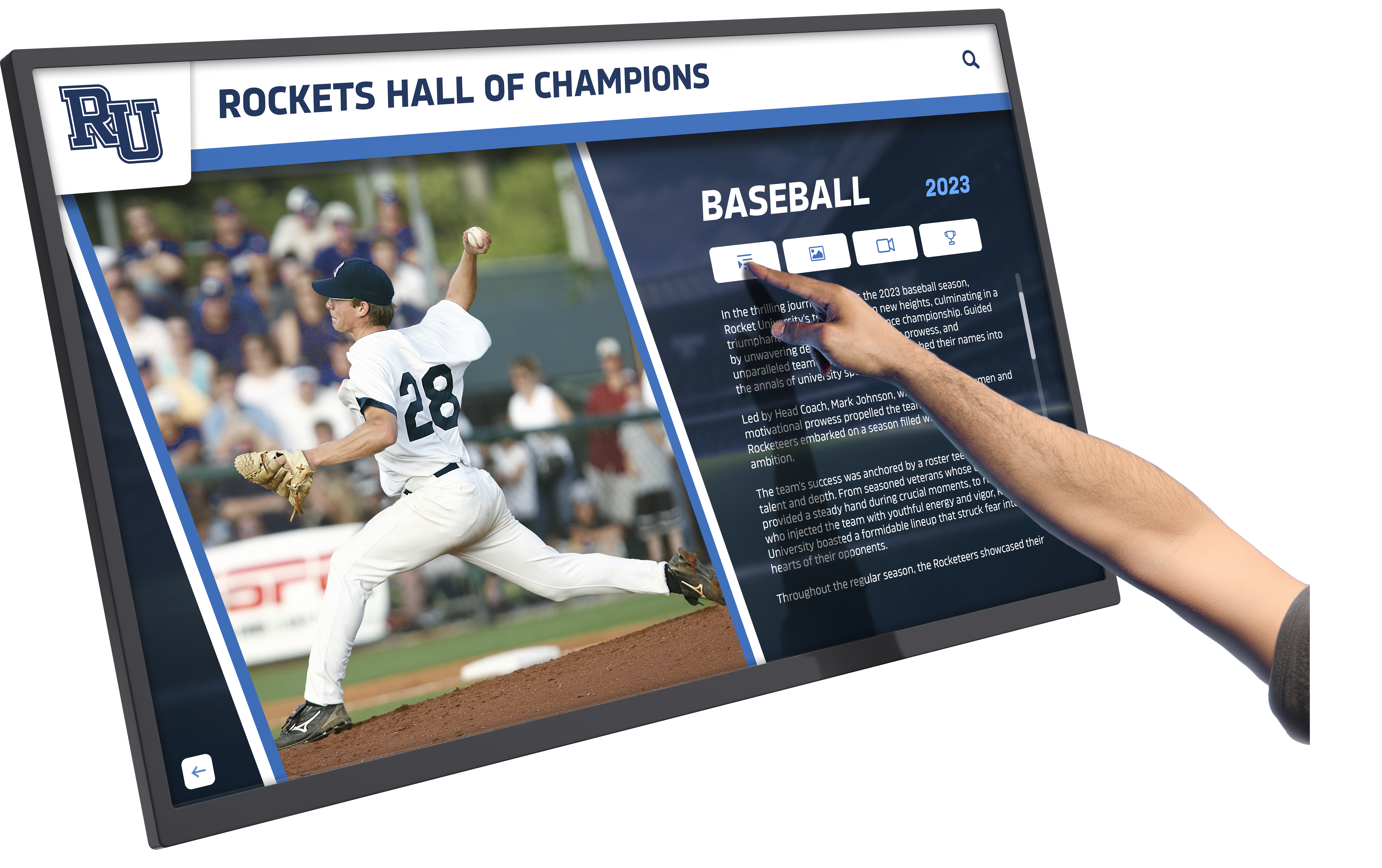
Effective school touchscreen systems combine quality hardware with purpose-built software for recognition applications
Understanding School Touchscreen Display Categories
Before comparing specific systems, understanding fundamental category differences prevents mismatched expectations.
Commercial Display Systems
General-Purpose Touchscreen Monitors
Commercial touchscreen displays from Samsung, LG, NEC, and similar manufacturers offer:
- High-quality display panels optimized for commercial environments
- Touchscreen capabilities using capacitive or infrared technology
- Standard connectivity (HDMI, DisplayPort, USB)
- Basic digital signage software or media player functionality
- Hardware warranty and manufacturer support
- Compatibility with third-party content management systems
Critical Limitation: Commercial displays provide hardware without specialized recognition software. Schools must separately contract developers to build custom applications for hall of fame displays, donor recognition, or athletic achievement showcases—significantly increasing total project costs.
Educational Technology Displays
Interactive Learning Platforms
Systems from Promethean, SMART Technologies, and ViewSonic designed for classroom instruction offer:
- Interactive whiteboards and collaboration features
- Lesson delivery software and teaching tools
- Student engagement capabilities
- Educational content integration
- Classroom management functionality
- Teacher training and curriculum resources
Recognition Application Limitations: While excellent for classroom instruction, educational technology platforms lack purpose-built recognition capabilities. Creating custom hall of fame or donor wall applications requires extensive custom development outside intended use cases.
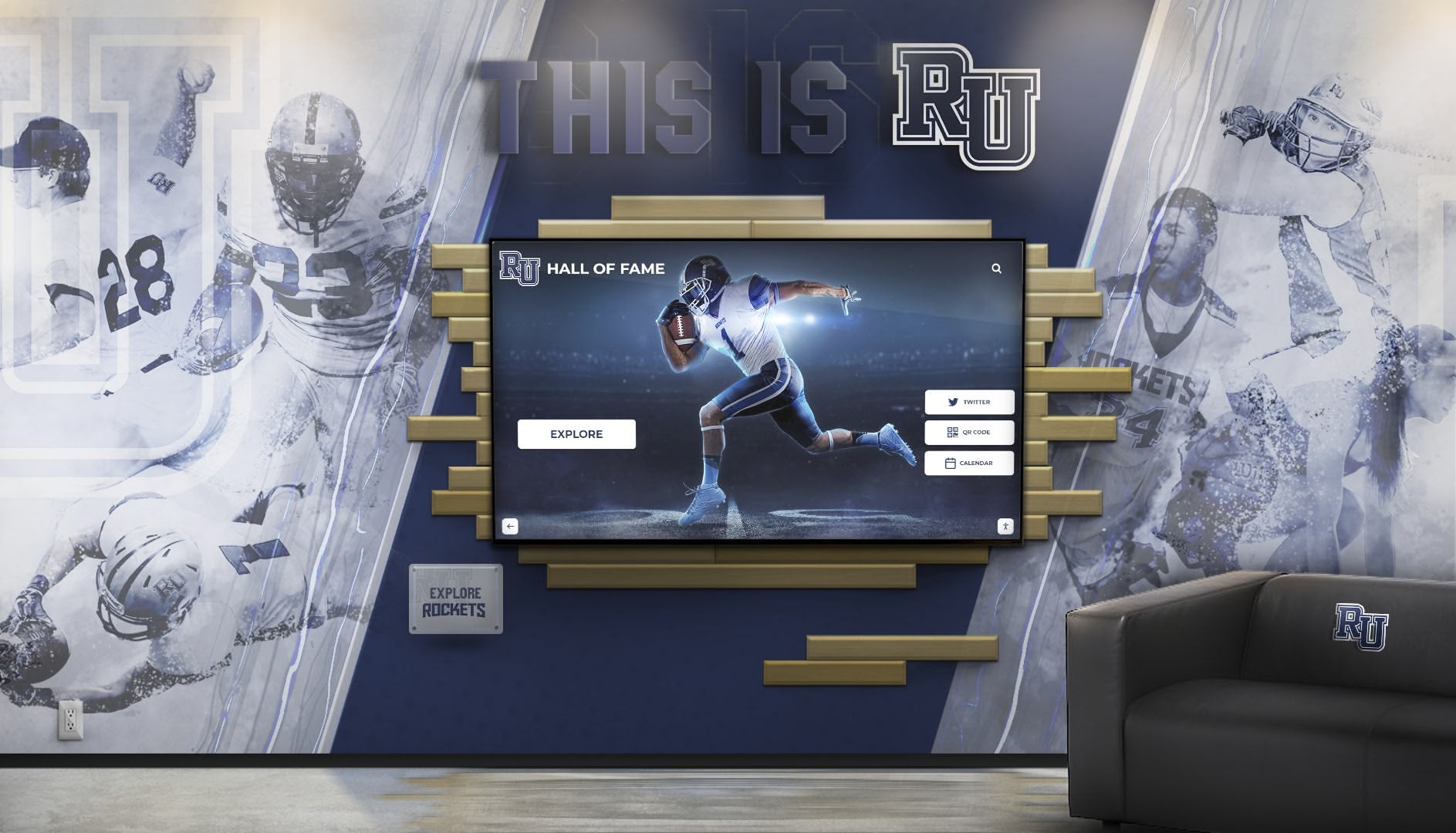
Recognition-focused touchscreen systems integrate seamlessly with existing school branding and environmental design
Purpose-Built Recognition Platforms
Specialized School Recognition Systems
Platforms specifically designed for school recognition applications—such as Rocket Alumni Solutions—deliver:
- Turnkey software for hall of fame, athletic achievement, and donor recognition
- Pre-built templates for common school use cases
- Content management systems designed for non-technical staff
- Student, athlete, and donor database integration
- Automated update workflows reducing ongoing maintenance
- Full-service implementation including hardware, software, and content creation
- Long-term technical support and system updates
Value Proposition: Purpose-built recognition platforms eliminate expensive custom development while providing ongoing software updates and support that commercial displays lack.
Detailed Comparison: 8 Leading Touchscreen Display Options
We evaluate eight systems across four critical dimensions: hardware quality and pricing, software capabilities and ecosystem, recognition application suitability, and total cost of ownership over five years.
1. Rocket Alumni Solutions — Purpose-Built Recognition Platform
System Overview
Rocket Alumni Solutions provides comprehensive touchscreen recognition systems specifically designed for schools, universities, and athletic departments. Unlike general commercial displays, Rocket delivers complete turnkey solutions combining commercial-grade hardware with specialized recognition software.
Hardware Specifications
- Commercial-grade touchscreen displays (43" to 98")
- Capacitive multi-touch technology for responsive interaction
- High-brightness panels suitable for ambient-light environments
- Professional mounting and installation included
- Extended warranty coverage with onsite support options
Software and Content Management
- Purpose-built recognition platform for hall of fame, donor walls, and achievement displays
- Pre-designed templates for athletic recognition, academic honors, and institutional history
- User-friendly content management system requiring no technical expertise
- Automated data integration with student information systems
- Regular software updates and feature additions included
- Unlimited content updates throughout system lifetime
Recognition Use Case Suitability
- Athletic Hall of Fame: Exceptional—specifically designed for this application
- Donor Recognition Walls: Excellent—built-in donor management and display features
- Academic Achievement Displays: Excellent—honor roll and scholarship recognition templates
- School History Archives: Excellent—timeline and historical content management tools
- General Digital Signage: Good—capable but optimized for recognition rather than signage
Pricing and Total Cost
- Upfront investment: $8,000 - $25,000 depending on display size and features
- Includes: hardware, software licensing, content creation, installation, training
- Ongoing costs: Minimal (software updates included, no development fees)
- 5-Year Total Cost of Ownership: $8,000 - $27,000
Best For: Schools prioritizing turnkey recognition solutions with minimal ongoing technical requirements. Ideal for athletic departments, development offices, and institutions without dedicated technology staff for content development.
Schools implementing digital trophy case installations find purpose-built platforms eliminate the complexity and expense of custom development.
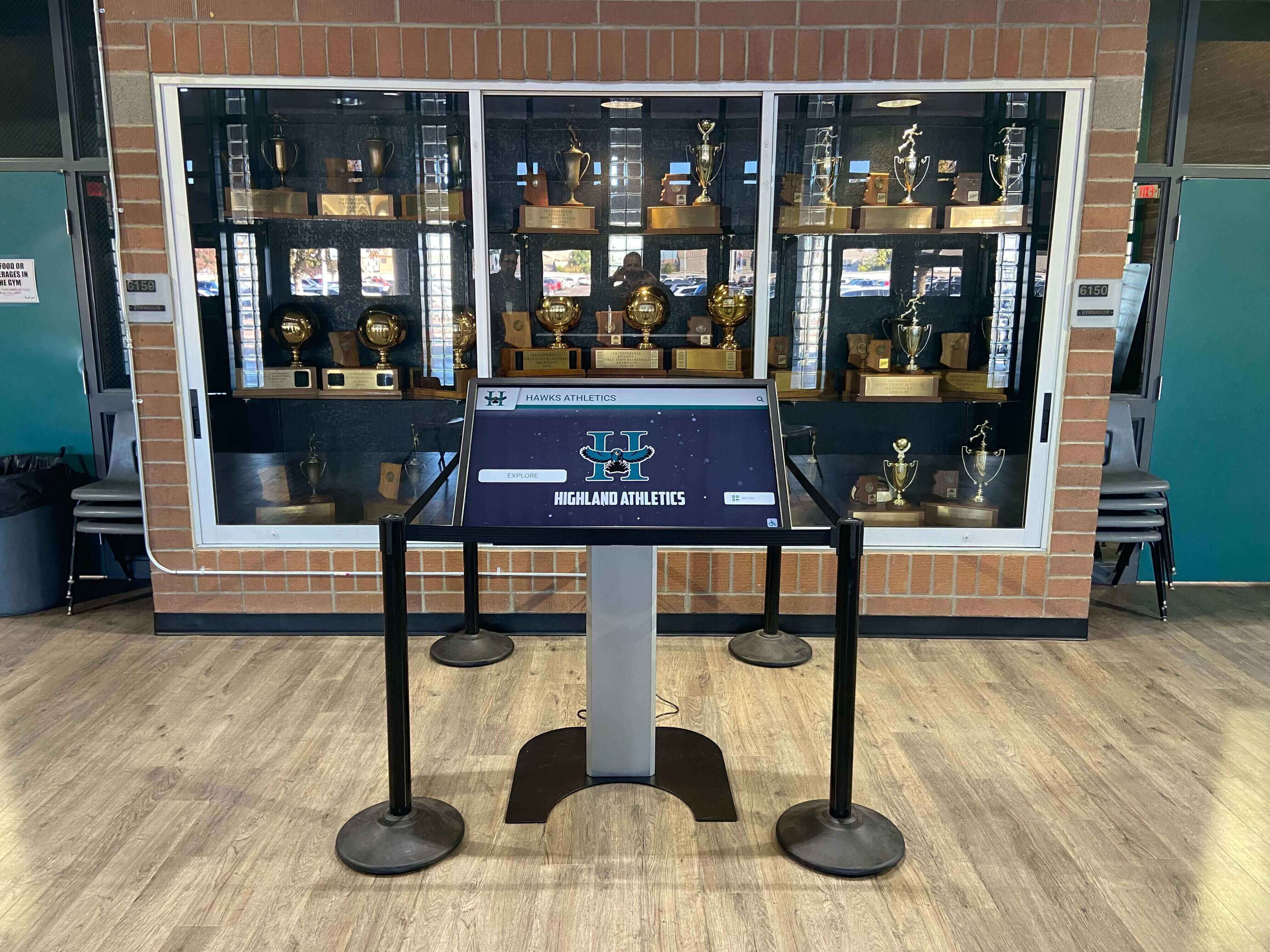
Purpose-built recognition systems integrate directly into existing trophy cases and athletic display environments
2. Samsung Commercial Touchscreen Displays
System Overview
Samsung manufactures professional-grade commercial displays with optional touchscreen capabilities designed for corporate, retail, and hospitality environments adapted for educational use.
Hardware Specifications
- Commercial display panels (32" to 98")
- Infrared or capacitive touch technology options
- High brightness and wide viewing angles
- MagicINFO content management software included
- Standard commercial warranty (3 years typical)
Software and Content Management
- MagicINFO digital signage platform included
- Third-party content management system compatibility
- No built-in recognition templates or specialized features
- Requires custom application development for hall of fame displays
- Schools must contract developers separately for recognition applications
Recognition Use Case Suitability
- Athletic Hall of Fame: Fair—requires extensive custom development
- Donor Recognition Walls: Fair—no built-in donor management capabilities
- Academic Achievement Displays: Fair—generic display requires custom software
- School History Archives: Fair—timeline features not included
- General Digital Signage: Excellent—optimized for this application
Pricing and Total Cost
- Display hardware: $2,500 - $12,000
- Custom software development: $15,000 - $50,000 for recognition application
- Annual maintenance and updates: $2,000 - $5,000
- Installation: $500 - $2,000
- 5-Year Total Cost of Ownership: $28,500 - $77,000
Best For: Schools with existing technology infrastructure, development resources, and technical staff capable of building and maintaining custom recognition applications. Suitable for institutions needing maximum flexibility and willing to invest in ongoing development.
3. LG Commercial Interactive Displays
System Overview
LG produces commercial-grade interactive displays featuring webOS smart platform and optional touchscreen capabilities for various commercial applications.
Hardware Specifications
- Commercial display panels (43" to 86")
- Infrared touch technology standard
- webOS smart platform built-in
- Multiple connectivity options
- Commercial warranty with support
Software and Content Management
- webOS digital signage platform
- LG SuperSign content management
- App ecosystem for basic functionality
- Custom development required for specialized recognition features
- Third-party CMS compatibility
Recognition Use Case Suitability
- Athletic Hall of Fame: Fair—requires custom development
- Donor Recognition Walls: Fair—no specialized donor features
- Academic Achievement Displays: Fair—needs custom application
- School History Archives: Fair—requires development work
- General Digital Signage: Excellent—strong signage capabilities
Pricing and Total Cost
- Display hardware: $2,800 - $10,000
- Custom development: $12,000 - $45,000
- Annual maintenance: $1,500 - $4,000
- Installation: $500 - $1,800
- 5-Year Total Cost of Ownership: $25,300 - $67,800
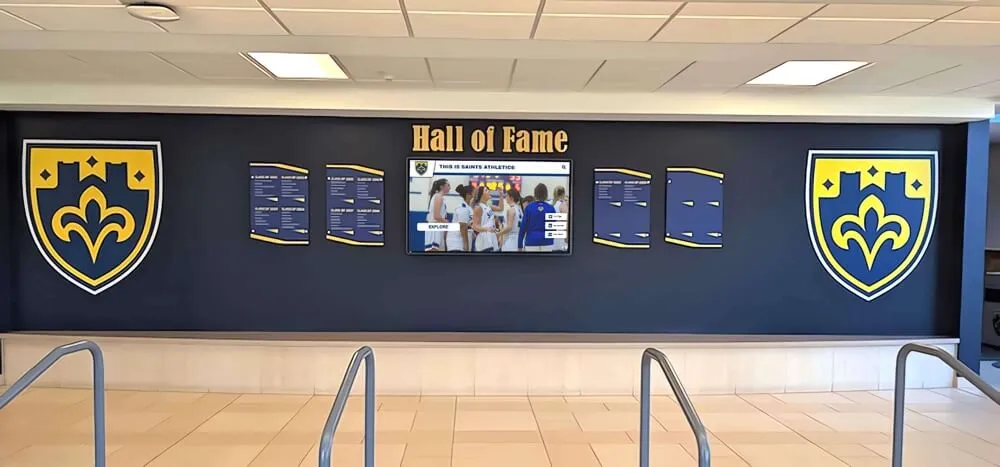
Effective recognition displays blend digital touchscreen technology with traditional design elements
Best For: Schools with technical capacity for custom development seeking webOS ecosystem integration. Appropriate for institutions with IT departments managing ongoing software maintenance.
4. Promethean Interactive Displays
System Overview
Promethean specializes in interactive displays designed specifically for classroom instruction and collaborative learning environments.
Hardware Specifications
- Interactive flat panel displays (55" to 86")
- Infrared touch technology with multi-touch support
- Built-in Android computing platform
- Educational-focused design and durability
- Education warranty and support programs
Software and Content Management
- ActivInspire lesson delivery software
- ClassFlow collaborative learning platform
- Educational content marketplace
- Limited digital signage capabilities
- No recognition-specific features
Recognition Use Case Suitability
- Athletic Hall of Fame: Poor—not designed for this application
- Donor Recognition Walls: Poor—lacks donor management features
- Academic Achievement Displays: Fair—classroom recognition only
- School History Archives: Poor—not optimized for archive displays
- General Digital Signage: Fair—basic capabilities available
- Classroom Instruction: Excellent—specifically designed for teaching
Pricing and Total Cost
- Interactive panel: $3,500 - $8,000
- Recognition software development: $20,000 - $60,000 (if attempting adaptation)
- Annual license and support: $500 - $1,500
- Installation: $500 - $1,500
- 5-Year Total Cost of Ownership: $27,000 - $79,500
Best For: Classroom instruction and interactive learning environments. Not recommended for recognition applications unless substantial custom development undertaken.
5. SMART Board Interactive Displays
System Overview
SMART Technologies manufactures interactive displays focused on educational collaboration and classroom instruction with extensive teaching software ecosystem.
Hardware Specifications
- Interactive flat panels (65" to 86")
- Proprietary infrared and capacitive touch technology
- Built-in computing platform
- Pen and touch interaction
- Education warranty programs
Software and Content Management
- SMART Learning Suite software platform
- SMART Notebook interactive lessons
- Lumio cloud-based collaboration
- Educational content integration
- Limited recognition capabilities without custom development
Recognition Use Case Suitability
- Athletic Hall of Fame: Poor—requires extensive customization
- Donor Recognition Walls: Poor—no built-in donor features
- Academic Achievement Displays: Fair—classroom-focused only
- School History Archives: Poor—not designed for archives
- General Digital Signage: Fair—basic display capabilities
- Classroom Collaboration: Excellent—core competency
Pricing and Total Cost
- Interactive display: $4,000 - $10,000
- SMART software licensing: Included
- Custom recognition development: $25,000 - $70,000
- Annual support: $800 - $2,000
- Installation: $500 - $1,500
- 5-Year Total Cost of Ownership: $34,000 - $93,500
Best For: Classroom teaching environments requiring interactive instructional capabilities. Poor fit for recognition applications without significant development investment.
Many schools implementing digital showcase platforms discover that classroom-focused interactive displays require costly adaptation for recognition use cases.
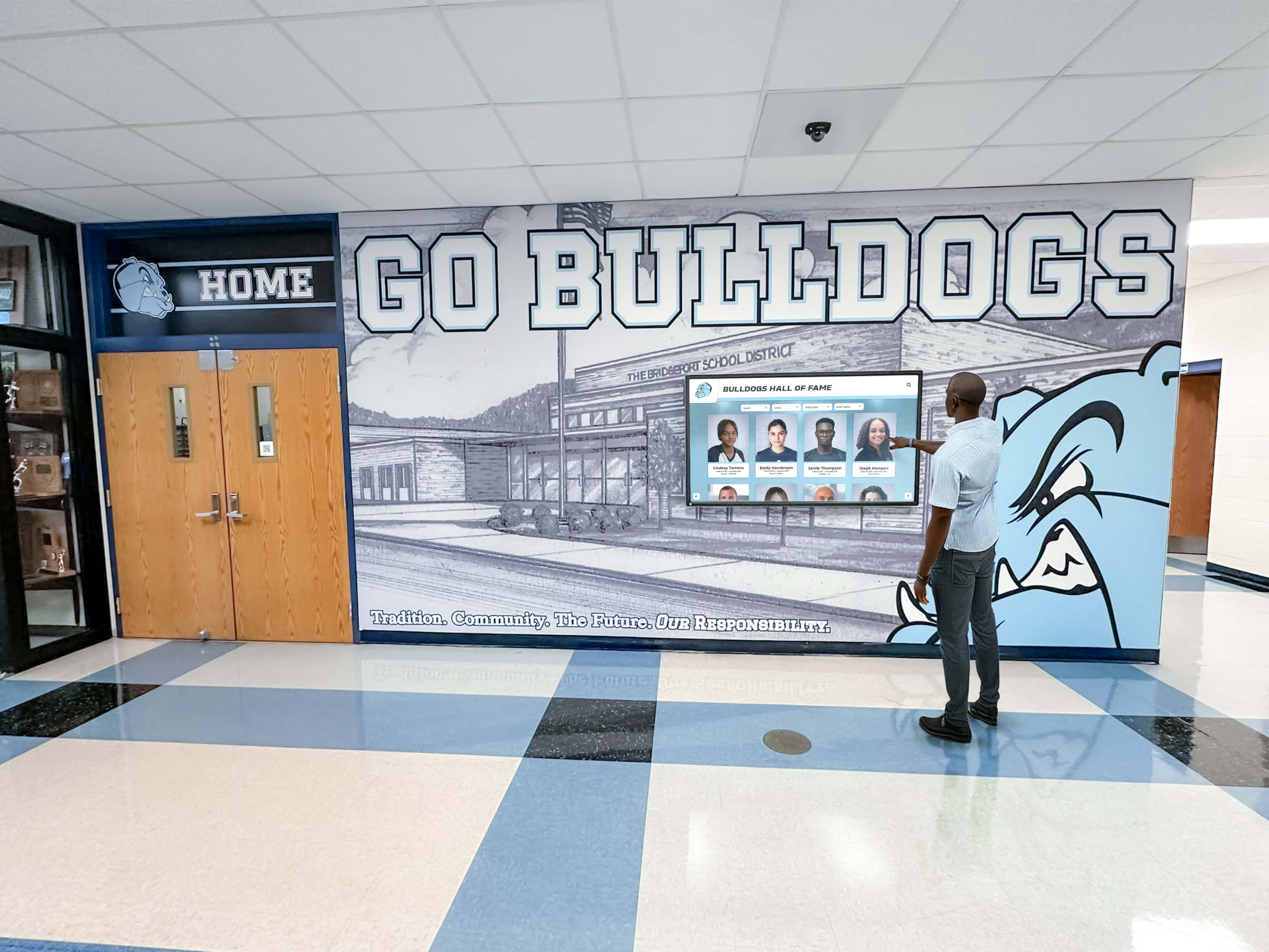
Athletic recognition displays require specialized software optimized for hall of fame and achievement showcase applications
6. ViewSonic Interactive Displays
System Overview
ViewSonic produces commercial and educational interactive displays offering competitive pricing and solid hardware quality across multiple market segments.
Hardware Specifications
- Interactive flat panels (55" to 98")
- Infrared touch technology
- ViewBoard integrated computing
- Standard connectivity options
- Commercial/education warranty options
Software and Content Management
- myViewBoard digital whiteboarding software
- vCast content management platform
- Third-party software compatibility
- No specialized recognition templates
- Custom development required for unique applications
Recognition Use Case Suitability
- Athletic Hall of Fame: Fair—requires custom software
- Donor Recognition Walls: Fair—no built-in features
- Academic Achievement Displays: Fair—needs development
- School History Archives: Fair—requires customization
- General Digital Signage: Good—capable platform
- Classroom Collaboration: Good—designed for education
Pricing and Total Cost
- Interactive display: $2,000 - $7,500
- Custom recognition software: $10,000 - $40,000
- Annual maintenance: $1,000 - $3,000
- Installation: $400 - $1,500
- 5-Year Total Cost of Ownership: $17,400 - $62,000
Best For: Budget-conscious schools with technical resources for custom development. Good value proposition for institutions capable of building recognition applications internally.
7. BenQ Interactive Displays
System Overview
BenQ manufactures interactive displays targeting both corporate and educational markets with focus on collaborative workspaces and classroom environments.
Hardware Specifications
- Interactive flat panels (55" to 86")
- Infrared touch technology
- Integrated Android computing
- Eye-care technology reducing eye strain
- Standard commercial warranty
Software and Content Management
- EZWrite digital whiteboard software
- InstaShare wireless presentation
- Account Management System (AMS)
- X-Sign broadcast platform for signage
- Custom development needed for recognition features
Recognition Use Case Suitability
- Athletic Hall of Fame: Fair—custom development required
- Donor Recognition Walls: Fair—no donor-specific features
- Academic Achievement Displays: Fair—needs custom work
- School History Archives: Fair—requires development
- General Digital Signage: Good—X-Sign platform capable
- Meeting Collaboration: Excellent—designed for this use
Pricing and Total Cost
- Interactive panel: $2,200 - $8,000
- Custom recognition development: $12,000 - $45,000
- Annual support and updates: $1,200 - $3,500
- Installation: $400 - $1,500
- 5-Year Total Cost of Ownership: $20,200 - $69,000
Best For: Schools seeking value-oriented interactive displays for multiple applications with capacity for custom software development.
8. NEC Large-Format Display Systems
System Overview
NEC specializes in large-format commercial displays and video wall systems designed for command centers, control rooms, and large-venue applications adapted for educational use.
Hardware Specifications
- Large-format displays (55" to 98"+)
- Optional touch overlay systems
- Video wall configuration capabilities
- Commercial-grade reliability
- Extended warranty options available
Software and Content Management
- NaviSet Administrator display management
- Third-party content management compatibility
- Professional digital signage software options
- No recognition-specific templates or features
- Requires custom application development
Recognition Use Case Suitability
- Athletic Hall of Fame: Fair—capable hardware, custom software needed
- Donor Recognition Walls: Fair—no specialized donor features
- Academic Achievement Displays: Fair—requires development
- School History Archives: Good—large format suitable for archives
- General Digital Signage: Excellent—strong signage capabilities
- Large-Venue Displays: Excellent—designed for this application
Pricing and Total Cost
- Display hardware: $4,000 - $15,000+
- Touch overlay (if needed): $2,000 - $5,000
- Custom software development: $15,000 - $50,000
- Annual maintenance: $2,000 - $5,000
- Installation: $1,000 - $3,000
- 5-Year Total Cost of Ownership: $34,000 - $93,000
Best For: Large-format installations requiring professional-grade reliability and custom-built applications. Suitable for institutions with technical resources and specific large-venue requirements.
Schools exploring campus digital signage systems must balance general-purpose capabilities with specialized recognition needs.
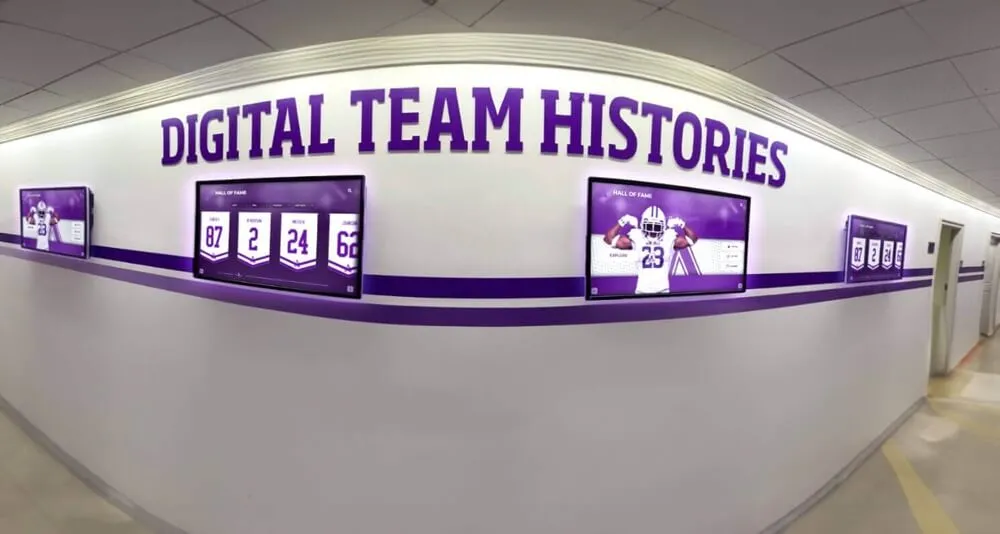
Schools implementing multiple recognition displays benefit from integrated content management systems
Comparative Analysis: Price vs. Recognition Value
Total cost of ownership over five years reveals significant differences between hardware-only solutions requiring custom development and turnkey recognition platforms.
Five-Year Total Cost Comparison
Lowest Initial Investment (excluding development):
- ViewSonic: $2,000 - $7,500 (hardware only)
- Samsung: $2,500 - $12,000 (hardware only)
- BenQ: $2,200 - $8,000 (hardware only)
Lowest Total Cost Including Recognition Software:
- Rocket Alumni Solutions: $8,000 - $27,000 (complete turnkey system)
- ViewSonic + Custom Development: $17,400 - $62,000
- BenQ + Custom Development: $20,200 - $69,000
Key Finding: Purpose-built recognition platforms like Rocket Alumni Solutions deliver lower total cost of ownership than commercial displays once custom software development factored into analysis.
Software Capabilities for Recognition Applications
Systems with Built-In Recognition Features:
- Rocket Alumni Solutions: Comprehensive hall of fame, donor wall, and achievement display templates included
- All Others: Require $10,000 - $70,000 in custom development for recognition applications
Content Management Ease:
- Rocket Alumni Solutions: Non-technical staff can update content independently
- Commercial Displays: Require technical expertise or ongoing developer contracts
- Educational Platforms: Designed for classroom use, not recognition management
Ongoing Maintenance Requirements:
- Rocket Alumni Solutions: Software updates and support included
- Commercial Solutions: Annual developer contracts ($1,000 - $5,000+) for updates
- Educational Platforms: Classroom focus with limited recognition update tools
Schools planning touchscreen digital hall of fame installations often underestimate ongoing software maintenance costs with generic commercial displays.
Application-Specific Recommendations
Different school applications prioritize different system capabilities and cost structures.
Athletic Department Hall of Fame Displays
Recommended Primary Option: Rocket Alumni Solutions
Purpose-built athletic recognition platforms provide:
- Pre-designed hall of fame templates requiring no custom development
- Automated athlete profile management from existing databases
- Season records, championship histories, and individual achievement displays
- Photo galleries, video highlights, and interactive timeline features
- Non-technical athletic staff can update content throughout seasons
- Complete turnkey implementation including content creation
Alternative Options:
- Samsung/LG + Custom Development: Higher total cost but maximum customization
- Only viable if substantial custom features required beyond standard recognition needs
Athletic programs celebrating achievements through digital displays and recognition programs benefit from specialized software reducing ongoing technical burden.
Development Office Donor Recognition Walls
Recommended Primary Option: Rocket Alumni Solutions
Donor recognition applications require specialized capabilities:
- Donor database integration with gift tracking systems
- Giving level displays and recognition tier management
- Anonymous donor accommodation and privacy controls
- Capital campaign progress tracking and visualization
- Easy updates as new donations received without developer involvement
- Professional templates aligned with institutional branding
Alternative Considerations:
- Commercial displays viable only if institution has development staff with technical expertise
- Custom development costs often exceed complete turnkey recognition system pricing
Academic Achievement and Honor Roll Displays
Recommended Primary Option: Rocket Alumni Solutions
Academic recognition displays benefit from purpose-built features:
- Automated honor roll imports from student information systems
- Academic award winner displays updated each semester
- Scholarship recipient recognition and donor acknowledgment
- National Honor Society and academic organization rosters
- Graduation honors, valedictorian history, and achievement archives
Alternative Options:
- ViewSonic/BenQ + Light Custom Development: Budget-conscious approach
- Suitable if technical staff available for initial setup and quarterly updates
Schools showcasing student achievement through honor roll recognition systems require flexible content management supporting frequent updates.
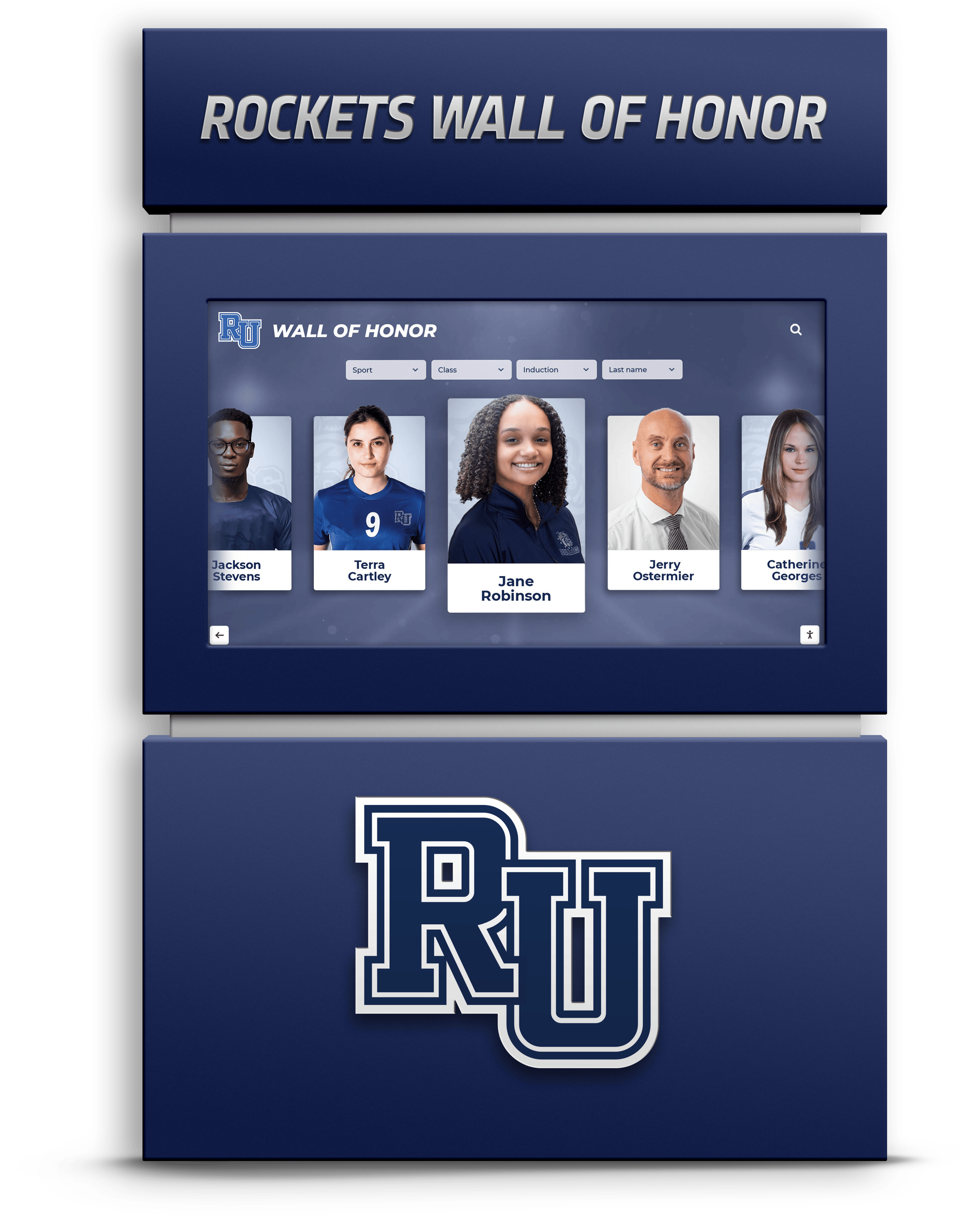
Recognition walls combining touchscreen interaction with visual appeal create engaging visitor experiences
General Digital Signage and Wayfinding
Recommended Options: Samsung, LG, or ViewSonic
Schools needing primarily digital signage rather than recognition displays:
- Commercial display manufacturers provide excellent signage platforms
- Lower upfront costs when recognition features unnecessary
- Standard digital signage software included with most systems
- Announcements, schedules, wayfinding, and general information display
- Third-party content management systems widely available
When to Choose Commercial Over Recognition Platform:
- Display purpose is announcements and signage, not achievement recognition
- No hall of fame, donor wall, or academic recognition requirements
- Technical staff available for content management and updates
- Maximum flexibility for diverse content types desired
Classroom Interactive Learning
Recommended Options: Promethean or SMART Board
Classroom instructional applications prioritize teaching features:
- Lesson delivery software and educational content integration
- Student collaboration and engagement tools
- Teaching-specific features like annotation and screen sharing
- Educational warranty and teacher training programs
- Strong educational software ecosystems
Not Recommended for Classroom Use:
- Recognition platforms (Rocket) optimized for hall of fame, not instruction
- Commercial displays lack classroom-specific teaching features
Decision Framework: Choosing the Best Touchscreen for Your School
Selecting appropriate touchscreen systems requires matching institutional priorities, technical capabilities, and budget realities with system strengths.
Primary Use Case Assessment
Recognition-Focused Applications (Hall of Fame, Donor Walls, Achievement Displays):
- Best Choice: Rocket Alumni Solutions or similar purpose-built recognition platform
- Why: Lower total cost of ownership, built-in features, no custom development required
- Total Investment: $8,000 - $27,000 complete turnkey
General Digital Signage and Communications:
- Best Choice: Samsung, LG, ViewSonic, or BenQ commercial displays
- Why: Excellent signage capabilities, flexible content options, competitive pricing
- Total Investment: $2,000 - $12,000 hardware plus signage software
Classroom Interactive Instruction:
- Best Choice: Promethean or SMART Board educational platforms
- Why: Purpose-built teaching tools, educational software ecosystems
- Total Investment: $3,500 - $10,000 per classroom
Large-Venue or Multi-Display Installations:
- Best Choice: NEC or Samsung large-format systems
- Why: Professional-grade reliability, video wall capabilities, large sizes
- Total Investment: $20,000 - $100,000+ depending on complexity
Technical Capability Assessment
Schools Without Dedicated Technical Staff:
- Choose turnkey solutions requiring minimal technical expertise
- Recommended: Rocket Alumni Solutions for recognition applications
- Avoid: Commercial displays requiring custom development and ongoing maintenance
Schools With IT Departments and Development Resources:
- Custom development viable for unique requirements beyond standard features
- Consider: Commercial displays if specific customization needs identified
- Calculate: Compare custom development costs against turnkey alternatives
Schools With Limited Technical Resources:
- Prioritize systems with non-technical content management interfaces
- Recommended: Purpose-built platforms with included support
- Avoid: Solutions requiring ongoing developer involvement for updates
Budget and Total Cost Analysis
Initial Budget Under $10,000:
- Recognition Use: Consider smaller Rocket Alumni Solutions system or delay until sufficient budget
- Signage Use: ViewSonic or BenQ commercial displays viable options
- Classroom Use: Single Promethean or ViewSonic interactive panel
Initial Budget $10,000 - $25,000:
- Recognition Use: Full-featured Rocket Alumni Solutions system with large display
- Signage Use: Premium Samsung or LG commercial displays with professional installation
- Multi-Display: Multiple smaller commercial screens for various locations
Initial Budget Over $25,000:
- Recognition Use: Large-format Rocket system or multiple recognition displays
- Signage Use: Professional NEC video wall or multi-display network
- Comprehensive: Combination of recognition platforms and commercial signage displays
Schools planning comprehensive recognition programs should assess both initial investment and five-year total cost when evaluating options.
Common Purchasing Mistakes to Avoid
Schools often make predictable errors when purchasing touchscreen displays that result in disappointing outcomes and unexpected costs.
Mistake #1: Choosing Hardware Without Considering Software
The Problem: Schools purchase commercial displays assuming software will be straightforward addition, then discover custom development costs $15,000 - $70,000 and requires ongoing maintenance.
The Solution: Evaluate total cost including software development, implementation, and five-year maintenance before purchase decisions.
Mistake #2: Selecting Classroom Systems for Recognition Applications
The Problem: Schools purchase Promethean or SMART Board systems for hall of fame displays because these brands familiar from classroom use, then struggle adapting teaching-focused software for recognition purposes.
The Solution: Match system categories to intended applications—classroom systems for instruction, recognition platforms for achievement displays, commercial screens for signage.
Mistake #3: Underestimating Ongoing Maintenance Requirements
The Problem: Schools focus exclusively on initial purchase price without budgeting for software updates, content refreshes, and technical support over system lifetime.
The Solution: Calculate five-year total cost of ownership including annual maintenance, content updates, and support requirements.
Mistake #4: Prioritizing Initial Cost Over Long-Term Value
The Problem: Schools select lowest-cost hardware option then spend multiples of initial savings on custom development and ongoing technical support.
The Solution: Compare complete turnkey recognition platforms against commercial displays plus development costs for accurate value assessment.
Mistake #5: Assuming All Touchscreens Essentially Equivalent
The Problem: Schools treat touchscreen displays as commodity purchases without recognizing fundamental differences between commercial, educational, and recognition-focused systems.
The Solution: Understand that touchscreen hardware represents only one component—software capabilities, support infrastructure, and update mechanisms differentiate systems.
Implementation Considerations
Successfully deploying school touchscreen systems requires attention to installation, content creation, and long-term maintenance planning.
Installation Requirements
Physical Installation Factors:
- Wall mounting in high-traffic areas requiring professional installation
- Power outlet placement and cable management for clean appearance
- Network connectivity for content updates and remote management
- Lighting conditions affecting screen visibility and touch responsiveness
- ADA compliance for accessible mounting heights and interaction zones
Schools implementing accessible digital displays must ensure touchscreen systems meet accessibility standards.
Network Integration:
- Content management systems require network connectivity
- Remote update capabilities reducing manual maintenance requirements
- Security considerations for internet-connected displays
- Bandwidth requirements for video and high-resolution image content
- Integration with school network infrastructure and security policies
Content Creation and Management
Initial Content Development:
- Historical data gathering for hall of fame and achievement archives
- Photo scanning and digital asset preparation
- Database population with athlete, student, or donor information
- Design customization matching institutional branding
- Staff training for content management systems
Ongoing Content Updates:
- Turnkey Platforms (Rocket): Non-technical staff update content as needed
- Custom Systems: Developer involvement required for updates ($100-$200/hour)
- Update Frequency: Weekly to seasonal depending on display purpose
- Content Source Integration: Automated imports from existing databases ideal
Long-Term Maintenance Planning
Software Maintenance Requirements:
- Purpose-Built Platforms: Updates included with system
- Commercial Displays: Annual contracts for custom software updates
- Educational Platforms: Teaching software updates included, recognition features custom
Hardware Maintenance:
- Commercial displays typically include 3-5 year warranties
- Extended warranty options available for most systems
- Cleaning and preventive maintenance requirements
- Replacement parts availability and turnaround time
Technical Support:
- Turnkey Platforms: Dedicated support teams familiar with recognition applications
- Commercial Displays: General technical support, not application-specific
- Response Time: Critical for high-visibility lobby installations
Conclusion: Matching Systems to School Needs
The best touchscreen for schools depends entirely on intended application, available technical resources, and total budget over system lifetime. Schools implementing recognition displays honoring athletic achievements, celebrating academic excellence, or acknowledging donor contributions benefit substantially from purpose-built platforms specifically designed for these applications.
Rocket Alumni Solutions emerges as the clear choice for recognition-focused touchscreen installations, delivering lower total cost of ownership than commercial displays requiring custom development while providing superior recognition capabilities, non-technical content management, and ongoing support. Schools without dedicated development resources particularly benefit from turnkey recognition platforms eliminating expensive custom software projects.
Commercial displays from Samsung, LG, ViewSonic, and BenQ serve schools well for general digital signage, wayfinding, and information displays where recognition features unnecessary. These systems provide excellent hardware quality and competitive pricing for applications matching their designed purpose.
Educational interactive displays from Promethean and SMART Board excel in classroom instructional environments but represent poor fits for recognition applications requiring specialized software these systems lack.
Schools succeed by carefully matching touchscreen system categories to specific institutional applications, calculating five-year total cost of ownership rather than focusing exclusively on initial purchase price, and selecting platforms aligned with available technical resources and staff capabilities. Purpose-built recognition platforms like Rocket Alumni Solutions deliver exceptional value for schools prioritizing achievement celebration and community engagement through interactive digital displays.
Transform Your School Recognition with Purpose-Built Touchscreen Displays
Discover how Rocket Alumni Solutions delivers turnkey interactive touchscreen systems specifically designed for schools—combining commercial-grade hardware with specialized recognition software at lower total cost than commercial displays requiring custom development.
Explore Rocket Alumni Solutions Touchscreen Systems