Schools and universities across the country face a common technology challenge: selecting touch screen kiosk software that engages students, visitors, and community members without overwhelming staff with complex management requirements. The right kiosk software transforms lobbies, hallways, and common areas into interactive information hubs that showcase achievements, provide wayfinding, display schedules, and strengthen school pride—all while remaining simple enough for busy administrators to update without technical support.
The touch screen kiosk software landscape in 2026 has evolved dramatically from basic slideshow applications. Modern platforms now serve distinct purposes: some excel at recognition and achievement displays, others focus on general digital signage and announcements, while specialized solutions target specific school needs like wayfinding, attendance, or cafeteria menus. Generic software offers flexibility but demands significant customization time. Purpose-built educational platforms provide templates optimized for schools but may cost more. Cloud-based systems simplify remote management but introduce subscription costs. Self-hosted solutions provide control but require IT resources.
This comprehensive comparison guide examines the leading touch screen kiosk software solutions serving schools and educational institutions, analyzing their strengths, pricing models, technical requirements, and ideal use cases. Whether you’re implementing your first interactive kiosk or replacing outdated systems, understanding the distinct capabilities of available platforms ensures you select software that serves students, staff, and community effectively both today and throughout years of operation ahead.
The most successful school kiosk implementations balance powerful features with administrative simplicity—providing engaging interactive experiences for users while maintaining intuitive content management that teachers, coaches, and staff can handle confidently without extensive training or ongoing IT involvement.
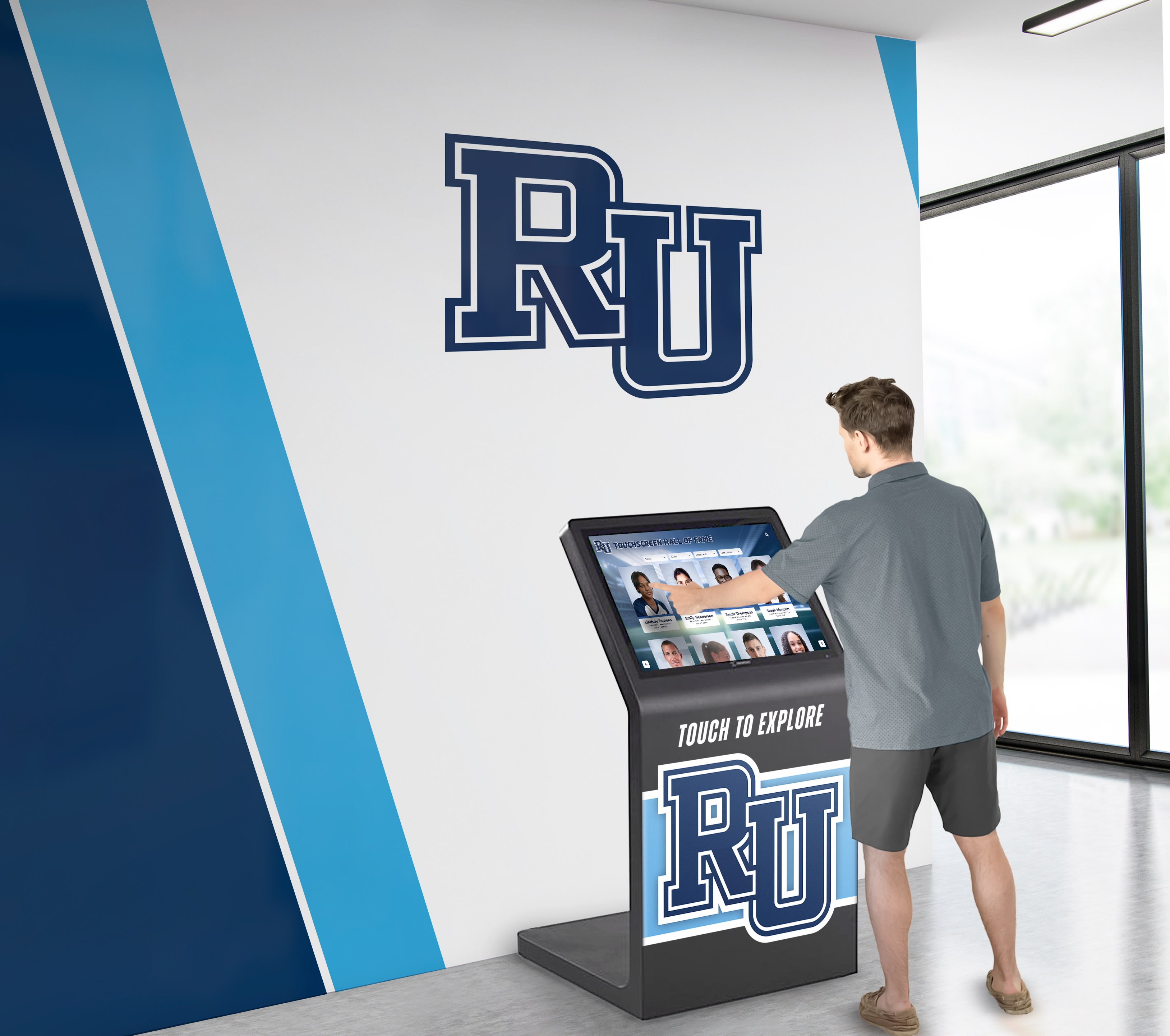
Effective touch screen kiosk software creates intuitive experiences that engage the school community and strengthen campus connections
Understanding Touch Screen Kiosk Software Categories for Schools
Before evaluating specific platforms, understanding the distinct software categories helps schools frame appropriate expectations and identify solutions aligned with their primary objectives.
Recognition-Focused Kiosk Platforms
Purpose-built systems designed specifically for halls of fame, achievement recognition, and honoring school community members:
Core Capabilities
- Pre-designed templates for athletic halls of fame, academic honor rolls, and donor recognition
- Biographical profile structures with fields for photos, achievements, statistics, and stories
- Automatic sorting and filtering by sport, year, achievement type, or category
- Unlimited capacity for inductees, award winners, and historical content
- Search functionality optimized for finding specific individuals and accomplishments
- Easy data import from spreadsheets, existing databases, or manual entry
- Mobile access through QR codes enabling content viewing on personal devices
Ideal School Applications
- Athletic halls of fame showcasing championship teams and standout athletes
- Academic achievement displays honoring valedictorians, National Merit Scholars, and distinguished graduates
- Arts recognition celebrating theater stars, band members, and visual arts achievers
- Donor walls acknowledging contributors to capital campaigns and endowments
- Historical timelines preserving school history and notable alumni
- Faculty and staff recognition honoring years of service and contributions
Recognition-focused platforms prioritize ease of use for busy athletic directors, development officers, and administrative staff who need to maintain accurate, current content without technical expertise. Schools implementing comprehensive digital school tour experiences benefit from specialized interfaces that reduce setup time while ensuring professional results.
General Digital Signage Platforms
Broad-purpose systems designed for varied content types across multiple school locations:
Core Capabilities
- Flexible design tools supporting custom layouts and branding
- Playlist and scheduling capabilities for rotating announcements and messages
- Support for diverse media including videos, images, PDFs, and live feeds
- Multi-screen management across campus buildings and locations
- Split-screen layouts displaying multiple content zones simultaneously
- Weather widgets, social media feeds, and calendar integrations
- Template libraries for common school use cases
Ideal School Applications
- Main office displays showing daily announcements and schedules
- Cafeteria screens featuring menus, nutritional information, and lunch schedules
- Gymnasium and athletic facility displays with game schedules and scores
- Library information stations highlighting new books and research resources
- Common area displays promoting upcoming events and activities
- Emergency notification systems for safety alerts and announcements
General digital signage platforms excel at versatility and content variety but typically require more design expertise and ongoing management to achieve polished results for specialized applications like biographical recognition or interactive wayfinding.
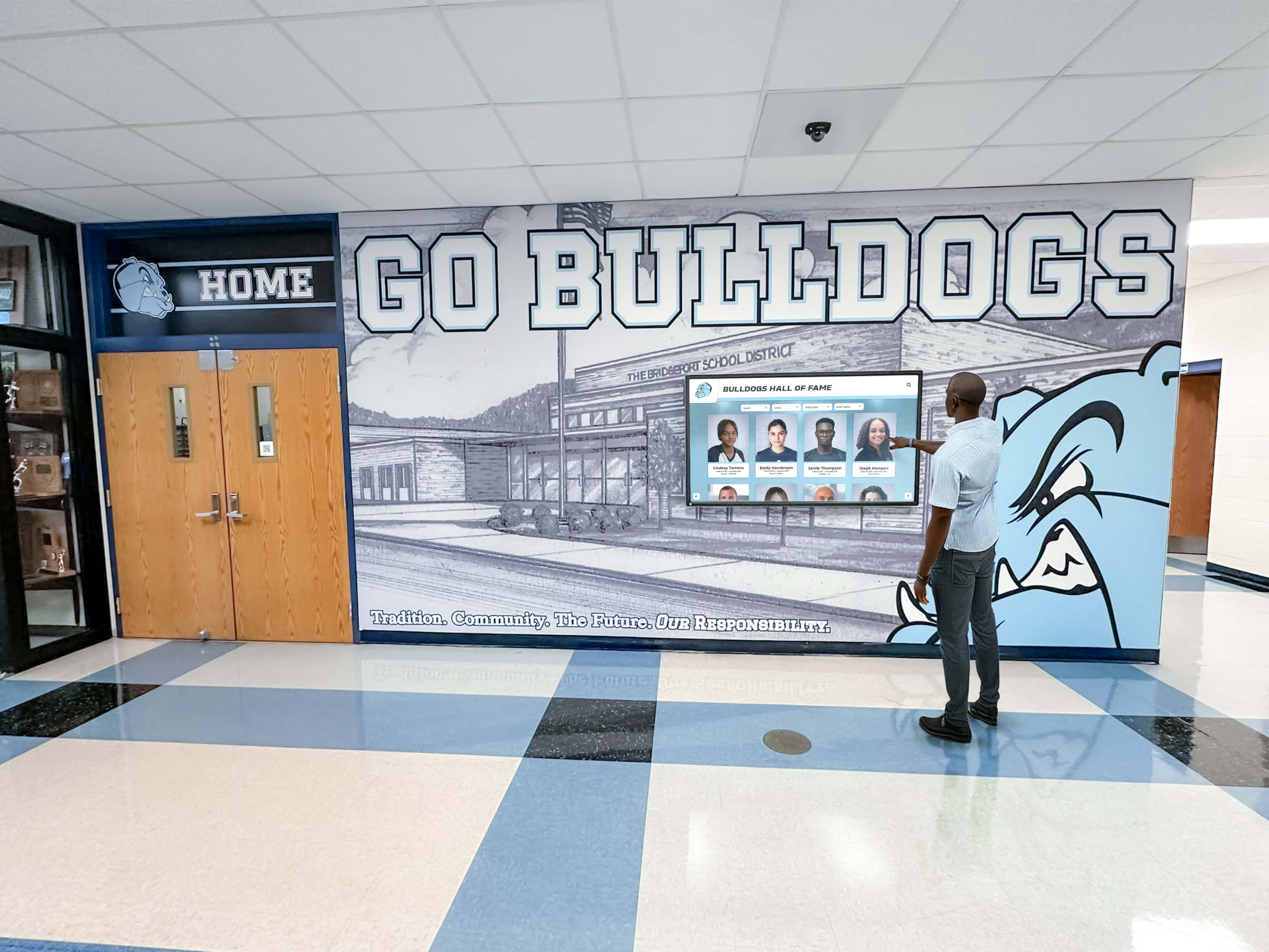
Recognition-focused platforms optimize interfaces for exploring athletic achievements and school history
Interactive Wayfinding and Directory Systems
Specialized platforms focused on campus navigation and location information:
Core Capabilities
- Interactive campus maps with room and building locations
- Turn-by-turn directions and navigation assistance
- Faculty and staff directories with office locations and contact information
- Real-time room availability and event scheduling integration
- Accessibility route options for visitors with mobility needs
- Multi-language support for diverse communities
- Integration with scheduling systems for event locations
Ideal School Applications
- Main entrance lobbies helping visitors find offices and classrooms
- Large campus wayfinding for universities and multi-building facilities
- Event navigation during open houses, conferences, and athletic competitions
- New student orientation helping students learn campus layouts
- Parent-teacher conference assistance directing families to classrooms
Wayfinding systems serve large campuses particularly well but may be overkill for smaller schools where simple directional signage suffices.
Top Touch Screen Kiosk Software Solutions for Schools: Detailed Comparison
Rocket Alumni Solutions: Recognition-Focused Educational Platform
Overview Rocket Alumni Solutions specializes in touch screen kiosk software designed specifically for schools and educational institutions seeking to honor achievements, preserve history, and engage communities through interactive recognition displays.
Key Features for Schools
- Purpose-built templates for athletic halls of fame, academic honor rolls, and alumni recognition
- Cloud-based content management system accessible from any device with internet connection
- Unlimited profiles for athletes, scholars, donors, and community members
- Advanced filtering and search enabling visitors to explore content by sport, year, achievement, or name
- QR code generation for mobile access allowing students to share profiles on personal devices
- Photo and video support showcasing highlights, interviews, and historical footage
- ADA WCAG 2.1 AA compliant ensuring accessibility for all visitors
- Professional design services available for custom branding and layouts
- Auto-ranking record boards that automatically update leaderboards as new records are set
- Multi-location support for school districts managing kiosks across campuses
Pricing Model One-time software licensing with optional ongoing content management services. Hardware sold separately with screen size options from 55" to 86" commercial-grade touchscreens.
Best For Schools prioritizing long-term recognition displays for athletics, academics, and donor appreciation where content doesn’t change daily but requires easy updates for new inductees and achievements throughout the year.
Technical Requirements Minimal IT involvement after initial setup. Content updates through web-based CMS requiring only internet access. Compatible with Windows-based media players. No specialized server infrastructure needed.
Schools seeking comprehensive touchscreen software solutions for recognition programs benefit from platforms purpose-built for educational institutions rather than generic kiosk software requiring extensive customization.
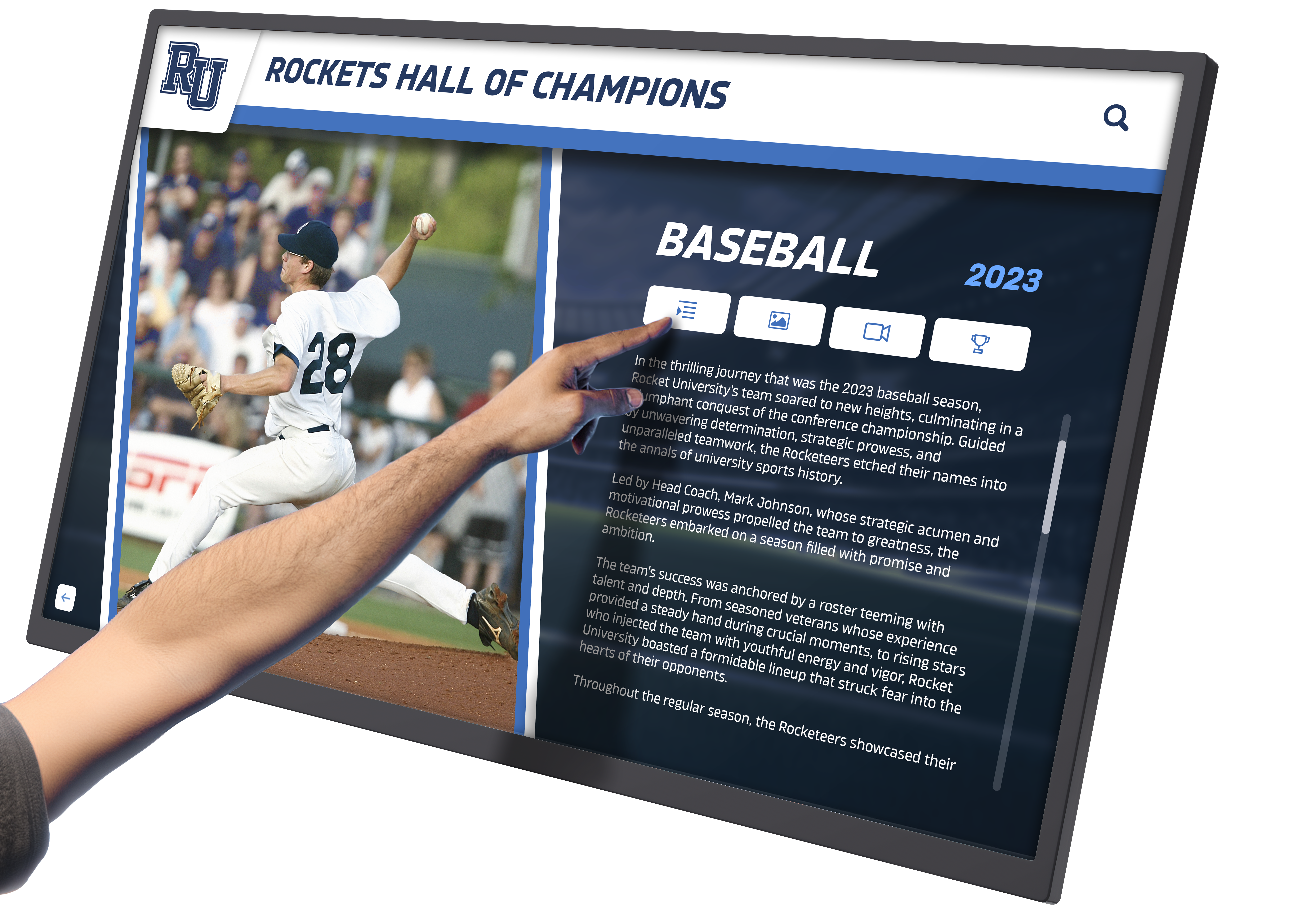
Touch-optimized interfaces make exploring athletic achievements engaging and accessible for all community members
Rise Vision: Free Digital Signage Platform
Overview Rise Vision provides free digital signage software targeting schools and nonprofits, offering basic content management capabilities without subscription fees.
Key Features for Schools
- Free software for unlimited screens
- Template library with educational-focused designs
- Google integration for calendar, slides, and drive content
- Playlist scheduling for rotating content
- Remote content management through web interface
- Multi-user access with permission controls
- Community-contributed templates and content
Pricing Model Free software. Schools purchase their own hardware and media players. Revenue-supported through hardware sales and professional services.
Best For Budget-conscious schools needing basic announcement displays and willing to invest time in content creation and management. Particularly suitable for schools already using Google Workspace.
Limitations Generic signage platform not optimized for biographical recognition or complex interactive experiences. Requires significant design work for polished results. Limited support compared to paid platforms.
Schools comparing Rise Vision alternatives should consider whether free software saves money when factoring in staff time required for content creation and ongoing management.
ScreenCloud: Cloud-Based Digital Signage
Overview ScreenCloud delivers cloud-based digital signage software serving schools, businesses, and organizations with straightforward content management and broad app integrations.
Key Features for Schools
- Drag-and-drop content creation interface
- App marketplace with integrations for calendars, social media, and data feeds
- Screen grouping for managing displays across multiple buildings
- Content scheduling with day-part programming
- User roles and permissions for distributed management
- Canvas-based screen designer for custom layouts
- Mobile device management capabilities
Pricing Model Subscription-based pricing per screen starting around $20/month. Annual contracts offer discounts. Free trial available.
Best For Schools seeking straightforward digital signage for announcements, events, and general communications across campus. Works well for districts managing multiple buildings.
Limitations Generic platform requiring customization for specialized applications like hall of fame displays or interactive directories. Ongoing subscription costs accumulate over years.
22Miles Wayfinding: Interactive Directory Platform
Overview 22Miles specializes in interactive wayfinding and directory solutions for large campuses, corporate facilities, and healthcare environments.
Key Features for Schools
- Interactive campus maps with building and room locations
- Faculty and staff directory integration
- Event scheduling and location displays
- Multi-building navigation with indoor mapping
- ADA-compliant accessible interfaces
- Mobile companion apps for continued navigation
- Analytics tracking popular destinations and usage patterns
Pricing Model Enterprise licensing based on number of kiosks and campus size. Custom quotes required. Typically higher investment than general signage platforms.
Best For Large universities and multi-campus school districts where wayfinding is a primary need. Particularly valuable during open houses, conferences, and campus events.
Limitations Focused primarily on navigation rather than recognition or achievement displays. May be unnecessary expense for smaller schools with simple layouts.
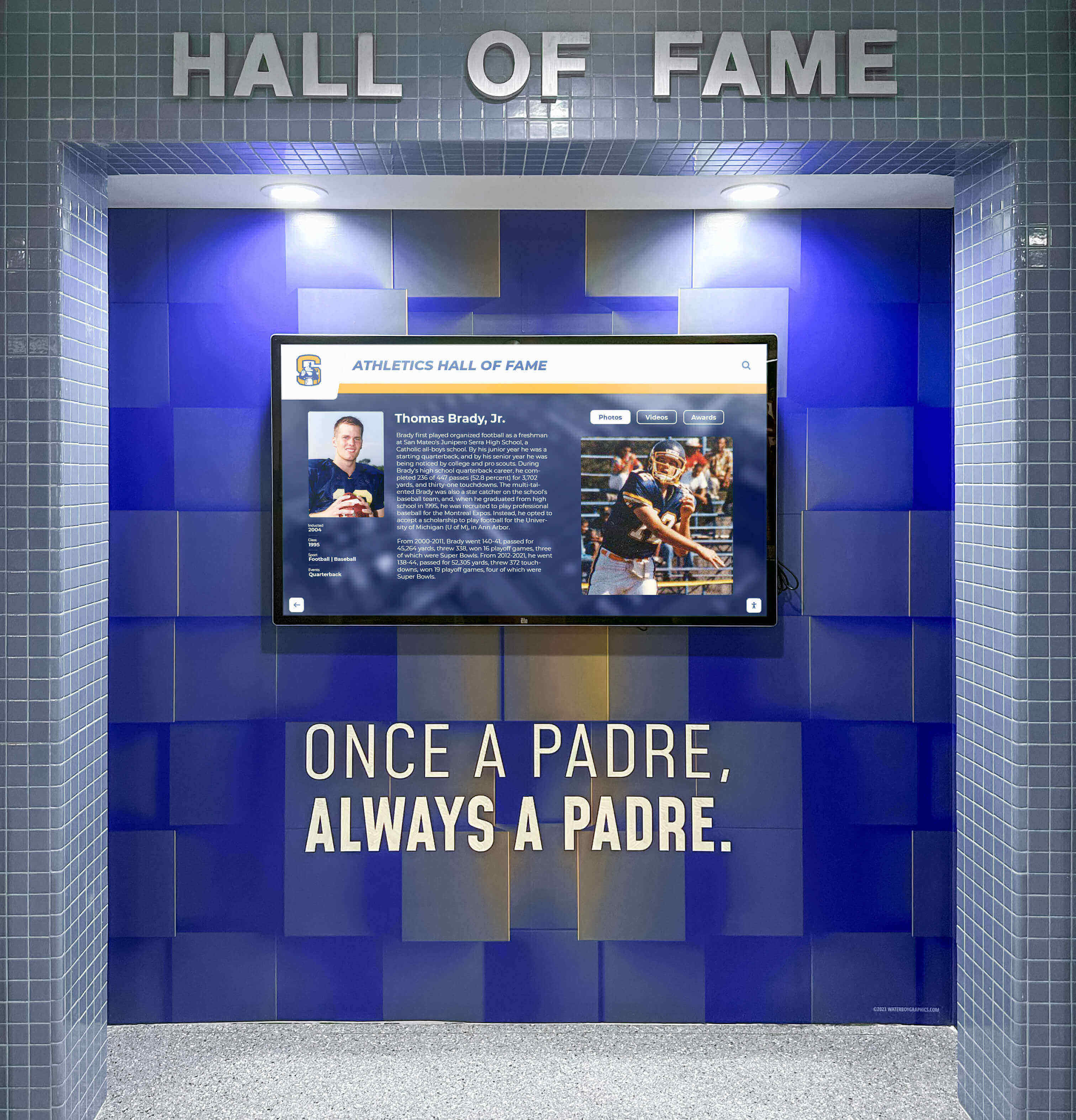
Wall-mounted touchscreen displays integrate seamlessly into school architecture while providing engaging interactive experiences
Raydiant: Experience Management Platform
Overview Raydiant provides digital experience management software targeting retail, hospitality, and corporate environments with increasing education sector adoption.
Key Features for Schools
- Modern, app-based interface for content management
- Pre-built apps for common use cases
- Video wall support for multi-screen installations
- Social media feed integration
- Emergency messaging and alert capabilities
- Analytics and proof-of-play reporting
- Third-party integrations through API
Pricing Model Subscription-based per screen starting around $30-50/month depending on features. Hardware available through Raydiant or bring your own.
Best For Schools prioritizing modern, visually appealing displays for student engagement and contemporary campus aesthetics. Good for institutions comfortable with ongoing subscription models.
Limitations Higher ongoing costs compared to one-time licensed software. Generic platform requiring customization for educational-specific applications.
OptiSigns: Budget-Friendly Digital Signage
Overview OptiSigns offers affordable digital signage software with straightforward content management and broad hardware compatibility.
Key Features for Schools
- Simple drag-and-drop interface
- Template library with customizable designs
- Playlist scheduling and content rotation
- Multi-zone screen layouts
- Compatible with various hardware including Raspberry Pi for budget implementations
- Cloud storage for media assets
- Remote screen management and monitoring
Pricing Model Subscription pricing starting around $10/month per screen. Free plan available for single screen testing. Annual plans offer discounts.
Best For Schools needing basic digital signage on tight budgets. Good for pilot programs testing interactive display adoption before larger investments.
Limitations Limited features compared to enterprise platforms. Not optimized for complex interactive experiences or recognition-specific applications.
Essential Features to Evaluate in Touch Screen Kiosk Software for Schools
Content Management Simplicity
The best touch screen kiosk software for schools balances powerful capabilities with administrative simplicity:
Non-Technical User Interfaces
- Intuitive dashboards that coaches, teachers, and staff can navigate without training
- WYSIWYG editors showing exactly how content appears on screens
- Bulk upload capabilities for adding multiple profiles or entries efficiently
- Template-based workflows that guide users through content creation
- Change preview functionality before publishing updates live
Remote Management Capabilities
- Web-based access enabling updates from home, office, or anywhere with internet
- Mobile-responsive CMS for quick updates from tablets or smartphones
- User roles and permissions controlling who can edit specific content sections
- Automatic backup systems preventing content loss
- Version history allowing rollback if updates need correction
Schools implementing building directory touchscreen systems should prioritize platforms that multiple staff members can update confidently without specialized technical knowledge.
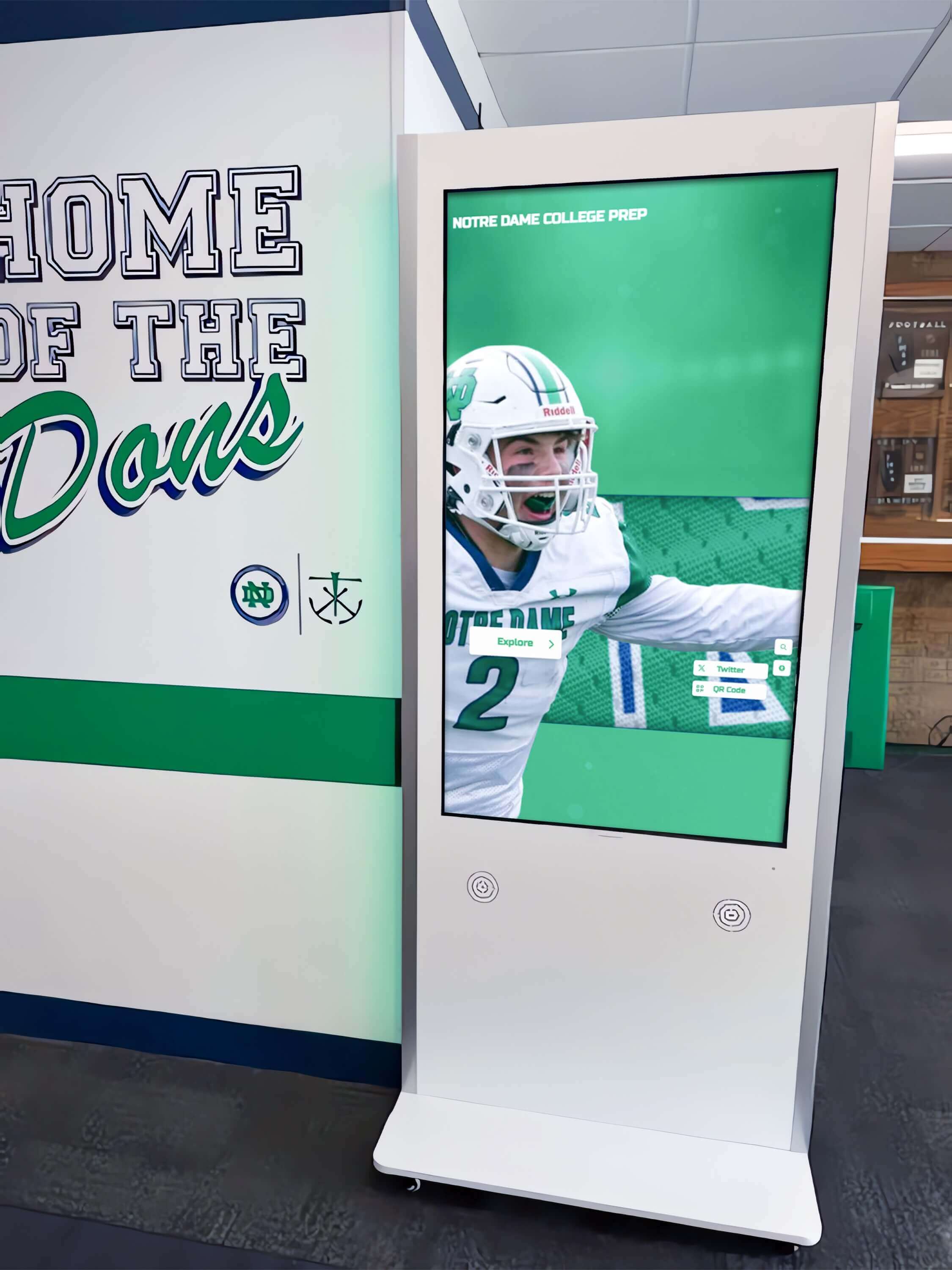
Freestanding kiosks provide flexibility for placement in lobbies, hallways, and common areas without wall mounting requirements
Search and Navigation Functionality
Interactive kiosks must enable visitors to find information quickly and intuitively:
Effective Search Capabilities
- Name search with auto-complete helping users find specific individuals
- Filtered browsing by category, year, sport, or achievement type
- Keyword search across all content fields
- Related content suggestions keeping visitors engaged
- Random “featured” profiles highlighting different community members on each visit
Intuitive Navigation Design
- Clear visual hierarchy guiding visitors through content levels
- Touch-optimized button sizes meeting accessibility standards (minimum 44×44 pixels)
- Breadcrumb navigation showing current location in content structure
- Home button prominently displayed for easy navigation reset
- Consistent interaction patterns across all screens reducing learning curve
Accessibility and Compliance
Schools serve diverse communities requiring accessible technology:
ADA Compliance Requirements
- WCAG 2.1 AA standards for digital accessibility
- Screen reader compatibility for visitors with visual impairments
- High contrast modes for improved visibility
- Text resizing options without breaking layouts
- Keyboard navigation alternatives to touch for users with motor limitations
- Alternative text for all images and media
Physical Accessibility Considerations
- Kiosk mounting heights accommodating wheelchair users (typically 15-48 inches from floor)
- Tilted screen angles preventing glare while remaining visible from seated positions
- Clear space around kiosks for wheelchair maneuverability (minimum 30×48 inch clear floor space)
- Volume controls for audio content with visual captions available
Educational institutions exploring digital recognition solutions must ensure platforms meet accessibility requirements to serve all community members equitably.
Mobile Integration and Extended Reach
Modern kiosk software extends beyond physical screens:
QR Code Functionality
- Profile-specific QR codes enabling visitors to access content on personal devices
- Shareable links for social media posting and email distribution
- Mobile-optimized viewing experiences for content accessed via QR codes
- Analytics tracking QR code scans and mobile engagement
Multi-Device Content Access
- Responsive web design serving content across desktop, tablet, and mobile
- Native mobile apps for institutions wanting branded experiences
- Email integration enabling content sharing directly from kiosk
- Social media connectivity for spreading recognition and achievements
Scalability and Long-Term Viability
Schools need solutions that serve current needs while accommodating future growth:
Content Capacity
- Unlimited (or very high limits) for profiles, photos, and videos
- Storage scalability as media libraries expand over years
- Archive capabilities preserving historical content indefinitely
- Batch import tools for adding large quantities of historical data
Technical Scalability
- Multi-kiosk support for expanding to additional campus locations
- Hardware compatibility across different screen sizes and models
- Software updates ensuring compatibility with evolving operating systems
- Cloud infrastructure preventing performance degradation as content grows
Vendor Stability
- Company longevity and financial stability
- Active development roadmap with regular feature additions
- Responsive customer support and training resources
- User community sharing best practices and implementation strategies
Implementation Considerations for School Kiosk Software
Hardware Selection and Compatibility
Touch screen kiosk software requires appropriate hardware for optimal performance:
Screen Size Options
- 55" displays suitable for smaller lobbies and focused applications
- 65" screens providing good visibility in medium-traffic areas
- 75" displays commanding attention in large lobbies and gymnasiums
- 86" screens delivering maximum impact in spacious atriums and common areas
Hardware Specifications
- Commercial-grade touchscreens rated for continuous operation (not consumer TVs)
- 10-point multi-touch capability for responsive interaction
- Minimum 1920×1080 resolution (1080p); 4K preferred for larger screens
- Tempered glass or anti-vandal coating for school environments
- Built-in speakers for audio content (optional but recommended)
Media Player Requirements
- Windows-based computers for maximum software compatibility
- Minimum specifications: Intel i5 processor, 8GB RAM, 256GB SSD
- Solid-state drives (SSD) for faster performance and reliability
- Wired ethernet connection preferred over WiFi for stable performance
Schools planning Cleartouch hall of fame installations should understand that software and hardware work together to deliver effective interactive experiences.
Network and IT Infrastructure
Successful kiosk implementation requires appropriate technical infrastructure:
Network Requirements
- Dedicated ethernet connection with minimum 10 Mbps bandwidth
- Static IP address or reserved DHCP for reliable connectivity
- Network access to cloud-based content management systems
- Firewall permissions for software updates and remote management
Security Considerations
- Kiosk mode lockdown preventing access to underlying operating system
- Automatic updates during off-hours minimizing downtime
- Content approval workflows for multi-user environments
- Backup systems preventing content loss during hardware failures
IT Support Needs
- Initial setup and network configuration assistance
- Periodic operating system updates and security patches
- Hardware troubleshooting for screen or touch issues
- Software vendor contact for platform-specific support
Content Strategy and Ongoing Management
Effective kiosk implementation extends beyond technology to content planning:
Initial Content Development
- Historical data collection and organization from existing sources
- Photo scanning and digital file preparation
- Writing biographical profiles and achievement descriptions
- Quality review ensuring accuracy and appropriate content
- Initial design and branding customization
Ongoing Content Responsibilities
- Designated staff member or team managing updates
- Regular update schedule for new inductees and achievements
- Photo and media collection processes
- Content review and approval workflows for accuracy
- Seasonal updates highlighting timely content (homecoming, graduation, etc.)
Schools implementing future-focused digital walls of fame should establish clear content management processes ensuring displays remain current and engaging for years ahead.
Cost Analysis: Total Ownership Considerations
One-Time Licensed Software vs. Subscription Models
Understanding total cost of ownership helps schools budget appropriately:
One-Time Software Licensing
- Initial software purchase ($3,000-$15,000 depending on features and scale)
- Hardware costs ($2,000-$8,000 per kiosk depending on screen size)
- Optional annual support/updates ($500-$2,000)
- Predictable long-term costs with no mandatory ongoing fees
- Lower total cost over 5-10 year timeframe
- Full ownership of software license
Subscription-Based Platforms
- Monthly per-screen fees ($10-$50+ depending on features)
- Annual costs ($120-$600+ per screen)
- Five-year total: $600-$3,000+ per screen in software fees alone
- Ten-year total: $1,200-$6,000+ per screen in software fees
- Hardware costs additional ($2,000-$8,000 per kiosk)
- Ongoing expense requiring annual budget allocation
- Software access ends if subscriptions lapse
Budget Scenario Example A high school installing three touchscreen kiosks (one main lobby, one gymnasium, one alumni center):
Option A: One-Time Licensed Recognition Software
- Software license: $8,000 (one-time)
- Three 65" commercial touchscreens with media players: $12,000
- Installation and setup: $2,000
- Total initial investment: $22,000
- Five-year total: $22,000 (no ongoing software fees)
- Ten-year total: $22,000 plus optional updates
Option B: Subscription Digital Signage Platform
- Three screens at $30/month each: $1,080/year
- Three 65" commercial touchscreens with media players: $12,000
- Installation and setup: $2,000
- Total initial investment: $14,000
- Five-year total: $19,400 ($14,000 + $5,400 subscriptions)
- Ten-year total: $24,800 ($14,000 + $10,800 subscriptions)
The subscription model appears cheaper initially but accumulates higher costs over time. Schools planning long-term recognition displays typically benefit from one-time licensing. Schools needing frequently changing content across many screens may prefer subscription flexibility.
Hidden Costs and Considerations
Content Creation Time
- Staff hours collecting, organizing, and entering initial content
- Ongoing time commitment for regular updates and maintenance
- Professional design services if custom branding required
- Photography and media production for high-quality content
Training and Support
- Initial training for administrators and content managers
- Ongoing support for troubleshooting and questions
- Knowledge transfer when staff turnover occurs
- Documentation and process development
Maintenance and Upkeep
- Screen cleaning and physical maintenance
- Periodic hardware replacement (screens typically last 5-7 years)
- Operating system updates and security patching
- Content refreshes and redesigns maintaining contemporary appearance
Best Practices for Successful School Kiosk Implementation
Strategic Placement and Visibility
Location determines whether kiosks engage visitors or go unnoticed:
High-Traffic Locations
- Main building entrances where visitors first enter
- Lobbies outside administrative offices
- Gymnasium entrances near athletic events
- Alumni center reception areas
- Library common spaces
- Cafeteria or student union buildings
Placement Considerations
- Natural pausing points where people wait or gather
- Adequate lighting without screen glare from windows
- Proximity to electrical outlets and network connections
- Protection from weather if in outdoor or semi-outdoor spaces
- Sufficient space allowing multiple simultaneous users
- Clear sightlines without obstructions
Engaging Content That Drives Usage
Technology alone doesn’t create engagement—compelling content does:
Recognition Content Best Practices
- High-quality photos showing individuals clearly
- Specific achievement details rather than generic descriptions
- Personal stories and memorable moments bringing honorees to life
- Statistics and records providing context for accomplishments
- Video interviews or highlight footage when available
- Historical context connecting past and present
Content Organization Strategies
- Featured profiles rotating to highlight different individuals
- “On This Day” historical content connecting to current dates
- Championship team anniversaries timed to reunion years
- Recent inductees prominently featured encouraging exploration
- Search prominence for individuals likely to be sought by visitors
Schools developing digital archives benefit from content strategies that balance historical preservation with contemporary engagement priorities.
Promoting Kiosk Awareness and Usage
Even well-placed kiosks require promotion for maximum engagement:
Launch Strategies
- Ribbon-cutting ceremony celebrating kiosk dedication
- Email announcements to alumni, parents, and community
- Social media posts showcasing featured content
- Student newspaper or communications highlighting new technology
- Open house events encouraging community exploration
- QR code posters throughout campus linking to mobile access
Ongoing Promotion
- Regular social media posts featuring “Kiosk Spotlight” profiles
- Newsletter mentions highlighting newly added content
- Event coordination (homecoming, reunions) driving traffic to specific content
- Student assignments incorporating kiosk research
- Parent orientation tours including kiosk demonstration
- Alumni communication encouraging visits during campus returns
Measuring Success and ROI
Quantifying kiosk impact helps justify investments and guide improvements:
Usage Metrics
- Daily interaction counts tracking total engagements
- Most-viewed profiles revealing popular content
- Search terms indicating visitor interests
- Session duration showing depth of engagement
- QR code scans measuring mobile content extension
- Time-of-day patterns informing content strategy
Qualitative Feedback
- Visitor comments and testimonials
- User observation noting interaction patterns and challenges
- Staff feedback on content management ease
- Community response to recognition and visibility
- Alumni engagement and connection to institution
- Fundraising impact from donor recognition visibility
Return on Investment Considerations
- Donor cultivation and stewardship value
- Alumni engagement strengthening development relationships
- Student pride and school culture enhancement
- Visitor experience improvement during campus tours and events
- Space efficiency compared to physical trophy cases and plaques
- Flexibility enabling content updates without physical changes
Common Challenges and Solutions
Technical Issues and Troubleshooting
Challenge: Screen Touch Responsiveness Declining Solution: Clean touchscreen with appropriate cleaning solution. Recalibrate touch interface through Windows settings. Replace aging touchscreen if calibration doesn’t resolve issues (typical 5-7 year lifespan).
Challenge: Software Updates Breaking Functionality Solution: Configure automatic updates during off-hours. Test updates on backup system before deploying to production kiosks. Maintain vendor support contact for platform-specific issues.
Challenge: Network Connectivity Problems Solution: Use wired ethernet rather than WiFi for reliable performance. Implement local content caching so kiosks function during network outages. Monitor network performance and coordinate with IT on quality-of-service configurations.
Content Management Obstacles
Challenge: Staff Turnover Disrupting Content Updates Solution: Document content management processes with step-by-step guides. Train multiple staff members preventing single-point-of-failure. Choose intuitive software minimizing training requirements for new administrators.
Challenge: Historical Data Collection Overwhelming Solution: Phase implementation starting with recent years then expanding backward. Engage student volunteers, interns, or alumni for data entry assistance. Accept imperfect initial content then improve over time through community contributions.
Challenge: Photo Quality and Availability Issues Solution: Scan available photos at high resolution (minimum 300 DPI). Use AI upscaling tools improving low-quality historical images. Accept that some historical content may have limited photography—include what exists rather than waiting for perfect materials.
User Engagement Challenges
Challenge: Visitors Not Noticing or Using Kiosks Solution: Implement attract loop with rotating highlights when idle. Place directional signage pointing to kiosks. Add physical elements (plaques, frames) drawing attention. Position kiosks at natural pausing points rather than thoroughfares.
Challenge: Limited Interaction Depth Solution: Improve content quality with stories beyond basic facts. Add multimedia (videos, audio) providing richer experiences. Implement related content recommendations encouraging extended exploration. Use analytics identifying where visitors lose interest.
Challenge: Accessibility Barriers for Some Visitors Solution: Ensure ADA-compliant mounting height and interface design. Provide alternative access methods (QR codes for mobile viewing). Implement high-contrast modes and text resizing. Test interfaces with diverse users identifying barriers.
Future Trends in School Touch Screen Kiosk Software
Artificial Intelligence and Personalization
Emerging AI capabilities will transform kiosk experiences:
Personalized Content Recommendations
- Visitor interest profiling suggesting relevant content based on interaction patterns
- Natural language search understanding conversational queries
- Smart content highlighting based on current events, anniversaries, or campus happenings
- Predictive analytics identifying content gaps and improvement opportunities
Automated Content Enhancement
- AI-powered photo restoration improving historical image quality
- Automatic captioning and transcription for accessibility
- Content summarization generating profile highlights from longer biographies
- Translation services providing multi-language content access
Enhanced Interactivity and Gamification
Future platforms will increase engagement through interactive elements:
Interactive Features
- Trivia games testing school history knowledge
- Comparison tools letting visitors match themselves against record holders
- Virtual reality integration enabling immersive historical experiences
- Augmented reality overlay connecting physical trophy cases with digital content
- Social sharing built into interfaces encouraging content distribution
Community Contribution
- Crowdsourced story collection enabling alumni to submit memories
- Photo contribution allowing community members to enhance profiles
- Correction and update submissions improving content accuracy
- Voting and ranking creating engagement around favorite moments
Integration with Broader School Systems
Kiosk software will connect more seamlessly with existing school infrastructure:
Data Integration
- Student information system connections automatically updating achievements
- Athletic management software feeding current season statistics
- Alumni database synchronization maintaining accurate contact information
- Fundraising CRM integration tracking donor recognition accuracy
- Social media APIs pulling current team and school content
Ecosystem Connectivity
- Mobile app extensions enabling continued engagement beyond kiosk
- Email integration allowing visitors to send themselves content
- Digital signage networks coordinating kiosk content with hallway displays
- Website synchronization maintaining consistent content across platforms
Selecting the Right Touch Screen Kiosk Software for Your School
Assessment Framework
Evaluate platforms systematically using a structured decision framework:
Define Primary Purpose
- What is the kiosk’s main objective? (Recognition, wayfinding, announcements, multi-purpose)
- Who is the primary audience? (Students, visitors, alumni, donors, community)
- How frequently will content change? (Daily, weekly, monthly, seasonally)
- What content types are essential? (Profiles, schedules, menus, maps, videos)
Evaluate Technical Capacity
- What IT resources are available for implementation and support?
- What network infrastructure exists at installation locations?
- What is staff’s technical comfort level for content management?
- What accessibility requirements must be met?
Consider Budget and Timeline
- What is the total available budget including hardware and software?
- Is budget one-time or ongoing annual allocation?
- What is the implementation timeline?
- What is the expected lifespan before replacement?
Assess Vendor Fit
- Does the vendor understand educational environments?
- What is the vendor’s track record and longevity?
- What support and training are provided?
- What is the development roadmap for future features?
Trial and Testing Recommendations
Before committing to platforms, conduct thorough evaluation:
Request Demonstrations
- Live platform demonstrations showing actual software capabilities
- Access to demo content exploring features firsthand
- Conversations with current school customers sharing experiences
- Site visits to see installations in real-world environments
Pilot Testing
- Free trials or proof-of-concept implementations
- Test content creation workflow with actual school data
- Evaluate ease of use with intended content administrators
- Gather feedback from students, staff, and visitors on user experience
Reference Checking
- Contact schools similar in size and needs
- Ask specific questions about challenges encountered
- Inquire about vendor responsiveness and support quality
- Understand total costs beyond initial quotes
Conclusion
Selecting the best touch screen kiosk software for your school requires balancing immediate needs with long-term considerations. Recognition-focused platforms like Rocket Alumni Solutions excel for schools prioritizing halls of fame and achievement displays, offering purpose-built templates and workflows that save time while delivering professional results. General digital signage platforms provide versatility for varied content but demand more customization effort. Free solutions reduce initial costs but may increase ongoing time investment. Wayfinding-specific platforms serve large campuses but may exceed smaller schools’ needs and budgets.
The most successful implementations share common characteristics: intuitive content management that busy staff can handle confidently, engaging interactive experiences that community members actually use, accessibility features ensuring equitable access, and sustainable cost structures fitting long-term budgets. Schools should prioritize software aligned with primary objectives rather than seeking platforms attempting to do everything, as specialized solutions typically deliver better results for their intended purposes than generic tools requiring extensive customization.
Investment in quality touch screen kiosk software pays dividends for years through enhanced recognition, strengthened community connections, and efficient use of limited wall space. The right platform transforms static recognition into dynamic experiences that engage students, honor achievers, inspire excellence, and preserve institutional history for generations ahead. Take time to evaluate options thoroughly, involve stakeholders in testing, and select platforms that serve both current needs and future aspirations as your school community grows and evolves.
Transform Your School’s Recognition Program with Interactive Touchscreen Technology
Ready to honor your school’s achievers, preserve institutional history, and engage your community through interactive digital displays? Rocket Alumni Solutions specializes in touch screen kiosk software designed specifically for schools and universities. Our purpose-built platform combines intuitive content management with engaging interactive experiences, ensuring your athletic halls of fame, academic honor rolls, and donor recognition displays remain current, accessible, and inspiring for years to come. Contact our team to schedule a demonstration and discover how dedicated recognition software serves educational institutions more effectively than generic kiosk platforms.