Digital signage has transformed from simple bulletin board replacements into sophisticated communication platforms that serve multiple critical functions across educational campuses. Schools today use digital displays for wayfinding navigation, emergency alerts, event calendars, achievement recognition, community building, and visual storytelling that strengthens institutional identity. Yet selecting appropriate digital signage software from dozens of available platforms challenges administrators who must balance functionality, budget constraints, ease of management, and specific educational use cases.
Digital signage software represents the content management system controlling what appears on screens throughout campus facilities. These platforms range from basic slide-show players to comprehensive solutions offering interactive touchscreen capabilities, data integration, recognition galleries, multimedia content management, and specialized templates designed specifically for educational environments. The right platform streamlines content creation, simplifies daily management, and enables communication strategies impossible with static signage alone.
This comprehensive comparison examines seven leading digital signage software platforms through the lens of educational requirements—specifically recognition and wayfinding applications that matter most to schools, universities, and educational institutions seeking to enhance campus communication and celebrate student achievement.
Selecting digital signage software requires evaluating factors beyond basic screen display capabilities. Schools need platforms that accommodate multiple content creators with varying technical skill levels, support both scheduled announcements and emergency messaging, integrate with existing student information systems when possible, and scale from single hallway displays to campus-wide networks without exponential cost increases.
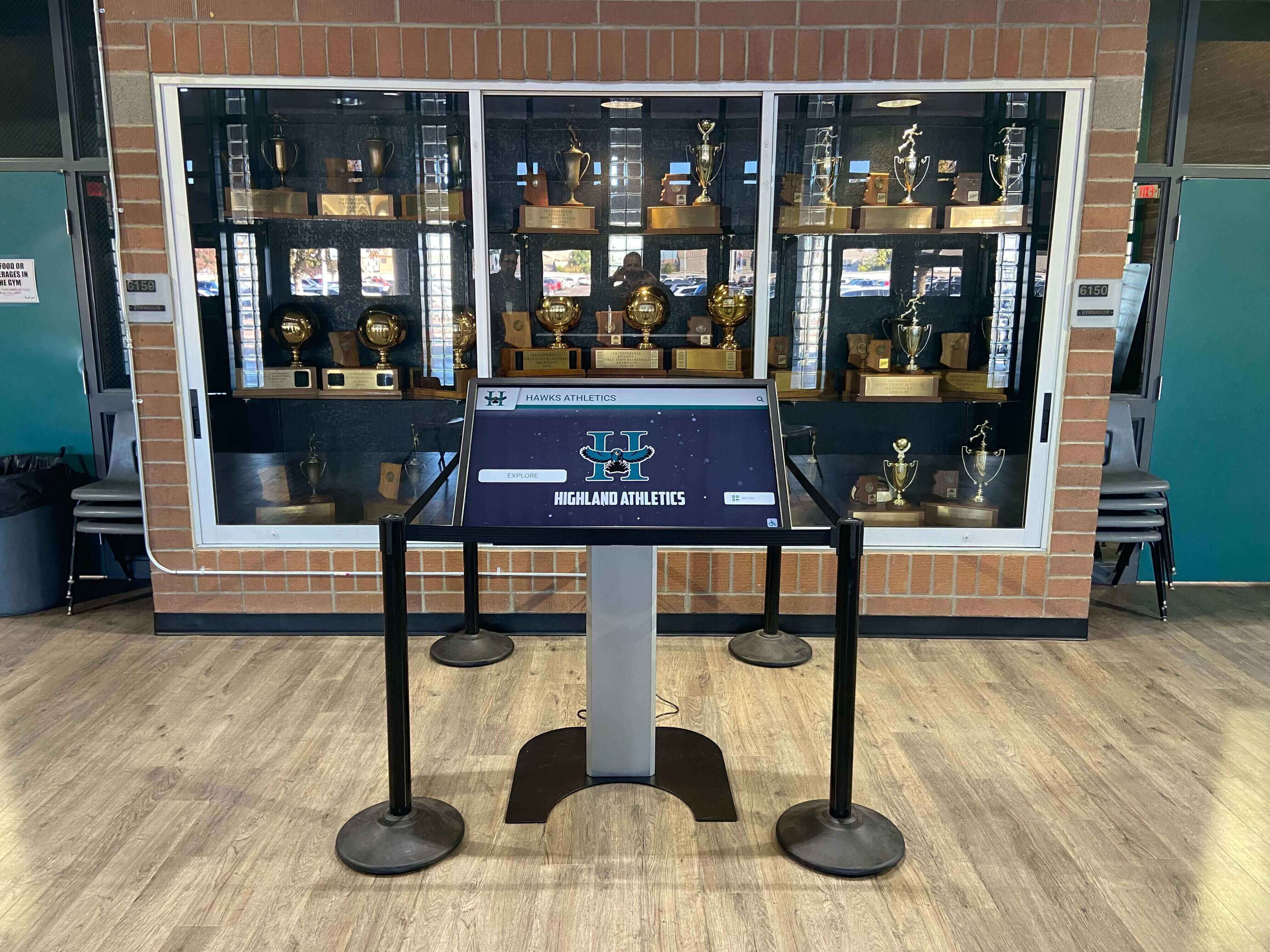
Modern school digital signage combines wayfinding, recognition, and interactive exploration in high-traffic campus areas
Understanding Digital Signage Software Categories for Schools
Before comparing specific platforms, understanding the fundamental categories of digital signage solutions helps narrow selection based on primary use cases.
General Digital Signage Platforms
These versatile platforms serve multiple industries including retail, corporate, healthcare, and education:
Core Capabilities:
- Cloud-based content management accessible from any device
- Template libraries with customizable layouts and designs
- Media scheduling across multiple screens and locations
- User permission management for distributed content creation
- Support for various display hardware and media players
Educational Limitations:
- Generic templates may not address school-specific needs
- Limited recognition gallery or achievement showcase functionality
- Basic wayfinding capabilities without campus-specific features
- No integration with student information or achievement systems
- Content creation requires design skills or extensive customization
General platforms work well for basic announcements, event calendars, and lunch menus but may struggle with specialized educational applications like interactive recognition displays that require database integration and sophisticated user interfaces.
Education-Focused Digital Signage
Specialized platforms designed specifically for schools offer purpose-built functionality:
Specialized Features:
- Pre-designed templates aligned with common school use cases
- Integration capabilities with student information systems
- Emergency alert and safety messaging prioritization
- Sports score displays and athletic achievement recognition
- Bell schedules, lunch menus, and daily announcements templates
- Student birthdays, honor roll recognition, and celebration content
These platforms understand educational workflows, communication hierarchies, and compliance requirements unique to schools.
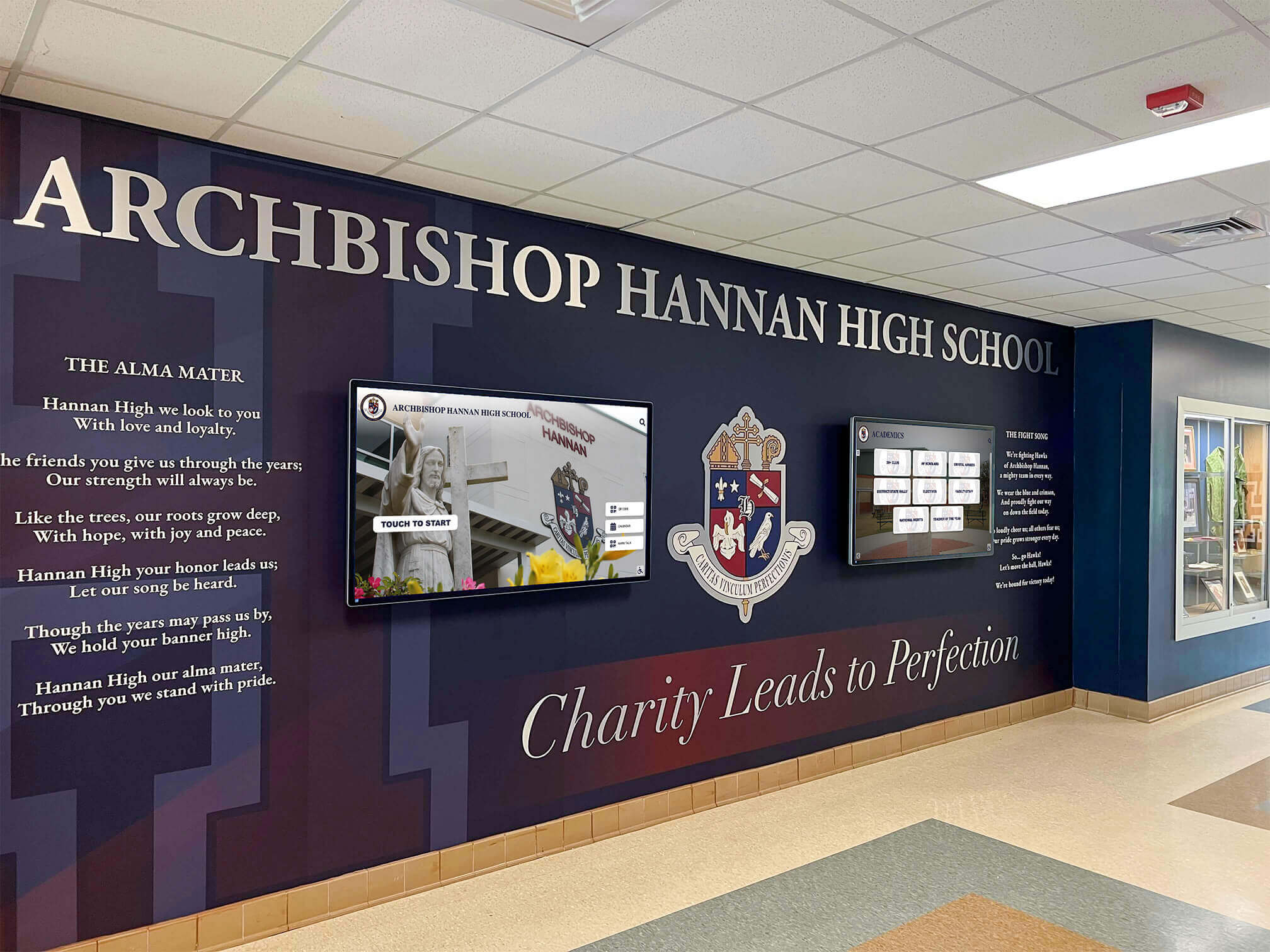
Education-focused digital signage platforms integrate seamlessly with school environments and architectural elements
Interactive Touchscreen Recognition Platforms
The most specialized category focuses exclusively on interactive achievement recognition and storytelling:
Recognition-Specific Capabilities:
- Database-driven content automatically updating from data sources
- Searchable interfaces allowing users to explore achievement archives
- Photo galleries, video integration, and multimedia storytelling
- Historical timeline presentations and legacy preservation
- Athletic record boards tracking achievements across decades
- Alumni directories and donor recognition applications
Programs implementing comprehensive academic recognition systems require platforms specifically designed for these database-driven, interactive experiences rather than simple content players.
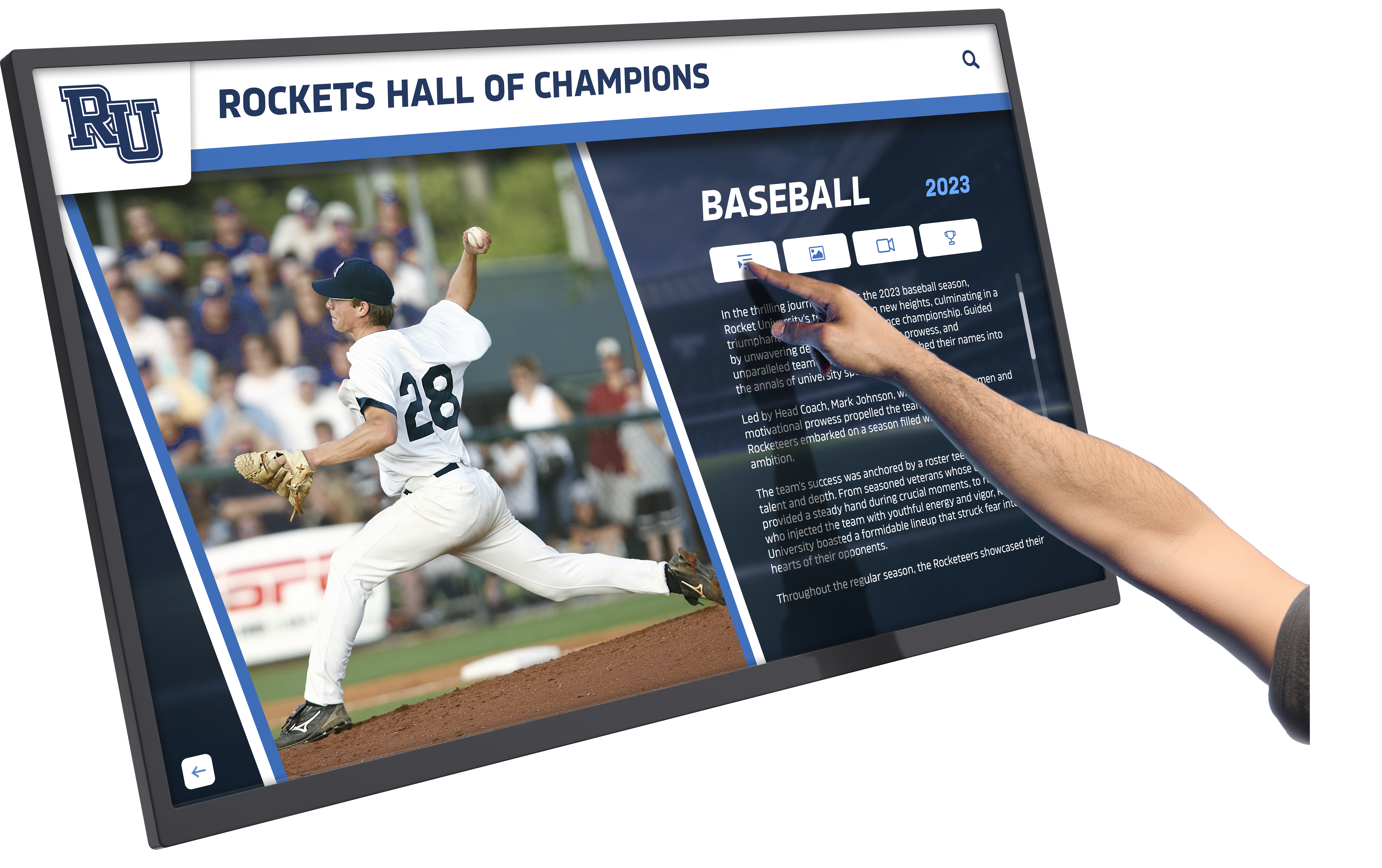
Interactive recognition platforms enable self-guided exploration of achievement archives through intuitive touchscreen interfaces
Platform Comparison: 7 Digital Signage Solutions for Schools
The following platforms represent the spectrum from general digital signage to specialized educational and recognition-focused solutions.
1. Rocket Alumni Solutions — Interactive Recognition Specialist
Primary Focus: Interactive touchscreen recognition displays and achievement storytelling for educational institutions
Platform Overview: Rocket Alumni Solutions specializes exclusively in interactive recognition displays for schools, universities, athletic programs, and alumni associations. Unlike general digital signage platforms, Rocket builds database-driven touchscreen experiences specifically designed for exploring achievement archives, celebrating student accomplishments, and preserving institutional history through engaging digital interfaces.
Core Capabilities:
- Custom-designed touchscreen interfaces tailored to institutional branding
- Database integration automatically populating content from school records
- Athletic record boards tracking achievements across sports and seasons
- Searchable alumni directories connecting current students with graduates
- Historical timeline presentations showcasing institutional milestones
- Photo galleries and video integration for multimedia storytelling
- Hall of fame displays recognizing individual and team achievements
Recognition and Wayfinding Strengths:
- Designed specifically for achievement recognition and legacy preservation
- Interactive interfaces encourage exploration beyond passive viewing
- Database-driven architecture ensures content remains current without manual updates
- Consultation-based design process creates custom solutions matching specific needs
- Integration with existing school systems and data sources
- Professional design services creating polished, branded experiences
Ideal Use Cases:
- Athletic halls of fame showcasing championship teams and record holders
- Academic achievement displays celebrating honor roll students and scholarship recipients
- Alumni recognition walls connecting current students with graduate success stories
- Historical archives preserving and presenting institutional heritage
- Donor recognition applications acknowledging philanthropic support
Considerations:
- Specialized focus on recognition rather than general announcements
- Requires initial consultation and custom design process
- Higher investment reflecting custom development and professional design
- Best suited for permanent installations rather than frequently changing content
- Not designed for basic daily announcements or lunch menu displays
Pricing Model: Custom pricing based on project scope, display size, content complexity, and integration requirements. Generally represents higher initial investment than general digital signage platforms but includes professional design, custom development, and ongoing content management support.
Schools implementing digital recognition systems focused on celebrating achievement and preserving heritage find Rocket’s specialized approach delivers functionality impossible with general digital signage platforms.
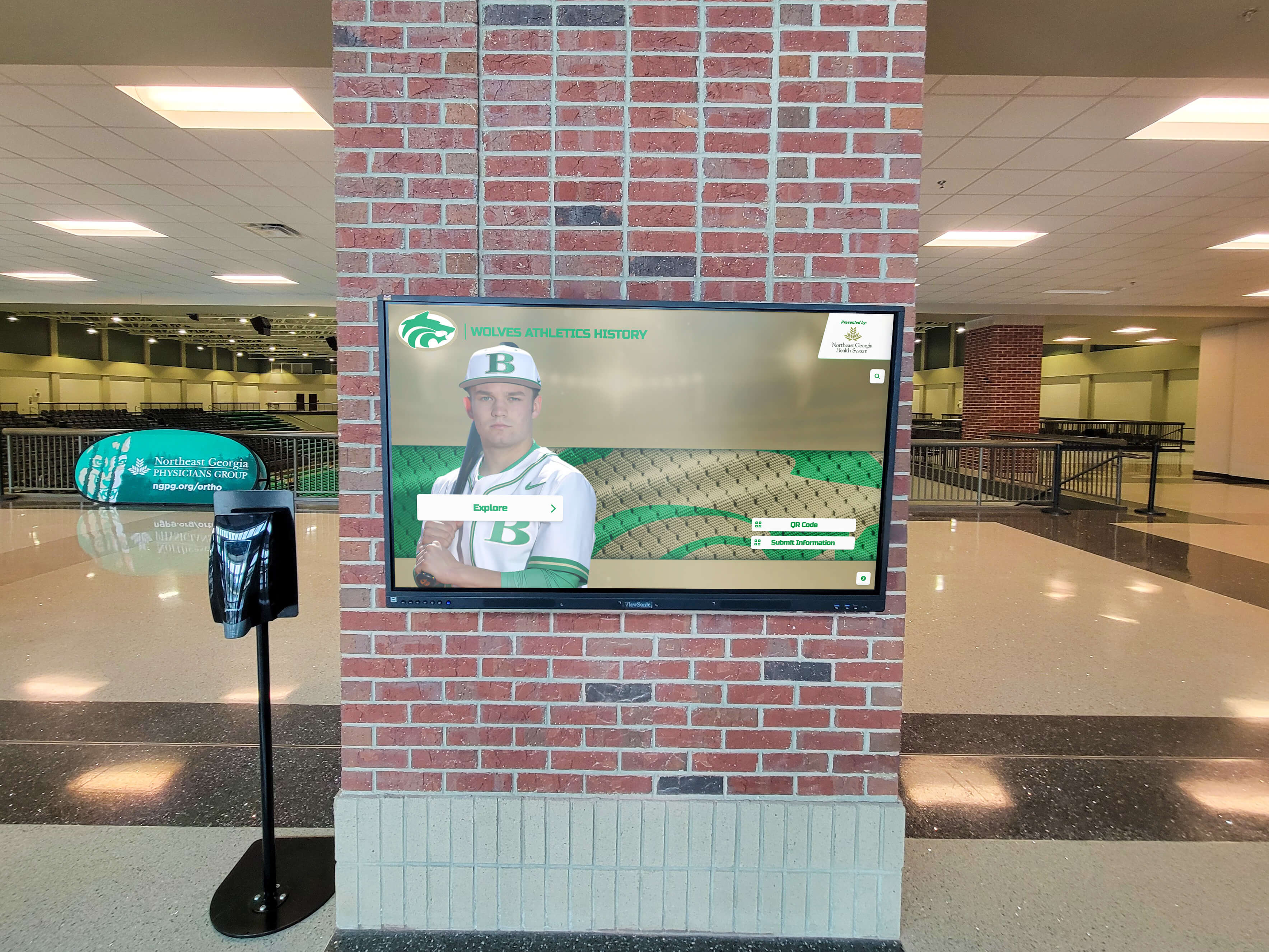
Specialized recognition platforms transform traditional trophy displays into engaging interactive experiences
2. Rise Vision — Education-Focused Digital Signage
Primary Focus: Cloud-based digital signage designed specifically for K-12 schools and educational institutions
Platform Overview: Rise Vision targets the K-12 education market with pre-built templates addressing common school communication needs like announcements, events, emergency alerts, and basic recognition content. The platform emphasizes ease of use for educators without technical backgrounds.
Core Capabilities:
- Template library designed for educational use cases
- Google Workspace integration leveraging existing school systems
- Emergency messaging and alert capabilities
- Digital bell schedules and daily announcements
- Event calendars synchronized with school calendar systems
- Basic recognition templates for honor roll and student achievements
Recognition and Wayfinding Strengths:
- Simple templates for basic achievement recognition
- Easy content updates for staff without design experience
- Cost-effective solution for schools with limited budgets
- Cloud-based management accessible from any location
Considerations:
- Limited customization compared to specialized platforms
- Basic recognition features without database integration
- Template-based approach may not accommodate unique institutional needs
- Less sophisticated than interactive touchscreen platforms
Pricing Model: Free basic version with limited features; paid plans starting around $10-20 per screen per month for schools.
Schools exploring Rise Vision alternatives often seek more advanced recognition capabilities or greater customization flexibility than the platform’s template-based approach provides.
3. ScreenCloud — Flexible Cloud Digital Signage
Primary Focus: Cloud-based digital signage platform serving multiple industries including education, retail, and corporate environments
Platform Overview: ScreenCloud offers user-friendly digital signage management with extensive app marketplace allowing integration with third-party services. The platform balances simplicity with customization flexibility through its app ecosystem.
Core Capabilities:
- Drag-and-drop content creation interface
- Extensive app marketplace (Google Slides, social media feeds, weather, news)
- Multi-zone screen layouts displaying multiple content types simultaneously
- Playlist scheduling across different times and days
- Remote screen management and monitoring
- Support for various media player hardware options
Recognition and Wayfinding Strengths:
- Google Slides integration allows creating custom recognition content
- Social media feeds can showcase student achievements shared on school accounts
- Flexible layout options for combining wayfinding with announcements
- Photo slideshow capabilities for achievement galleries
Considerations:
- Requires content creation in external tools (Google Slides, Canva)
- No built-in recognition database or achievement tracking
- Wayfinding requires manual map creation and updates
- Limited interactive capabilities without additional development
Pricing Model: Starting around $20 per screen per month with annual commitment; pricing scales based on number of screens.
4. NoviSign — Versatile Digital Signage Platform
Primary Focus: Multi-industry digital signage with strong template library and interactive capabilities
Platform Overview: NoviSign provides comprehensive digital signage functionality with particular strength in template variety and touchscreen interaction support. While not education-specific, the platform offers sufficient flexibility to accommodate school requirements.
Core Capabilities:
- Extensive template library across multiple industries
- Touchscreen support enabling interactive displays
- Widget-based content creation (clocks, countdowns, RSS feeds, weather)
- Multi-user management with role-based permissions
- Proof-of-play reporting showing content display verification
- Support for video walls and multi-screen configurations
Recognition and Wayfinding Strengths:
- Touchscreen capabilities enable basic interactive wayfinding
- Template customization allows creating recognition displays
- Photo gallery widgets suitable for achievement showcases
- Data integration possible through RSS or API connections
Considerations:
- Requires design work to create education-specific content
- Interactive features basic compared to specialized recognition platforms
- No built-in student achievement database functionality
- Learning curve for advanced features and customization
Pricing Model: Plans starting around $20-30 per screen per month; touchscreen features may require higher-tier plans.
5. Yodeck — Budget-Friendly Cloud Signage
Primary Focus: Affordable cloud-based digital signage emphasizing simplicity and low cost
Platform Overview: Yodeck targets budget-conscious organizations with straightforward digital signage management. The platform prioritizes ease of use and affordability, making it accessible for schools with minimal technical resources.
Core Capabilities:
- Simple drag-and-drop content creation
- Free media player hardware with annual subscription
- Basic scheduling and playlist management
- Template library covering common use cases
- Mobile app for remote content management
- Widget support for weather, clocks, and web content
Recognition and Wayfinding Strengths:
- Low-cost option for basic recognition slideshows
- Photo gallery capabilities for achievement displays
- Simple enough for any staff member to update content
- No hardware purchase required with subscription
Considerations:
- Very basic functionality compared to specialized platforms
- Limited customization and design flexibility
- No database integration or automated content updates
- Not suitable for sophisticated interactive experiences
Pricing Model: Free single-screen plan available; paid plans around $8-15 per screen per month.
6. OptiSigns — User-Friendly Digital Signage
Primary Focus: Intuitive digital signage platform emphasizing ease of use and quick deployment
Platform Overview: OptiSigns positions itself as the most user-friendly digital signage platform, reducing setup complexity and content creation barriers through streamlined interfaces and helpful templates.
Core Capabilities:
- Simplified content editor with minimal learning curve
- Template library organized by industry and use case
- Calendar and event management features
- Social media feed integration
- Emergency alert messaging
- Compatible with various hardware players
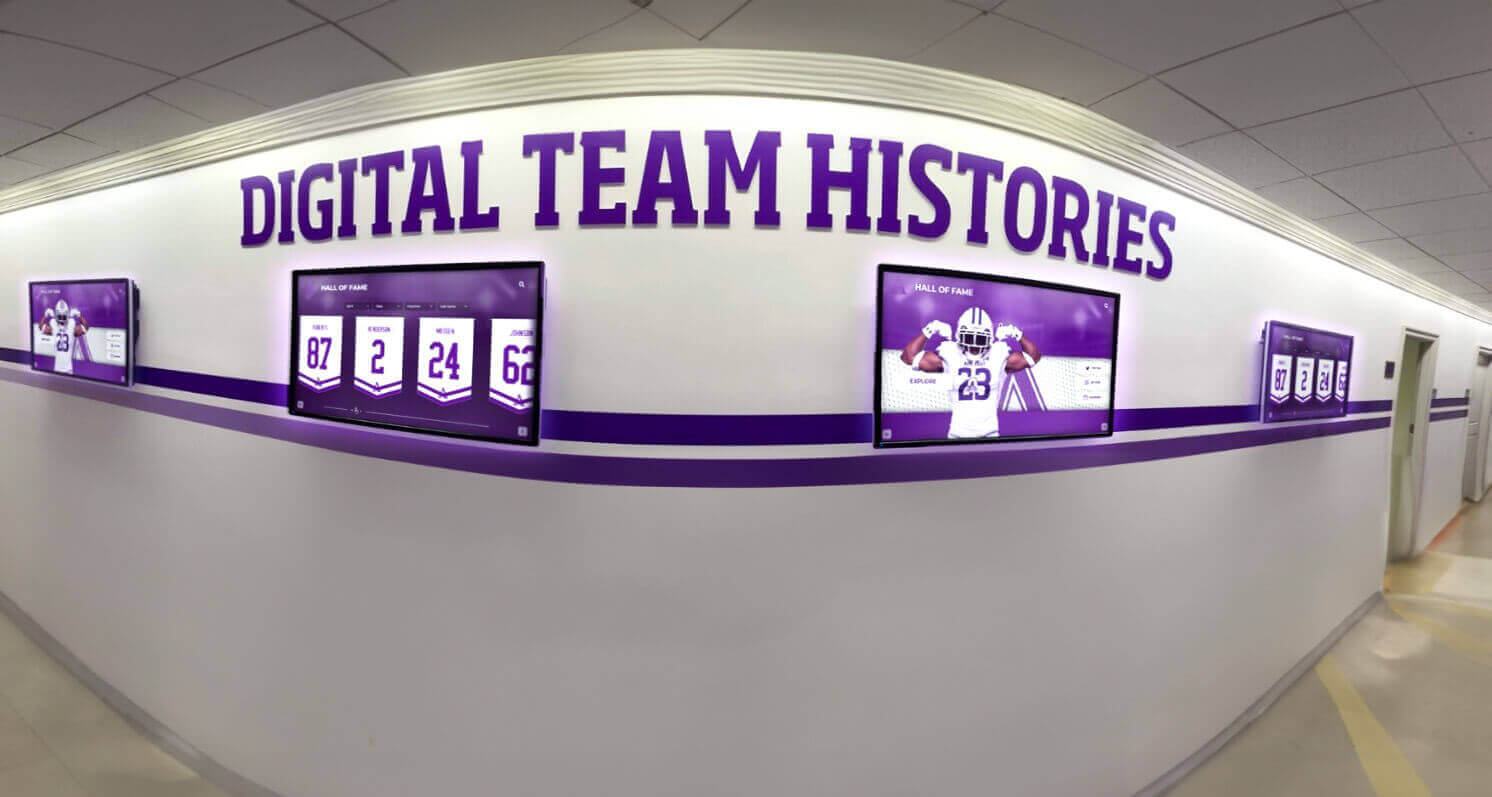
Cloud-based platforms enable centralized management of digital displays across multiple campus locations
Recognition and Wayfinding Strengths:
- Quick setup for basic achievement announcements
- Event calendar integration highlights upcoming recognition ceremonies
- Social media feeds showcase student achievements shared publicly
- Simple enough for teachers to manage departmental displays
Considerations:
- Limited advanced features compared to comprehensive platforms
- Basic recognition capabilities without database integration
- Wayfinding requires manual content creation
- Better suited for announcements than permanent recognition installations
Pricing Model: Starting around $10-20 per screen per month with annual subscription.
7. DigitalSignage.com — Enterprise-Grade Platform
Primary Focus: Comprehensive digital signage solution for enterprises and large organizations requiring advanced features
Platform Overview: DigitalSignage.com offers robust enterprise-level capabilities suitable for large school districts or university systems requiring centralized management across numerous campuses and hundreds of displays.
Core Capabilities:
- Advanced user management with hierarchical permissions
- Template designer for creating custom branded templates
- Interactive touchscreen application builder
- Data integration through APIs and database connections
- Proof-of-play and analytics reporting
- Video wall management and advanced display configurations
- White-label options for districts wanting branded solutions
Recognition and Wayfinding Strengths:
- Interactive app builder enables custom wayfinding applications
- Database connectivity allows automated recognition content updates
- Advanced enough to build custom recognition interfaces
- Enterprise scalability for district-wide deployments
Considerations:
- Higher complexity requires technical expertise or dedicated staff
- Pricing reflects enterprise positioning and advanced features
- May offer more functionality than smaller schools require
- Implementation requires significant planning and configuration
Pricing Model: Custom enterprise pricing based on number of screens and required features; generally higher investment than simpler platforms.
Large districts implementing athletic recognition across multiple campuses may find the enterprise capabilities justify the investment through centralized management and consistent experiences.
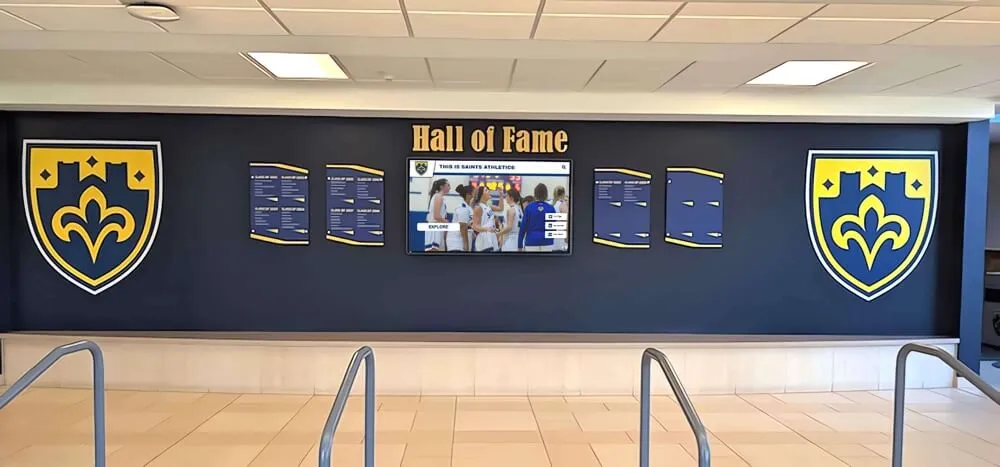
Effective digital recognition combines traditional elements with modern interactive displays creating comprehensive achievement showcases
Feature Comparison: Recognition and Wayfinding Capabilities
Understanding how these platforms compare across critical educational use cases helps narrow selection based on specific institutional priorities.
Recognition Display Capabilities
Database-Driven Content (Automated Updates):
- Rocket Alumni Solutions: Built-in database integration with automated content updates
- DigitalSignage.com: API and database connectivity available with technical implementation
- Rise Vision, ScreenCloud, NoviSign, OptiSigns, Yodeck: Manual content updates required
Interactive Exploration:
- Rocket Alumni Solutions: Custom touchscreen interfaces designed for intuitive exploration
- NoviSign, DigitalSignage.com: Basic touchscreen support for simple interactions
- Rise Vision, ScreenCloud, OptiSigns, Yodeck: Limited or no interactive capabilities
Achievement Archives:
- Rocket Alumni Solutions: Specialized archive functionality with searchable historical records
- DigitalSignage.com: Possible with custom development
- All Others: Slideshow-based presentations without search or archive functionality
Multimedia Integration:
- Rocket Alumni Solutions: Photo, video, and document integration within recognition profiles
- ScreenCloud, NoviSign, DigitalSignage.com: Video and image support in general displays
- Rise Vision, OptiSigns, Yodeck: Basic photo and video playback
Schools creating hall of fame displays with searchable archives spanning decades require database-driven platforms rather than manually updated slideshow systems.
Wayfinding and Navigation Features
Interactive Campus Maps:
- Rocket Alumni Solutions: Custom wayfinding interfaces possible with specialized development
- NoviSign, DigitalSignage.com: Touchscreen map support with custom development
- Rise Vision, ScreenCloud, OptiSigns, Yodeck: Static map images only
Directory Functionality:
- Rocket Alumni Solutions: Searchable directory interfaces built for alumni and staff directories
- DigitalSignage.com: Custom development possible
- All Others: Limited to static directory images or lists
Multi-Language Support:
- Most Platforms: Text content can be created in any language
- Automated Translation: Requires custom implementation on most platforms
Real-Time Updates:
- Cloud Platforms (All Except Rocket): Immediate content updates across all displays
- Rocket Alumni Solutions: Database-driven content updates automatically as data changes
Content Management and Ease of Use
Learning Curve:
- Easiest: Rise Vision, OptiSigns, Yodeck (designed for non-technical users)
- Moderate: ScreenCloud, NoviSign (intuitive but more features to learn)
- Advanced: DigitalSignage.com (requires technical expertise for full capabilities)
- Consultation-Based: Rocket Alumni Solutions (professional design services included)
Template Availability:
- Education Templates: Rise Vision (extensive), ScreenCloud (good), Others (limited)
- Custom Design: Rocket Alumni Solutions (all custom), DigitalSignage.com (template designer)
- General Templates: NoviSign, OptiSigns, Yodeck (multi-industry libraries)
Multi-User Management:
- All Platforms: Support multiple users with varying permission levels
- Sophistication: DigitalSignage.com offers most granular controls
- Simplicity: Rise Vision, Yodeck balance permission management with ease of use
Programs involving multiple stakeholders managing recognition content need platforms supporting distributed content creation with appropriate approval workflows.
Pricing Comparison and Total Cost Considerations
Understanding complete cost implications beyond monthly subscription fees helps budget accurately for digital signage implementations.
Direct Platform Costs
Monthly Subscription Platforms:
- Yodeck: $0-15 per screen per month (most affordable)
- Rise Vision: $0-20 per screen per month (free basic plan available)
- OptiSigns, ScreenCloud: $10-25 per screen per month
- NoviSign: $20-35 per screen per month
- DigitalSignage.com: Custom enterprise pricing (typically higher)
Custom Project Platforms:
- Rocket Alumni Solutions: One-time project cost covering design, development, and installation; ongoing content management support available
Additional Cost Factors
Hardware Requirements: All platforms require:
- Display screens (commercial displays recommended for durability)
- Media players or computers running digital signage software
- Mounting hardware and installation labor
- Network connectivity (wired ethernet recommended for reliability)
Hardware Costs:
- Basic Media Players: $100-300 per screen
- Touchscreen-Capable Players: $300-800 per screen
- Commercial Displays: $500-3,000+ depending on size and specifications
- Interactive Touchscreens: $2,000-10,000+ depending on size and technology
Some platforms like Yodeck include free media player hardware with annual subscriptions, reducing initial hardware investment.
Content Creation Costs:
- DIY Content Creation: Staff time for design and updates
- Design Services: $50-150 per hour for professional content design
- Template Customization: Included with some platforms, additional cost on others
- Professional Photography/Video: $500-2,000+ for custom media production
Schools implementing comprehensive athletic recognition programs should budget for professional photography capturing team photos and individual athlete portraits for optimal presentation quality.
Ongoing Maintenance:
- Software Updates: Typically included in subscriptions
- Hardware Maintenance: Budget 10-15% of hardware cost annually
- Content Updates: Ongoing staff time or service contracts
- Technical Support: Included tiers vary by platform
Total Cost of Ownership Comparison
5-Year Cost Estimate (Single 55" Display):
Budget Option (Yodeck):
- Platform: $720 (5 years × $12/month)
- Media Player: $0 (included)
- Display: $1,000
- Installation: $500
- Content Creation: $2,000 (DIY with templates)
- Total: ~$4,200
Mid-Range Option (ScreenCloud/NoviSign):
- Platform: $1,500 (5 years × $25/month)
- Media Player: $250
- Display: $1,500
- Installation: $500
- Content Creation: $5,000 (mix of DIY and professional design)
- Total: ~$8,750
Education-Specific (Rise Vision):
- Platform: $900 (5 years × $15/month)
- Media Player: $200
- Display: $1,500
- Installation: $500
- Content Creation: $3,000 (using education templates)
- Total: ~$6,100
Interactive Recognition (Rocket Alumni Solutions):
- Platform/Design: $15,000-40,000 (custom project including professional design)
- Touchscreen Display: Typically included in project
- Installation: Typically included in project
- Content Integration: Typically included in project
- Total: $15,000-40,000 (comprehensive turn-key solution)
Enterprise Platform (DigitalSignage.com):
- Platform: $3,000+ (5 years custom pricing)
- Media Player: $500 (touchscreen-capable)
- Display: $2,000
- Installation: $500
- Content Creation: $8,000 (professional design and development)
- Total: ~$14,000+
The appropriate investment level depends on specific use cases, desired functionality, and organizational priorities. Basic announcement displays justify budget options, while permanent recognition installations celebrating institutional heritage and student achievement warrant higher investments in specialized platforms delivering superior user experiences.
Selecting the Right Platform for Your School
Choosing among these platforms requires evaluating institutional priorities, technical resources, budget parameters, and primary use cases.
Decision Framework by Primary Use Case
Daily Announcements and Event Calendars:
- Best Fit: Rise Vision, ScreenCloud, OptiSigns
- Reasoning: Education-focused templates, easy updates, affordable pricing
- Implementation: Single display in main office or commons area
Emergency Messaging and Safety Communications:
- Best Fit: Rise Vision, ScreenCloud, DigitalSignage.com
- Reasoning: Alert prioritization features, network-wide instant updates
- Implementation: Displays throughout campus with centralized emergency control
Athletic Recognition and Record Boards:
- Best Fit: Rocket Alumni Solutions
- Reasoning: Database-driven record tracking, searchable archives, professional design
- Implementation: Permanent installations in athletic facilities and hallways
Wayfinding and Campus Navigation:
- Best Fit: NoviSign, DigitalSignage.com, Rocket Alumni Solutions (custom)
- Reasoning: Interactive touchscreen capabilities, custom map development
- Implementation: Strategic placement at building entrances and major intersections
Multi-Purpose Communication:
- Best Fit: ScreenCloud, NoviSign
- Reasoning: Flexible content zones, app marketplace, balance of features and ease
- Implementation: Network of displays serving various purposes across campus
District-Wide Deployment:
- Best Fit: DigitalSignage.com, Rise Vision
- Reasoning: Enterprise management, hierarchical permissions, scalability
- Implementation: Hundreds of screens across multiple campuses with centralized control
Schools implementing multiple recognition applications may benefit from hybrid approaches using specialized recognition platforms for permanent installations while deploying general digital signage for announcements and events.
Evaluation Criteria Checklist
Functional Requirements:
- Primary use case clearly defined
- Interactive capabilities needed or passive display sufficient
- Database integration required or manual updates acceptable
- Emergency messaging capabilities required
- Multi-location management needed
- Third-party integration requirements identified
Technical Considerations:
- In-house technical expertise available or outsourcing required
- Network infrastructure supporting digital signage
- Hardware preferences and compatibility verified
- Content creation capabilities assessed
- Support and training requirements understood
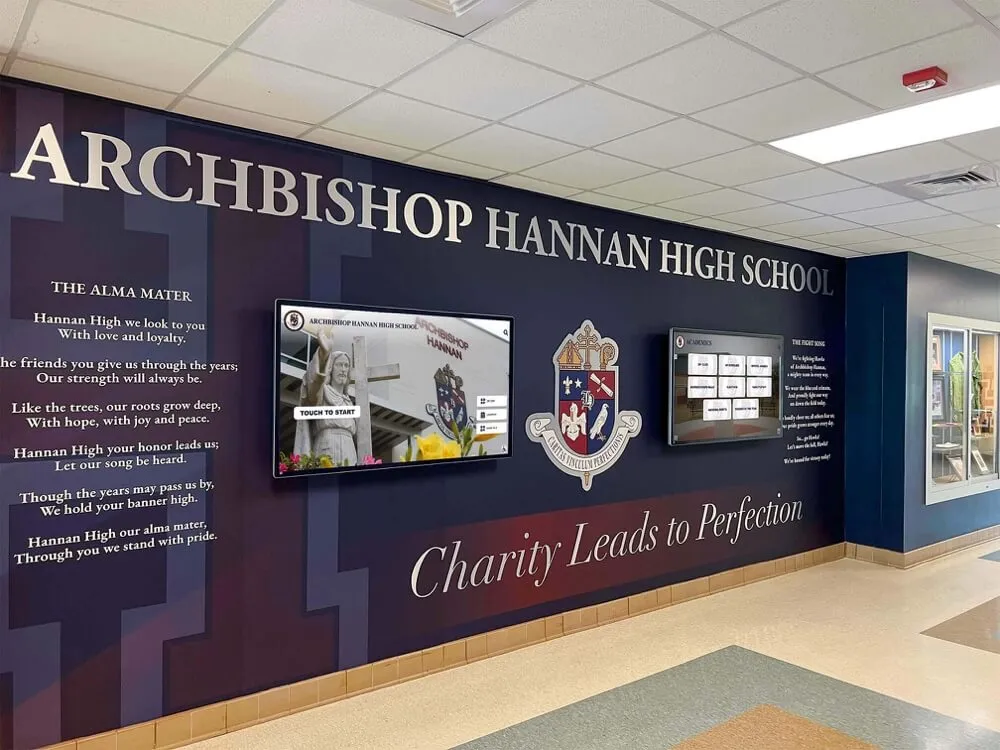
Successful digital signage implementations integrate technology seamlessly with existing architectural and design elements
Budget Parameters:
- Total available budget determined (including hardware)
- Ongoing operational costs approved
- Content creation budget allocated
- Maintenance and support funding secured
- Multi-year cost projections completed
Organizational Factors:
- Decision-making process and approval requirements understood
- Stakeholder buy-in secured from administration
- Content management responsibilities assigned
- Training requirements identified
- Success metrics defined
Common Implementation Mistakes to Avoid
Underestimating Content Management Requirements
Many schools focus on platform selection and hardware purchase without adequately planning for ongoing content creation and management. Digital signage displaying outdated or irrelevant content becomes background noise students ignore.
Solution: Assign specific content management responsibilities before purchasing, establish content refresh schedules, and choose platforms matching available staff technical skills.
Selecting Based Solely on Price
Choosing the least expensive platform often leads to frustration when required functionality proves unavailable or implementation requires unexpected technical expertise.
Solution: Evaluate total cost of ownership including content creation time, prioritize primary use case requirements over generic feature lists, and consider staff technical capabilities honestly.
Ignoring Network Infrastructure Requirements
Digital signage requires reliable network connectivity, adequate bandwidth for content updates, and proper network security configuration. Post-purchase network infrastructure upgrades significantly increase total implementation costs.
Solution: Involve IT staff early in planning, verify network capacity at proposed display locations, and budget for infrastructure improvements before purchasing displays.
Failing to Plan for Content Creation
Sophisticated platforms offer impressive capabilities but deliver disappointing results when content creation proves beyond staff skills or available time.
Solution: Request trial periods to test actual content creation workflows, evaluate template libraries for applicable designs, and budget for professional design services if creating custom content exceeds internal capabilities.
Mixing Incompatible Use Cases
Attempting to use general announcement platforms for sophisticated interactive recognition installations leads to disappointing user experiences failing to deliver expected functionality.
Solution: Recognize when specialized platforms justify higher investment for specific use cases while using general digital signage for basic announcements and communication.
Schools exploring interactive touchscreen implementations should evaluate platforms specifically designed for user interaction rather than expecting general digital signage software to deliver comparable experiences.
Implementation Best Practices
Successful digital signage deployments follow structured implementation approaches addressing technical, organizational, and content planning dimensions.
Phase 1: Planning and Preparation
Define Success Criteria
Establish measurable objectives guiding platform selection and implementation:
- What specific communication challenges will digital signage address?
- How will effectiveness be measured (engagement, information awareness, etc.)?
- What content types and update frequencies are anticipated?
- Who will manage content creation and updates?
Assess Technical Environment
Evaluate existing infrastructure supporting digital signage:
- Network capacity and reliability at proposed display locations
- Electrical access and installation requirements
- Existing hardware that might be repurposed
- Integration requirements with current school systems
Secure Stakeholder Buy-In
Successful implementations require support from multiple constituencies:
- Administrative approval and budget allocation
- IT department commitment to infrastructure and ongoing support
- Staff willingness to manage content creation
- Faculty understanding of communication possibilities
Phase 2: Pilot Implementation
Start Small and Prove Value
Rather than immediate campus-wide deployment, pilot programs demonstrate value and identify challenges before major investment:
- Single display in high-traffic location
- Clear success metrics measuring impact
- Limited scope reducing complexity during learning phase
- Feedback collection from students, staff, and administrators
Refine Processes Before Scaling
Pilot implementations reveal operational realities:
- How long does content creation actually require?
- What technical challenges emerge during daily use?
- How do students and staff respond to digital content?
- What additional features or functionality would increase value?
Phase 3: Full Deployment
Standardize Hardware and Processes
Consistency simplifies management and reduces support complexity:
- Standard display sizes and media player configurations
- Documented installation procedures and requirements
- Content creation templates and brand guidelines
- Training materials for content managers
Establish Content Governance
Clear policies prevent inappropriate content and maintain quality:
- Approval workflows for different content types
- Brand guidelines ensuring consistent visual identity
- Content refresh schedules preventing stale displays
- Emergency override procedures for urgent communications
Plan for Ongoing Evolution
Digital signage capabilities expand as staff skills develop:
- Regular platform training reinforcing features and capabilities
- Periodic review of content effectiveness and engagement
- Exploration of advanced features as basic implementation matures
- Budget allocation for expanding digital signage network based on demonstrated value
Schools implementing comprehensive recognition programs benefit from professional consultation ensuring technical specifications, content design, and user experience considerations align with institutional goals and available resources.
Future Considerations and Emerging Trends
Digital signage technology continues evolving with capabilities expanding beyond current standard features.
Artificial Intelligence and Automated Content
Emerging platforms incorporate AI-driven content creation and optimization:
- Automated content generation from data sources
- Dynamic content optimization based on viewer engagement
- Natural language processing for converting text data into visual presentations
- Predictive scheduling optimizing content timing for maximum impact
Enhanced Interactivity and Personalization
Next-generation interactive capabilities expand beyond basic touchscreens:
- Gesture recognition enabling touch-free interaction
- Mobile device integration allowing personal content exploration
- QR code bridges connecting physical displays with online resources
- Personalized content recommendations based on viewer profiles
Integration with Broader Communication Ecosystems
Digital signage increasingly connects with complementary communication channels:
- Mobile app synchronization displaying digital signage content on personal devices
- Social media integration showcasing student achievements across platforms
- Student information system connectivity automating recognition content
- Calendar and event management system integration
Schools planning long-term recognition installations should consider platform evolution capabilities ensuring current investments remain relevant as technology advances.
Sustainability and Energy Efficiency
Environmental considerations increasingly influence digital signage selection:
- Energy-efficient display technologies reducing operational costs
- Automated scheduling powering displays down during unused hours
- Hardware longevity reducing electronic waste
- Cloud-based platforms eliminating on-premise server infrastructure
Conclusion: Matching Platform to Purpose
The best digital signage software for schools depends entirely on primary use cases, available resources, and institutional priorities. General announcement platforms like Rise Vision, ScreenCloud, and OptiSigns deliver excellent value for schools needing flexible, easy-to-manage communication displays serving multiple purposes across campus. These platforms balance affordability with functionality, making sophisticated digital communication accessible even to schools with limited technical resources.
For specialized applications demanding interactive capabilities, database integration, and professional design quality—particularly recognition installations celebrating student achievement and preserving institutional heritage—platforms like Rocket Alumni Solutions deliver functionality impossible with general digital signage. These specialized solutions represent higher initial investment but create engaging experiences distinguishing schools committed to honoring excellence and building community pride.
Large districts requiring enterprise-grade management across hundreds of displays benefit from platforms like DigitalSignage.com offering sophisticated control, hierarchical permissions, and scalability supporting complex organizational structures.
The most successful implementations often employ hybrid approaches: general digital signage platforms managing daily announcements, event calendars, and routine communication while deploying specialized recognition platforms for permanent installations celebrating achievement and telling institutional stories.
Regardless of platform selection, success ultimately depends on thoughtful planning, realistic assessment of technical capabilities, appropriate budget allocation including content creation resources, and organizational commitment to maintaining fresh, relevant content that engages students and strengthens school community.
Ready to explore how interactive recognition displays can celebrate student achievement and preserve your school’s heritage? Discover how Rocket Alumni Solutions creates custom touchscreen experiences designed specifically for educational institutions.