Intent: compare. Schools evaluating athletic record boards face a genuine choice between display formats—and the differences in how records get updated, how visitors engage, and how displays age matter far more than they appear at first.
The painted record board behind the gymnasium bleachers is a familiar fixture. Athlete names in block letters. Record marks from decades past. And a quiet administrative headache: who’s responsible for updating it, and when does the budget appear for that? Many athletic departments discover the hard way that the display format they choose shapes every recognition workflow that follows. A record broken in November doesn’t always appear on the wall until spring—or at all, if repainting gets pushed to next fiscal year.
Athletic record boards serve a specific recognition purpose: documenting the highest athletic achievements tied to a school’s competitive history, by sport and event category. Done well, they motivate current student-athletes, honor alumni, and give community members a reference point for program excellence. Done poorly—or left outdated—they become invisible features that nobody reads and nobody trusts.
This guide examines what schools should compare before purchasing a touchscreen or digital system to replace or supplement traditional athletic record boards, covering display formats, core feature differences, budget considerations, and the questions worth asking before committing to a platform.
Decisions about athletic record board formats affect more than aesthetics. They determine who can update records, how quickly updates appear, and whether community members can explore athletic history in any depth beyond what fits on a painted wall. Athletic directors who think through these operational dimensions before selecting a display type consistently report smoother long-term experiences than those who choose based on appearance alone.
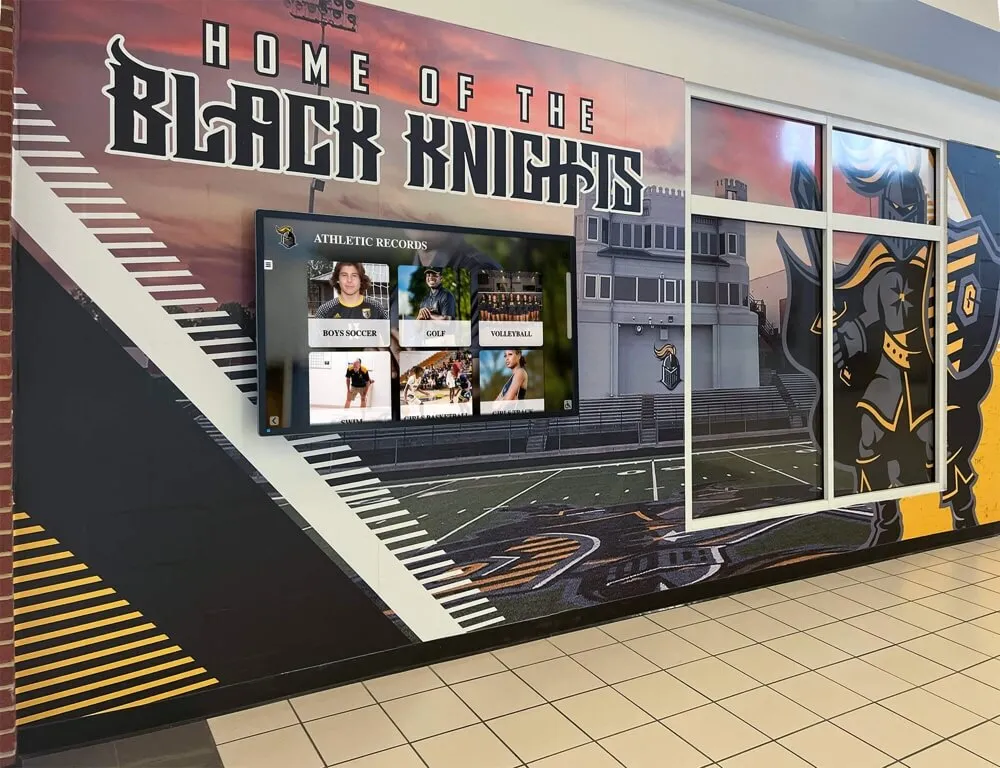
A well-designed athletic record board installation combines visual identity with display formats that remain functional and updateable across years of use
Why the Display Format Decision Matters for Athletic Record Boards
Athletic record boards are not set-and-forget installations. Programs break records. Sports are added. Historical records need correction when archives surface new information. Photographs and media need to be attached to achievements that previously had no visual component. The display format determines whether these updates cost $50 or $5,000, whether they happen in an afternoon or require a vendor order with a six-week lead time.
Static painted boards offer visual permanence but no flexibility. Once painted, adding a name or adjusting a record requires professional repainting—at minimum of the affected section, and often of the entire board to maintain visual consistency. Schools that use painted record boards typically update them on an irregular cycle driven by budget availability rather than when records actually change.
Static physical plaques and engraved panels cost less per update than full repainting, but they still require fabrication lead times and per-unit costs that add up across a busy athletic program. They also create an ongoing storage and wall-space management problem as older records get displaced by newer ones.
Digital displays—both passive and interactive—change the update model entirely. Once a school’s record data lives in a content management system, a record update takes minutes rather than weeks. The question then becomes which type of digital display serves the recognition purpose most effectively.
Comparing Display Format Options for Athletic Record Boards
Static Painted Boards
The traditional choice. Painted directly onto gymnasium walls or on large mounted panels, these boards have a permanent, institutional quality that many athletic directors and community members associate with program legitimacy.
Strengths
- No ongoing technology costs or software dependencies
- Visually integrated with facility design when painted directly
- Zero learning curve for staff—no software to manage
Limitations
- Updates require professional repainting: expensive, slow, and logistically complex
- Cannot display photographs, video, or career context alongside records
- Physical space caps the number of records and categories displayable
- Deteriorates visually over time from sunlight, humidity, and physical wear
- Cannot be searched or browsed—visitors see only what’s physically on the wall
Best fit: Programs with very stable records, minimal update frequency, and no interest in media-rich recognition alongside records.
Passive Digital Displays (Non-Interactive)
Large format screens displaying digital content—either static image files or simple slideshow-style presentations—without touchscreen functionality. Content is typically pushed from a connected device or USB drive.
Strengths
- Easier updates than painted boards: change an image file, push new content
- Can display photographs and more visual content than painted text
- Modern appearance at lower cost than interactive touchscreen systems
Limitations
- Not searchable or browsable: visitors see whatever slide happens to be displaying
- Displaying complete records for multiple sports requires either long slideshows or very small text
- No interactivity means no self-directed exploration by visitors
- Content management still requires someone to create and push updated image files
- Doesn’t integrate with a database, so records management remains a separate workflow
Best fit: Programs that want a visual upgrade from painted boards without the full investment of interactive systems.
Interactive Touchscreen Displays
Touchscreen systems connected to purpose-built record board software change what athletic record boards can do. Visitors tap to navigate by sport, browse historical records alongside athlete profiles, search by name or year, and access information on demand rather than waiting for the right slide.
Content management happens through a web-based content management system (CMS) that authorized staff can access from any browser. A broken record update goes from a wall project to a five-minute data entry task.
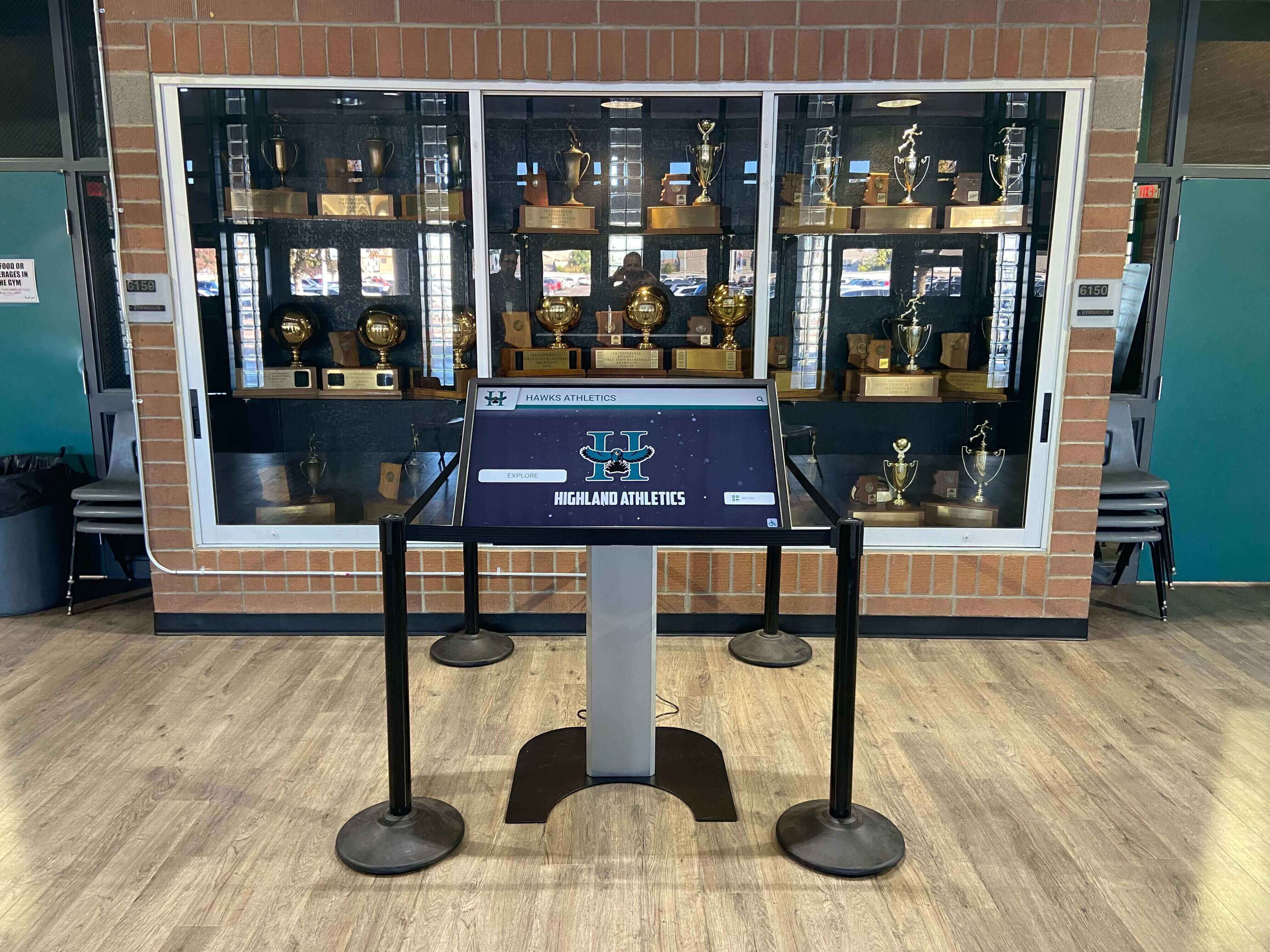
Interactive touchscreen systems installed in trophy case areas allow visitors to browse athletic records, hall of fame inductees, and program history on demand
Strengths
- Complete records database searchable by sport, category, event, and year
- Unlimited content capacity: records, profiles, photographs, videos, and career histories coexist
- Updates happen in minutes through web-based CMS from any location
- Interactive exploration keeps visitors engaged far longer than static displays
- Mobile accessibility via QR codes extends the record board experience to personal devices
- Scalable: new sports categories and records added without any physical change to the installation
- ADA accessibility standards (WCAG 2.1 AA) can be met through software configuration
Limitations
- Higher initial investment than static alternatives
- Requires network connectivity and ongoing software relationship
- Staff need brief onboarding to use the CMS effectively
Best fit: Programs that update records regularly, want to integrate records with broader athlete recognition, and value community engagement with athletic history.
Understanding how digital displays serve public high school athletic programs provides additional context for evaluating whether the investment aligns with your program’s recognition goals.
Key Features to Compare in Touchscreen Athletic Record Board Systems
Not all touchscreen platforms marketed as athletic record display solutions offer the same capabilities. Schools comparing systems should evaluate these features specifically.
Auto-Ranking and Record Update Logic
The most operationally valuable feature in dedicated record board software is automatic record ranking—where the system recognizes that a new entry surpasses an existing record and updates the display accordingly without manual reordering.
Ask vendors specifically:
- Does the system automatically sort records by performance value (fastest time, longest distance, highest score)?
- Can it handle sports with ascending and descending best values (sprint times vs. throwing distances)?
- Does updating a record automatically archive the previous holder, or require manual management?
- Can records be organized by era, division, or other categorical distinctions?
Systems requiring manual sorting after each update create administrative burden that compounds over time, particularly for programs with multiple tracked sports and frequent record-breaking.
Remote Content Management System (CMS)
Web-based content management is essential for sustainable record board administration. Staff should be able to update records, add new athlete profiles, upload photographs, and modify display content from any internet-connected device—not just from a computer physically connected to the display hardware.
Key CMS evaluation questions:
- Is the CMS browser-based, or does it require locally installed software?
- What user permission levels are available (administrator vs. data entry roles)?
- Can multiple staff members have separate login credentials?
- Is there an audit trail showing who made changes and when?
- How is content backed up, and what happens if the display hardware is replaced?
For schools that digitize historical records from older printed materials, the ability to upload and attach scanned documents and photographs directly within the CMS significantly reduces data entry friction. Digitizing historical athletic photos from yearbooks is often the first step in building a comprehensive digital record archive.
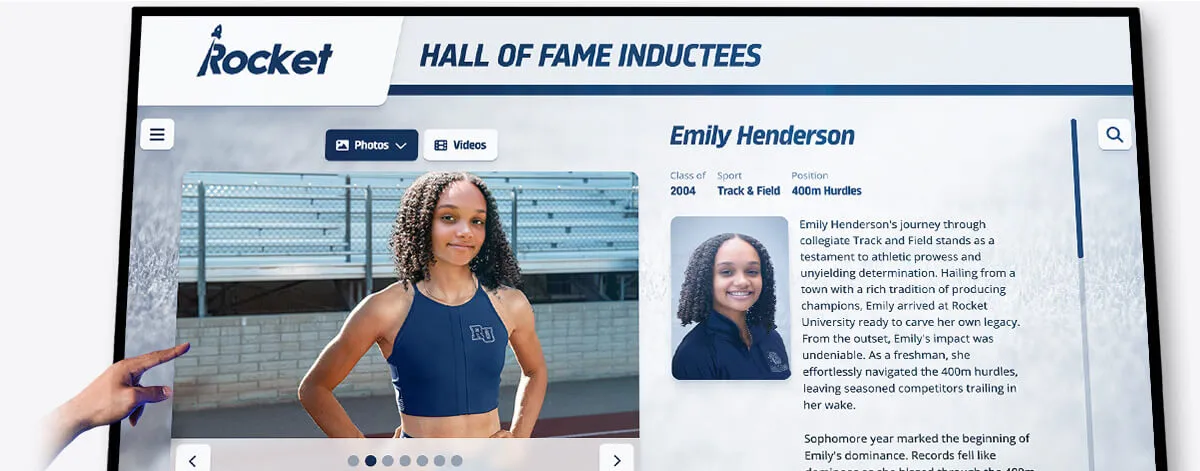
Purpose-built touchscreen athletic record systems display individual event records alongside athlete profiles, photos, and career context that static boards cannot accommodate
Content Capacity: Records, Profiles, and Media
Static boards are inherently capacity-limited. A gymnasium wall can only hold so many painted names at legible size. Touchscreen systems remove this constraint—but vendors vary in how they handle capacity.
Questions to ask:
- Is there a per-record or per-athlete fee, or does pricing cover unlimited entries?
- Are there storage caps on photographs and videos, or is media storage unlimited?
- Can records for every sport the program offers be maintained in a single platform?
- How does the system handle records across different competitive classifications (JV vs. varsity, different weight classes, etc.)?
Programs with extensive athletic histories—programs that have operated for decades with records in swimming, track, field, wrestling, cross-country, and multiple team sports—benefit significantly from platforms that impose no artificial caps. A record board that covers ten sports comprehensively outperforms one that handles three sports well and forces workarounds for the rest.
QR Code Access and Mobile Integration
Athletic record boards positioned in gymnasiums and athletic hallways serve walk-in visitors. But alumni visiting for reunion weekends, parents attending events from other communities, and community members who aren’t physically present at the facility also have interest in athletic records.
QR code integration—where a code displayed alongside or on the touchscreen grants access to the same content on a personal device—extends the record board audience without additional hardware investment. Verify:
- Does the platform include QR code functionality, or is it an add-on?
- Is the mobile experience fully functional, or a reduced-capability version?
- Does the mobile view update automatically when records are changed in the CMS?
Touchscreen recognition systems for small and medium high schools often highlight QR accessibility as a key factor in justifying investment—it multiplies the audience for the recognition program beyond the physical installation.
ADA Compliance and Accessibility
Schools operating public-facing digital displays must meet accessibility requirements. For athletic record board touchscreens, relevant considerations include:
- Mounting height: operable parts should fall within 15–48 inches for wheelchair accessibility
- Contrast ratios: text and background must meet WCAG 2.1 AA minimum ratios (4.5:1 for normal text, 3:1 for large text)
- Touch target sizes: interactive elements must be large enough for users with limited fine motor control
- Alternative access: QR code access or web accessibility ensures users who cannot operate the physical touchscreen can access content
Request written documentation of ADA compliance testing from vendors rather than relying on general assurances. Compliance requirements for educational institutions are specific, and the consequences of non-compliance extend beyond accessibility concerns.
Hardware Considerations for Athletic Record Board Installations
Software capabilities determine what athletic record boards can display and how easily staff manage content. Hardware determines whether those capabilities reach visitors reliably year after year.
Display Size and Placement
Athletic record boards need to be readable from typical viewing distances in gymnasium lobbies, athletic hallways, and trophy alcoves. Common display sizes for institutional installations run 55", 65", 75", and 86" diagonal—with larger sizes appropriate for open-lobby placements where viewers approach from greater distances.
Placement considerations unique to athletic environments:
- Gym lobbies and hallways often have ambient light from skylights or exterior windows—commercial-grade displays with higher brightness ratings (350–500 nits or higher) maintain legibility in high-ambient-light conditions
- Gymnasium environments experience temperature fluctuation and humidity variation that consumer-grade displays aren’t rated for
- High-traffic corridors require displays with tempered glass or protective overlays
Commercial vs. Consumer Grade Hardware
The cost differential between consumer-grade and commercial-grade touchscreen displays is real, and it matters for permanent institutional installations. Consumer displays are rated for residential use: 4–6 hours of daily operation, home temperature ranges, and limited warranty coverage. Commercial displays are rated for 16–18+ hours of continuous operation, broader temperature ranges, and multi-year warranty terms.
For athletic record boards intended to operate during school hours and extended for evening events, commercial-grade hardware selection is appropriate.

Commercial-grade touchscreen hardware enables reliable multi-year operation in athletic facilities where temperature variation and continuous daily use are standard conditions
Budget and Total Cost of Ownership
Athletic directors presenting digital record board proposals to administration face a comparison challenge: the upfront cost of a touchscreen system looks higher than repainting a static board. Total cost of ownership over five to ten years often inverts that comparison.
Building the Five-Year Cost Model
Static board components to include in comparison:
- Repainting costs per update cycle (typically $500–$2,500+ per session depending on board size and scope)
- Number of expected update cycles over five years
- Opportunity cost: records not updated on time because budget wasn’t available
Touchscreen system components:
- Hardware purchase (commercial-grade displays, mounting hardware, computing components)
- Software licensing (one-time vs. annual subscription structure)
- Installation and networking costs
- Annual support or maintenance fees
- Staff time for CMS content management (typically minimal once initial data is entered)
Schools that calculate these costs honestly often find that the break-even point where touchscreen systems become less expensive than recurring static board maintenance arrives within three to five years—particularly for programs with active record-breaking across multiple sports.
Why touchscreen recognition is worth considering for smaller schools addresses the common objection that interactive displays are an excessive investment for programs with modest budgets—a useful reference for building the administration case.
One-Time Licensing vs. Subscription Pricing
Software pricing structures differ meaningfully in long-term cost:
One-time licensing requires higher initial investment but eliminates ongoing software fees. Schools maintaining displays for a decade or more typically find one-time licensing significantly less expensive than equivalent subscription arrangements.
Subscription pricing reduces initial capital outlay and is easier to accommodate in operating budgets rather than capital expenditure categories—which matters in districts with rigid budget classification rules. Over time, however, subscription costs accumulate beyond equivalent one-time licensing fees, and subscription prices typically increase.
Understanding your district’s budget category structure before evaluating software pricing models prevents discovering that the preferred option can’t be purchased through the available budget mechanism.
Integration with Broader Athletic Recognition Programs
Athletic record boards serve recognition most effectively when they exist within a broader recognition ecosystem rather than as standalone displays. Records broken by athletes who are also hall of fame inductees, or whose achievements are documented in the school’s athletic archive, tell more complete stories when those systems are connected.
Schools that maintain athletic hall of fame programs alongside record boards benefit from platforms that can display both within unified navigation—so a visitor looking up a record holder can find that athlete’s full biography, not just their performance mark. Winter sports recognition considerations highlight how record board displays for indoor sports like basketball, swimming, and wrestling integrate naturally with broader hall of fame recognition programs for those sports.
Building a winter sports hall of fame alongside record boards provides a practical example of how schools structure this integration across seasonal sport programs.
Schools that recognize broader achievement categories—academic honors, volunteer contributions, and non-athletic excellence—benefit from platforms that can accommodate these categories within the same display infrastructure. Academic recognition program frameworks detail how schools approach recognition across multiple program types. Recognizing the support staff and volunteers who contribute to athletic programs is another recognition category that gains visibility when digital infrastructure enables it without requiring separate physical display investments.
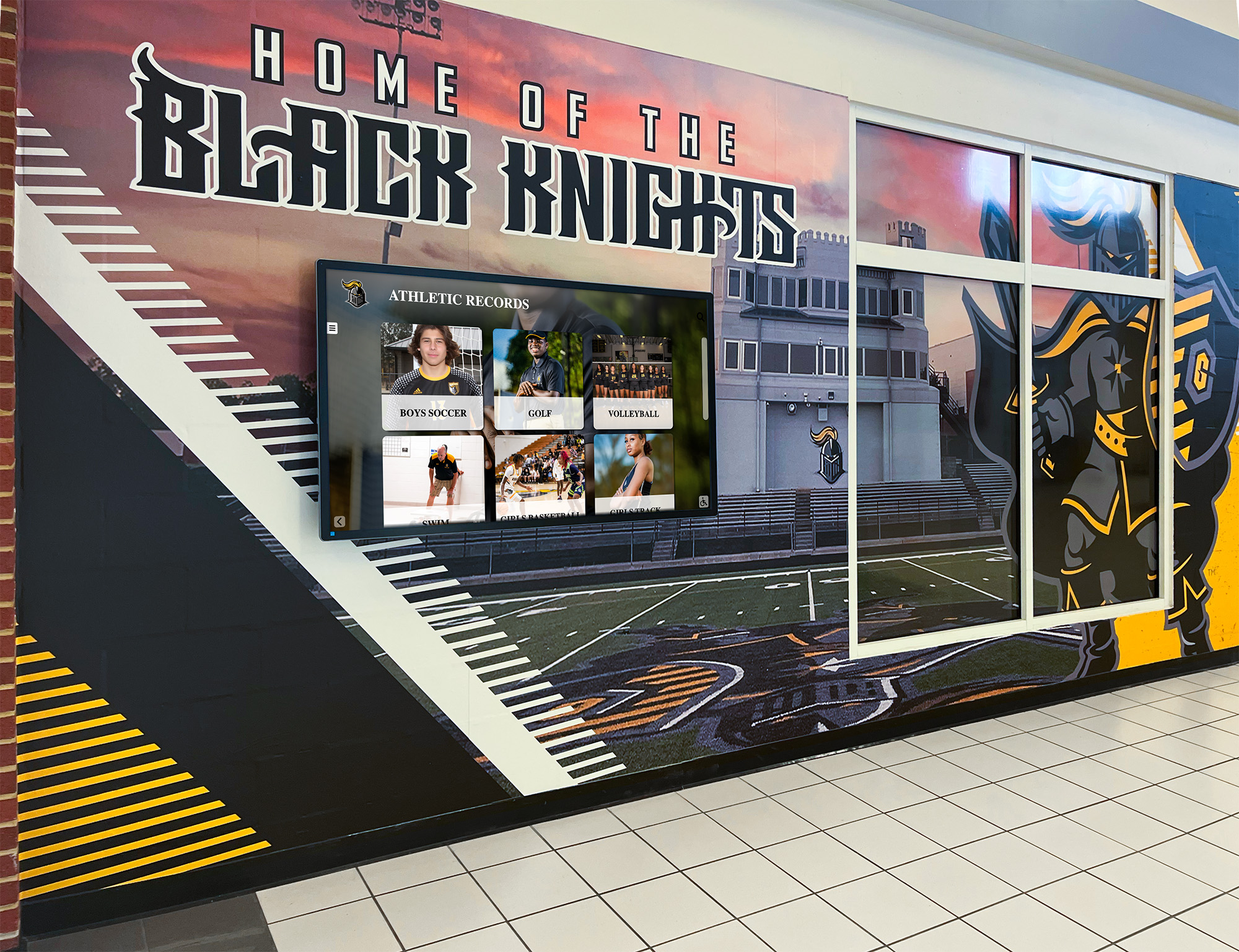
Digital athletic record boards integrate naturally with existing facility identity elements like murals and school colors, modernizing the recognition environment without disrupting visual continuity
Questions to Ask Vendors Before Purchasing
Athletic directors conducting vendor evaluations should ask these questions specifically—not as a checklist formality, but to gather information that reveals whether a platform is genuinely purpose-built for athletic record boards or adapted from a general content management framework.
About records management:
- How does the system handle records for events with both individual and relay categories?
- Can historical records be dated to specific seasons, not just entered as undated entries?
- What happens when a school changes competitive classifications and historical records need context?
About content operations:
- How long does a typical record update take for a trained staff member?
- Is there a bulk import tool for initial data entry, or does all content require manual entry?
- Can content be drafted and staged for review before it publishes to the public display?
About implementation:
- What is the typical timeline from contract signing to live display?
- What onboarding support is included in the initial contract?
- Who handles data migration from existing spreadsheets or documents?
About hardware and support:
- What display brands are recommended, and why?
- Is the vendor accountable for both software and hardware issues, or are those handled by separate support teams?
- What is the documented response time for critical support issues during school events?
Frequently Asked Questions About Touchscreen Athletic Record Boards
How often do schools typically update digital athletic record boards?
Schools with purpose-built software update records within days of a new mark being set—sometimes the same day. The CMS access enables the athletic director or designated staff member to add a record from any device, meaning updates happen on athletic program timelines rather than vendor or fabrication timelines.
Can a touchscreen athletic record board display records for every sport a school offers?
Yes, in purpose-built platforms designed without content caps. Single-platform systems that organize records by sport allow schools to display comprehensive records for cross-country, swimming, track, wrestling, basketball, baseball, softball, soccer, and any additional programs—all navigable from a single touchscreen.
What network infrastructure does a touchscreen record board require?
Most systems require a stable wired ethernet connection for initial content loading and ongoing CMS synchronization. Some platforms support wireless connectivity for updates, though wired connections are typically more reliable for permanent institutional installations. Most school networks can support these displays without infrastructure upgrades.
How difficult is it for non-technical staff to manage content?
Purpose-built platforms prioritize administrative simplicity. Content management tasks—adding a record, updating an athlete profile, uploading a photograph—are designed for staff without technical backgrounds. Most administrators report being comfortable with routine content tasks after a brief onboarding session.
Do touchscreen athletic record boards require ongoing annual fees?
This varies by vendor. Some operate on one-time licensing models with optional annual support contracts. Others use annual subscription pricing. Understanding the full pricing structure—including what’s covered by base licensing versus add-on fees—is an important part of the vendor evaluation conversation.
For schools considering recognition programs that span both athletics and academics, school recognition programs that span athletics and academics provides context for how schools structure unified recognition across achievement categories.
Athletic record boards are one of the most durable forms of school recognition—programs point to records from decades past as evidence of program tradition and institutional continuity. The display format chosen today will shape how that tradition is maintained, communicated, and grown for years to come. Touchscreen systems don’t replace the significance of athletic records. They expand the capacity to honor those records with the depth and accessibility that genuine recognition deserves.
Schools ready to evaluate interactive display options for their athletic record programs can explore Rocket Alumni Solutions to see how purpose-built touchscreen systems are deployed in school athletic facilities—combining record board functionality with hall of fame displays, team histories, and full athletic program recognition in a single unified platform.