On July 4, 2026, the United States marks its 250th anniversary—a semiquincentennial celebration bringing renewed attention to American history, heritage institutions, and the stories that shaped the nation. Museums nationwide prepare major exhibitions, restored historical sites, and expanded collections to commemorate this milestone. Yet the challenge facing these institutions extends beyond what to display: how can museums present historical content in ways that genuinely engage 21st-century visitors accustomed to digital interaction?
Traditional museum displays—static placards with text descriptions, physical artifacts behind glass barriers, and linear exhibition flows—struggle to capture attention spans shaped by interactive technology. Younger visitors expect hands-on engagement, personalized exploration, and multimedia experiences. Meanwhile, institutions grapple with limited physical space, accessibility requirements, diverse language needs, and the desire to present comprehensive historical context impossible through brief text panels.
This comprehensive guide explores how museum history touchscreens address these challenges while enhancing America 250 celebrations. From interactive timelines enabling deep historical exploration to digital exhibits serving diverse audiences, touchscreen displays transform how museums preserve, present, and share heritage during this pivotal anniversary year and beyond.
Museums marking America’s 250th anniversary need recognition solutions matching the significance of this milestone. Interactive touchscreen displays provide the engagement, capacity, and accessibility necessary to honor national heritage while inspiring visitors with stories of revolution, innovation, and the ongoing American experiment.

Interactive museum touchscreens enable visitors to explore historical content through intuitive, engaging digital experiences
America 250: A National Heritage Moment
Understanding the scope and significance of the 250th anniversary helps museums plan appropriate recognition and engagement strategies.
The Semiquincentennial Celebration
The United States Semiquincentennial marks 250 years since the Declaration of Independence on July 4, 1776. According to the official America250 organization, this year-long celebration encompasses ceremonies, cultural programs, educational initiatives, and national commemorations throughout 2026.
Major Institutional Participation
Leading heritage institutions prepare significant America 250 contributions:
- The Smithsonian Institution launches “Our Shared Future: 250,” featuring new interactive experiences and digital access to collections
- The National Museum of American History unveils “In Pursuit of Life, Liberty & Happiness” across 300,000 square feet with 250 significant objects including Jefferson’s portable writing desk used to draft the Declaration
- Mount Vernon introduces revitalized George Washington exhibits with interactive experiences including the “Be Washington” role-playing simulation
- The National Park Service invests in historic site restorations including an immersive museum beneath the Lincoln Memorial
These initiatives demonstrate how major institutions leverage interactive technology to enhance historical engagement for this milestone commemoration.
Why Museums Choose Interactive Technology
Heritage institutions increasingly adopt touchscreen displays for several compelling reasons:
Visitor Expectations and Engagement
- Museums implementing touchscreen kiosks saw 30% increases in visitor engagement according to museum technology research
- Virtual tours via interactive displays enhance learning retention by up to 60% compared to traditional static exhibits
- Younger audiences raised on smartphones and tablets expect interactive digital experiences
- Touchscreens transform passive observation into active exploration
- Self-directed learning enables visitors to pursue topics matching personal interests

Interactive displays turn museum visits into participatory learning experiences
Space and Content Capacity
- Physical exhibits face severe space constraints limiting displayed content
- Traditional text panels accommodate only brief descriptions
- Touchscreen displays provide unlimited digital content depth without additional floor space
- Museums can present comprehensive historical context, primary sources, multimedia, and related materials
- Single display accommodates content requiring dozens of traditional exhibition panels
Accessibility and Inclusion
- Multilingual support ensures all visitors access content in preferred languages
- Text size adjustments accommodate vision-impaired visitors
- Audio alternatives serve blind or low-vision audiences
- Captions support deaf and hard-of-hearing visitors
- Accessible digital displays meet ADA compliance requirements more readily than traditional exhibits
Operational Flexibility
- Digital content updates instantly without physical exhibit reinstallation
- Seasonal or temporary content changes require no construction
- Cost-effective updates compared to rebuilding physical displays
- Remote content management enables centralized control across multiple locations
- Analytics track which content generates most visitor interest
These advantages explain why museums increasingly prioritize interactive technology for major exhibitions including America 250 commemorations.
Museum History Touchscreen Applications
Interactive displays serve diverse functions within heritage institutions, each addressing specific visitor needs and institutional goals.
Interactive Historical Timelines
Timeline displays represent one of the most effective museum touchscreen applications, enabling comprehensive chronological exploration impossible through linear physical exhibits.
Comprehensive Historical Navigation
Historical timeline touchscreen displays offer capabilities transforming how visitors engage with history:
- Non-linear exploration enabling visitors to jump directly to periods of interest
- Zoom functionality revealing increasing detail from centuries down to specific dates
- Parallel timelines showing simultaneous events across different locations or themes
- Filter capabilities focusing on specific topics like military history, technological innovation, or social movements
- Search functionality finding specific events, people, or concepts instantly
- “On This Day” features connecting historical moments to current calendar dates
Multimedia Historical Content
Digital timelines integrate diverse media types enriching historical understanding:
- Primary source documents readable at high resolution with zoom capability
- Historical photographs with detailed captions and contextual information
- Newspaper articles and period publications showing contemporary coverage
- Audio recordings of speeches, music, and oral histories
- Video footage where available from mid-20th century onward
- Maps showing territorial changes and geographical context
- Statistical data visualizations revealing demographic and economic trends
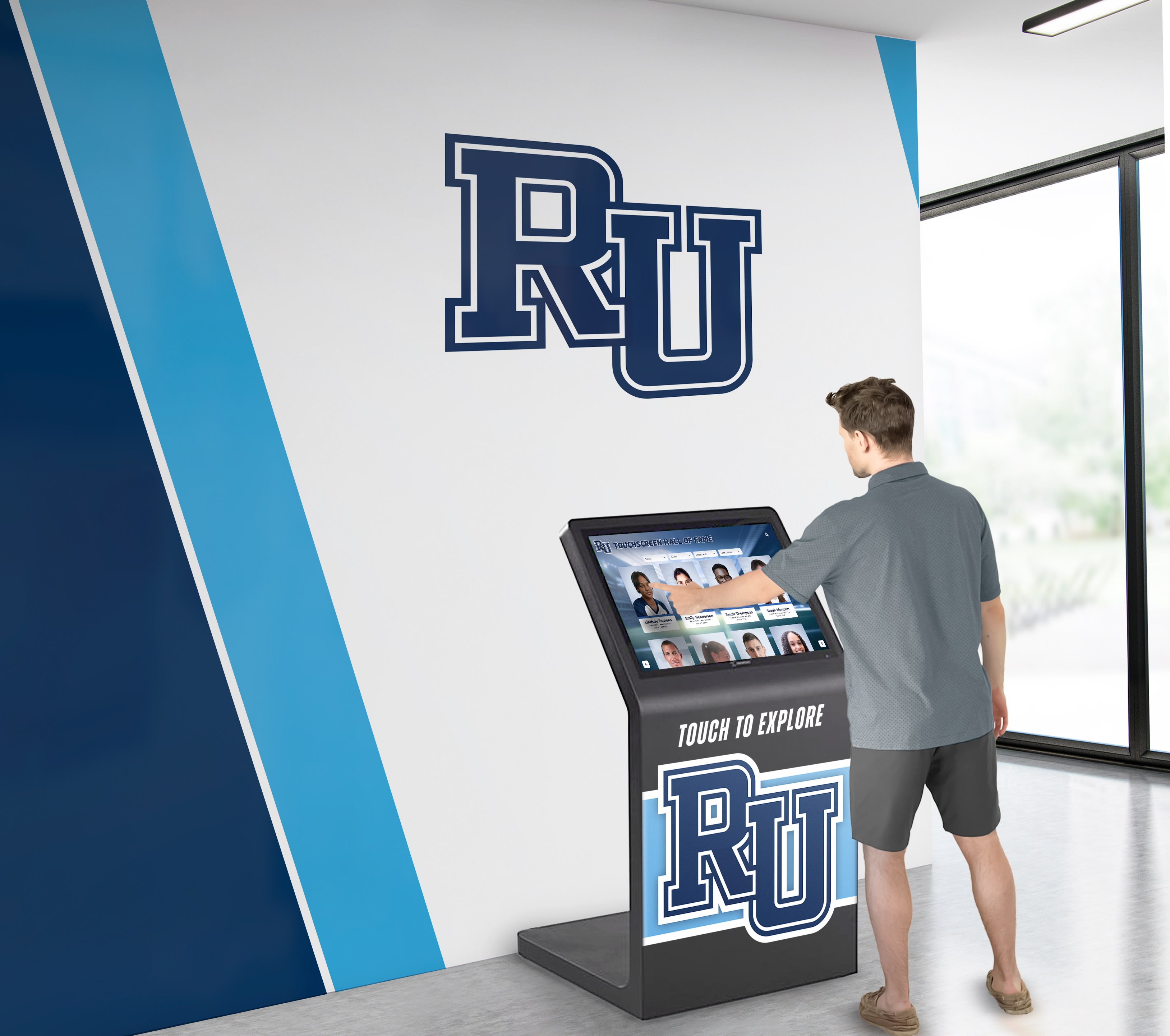
Intuitive interfaces enable visitors of all ages to navigate complex historical timelines
Educational Integration
Timeline displays support educational programs through:
- Curriculum-aligned content addressing specific learning standards
- Teacher resources and lesson plan connections
- Student assignment integration encouraging specific exhibit exploration
- Comparative history features showing connections across time periods
- Critical thinking prompts encouraging analysis and interpretation
- Assessment tools testing comprehension and knowledge retention
For America 250 exhibitions, comprehensive timelines spanning 1776 through 2026 enable visitors to explore the full scope of American history while focusing on personally relevant periods or themes.
Biographical and Profile Displays
Museums honoring historical figures benefit significantly from interactive biographical content.
Founding Fathers and Historical Leaders
America 250 exhibits prominently feature revolutionary era leaders. Interactive profiles provide depth impossible through traditional placards:
- Comprehensive biographical information from birth through death
- Multiple historical photographs or portraits showing subjects at different life stages
- Timeline of significant life events and accomplishments
- Primary source excerpts including letters, speeches, and writings
- Historical context explaining the era in which individuals lived
- Legacy information showing long-term impact and historical significance
- “Connections” features showing relationships between historical figures
- Myth vs. reality sections addressing common historical misconceptions
Interactive Exploration Features
Visitor engagement increases through:
- “Compare Leaders” tools examining similarities and differences between figures
- “In Their Words” sections featuring extensive primary source quotes
- “Historical Debates” presenting multiple perspectives on controversial topics
- “What Would You Do?” scenarios placing visitors in historical decision-making situations
- Related artifact connections showing physical objects associated with individuals
- Family tree explorations revealing personal relationships and dynasties
These features transform biographical content from dry facts into compelling narratives encouraging extended visitor engagement.
Artifact and Collection Browsers
Museums house far more artifacts than display space allows. Digital browsers provide access to extensive collections.
Virtual Collection Access
Touchscreen collection browsers enable:
- High-resolution artifact photography revealing details invisible behind display glass
- 360-degree rotation of three-dimensional objects
- Zoom functionality showing textures, inscriptions, and fine details
- Conservation information explaining preservation efforts and restoration work
- Provenance details documenting artifact history and acquisition
- Related object connections showing similar artifacts across collections
- Curatorial notes providing expert interpretation and analysis
- Educational information explaining historical significance and context
Search and Discovery Tools
Visitors explore collections through:
- Keyword searches finding specific object types or themes
- Date range filters focusing on particular historical periods
- Material filters showing artifacts made from specific substances
- Geographic filters revealing objects from particular locations
- Creator searches finding works by specific artisans or manufacturers
- Theme-based browsing organizing artifacts by conceptual connections
- “Surprise Me” random discovery encouraging serendipitous exploration
Digital archives for museums preserve collections while making them accessible beyond physical exhibition constraints.
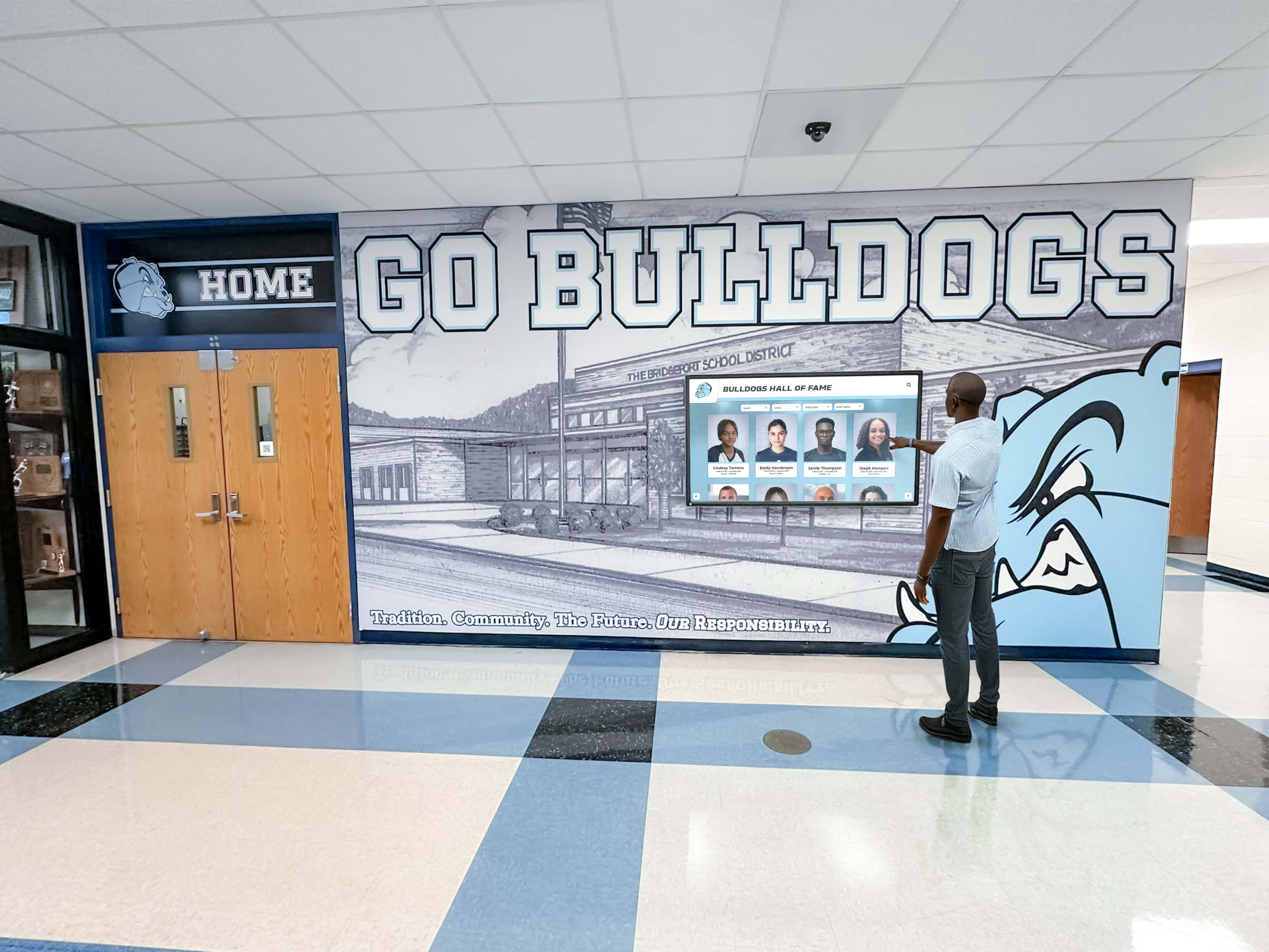
Collection browsers enable exploration of museum holdings far beyond displayed artifacts
Geographic and Mapping Displays
Historical events occur in specific places. Interactive maps enhance geographical understanding.
Revolutionary Era Mapping
America 250 exhibitions benefit from interactive historical maps showing:
- Territorial boundaries of colonial America and British claims
- Battle locations with detailed information about military engagements
- Migration patterns and westward expansion over time
- Transportation routes including roads, waterways, and later railroads
- Settlement growth showing population centers over decades
- Political boundaries demonstrating state formation and territorial acquisition
- Economic activity mapping showing agricultural, manufacturing, and trade centers
Interactive Geographic Features
Enhanced functionality includes:
- Timeline sliders showing territorial changes across years
- Layer toggles revealing different information types on same base map
- Zoom capabilities from national overview to local detail
- Point-of-interest markers providing detailed location information
- Journey tracking showing travel routes of historical figures
- Comparative views displaying “then and now” geographic changes
- Connection lines showing relationships between distant locations
Educational Geographic Content
Maps support learning through:
- Distance calculators showing historical travel time versus modern travel
- Resource overlays explaining how geography influenced economic development
- Climate and terrain information revealing environmental factors in historical events
- Demographic data showing population diversity and change
- “Why Here?” explanations connecting geography to historical significance
Geographic touchscreen displays transform abstract historical events into concrete spatial understanding.
Oral History and Testimonial Archives
First-person accounts provide invaluable historical perspectives. Interactive archives make these accessible.
Audio and Video Testimonials
Interactive museum displays featuring testimonials include:
- Searchable interview archives with hundreds of oral histories
- Topic-based navigation finding testimonials about specific historical events
- Demographic filters locating perspectives from particular populations
- Full transcripts with synchronized highlighting during playback
- Translation capabilities providing multilingual access
- Keyword search within transcripts finding specific topics or phrases
- Bookmarking features enabling visitors to mark compelling content
- Sharing capabilities allowing visitors to email links to themselves
Historical Context Integration
Testimonial displays provide:
- Biographical information about each interview subject
- Timeline placement showing when experiences occurred
- Historical photographs and documents related to accounts
- Expert commentary providing historical context for testimonials
- Related artifact connections showing physical objects mentioned in accounts
- Multiple perspective presentations offering different viewpoints on same events
- Educational discussion prompts encouraging critical analysis of sources
These archives preserve personal histories while making them accessible in ways physical exhibits cannot achieve.
Technical Considerations for Museum Touchscreen Displays
Successful implementation requires attention to hardware, software, and design elements distinguishing museum applications from consumer technology.
Hardware Requirements and Specifications
Museum environments demand commercial-grade equipment withstanding intensive public use.
Display Specifications
According to museum interactive technology guides, effective museum touchscreens require:
- Commercial-grade displays rated for 16-24 hour daily operation versus consumer displays designed for 8-10 hours maximum
- Screen sizes from 32" for individual viewing stations to 86" for group engagement
- 4K resolution minimum ensuring clear text and detailed image display
- Anti-glare glass reducing reflection in museum lighting conditions
- Vandal-resistant construction protecting against deliberate or accidental damage
- ADA-compliant mounting heights and reach ranges
- Multi-touch capability supporting gestures like pinch-to-zoom
- High brightness ratings maintaining visibility in various lighting conditions
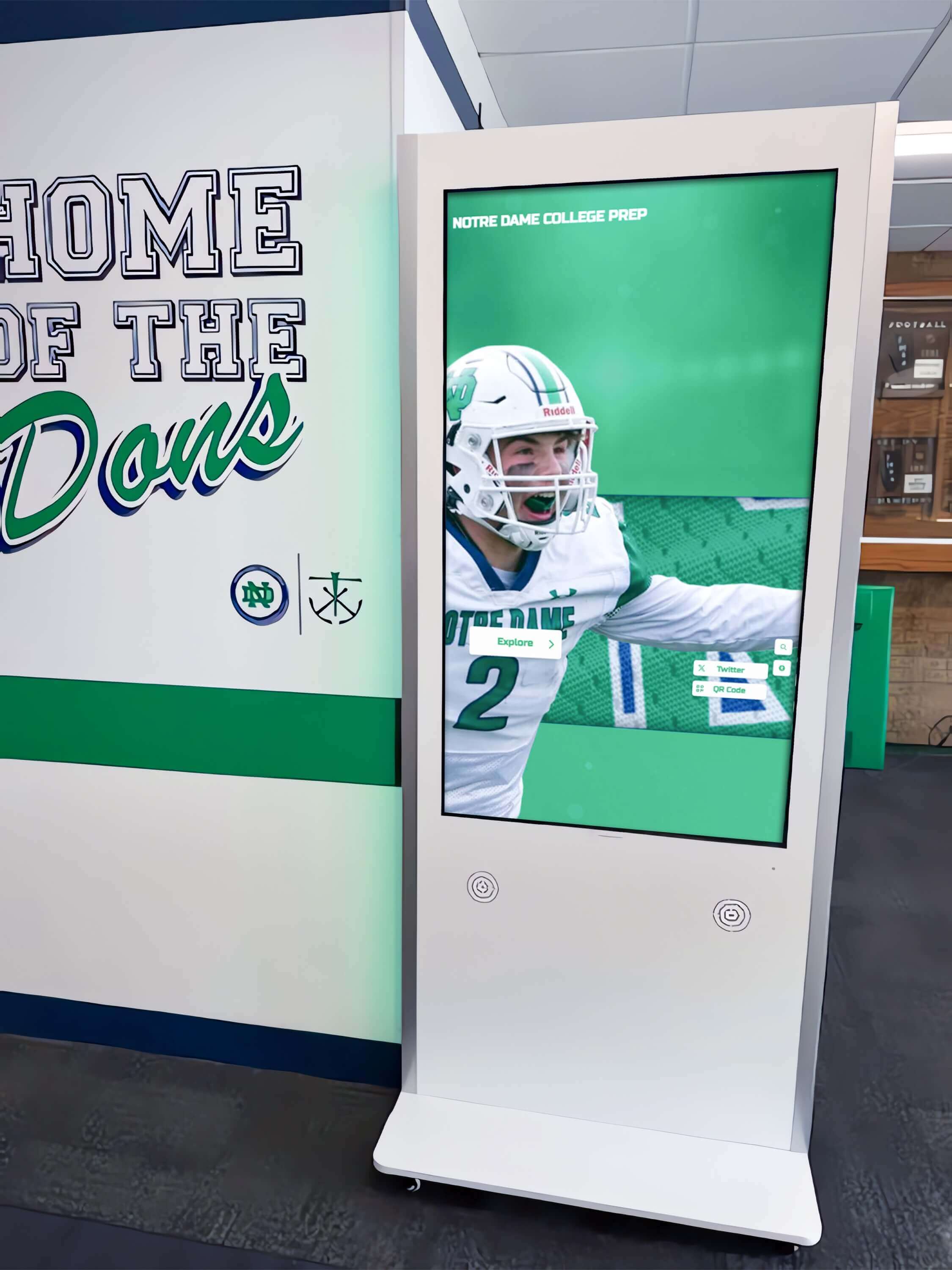
Professional installation ensures displays integrate seamlessly with exhibition environments
Durability and Maintenance
Public museum environments require:
- Tempered glass surfaces resisting scratching and impact
- Sealed enclosures preventing dust and liquid intrusion
- Industrial-grade touchscreen technology maintaining sensitivity over years
- Easily replaceable components reducing downtime for repairs
- Remote monitoring capabilities detecting issues before failures
- Cleaning-friendly surfaces withstanding daily sanitization
- Thermal management preventing overheating during continuous operation
- Extended warranty coverage appropriate for commercial installations
Connectivity and Integration
Technical infrastructure needs include:
- Ethernet connectivity for reliable content updates and remote management
- Backup wireless connectivity ensuring continued operation
- Integration with museum network infrastructure
- Power backup systems preventing data loss during outages
- Security measures protecting against tampering or hacking
- Analytics integration tracking usage patterns and visitor engagement
- Content delivery networks ensuring fast multimedia loading
Museums installing displays for America 250 should specify commercial museum-grade equipment rather than consumer products.
Software Platform Capabilities
Content management systems powering museum touchscreens require specific capabilities.
Content Management Features
Effective museum software platforms provide:
- Intuitive content management systems enabling non-technical staff to update displays
- Media library management organizing thousands of images, videos, and documents
- Scheduled publishing enabling advance preparation for exhibitions
- Version control tracking content changes and enabling rollbacks
- User role management providing appropriate access levels
- Approval workflows ensuring quality control before publication
- Search engine optimization making online versions discoverable
- Mobile-responsive design enabling smartphone and tablet access
- Analytics dashboards revealing visitor interaction patterns
Interactive Functionality
Museums require software supporting:
- Custom navigation structures matching exhibition organization
- Advanced search capabilities across all content
- Filter and sort functionality enabling visitor-directed exploration
- Multimedia presentation including audio, video, and high-resolution images
- Zoom and detail view capabilities for artifact examination
- Interactive timeline visualization tools
- Quiz and assessment features supporting educational goals
- Social sharing enabling visitors to share discoveries
- QR code generation linking physical labels to digital content
- Multi-language support serving diverse visitor populations
Best touchscreen software platforms balance powerful functionality with user-friendly management interfaces.
Accessibility Compliance
ADA and WCAG requirements include:
- WCAG 2.1 AA compliance minimum for public institutions
- Screen reader compatibility for vision-impaired visitors
- Adjustable text sizes accommodating various vision abilities
- High contrast modes enhancing visibility
- Keyboard navigation alternatives to touch for mobility-impaired users
- Closed captions for all video and audio content
- Audio descriptions of visual content
- Simple language options supporting various literacy levels
- Time extension options for interactive elements
Museums must prioritize accessibility ensuring all visitors can engage with digital content regardless of abilities.
User Experience Design Principles
Effective museum touchscreens require intentional design addressing visitor behaviors and expectations.
Intuitive Navigation Design
Visitor-friendly interfaces feature:
- Clear visual hierarchy guiding attention to primary content
- Large, easily tapped buttons accommodating various dexterity levels
- Minimal text on main screens reducing cognitive load
- Consistent navigation patterns throughout the experience
- Breadcrumb trails showing current location within content structure
- Prominent “Home” and “Back” buttons preventing user confusion
- Search boxes prominently positioned for quick access
- Visual thumbnails making navigation more intuitive than text menus
- Progressive disclosure revealing complexity only as needed
Engagement Optimization
Design strategies maintaining visitor interest include:
- Attract loops drawing attention when displays sit idle
- Layered information architecture preventing overwhelming initial presentations
- Interactive elements throughout maintaining active engagement
- Varied content types mixing text, images, audio, and video
- Discovery mechanisms encouraging exploration beyond initial intent
- “Related Content” suggestions guiding visitors to connected materials
- Bookmarking capabilities enabling visitors to save interesting content
- Time estimates helping visitors gauge required interaction duration
- “Quick View” summaries for visitors with limited time
Content Presentation Standards
Effective museum content follows:
- Reading level appropriate for target audiences (typically 8th-10th grade for general audiences)
- Concise text blocks with frequent paragraph breaks
- Scannable formatting using headings, bullet points, and white space
- Active voice and present tense creating immediacy
- Storytelling approaches emphasizing narratives over facts
- Multiple entry points serving visitors with different knowledge levels
- Attribution of sources building credibility
- Updates reflecting current scholarship and interpretation
These design principles transform technical capability into genuinely engaging visitor experiences.
Implementation Strategies for America 250 Exhibitions
Museums marking the 250th anniversary should approach touchscreen implementation strategically.
Planning and Content Development
Successful projects begin with comprehensive planning.
Project Scope Definition
Initial planning should address:
- Exhibition goals and intended visitor outcomes
- Target audiences and their specific needs
- Content scope and required research
- Budget parameters and funding sources
- Timeline from planning through installation
- Staffing requirements and capability assessment
- Physical space constraints and opportunities
- Integration with broader exhibition design
- Accessibility requirements and compliance
- Long-term maintenance and update plans
Content Research and Curation
Developing historical content requires:
- Primary source research in institutional and external archives
- Rights clearance for photographs, documents, and other media
- Fact verification ensuring historical accuracy
- Multiple perspective inclusion presenting diverse viewpoints
- Expert review by historians and subject matter specialists
- Educational alignment with curriculum standards
- Narrative development creating compelling storylines
- Metadata creation enabling search and discovery
- Quality control ensuring consistent presentation standards
Museum history preservation through digital displays requires systematic approaches to content development and management.
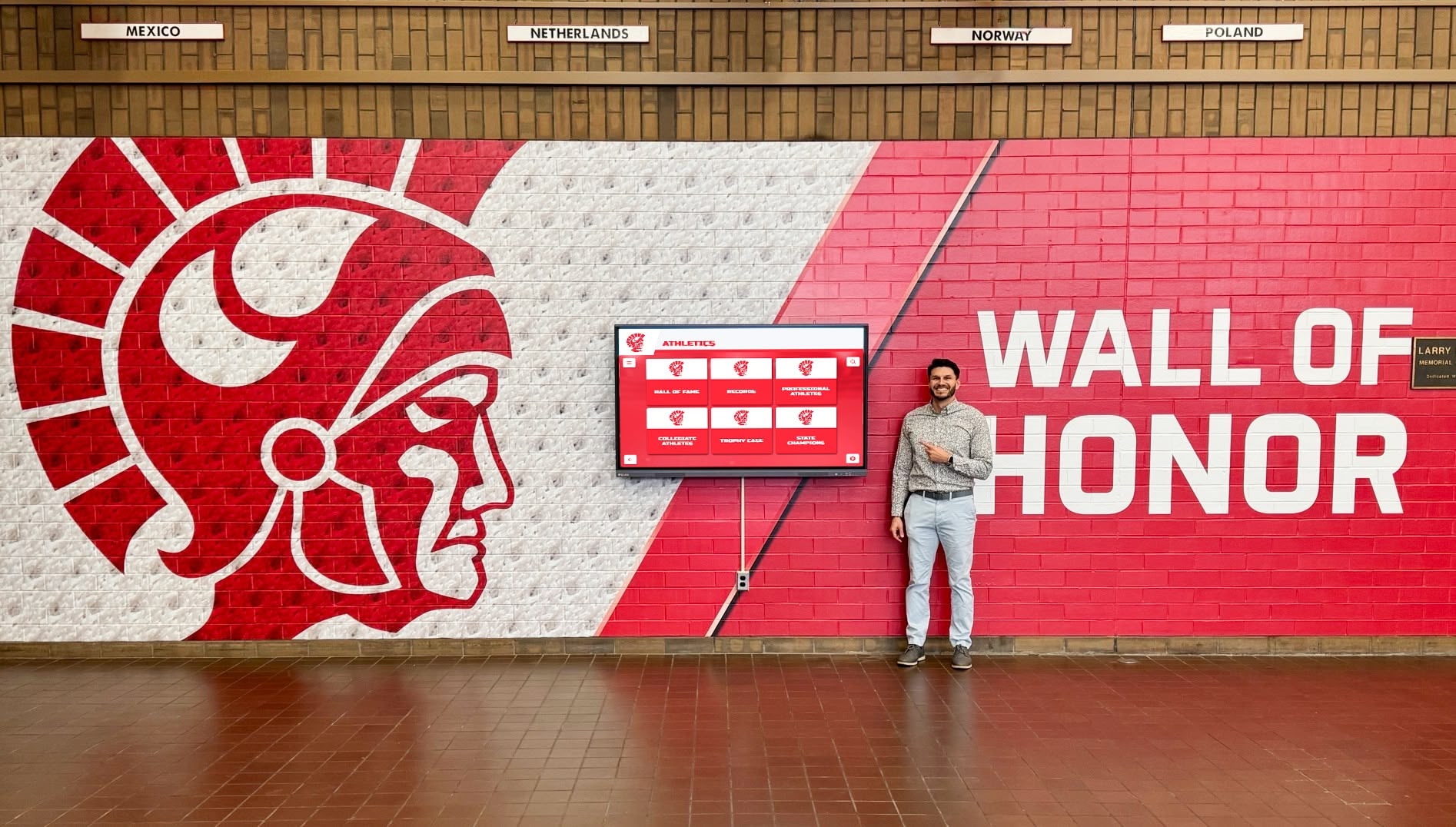
Effective displays integrate with broader exhibition design and interpretive strategies
Technology Partner Selection
Choosing vendors and platforms involves:
- Capability assessment matching technical requirements
- Portfolio review examining previous museum installations
- Reference checks with similar institutions
- Cost analysis including initial investment and ongoing expenses
- Support evaluation determining vendor responsiveness and expertise
- Training assessment ensuring staff can manage systems independently
- Scalability consideration allowing future expansion
- Integration capabilities with existing systems
- Contract negotiation clarifying deliverables and timelines
Installation and Launch
Physical implementation requires coordination across multiple stakeholders.
Site Preparation
Physical space requirements include:
- Electrical infrastructure providing adequate power and backup
- Network connectivity enabling content updates and monitoring
- Structural reinforcement for wall-mounted displays
- Lighting adjustments minimizing glare while maintaining exhibit illumination
- Climate control maintaining temperature and humidity within equipment specifications
- Security measures protecting valuable equipment
- Accessibility compliance ensuring wheelchair access and appropriate mounting heights
- Way-finding signage directing visitors to interactive displays
Staff Training and Support
Successful launches require:
- Comprehensive training for content management staff
- Technical documentation for troubleshooting common issues
- Vendor contact procedures for advanced support needs
- Content update procedures and schedules
- Visitor assistance protocols helping confused users
- Maintenance schedules and procedures
- Analytics review training revealing usage patterns
- Ongoing professional development as systems evolve
Launch and Promotion
Effective rollouts include:
- Soft opening enabling testing with limited audiences
- Feedback collection and rapid iteration before full launch
- Media outreach highlighting innovative technology
- Social media promotion showcasing interactive features
- Educational program integration connecting teachers to new resources
- Visitor orientation materials explaining how to use displays
- Evaluation planning measuring visitor engagement and learning outcomes
Post-Launch Management and Evolution
Interactive exhibits require ongoing attention maintaining effectiveness.
Content Updates and Maintenance
Continuous improvement includes:
- Regular content refreshes preventing stale exhibits
- Seasonal content additions maintaining visitor interest
- Error correction as issues emerge
- New research integration keeping content current
- Technology updates maintaining functionality
- Analytics review identifying underperforming content
- Visitor feedback incorporation addressing concerns
- Hardware maintenance and cleaning schedules
Measuring Success and Impact
Assessment strategies reveal effectiveness:
- Usage analytics tracking interaction frequency and duration
- Heat mapping showing which content receives most attention
- Survey feedback gathering visitor perspectives
- Observational studies revealing actual usage patterns
- Educational assessment measuring learning outcomes
- Comparative analysis examining engagement versus traditional exhibits
- Return visitor tracking showing sustained interest
- Social media monitoring revealing visitor discussions
Data-driven management ensures displays continue serving institutional goals effectively.
Case Examples: Museums Leading Interactive Heritage Display
Examining successful implementations provides practical insight for institutions planning America 250 touchscreen projects.
National Museum of American History
The Smithsonian’s flagship history museum demonstrates large-scale interactive implementation. Their approach to the 250th anniversary exhibition includes interactive zones enabling visitors to share and explore history collaboratively.
Key features include:
- 300,000 square feet of exhibition space featuring 250 significant objects
- Interactive exploration of Jefferson’s portable desk used to draft the Declaration
- Collaborative digital experiences enabling multiple simultaneous users
- Integration of physical artifacts with digital contextual information
- Multimedia presentations combining historical documents, photographs, and video
- Accessibility features ensuring universal access to content
The scale demonstrates how major institutions leverage interactive technology for milestone commemorations.
Mount Vernon’s Be Washington Experience
George Washington’s historic estate created an immersive role-playing experience placing visitors in decision-making situations Washington faced.
Interactive elements include:
- Scenario-based decision-making where visitor choices reveal consequences
- Historical context explaining factors Washington considered
- Multiple perspective presentations showing diverse viewpoints on decisions
- Multimedia integration combining narration, images, and period documents
- Assessment feedback explaining actual historical outcomes
- Educational alignment supporting curriculum standards
- Touchscreen interface enabling intuitive exploration
This innovative approach transforms passive observation into active historical engagement.

Mobile integration extends touchscreen experiences beyond physical museum visits
Virginia Museum of History & Culture
Virginia’s approach to commemorating America’s 250th emphasizes interactive features highlighting Colonial Williamsburg and other historic sites.
Their interactive strategy includes:
- 360-degree virtual tours of historic locations
- Geographic exploration tools showing Virginia’s role in founding era
- Timeline displays connecting local and national history
- Primary source archives with searchable documents
- Biographical profiles of Virginia leaders in revolutionary period
- Educational resources supporting K-12 curriculum
- Multilingual support serving diverse audiences
Regional museums demonstrate that comprehensive interactive exhibitions don’t require national institution budgets.
Local History Museum Best Practices
Smaller institutions successfully implement touchscreen displays through focused approaches:
- Single-topic deep dives rather than comprehensive coverage
- Leveraging volunteer expertise for content development
- Partnering with local universities for research support
- Phased implementation starting with high-priority content
- Grant funding from state humanities councils and private foundations
- Community contribution programs gathering local historical materials
- Shared platforms reducing custom development costs
Preserving local history through digital displays enables smaller institutions to create meaningful interactive experiences within realistic budgets.
Budget Considerations and Funding Strategies
Understanding costs and funding sources enables realistic planning.
Typical Project Costs
America 250 touchscreen projects involve several cost categories:
Hardware Expenses
- Commercial touchscreen displays: $3,000-$12,000 per unit depending on size and specifications
- Mounting hardware and enclosures: $500-$2,500 per installation
- Network infrastructure upgrades: $1,000-$5,000 depending on existing systems
- Backup power systems: $500-$2,000 per display
- Extended warranties and service contracts: 10-20% of hardware cost annually
Software and Platform Costs
- Content management system licenses: $2,000-$10,000 annually depending on features and scale
- Custom development for specialized features: $5,000-$50,000 depending on complexity
- Integration with existing systems: $2,000-$15,000
- Hosting and content delivery: $500-$3,000 annually
- Analytics and monitoring tools: $500-$2,000 annually
Content Development
- Historical research and curation: $10,000-$100,000 depending on scope
- Writing and editing: $5,000-$30,000
- Media production including photography and video: $5,000-$50,000
- Rights and permissions for archival materials: $1,000-$10,000
- Translation services for multilingual content: $3,000-$15,000
- Subject matter expert consulting: $5,000-$25,000
Installation and Launch
- Professional installation: $1,000-$5,000 per display
- Site preparation and construction: $2,000-$20,000 depending on requirements
- Staff training: $2,000-$8,000
- Launch marketing and promotion: $2,000-$10,000
Total project costs typically range from $50,000 for modest single-display installations to $500,000+ for comprehensive multi-display exhibition systems.
Funding Sources and Strategies
Multiple funding approaches support museum technology projects:
Grant Opportunities
- National Endowment for the Humanities grants supporting public programming
- Institute of Museum and Library Services technology grants
- State humanities councils funding local history projects
- Private foundation grants focused on education and technology
- Corporate foundation grants from technology companies
- America 250 specific grants from federal commemoration commission
- Community foundation grants supporting local cultural institutions
Fundraising Campaigns
- Capital campaigns incorporating technology alongside facilities
- Donor naming opportunities for interactive exhibits
- Corporate sponsorships recognizing businesses in display content
- Crowd-funding campaigns engaging broad public support
- Legacy giving programs enabling memorial donations
- Membership drives highlighting new interactive features
Budget Allocation
- Operating budget line items for museum technology
- Deferred maintenance funds supporting infrastructure upgrades
- Education department budgets aligned with learning outcomes
- Marketing budgets recognizing visitor experience improvements
- Endowment income supporting ongoing technology costs
Creative Funding Approaches
- Partnerships with universities providing research and development support
- Volunteer expertise reducing consulting and labor costs
- Shared platforms among multiple museums reducing per-institution costs
- Phased implementation spreading costs over multiple budget cycles
- In-kind contributions from technology vendors
- Earned income from enhanced visitor experiences
Strategic funding combinations enable institutions of various sizes to implement meaningful interactive exhibits.
Looking Beyond 2026: Sustainable Interactive History
While America 250 provides immediate impetus for museum touchscreen investment, successful implementations serve institutions for decades.
Long-Term Content Strategy
Sustainable displays require ongoing content development:
- Regular refreshes maintaining visitor interest through repeat visits
- Expansion into adjacent topics building on initial success
- Integration of new research and scholarship
- Contemporary history additions extending timelines into present day
- Community contribution programs gathering ongoing local history
- Student partnership programs supporting research and content creation
- Oral history collection initiatives preserving current memories for future commemoration
- Anniversary-specific content for annual milestones
Technology Evolution and Upgrades
Planning for advancement ensures continued relevance:
- Hardware replacement cycles typically 5-7 years for commercial displays
- Software platform evaluation every 3-5 years assessing new capabilities
- Incremental feature additions between major upgrades
- Accessibility enhancement as standards evolve
- Security updates maintaining protection against threats
- Performance optimization maintaining fast responsive experiences
- Integration with emerging technologies including augmented and virtual reality
- Data migration planning preserving content through platform changes
Measuring Long-Term Impact
Sustained assessment reveals ongoing value:
- Visitor engagement tracking over years showing trends
- Educational impact studies measuring learning outcomes
- Institutional reputation assessment examining technology’s role in positioning
- Financial analysis comparing costs to visitor and revenue impacts
- Staff efficiency measurement revealing operational benefits
- Accessibility audits ensuring continued compliance and inclusion
- Comparative benchmarking against peer institutions
- Return on investment analysis supporting ongoing funding
Interactive exhibits becoming core institutional infrastructure rather than temporary technology projects deliver maximum long-term value.
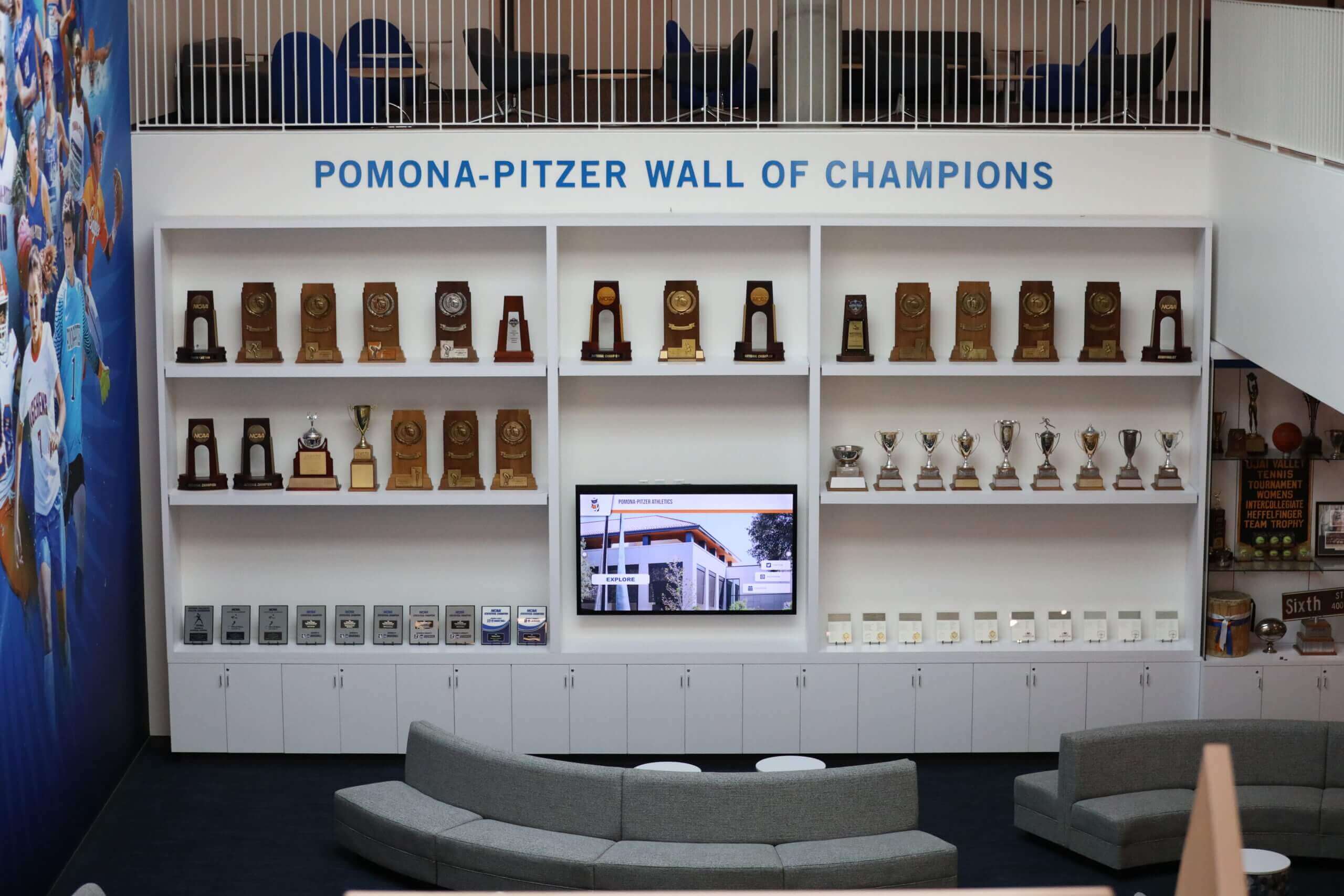
Thoughtfully designed recognition spaces combine traditional and interactive elements creating lasting institutional resources
Conclusion: Interactive Heritage for America’s Next Century
America’s 250th anniversary represents more than a commemoration of past events. This milestone provides opportunities for museums to reimagine how they preserve, present, and share heritage with 21st-century audiences. Interactive touchscreen displays transform museum experiences by enabling deeper exploration, accommodating diverse learning styles, expanding accessibility, and presenting comprehensive historical context impossible through traditional exhibits alone.
The museums leading America 250 celebrations understand that static displays no longer suffice for audiences expecting digital interaction. Whether presenting comprehensive revolutionary war timelines, enabling biographical exploration of founding figures, providing access to vast artifact collections, or preserving oral histories for future generations, interactive technology makes historical content more engaging, accessible, and memorable.
For institutions planning interactive exhibits marking this historic anniversary, the strategies explored in this guide provide frameworks for successful implementation. From technical specifications ensuring commercial-grade durability to content development approaches creating compelling narratives, from accessibility requirements serving all visitors to funding strategies enabling realistic budgets—these considerations enable museums to leverage technology effectively.
Most importantly, interactive displays installed for America 250 serve institutions far beyond 2026. With proper planning, sustainable management, and regular content refreshes, these systems become permanent institutional infrastructure enhancing visitor experiences for decades. Museums can continuously expand content, integrate new research, and adapt to evolving visitor expectations while maintaining the initial investment.
Your institution’s role in commemorating America’s founding and ongoing story deserves presentation matching the significance of this heritage. Interactive touchscreen displays provide the engagement, capacity, and flexibility necessary to honor history while inspiring visitors with stories connecting past to present to future.
Ready to explore interactive heritage display solutions for your museum? Discover how digital recognition platforms enable museums to create comprehensive, accessible, engaging historical exhibitions marking America’s 250th anniversary and beyond.
Sources
- Celebrate the Nation’s 250th in 2026 | National Museum of American History
- America 250 Official Website
- America 250 | George Washington’s Mount Vernon
- Our Shared Future: 250 | Smithsonian Institution
- Commemorating America’s 250th Anniversary | Virginia Museum of History & Culture
- The Ultimate Guide to Museum Kiosks in 2026 | STQRY
- Interactive Display Kiosks with Touch Screen Technology for Museums | MetroClick
- Museums | Planar