Digital signage screens and kiosks require significant investments that organizations make to improve communication, engagement, and wayfinding. Yet many displays sit underutilized, cycling through the same handful of announcements and generic stock images while their capabilities remain unused.
The difference between effective digital signage and wasted screen space comes down to content strategy. Organizations that maximize their display impact understand that screens should deliver value continuously—informing, engaging, recognizing achievements, and creating connections across their communities.
This guide presents 120 practical content ideas organized into 12 categories, helping schools, universities, businesses, nonprofits, and community organizations turn static displays into active communication tools that serve multiple purposes simultaneously.
Digital signage effectiveness depends on content variety, relevance, and consistent updates. Organizations operating displays successfully maintain content calendars that rotate through different content types, ensuring screens deliver fresh information that community members actively seek out rather than passively ignore.
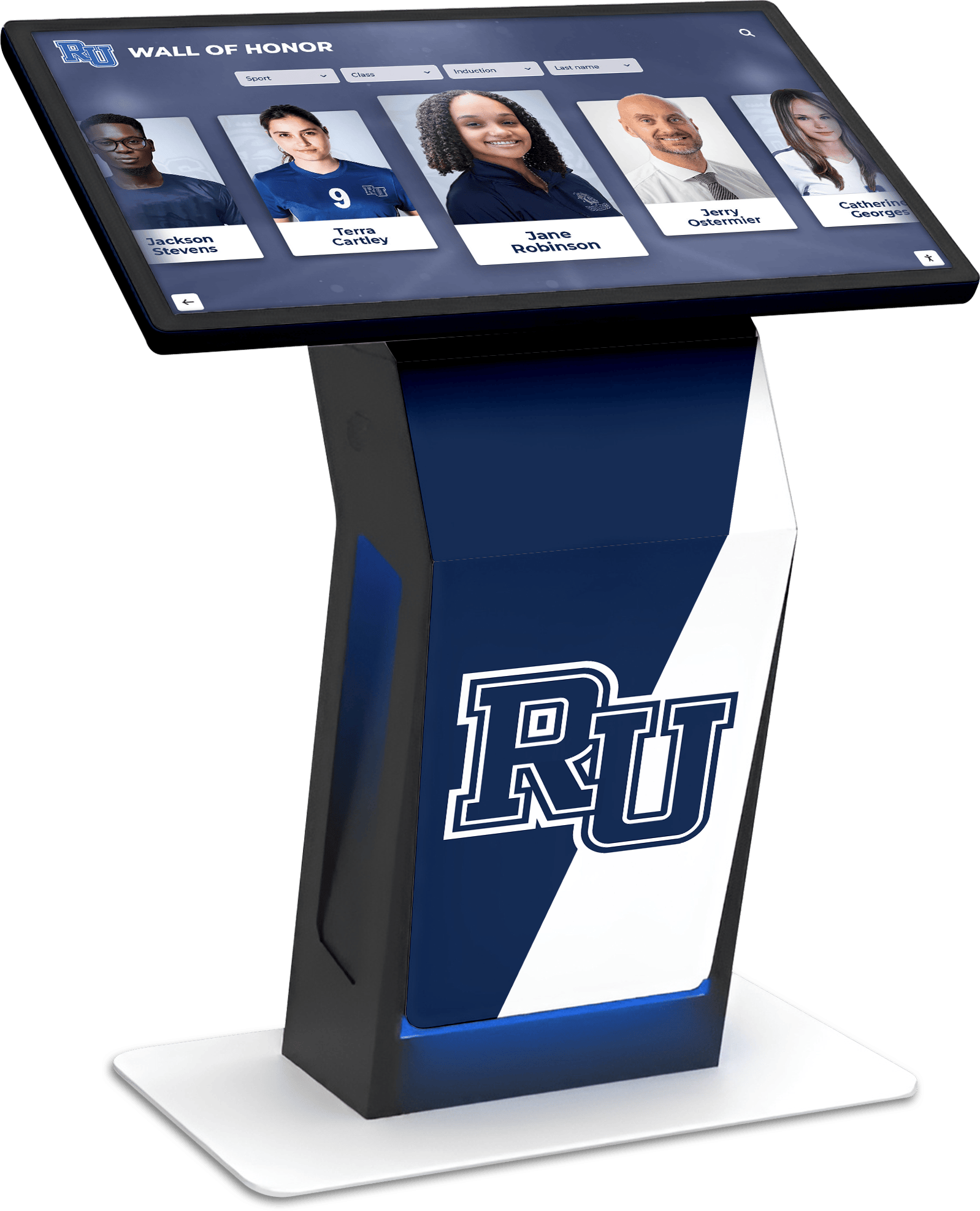
Interactive digital signage creates engaging experiences that serve multiple communication purposes
Understanding Digital Signage Content Strategy
Successful digital signage content balances information delivery, community engagement, recognition, and practical utility. Organizations should evaluate content ideas across several dimensions before implementation.
Content Planning Fundamentals
Digital signage content should meet specific criteria to maintain audience attention and deliver organizational value:
Relevance and Timeliness
- Content must remain current and applicable to your audience’s immediate needs
- Update schedules should match content type (real-time data vs. static recognition)
- Seasonal and event-driven content requires advance planning and scheduling
- Outdated information damages credibility and trains audiences to ignore displays
Visual Impact and Readability
- Text size must be readable from expected viewing distances (typically 6-15 feet for kiosks)
- High contrast ratios ensure readability in various lighting conditions
- Animation and motion should support rather than distract from core messages
- Consistent branding maintains professional appearance across content types
Organizations implementing comprehensive content strategies report significantly higher engagement rates compared to those displaying only basic announcements. According to digital signage industry research, displays featuring varied content types see 40% more interaction than those limited to single-purpose content.
Content Rotation and Scheduling
Effective content management requires systematic rotation approaches:
Structured Playlist Development
- Primary rotation includes evergreen content visible daily (mission statements, directory information)
- Secondary rotation cycles through timely content (upcoming events, achievements, announcements)
- Tertiary rotation features seasonal or special-occasion content
- Emergency override capabilities for urgent communications
Automated Content Triggers
- Time-based triggers display content during specific hours or days
- Database triggers show content when connected systems reach thresholds
- Event-based triggers activate for scheduled occasions
- Environmental triggers respond to conditions like weather or facility occupancy
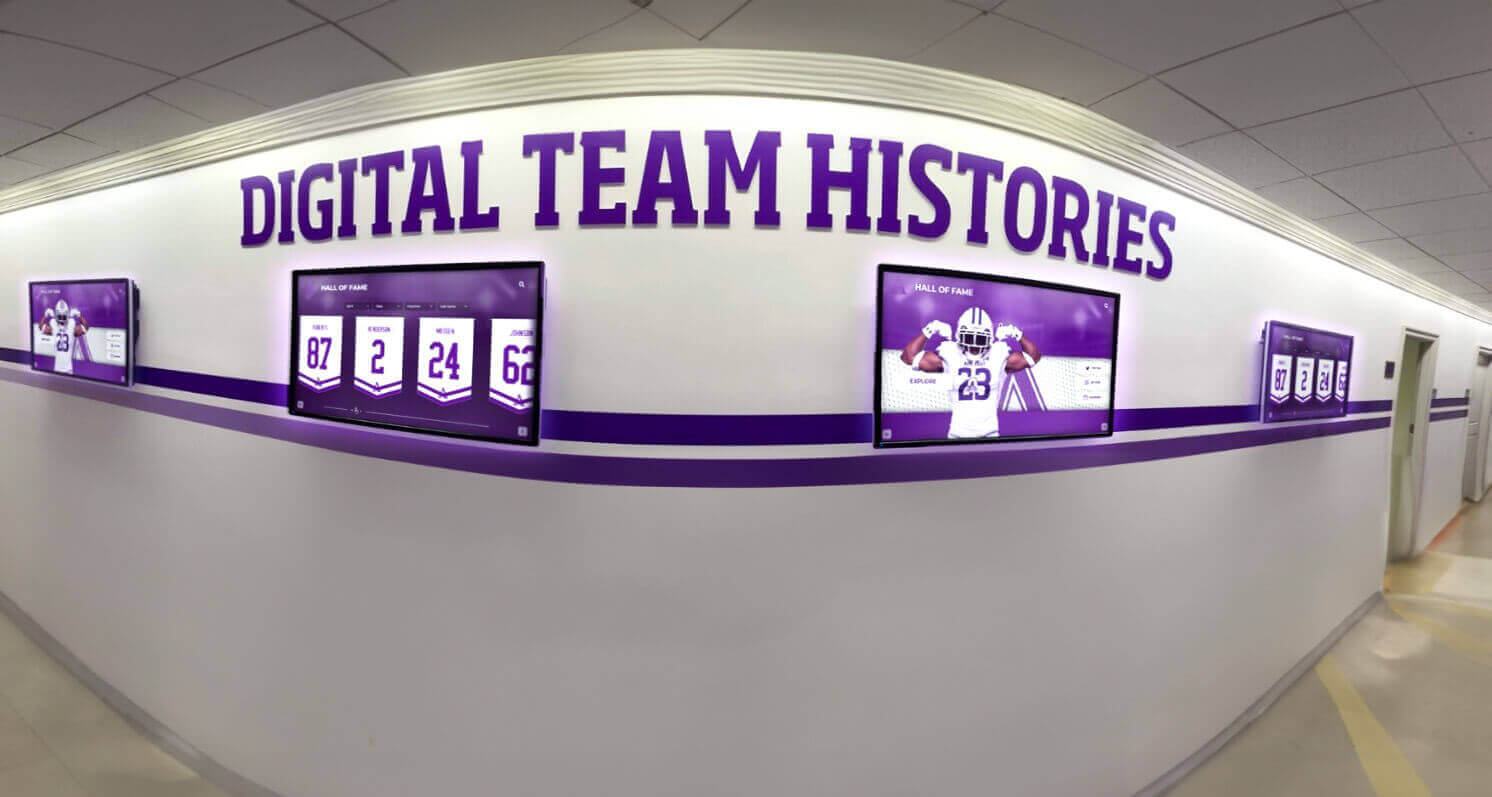
Strategic content placement across multiple displays maximizes communication reach
Organizations should also consider audience patterns when scheduling content. Displays in school lobbies serve different purposes during morning arrival (daily schedules, reminders) versus afternoon dismissal (event promotions, recognition highlights) versus evening events (wayfinding, program information).
Recognition and Achievement Content (Ideas 1-20)
Recognition content celebrates accomplishments, builds community pride, and creates lasting value for organizations. These ideas work particularly well for schools, universities, sports facilities, and membership organizations.
Academic Recognition
1. Honor Roll Displays Display students achieving academic excellence each semester or quarter. Include photos, grade levels, and achievement categories (all A’s, A-B honor roll, perfect attendance combined with grades). Automatic updates from student information systems simplify the recognition process and ensure accuracy.
2. Advanced Placement Scholar Awards Highlight students earning AP Scholar distinctions (AP Scholar, AP Scholar with Honor, AP Scholar with Distinction, National AP Scholar). Display the specific AP exams passed and scores achieved. AP Scholar recognition boards create lasting records of academic achievement.
3. Perfect Attendance Recognition Celebrate students maintaining perfect attendance records by semester, year, or cumulative career totals. Include student photos and consecutive attendance streaks. Recognition programs for perfect attendance correlate with improved academic outcomes.
4. National Merit Scholars Feature students achieving National Merit recognition including Semifinalists, Finalists, and Scholars. Display scholarship amounts and university commitments. This high-profile recognition improves school reputation and motivates younger students.
5. Valedictorian and Salutatorian Spotlights Feature graduating class leaders with biographical information, academic statistics, future plans, and personal statements. Include historical archives of past valedictorians extending back decades.
6. Dean’s List and President’s List Recognize college students achieving semester GPA thresholds. Display by semester, major, and class year. Automatic feeds from registrar systems ensure timely recognition.
7. Academic All-Americans Celebrate student-athletes balancing athletic and academic excellence. Include sport, GPA, major, and career highlights. Academic All-American displays demonstrate institutional commitment to well-rounded student development.
8. Graduation Rate Progress Display cohort graduation rates, improvement trends, and comparative statistics. Present data visually through charts and infographics that demonstrate institutional effectiveness.
Athletic Recognition
9. State Championship Celebrations Feature teams winning state titles with roster photos, season records, championship game highlights, and coaching staff recognition. Include historical context showing championship tradition.
10. Individual Record Holders Display athletes holding school records across all sports. Present record details, year achieved, and comparison to previous records. Auto-ranking systems update displays when records fall.
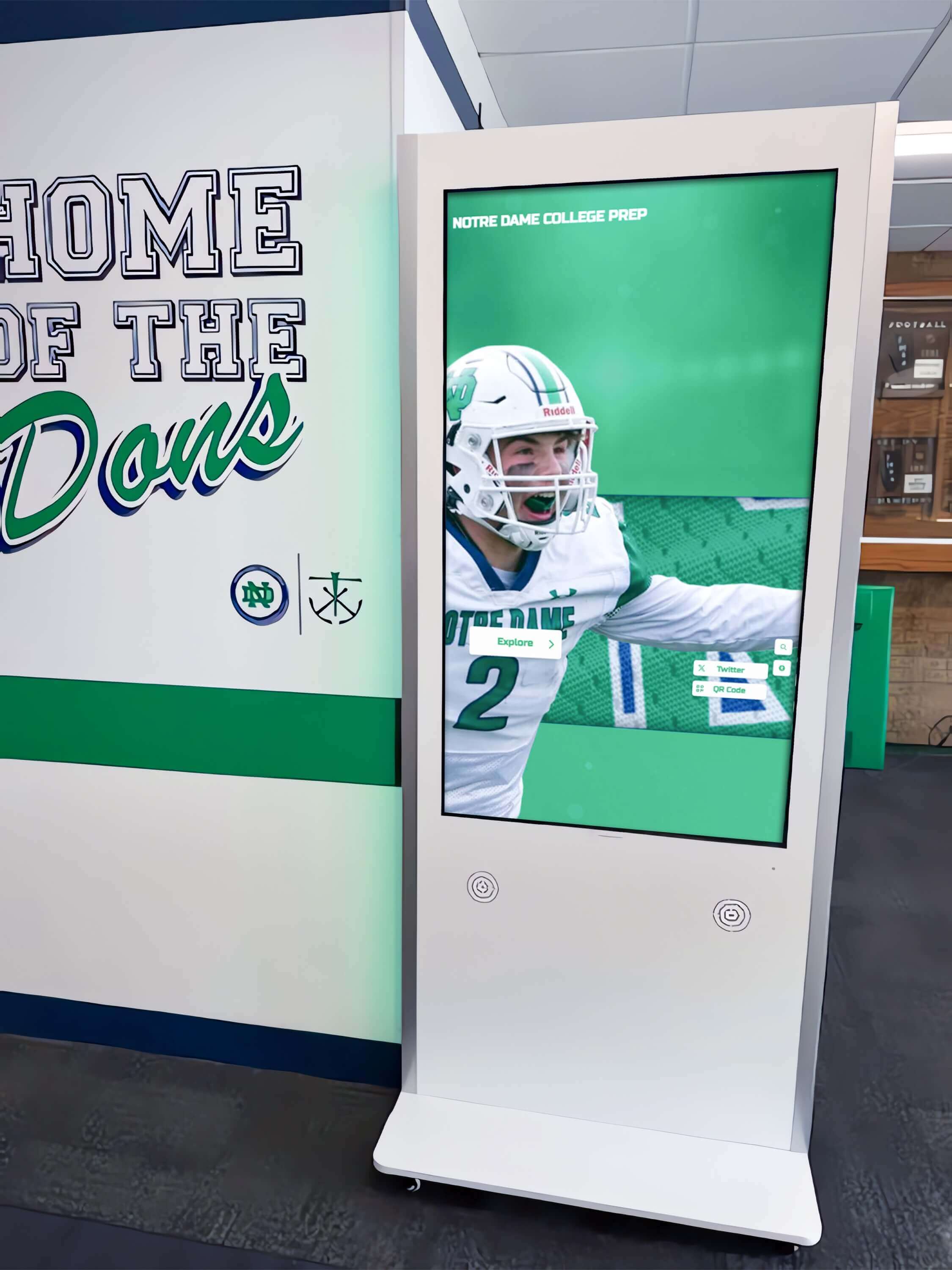
Athletic recognition displays celebrate achievements and build program pride
11. All-Conference and All-State Athletes Recognize athletes earning conference and state honors. Include selection criteria, statistics justifying recognition, and future athletic plans. Present data by sport and season.
12. Athletic Hall of Fame Inductees Display hall of fame members with comprehensive career statistics, biographical information, and post-graduation achievements. Include induction ceremony photos and speeches. Athletic hall of fame guides provide implementation frameworks.
13. College Signing Day Showcases Celebrate student-athletes committing to collegiate programs. Display commitment photos, chosen universities, sports, and career statistics. Update displays as students make decisions throughout signing periods.
14. Team Season Highlights Feature season recaps for each athletic team including records, conference standings, playoff results, and individual achievements. Include photo galleries and video highlights.
15. Coach Milestone Recognition Celebrate coaching career wins, championships, and tenure milestones. Display coaching philosophy quotes, career statistics, and impact on program development.
Arts and Activities Recognition
16. Theatre and Drama Playbills Feature current and past theatrical productions with cast lists, production photos, director information, and performance dates. Build digital archives preserving decades of school theatre history.
17. Music Competition Results Recognize band, choir, and orchestra students earning district, state, and national honors. Display performance ratings, solo competition results, and ensemble achievements.
18. Art Gallery Exhibitions Feature student artwork in rotating digital galleries. Include artist statements, medium descriptions, and inspiration sources. Create permanent archives that students and families can access remotely.
19. FBLA and DECA Competition Winners Celebrate business competition achievements at regional, state, and national levels. Display competition categories, placement results, and project descriptions.
20. Science Fair and Research Recognition Feature students earning science fair awards, research grants, and publication achievements. Include project abstracts, methodology descriptions, and mentoring faculty.
Community Information and Engagement (Ideas 21-40)
Digital signage serves critical communication functions, delivering timely information that helps community members navigate spaces and stay informed about organizational activities.
Daily Operations Content
21. Daily Schedules and Bell Schedules Display current day schedules including special schedules for testing days, assemblies, early dismissals, or late starts. Highlight schedule variations prominently to reduce confusion.
22. Cafeteria Menus Show daily and weekly menu options with nutritional information, allergen warnings, and pricing. Include special dietary options and substitution availability.
23. Weather Updates Present current conditions, hourly forecasts, and severe weather alerts. Include wind chill or heat index values affecting outdoor activities. Automatic weather feeds ensure constant accuracy.
24. Traffic and Transportation Updates Display bus schedule changes, route delays, parking availability, and traffic conditions affecting arrival and dismissal. Include shuttle schedules for multi-campus organizations.
25. Facility Hours and Closures Show library hours, computer lab availability, athletic facility schedules, and building closure information. Update for holidays, breaks, and special events.
26. Emergency Notifications Deliver critical safety information including lockdown procedures, evacuation routes, severe weather instructions, and all-clear notifications. Override regular content during emergencies.
27. Directory and Wayfinding Provide interactive building directories showing room locations, department offices, and faculty assignments. Include maps with searchable interfaces for visitors.
28. Lost and Found Notifications Display found item descriptions (without revealing too much detail) and lost item reports. Include contact information for claiming items.
Event Promotion and Calendars
29. Upcoming Events Calendar Show comprehensive event listings spanning days, weeks, or months. Include event types (athletics, academics, arts, community) with filtering capabilities.
30. Athletic Event Schedules Display game schedules across all sports showing dates, times, opponents, locations (home/away), and transportation departure times. Highlight senior nights and rivalry games.
31. Arts Performance Schedules Promote concerts, plays, musicals, art exhibitions, and dance recitals. Include ticket information, venue locations, and reservation links accessed via QR codes.
32. Academic Event Reminders Highlight registration deadlines, testing dates (SAT, ACT, AP exams), college application deadlines, financial aid workshops, and transcript request cutoffs.
33. Professional Development Opportunities For faculty and staff displays, promote workshops, training sessions, certification courses, and conference opportunities. Include registration information and continuing education credits.
34. Community Events and Partnerships Display community events, partnership organization activities, volunteer opportunities, and local resources relevant to your audience.
35. Alumni Events Promote reunions, networking events, homecoming activities, and alumni association programs. Include registration links and RSVP mechanisms.
36. Parent Engagement Opportunities Display PTO meetings, volunteer needs, parent education workshops, and family involvement events. Highlight volunteer appreciation recognition.
37. Game Day Countdowns Create excitement for major athletic events, homecoming, playoffs, or championship games with animated countdowns. Include hype videos and crowd participation prompts.
38. Deadline Reminders Emphasize approaching deadlines for registrations, payments, form submissions, or applications. Use visual urgency indicators for imminent deadlines.
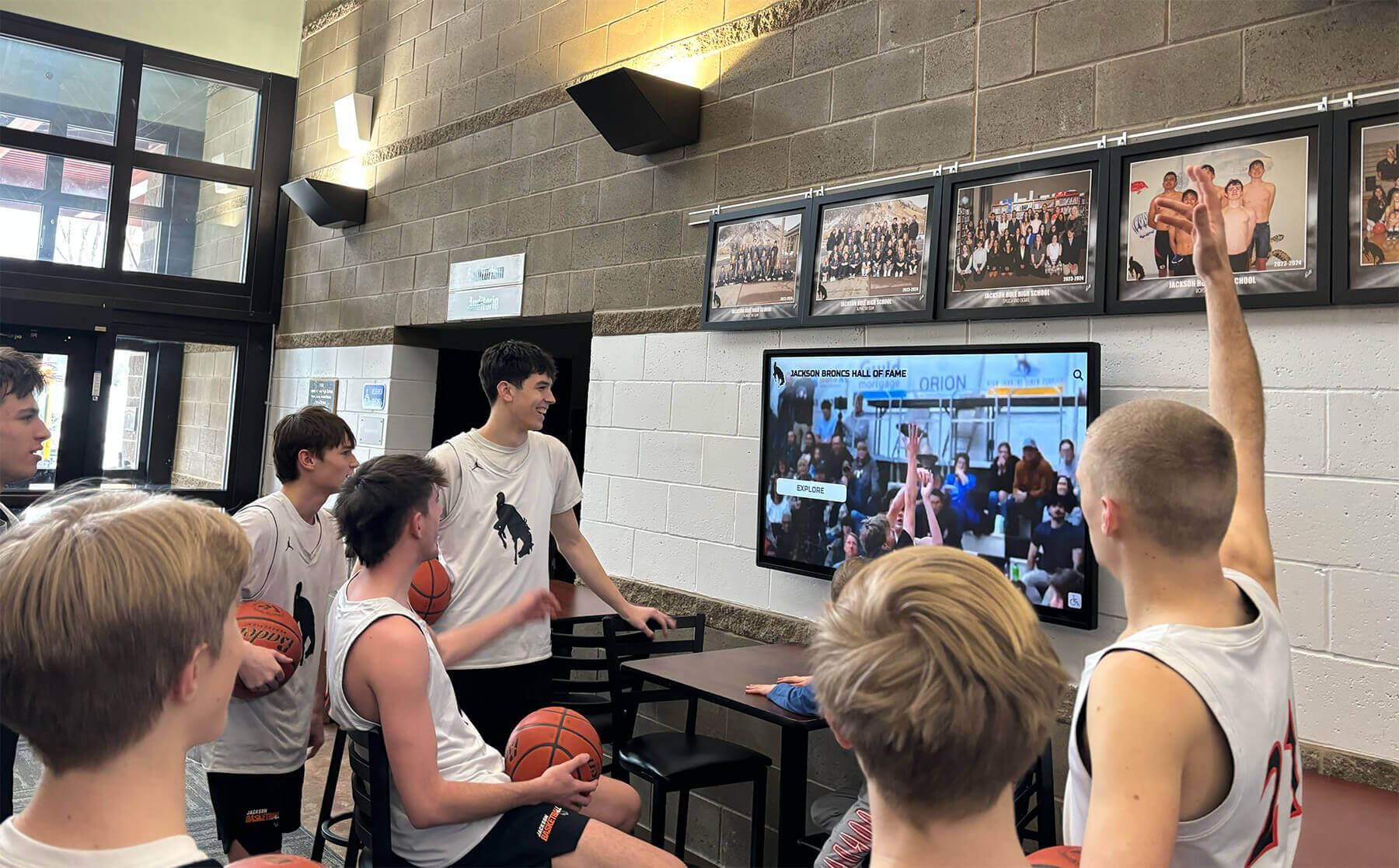
Event promotion content drives attendance and builds anticipation
39. Ticket Sales Information Promote ticket availability for events including purchase locations, online ordering links (via QR codes), pricing, and seating options.
40. Campus Tours and Visit Days For prospective student areas, display tour schedules, visit day agendas, information session times, and check-in locations. Include student ambassador spotlights.
Educational and Informational Content (Ideas 41-60)
Educational content transforms displays into learning resources that deliver value beyond basic announcements. These ideas work across educational institutions, libraries, museums, and community organizations.
Learning Resources
41. Daily Trivia Questions Post engaging trivia spanning history, science, literature, mathematics, and current events. Reveal answers after designated periods. Track participation when interactive responses are enabled.
42. Word of the Day Display vocabulary words with definitions, pronunciation guides, usage examples, and etymology. Rotate through academic vocabulary, SAT/ACT prep words, or subject-specific terminology.
43. Historical “This Day in History” Display significant events occurring on the current date throughout history. Include relevant anniversaries for your organization (founding dates, championship wins, notable alumni achievements).
44. STEM Concepts and Demonstrations Present science concepts, mathematical formulas, engineering principles, and technology explanations. Use animations demonstrating complex processes like chemical reactions or physics principles.
45. College and Career Information Share career exploration resources, major descriptions, salary data, job outlook projections, and required education pathways. Rotate through diverse career options matching student interests.
46. Study Tips and Academic Strategies Provide research-backed study techniques, time management strategies, note-taking methods, and test preparation approaches. Schedule content strategically before major exam periods.
47. Reading Recommendations Feature book recommendations from teachers, librarians, or student book clubs. Include genre descriptions, reading level information, and availability in school or local libraries.
48. Language Learning Content Display foreign language phrases, pronunciation guides, cultural information, and conversation starters. Align with languages taught in your institution.
49. Financial Literacy Topics Present practical financial concepts including budgeting basics, saving strategies, credit understanding, student loan information, and scholarship search resources.
50. Digital Citizenship and Online Safety Share cybersecurity tips, social media privacy settings, digital footprint awareness, and online etiquette guidance. Address current digital safety concerns relevant to your community.
Organizational Information
51. Mission and Vision Statements Display organizational mission, vision, and core values. Include founding history and strategic priorities. This content grounds other displays in institutional purpose.
52. Organizational History Timelines Build interactive historical timelines featuring significant milestones, leadership transitions, facility expansions, and community impact moments across decades.
53. Faculty and Staff Spotlights Feature employee profiles highlighting professional backgrounds, personal interests, years of service, and contributions to the organization. Rotate through all personnel systematically.
54. Department and Program Overviews Explain academic departments, athletic programs, arts offerings, and special initiatives. Include program requirements, participation information, and success metrics.
55. Accreditation and Quality Indicators Display accreditation statuses, quality ratings, rankings, and recognition from external organizations. Present achievement data demonstrating institutional excellence.
56. Facility Maps and Locations Show comprehensive campus or facility maps highlighting specific locations. Update for construction projects, temporary relocations, or new facilities.
57. Technology Resources and Support Explain available technology tools, software access, device lending programs, and IT support contact information. Include tutorial links via QR codes.
58. Student Support Services Promote counseling services, tutoring programs, health services, accessibility accommodations, and student success resources. Include confidential contact methods.
59. Safety Protocols and Procedures Display emergency procedures, evacuation routes, severe weather protocols, and visitor check-in requirements. Ensure accessibility compliance for safety information.
60. Sustainability Initiatives Display environmental programs, recycling information, energy conservation efforts, and sustainability achievements. Present real-time energy usage data when available.
Social Media and Digital Engagement (Ideas 61-75)
Social media integration extends digital signage reach beyond physical locations while creating community connections. These ideas use user-generated content and social platforms.
Social Media Feeds
61. Live Social Media Walls Display curated social media posts using organizational hashtags. Filter content for appropriateness while featuring authentic community voices.
62. Instagram Photo Galleries Feature tagged Instagram photos from events, campus life, or user-submitted content. Create ongoing visual narratives of organizational culture.
63. Twitter Announcement Feeds Stream official organizational Twitter accounts delivering real-time updates, important reminders, and breaking news to display audiences.
64. Hashtag Campaign Promotion Promote specific hashtags for events, initiatives, or recognition programs. Display participation instructions and featured posts using campaign hashtags.
65. Social Media Contest Results Feature winners of social media contests, photo competitions, or user-generated content campaigns. Display winning entries with creator attribution.
66. Student Takeover Content Feature content from student social media takeovers where selected students share perspectives through official organizational accounts. Display takeover schedules and participating students.
67. Live Event Coverage Stream social media content during major events providing real-time updates, photos, and community reactions for those not physically present.
68. Alumni Network Updates Display posts from alumni social networks highlighting career achievements, life updates, and connections to current students. Alumni engagement strategies maximize these connection opportunities.
Interactive Engagement
69. QR Code Access Points Display QR codes linking to detailed content, registration forms, surveys, donation pages, or social media profiles. Track scan rates to measure engagement.
70. Poll and Survey Results Show results from community polls on preferences, opinions, or decisions. Display questions and aggregate responses in real-time visualizations.
71. User-Generated Content Submissions Invite community members to submit photos, videos, or stories for display consideration. Establish clear submission guidelines and moderation processes.
72. Photo Booth Integration For events, display photos captured at digital photo booths with instant sharing to social media and on-screen galleries. Include branded frames and props.
73. Live Streaming Integration Stream live video from events, graduation ceremonies, athletic competitions, or performing arts shows. Include captions and audio descriptions for accessibility.
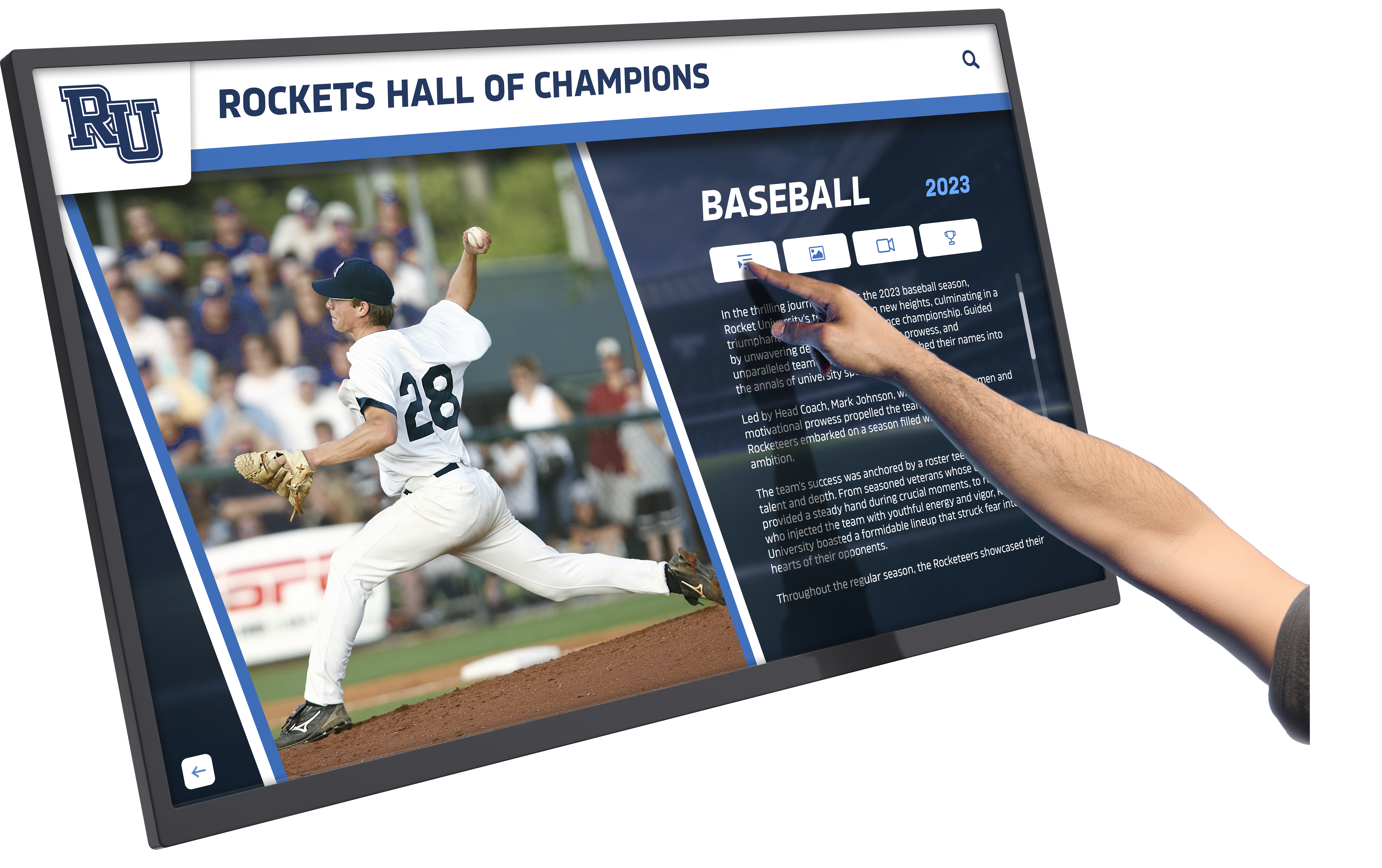
Interactive features encourage active engagement with digital signage content
74. Virtual Visitor Messages Display messages from virtual visitors, remote students, or online community members. Create inclusion for those unable to attend physically.
75. Community Questions and Answers Feature commonly asked questions with answers from administrators, faculty, or subject experts. Allow question submission via QR codes.
Data Visualization and Analytics (Ideas 76-90)
Data-based content demonstrates transparency, tracks progress toward goals, and creates accountability. These ideas work well for organizations emphasizing metrics and outcomes.
Real-Time Data Displays
76. Live Enrollment Numbers Display current enrollment figures by grade level, program, or demographic category. Show year-over-year growth trends and capacity information.
77. Attendance Tracking Show daily attendance rates, tardiness statistics, and comparisons to goals or previous periods. Celebrate attendance milestones and improvements.
78. Fundraising Progress Thermometers Visualize fundraising campaign progress toward goals. Display donor counts, recent contributions (with permission), and milestone achievements. Update automatically as donations arrive.
79. Giving Tuesday Campaigns During giving campaigns, display real-time donation totals, donor recognition, and campaign deadline countdowns. Build urgency and momentum through live updates.
80. Academic Performance Metrics Present aggregate academic data including average GPA trends, standardized test score improvements, college acceptance rates, and merit scholarship totals.
81. Athletic Performance Statistics Display team records, individual player statistics, conference standings, and playoff positioning. Update automatically after each competition.
82. Library Circulation Data Show most-checked-out books, genre popularity trends, and total circulation statistics. Feature popular titles with availability information.
83. Energy Consumption Dashboards Display real-time energy usage, conservation progress, and environmental impact reductions. Compare current usage to baselines or goals.
84. Carbon Footprint Tracking Visualize organizational carbon footprint data, reduction initiatives, and sustainability goal progress. Connect environmental efforts to measurable outcomes.
85. Water Conservation Metrics Show water usage data, conservation program results, and fixture efficiency improvements. Display cost savings alongside environmental benefits.
Progress Tracking
86. Goal Progress Indicators Track organizational strategic goals with visual progress bars, percentage completions, and milestone markers. Update regularly as progress occurs.
87. Reading Challenge Trackers For schools or libraries, display collective reading challenge progress including books read, pages completed, and genre diversity. Celebrate milestones with the entire community.
88. Participation Rate Displays Show participation rates in activities, programs, or initiatives. Display targets and actual participation to encourage increased involvement.
89. Capital Campaign Progress Visualize multi-year capital campaign progress toward facilities, endowment, or program funding goals. Display major gift recognition and campaign phase information.
90. Alumni Giving Participation Show alumni giving participation rates by class year, decade, or geographic region. Encourage friendly competition while respecting donor privacy preferences.
Wellness and Student Life (Ideas 91-105)
Content supporting wellness, mental health, and student life creates supportive environments. These ideas acknowledge the whole-person needs of communities.
Health and Wellness
91. Mental Health Resources Display mental health support services, crisis hotlines, counseling availability, and self-care strategies. Include confidential access methods and destigmatizing messages.
92. Nutrition Information Share healthy eating tips, nutritional facts about menu items, and special dietary accommodation information. Partner with food service providers for accurate details.
93. Physical Activity Challenges Promote step challenges, fitness goals, or wellness competitions. Display leaderboards, progress updates, and participation instructions.
94. Mindfulness and Stress Reduction Feature brief mindfulness exercises, breathing techniques, and stress management strategies. Schedule content during high-stress periods like exams or deadlines.
95. Sleep Health Education Share research-backed sleep hygiene tips, recommended sleep amounts by age, and effects of sleep deprivation on academic performance and health.
96. Substance Abuse Prevention Display evidence-based substance abuse prevention messages, support resources for those struggling with addiction, and family resource information.
97. Sexual Health Education Provide age-appropriate sexual health information, consent education, STI prevention, and confidential health service access details.
98. Wellness Program Schedules Show schedules for yoga classes, meditation sessions, fitness programs, or wellness workshops available to students, faculty, or staff.
Student Life Content
99. Club and Organization Spotlights Feature student clubs with meeting information, current projects, membership requirements, and contact details for students interested in joining.
100. Intramural Sports Schedules Display recreational sports leagues, sign-up information, game schedules, and championship brackets. Celebrate intramural champions alongside varsity athletes.
101. Student Government Updates Share student government meeting outcomes, upcoming initiatives, representative contact information, and voting opportunities. Increase transparency in student governance.
102. Campus Life Photo Slideshows Rotate through candid photos capturing daily campus life, spontaneous moments, and authentic student experiences. Obtain appropriate photo releases.
103. Spirit Week Schedules Promote spirit week themes, participation ideas, costume suggestions, and contest information. Build excitement through countdown timers.
104. Homecoming Activities Display homecoming schedules, parade information, court candidates, game details, and alumni event options. Build comprehensive homecoming guides.
105. Senior Class Activities Display senior-specific content including graduation requirements, senior trip information, yearbook deadlines, and class gift campaigns.
Donor Recognition and Development (Ideas 106-115)
Donor recognition content honors supporters while encouraging continued philanthropic engagement. These ideas apply to schools, nonprofits, hospitals, and membership organizations.
Donor Displays
106. Major Donor Recognition Feature major gift donors with naming rights, endowment creators, and capital campaign leadership. Display giving levels and recognition societies appropriately. Donor recognition walls build lasting appreciation.
107. Legacy Society Members Recognize individuals including organizations in estate plans or creating planned gifts. Display legacy society benefits and membership information for prospective members.
108. Annual Fund Donor Lists Show comprehensive donor lists by giving level for annual campaigns. Update throughout fiscal years as gifts arrive, creating momentum and social proof.
109. Scholarship Donor Recognition Feature scholarship creators with scholarship criteria, recipient counts, and impact stories. Connect scholarship funding to student success outcomes.
110. Corporate Sponsor Displays Recognize business sponsors of programs, facilities, or events. Display sponsor logos, sponsorship levels, and partnership descriptions according to sponsorship agreements.
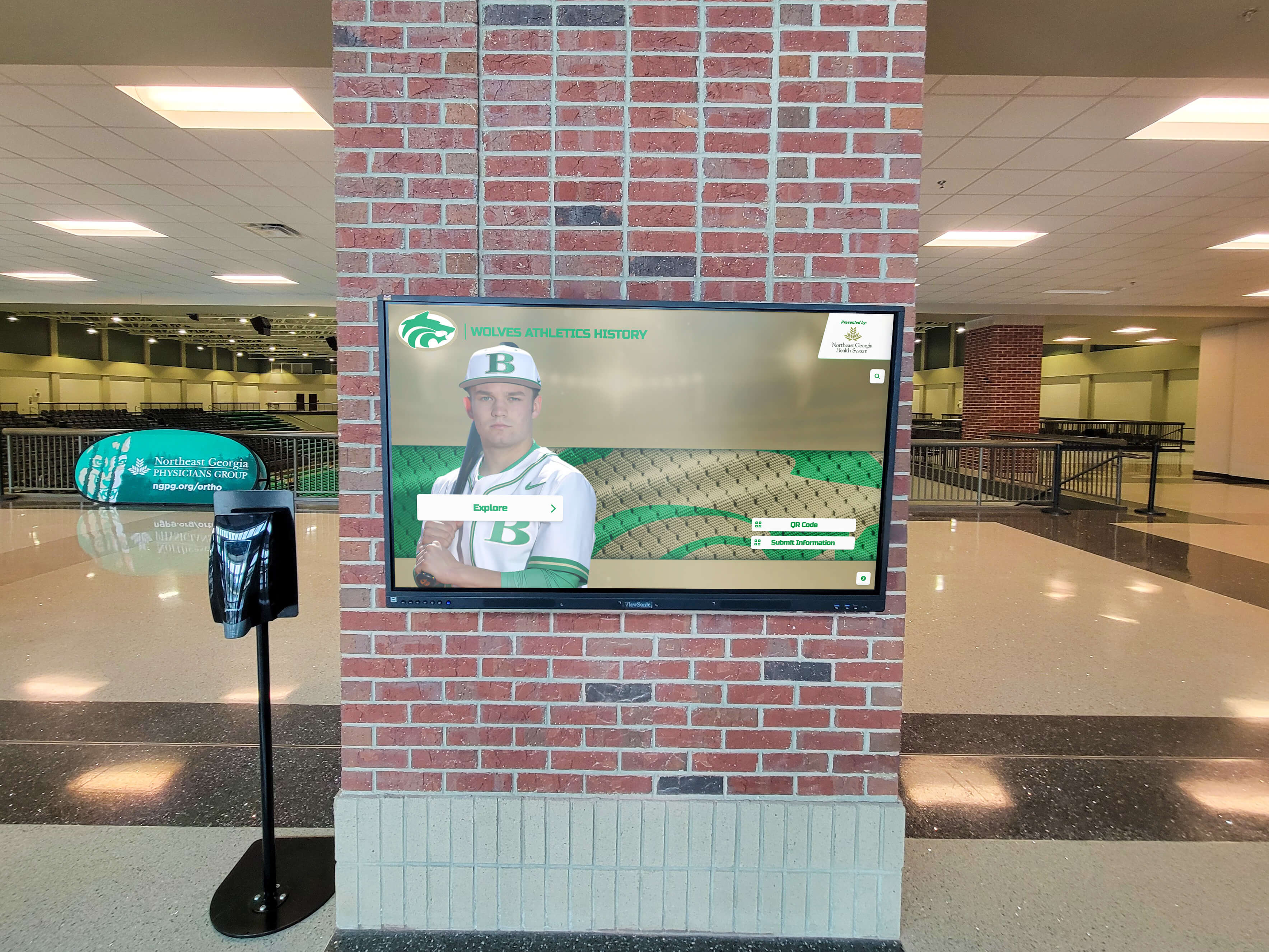
Donor recognition displays honor supporters while promoting philanthropic culture
111. Memorial and Tribute Gifts Display gifts made in memory or honor of individuals. Include tribute names (with family permission), memorial messages, and designated fund purposes.
112. Volunteer Recognition Celebrate volunteer contributions with hours served, project descriptions, and volunteer spotlights. Highlight volunteer program opportunities to recruit additional support.
113. Foundation Board Members Recognize foundation or development board members serving the organization. Display board member biographies, terms of service, and governance structures.
114. Gift Impact Stories Share specific examples of how donations create impact. Display before/after comparisons, program expansion enabled by gifts, or student testimonials about scholarship assistance.
115. Ways to Give Information Educate potential donors about giving options including cash gifts, stock transfers, donor-advised funds, IRA distributions, and planned giving vehicles. Include contact information for development staff.
Specialized and Unique Content (Ideas 116-120)
These final ideas represent unique content opportunities serving specific organizational needs or creating distinctive value.
116. Historical Archives and Yearbooks Display digitized historical yearbooks, scrapbooks, and archival photos. Create searchable interfaces allowing community members to explore institutional history. Solutions like digital yearbook platforms preserve and share decades of memories.
117. Interactive Museum Exhibits For organizations with museum collections, create digital exhibit spaces with artifact photos, historical context, curator notes, and related research. Include accessibility features like text-to-speech and adjustable text sizes.
118. Military and Service Recognition Honor military veterans, first responders, and community service members. Display service branches, years served, deployments, and post-service contributions. Create military honor walls accessible to all.
119. Industry Partnership Features For career and technical education programs, feature industry partners providing internships, equipment donations, curriculum input, or mentorship. Display partnership benefits and student outcomes resulting from industry connections.
120. Inspiration and Motivation Display inspirational quotes from notable figures, historical leaders, alumni, or faculty. Rotate content regularly to maintain freshness. Choose quotes connecting to institutional values and current events when appropriate.
Implementation Best Practices
Understanding content possibilities represents only the first step. Successful implementation requires technical capabilities, content management processes, and ongoing maintenance commitments.
Technical Requirements
Organizations implementing comprehensive content strategies need digital signage systems supporting:
Content Management Systems
- Cloud-based remote access from any internet-connected device
- Role-based permissions allowing multiple administrators
- Content scheduling and playlist management
- Template libraries for consistent visual branding
- Media asset libraries with organizational systems
Display Hardware Considerations
- Screen sizes appropriate for viewing distances and locations
- Touchscreen capabilities for interactive content
- Adequate brightness for ambient lighting conditions
- Commercial-grade displays rated for continuous operation
- Network connectivity (wired or wireless) supporting content delivery
Accessibility Compliance
- ADA WCAG 2.1 AA compliance for interactive elements
- Text-to-speech capabilities for vision-impaired users
- Adjustable contrast and text size options
- Closed captioning for video content
- Alternative content access methods including QR codes for mobile access
Organizations should evaluate whether their current systems support the content types they want to display. Limited content management systems may restrict implementation possibilities, requiring platform upgrades or migrations.
Content Development Workflows
Sustainable content strategies require defined workflows:
Content Creation Processes
- Identify content owners responsible for each content type
- Establish content submission workflows with approval stages
- Define content standards including image quality, text guidelines, and branding requirements
- Create content templates simplifying regular content updates
- Build content calendars planning weeks or months in advance
Quality Control Measures
- Review all content for accuracy before publication
- Verify proper grammar, spelling, and formatting
- Confirm appropriate image rights and permissions
- Test interactive elements across devices
- Schedule content refreshes preventing stale displays
Maintenance and Updates
- Remove outdated event information immediately after events conclude
- Update achievement displays within days of accomplishments
- Refresh seasonal content appropriately
- Monitor displays for technical issues requiring intervention
- Solicit feedback from community members about content preferences
Organizations implementing 20+ content types from this guide should consider dedicating staff time specifically to digital signage content management. Part-time content coordinator positions (even 5-10 hours weekly) significantly improve display effectiveness compared to “as time allows” approaches.
Measuring Digital Signage Effectiveness
Organizations investing in comprehensive content strategies should track effectiveness metrics justifying continued investment and identifying improvement opportunities.
Engagement Metrics
Quantitative Measures
- Interaction counts for touchscreen displays
- QR code scan rates tracking content access
- Duration of interactions with displays
- Content view rates from analytics platforms
- Social media engagement from hashtag campaigns
Qualitative Feedback
- User surveys about content preferences and satisfaction
- Focus groups exploring display effectiveness
- Observation studies noting how people use displays
- Suggestion boxes for content requests
- Stakeholder interviews with administrators, faculty, students, and visitors
Organizations should establish baseline metrics before implementing new content strategies, then track changes over time. Effectiveness comparisons require consistent measurement approaches.
ROI Considerations
Digital signage return on investment includes both quantitative and qualitative factors:
Direct Value
- Reduced printing costs for eliminated paper announcements
- Staff time saved through automatic content delivery
- Increased event attendance from improved promotion
- Increased donor giving from recognition programs
- Enrollment growth attributed to improved facilities and communication
Indirect Value
- Improved organizational culture and community pride
- Strengthened communication reach and effectiveness
- Increased transparency and information accessibility
- Modernized institutional image
- Competitive advantages in recruitment
According to digital signage industry research, organizations implementing data-based content strategies see measurably higher engagement rates. Digital signage trends for 2026 emphasize personalization, AI-assisted content, and interactive experiences that these 120 ideas support.
Choosing the Right Digital Signage Solution
Organizations evaluating digital signage platforms should assess capabilities against their content strategy ambitions. Not all systems support the content types described in this guide.
Platform Evaluation Criteria
Content Flexibility
- Unlimited content capacity vs. artificial entry restrictions
- Support for diverse media types (photos, videos, documents, live data feeds)
- Custom content template creation
- Multiple recognition category support within single systems
- Archive capabilities preserving historical content
Technical Capabilities
- Cloud-based content management accessible remotely
- API integrations with existing systems (student information systems, donor databases, social media)
- Scheduled content delivery and automatic triggers
- Multi-display support with independent or synchronized content
- Mobile accessibility through QR codes or dedicated apps
Accessibility Standards
- ADA WCAG 2.1 AA compliance documentation
- Screen reader compatibility
- Adjustable visual settings
- Alternative content access methods
- Usability testing with diverse users
Organizations should request demonstrations showing how platforms handle specific content types from this guide that match their priorities. Generic demonstrations may not reveal limitations affecting your implementation plans.
Solutions like Rocket Alumni Solutions provide comprehensive platforms supporting all 120 content types described here, with unlimited content capacity, full accessibility compliance, and remote cloud management. Organizations implementing multiple content categories simultaneously benefit from integrated platforms rather than cobbling together separate systems for recognition, announcements, and data visualization.
Explore how modern digital recognition platforms support comprehensive content strategies.
Conclusion
Digital signage screens and interactive kiosks offer organizations powerful communication tools—when content strategies use their capabilities fully. The 120 ideas presented here span recognition, information delivery, education, engagement, data visualization, wellness support, and donor appreciation.
Effective implementation requires matching content ambitions with technical capabilities, establishing sustainable content management workflows, and measuring effectiveness through both quantitative metrics and qualitative feedback.
Organizations starting digital signage initiatives should prioritize content types delivering the highest value to their specific communities, then expand systematically as capacity grows. Those operating existing displays can audit current content against these 120 possibilities, identifying high-impact additions fitting their organizational priorities.
The most successful digital signage implementations share common characteristics: diverse content types preventing monotony, regular updates maintaining relevance, accessible designs serving all community members, and strategic alignment connecting display content to organizational missions and values.
Digital signage effectiveness ultimately depends less on hardware specifications than on content quality, variety, and consistent management. Organizations committing to comprehensive content strategies turn displays from passive announcement boards into active communication hubs that inform, engage, celebrate, and connect their communities daily.